 (208) 991-3502
 Meridian, ID



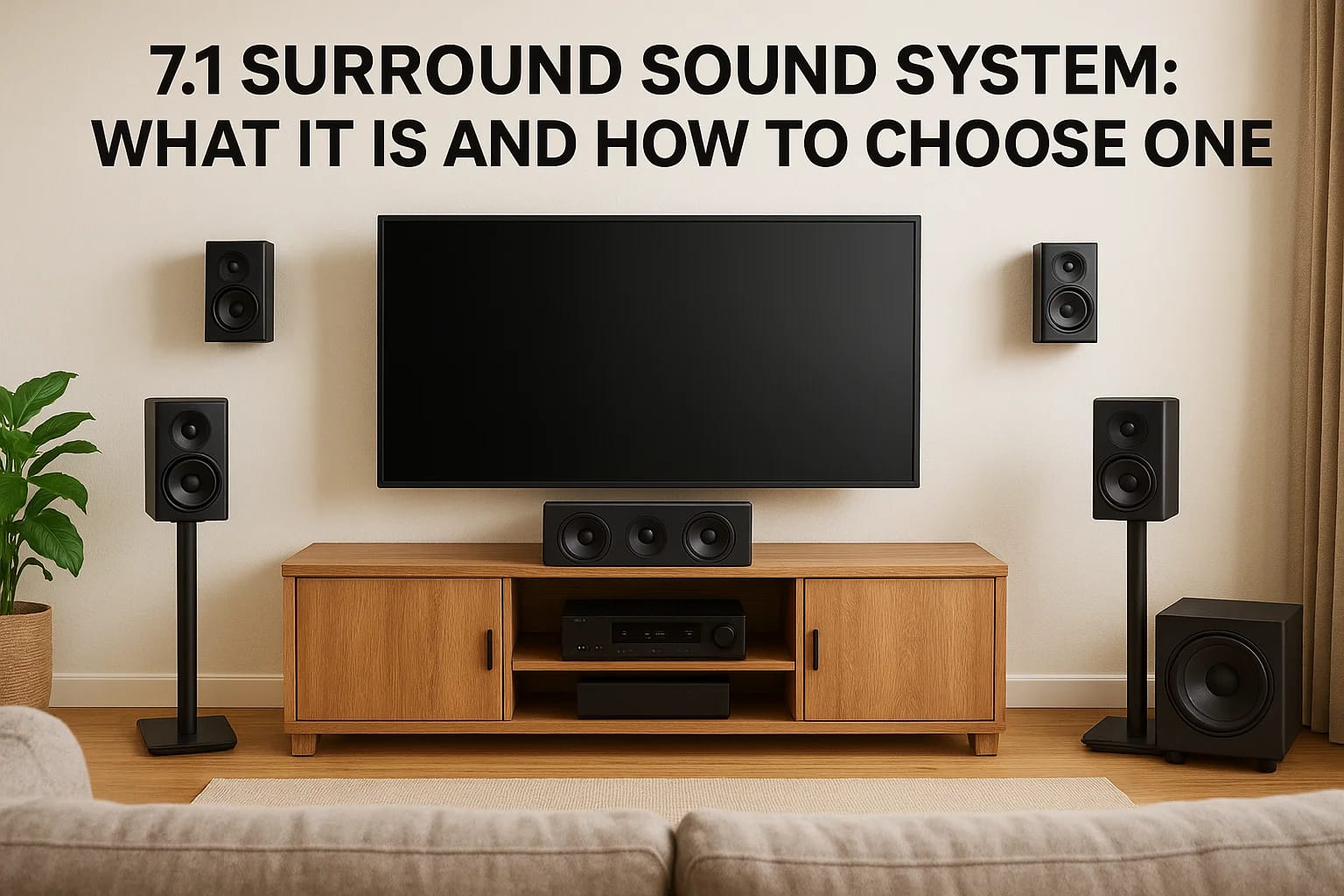

You've probably seen the spec sheet on a receiver or soundbar bundle and wondered what all those numbers actually mean. A 7.1 surround sound system uses seven speakers plus a subwoofer to wrap sound a...
You've probably seen the spec sheet on a receiver or soundbar bundle and wondered what all those numbers actually mean. A 7.1 surround sound system uses seven speakers plus a subwoofer to wrap sound around your room instead of just pushing it out from the front of the TV. That extra layer of rear and side channels is what separates a decent home theater from one that actually puts you inside the movie.
If you're trying to figure out whether this setup is worth it, here's the short answer: a properly placed 7.1 channel surround sound system delivers noticeably more depth and directional accuracy than 5.1, especially in rooms larger than a typical living room. It's not just marketing. The two rear channels fill in sound gaps that 5.1 leaves flat, particularly during action scenes or live sports broadcasts.
In this article, we'll break down exactly how a 7.1 surround sound system for tv setups works, what each speaker channel does, and the real differences between 7.1 and other formats. We'll also cover what to look for when comparing options, so you can choose a system that matches your room size, budget, and how you actually watch.
Why a 7.1 surround sound system is worth it
Walk into a room with a properly tuned 7.1 surround sound system and you'll notice something immediately: sound doesn't just come from the TV, it comes from behind you, beside you, and in front of you at the same time. That's the whole point of adding those extra rear channels. A basic soundbar compared to a surround sound system throws everything forward, so gunfire, footsteps, or crowd noise all bunch up in one direction. A 7.1 channel surround sound system spreads that same audio across eight discrete outputs, which is why action scenes and sports broadcasts sound so much more alive on a system built this way.
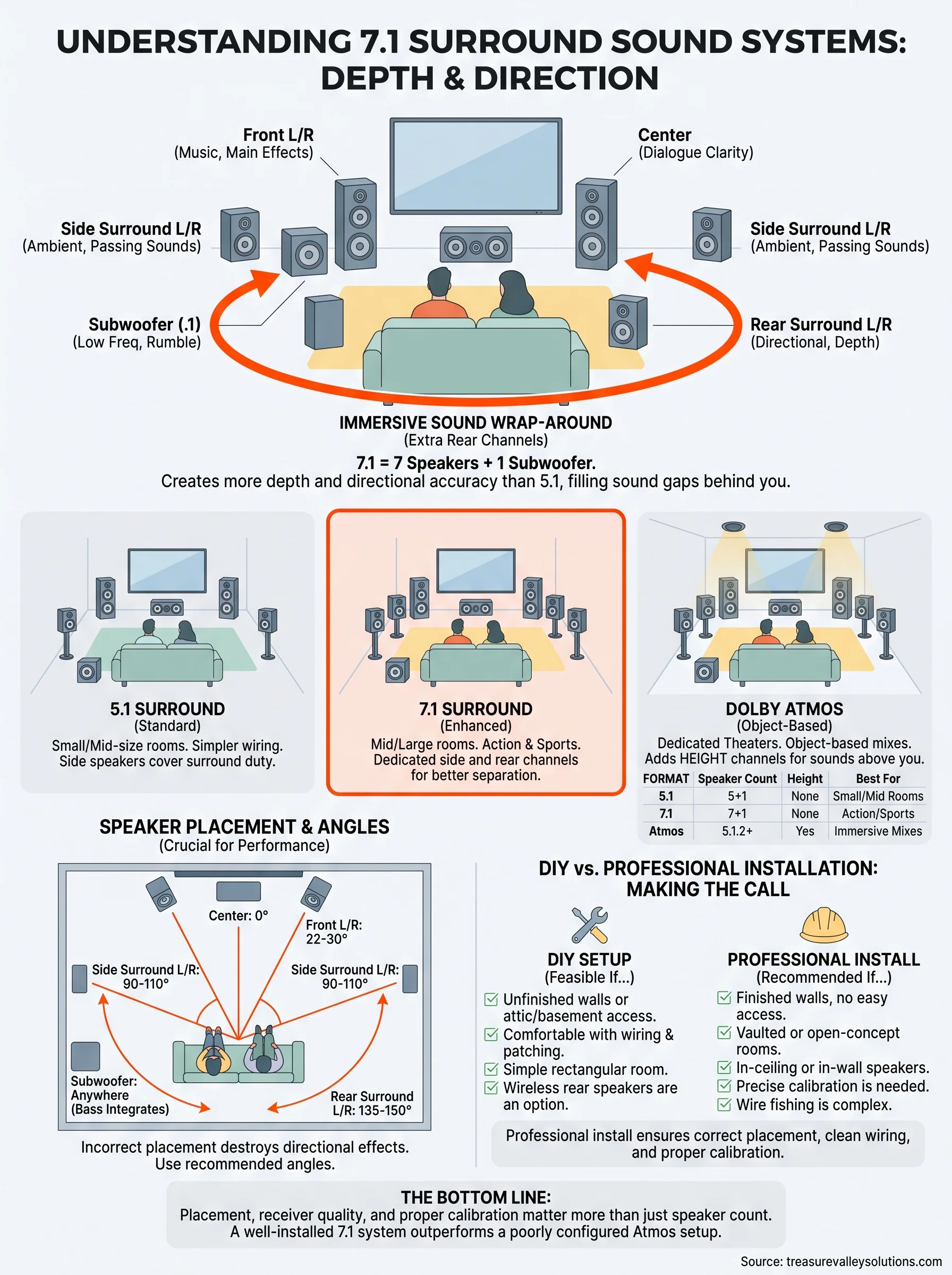
What each channel actually contributes
People often assume more speakers just means louder sound. That's not it. Each channel in a 7.1 setup has a specific job, and understanding how speaker layouts and channels are arranged helps you see why the format earns its reputation.
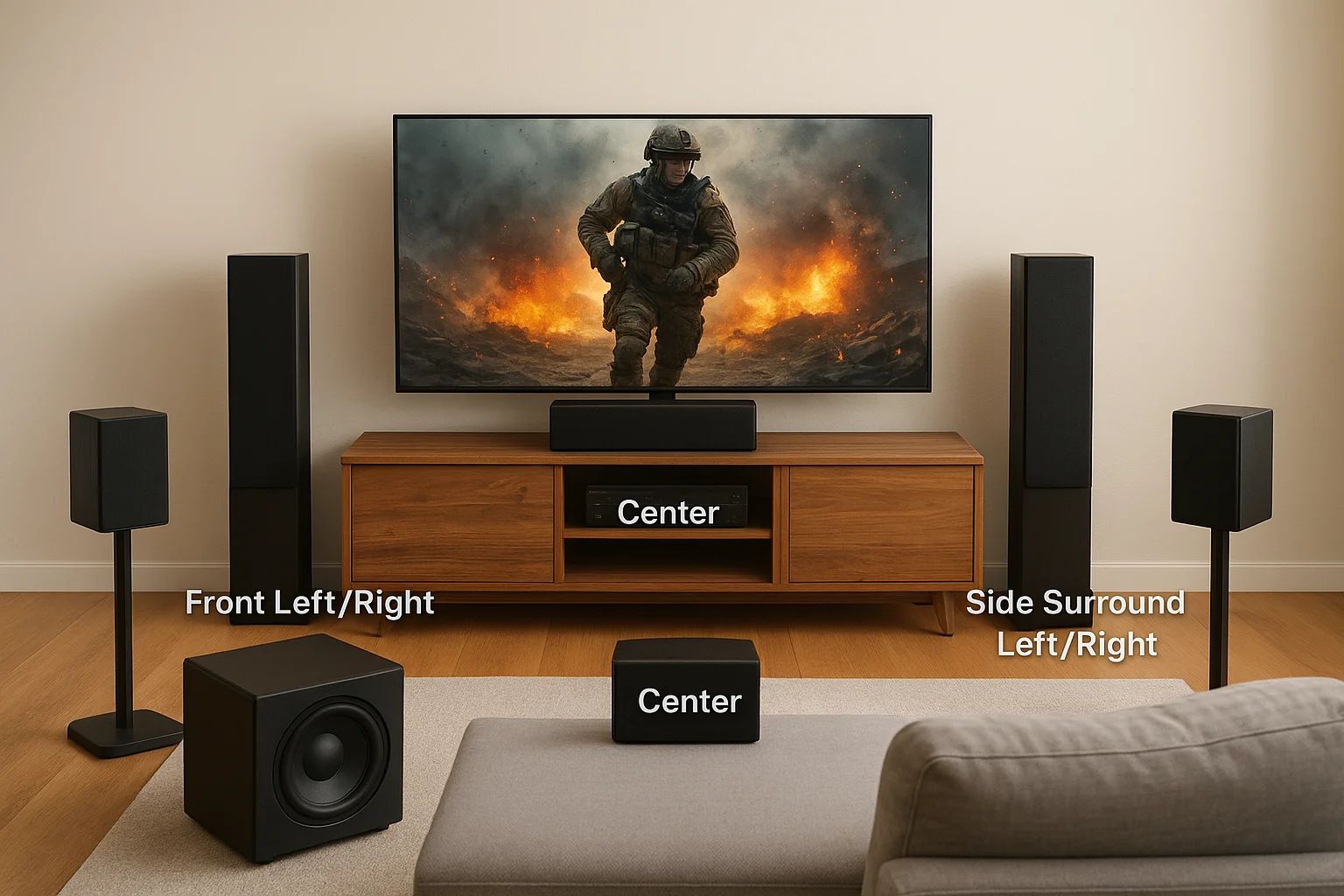
| Channel | Position | Primary Role |
|---|---|---|
| Front Left/Right | Flanking the TV | Music, dialogue support, main effects |
| Center | Directly under/above TV | Dialogue clarity |
| Side Surround Left/Right | Beside the listening area | Ambient effects, passing sounds |
| Rear Surround Left/Right | Behind the listening area | Directional effects, depth |
| Subwoofer (.1) | Anywhere bass integrates well | Low-frequency effects, explosions, rumble |
Separating side and rear channels is the real upgrade over 5.1. In a 5.1 setup, those side speakers have to cover both jobs, which means sound effects that should pass behind you instead just fade out to the side. Surround sound system 7.1 setups fix that by giving each direction its own dedicated speaker, so a helicopter flying overhead in a movie actually sounds like it's moving through the room instead of jumping between two fixed points.
A 7.1 system earns its keep the moment sound stops coming from your TV and starts coming from your room.
Where the difference actually shows up
You'll hear the biggest gains in specific content types, not everything you watch. Action movies with layered sound design, war films, and big-budget sci-fi are built with discrete channel information in mind, so a 7.1 setup reproduces exactly what the sound engineers intended. Live sports is another underrated use case. Stadium noise wrapping around you during a football broadcast makes the room feel like part of the venue instead of a screen you're watching from a couch.
Gaming is where a lot of homeowners get surprised. Competitive shooters and open-world titles rely heavily on positional audio cues, footsteps behind you, gunfire off to the side, and a 7.1 system translates those cues into real spatial information instead of a guess. If you've ever lost a match because you couldn't tell which direction a sound came from, that's a hardware problem, not a skill problem.
Room size changes the math
A 7.1 surround sound system for TV setups makes the most sense in rooms that actually have the square footage to support eight speaker positions. Cramming rear channels into a small den doesn't give you much separation from the side speakers, and you end up paying for channels your ears can barely distinguish. As a rough guide:
- Under 200 square feet: 5.1 usually delivers similar perceived results for less money and less wiring complexity, and there are space-saving surround sound picks for small rooms built for exactly this situation.
- 200 to 400 square feet: This is the sweet spot for 7.1. You get real separation between side and rear channels without the sound feeling stretched thin.
- Over 400 square feet or open-concept layouts: 7.1 becomes almost necessary, since a 5.1 system will leave audible gaps in coverage across the extra distance.
If your living room bleeds into a kitchen or open dining area, the extra two channels aren't a luxury, they're what keeps sound consistent across the whole space.
The honest tradeoffs
No system is worth it for every household, and it's worth saying that plainly. A 7.1 setup means more wiring, more speaker placement decisions, and a receiver with enough amplification to drive eight channels cleanly. If you live in a small apartment or you mostly watch content casually with the TV as background noise, the investment won't pay off the way it would for someone who treats movie night as an event. Streaming content also varies wildly in audio quality, and cheap earbuds' worth of compressed audio won't reveal the difference a 7.1 system is capable of producing.
That said, for anyone building a dedicated media room, upgrading a family room that doubles as a theater, or replacing an aging 5.1 setup that already feels flat, the jump to 7.1 is one of the more noticeable upgrades you can make in a home theater. It's not a subtle change like swapping cables or upgrading a streaming box. You feel it the first time a scene uses the rear channels correctly.
If you're weighing whether your space and viewing habits justify the jump, it helps to walk through your room with someone who installs these systems for a living rather than guessing from a spec sheet. Treasure Valley Solutions handles custom home theater design and installation sized to the actual room, not a generic template, which is usually where DIY 7.1 attempts go wrong before they even get plugged in.
How to choose a 7.1 system for your TV
Shopping for a 7.1 surround sound system for TV setups gets confusing fast because manufacturers bury the specs that actually matter under marketing terms like "cinematic" or "immersive." Ignore that language. What matters is whether the receiver can drive eight channels cleanly, whether the speakers match your room's acoustics, and whether the whole package plays nicely with the TV and streaming devices you already own. Get those three things right and you'll land on a system that performs the way the spec sheet promised.
Start with the receiver, not the speakers
Everything in a 7.1 channel surround sound system routes through the receiver, so that's where your budget should go first. A receiver needs at least eight amplified channels, enough HDMI inputs for your TV and streaming boxes, and support for the audio formats your content actually uses, like Dolby Digital and DTS. Cheap receivers cut corners on power output, which shows up as distortion the moment you push volume past background-noise levels, and a walkthrough like our AV receiver connection guide makes the wiring and input assignments clearer.
| Feature | Minimum for 7.1 | Why it matters |
|---|---|---|
| Amplified channels | 8 | Drives all speakers plus subwoofer without external amps |
| Power per channel | 80-100 watts | Prevents distortion at higher volumes |
| HDMI inputs | 4+ | Room for TV, streaming device, gaming console, cable box |
| Audio decoding | Dolby Digital, DTS, DTS-ES | Matches formats used by movies and broadcasts |
| Room calibration | Built-in mic-based EQ | Auto-adjusts speaker levels for your actual room |
The receiver decides how good your speakers are allowed to sound, so never treat it as an afterthought.
Match speakers to how you'll actually use the room
Bookshelf speakers work fine for front and side channels in most living rooms, but rear surrounds often do better as smaller, wall-mountable models since they sit closer to seating and don't need the same output. If your room doubles as a media room and a everyday living space, look for speakers with grilles or finishes that blend into the decor instead of announcing themselves. Homeowners who skip this step usually end up with mismatched gear that sounds fine individually but doesn't blend as one coherent soundstage, which defeats the purpose of building a surround sound system 7.1 setup in the first place.
Check compatibility with your TV and streaming setup
Most TVs pass audio to a receiver through an HDMI cable for surround sound using an ARC or eARC port, and this is where a lot of DIY setups run into trouble. Older TVs without eARC can't pass higher-resolution audio formats, which means your expensive 7.1 system gets fed a compressed signal no matter how good the speakers are. Before buying anything, confirm these three things:
- Your TV has an HDMI ARC or eARC port, and you know which one
- Your streaming devices output audio in a format your receiver can decode
- Your cable or satellite box, if you use one, passes through 5.1 or 7.1 audio rather than downmixing to stereo
Skipping this check is the single most common reason people think their new receiver is "broken" when it's actually just receiving the wrong signal.
Don't buy based on speaker count alone
Some bundles marketed as the best 7.1 surround sound system for TV setups cut corners on build quality to hit a lower price point with eight speakers included, so it pays to compare the best surround sound systems for a TV before committing. A tighter budget spent on five well-built speakers and a strong receiver will outperform eight cheap ones every time. If you're unsure which combination fits your room and viewing habits, it's worth getting a professional opinion before you commit, since returning mismatched gear after the fact costs more than getting the sizing right up front.
7.1 vs 5.1 vs Dolby Atmos surround sound explained
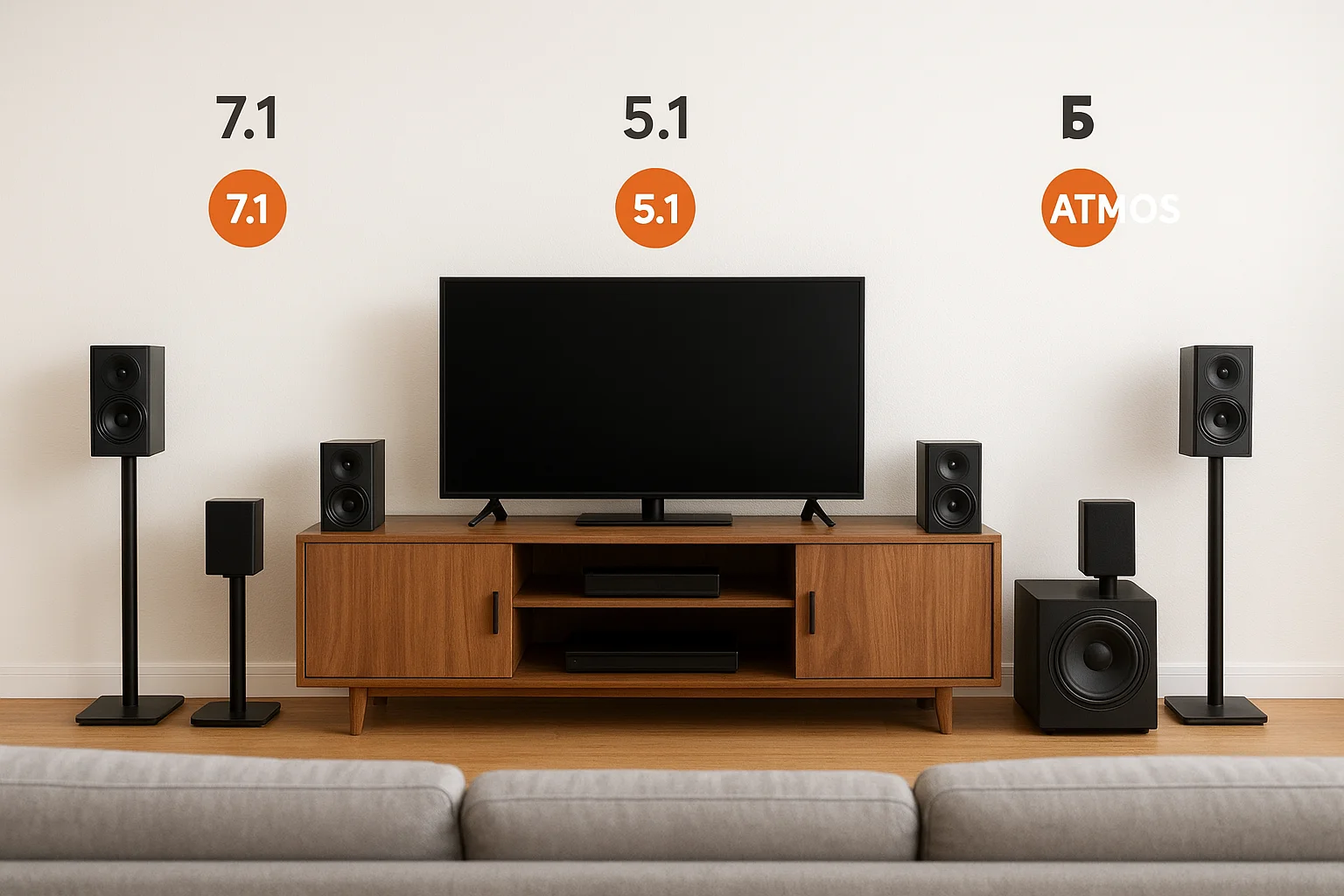
Comparing these three formats trips up even people who've owned a receiver for years, mostly because the marketing treats them as interchangeable upgrades instead of genuinely different approaches to sound. A 7.1 surround sound system and a 5.1 system both work on discrete channels arranged around the room at ear level. Dolby Atmos throws that whole model out and adds height as a dimension, using overhead or upward-firing speakers to place sound above you, not just around you, which is easier to picture once you understand how surround sound actually works. Knowing which problem each format actually solves saves you from buying gear that doesn't match what you're trying to accomplish.
The channel-count comparison
Breaking this down by the numbers makes the differences concrete instead of abstract. Here's how the three formats stack up on paper:
| Format | Speaker Count | Height Channels | Best For |
|---|---|---|---|
| 5.1 | 5 speakers + subwoofer | None | Small to mid-size rooms, simpler wiring |
| 7.1 | 7 speakers + subwoofer | None | Mid-to-large rooms, sports and action content |
| Dolby Atmos | 5.1.2 to 9.1.6 typical | 2 to 6 | Dedicated theater rooms, object-based mixes |
Each step up the table adds complexity and cost, but not every room or viewing habit benefits equally from that added complexity.
Why 5.1 still makes sense for some rooms
Going with 5.1 isn't a downgrade so much as a right-sized choice for certain spaces. A surround sound 7.1 system needs enough physical distance between the side and rear speakers for your ears to tell them apart. In a room under roughly 200 square feet, that separation collapses, and the extra two channels in a 7.1 setup end up duplicating what the side speakers already deliver. If you're working with a smaller den or a bedroom media setup, a 5.1 surround sound system gets you 90 percent of the immersion for noticeably less wiring and a smaller receiver footprint.
What Dolby Atmos changes that channel count can't
Here's the part people miss: Dolby Atmos isn't really a competitor to 7.1, it's a layer that can sit on top of it. A 7.1 channel surround sound system with Atmos-enabled or ceiling-mounted height speakers becomes a 7.1.2 or 7.1.4 setup, and that height information is what makes rain, aircraft, or falling debris sound like it's coming from above you rather than just from the side. Traditional 7.1 assigns sound to a fixed speaker. Atmos assigns sound to a location in three-dimensional space, and the receiver figures out which speakers, including height channels, need to reproduce it.
More speakers only help if the format they're built around can actually place sound where a fixed channel never could.
Which format actually fits your situation
Deciding between these three comes down to your room, your content, and how much you care about the ceiling channels specifically. Sports fans and action-movie watchers get most of their value from the horizontal spread that 7.1 provides, since stadium noise and gunfire rarely need to come from above. Film purists chasing the most accurate reproduction of a modern Atmos mix, on the other hand, will notice the difference height channels make in movies mixed specifically for that format, which is now most major theatrical releases. Netflix, Disney+, and other major streaming platforms increasingly deliver Atmos tracks alongside standard 5.1 and 7.1 audio, so check what your subscription actually streams before assuming Atmos content is available to you.
Ultimately, the honest advice is to match the format to your room's ceiling height, your budget, and the type of content you watch most, rather than chasing whichever format sounds the most advanced on a spec sheet. A well-installed 7.1 system in the right room will outperform a poorly configured Atmos setup crammed into a space that can't support it.
7.1 speaker placement and wiring basics
Most 7.1 surround sound system disappointments trace back to bad placement, not bad gear. You can spend top dollar on a receiver and speakers and still end up with muddy, directionless sound if the seven speakers aren't angled and spaced correctly around your listening area. Getting placement right costs nothing extra, it just takes measuring before you drill a single hole.
Getting the angles right
Angles matter more than most people expect, since even quality speakers pointed the wrong direction lose the separation that makes 7.1 worth the extra wiring. Dolby publishes reference angles for exactly this reason, and they're worth following as a starting point instead of eyeballing it, alongside our home theater speaker placement guide.
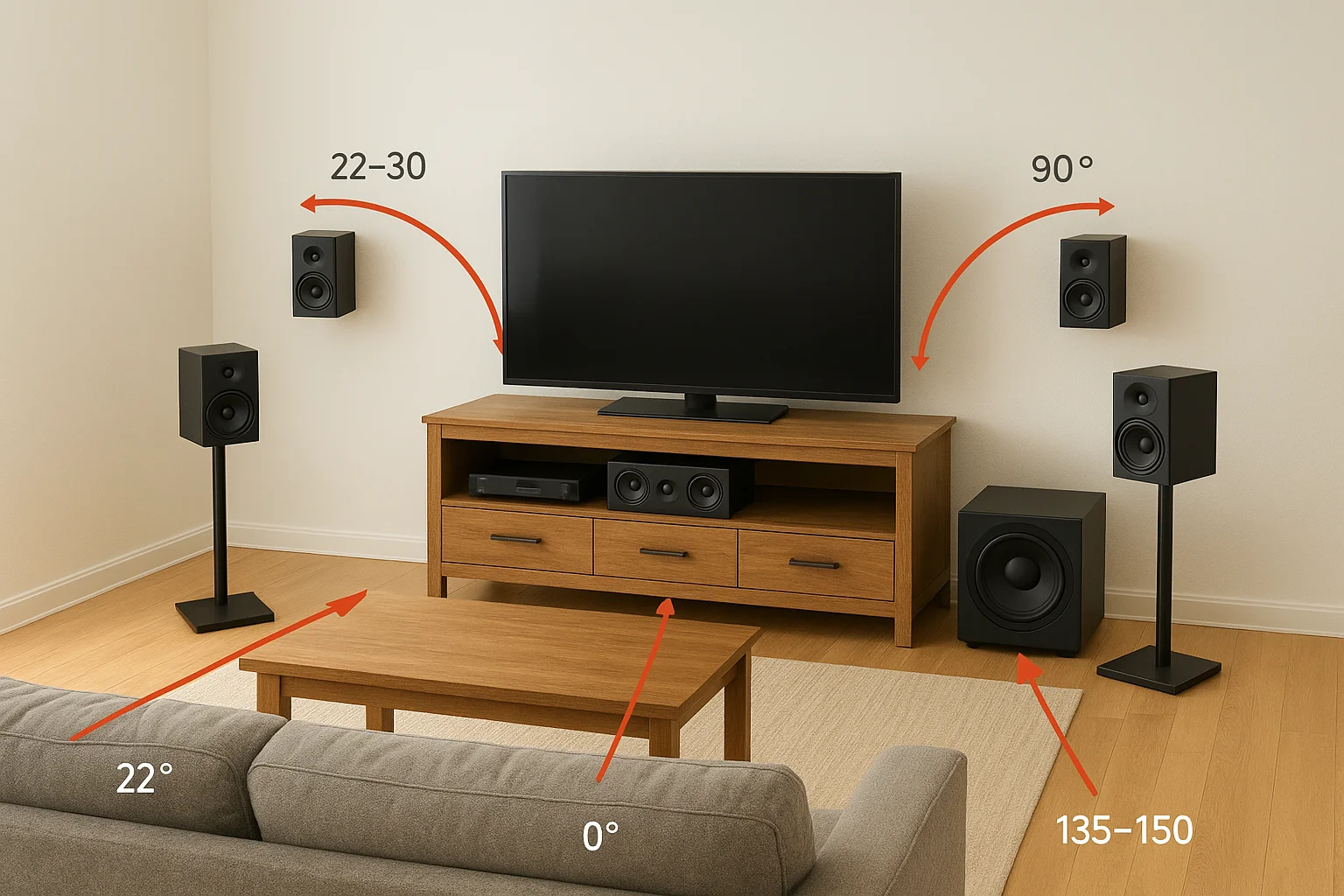
| Speaker | Angle from listening position | Height guidance |
|---|---|---|
| Front Left/Right | 22-30 degrees | Tweeter at seated ear level |
| Center | 0 degrees, directly ahead | Just above or below TV |
| Side Surround Left/Right | 90-110 degrees | 1-2 feet above ear level |
| Rear Surround Left/Right | 135-150 degrees | 1-2 feet above ear level |
| Subwoofer | No fixed angle | Floor level, near a wall |
Two speakers a few degrees off their intended angle can undo everything a good receiver is trying to do.
Distance and spacing changes the effect
Spacing between the side and rear pairs is where most home setups go wrong, since cramming both pairs onto the same back wall collapses the separation a 7.1 channel surround sound system is supposed to deliver. Side surrounds belong beside or just slightly behind the main seating area, while rear surrounds need real distance behind the seats, ideally against or near the back wall of the room. If your room is too shallow to create that gap, that's actually a sign you'd get more consistent results from a 5.1 layout instead of forcing a cramped 7.1 setup into a space that can't support it.
Wiring basics you shouldn't skip
Running speaker wire looks simple until you're fishing 14-gauge cable through a wall cavity with insulation and fire blocking in the way. A few rules keep the job clean and code-compliant:
- Use in-wall rated (CL2 or CL3) speaker wire for any run inside a wall or ceiling
- Match wire gauge to run length: 16-gauge for runs under 50 feet, 14-gauge for longer runs to prevent signal loss
- Label each cable at both ends before patching drywall, since untangling unlabeled wire later means opening the wall again
- Leave slack at both the speaker and receiver end for future adjustments
- Keep speaker wire separated from electrical wiring to avoid interference hum
Wireless surround sound systems for TV solve part of this problem by transmitting audio to a small receiver near the back speakers, which only needs a power outlet rather than a wire run across the room. They're not perfect, since wireless kits can introduce a slight delay or drop out in rooms with heavy Wi-Fi congestion, but for finished rooms where fishing wire means cutting drywall, they're often the more practical choice.
Common mistakes that flatten the sound
Even careful DIYers repeat a handful of predictable errors. Placing the subwoofer in a corner without testing for boominess is one, since corners reinforce bass frequencies unevenly and can muddy dialogue. Pointing side and rear speakers straight at the listening position instead of angling them slightly is another, since surround channels are meant to sound diffuse, not pinpoint. Skipping the receiver's built-in room calibration microphone is the third mistake, and it's the easiest to fix: run it after every speaker move, because even a few inches of difference changes the levels enough to notice.
What a 7.1 surround sound system costs
Pricing a 7.1 surround sound system is harder than it should be because retailers bundle wildly different quality levels under the same "7.1" label. A budget bundle with eight small plastic speakers and a weak receiver can list for under $500, while a system built around a quality AV receiver and matched bookshelf speakers can run past $3,000 before installation. Knowing what separates those price points keeps you from either overpaying for marketing or underbuying gear that can't actually fill a room.
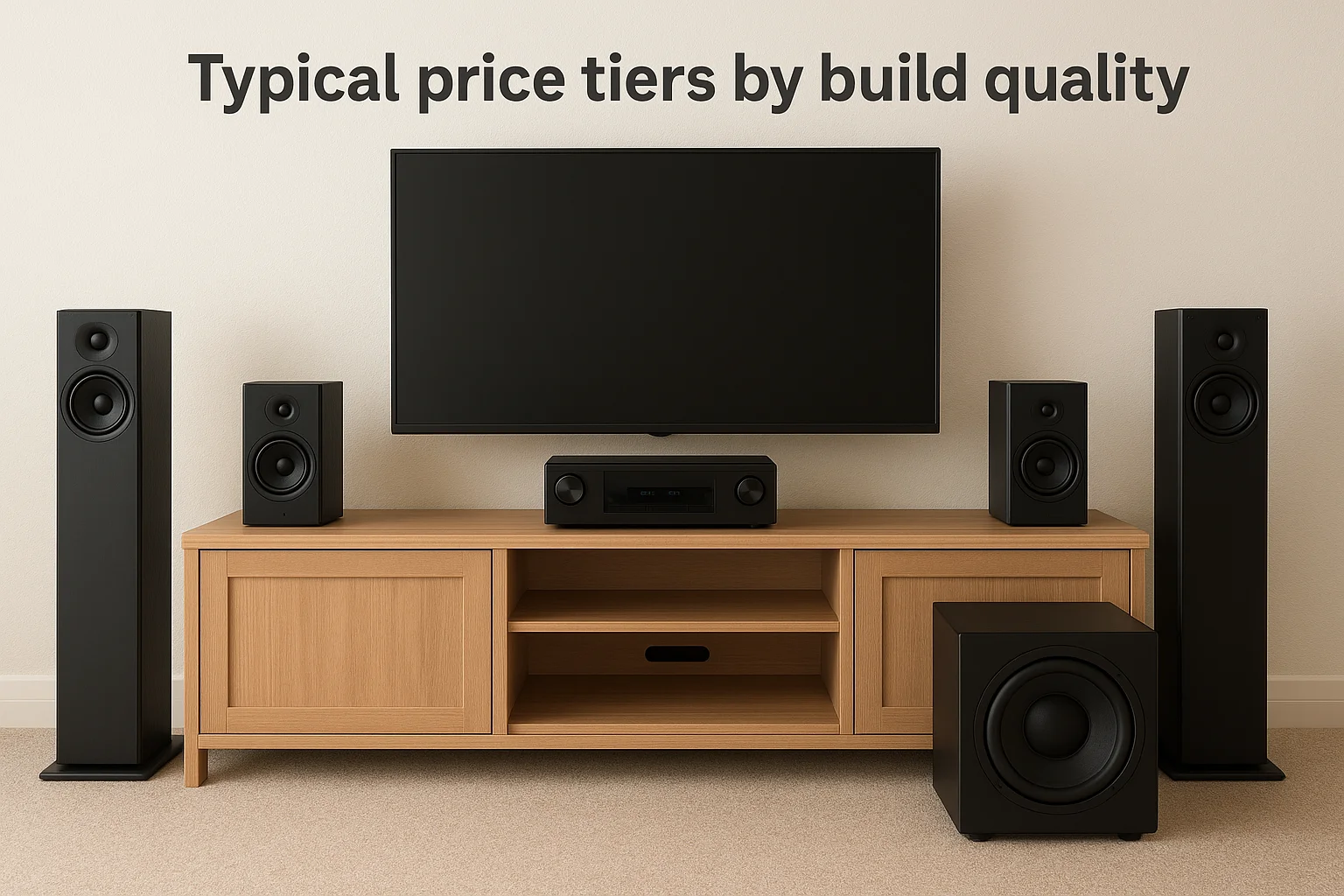
Typical price tiers by build quality
Breaking the market into tiers makes the tradeoffs easier to see than scrolling through hundreds of individual listings. Here's roughly what you get at each price point for a 7.1 channel surround sound system:
| Tier | Price Range | What You Get |
|---|---|---|
| Entry-level bundle | $400-$800 | All-in-one kit, receiver with 60-80 watts per channel, plastic satellite speakers |
| Mid-range component system | $1,000-$2,000 | Separate receiver and speakers, 80-100 watts per channel, better cabinet materials |
| High-end / dedicated theater | $2,500-$5,000+ | Premium receiver with room calibration, in-wall or in-ceiling speakers, matched subwoofer |
The cheapest 7.1 bundle and the best-built one can share a speaker count and still sound like two different products.
Costs people forget to budget for
Quoted system prices rarely include everything you'll actually spend to get sound coming out of all eight channels correctly. Skipping these line items is the most common reason a project runs over budget partway through:
- In-wall speaker wire, typically $0.50 to $1.50 per foot for CL2/CL3 rated cable, and a 7.1 layout often needs 150 to 300 feet total, which is worth checking against typical low voltage wiring costs in the Treasure Valley
- Mounting hardware for surround speakers, from basic brackets to swivel mounts for ceiling installs
- A wireless rear surround kit if running wire isn't practical, usually $100 to $250 on top of the speaker cost
- An electrician or low-voltage technician if you need outlets added near rear speaker locations
- Professional calibration, which some installers include and others charge separately as a service call
Homeowners who price out only the receiver and speakers are often surprised when wire, mounts, and an extra outlet add another 15 to 25 percent to the total.
What actually drives the price up
Amplifier power is the biggest cost driver in any surround sound system 7.1 purchase, since driving eight channels cleanly at higher volumes requires a receiver built with better internal components than a stereo amp doubled up eight times. Room correction technology is the second factor. Receivers with a real calibration microphone and processing, rather than a basic auto-EQ gimmick, cost more but save you from manually balancing eight speaker levels by ear. Speaker construction matters too. Denser cabinets and better crossovers reduce distortion at volume, and that difference shows up in price before it shows up in the spec sheet.
Where installation fits into the number
Everything above covers equipment only, and installation is a separate line item worth planning for rather than treating as an afterthought. Fishing wire through finished walls, mounting speakers securely in ceilings, and running proper calibration takes real time, and DIY attempts that go wrong often cost more to fix than they would have cost to install correctly the first time. Treasure Valley Solutions is upfront about what home theater installation costs, so you know the full project cost, equipment and labor combined, before any wire gets run through your walls.
DIY setup vs professional installation for 7.1 systems
Deciding whether to run a 7.1 surround sound system yourself or hire someone comes down to your room, your tools, and how much your time is actually worth. Plenty of homeowners successfully install a home theater system step by step in an unfinished basement or a room with an accessible attic above it. Plenty of others start a weekend project that turns into a month of patched drywall and mismatched speaker levels. The gear doesn't care who installs it, but the room usually does.
Where DIY installation works fine
Some situations genuinely favor doing it yourself, and it's worth being honest about which ones those are. A finished basement with exposed joists, a media room built during new construction with pre-wire already in place, or a setup using wireless rear surrounds all remove the hardest part of the job: fishing cable through finished walls. If you're comfortable with a stud finder, a fish tape, and following instructions for setting up surround sound speakers and running room calibration, a straightforward 7.1 install in a cooperative room is a reasonable weekend project.
- You have attic or basement access above or below the room
- You're using wireless rear surrounds instead of running wire
- Your walls are unfinished or you're comfortable patching drywall
- You've run speaker wire before and understand gauge and CL2/CL3 ratings
- Your room is a simple rectangle without vaulted ceilings or open sightlines to other rooms
Where DIY starts costing more than it saves
Complications show up fast once a room doesn't match that checklist. Vaulted ceilings, finished walls with no attic access, open-concept layouts where wire has to cross into another room, and in-ceiling speaker installation all raise the difficulty well past what a first-time installer expects. A 7.1 channel surround sound system installed with speakers a few degrees off angle or levels set by ear instead of calibration still technically works, but it never sounds like what the receiver is capable of producing.
A 7.1 system installed slightly wrong still plays sound. It just never sounds like the system you paid for.
| Factor | DIY | Professional Install |
|---|---|---|
| Wire fishing through finished walls | High risk of drywall damage | Done with minimal patching |
| Speaker angle and calibration | Estimated by ear | Measured and mic-calibrated |
| Time investment | 1-3 weekends typically | 1-2 days |
| Warranty on workmanship | None | Usually included |
| Troubleshooting mismatched audio formats | Trial and error | Diagnosed on-site |
What professional installation actually includes
Hiring a technician buys more than just labor for running wire. A proper install includes measuring the room for correct speaker angles, running and labeling every cable, mounting speakers securely rather than resting them on shelves, configuring the receiver for your specific TV and streaming setup, and running full calibration once everything is powered on. That last step alone fixes a lot of the flat, directionless sound that DIY installs often end up with, since most homeowners don't own or know how to use a proper calibration microphone.
Making the call for your situation
Getting a professional opinion doesn't obligate you to hire out the whole project, and it helps to know how to compare home theater installation services before you call anyone. Many homeowners have a technician handle the wire runs and calibration, then finish speaker placement and cosmetic details themselves. Treasure Valley Solutions handles everything from pre-wire planning to full home theater installation, and walks through your specific room before recommending a system, which avoids the common DIY mistake of buying gear first and discovering placement problems second. If your room has any of the complications listed above, it's worth a conversation before you buy anything.
The bottom line on 7.1 surround sound
A 7.1 surround sound system earns its cost when the room, the content, and the wiring all line up correctly. Get any one of those wrong and you're left with eight speakers producing the same flat sound a cheap soundbar would give you. Placement, receiver quality, and proper calibration matter more than speaker count, and that's where most DIY attempts quietly fall short even when the gear itself is good.
Rather than guessing at angles and hoping your receiver's auto-EQ fixes the rest, walk through your room with someone who installs these systems daily. Treasure Valley Solutions has been designing and installing custom home theater systems across the Treasure Valley since 2014, sized to your actual room instead of a generic template. When you're ready to talk specifics about your room, schedule a walkthrough with our Treasure Valley installers.
Need Expert Help?
Ready to implement these solutions in your own home or business?
Our Services

Home theater design and installation planned around your room, viewing goals, and equipment scope.
Expert TV Mounting Treasure Valley Homeowners & Businesses Trust

Explore whole-home audio, commercial sound, Sonos setup, and surround sound installation in the Treasure Valley.
Serving the Treasure Valley
Local installation in your city