 (208) 991-3502
 Meridian, ID



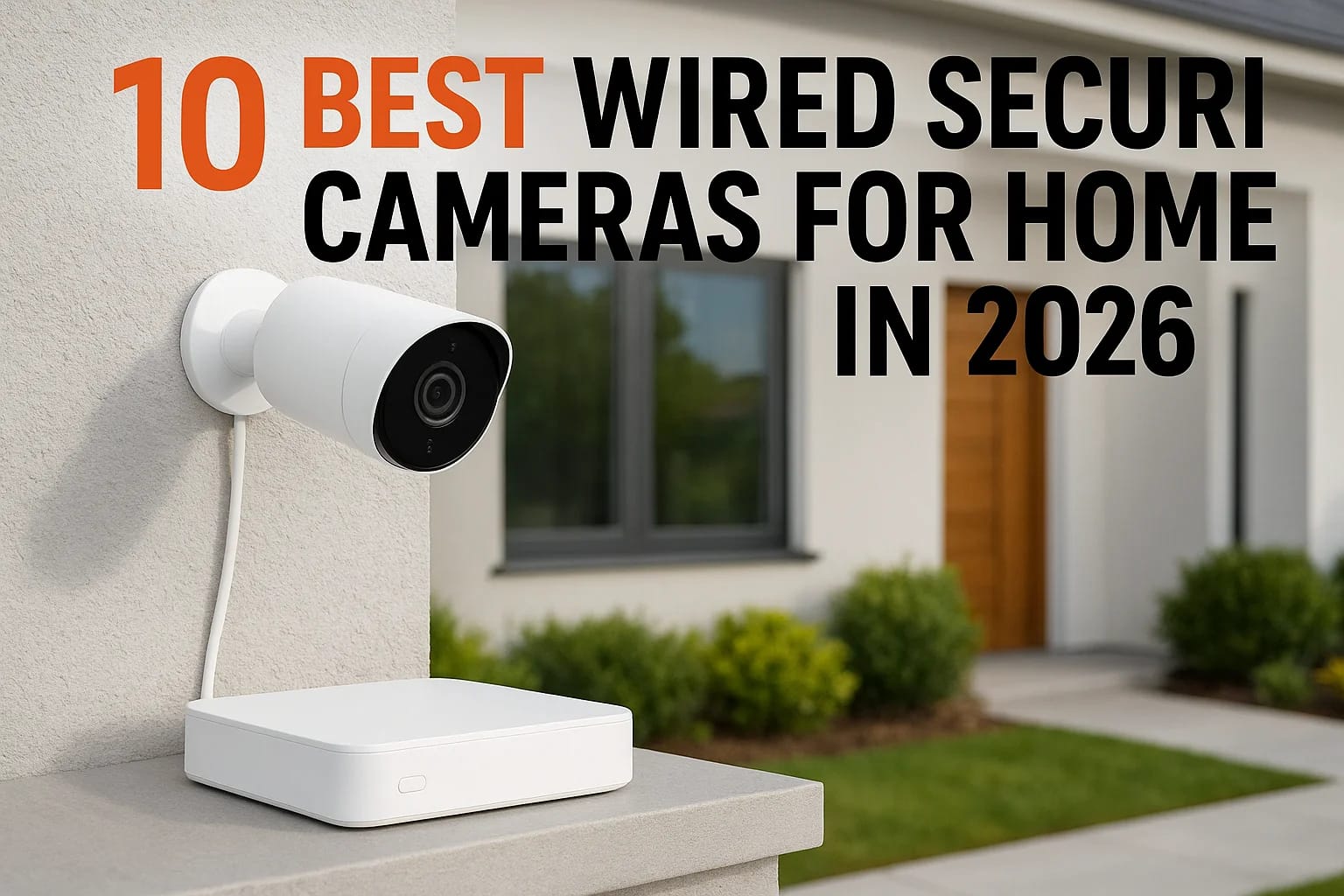

Shopping for wired security cameras for home use in 2026 means wading through dozens of brands, resolution specs, and storage options that all claim to be the best. Wireless cameras get the marketing...
Shopping for wired security cameras for home use in 2026 means wading through dozens of brands, resolution specs, and storage options that all claim to be the best. Wireless cameras get the marketing spotlight, but they still fail during Wi-Fi outages, drain batteries at the worst times, and struggle with reliable footage in bad weather. A hardwired system solves those problems with constant power and a stable connection, which is exactly why so many Treasure Valley homeowners ask us to install one instead.
This guide breaks down the ten best options on the market right now, covering image quality, night vision range, storage flexibility, and real-world reliability so you can compare them without guessing. We looked at systems that work for single-camera porch setups and full-home coverage alike, because your needs at a Meridian ranch home look different from a two-story in Eagle.
We also cover what separates a good wired home security systems with cameras setup from a mediocre one: cable runs, NVR capacity, and how well each system integrates with existing smart home tech. Whether you plan to install it yourself or want it professionally wired and programmed, you'll leave this list knowing which camera fits your home.
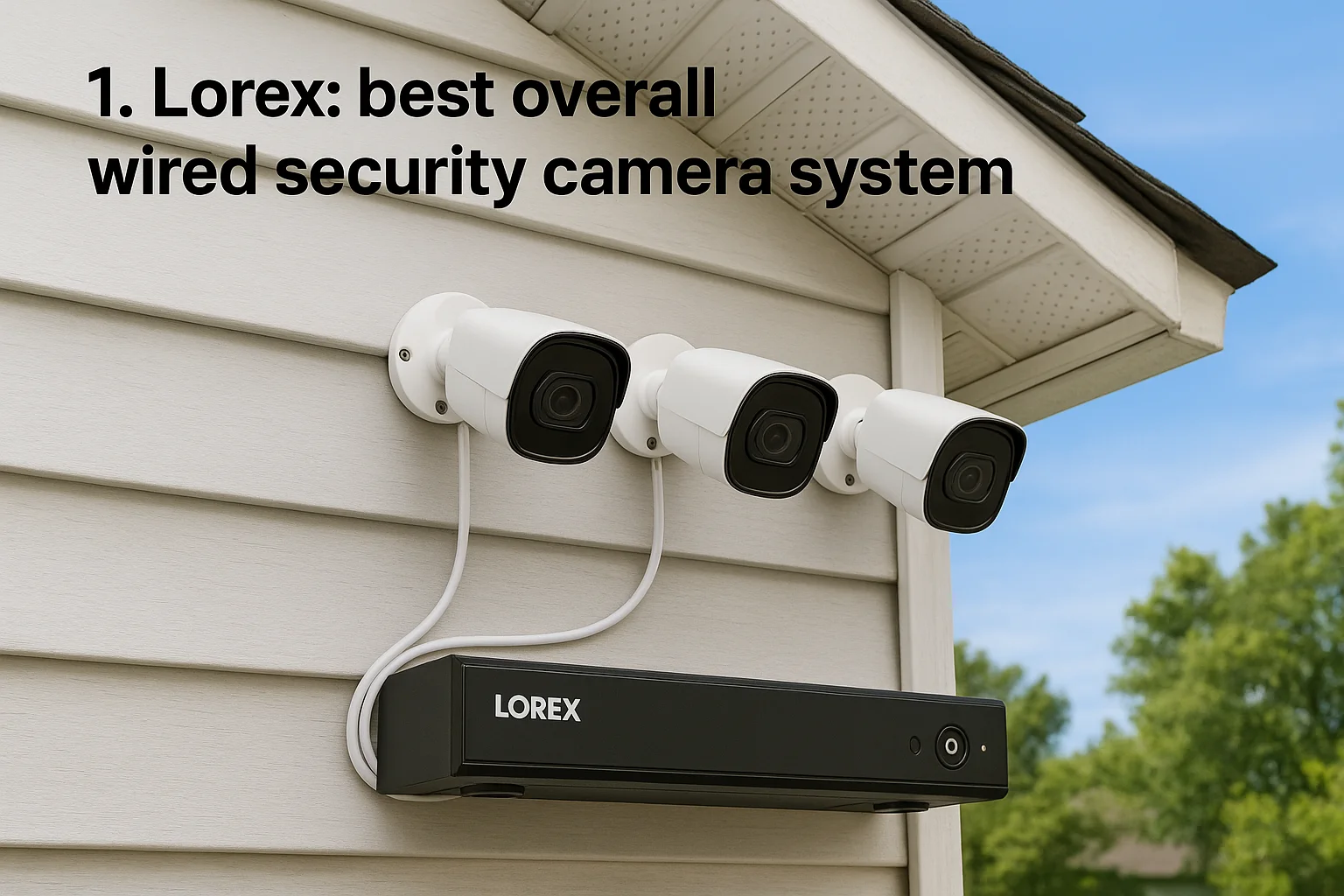
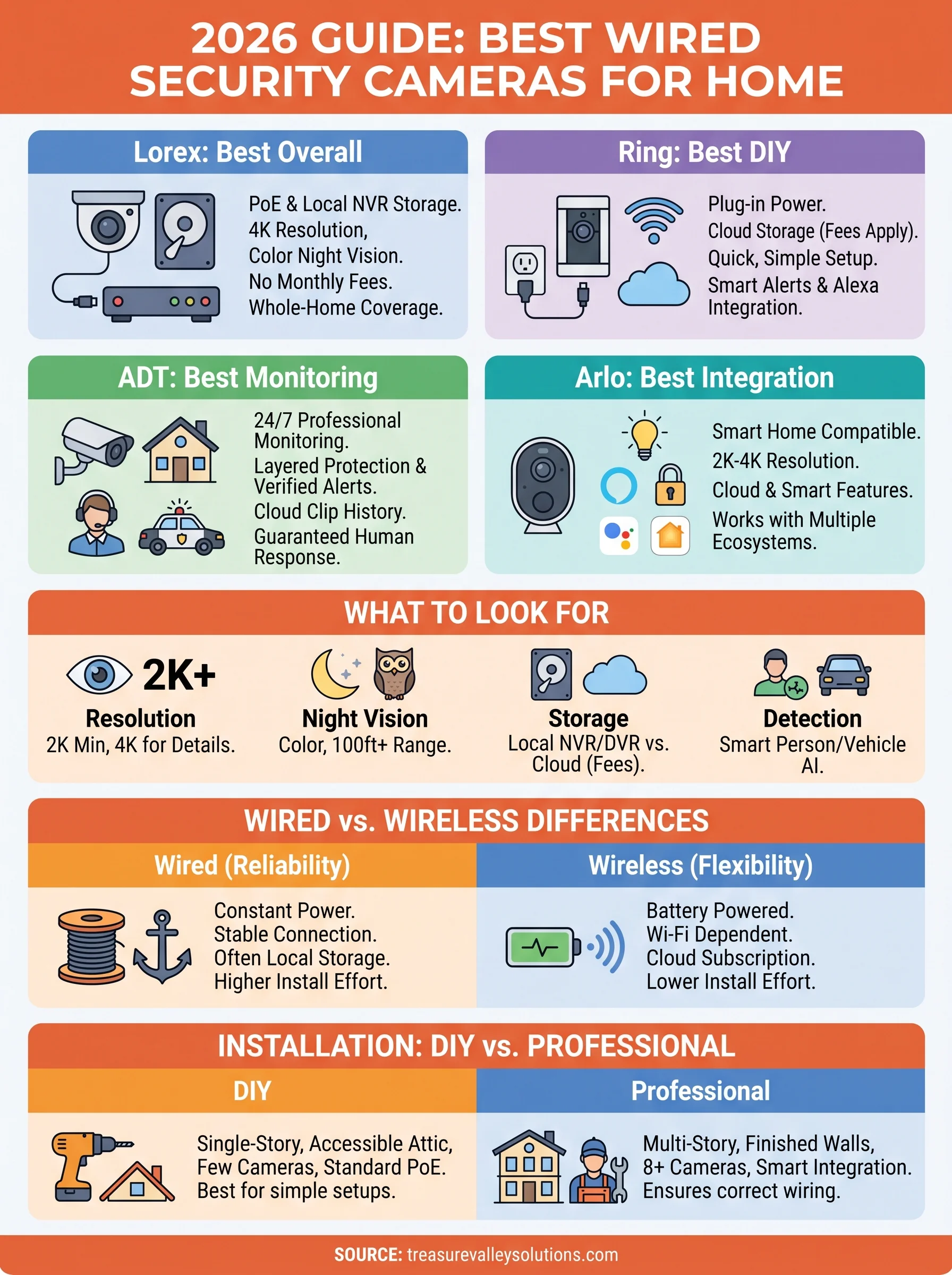
1. Lorex: best overall wired security camera system
Lorex earns the top spot because it does the one thing most homeowners actually need: it captures clear, usable footage day and night without monthly fees eating into your budget. The company builds full PoE (Power over Ethernet) camera systems paired with a dedicated NVR (network video recorder), so every camera gets power and data through a single cable run. That setup means fewer points of failure than a wireless mesh and none of the battery swaps that plague budget cameras.
Key features
Lorex systems ship with 4K resolution on most current models, color night vision up to 150 feet, and a built-in NVR that stores footage locally on a hard drive ranging from 1TB to 4TB depending on the kit. Smart motion detection distinguishes people, vehicles, and animals, which cuts down on the false alerts that make you ignore your phone. Local storage means no subscription is required to review or export footage, though Lorex also offers an optional cloud backup plan for an added layer of redundancy.
A wired PoE system with local NVR storage gives you full-home coverage without a single recurring bill.
Who it's for
Lorex fits homeowners who want comprehensive, whole-property coverage and are comfortable managing a system with more cameras and more cable runs than a doorbell-camera setup. It also suits property managers overseeing multiple units, since the NVR can handle up to 32 channels on higher-end models, and builders who want to pre-wire new construction for a system that will still be relevant in five years.
Pricing
Entry-level Lorex kits with four cameras and a 1TB NVR start around $400 to $500. Larger systems with eight or more 4K cameras and a 4TB NVR run $900 to $1,500. There's no mandatory subscription, which keeps the total cost of ownership lower than cloud-dependent competitors over a three-to-five-year span.
| Kit size | Resolution | Storage | Approx. price |
|---|---|---|---|
| 4-camera | 1080p-2K | 1TB | $400-$500 |
| 6-camera | 4K | 2TB | $650-$850 |
| 8-camera | 4K | 4TB | $900-$1,500 |
Installation options
Experienced DIYers can run Cat5e or Cat6 cable themselves, but most homes need someone drilling through walls, fishing cable through attics, and mounting cameras at the right angles for real coverage. Treasure Valley Solutions handles that full installation process, from planning cable routes during a remodel or new build to programming the NVR and integrating it with your existing smart home setup, so you're not stuck troubleshooting a 32-channel system on your own.
2. Ring: best for easy DIY installation
Ring built its reputation on doorbell cameras, but its wired lineup, including the Stick Up Cam Wired and Spotlight Cam Plug-In, gives you constant power without the cable-running headaches of a full PoE system. Plug-in power means you skip the NVR wiring project entirely; each camera just needs a nearby outlet and your existing Wi-Fi network to send footage to the cloud.
Key features
Ring cameras deliver 1080p to 2K video, two-way talk, and motion zones you customize from the app in minutes. Cloud storage through a Ring Protect plan handles recording, and the app ties directly into Amazon Alexa for voice announcements and routines.
If you want cameras running within an hour of opening the box, Ring beats every system on this list.
Who it's for
Ring suits renters, first-time buyers, and anyone who wants a quick single-camera setup for a porch, driveway, or side door without hiring an installer. It's not built for whole-property coverage the way Lorex or Reolink are, but it covers common entry points well.
Pricing
Wired cameras run $60 to $200 each depending on features like spotlight or floodlight. Ring Protect Plus, which adds recording history and person alerts across unlimited cameras, costs about $10 a month or $100 a year.
Installation options
Most homeowners mount and connect a Ring wired camera themselves in under 30 minutes, no drilling through walls required. If you want cameras placed at heights or angles that need fished cable or exterior conduit, our technicians can handle that portion while you keep the simple app-based setup Ring is known for.
3. ADT: best for professional monitoring
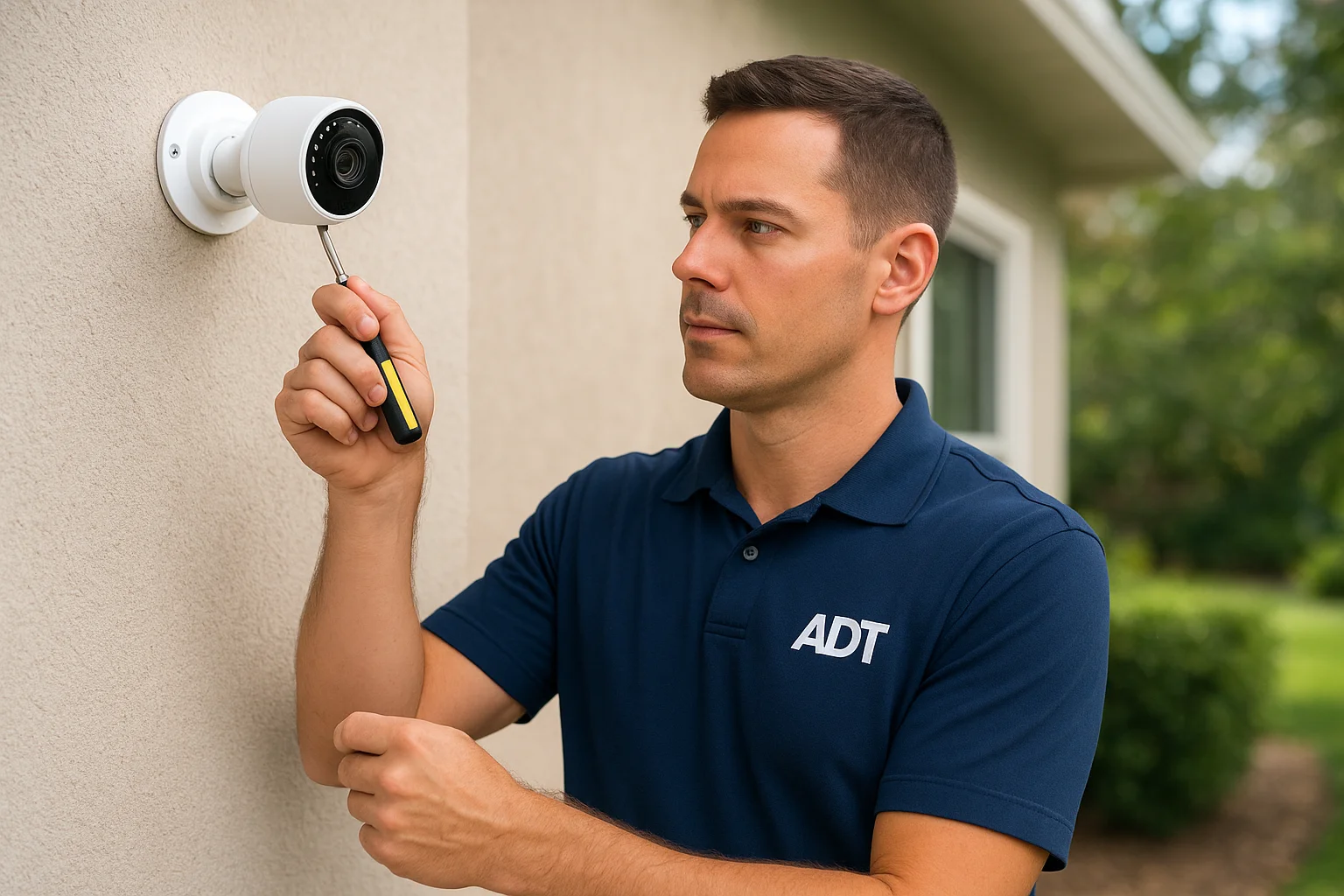
ADT built its name on alarm response, and its wired camera systems carry that same DNA: 24/7 professional monitoring backed by a network of agents who dispatch police or fire when a sensor trips or a camera catches something unusual. Where Lorex and Ring leave you watching your own footage, ADT puts trained staff between an alert and your response, which matters most when you're asleep, traveling, or simply not staring at your phone.
Key features
ADT's wired cameras integrate with its broader security platform, so cameras, door and window sensors, and glass-break detectors all report to the same monitoring center. Video quality runs 1080p to 4K depending on the camera model, and footage syncs with a cloud-based clip history you can review from the ADT app. Smart alerts flag people and vehicles, and monitoring staff can verify an event visually before calling emergency services, which cuts down on false-alarm fines in many Treasure Valley municipalities.
Professional monitoring means a human checks your camera feed and calls for help even when you can't.
Who it's for
ADT fits homeowners who want layered protection, cameras plus alarm plus monitoring, rather than cameras alone. It also suits people who travel often or live alone and want a guaranteed human response instead of relying on themselves to notice a push notification.
Pricing
Equipment packages start around $600 to $1,200 depending on camera count, and monitoring plans run $45 to $65 a month, which adds up over time but buys a monitored response most DIY systems can't match.
Installation options
ADT installs its wired systems professionally as standard practice, since monitoring depends on correctly wired sensors and cameras. If you'd rather pair monitored equipment with a local technician who also handles your broader smart home wiring, Treasure Valley Solutions can coordinate that integration during installation.
...
5. Arlo: best for smart home integration
Arlo built its wired lineup around one strength: it plays well with almost everything else in your smart home. Where Ring locks you into Amazon's ecosystem and Nest ties you to Google, Arlo cameras work across Alexa, Google Assistant, Apple HomeKit, and SmartThings, so you're not forced to rebuild your whole setup around one brand. That flexibility matters if you already have smart locks, thermostats, or lighting from different manufacturers and don't want a camera system that refuses to talk to any of it.
Key features
Arlo's wired models, including the Pro 5S and Essential Spotlight Wired, record in 2K to 4K with color night vision and a built-in spotlight for deterrence. Smart integrations let you trigger lights or locks from a camera event, and the app supports activity zones, package detection, and direct dispatch to emergency services through Arlo's optional SecureIQ plan.
A camera system only matters if it talks to the rest of your smart home, and Arlo does that better than most.
Who it's for
Arlo suits homeowners who already run a mixed smart home and want cameras that slot into existing routines rather than replacing them. It also fits anyone comparing smart home integration options before committing to a single ecosystem.
Pricing
Wired cameras cost $100 to $250 each. Arlo Secure plans for cloud recording and smart alerts start around $5 a month per camera or $13 a month for unlimited cameras.
Installation options
Most Arlo wired cameras mount with basic tools and a nearby power source, similar to Ring. For cameras placed away from outlets, our technicians can run concealed power lines so cords don't show.
6. Swann: best for fee-free local storage
Swann has built its whole pitch around one promise: you own your footage outright, with no cloud subscription ever required. Every Swann wired system pairs cameras with a dedicated DVR or NVR that stores video locally on a hard drive, so there's no monthly bill hanging over your security setup years after you've paid for the hardware. That approach appeals to homeowners who've grown tired of subscription creep on every smart device they own.
Key features
Swann's current lineup includes 4K Ultra HD cameras with color night vision, thermal-sensing heat and motion detection to cut false alerts from blowing branches or passing cars, and two-way audio on select models. Storage capacity ranges from 1TB to 4TB depending on the kit, and you can still opt into Swann's cloud plan if you want offsite backup, but nothing about the core system requires it.
You buy the hardware once, and the footage stays yours with no recurring fee attached.
Who it's for
Swann fits budget-conscious homeowners who want multi-camera coverage without adding another subscription to the pile. It also suits anyone who prioritizes owning their data locally over cloud convenience, including people wary of footage sitting on a third-party server.
Pricing
Four-camera kits with a 1TB DVR start around $300 to $400. Eight-camera 4K systems with 2TB to 4TB storage run $600 to $1,000, with no ongoing costs beyond the initial purchase.
Installation options
Swann cameras use standard coaxial or PoE cabling depending on the model, which many DIYers can run themselves in a single-story home. For multi-room coverage or finished walls, our technicians handle the cable runs and DVR setup so the system works correctly from day one.
7. Reolink: best budget PoE camera system
Reolink proves you don't need to spend $900 to get a real PoE system with local storage. The brand sells standalone PoE cameras and NVR kits that undercut Lorex and Swann on price while still delivering 4K resolution and color night vision on most current models. That combination makes Reolink the pick for homeowners who want a true wired system, not a plug-in camera, on a tighter budget.
Key features
Reolink cameras record in resolutions up to 4K with color night vision on models like the RLC-810A and the Duo series, which use dual lenses for a wider field of view than a single-sensor camera. Smart detection separates people, vehicles, and animals, and the included NVR stores footage locally on a hard drive up to 4TB with no subscription required to view or export clips.
A PoE system with local storage doesn't have to cost a premium if you pick the right brand.
Who it's for
Reolink suits homeowners who compared Lorex and balked at the price, but still want whole-property coverage wired through a single NVR instead of a scattered mix of battery cameras. It also fits detached garages and outbuildings where running one Ethernet cable is easier than powering several devices separately.
Pricing
Four-camera 4K kits with a 1TB NVR run $250 to $400. Eight-camera systems with 2TB to 4TB storage land between $500 and $800, roughly 20 to 30 percent below comparable Lorex packages.
Installation options
Experienced DIYers can run Cat6 cable and mount cameras themselves in a single-story home. For attic runs, exterior conduit, or multi-building coverage, our technicians handle the cable routing and NVR configuration.
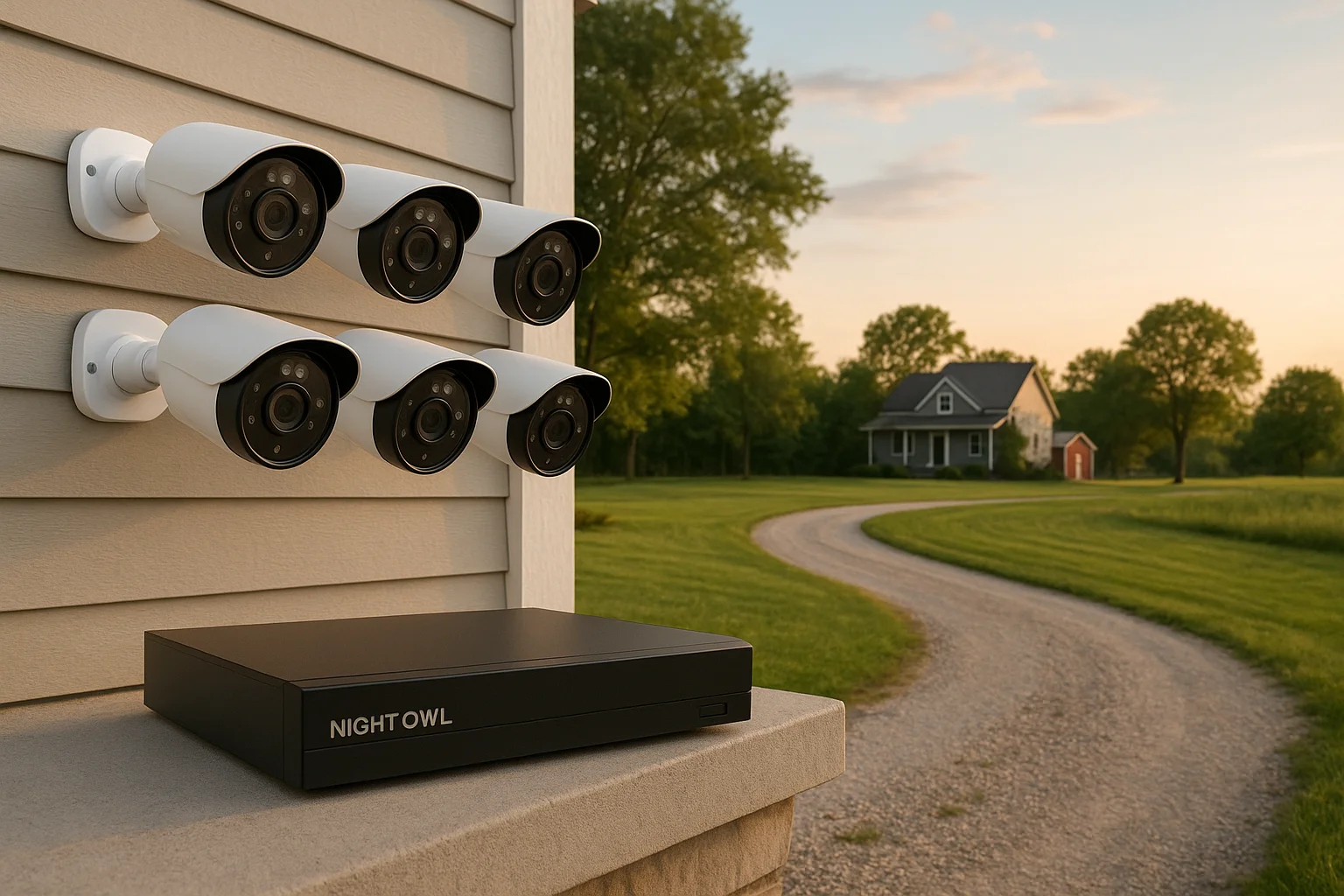
8. Night Owl: best for large properties
Night Owl built its reputation on sprawling multi-camera kits that cover acreage, long driveways, and detached buildings without forcing you to buy several separate systems. The brand sells wired DVR and NVR bundles with up to 12 cameras per kit, which puts it well ahead of most competitors on this list when a property has more than a single house to watch. That scale makes Night Owl worth considering before you start piecing together multiple brands to cover a large lot.
Key features
Night Owl's current lineup includes 4K and 2K cameras with color night vision up to 100 feet, plus a 2-Way Audio option on select models for warning off trespassers from your phone. The included DVR or NVR stores footage locally on drives up to 4TB, and Night Owl's app lets you monitor all cameras from one screen instead of juggling separate feeds.
When you're covering acreage instead of a front porch, camera count matters more than any single feature.
Who it's for
Night Owl fits homeowners with large properties, working farms, or multiple outbuildings who need a dozen cameras working together rather than a handful clustered near the front door. It also suits anyone who wants local storage without paying per-camera cloud fees as the system grows.
Pricing
Eight-camera kits with a 1TB DVR start around $350 to $500. Twelve-camera 4K systems with 2TB to 4TB storage run $700 to $1,100, with no subscription required for local playback.
Installation options
Running cable to a dozen cameras across acreage is not a weekend DIY project for most homeowners. Our technicians plan trenching or conduit runs and configure the NVR so every camera stays reliable across long distances.
9. Zmodo: best affordable PoE system
Zmodo sits in the same PoE category as Reolink and Lorex, but it undercuts both on price without dropping down to a plug-in camera setup. The brand builds wired NVR kits that give you a genuine hardwired system, cameras and recorder connected through Ethernet, at a cost that fits homeowners who want more than a doorbell camera but less than a premium whole-home package.
Key features
Zmodo cameras record at 1080p to 4K depending on the kit, with color night vision and basic person detection to filter out false alerts from wind and passing traffic. The included NVR stores footage locally on a hard drive, and Zmodo's app lets you pull up any camera feed without a subscription. Local recording keeps ongoing costs at zero, though the smart-detection accuracy trails Reolink and Lorex at similar price points.
An affordable PoE system still beats a plug-in camera when you need multiple angles covering one property.
Who it's for
Zmodo suits budget-focused homeowners who want a true wired system with an NVR instead of scattered battery cameras, but who don't need the sharpest 4K detail or the smartest AI detection on the market. It also works well as a starter system for a first home before upgrading later.
Pricing
Four-camera kits with a 1TB NVR typically run $200 to $300, among the lowest prices for a real PoE setup with local storage. Larger eight-camera systems land around $400 to $550.
Installation options
Most Zmodo kits use standard Ethernet cabling that DIYers can run in a single-story home with an accessible attic. For finished walls or multi-room coverage, our technicians handle the cable runs and NVR setup so the system performs reliably from day one.
10. Wyze: best budget wired camera
Wyze built its name on selling capable cameras for a fraction of what competitors charge, and its wired lineup, including the Wyze Cam v3 and Cam Outdoor with a power adapter, keeps that pricing intact. Budget pricing doesn't mean stripped-down here: you still get color night vision, motion tagging, and a companion app that's easier to navigate than most premium brands offer.
Key features
Wyze cameras record in 1080p with color night vision in low light, plus onboard AI that tags people, packages, and vehicles without a subscription. Local storage via a microSD card up to 256GB stores footage directly on the camera, and Wyze's optional Cam Plus plan adds cloud backup and smarter person detection for a few dollars a month.
You don't need a premium brand to get usable footage, just realistic expectations about what a $35 camera can do.
Who it's for
Wyze fits homeowners who want a single-camera setup covering a porch, garage, or backyard without spending Ring or Nest prices. It also suits renters or anyone testing whether they even want cameras before committing to a full wired system.
Pricing
Individual wired cameras run $25 to $45, among the lowest prices on this list. Cam Plus subscriptions start around $2 to $3 a month per camera, though the free tier with microSD storage covers most casual users.
Installation options
Most homeowners mount and plug in a Wyze camera in minutes, no professional help required. If you want cameras placed higher up or wired discreetly through a wall, our technicians can run that power cable while keeping Wyze's simple app setup intact.
11. What to look for in a wired security camera system
Before you buy, decide which specs actually affect how well a system protects your home. Resolution matters most for identifying faces or license plates later, so aim for at least 2K, with 4K preferred if you plan to zoom into footage after an incident. Storage type matters just as much: local NVR or DVR storage avoids subscription fees, while cloud storage adds convenience but bills you monthly for as long as you own the system.
Core specs to compare
Color night vision, field of view, and smart detection separate a genuinely useful camera from one that floods your phone with false alerts every time a cat walks by. Smart motion detection that distinguishes people, vehicles, and animals cuts down on notification fatigue, which is the main reason people stop checking their cameras within a few months of installing them.
A camera system only earns its keep if you actually trust and check the alerts it sends you.
Here's a quick reference for the specs worth prioritizing:
| Feature | Why it matters | What to look for |
|---|---|---|
| Resolution | Identifies faces, plates, packages | 2K minimum, 4K preferred |
| Night vision | Usable footage after dark | Color night vision, 100+ ft range |
| Storage | Cost and footage ownership | Local NVR/DVR, no forced subscription |
| Detection | Fewer false alerts | Person/vehicle/animal filtering |
| Cabling | Installation difficulty | PoE for single-cable power and data |
Finally, check how many channels the NVR supports and whether the system integrates with existing smart home tech like locks or lighting. A wired security cameras for home setup that ties into your broader system saves you from juggling five separate apps just to check your front door.
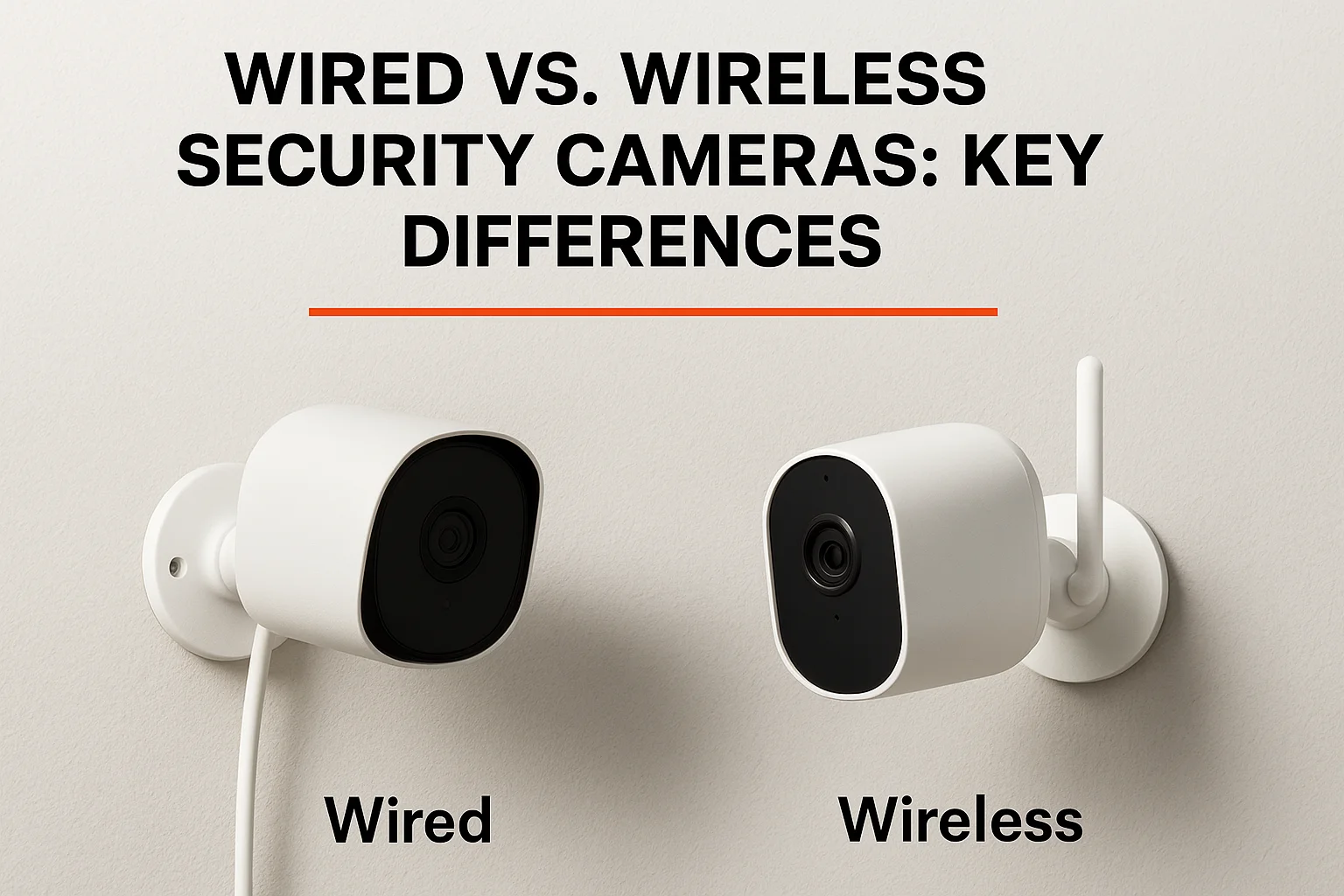
12. Wired vs. wireless security cameras: key differences
Wireless cameras sell convenience, but they trade away the reliability that makes a camera worth trusting in the first place. Wired home security systems with cameras run on constant power through a cable, so there's no battery to check, swap, or forget about during a cold Idaho winter when battery drain accelerates. Wireless systems also lean on your home Wi-Fi for every clip, which means a router hiccup or a busy network during a storm can leave you with gaps right when you need footage most.
Where wireless still wins
Wireless cameras beat wired ones on flexibility. You can move a battery camera to a new spot in minutes, add one without running cable, and skip drilling into siding or brick. That matters for renters or anyone unsure where they'll live in two years.
Wireless buys you flexibility, wired buys you reliability, and most homeowners eventually value reliability more.
Quick comparison
| Factor | Wired | Wireless |
|---|---|---|
| Power source | Constant, no charging | Battery, needs recharging |
| Video reliability | Stable, cable-fed | Depends on Wi-Fi strength |
| Storage | Often local, no fee | Usually cloud, monthly fee |
| Install effort | Higher upfront | Lower upfront |
| Best for | Whole-home, long-term coverage | Single spots, renters |
Budget also plays out differently over time. Cloud subscription costs on wireless systems add up year after year, while a wired NVR setup carries a bigger install cost but little to no ongoing bill. If you're planning to stay in your Treasure Valley home for more than a couple years, that math almost always favors wired.
13. DIY vs. professional installation for wired cameras
Running cable is the real decision point when you're installing wired security cameras for home use, not mounting the cameras themselves. Anyone can screw a bracket into siding, but fishing Cat6 through finished walls, drilling through brick, or routing power to a detached garage takes tools and experience most homeowners don't have lying around. Get the cable run wrong and you end up with exposed wire, a camera that stops working after the first freeze-thaw cycle, or a hole in drywall you didn't plan on patching.
When DIY makes sense
DIY works fine for single-story homes with an accessible attic, a small camera count, and a system like Reolink or Swann that uses standard PoE cabling. It also suits anyone comfortable with a drill, a fish tape, and an afternoon of trial and error.
When to call a professional
Professional installation earns its cost once you're dealing with multi-story homes, finished walls, long outdoor runs, or an NVR system with more than six channels. Hiring it out also matters when you want cameras that integrate cleanly with existing smart home gear instead of sitting on a separate app.
The cameras rarely fail first. The cable run, the mounting angle, and the NVR setup are what separate a system that works for years from one you're troubleshooting every month.
Here's a quick gut check:
- Single-story, few cameras, exposed attic access: DIY is realistic.
- Multi-story, finished walls, or 8+ cameras: hire it out.
- Want smart home integration: professional setup saves headaches later.
We handle the wiring, mounting, and programming across the Treasure Valley when a project outgrows a weekend job.
14. How much do wired security camera systems cost
Total cost depends on three things: camera count, resolution, and whether you pay a monthly fee or store footage locally. Entry-level kits with four cameras and a 1TB NVR run $200 to $500 depending on brand, while eight-camera 4K systems with local storage land between $500 and $1,500. Add professional monitoring like ADT and you're paying $45 to $65 a month on top of $600 to $1,200 in equipment, which changes the long-term math significantly.
Hardware vs. ongoing fees
Owning your footage outright, the way Lorex, Swann, Reolink, and Zmodo let you do, means you pay once for the NVR and cameras and nothing after that. Subscription-based systems like Ring or Arlo cost less upfront but bill you every month for cloud storage and smart alerts, which adds up to $600 or more over five years on a single-camera setup. Run that math against your own timeline before deciding which model actually saves you money.
The cheapest camera on the shelf often costs the most once you add five years of subscription fees.
Installation costs to factor in
DIY installation keeps costs to the hardware price alone, but professional installation adds $300 to $1,000 or more depending on cable runs, number of cameras, and whether you're wiring a finished home or new construction. That cost buys cleaner cable routing, correct camera placement, and integration with your existing smart home setup instead of a system you're troubleshooting alone.
| Cost factor | Typical range |
|---|---|
| 4-camera wired kit (local storage) | $200-$500 |
| 8-camera 4K wired kit | $500-$1,500 |
| Cloud subscription (per camera) | $3-$10/month |
| Professional monitoring | $45-$65/month |
| Professional installation | $300-$1,000+ |
Choosing the right wired camera system for your home
No single brand wins for every home. Lorex and Reolink make sense when you want whole-property coverage with local storage, Ring and Wyze fit a quick single-camera job, and ADT suits anyone who wants a monitored response instead of managing alerts alone. What matters most is matching camera count and cabling to your actual layout, not chasing the highest resolution spec on the box. A two-story Eagle home with finished walls needs a different install plan than a single-story Meridian ranch with an open attic.
Once you've picked the system that fits your budget and coverage needs, the install is what determines whether it works reliably for the next five years. We plan cable runs, mount cameras at angles that actually catch faces and plates, and program the NVR so it integrates with the rest of your smart home. Contact us to get your wired security camera system designed and installed right the first time.
Compare your options
Your next step
Compare Camera Installation ApproachesReady for professional help? Request an estimateOur Services
High-definition surveillance for peace of mind.
Comprehensive security solutions for home and business.
Serving the Treasure Valley
Local installation in your city