 (208) 991-3502
 Meridian, ID



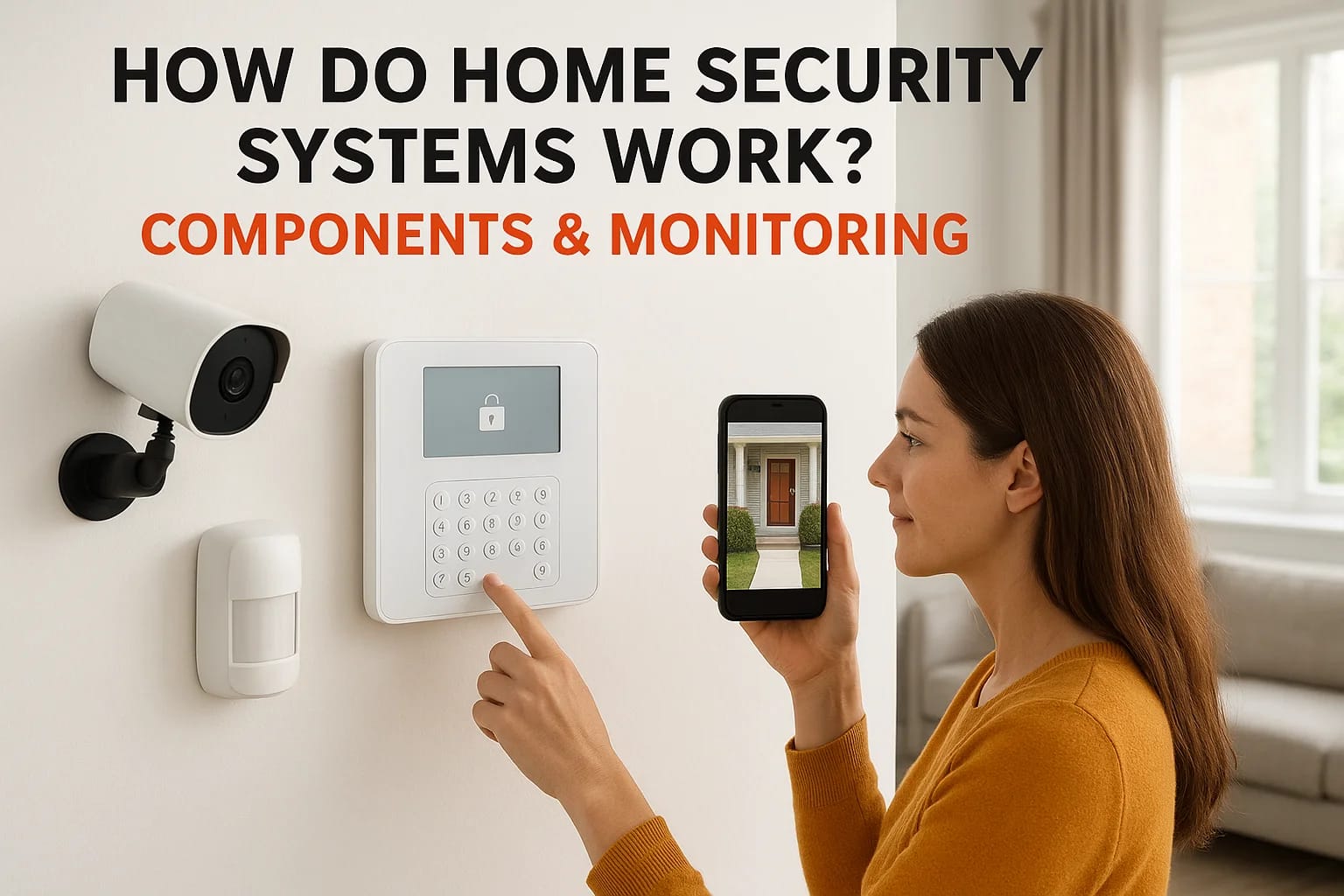

Your home holds everything that matters most to you. Protecting it starts with understanding how do home security systems work, from the sensors on your doors to the alerts on your phone. Whether you'...
How Do Home Security Systems Work? Components & Monitoring
Your home holds everything that matters most to you. Protecting it starts with understanding how do home security systems work, from the sensors on your doors to the alerts on your phone. Whether you're considering your first system or upgrading an outdated setup, knowing the mechanics behind these systems helps you make smarter decisions about what actually keeps your family safe.
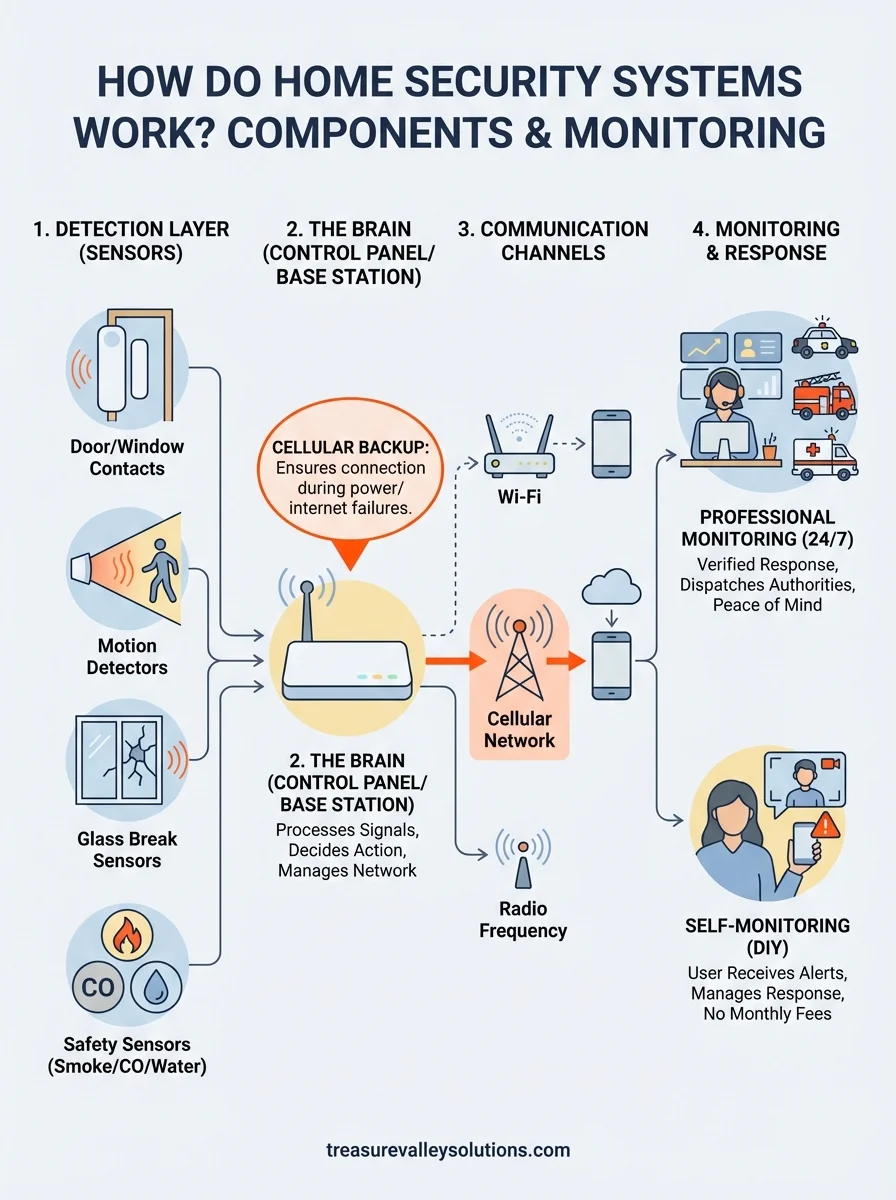
Modern security systems combine multiple layers of protection: sensors that detect motion or entry, cameras that capture footage, base stations that process signals, and monitoring services that respond when something goes wrong. These components communicate through Wi-Fi, cellular networks, or hardwired connections to create a protective network around your property. The difference between a system that works and one that fails often comes down to how these pieces are designed, installed, and maintained.
At Treasure Valley Solutions, we've been designing and installing custom security systems for homes across Meridian, Boise, and the greater Treasure Valley since 2014. This guide breaks down each component, explains the technology behind it, and covers professional monitoring versus self-monitoring options, so you can choose what fits your home and lifestyle.
Why it helps to understand how security systems work
Understanding how security systems actually function saves you money, prevents frustration, and helps you build protection that fits your specific needs. When you know which components detect what threats, you avoid overpaying for features you'll never use while ensuring you cover the vulnerabilities that matter most in your home. Salespeople often push packages loaded with sensors and services that sound impressive but don't address your actual risks. Knowledge about system mechanics lets you cut through the sales pitch and focus on what actually protects your property.
You avoid buying features you don't need
Security companies profit from selling comprehensive packages that include every possible sensor and service, regardless of whether your home needs them. A single-story ranch doesn't require the same motion detection setup as a three-story home with multiple staircases. By understanding how do home security systems work and which components serve which purposes, you can eliminate unnecessary expenses right from the start. Glass break sensors make sense near large windows facing busy streets, but you probably don't need them on every interior door in your house.
When you understand what each component does, you build a system around your actual risks instead of a salesperson's commission structure.
Your living situation determines which features provide value. If you live in an apartment, perimeter sensors on doors and windows matter more than motion detectors in shared hallways you don't control. Families with pets need to configure motion sensors differently than childless couples, or you'll trigger false alarms every time your dog walks through the living room. Understanding these technical differences helps you customize your protection without wasting money on redundant coverage.
You can troubleshoot problems faster
Systems fail at the worst possible times, and knowing basic system architecture helps you diagnose issues before they become emergencies. When your alarm goes off randomly at 3 AM, understanding that door sensors use magnetic contacts lets you quickly check for loose mounting or battery failures instead of panicking about an actual break-in. Professional support can take hours or days to arrive, but you can often resolve simple problems yourself when you understand the components involved.
Communication failures cause most system malfunctions. If your base station uses Wi-Fi and your internet goes down, you need to know whether your system switches to cellular backup or goes completely offline. Understanding these technical details helps you identify vulnerabilities before they matter. A system that relies solely on your home Wi-Fi leaves you unprotected during power outages unless you've added battery backup to your router and base station.
You choose monitoring that matches your lifestyle
Professional monitoring and self-monitoring serve different needs, and understanding how each option works prevents buyer's remorse after you've committed to a contract. If you travel frequently for work, 24/7 professional monitoring provides peace of mind that someone always responds to alerts even when you're unreachable. But if you work from home and always have your phone nearby, paying $30 to $50 monthly for professional monitoring might waste money you could spend on better cameras or additional sensors.
Your technical comfort level matters more than companies admit. Self-monitoring requires you to respond to alerts immediately, check camera feeds, and contact authorities yourself if needed. Professional services handle these tasks for you but add ongoing costs that can exceed the price of the equipment within two years. Understanding these operational differences helps you align your system with how you actually live instead of how security companies assume you should live.
The alarm sequence from trigger to response
Understanding how do home security systems work requires following the chain of events from the moment a sensor detects something unusual to when you receive an alert or authorities arrive at your door. This sequence happens in seconds, but each step involves multiple components communicating with each other to verify the threat and trigger the appropriate response. The speed and reliability of this process determine whether your system protects your home or just makes noise after a break-in already happened.
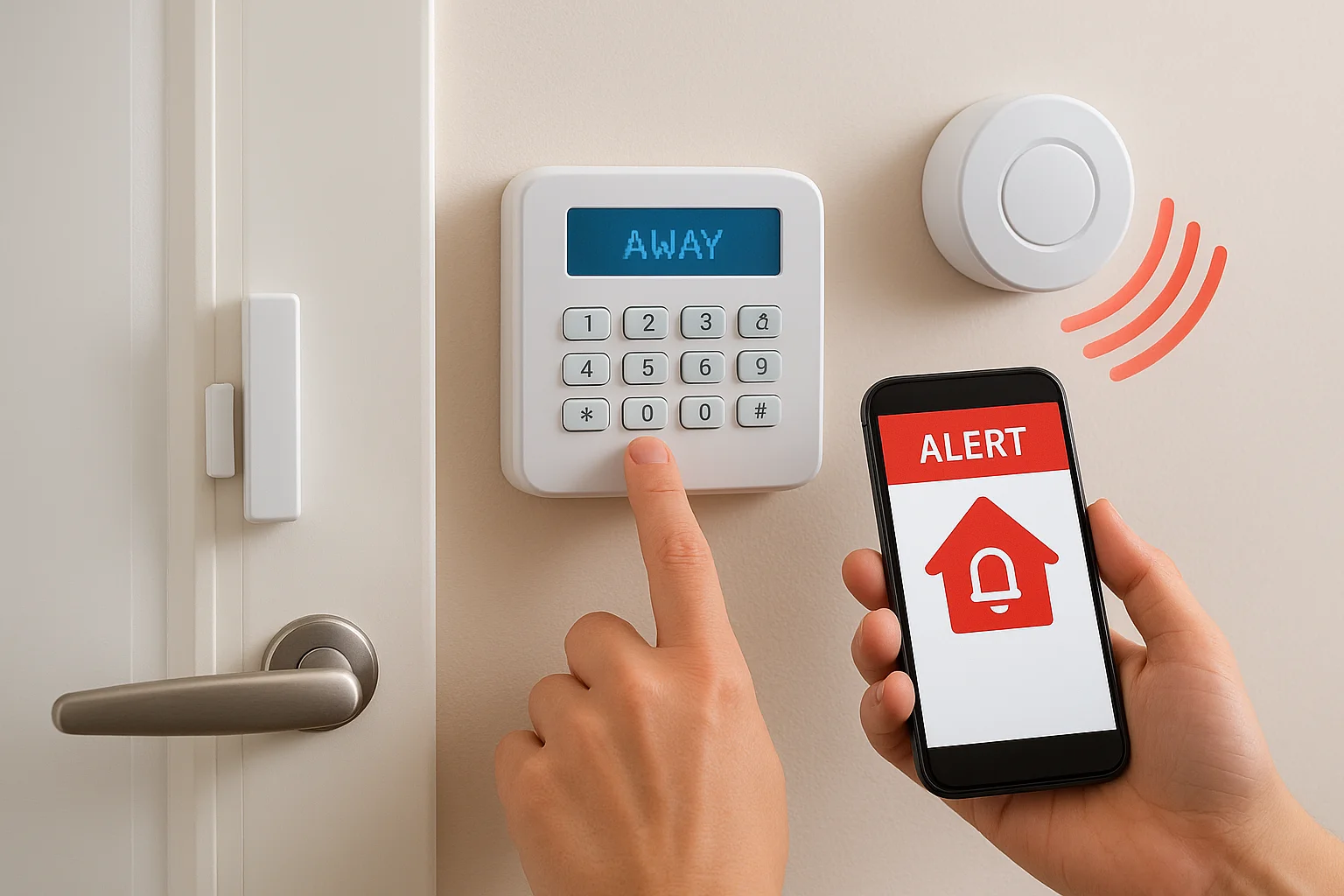
What happens in the first seconds
Your sensors constantly monitor for changes in their environment. When someone opens a door, a magnetic contact separates from its counterpart mounted on the door frame, breaking the circuit and sending an immediate signal to your base station. Motion sensors work differently by detecting heat signatures moving through their coverage zone, using infrared technology to distinguish between your cat walking across the room and a person entering through a window. The sensor doesn't make decisions about whether the detection matters; it simply reports the change to your control panel within milliseconds.
The base station receives these signals and checks your system's current status before deciding whether to sound an alarm or ignore the detection.
Your system status determines what happens next. If you've armed the system in "away" mode, the base station immediately starts the alarm countdown (usually 30 to 60 seconds) to give you time to disarm if you're actually coming home. Stay mode ignores motion sensors inside your home while still monitoring perimeter doors and windows. This distinction prevents false alarms when you're moving around at night but still protects against someone breaking in through an entry point.
How the signal travels to you
Once the base station confirms a genuine alarm condition, it simultaneously triggers multiple responses. The local siren activates to scare off intruders and alert neighbors, while the system sends alerts through its communication channels. Wi-Fi-based systems push notifications to your smartphone app within seconds, letting you view camera feeds and verify whether the alarm represents a real threat or your teenager sneaking in past curfew.
Professional monitoring adds another layer. Your base station contacts the monitoring center through cellular or internet connection, and trained operators receive detailed information about which sensor triggered and when. They attempt to call your primary contact number, then secondary contacts, before dispatching police if they can't reach you or you confirm an actual break-in. Self-monitored systems skip this step entirely, placing the responsibility for verification and response completely on you.
The control panel or base station as the system brain
Your control panel serves as the central processor that receives signals from every sensor, camera, and detector in your system, then decides what action to take based on your settings and the current threat level. Think of it as the command center where all information flows and all decisions get made about whether to sound alarms, send alerts, or simply log an event for later review. Without this component functioning properly, your individual sensors become disconnected devices that can't coordinate a meaningful response to an actual break-in.
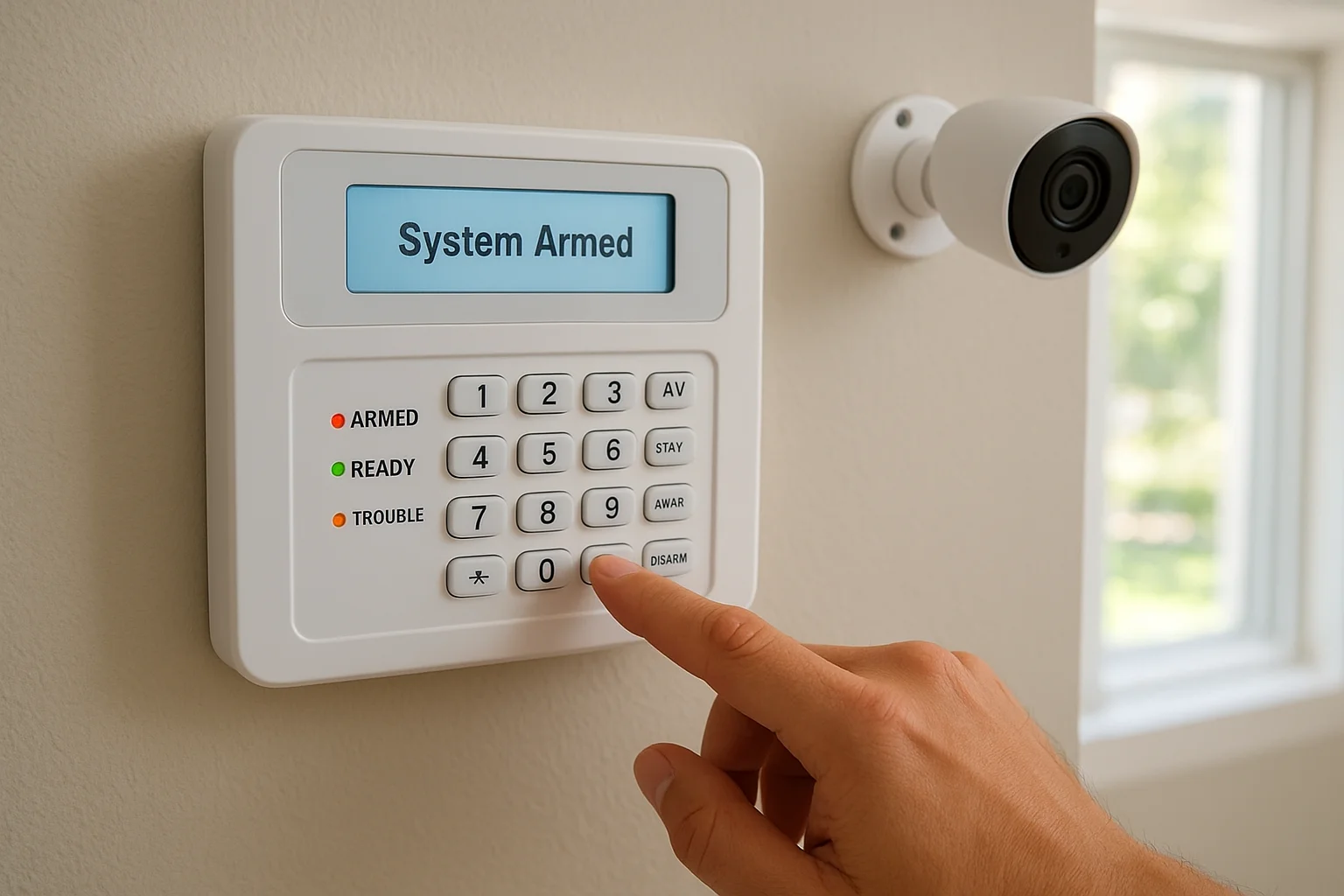
What the base station actually does
The base station continuously monitors every connected device in your security network, checking for status updates every few seconds to ensure sensors remain online and batteries stay charged. When you arm or disarm your system, the control panel broadcasts these commands to all connected devices and confirms each one received the instruction. This constant communication helps you understand how do home security systems work as an integrated network rather than isolated components scattered around your property.
Processing power matters more than most people realize. Your base station stores event logs that track every sensor activation, every time you armed or disarmed the system, and every alert sent to your phone. Better systems include local processing that analyzes patterns to reduce false alarms, like learning that your front door typically opens at 5:30 PM on weekdays and delaying alerts during that window. The control panel also manages your automation rules, triggering lights or locks based on specific sensor activities you've configured.
Your base station determines whether a sensor detection becomes an ignored event, a logged notification, or a full alarm response based on your current system mode and programmed rules.
Battery backup and redundancy features
Power failures don't shut down quality control panels because they include rechargeable batteries that automatically take over when your home loses electricity. These batteries typically provide 24 to 48 hours of continuous operation, ensuring your protection continues during storms or if an intruder cuts your power before attempting entry. Check how long your specific model lasts on battery power, since cheaper systems might only offer four to six hours of backup that leaves you vulnerable during extended outages.
Cellular backup protects against internet failures that would otherwise disable Wi-Fi-based systems. Your base station detects when your home network goes down and immediately switches to cellular communication to maintain contact with monitoring services and your smartphone app. This redundancy costs extra through monthly cellular fees but prevents the common vulnerability where cutting your internet cable eliminates all system functionality.
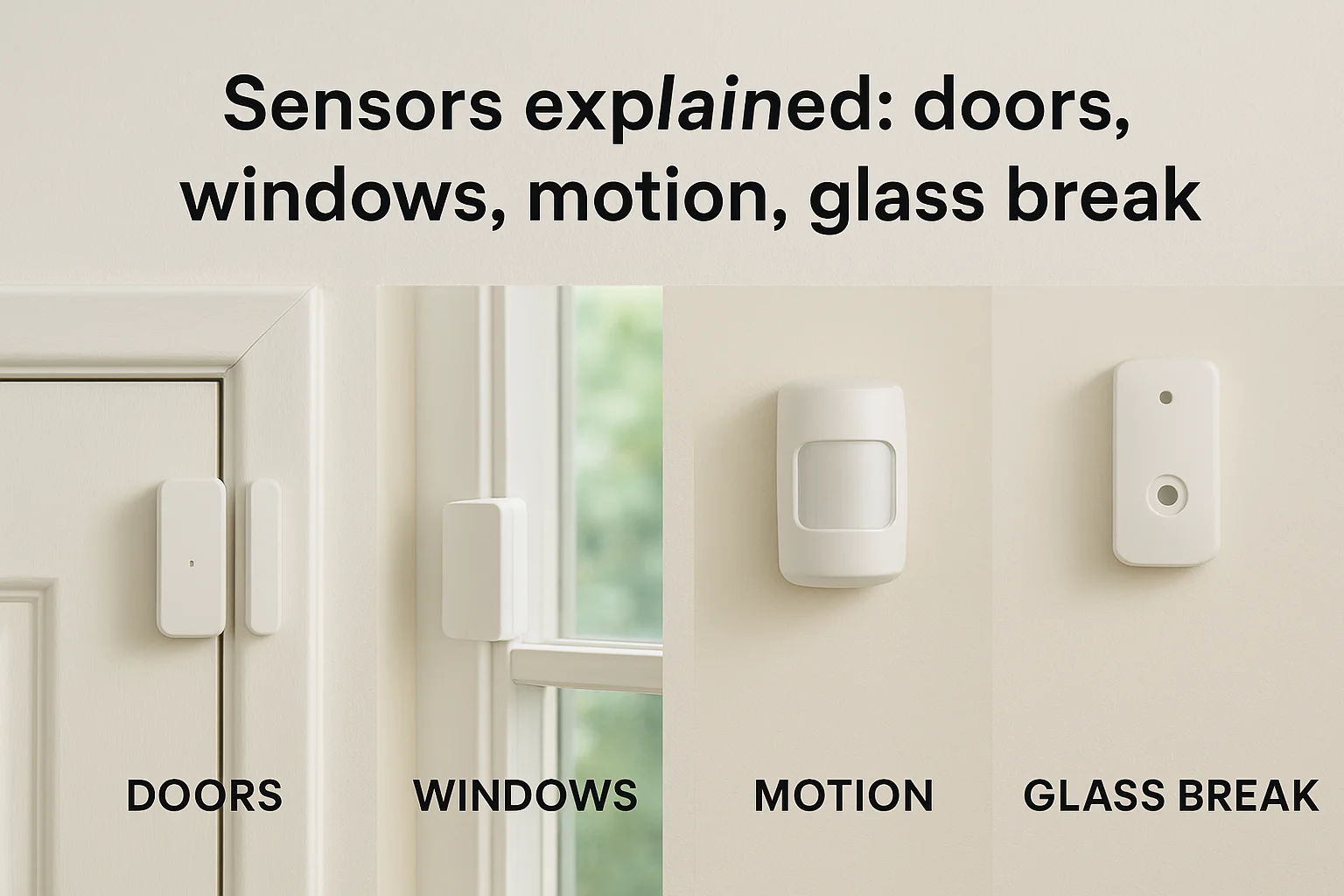
Sensors explained: doors, windows, motion, glass break
Sensors form the detection layer that makes your security system functional, acting as the eyes and ears that notice when something changes in your home. Understanding how these devices work helps you appreciate how do home security systems work as an integrated protection network. Each sensor type detects different threats, from someone opening a window to movement inside rooms you thought were empty, and choosing the right combination for your specific layout determines whether you catch intruders before they cause damage.
Contact sensors for entry points
Door and window sensors use two-piece magnetic contacts mounted on your frames and the moving parts themselves. When your door sits closed, the magnet on the door aligns with the sensor on the frame, completing an electrical circuit. Opening the door separates these components by more than half an inch, breaking the circuit and sending an immediate signal to your base station that detects the change within milliseconds.
Installation location affects reliability more than the sensor quality itself. You mount the sensor body on the stationary door frame and the smaller magnet piece on the door itself, ensuring they align perfectly when closed. Placing sensors on the hinge side of doors works better than the handle side because hinges create less physical stress and vibration that might loosen the mounting over time. Metal doors and frames sometimes interfere with magnetic fields, requiring you to use recessed sensors that sit flush inside drilled holes rather than surface-mounted versions.
Motion detectors and their coverage zones
Motion sensors detect infrared heat signatures moving through their field of view, using passive infrared (PIR) technology that doesn't emit any signals but simply watches for temperature changes. When a person walks into the coverage zone, their body heat creates a rapid change against the cooler background temperature, triggering the sensor to alert your base station. These devices work best in corners where they can monitor entire rooms without blind spots created by furniture or walls.
Your motion detector creates wedge-shaped coverage zones that extend 20 to 40 feet depending on the model, but they need clear sightlines to function properly.
Pet immunity settings help avoid false alarms by ignoring heat sources below certain heights or weights, typically filtering out animals under 40 to 80 pounds. You configure these sensitivity levels during installation, teaching the sensor to distinguish between your dog walking through the living room and an actual intruder. Placement height matters critically since mounting sensors seven to eight feet high angles their detection zones to miss floor-level pets while still catching standing adults moving through the space.
Glass break detection technology
Glass break sensors listen for the specific sound frequency that occurs when glass shatters, using acoustic analysis to distinguish between a breaking window and other loud noises like dropped dishes or slamming doors. These sensors monitor entire rooms from a single mounting point, protecting multiple windows simultaneously by detecting the unique audio signature glass creates during forceful impact. You typically place them on walls or ceilings within 25 feet of the windows you want to protect.
Most homes don't need glass break sensors unless you have large windows easily accessible from ground level or sliding glass doors that intruders could quietly break instead of opening. The technology works through dual verification, requiring both the thud of impact and the tinkling sound of falling shards before triggering an alarm. This prevents false detections from thunder, fireworks, or other sudden noises that might sound similar but lack the complete acoustic pattern of actual breaking glass.
Safety sensors: smoke, CO, water leaks, temperature
Understanding how do home security systems work extends beyond preventing break-ins to include protecting your family from invisible threats like fires, carbon monoxide, flooding, and temperature extremes. Modern security systems integrate environmental sensors that detect these hazards and send immediate alerts to your phone, monitoring services, and local sirens, often providing warnings minutes before traditional standalone detectors would activate. These sensors communicate with your base station using the same wireless protocols as your door and motion sensors, creating a comprehensive safety network that addresses both security and life-threatening emergencies.
Smoke and carbon monoxide detection
Smoke detectors in security systems use photoelectric or ionization technology to sense particles in the air, just like standard smoke alarms, but they connect directly to your base station and monitoring service instead of operating independently. When smoke triggers the sensor, your system immediately alerts everyone on your emergency contact list and notifies professional monitoring if you subscribe to that service. This networked approach provides faster response times than standalone alarms that only sound locally while you're sleeping or away from home.
Carbon monoxide sensors detect the odorless, colorless gas produced by malfunctioning furnaces, water heaters, and gas appliances that kills hundreds of people annually. Your security system checks CO levels continuously and triggers warnings when concentrations reach dangerous thresholds, typically between 70 and 150 parts per million. Professional monitoring becomes especially valuable for CO alerts since this gas causes confusion and disorientation that might prevent you from recognizing the danger or calling for help yourself.
Integrated smoke and CO sensors ensure that even if you're not home, your monitoring service can dispatch emergency responders within minutes of detection.
Water leak and temperature monitoring
Water sensors protect against flooding from burst pipes, failed water heaters, or appliance leaks by detecting moisture on floors near these vulnerable areas. You place small sensors on bathroom floors, under sinks, near water heaters, and by washing machines to catch problems before thousands of dollars in damage occurs. These devices alert you immediately when water touches their metal probes, giving you time to shut off water supplies and call plumbers before minor leaks become insurance claims.
Temperature sensors monitor your home's climate to prevent frozen pipes during winter or detect HVAC failures that could damage temperature-sensitive belongings. You set threshold alerts that notify you when indoor temperatures drop below 45 degrees or rise above 85 degrees, indicating equipment problems that need immediate attention. These sensors prove especially valuable for vacation homes or properties you don't visit daily, since they catch problems days before you'd otherwise discover them.
Cameras and video doorbells: viewing, recording, storage
Security cameras add visual verification to your alarm system, letting you see exactly what triggered alerts instead of guessing whether the motion sensor detected an intruder or just your neighbor's cat. Video doorbells extend this protection to your front entrance, capturing package deliveries, visitors, and anyone approaching your door before they knock or ring. These devices integrate with your security system to provide real-time viewing through smartphone apps and store footage for later review, creating a visual record that helps police identify suspects and insurance companies process claims after break-ins or vandalism.
How cameras capture and stream footage
Modern security cameras use high-definition sensors that record in 1080p or 4K resolution, providing clear enough images to identify faces and read license plates from reasonable distances. Your cameras continuously monitor their field of view and compress this video data before streaming it to your phone or recording device, using H.264 or H.265 encoding that balances image quality against bandwidth requirements. Video doorbells work similarly but add motion detection zones you can customize to avoid alerts every time a car drives past your house.
Live viewing happens through your smartphone app, which receives encrypted video streams directly from your cameras whenever you open the application. Most systems let you pan, zoom, and talk through built-in speakers to communicate with visitors or warn off intruders before they break in. Night vision uses infrared LEDs that illuminate areas up to 30 feet in complete darkness, capturing usable footage even when outdoor lights are off or deliberately disabled by someone trying to avoid detection.
Your camera's resolution and lens quality matter more than megapixel counts when determining whether you can actually identify people in recorded footage.
Recording options: cloud vs local storage
Cloud storage uploads your footage to remote servers managed by your security company, charging monthly fees typically between $3 and $30 per camera depending on resolution and retention length. This approach protects your recordings even if intruders steal your cameras or base station, since footage already exists offsite where thieves can't destroy it. However, you lose access to recordings if your subscription lapses, and uploading 24/7 continuous footage consumes significant internet bandwidth that might slow your home network.
Local storage uses microSD cards or hard drives installed in your cameras or base station to record footage directly at your property without monthly fees. You control your recordings completely and avoid bandwidth issues, but physical theft eliminates all evidence unless you check footage immediately after incidents. Some systems offer hybrid approaches that record locally while uploading important clips to the cloud during alarm events, combining the cost savings of local storage with the security of offsite backups.
How systems communicate: Wi-Fi, cellular, and radio
Your security system relies on communication protocols to transmit signals between sensors, cameras, and your base station, then push alerts to your smartphone and monitoring services when threats occur. Understanding how do home security systems work through these different communication methods helps you identify potential vulnerabilities and choose systems with backup options that keep you protected when primary connections fail. Most modern systems use multiple communication layers that automatically switch between protocols to ensure messages reach their destination even during power outages or intentional sabotage attempts.
Wi-Fi connectivity and its limitations
Wi-Fi provides the fastest and cheapest communication method for security systems, using your existing home internet connection to stream camera footage, send alerts to your phone, and communicate with cloud services that store recordings and event logs. Your base station and cameras connect to your wireless router just like smartphones and laptops, consuming bandwidth proportional to the amount of data they transmit. Systems that record continuous 4K video from multiple cameras can saturate slower internet connections, causing lag when you try to view live feeds or triggering delays in alert notifications.
Internet reliability determines whether Wi-Fi-based systems actually protect your home. When your internet service provider experiences outages or someone cuts your cable line, Wi-Fi systems lose the ability to send alerts or contact monitoring services unless they include cellular backup. Your cameras might continue recording to local storage, but you won't receive notifications about break-ins happening in real time. Router placement also matters since security devices installed far from your wireless access point might experience weak signals that cause missed sensor updates or failed video streams during critical moments.
Cellular backup for reliable protection
Cellular connections provide redundant communication that maintains system functionality when Wi-Fi fails, using the same 4G LTE or 5G networks your phone relies on to make calls and access the internet. Your base station detects when your home network goes offline and immediately switches to cellular transmission, ensuring alerts still reach your phone and monitoring services can dispatch emergency responders. This backup typically costs $10 to $30 monthly through your security provider, but it eliminates the single point of failure that makes Wi-Fi-only systems vulnerable to simple attacks.
Cellular backup transforms your security system from dependent on your home internet to independently connected through networks intruders can't disable by cutting a single cable.
Bandwidth limitations on cellular connections mean your system transmits compressed data rather than high-resolution video streams when operating on backup. Alerts and sensor status updates transfer quickly, but viewing live camera feeds might require lower resolution or delayed footage until your Wi-Fi returns.
Radio frequency for local communication
Radio frequency protocols like Z-Wave and Zigbee handle sensor-to-base-station communication without relying on your home network, creating a dedicated mesh network that operates independently from internet connectivity. These wireless signals transmit on frequencies between 900 MHz and 2.4 GHz, providing reliable short-range communication that doesn't compete with your Wi-Fi bandwidth. Each sensor acts as a repeater that extends the network's range, ensuring devices far from your base station maintain strong connections through intermediate devices.
Professional monitoring vs self-monitoring
Choosing between professional monitoring and self-monitoring determines who responds when your alarm triggers and how much you pay monthly for that response capability. Professional monitoring means trained operators at a central station receive your alerts 24/7, verify threats, contact you, and dispatch police or fire departments on your behalf. Self-monitoring places complete responsibility on you to receive alerts through your smartphone app, check camera feeds, and call authorities yourself if needed. This decision affects both your monthly costs and your confidence that someone will respond even when you're unreachable or asleep.
What professional monitoring provides
Professional monitoring services employ trained operators who receive detailed information about which sensors triggered and at what time, then follow predetermined protocols to verify whether alerts represent genuine emergencies. They attempt to reach you through multiple contact numbers before dispatching emergency responders, preventing false alarm fees that many police departments now charge for unverified calls. These operators work around the clock from secure facilities with backup power and redundant communication systems that continue operating during natural disasters or regional emergencies affecting your area.
Monthly costs for professional monitoring typically range from $20 to $60 depending on whether you choose basic alarm monitoring or full service that includes video verification and smart home integration. You sign contracts usually lasting one to three years, and canceling early often triggers termination fees equal to months of remaining service. Despite these costs, professional monitoring makes sense if you travel frequently, work in environments where you can't check your phone regularly, or simply want guaranteed response regardless of your personal availability when alarms occur.
Professional monitoring ensures someone always responds to your alerts even when you're on a plane, in surgery, or otherwise completely unreachable.
Self-monitoring and its requirements
Self-monitoring eliminates monthly fees by sending push notifications directly to your smartphone when sensors detect activity, letting you view camera feeds and contact police yourself if necessary. You control everything through your security system's mobile app, which should allow you to arm, disarm, check status, and review recordings from anywhere with internet connectivity. This approach works well for people who always keep their phones nearby and feel comfortable making judgment calls about whether situations require police response.
Understanding how do home security systems work under self-monitoring helps you recognize the limitations. You must respond to alerts immediately because no backup exists if you miss notifications or can't access your phone. Battery drain, cellular dead zones, and accidentally silenced phones become security vulnerabilities rather than minor inconveniences. False alarms become your problem to manage since you call police directly, and repeatedly triggering emergency responses for non-threats might result in fines or reduced priority for future calls from your address.
Reliability and resilience: power, internet, tampering
Your security system needs to work when attackers deliberately try to disable it, not just during normal conditions. Understanding how do home security systems work under stress helps you identify weaknesses before criminals exploit them. Power outages, internet failures, and physical tampering represent the three primary vulnerabilities that separate effective protection from expensive false confidence, and quality systems include specific countermeasures against each attack vector.
Battery backup during power failures
Your base station and key sensors should include rechargeable batteries that automatically activate when electricity fails, maintaining protection for 24 to 72 hours depending on system quality. Cheaper systems offer only four to six hours of backup, leaving you vulnerable during extended outages common after storms or when intruders cut your power line before attempting entry. Your cameras typically consume more power than sensors, so they might stop recording sooner than your alarm functions remain active during battery operation.
Battery backup transforms planned power disruptions from security gaps into inconveniences that don't compromise your protection.
Testing your backup capabilities requires unplugging your base station and monitoring how long the system functions normally. You should receive low battery alerts through your app well before power reserves deplete completely, giving you time to restore electricity or prepare alternative security measures during prolonged outages.
Internet dependency and cellular failover
Systems that rely solely on Wi-Fi lose all remote alert capabilities when your internet fails, making them useless if someone cuts your cable line or your provider experiences outages. Cellular backup maintains communication between your base station and monitoring services through independent 4G or 5G networks that don't depend on your home infrastructure. This redundancy costs extra through monthly fees but eliminates the vulnerability where disconnecting one cable completely disables your protection.
Physical tampering and sabotage resistance
Intruders can defeat poorly designed systems by smashing sensors or base stations before triggering alarms. Quality systems include tamper switches that immediately alert your monitoring service when someone removes covers or physically damages equipment. Your cameras should mount high enough to prevent easy removal while still capturing clear facial footage, and your base station belongs in locked closets or utility rooms rather than visible locations where burglars can quickly destroy it.
Costs, fees, and common downsides to plan for
Security systems involve ongoing expenses beyond the initial purchase price, and understanding these costs prevents budget surprises that might force you to cancel service or compromise protection. The total investment includes equipment purchases, professional installation labor, monthly monitoring or cloud storage subscriptions, and occasional maintenance costs when batteries die or sensors fail. These expenses compound over years of ownership, potentially exceeding thousands of dollars for systems you thought would cost a few hundred upfront.
Upfront equipment and installation costs
Basic DIY security kits start around $200 to $400 for entry-level packages with a base station, door sensors, motion detectors, and one or two cameras. Adding more cameras, glass break sensors, or smart home integration quickly pushes costs toward $800 to $1,500 for comprehensive coverage. Professional installation typically adds another $300 to $1,000 depending on home size and complexity, but this ensures sensors mount correctly and communicate reliably with your base station instead of creating dead zones from poor DIY placement.
Monthly monitoring and subscription fees
Professional monitoring costs $20 to $60 monthly, totaling $240 to $720 annually that continues for as long as you want guaranteed emergency response. Cloud video storage adds another $3 to $30 per camera monthly, depending on resolution and retention length you choose. Self-monitoring eliminates these fees but still requires cellular backup subscriptions of $10 to $30 monthly if you want protection during internet outages, meaning even "no contract" systems rarely cost nothing to operate effectively.
Monthly fees compound over years to exceed equipment costs within two to three years, making the ongoing expense your largest long-term investment.
Common downsides and frustrations
False alarms from pets, wind-blown doors, or oversensitive sensors trigger police responses that many cities now fine at $50 to $200 per occurrence after your first few mistakes. Understanding how do home security systems work helps you configure sensitivity properly, but you'll still deal with occasional notification fatigue from legitimate alerts you can't immediately verify. Contract cancellation fees often equal months of remaining service, trapping you in systems that don't meet your needs, and equipment becomes obsolete within five to seven years, requiring complete replacement rather than simple upgrades.
How to choose and set up the right system for your home
Choosing the right security system starts with evaluating your specific vulnerabilities rather than buying the most expensive package available. Your home's layout, neighborhood crime rates, family schedule, and budget determine which components provide actual protection versus which features waste money on redundant coverage. Understanding how do home security systems work helps you identify whether you need comprehensive monitoring or just basic alerts, professional installation or DIY setup, and which sensors address your actual risks instead of theoretical threats that don't apply to your situation.
Assess your specific vulnerabilities and priorities
Start by walking around your property to identify weak entry points that intruders could exploit, including ground-floor windows hidden from street view, basement doors in unlit areas, and garage access that connects directly to your home. Your front door receives the most attention from burglars since 34% of break-ins occur through main entrances, making quality door sensors and video doorbells your highest priority regardless of budget constraints. Upper-floor windows matter less unless you have nearby trees, decks, or roofs that provide easy climbing access.
Your lifestyle determines whether professional monitoring justifies its cost. If you work from home, keep your phone nearby constantly, and feel comfortable verifying alerts yourself, self-monitoring saves $240 to $720 annually that you can invest in better cameras or additional sensors. Professional monitoring makes sense when you travel frequently for work, have family members unable to respond to emergencies, or simply want guaranteed response during the rare moments you're truly unreachable.
Your specific risks and daily routines matter more than generic advice about what every home supposedly needs for proper protection.
Compare systems and installation options
Professional installation costs $300 to $1,000 but ensures sensors mount at optimal heights, cameras cover critical angles without blind spots, and your base station communicates reliably with every device. DIY installation saves this expense but requires you to research proper placement, drill mounting holes accurately, and troubleshoot connectivity problems yourself when sensors drop offline. Your technical comfort level honestly determines which approach prevents frustration and actually delivers working protection.
Compare total ownership costs over three to five years rather than focusing solely on equipment prices. A $400 DIY system with $30 monthly monitoring costs $1,480 after three years, while a $1,200 professionally installed system with no contracts costs less long-term. Request quotes from multiple providers, verify cellular backup comes standard rather than as an expensive add-on, and confirm whether cloud storage fees apply per camera or per account to avoid surprise charges after installation.
Wrap-up and what to do next
Understanding how do home security systems work gives you the knowledge to choose components that address your actual vulnerabilities rather than paying for features you don't need. Your protection depends on matching sensors, cameras, and monitoring to your home's layout, your family's schedule, and the specific threats common in your neighborhood. The difference between effective security and wasted money comes down to proper equipment selection, correct installation, and reliable communication between all system components.
Start by identifying your most vulnerable entry points and determining whether you need professional monitoring or can handle self-monitoring responsibly. Compare total ownership costs over multiple years rather than focusing solely on upfront prices, since monthly fees often exceed equipment costs within two to three years. If you need help designing a custom security solution for your Treasure Valley home, contact our team at Treasure Valley Solutions for a consultation that addresses your specific needs without pushing unnecessary features.
Need Expert Help?
Ready to implement these solutions in your own home or business?
Our Services

Comprehensive security solutions for home and business.

High-definition surveillance for peace of mind.

Complete home automation and control.

Home theater design and installation planned around your room, viewing goals, and equipment scope.
Serving the Treasure Valley
Local installation in your city