 (208) 991-3502
 Meridian, ID



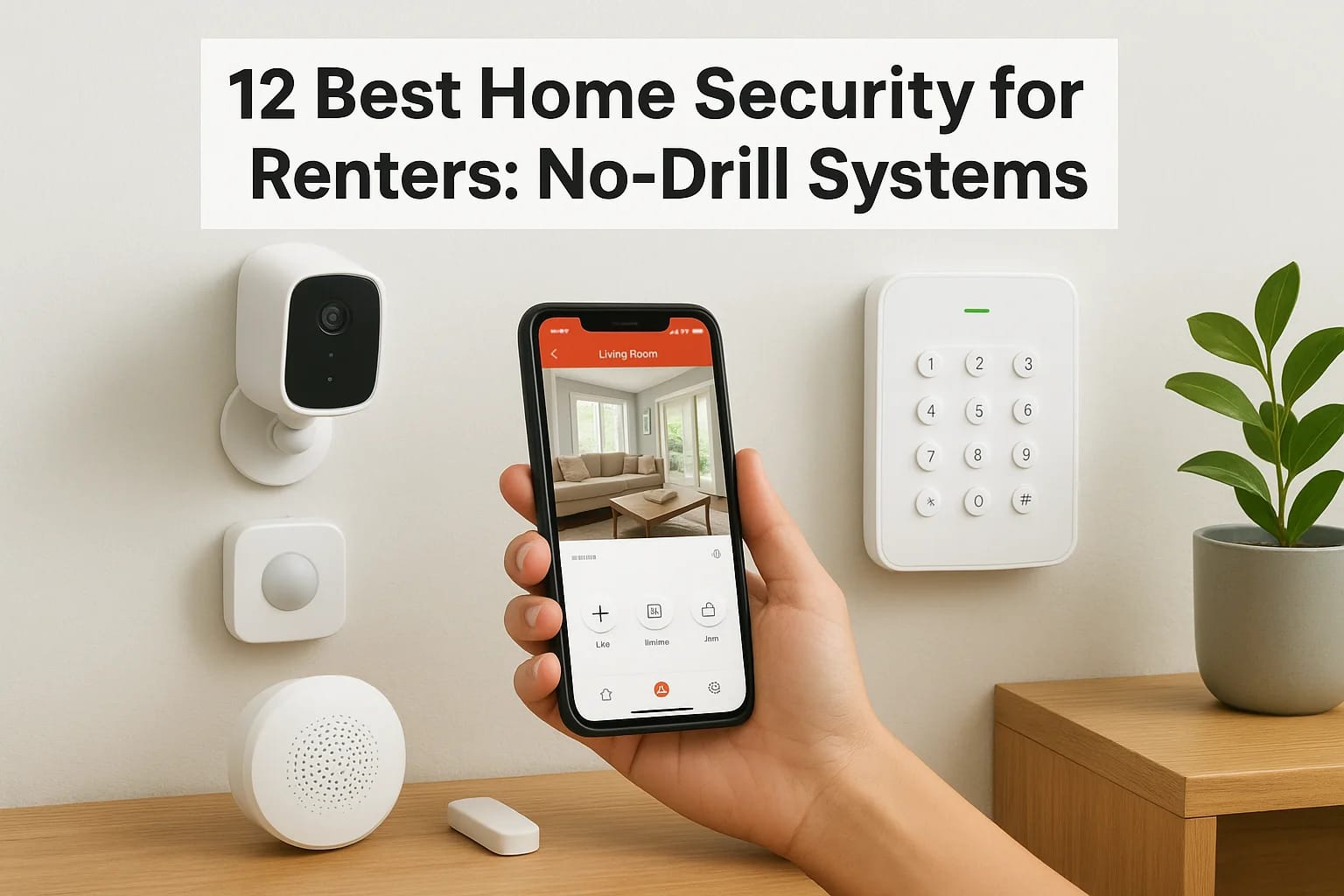

Renting doesn't mean you have to sacrifice safety. Whether you're in an apartment, duplex, or single-family rental, you deserve the same peace of mind as any homeowner. The challenge? Most traditional...
Renting doesn't mean you have to sacrifice safety. Whether you're in an apartment, duplex, or single-family rental, you deserve the same peace of mind as any homeowner. The challenge? Most traditional security systems require drilling, hardwiring, and permanent modifications that violate lease agreements. That's where home security for renters comes in, systems built specifically for people who need protection without property damage.
At Treasure Valley Solutions, we've spent over a decade designing and installing smart security systems across Idaho. We know what separates reliable equipment from gimmicky gadgets, and we understand the unique constraints renters face. While our team typically handles custom installations for homeowners and commercial clients, we also recognize that many renters are future homeowners who want to start building their security knowledge now.
This guide breaks down 12 renter-friendly security systems that won't cost you your deposit. We've evaluated each option based on installation simplicity, monitoring flexibility, equipment quality, and overall value. You'll find systems ranging from basic door sensors to comprehensive kits with cameras, motion detectors, and professional monitoring, all designed to come with you when you move.
Whether you're protecting a studio apartment in Boise or a rental home in Nampa, these no-drill solutions let you secure your space on your terms. Let's find the right fit for your situation, budget, and security goals.
1. Treasure Valley Solutions
Treasure Valley Solutions brings professional-grade security to renters who want custom protection without the typical long-term commitment. Based in Meridian, Idaho, this local integrator designs systems that can be adapted for temporary living situations, though their primary focus serves homeowners and commercial clients. You get access to enterprise-level equipment and expert installation without drilling into walls or signing multi-year contracts that lock you in place.
How it protects your rental
The team designs customized security packages that combine wireless cameras, motion sensors, smart door locks, and glass break detectors. Each system connects through a central hub that communicates with your smartphone, giving you real-time visibility into what's happening at your rental. Cameras can be positioned on shelves or mounted with adhesive strips, while sensors attach to doors and windows using removable 3M tape that won't damage paint or trim.
Your system includes smart lighting integration that makes your rental look occupied when you're away. Motion-activated lights turn on automatically when someone approaches your door, and you can program indoor lights to follow realistic patterns that discourage break-ins. Voice control through Alexa or Google Assistant lets you arm or disarm the system without fumbling for your phone.
No-drill installation notes
Treasure Valley Solutions installs your equipment using adhesive mounts, tension rods, and freestanding hardware that leaves no permanent marks. Outdoor cameras sit on windowsills or attach to existing fixtures with adjustable brackets. Door sensors use industrial-strength adhesive backing that holds securely but removes cleanly when you move out. Smart locks replace your existing deadbolt without modifying the door itself, and you simply reinstall the original hardware before lease end.
"Professional installation means your system works correctly from day one, with no troubleshooting or equipment returns that waste your time."
The installation process typically takes 3 to 5 hours depending on your rental's size and the number of devices. Technicians test every component before they leave, ensuring cameras capture clear footage, sensors trigger properly, and your smartphone app controls everything reliably.
Monitoring and alerts
You receive instant push notifications whenever a sensor detects activity, a camera spots motion, or someone arms or disarms your system. The mobile app lets you view live camera feeds, check sensor status, and review recorded footage from anywhere with internet access. You can set custom alert schedules that silence notifications during certain hours or when specific people are home.
Professional monitoring is available through third-party services that watch your system 24/7 and contact emergency responders when alarms trigger. This optional add-on costs extra but provides peace of mind when you're traveling or sleeping.
Costs and ongoing fees
Expect to invest $800 to $2,500 for a basic renter system, depending on how many cameras, sensors, and smart locks you want. This upfront cost covers equipment, professional installation, and initial programming. Monthly monitoring fees range from $15 to $60 if you choose professional surveillance, though you can skip monitoring and rely solely on smartphone alerts at no ongoing cost.
Downsides and watch-outs
Treasure Valley Solutions operates exclusively in the Treasure Valley area of Idaho, which limits availability to renters in Boise, Meridian, Eagle, Nampa, and surrounding communities. Their custom approach costs more than DIY systems you'd buy on Amazon, though you're paying for professional design, installation quality, and local support. The company's focus on homeowners means they may prioritize larger projects during busy seasons, potentially extending your installation timeline by several weeks.
2. SimpliSafe
SimpliSafe pioneered the DIY security market for renters back in 2006, building a reputation for straightforward setup and flexible contracts. This Boston-based company ships pre-configured systems directly to your door, with equipment that sticks to surfaces instead of requiring drills or screws. You can start with a basic package or build a comprehensive system that rivals professionally installed alternatives.
How it protects your rental
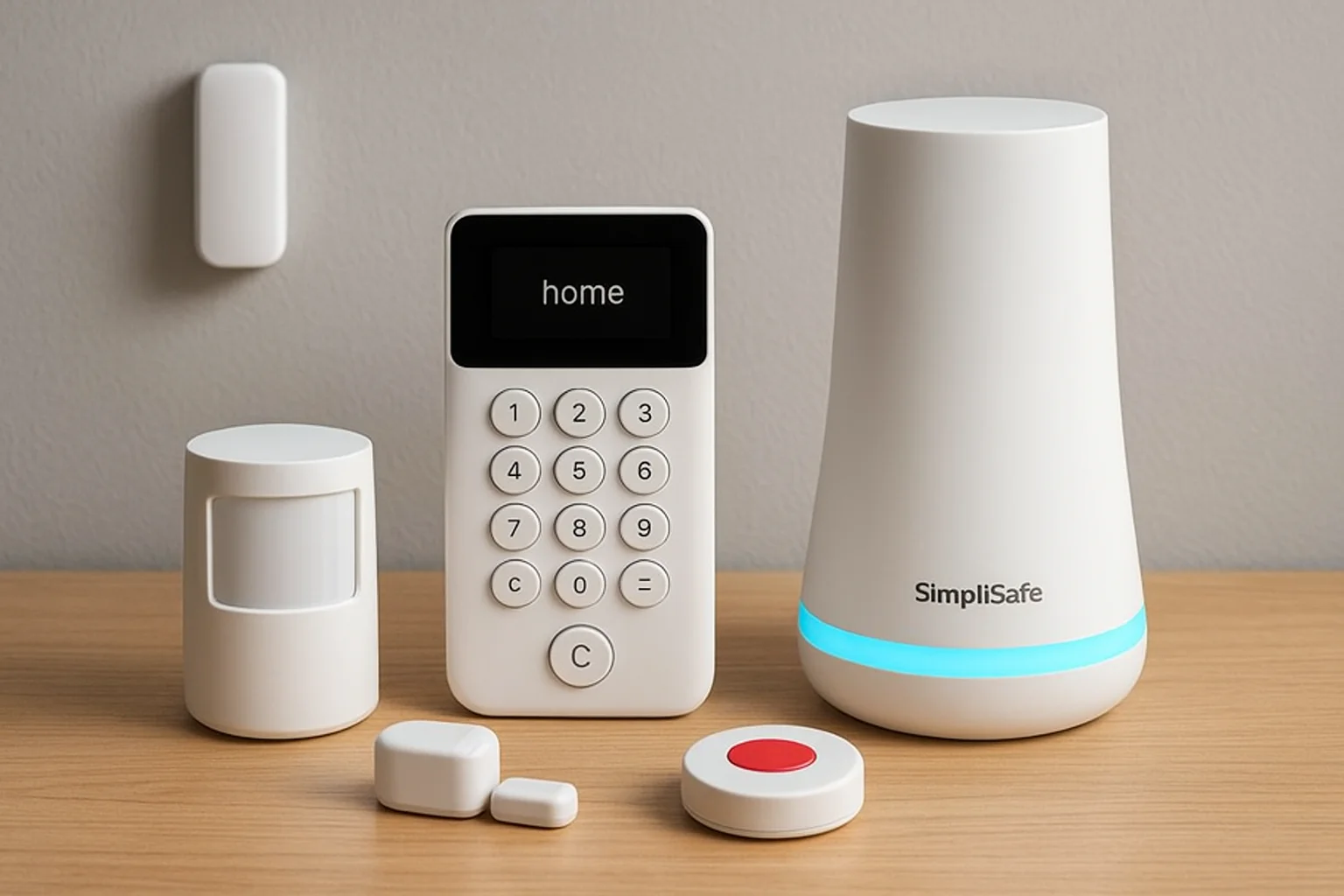
The system uses wireless sensors on doors and windows that detect when someone opens them, triggering an alarm that reaches 95 decibels. Motion detectors watch interior spaces for movement, while glass break sensors listen for the specific frequency of shattering windows. SimpliSafe includes a panic button you can press during emergencies to immediately alert monitoring staff.
Indoor cameras record 1080p video when motion triggers them, storing footage in the cloud for up to 30 days. The base station connects to your home's Wi-Fi and includes a cellular backup that keeps your system online even if someone cuts your internet cable.
No-drill installation notes
Every sensor attaches using 3M adhesive strips that SimpliSafe includes in each box. You peel off the backing, press the sensor against your door frame or wall, and wait 24 hours for the adhesive to cure fully. The base station sits on any flat surface like a shelf or nightstand, requiring only access to a power outlet.
"SimpliSafe's sensors come pre-paired to your base station, so you skip the tedious device-by-device pairing process that plagues other DIY systems."
Monitoring and alerts
Professional monitoring costs $29.99 monthly and includes 24/7 surveillance by trained operators who contact police, fire, or medical services when alarms trigger. The self-monitoring option is free and sends smartphone alerts directly to you, though you handle emergency calls yourself. Push notifications arrive within 10 seconds of sensor activation.
Costs and ongoing fees
Basic starter kits begin at $244.96 for five pieces of equipment, while comprehensive packages reach $519.92 with cameras, sensors, and keypads. You own your equipment outright with no contracts or activation fees. Optional monitoring plans add monthly costs but remain cancellable anytime.
Downsides and watch-outs
SimpliSafe's cameras lack local storage, forcing you into a subscription if you want video recordings. The system works exclusively with SimpliSafe's own monitoring service, preventing you from switching to third-party alternatives. Customer support operates through chat and email during business hours, with limited phone support availability.
3. ADT Self Setup
ADT Self Setup brings 140 years of security expertise to the DIY market, combining professional-grade equipment with renter-friendly installation. This offering separates itself from ADT's traditional professional service by letting you install and configure everything yourself while maintaining access to ADT's 24/7 monitoring infrastructure. You get name-brand reliability without technician appointments or long-term contracts that complicate your rental situation.
How it protects your rental
The system includes door and window sensors that trigger instant alerts when someone opens an entry point. Motion detectors scan your living space for movement, while the control panel acts as a central hub that manages all connected devices. Glass break sensors recognize the acoustic signature of breaking glass, providing an extra layer of protection for ground-floor apartments and easily accessible windows.
Indoor cameras capture 1080p HD video with night vision, letting you monitor your rental remotely through ADT's mobile app. The system supports integration with smart home devices like lights and locks, creating automated responses when sensors detect activity.
No-drill installation notes
ADT ships your equipment with pre-installed adhesive backing on every sensor and mounting bracket. You stick sensors to door frames and window sashes, place the control panel on a table or shelf, and position cameras using included stands. The hub connects to your Wi-Fi network through a simple smartphone pairing process that takes roughly 10 minutes from unboxing to activation.
"ADT Self Setup arrives pre-programmed and ready to arm, so you skip complicated configuration menus that confuse first-time security buyers."
Monitoring and alerts
Professional monitoring through ADT costs $19.99 monthly and includes cellular backup that keeps your system online during internet outages. Monitoring agents contact you within seconds when alarms trigger, then dispatch emergency services if you confirm the threat. Self-monitoring is available at no monthly cost, delivering push notifications directly to your smartphone.
Costs and ongoing fees
Starter packages begin at $279.99 for basic door and window protection, while comprehensive kits with cameras and sensors reach $599.99. You own your equipment with no contracts required, though ADT charges a $99 activation fee if you choose professional monitoring. Video storage requires ADT's monitoring subscription.
Downsides and watch-outs
ADT Self Setup locks you into ADT's monitoring ecosystem with no option to switch providers. The system lacks local video storage, forcing you into monthly fees for camera recordings. Customer reviews note that ADT's smartphone app experiences occasional connectivity issues that delay notifications by 30 to 60 seconds.
4. Ring Alarm
Ring Alarm leverages Amazon's massive infrastructure to deliver affordable home security for renters who already use Alexa devices. This system integrates seamlessly with Ring's doorbell cameras and Amazon's smart home ecosystem, creating a unified security platform that you control through a single app. Amazon acquired Ring in 2018 and has since expanded the product line to include five-piece starter kits up to comprehensive packages with multiple sensors and cameras.
How it protects your rental
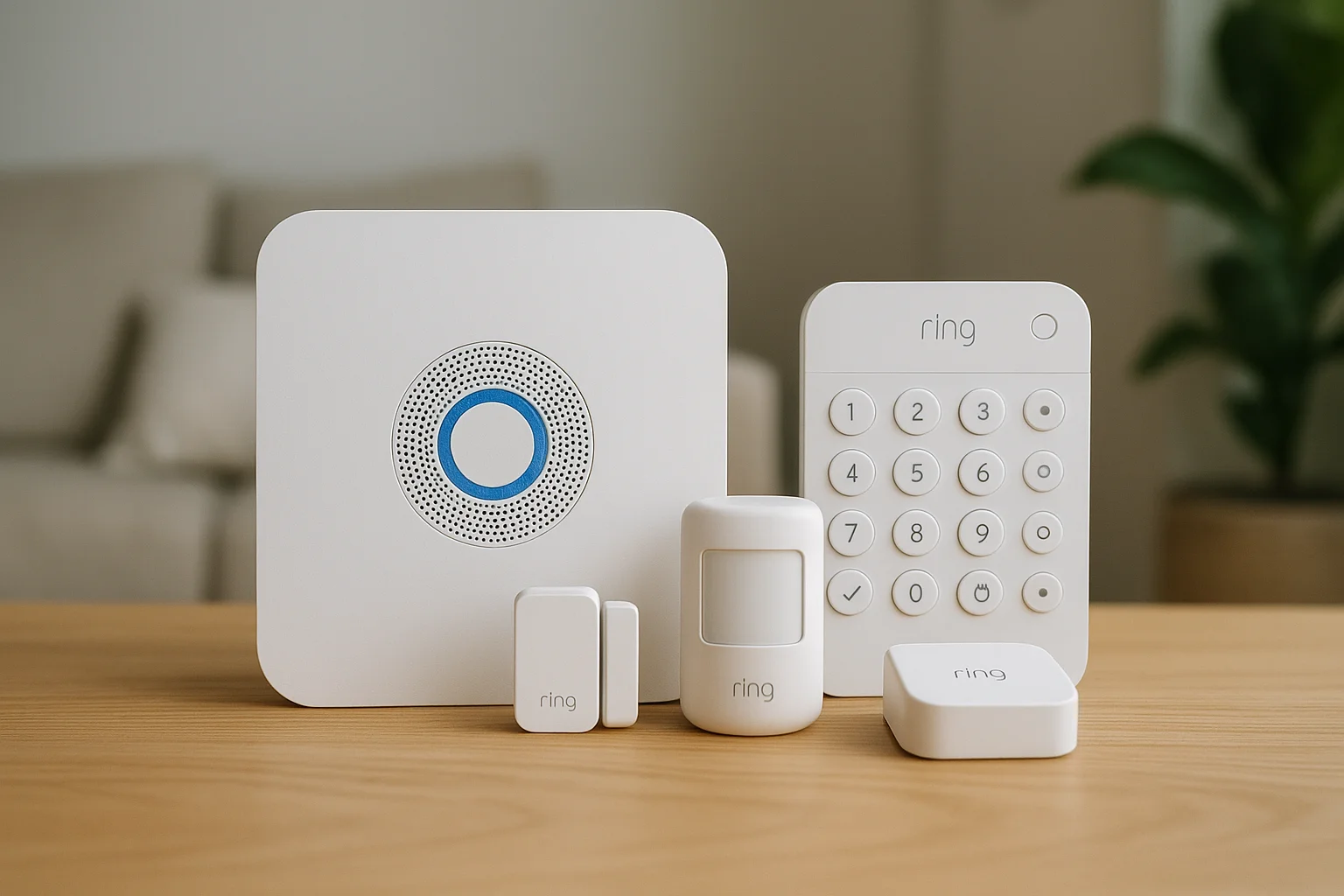
The base station monitors all connected sensors and sounds a 104-decibel alarm when someone triggers an entry point. Contact sensors attach to doors and windows, motion detectors watch interior rooms, and range extenders boost signal strength in larger rentals. Ring's outdoor cameras include motion-activated spotlights that illuminate your entrance when someone approaches, while indoor cameras track movement and record video clips to the cloud.
Integration with Alexa lets you arm and disarm your system using voice commands, check sensor status through Echo devices, and receive audio alerts when doors open. The system supports geofencing that automatically arms when you leave and disarms when you return home.
No-drill installation notes
Ring includes adhesive strips and mounting tape with every sensor, letting you stick equipment to surfaces without tools. The base station plugs into any outlet and connects to your Wi-Fi network through the Ring app. Sensors pair automatically when you scan their QR codes, completing setup in under 30 minutes for most apartments.
"Ring's step-by-step app instructions guide you through placement decisions, showing optimal sensor positions that maximize coverage without wasting equipment."
Monitoring and alerts
Professional monitoring costs $20 monthly through Ring Protect Pro, which includes 24/7 surveillance, cellular backup, and unlimited video storage for all cameras. The self-monitoring option is free and sends instant push notifications to your smartphone. Response times average 15 to 30 seconds from sensor trigger to mobile alert.
Costs and ongoing fees
Five-piece starter kits begin at $199.99, while 14-piece systems with multiple sensors and keypads cost $329.99. You own your equipment outright with no activation fees or contracts. Video recording requires Ring Protect Plus at $20 monthly per location, covering all devices.
Downsides and watch-outs
Ring faced privacy concerns in 2023 when reports revealed employees accessed customer video without consent. Amazon has since implemented stricter access controls, but privacy-conscious renters may hesitate. The system requires strong Wi-Fi coverage throughout your rental, and cellular backup only works with paid monitoring subscriptions.
5. abode
abode targets tech-savvy renters who want complete control over their monitoring choices. This Utah-based company launched in 2015 with a focus on flexibility, letting you switch between self-monitoring and professional surveillance without contracts or penalties. The system supports HomeKit, Alexa, and Google Assistant natively, making it one of the most versatile platforms for renters who already invested in smart home devices.
How it protects your rental
The system uses wireless sensors on doors and windows that communicate through Z-Wave and Zigbee protocols, creating a mesh network that strengthens as you add more devices. Motion detectors scan rooms for movement, glass break sensors listen for breaking windows, and water leak detectors alert you to plumbing failures that could damage your rental. abode's cameras record 1080p video with two-way audio, letting you speak to visitors or potential intruders through your smartphone.
Your abode hub includes a 93-decibel siren that activates when sensors trigger, plus a backup cellular connection that maintains communication during internet outages. Integration with smart lights creates automated responses that illuminate your rental when motion is detected.
No-drill installation notes
abode ships equipment with adhesive mounting strips that attach sensors to any surface without damaging paint or trim. The gateway sits on a shelf or table and connects to your router using an Ethernet cable or Wi-Fi. You pair sensors by scanning QR codes in the mobile app, completing installation in roughly 20 to 40 minutes depending on your rental's size.
Monitoring and alerts
Professional monitoring costs $20 monthly through abode's CUE service, which includes 24/7 surveillance and cellular backup. You can activate monitoring for just three days at $8 when you travel, then cancel until your next trip. Self-monitoring is free and delivers instant push notifications to your smartphone.
"abode's flexible monitoring lets you pay only when you need professional surveillance, saving hundreds annually compared to contracted services."
Costs and ongoing fees
Starter packages begin at $279 for basic door and window protection, while comprehensive systems with cameras reach $599. You own your equipment with no activation fees or contracts. Video storage requires abode's subscription at $6 monthly per camera.
Downsides and watch-outs
abode's smartphone app receives mixed reviews for occasional connectivity issues that delay notifications. The system requires technical knowledge to configure advanced automation features, potentially overwhelming first-time security buyers who want plug-and-play simplicity.
6. Cove
Cove delivers professionally monitored security with a customer service approach that stands out in the home security for renters market. Founded in 2018 and based in Utah, this company focuses on lifetime equipment warranties and responsive support teams that actually answer phones instead of routing you through automated systems. You get enterprise-grade sensors and cameras with installation simplicity that matches DIY competitors, backed by customer service that feels more personal than corporate.
How it protects your rental
The system uses wireless sensors that attach to doors and windows, detecting when someone opens an entry point. Motion detectors monitor interior spaces for movement, while the touchscreen panel acts as your control center for arming and disarming. Cove includes glass break sensors that recognize the sound of shattering windows, plus environmental monitors that detect smoke, carbon monoxide, and flooding.
Your cameras capture 1080p HD video with color night vision, storing recordings in the cloud for up to 60 days. The system connects through cellular and Wi-Fi, maintaining protection even when internet service drops.
No-drill installation notes
Cove ships sensors with industrial-strength adhesive backing that holds securely without damaging walls or trim. You stick each sensor to your chosen surface, mount the control panel on a stand or wall bracket, and position cameras using adjustable bases. The hub connects to your network through a simple smartphone pairing process that takes 15 to 20 minutes from box opening to system activation.
Monitoring and alerts
Professional monitoring costs $25 monthly and includes 24/7 surveillance by trained agents who contact emergency services when alarms trigger. Cove requires monitoring for all customers, with no self-monitoring option available. Response times average 20 to 30 seconds from sensor activation to agent contact.
"Cove's lifetime warranty covers equipment replacement at no cost, protecting your investment even after you move from rental to rental."
Costs and ongoing fees
Complete systems start at $499 for equipment covering typical apartments, while larger rentals may need packages reaching $899. You finance equipment over 60 months at 0% interest or pay upfront. Monthly monitoring at $25 is required and includes cellular backup.
Downsides and watch-outs
Cove forces you into required monitoring subscriptions with no self-monitoring alternative, adding $300 annually to your costs. The company operates exclusively through online sales with no physical showrooms, preventing you from testing equipment before purchase.
7. Frontpoint
Frontpoint combines premium equipment with white-glove customer service that guides you through every installation step. This Virginia-based company has operated since 2007, building a reputation for responsive support teams that actually help solve problems instead of reading scripts. You get access to high-end sensors and cameras that typically require professional installation, packaged in DIY kits designed specifically for home security for renters who want reliability without drilling into walls.
How it protects your rental
The system uses wireless sensors that monitor doors and windows for unauthorized entry, triggering instant alerts when someone opens a protected point. Motion detectors scan interior rooms for movement, while environmental sensors detect smoke, carbon monoxide, and water leaks that threaten your belongings. Frontpoint includes crash and smash protection that sends alerts to monitoring agents before intruders can destroy your control panel.
Your cameras record 1080p video with night vision and two-way audio, letting you see and speak to visitors remotely. The system supports smart home integration with lights and locks, creating automated responses when sensors detect activity.
No-drill installation notes
Frontpoint ships equipment with adhesive mounting strips that attach sensors to any surface without tools or hardware. You stick sensors to door frames and window sashes, place the control panel on a table or mount it using the included stand, and position cameras on shelves. The hub connects through cellular and Wi-Fi networks, completing setup in roughly 30 to 45 minutes for typical apartments.
"Frontpoint's customer service team stays on the phone with you during installation, walking through each step until your system functions correctly."
Monitoring and alerts
Professional monitoring costs $44.99 monthly and includes 24/7 surveillance with cellular backup. Frontpoint requires monitoring for all customers, offering no self-monitoring option. Agents contact you within seconds when alarms trigger, then dispatch emergency services if needed.
Costs and ongoing fees
Equipment packages start at $329 for basic protection, while comprehensive systems reach $599. You pay upfront or finance at 0% interest over 36 months. Monthly monitoring at $44.99 is required and includes video storage.
Downsides and watch-outs
Frontpoint charges $99 upfront for activation, adding initial costs beyond equipment prices. The required monitoring costs more than competitors, totaling $539.88 annually. You face early termination fees if you cancel within the first year.
8. Eufy Security
Eufy Security stands out in the home security for renters market by eliminating monthly subscription fees through local video storage. This Anker-owned brand launched in 2018 with a privacy-first approach, storing all footage on a physical HomeBase hub instead of uploading to cloud servers. You get lifetime local storage without recurring costs, making Eufy one of the most economical long-term options for renters who want video surveillance without perpetual fees.
How it protects your rental
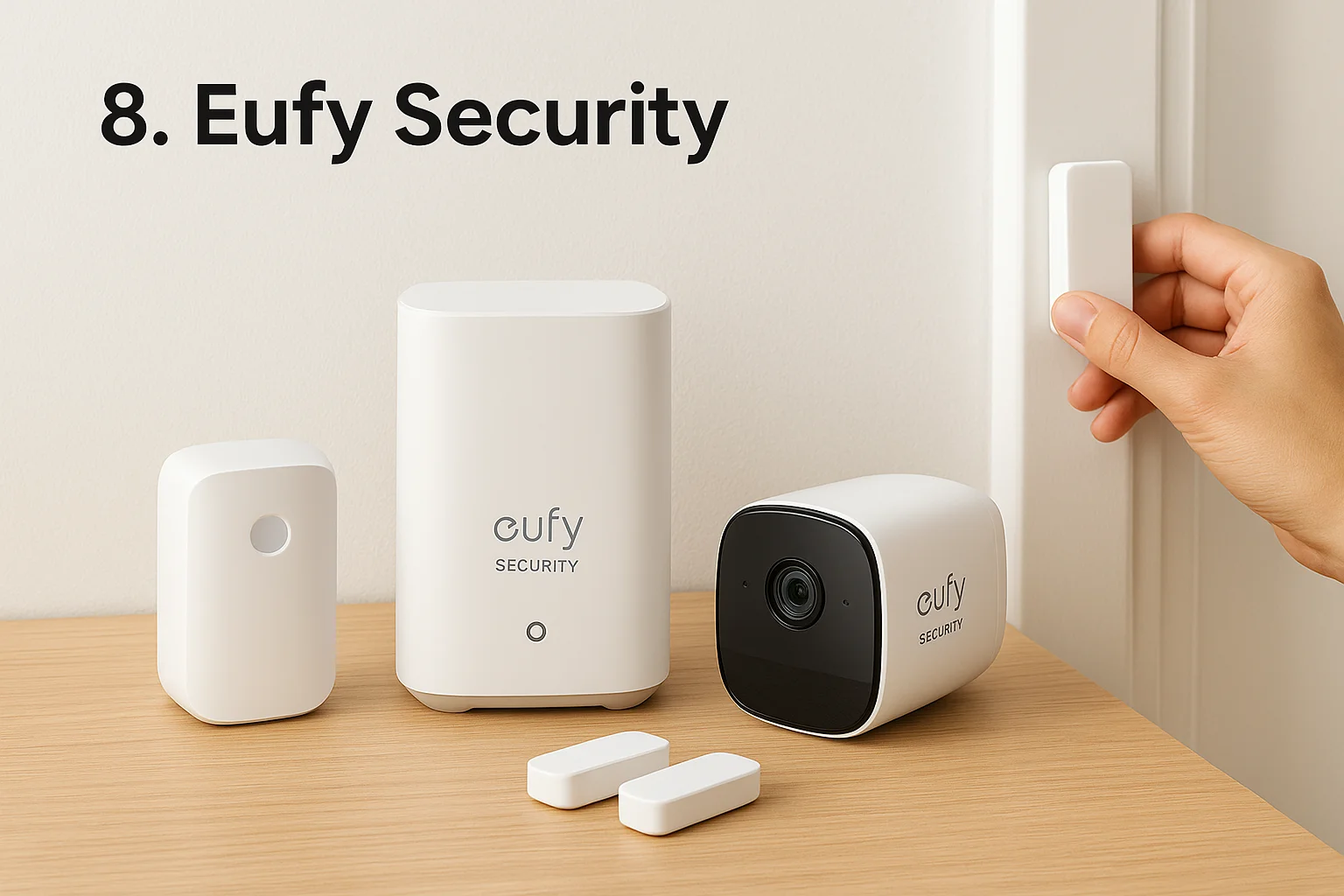
The system uses wireless sensors on doors and windows that communicate with your HomeBase hub, triggering alarms when someone opens an entry point. Motion detectors monitor interior spaces, while entry sensors track every door and window opening. Eufy's cameras capture 2K resolution video with AI-powered person detection that distinguishes humans from pets, reducing false alerts that plague basic motion sensors.
Your HomeBase stores up to 16GB of footage locally, maintaining recordings even during internet outages. The system supports integration with Alexa and Google Assistant for voice control and automated responses.
No-drill installation notes
Eufy includes adhesive mounting strips with every sensor and camera, letting you attach equipment without tools. You stick sensors to door frames, position cameras on shelves or mount them with included brackets, and place the HomeBase hub near your router. Setup completes in 20 to 30 minutes through the EufySecurity app.
"Eufy's local storage eliminates subscription fees permanently, saving you $120 to $300 annually compared to cloud-based competitors."
Monitoring and alerts
Eufy offers self-monitoring only with no professional surveillance option. You receive instant push notifications when sensors trigger, and you access live camera feeds through the smartphone app. Response times average 10 to 20 seconds from detection to alert.
Costs and ongoing fees
Complete systems start at $199.99 for basic sensor packages, while comprehensive kits with multiple cameras reach $499.99. You own your equipment outright with no monthly fees required. Optional cloud storage costs $2.99 monthly per camera if you want off-site backup.
Downsides and watch-outs
Eufy lacks professional monitoring entirely, forcing you to handle emergency calls yourself. The system experienced a privacy controversy in 2022 when footage uploaded to cloud servers despite local-only settings, though Eufy has since patched the issue and enhanced encryption protocols.
9. Arlo
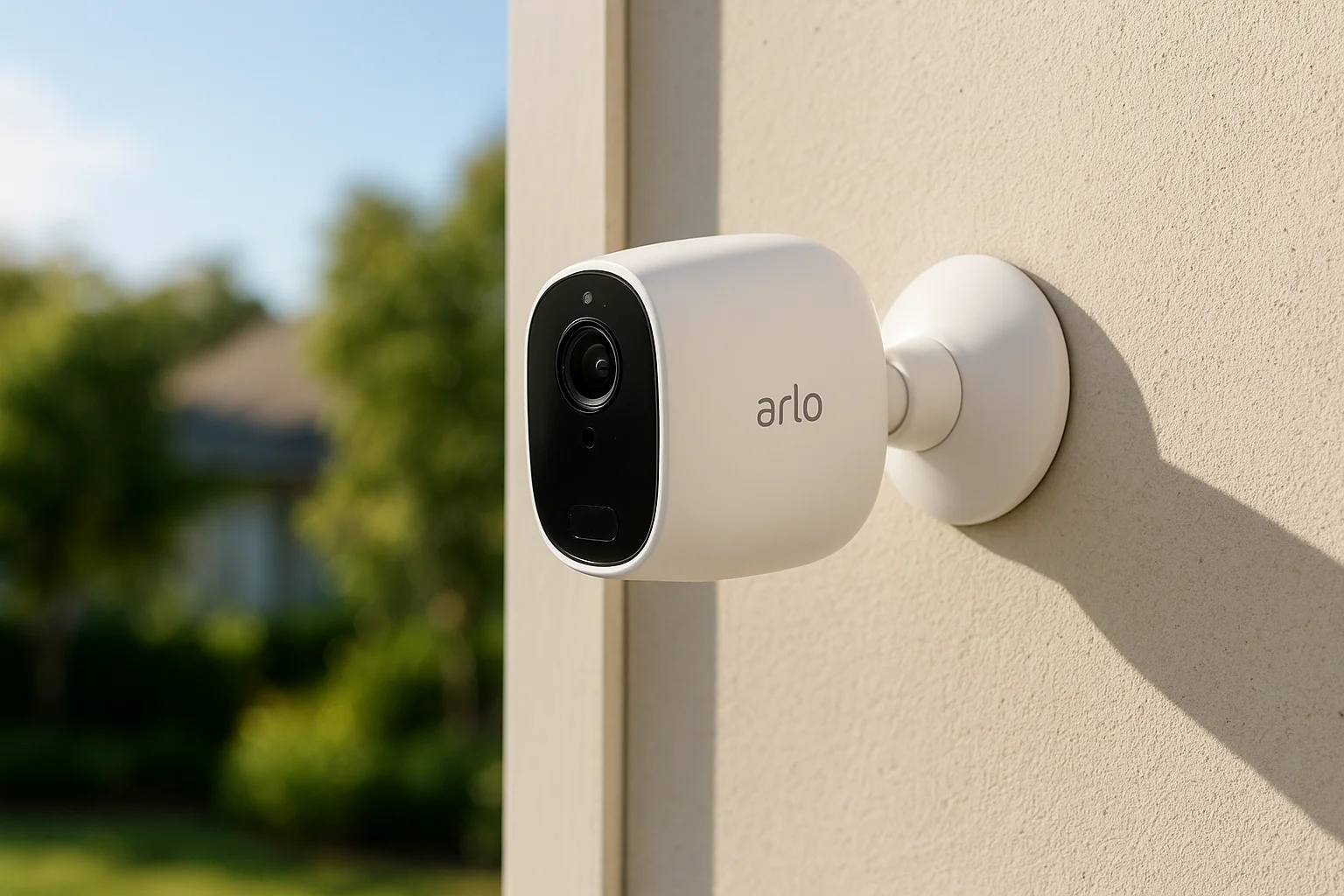
Arlo specializes in wireless outdoor cameras that work without permanent mounting hardware, making them ideal for home security for renters who need perimeter surveillance. This Netgear spinoff company launched in 2018 and has since built a reputation for weather-resistant cameras that capture crisp video without requiring professional installation. You get commercial-grade outdoor monitoring with installation simplicity that matches indoor systems, plus battery power that eliminates the need for exterior outlets.
How it protects your rental
The system uses wire-free cameras that run on rechargeable batteries, recording 2K or 4K video depending on your model choice. Motion detection triggers instant recording when someone approaches your door or windows, while built-in spotlights illuminate dark areas automatically. Arlo includes color night vision that captures identifiable footage even in complete darkness, plus two-way audio that lets you speak to delivery drivers or unwanted visitors remotely.
Your cameras connect to a SmartHub that manages all devices and stores footage locally on a microSD card. The system supports integration with Alexa and Google Assistant for voice control and smart home automation.
No-drill installation notes
Arlo includes magnetic mounts that attach cameras to any metal surface, plus adhesive mounts for walls and trim. You position cameras on railings, windowsills, or existing fixtures using adjustable brackets. Battery-powered operation eliminates wiring entirely, completing installation in 10 to 15 minutes per camera.
"Arlo's magnetic mounts let you reposition cameras instantly when you find better angles, without leaving adhesive residue or mounting holes."
Monitoring and alerts
Professional monitoring costs $9.99 monthly per camera through Arlo Secure, which includes cloud storage and advanced AI detection. Self-monitoring is free with instant push notifications. Response times average 15 to 25 seconds from motion detection to mobile alert.
Costs and ongoing fees
Individual cameras start at $99.99 for basic 1080p models, while premium 4K cameras reach $249.99. Multi-camera bundles save roughly 20% on equipment costs. Video storage requires Arlo Secure subscriptions starting at $4.99 monthly.
Downsides and watch-outs
Arlo's batteries require recharging every 3 to 6 months depending on activity levels, creating maintenance tasks that plug-in systems avoid. The company discontinued local storage on newer models, forcing you into subscription fees for recordings.
10. Wyze
Wyze disrupts the home security for renters market by offering functional equipment at prices that undercut every competitor. This Seattle-based company launched in 2017 with a mission to make smart home technology accessible to everyone, starting with a $20 camera that delivered features normally reserved for $200 alternatives. You sacrifice some reliability and customer support compared to premium brands, but you gain entry-level security that costs less than a month of takeout.
How it protects your rental
The system uses wireless sensors on doors and windows that trigger alerts when someone opens an entry point. Motion detectors scan rooms for movement, while the Wyze Sense Hub manages all connected devices through your home's Wi-Fi network. Cameras capture 1080p video with night vision and motion detection, recording clips to the cloud or a microSD card depending on your storage preference.
Your cameras include person detection AI that filters out pets and shadows, reducing false alerts that waste your attention. The system supports integration with Alexa and Google Assistant for basic voice control functions.
No-drill installation notes
Wyze ships sensors with adhesive backing that sticks to door frames and window sashes without tools. You mount cameras on shelves or use magnetic bases to attach them to metal surfaces. The hub plugs into any outlet and connects through the Wyze app in roughly 10 to 15 minutes.
"Wyze's rock-bottom prices let you protect an entire apartment for what competitors charge for a single camera."
Monitoring and alerts
Professional monitoring costs $4.99 monthly through Noonlight integration, which contacts emergency services when you trigger a panic button. Self-monitoring is free with instant push notifications. Response times vary from 20 to 60 seconds depending on network conditions.
Costs and ongoing fees
Complete starter kits begin at $69.98 for basic door and window protection, while camera bundles reach $149.99. You own your equipment with no contracts. Video storage requires Wyze Cam Plus at $1.99 monthly per camera.
Downsides and watch-outs
Wyze cameras experience frequent connectivity issues that cause delayed notifications and missed recordings. Customer support operates primarily through online forums with minimal phone assistance. The company faced a data breach in 2019 that exposed customer information, raising privacy concerns.
11. Google Nest
Google Nest leverages Google's AI capabilities to deliver smart security products that integrate seamlessly with your existing Google ecosystem. This Mountain View giant entered the security market through its acquisition of Nest Labs in 2014, building cameras and doorbells that prioritize intelligent detection over basic motion alerts. You get sophisticated facial recognition and package detection that filters out irrelevant notifications, plus deep integration with Google Assistant that lets you control everything through voice commands or your smartphone.
How it protects your rental
The system centers on wireless cameras and video doorbells that capture 1080p or higher resolution footage, using Google's AI to distinguish between people, animals, and vehicles. Cameras detect familiar faces and alert you specifically when strangers appear on your property. Your doorbell records visitors and lets you speak to them remotely through two-way audio, while package detection notifies you when deliveries arrive and disappear.
Battery-powered cameras eliminate wiring requirements, while the optional Nest Aware subscription stores footage in the cloud for up to 60 days. Integration with Google Home creates automated responses that turn on lights or adjust thermostats when cameras detect activity.
No-drill installation notes
Nest cameras include magnetic mounts and adhesive plates that attach to walls, shelves, or existing fixtures without drilling. You position cameras using adjustable bases, power them through USB cables or batteries, and pair everything through the Google Home app in roughly 15 to 20 minutes. Doorbells attach to your existing doorframe using adhesive strips or optional wedge mounts that angle the view.
Monitoring and alerts
Google offers self-monitoring only with instant push notifications sent directly to your smartphone. You receive alerts within 10 to 20 seconds of detection, with the option to filter notifications by person, animal, or vehicle type. Response times depend on your internet connection speed.
"Google's facial recognition learns who belongs at your rental, reducing false alerts that plague basic motion detection systems."
Costs and ongoing fees
Individual cameras start at $99.99 for basic indoor models, while outdoor battery cameras cost $179.99. Video doorbells range from $179.99 to $279.99 depending on features. Nest Aware subscriptions begin at $6 monthly for 30-day video history, with a $12 monthly plan covering 60 days and unlimited devices.
Downsides and watch-outs
Google discontinued its Nest Secure alarm system in 2020, leaving you without traditional door and window sensors that complete whole-home security. Facial recognition requires Nest Aware subscriptions, limiting functionality without ongoing fees. Privacy-conscious renters may hesitate given Google's data collection practices across its product ecosystem.
12. Portable door lock and door jammer
Portable door locks and door jammers represent the simplest home security for renters who want instant protection without any installation complexity. These mechanical devices wedge under your door or attach to your existing doorknob, creating a physical barrier that prevents forced entry even when you're inside your rental. You carry them from rental to rental in your moving box, deploy them in seconds when you arrive home, and remove them just as quickly when you leave. No apps, no Wi-Fi, no batteries.
How it protects your rental
These devices use leverage physics to create resistance against door kicks and forced entries. A door jammer wedges between your door and floor at a 45-degree angle, transferring inward pressure downward into your flooring instead of against your door's lock mechanism. Portable locks slip over your existing doorknob and extend a metal bar that catches against your doorframe, preventing the door from opening even if someone picks your deadbolt. Some models include adjustable tension screws that let you customize the grip strength based on your door's thickness and frame dimensions.
The protection works exclusively while you're inside your rental, making these devices ideal for overnight security when you're most vulnerable. You gain peace of mind knowing that hotel-style portable locks add an extra barrier beyond your landlord's standard deadbolt.
No-drill installation notes
You place door jammers on the floor directly under your doorknob and kick them into position until they wedge tightly. Portable locks slide over your doorknob, extend to catch your doorframe, and lock in place with a thumb screw. The entire process takes 10 to 15 seconds with zero tools required. You remove them just as quickly when you need to leave.
"Portable door locks work on practically any inward-opening door regardless of your landlord's existing hardware choices."
Monitoring and alerts
These mechanical devices provide no electronic monitoring or smartphone alerts. You receive physical feedback when someone attempts forced entry through door shaking and pressure against your lock. The lack of connectivity means you can't monitor your rental remotely or receive notifications when you're away.
Costs and ongoing fees
Door jammers cost between $15 and $40 depending on build quality and weight capacity. Portable doorknob locks range from $20 to $50 for models rated to withstand 800+ pounds of force. You face zero ongoing fees since these devices operate purely mechanically.
Downsides and watch-outs
Portable locks only protect while you're home, leaving your rental vulnerable when you're at work or traveling. They provide no video evidence if someone attempts entry, and you must remember to remove them before opening your door to avoid damaging your doorframe. Fire safety experts warn that some models slow your emergency exit during fires or medical emergencies.
A simple plan for a safer rental
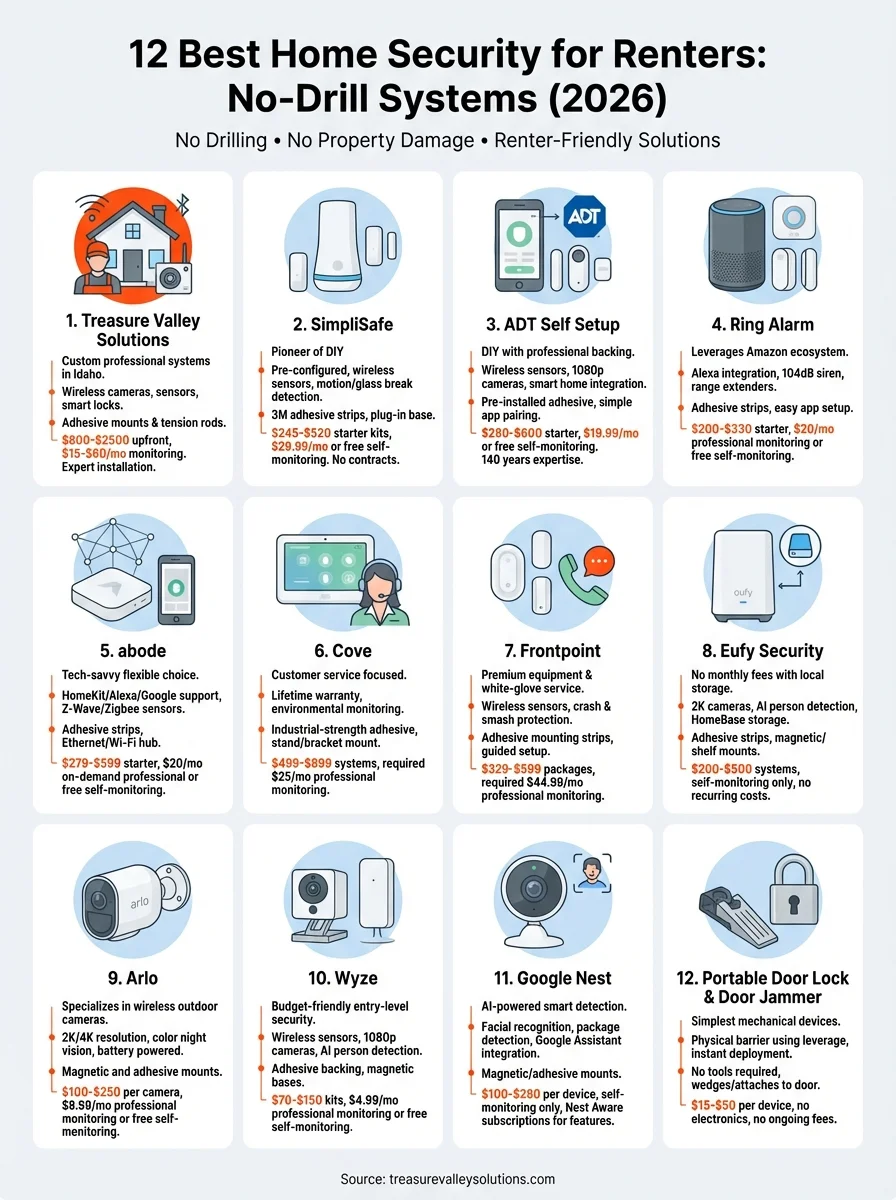
You've explored 12 distinct approaches to home security for renters, from comprehensive professionally installed systems to simple mechanical door locks. Each option serves specific needs based on your budget, technical comfort level, and security priorities. DIY systems from SimpliSafe and Ring deliver quick setup and flexible monitoring, while local storage solutions like Eufy eliminate monthly fees entirely. Professional options through Treasure Valley Solutions provide custom protection with expert support.
Start by identifying your biggest vulnerabilities. Ground-floor apartments need outdoor cameras and window sensors, while upper-level units may prioritize door security and motion detection. Your budget determines whether you invest in comprehensive coverage now or build your system gradually over several months.
The right security setup protects your belongings and delivers genuine peace of mind without violating your lease agreement. If you're located in the Treasure Valley area and want professional guidance on selecting equipment that fits your rental situation, contact our team to discuss custom solutions that move with you.
Need Expert Help?
Ready to implement these solutions in your own home or business?
Our Services

Comprehensive security solutions for home and business.

High-definition surveillance for peace of mind.

Complete home automation and control.

Home theater design and installation planned around your room, viewing goals, and equipment scope.
Serving the Treasure Valley
Local installation in your city