 (208) 991-3502
 Meridian, ID



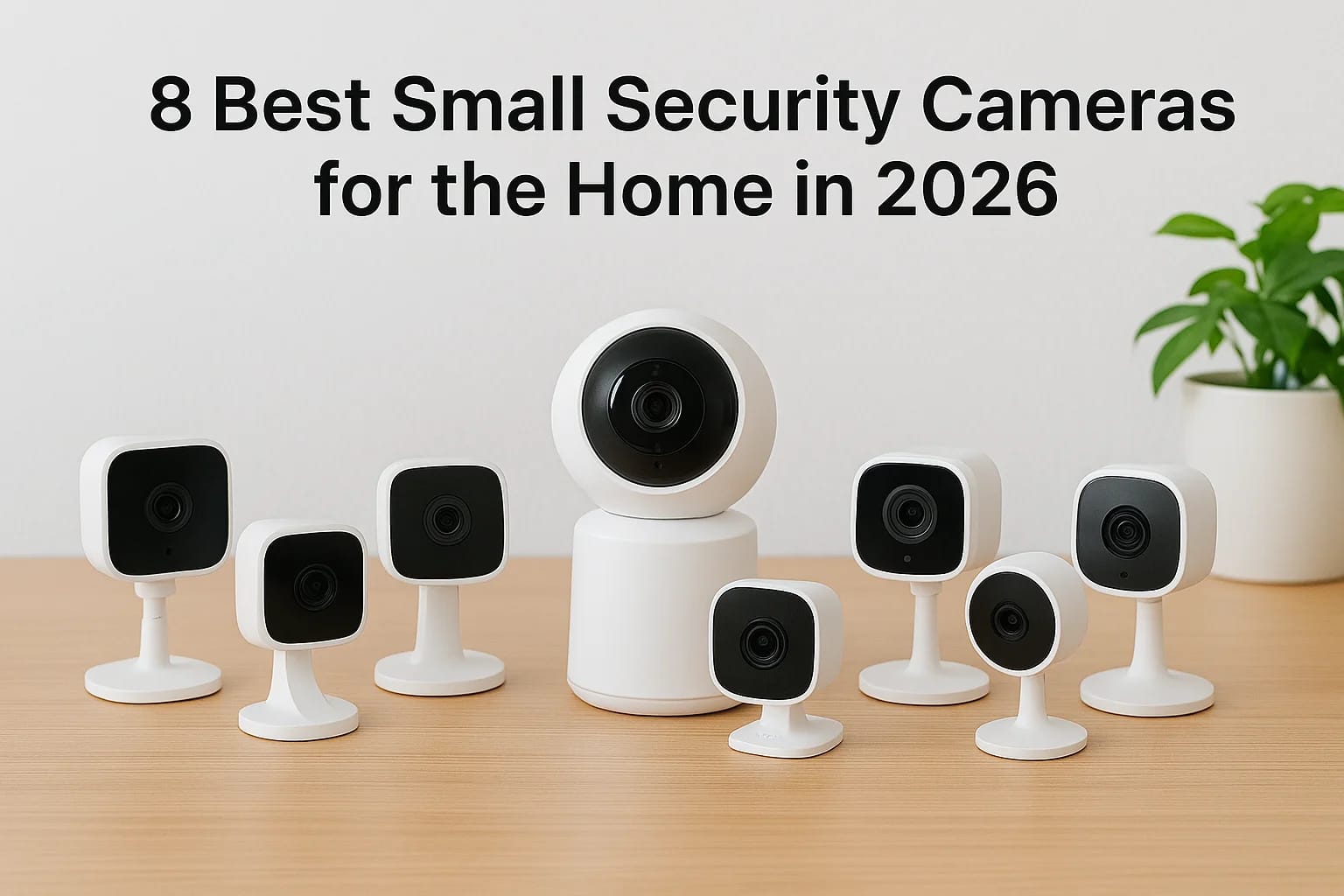

You want eyes on your home without a camera staring back at every guest who walks in. That's the tradeoff most people run into when they start shopping for small security cameras for the home: bulky u...
You want eyes on your home without a camera staring back at every guest who walks in. That's the tradeoff most people run into when they start shopping for small security cameras for the home: bulky units feel intrusive, cheap tiny ones skip features like real night vision or reliable motion detection, and it's hard to tell which specs actually matter versus marketing fluff.
This guide cuts through that by focusing on cameras that are genuinely compact, easy to place anywhere, and still deliver the performance you need. We looked at WiFi connectivity, video clarity after dark, and how well each one tells the difference between a person and a passing shadow, so you're not stuck sorting through false alerts at 2 a.m.
Below you'll find eight of the smallest security cameras for home use in 2026, covering everything from budget indoor units to more advanced options built for whole-home coverage. And if you decide you want these cameras working together as part of a real system rather than a pile of separate apps, that's exactly the kind of custom smart home setup our team at Treasure Valley Solutions installs and supports across the Treasure Valley every day.
1. Custom smart camera systems from Treasure Valley Solutions
Most off-the-shelf cameras ask you to fit your home around their limitations: one fixed field of view, one app, one set of assumptions about where you'll mount it. We flip that around. Our team designs a custom camera layout for your specific floor plan, entry points, and blind spots, then wires it into a broader smart home or security system if you want that. You're not stuck with a single small unit trying to cover a great room, hallway, and front porch all by itself.
A camera system built around your house catches more than a generic camera ever will.
Key features
We pull from professional-grade small and discreet camera hardware, not consumer boxes off a shelf, and pair it with local programming and support. Every install includes:
- Camera placement mapped to actual sightlines and lighting conditions in your home
- Integration with existing smart lighting, locks, and voice control
- Night vision tuned for your specific rooms and outdoor exposure
- Motion zones set to ignore pets, traffic, or trees so alerts stay meaningful
- One unified app instead of five competing camera apps
Best for
This option suits homeowners who've already tried a stack of small consumer cameras and found the coverage patchy or the apps annoying to manage. It's also the right call for anyone building or renovating a home in the Treasure Valley area, since we can pre-wire during construction and avoid visible cables or awkward retrofits later. Property managers juggling multiple units and families setting up elderly care monitoring alongside standard security cameras tend to get the most value here too, since we design for those specific use cases rather than forcing a one-size-fits-all camera to do jobs it wasn't built for.
Price
Pricing depends on the number of cameras, the complexity of your layout, and whether you're integrating with existing smart home gear. Most residential projects run from a few hundred dollars for a single well-placed camera to several thousand for whole-home coverage tied into lighting, locks, and audio. We give you a transparent quote before any work starts, so there's no guessing.
Installation & connectivity
Our licensed and insured technicians handle everything: mounting, wiring, network setup, and testing, so you're not troubleshooting WiFi dropouts or app permissions yourself. Systems connect over your home network with options for local storage, cloud backup, or both, and we configure everything before we leave so it works the first time you check it.
2. Blink Mini 2
The Blink Mini 2 is Amazon's answer to anyone who just wants a small indoor camera without a big setup process. It's about the size of a golf ball, plugs into a standard outlet, and pairs with the Blink app in a few minutes. This is one of the smallest security cameras for home use that still manages color night vision, which a lot of budget cameras skip entirely.
A camera this small shouldn't outperform units twice its size, but the Mini 2 mostly does.
Key features
Blink built this camera around simplicity, and the feature list reflects that:
- 1080p video with color night vision
- Person detection to cut down on irrelevant alerts
- Two-way audio for talking to whoever's at the door or in the room
- Works indoors or outdoors with the included weather-resistant mount
- Compatible with Alexa for voice commands and viewing
Best for
Renters, apartment dwellers, and anyone who wants a small camera for home security in a single room without committing to a full system fit this camera well. It's also a solid pick for keeping an eye on a nursery, garage, or side entrance where you don't need elaborate coverage.
Price
The Blink Mini 2 runs around $30 to $40 per camera, making it one of the cheapest options on this list. Blink's optional cloud subscription for video storage adds roughly $3 a month per camera, or you can skip it and rely on live view alone.
Installation & connectivity
Setup is entirely DIY: plug it in, connect to your WiFi connectivity, and you're monitoring within minutes. There's no wiring, no app juggling beyond Blink's own, and no professional install required, though that also means no custom placement guidance if your home has tricky blind spots.
3. Wyze Cam v4
Wyze built a reputation on cheap cameras that punch above their price, and the Cam v4 keeps that streak going. It's slightly larger than the Blink Mini 2 but still small enough to tuck on a bookshelf or clip to a window frame without drawing attention. If you want one of the more capable small surveillance cameras for home security without paying flagship prices, this is the one to check first.
Wyze proves you don't need a big budget to get color night vision and sharp detection.
Key features
The Cam v4 upgrades the sensor and lens over past Wyze models, and it shows in daily use:
- 2K video resolution with noticeably sharper detail than older Wyze cameras
- Color night vision using a built-in spotlight instead of just infrared
- On-device AI for person, pet, and vehicle detection
- Local storage via microSD card, plus optional cloud plans
- Compatible with Alexa and Google Assistant
Best for
Budget-conscious homeowners who still want real detection accuracy, not just motion alerts triggered by wind, will get the most out of this camera. It also works well for anyone covering multiple rooms, since the low per-unit cost makes it realistic to buy four or five instead of one.
Price
Expect to pay around $36 to $45 per camera. Wyze's Cam Plus subscription starts near $2 per month per camera for cloud video history, though local storage keeps costs down if you're comfortable managing your own SD cards.
Installation & connectivity
Setup runs through the Wyze app over your home WiFi, no wiring or professional install needed. Placement is flexible with the included magnetic mount, but you're on your own for figuring out the best angle for full coverage.
4. Ring Indoor Cam
Ring's Indoor Cam takes the compact, plug-in approach and ties it tightly into the broader Ring ecosystem, which matters if you already have a Ring doorbell or want one later. It's roughly the size of a deck of cards cut in half, easy to set on a shelf or mount to a wall, and it's built for people who want their small cameras for home security talking to each other instead of living in separate apps.
If you're already in the Ring ecosystem, this camera is the obvious next add.
Key features
Ring keeps the spec sheet focused on what most indoor setups actually need:
- 1080p HD video with a 155-degree field of view
- Motion-activated alerts sent straight to your phone
- Two-way talk for checking in on pets or greeting family
- Privacy cover you can manually close over the lens
- Works with Alexa and integrates with other Ring devices
Best for
Homeowners already using Ring doorbells or alarm gear get the most value here, since everything shows up in one app with shared motion zones and shared alerts. It's also a good fit if you want a simple small indoor camera for a living room or hallway without adding another brand to manage.
Price
The Ring Indoor Cam typically costs $59.99. Ring Protect, the subscription for recorded video history, starts around $4.99 a month per camera or $9.99 a month for unlimited cameras on one plan.
Installation & connectivity
Setup is DIY through the Ring app over your home WiFi, with no wiring required. The privacy cover is a nice manual touch, but full coverage still depends on where you place it, and Ring's system won't flag blind spots for you.
5. Google Nest Cam Indoor
Google's Nest Cam Indoor takes a different approach than most cameras on this list: it leans on Google's AI processing to tell you what's actually happening instead of just flagging motion. It's a small, cylindrical camera that sits on a shelf or mounts to a wall, and it plugs into the Google Home app ecosystem if you already run Nest thermostats or displays. For anyone comparing small surveillance cameras for home security that need to integrate with a smart display, this one has an edge.
The Nest Cam Indoor doesn't just detect motion, it tells you whether that motion is a person, a package, or the family dog.
Key features
Google built the Nest Cam Indoor around smart recognition rather than raw spec bragging rights:
- 1080p HD video with a wide 135-degree field of view
- Familiar face recognition (with a Nest Aware subscription)
- Sound detection for glass breaking or smoke alarms
- Continuous or event-based video history options
- Works with Google Home, Assistant, and compatible smart displays
Best for
Households already using Google smart speakers or displays get the most out of this camera, since it shows up alongside everything else in one app. It's also a solid pick if you want a small indoor camera that announces who's at the door by name instead of a generic alert.
Price
The Nest Cam Indoor costs around $99.99. Nest Aware, needed for face recognition and 30-day video history, starts at roughly $8 a month.
Installation & connectivity
Setup runs through the Google Home app over WiFi, plug-in only, no wiring involved. Placement flexibility is decent, but coverage still depends on where you stick it.
6. Arlo Essential Indoor
Arlo's Essential Indoor camera targets shoppers who want a small camera with a bit more polish than budget picks like Wyze or Blink, without jumping to a full security system. It's a compact cylinder that sits on a shelf or mounts flush to a wall, and it leans on Arlo's app ecosystem if you already run other Arlo cameras outside. If you're comparing small security cameras for home use that need to match outdoor coverage from the same brand, this one closes that gap.
Arlo's real strength here is consistency across indoor and outdoor cameras in one app, not any single standout spec.
Key features
Arlo built the Essential Indoor to feel like a step up from entry-level cameras, and the spec sheet backs that up:
- 1080p HD video with a 130-degree field of view
- Color night vision for clearer after-dark footage
- Built-in siren you can trigger remotely or automatically
- Smart motion alerts that distinguish people from general movement
- Works with Alexa, Google Assistant, and Arlo's outdoor camera lineup
Best for
Homeowners who already own Arlo outdoor cameras and want matching indoor coverage in the same app get the most value here. It also suits anyone who wants a built-in siren as a deterrent, rather than relying on a phone alert alone to scare off an intruder.
Price
The Arlo Essential Indoor runs around $69.99 per camera. Arlo Secure, the subscription for video history and advanced alerts, starts near $4.99 a month per camera or $14.99 a month for whole-home coverage.
Installation & connectivity
Setup goes through the Arlo app over WiFi, plug-in only, with no wiring required. Placement is flexible, but as with other DIY cameras here, you're responsible for spotting your own blind spots.
7. TP-Link Tapo C120
TP-Link's Tapo C120 targets shoppers who want spec-sheet performance without paying flagship prices, and it mostly delivers. The camera itself is a small dome, easy to set on a shelf or mount near a doorway, and it runs through the Tapo app rather than tying into a bigger smart home ecosystem. If you're comparing small security cameras for home setups on a tight budget but don't want to sacrifice resolution, this one deserves a spot on your shortlist.
The Tapo C120 offers 2K resolution at a price where most competitors still cap out at 1080p.
Key features
TP-Link leans on resolution and storage flexibility to stand out from cheaper rivals:
- 2K QHD video resolution, sharper than most cameras in this price range
- Color night vision with a built-in spotlight
- AI-based motion detection for people, separate from general movement
- Local storage via microSD card up to 512GB, no subscription required
- Two-way audio and compatibility with Alexa and Google Assistant
Best for
Budget shoppers who want sharper footage than Wyze or Blink offer, without committing to a monthly subscription, fit this camera well. It also suits anyone who wants long-term local storage instead of relying on cloud plans that add up over a year of use.
Price
The Tapo C120 typically costs around $35 to $40 per camera. There's no required subscription since local SD storage is built in, though TP-Link offers an optional cloud plan starting near $2.50 a month if you want off-site backup.
Installation & connectivity
Setup runs entirely through the Tapo app over your home WiFi, plug-in only, no wiring or professional install needed. Placement is flexible with the included mount, but coverage still depends on where you position it yourself.
8. SimpliSafe Wireless Indoor Camera
SimpliSafe's Wireless Indoor Camera fits the pattern of the rest of its lineup: built to work alongside a full alarm system rather than stand alone. It's a small cylinder that sits on a shelf or mounts to a wall, and it syncs with SimpliSafe base stations and sensors if you already run one of their setups. For anyone comparing small security cameras for home protection who wants a camera tied into professional monitoring, this is the pick that goes beyond just phone alerts.
This camera earns its spot when a human monitoring team, not just an app notification, is the point.
Key features
SimpliSafe designed this camera around alarm integration first, resolution second:
- 1080p HD video with a 120-degree field of view
- Night vision for low-light monitoring
- Motion-activated alerts sent to your phone or monitoring center
- Privacy shutter that closes the lens when the system is disarmed
- Syncs with SimpliSafe base stations, sensors, and professional monitoring
Best for
Households that already use or plan to add a SimpliSafe alarm system get the most value here, since the camera becomes part of a monitored setup rather than a standalone gadget. It also suits anyone who wants a small camera for home security with an option for professional eyes on the footage during a break-in, not just a notification you might miss.
Price
The camera itself costs around $79.99. Professional monitoring, required for the privacy shutter automation and live agent response, starts near $19.99 a month.
Installation & connectivity
Setup runs through the SimpliSafe app over WiFi, plug-in only, no wiring needed unless you're adding it to a larger hardwired system. Full functionality depends on an active monitoring plan, which sets it apart from the purely DIY cameras on this list.
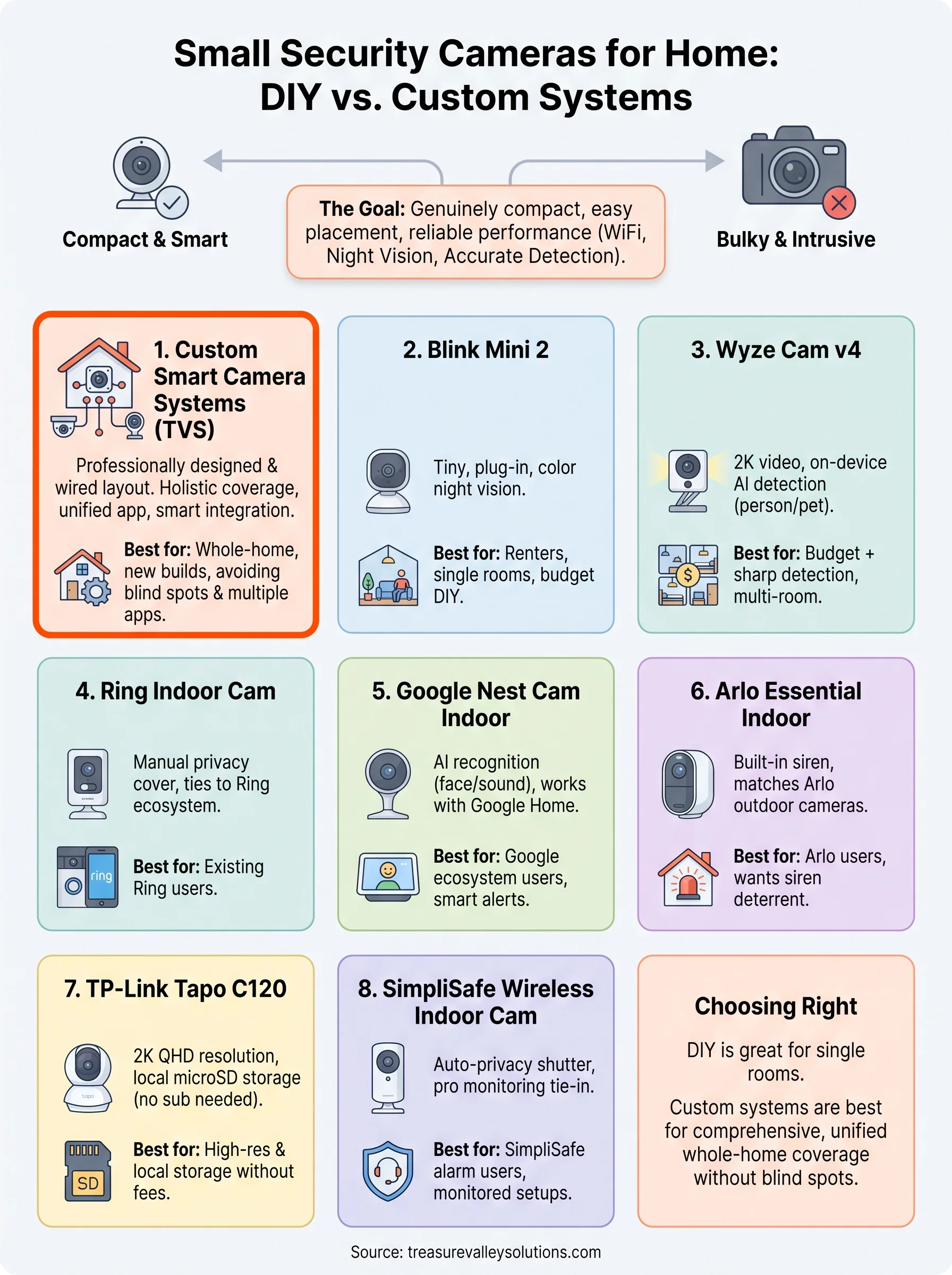
Choosing the right camera for your home
Every camera on this list solves a slightly different problem. The Blink Mini 2 and Tapo C120 win on price, the Nest Cam and Arlo lean on smart recognition and polish, and SimpliSafe makes sense once you want professional monitoring behind the footage. Small security cameras for the home work great as single-room solutions, but they start showing their limits once you're trying to cover an entire house with overlapping blind spots, five different apps, and motion alerts that don't talk to each other.
That's the gap we fill. A custom-designed camera system covers your actual floor plan instead of asking you to guess at placement, and it ties into lighting, locks, and monitoring you already trust. If you're ready to stop patching together separate apps and want a setup built around your home instead of a generic box, reach out to our team and we'll walk you through what that looks like for your space.
Compare your options
Your next step
Compare Indoor and Outdoor CoverageReady for professional help? Request an estimateOur Services
High-definition surveillance for peace of mind.
Comprehensive security solutions for home and business.
Serving the Treasure Valley
Local installation in your city