 (208) 991-3502
 Meridian, ID



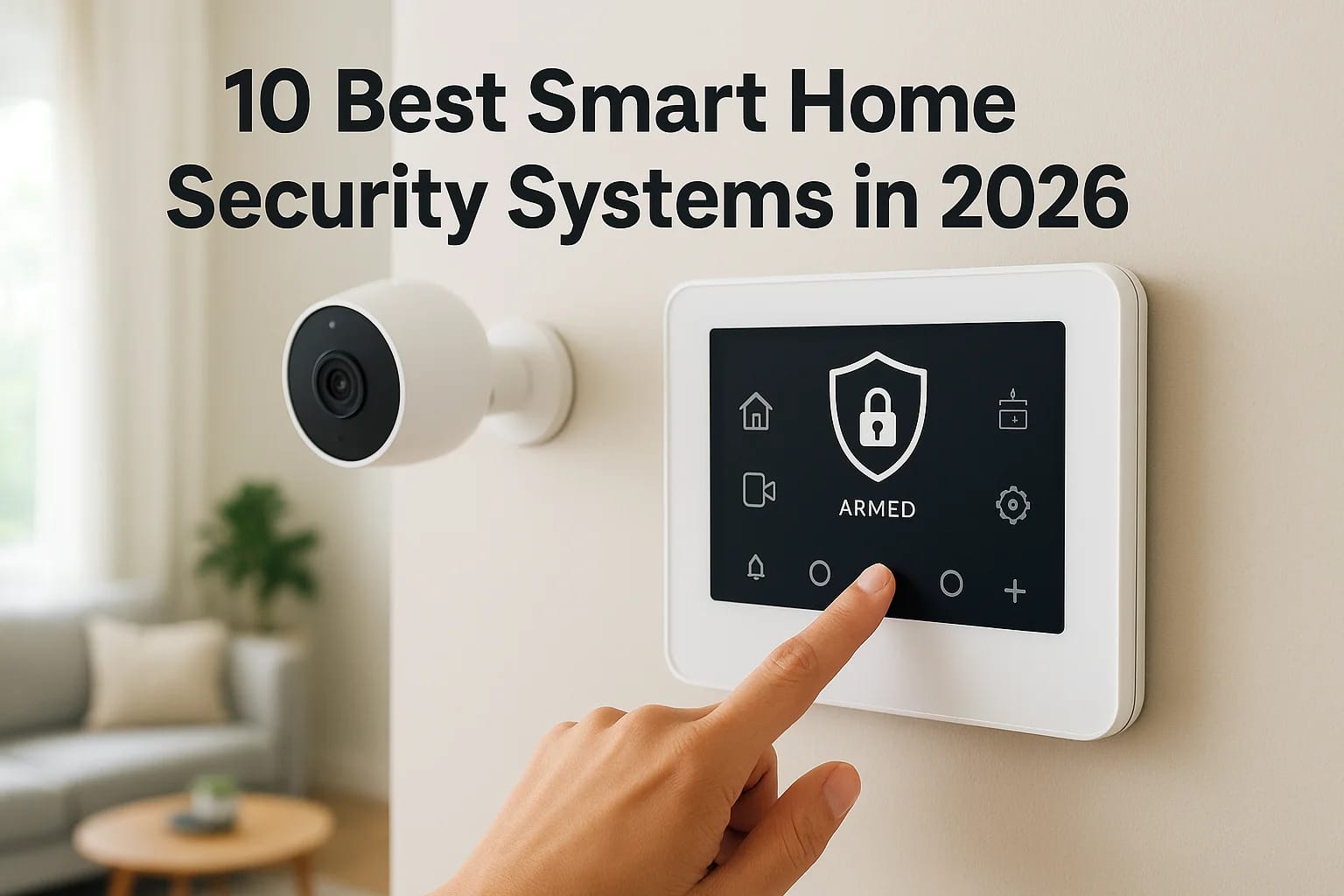

Shopping for smart home security systems in 2026 means wading through dozens of options that all claim to be the smartest, safest, and easiest to use. Between DIY kits from big-box stores and professi...
Shopping for smart home security systems in 2026 means wading through dozens of options that all claim to be the smartest, safest, and easiest to use. Between DIY kits from big-box stores and professionally installed setups, it's hard to know which one actually fits your home, your budget, and how you live day to day.
This list cuts through that noise. We break down the top-rated security systems on the market right now, covering everything from standalone camera kits to full whole-home automation platforms that tie locks, lighting, and sensors together in one app. Whether you want a simple system you can set up yourself or something more robust, you'll find a fit here.
As a Meridian-based integration company that's installed and supported these systems since 2014, we've seen firsthand which brands hold up and which ones create headaches down the road. We're including that field experience alongside the specs, so if you're comparing security systems for smart homes across the Treasure Valley or anywhere else, you'll walk away knowing exactly what to look for and which options are worth your money.
1. Treasure Valley Solutions for fully customized security
Most smart home security systems on this list are mass-produced kits designed to work in any house, anywhere. Treasure Valley Solutions takes the opposite approach. Based in Meridian, we design and install security systems built around your actual floor plan, your family's routines, and the other smart devices already running in your house. There's no generic sensor package here. Every camera placement, door lock, and control panel gets planned by a licensed technician who walks your property before anything gets installed, which matters more than most homeowners realize until they've lived with a poorly placed motion sensor that triggers every time the dog walks by.
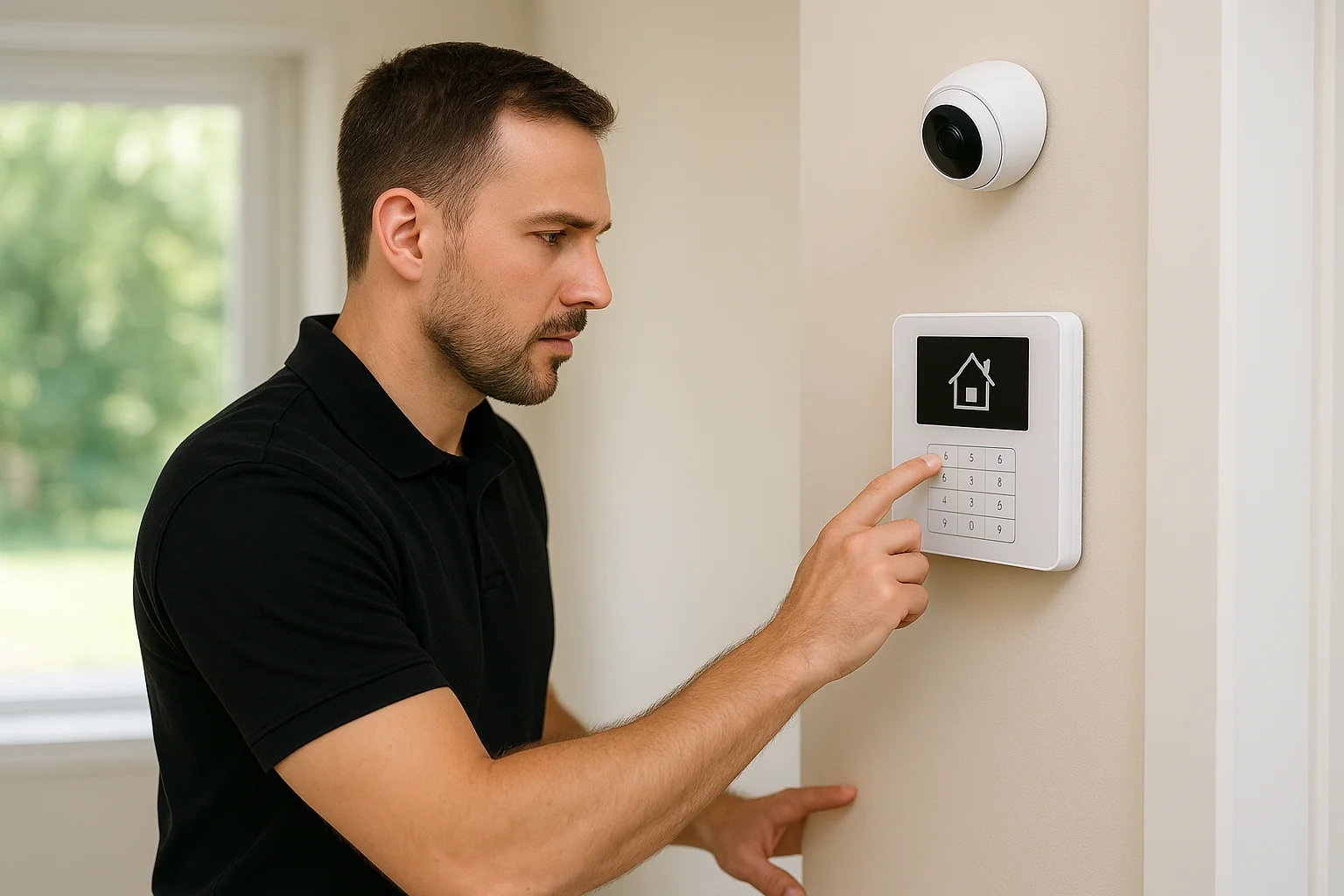
Key features
Our systems combine commercial-grade hardware with the kind of design attention you'd expect from a custom home theater install, not a security add-on.
- Custom-designed layouts based on a walkthrough of your home or business, not a one-size-fits-all sensor kit
- Professional, licensed installation with clean wiring, tested connections, and no exposed cables
- Integrated surveillance cameras with local and cloud storage options
- Smart locks and access control, including options built for property managers overseeing multiple units
- Ongoing local support and reprogramming as your needs change
Home automation capabilities
Security is only part of what we build. Because we design whole-home automation systems, including lighting, audio, and climate control, your security system becomes one layer of a connected home rather than a bolt-on gadget. A single app or voice command can arm your alarm, lock the doors, dim the lights, and lower the thermostat when you leave for work. For elderly care clients, we add fall detection sensors and voice-activated calling directly into the same automation layer, so safety monitoring doesn't require a separate app or a second system fighting for shelf space on the same wall.
A security system that's designed around how you actually live works better than one you have to adapt your habits to fit.
Pricing
Because every install is custom, we don't publish a flat price sheet, and honestly, any company that quotes flat pricing for a fully tailored system usually isn't tailoring much. We provide a transparent quote after an in-home or on-site consultation, based on the equipment, wiring, and integration work your space actually needs. Homeowners with smaller properties often land in a similar range to mid-tier DIY kits once monitoring is factored in, while larger homes, new construction pre-wire projects, and commercial buildouts scale up from there. You'll know the full cost before we install anything.
Who it's best for
This fits homeowners, builders, and business owners who want a system installed once and done right, not a weekend DIY project. It's also the strongest option in this list for security systems for smart homes that already include (or will include) lighting, audio, or access control, since we build all of it to work together from day one. Property managers juggling access across multiple units, restaurant and retail owners who need surveillance paired with ambient audio and signage, and families researching elderly care technology all get more value from a custom build than from a retrofit kit. If you're anywhere in the Treasure Valley, including Boise, Meridian, Eagle, or Nampa, and you want local technicians who'll answer the phone after installation, this is the option built for you.
2. ADT for the most complete home automation lineup
ADT has been in the security business longer than almost anyone, and that history shows up in the sheer breadth of its home automation lineup. Where some competitors bolt on smart features to a core alarm system, ADT builds partnerships with major automation brands so you can pick from several ecosystems rather than being locked into one proprietary app. It's a solid pick if you want a household name backing your monitoring contract and a wide menu of add-on devices to choose from later.
Key features
ADT's equipment lineup covers the basics well and layers in extras most DIY brands skip.
- Professionally monitored security systems with 24/7 monitoring centers
- Video doorbells, indoor and outdoor cameras, and glass-break sensors
- Smart smoke and carbon monoxide detectors tied into the same monitoring plan
- Battery and cellular backup so the system stays online during outages
- Optional professional installation alongside DIY-friendly kits
Home automation capabilities
ADT partners with Google, Amazon, and Alexa-enabled devices, plus its own ADT+ app, giving you more flexibility than most all-in-one brands when it comes to smart locks, thermostats, and lighting. You can arm the system by voice, set schedules for lights and locks, and get alerts routed straight to your phone. That said, because ADT stitches together multiple third-party ecosystems rather than designing one unified system, some homeowners find the setup less seamless than a system built from the ground up around their specific devices.
A wide device lineup only helps if the pieces actually talk to each other smoothly.
Pricing
ADT's monitoring plans typically run from around $28 to $63 a month depending on the equipment tier and contract length, according to ADT's own pricing page, with equipment costs added on top or financed into the contract. Many plans still require a 24 to 36 month commitment, which is longer than most DIY competitors ask for.
Who it's best for
ADT suits homeowners who want an established, nationally recognized brand and don't mind a longer contract in exchange for wide equipment compatibility. It's a reasonable fit if you're not ready to commit to a fully custom build but still want more automation options than a bare-bones camera kit provides.
3. Vivint for advanced AI-powered automation
Vivint built its reputation on professionally installed systems with smart cameras that actually think before they alert you. Its AI-powered automation analyzes video in real time to tell the difference between a person, a package, and a passing car, cutting down on the false alarms that make cheaper systems annoying to live with. Homeowners who want a polished, professionally installed system without going fully custom often land on Vivint as the middle ground between a DIY kit and a bespoke build.
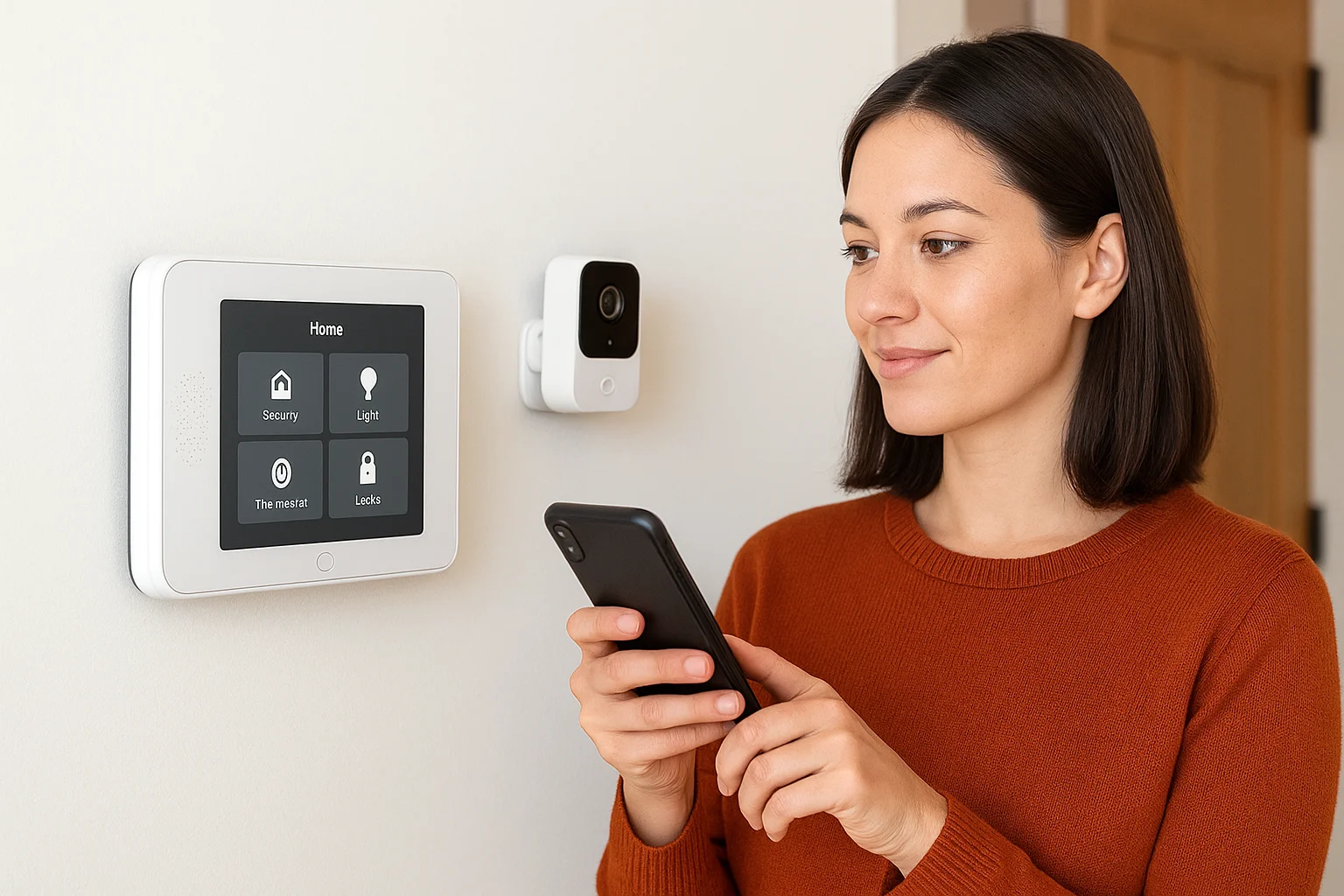
Key features
Vivint's hardware lineup leans heavily on smart cameras and sensors that work together rather than in isolation.
- Smart Deter technology that triggers lights and audio warnings when it detects a person loitering
- Outdoor cameras with facial recognition for identifying known visitors
- Video doorbell with package detection alerts
- Smart locks, garage control, and thermostats bundled into the same panel
- Professional installation included with every system
Home automation capabilities
Once installed, Vivint's control panel acts as the hub for your entire smart home, not just the alarm. You can set routines that lock doors, adjust the thermostat, and turn off lights automatically when the system arms itself at night. Vivint's app also integrates with Google Assistant and Amazon Alexa, so voice control layers on top of the automations you've already built. Compared to a system designed around your specific floor plan, though, Vivint's automation still runs on standardized hardware packages rather than a layout planned for your house.
AI that filters out false alarms is worth more than a dozen extra sensors that just add noise.
Pricing
According to Vivint's official pricing information, equipment packages generally start around $600 and climb well past $1,500 depending on cameras and sensors, with monitoring plans running roughly $30 to $45 a month. Financing options spread equipment costs into the monthly bill, though that raises the total cost over the life of the contract.
Who it's best for
Vivint fits homeowners who want a professionally installed, camera-heavy system with genuine AI smarts and don't mind paying a premium for it. It works well if you want automation baked in from day one but aren't ready to commit to a fully custom design tailored to your specific home.
4. SimpliSafe for affordable build-your-own security
SimpliSafe built its name on letting you pick exactly the sensors and cameras you need instead of forcing a bundle you'll never fully use. Unlike the professionally designed systems above it, this is a DIY security system you order online, place yourself, and pair with an app in an afternoon. It's a favorite for renters and budget-conscious homeowners who want real monitoring without a long-term contract or a technician visit.
Key features
SimpliSafe's catalog is modular, so you build a kit piece by piece rather than committing to a fixed package.
- Wireless door and window sensors that peel-and-stick without wiring
- Indoor and outdoor cameras, including one with a built-in spotlight
- A base station with a backup battery and cellular connection
- Optional professional monitoring with no long-term contract required
- Self-monitoring option for homeowners who skip paid monitoring entirely
Home automation capabilities
On its own, SimpliSafe covers alarms and cameras well, but its home automation reach is thinner than the professionally integrated systems earlier on this list. It connects with Alexa and Google Assistant for voice arming and disarming, and pairs with August smart locks for basic access control. Lighting and thermostat integration exist but feel like an afterthought rather than a built-in feature, so if you want your security system tied into whole-home lighting or audio, you'll likely need to add separate hardware and manage more than one app.
A system you can install in an afternoon will always trade some depth of automation for that convenience.
Pricing
According to SimpliSafe's published pricing, equipment starter kits typically run $200 to $500 depending on the sensors included, with monitoring plans priced around $20 to $28 a month and no contract required. That no-contract structure is one of the biggest draws compared to ADT or Vivint's multi-year agreements.
Who it's best for
SimpliSafe suits renters, apartment dwellers, and homeowners on a tight budget who want dependable alarm coverage without installation fees or contracts. It's a reasonable starting point if your automation needs are modest, but if you're picturing a smart home security system that eventually ties into lighting, audio, and locks across the whole house, you'll outgrow it faster than a system designed with that expansion in mind.
5. Frontpoint for smart geofencing automation
Frontpoint sells the same DIY-installed hardware you'd find from other national brands, but it separates itself with location-based automation baked into the core system. Its geofencing automation uses your phone's location to arm or disarm the system automatically as you come and go, so you're not fumbling with a keypad or forgetting to set the alarm on your way out the door. For households that constantly forget to arm their smart home security system, this single feature solves a real problem the other DIY brands mostly ignore.
Key features
Frontpoint's equipment lineup is straightforward, built around wireless sensors and a control panel rather than a sprawling camera catalog.
- Door, window, and motion sensors that install without wiring or drilling
- Indoor and outdoor cameras with live streaming and video history
- Smart locks and garage door control paired with the main panel
- Cellular-only monitoring, so there's no reliance on your home Wi-Fi
- Environmental sensors for smoke, flood, and freeze detection
Home automation capabilities
Beyond geofencing, Frontpoint links into Z-Wave smart home devices, letting you control lights, locks, and thermostats from the same app you use to arm the system. Home automation here works well for simple routines like turning on lights when a door sensor trips at night, but Frontpoint doesn't offer the layered scene-building or whole-house integration you'd get from a professionally designed system. It's automation built to support the alarm, not automation built as its own platform.
Automatic arming based on where you actually are beats remembering to press a button every single time.
Pricing
According to Frontpoint's published information, equipment packages generally start around $300 and climb toward $600 for larger kits, with monitoring plans running roughly $35 to $50 a month on a required contract, typically 12 to 36 months depending on the plan selected. That contract requirement puts it closer to ADT than to no-contract DIY options like SimpliSafe.
Who it's best for
Frontpoint fits homeowners who like the idea of a DIY-installed system but want smarter arming behavior than a basic keypad or app toggle provides. It's a solid match if you travel often, have a routine that makes you forget to arm the system manually, and don't mind a multi-year contract in exchange for cellular-only reliability and dependable geofencing.
6. Abode for flexible DIY automation and HomeKit
Abode built its reputation on flexibility rather than brand lock-in. Where most DIY kits force you into one proprietary ecosystem, Abode's flexible DIY automation works with Apple HomeKit, Google Assistant, Amazon Alexa, and Z-Wave devices side by side. That matters if you've already bought a few smart home gadgets and don't want to replace them just to get a working alarm system. It's also one of the few brands on this list that supports both self-monitoring and professional monitoring without penalizing you for switching between the two.
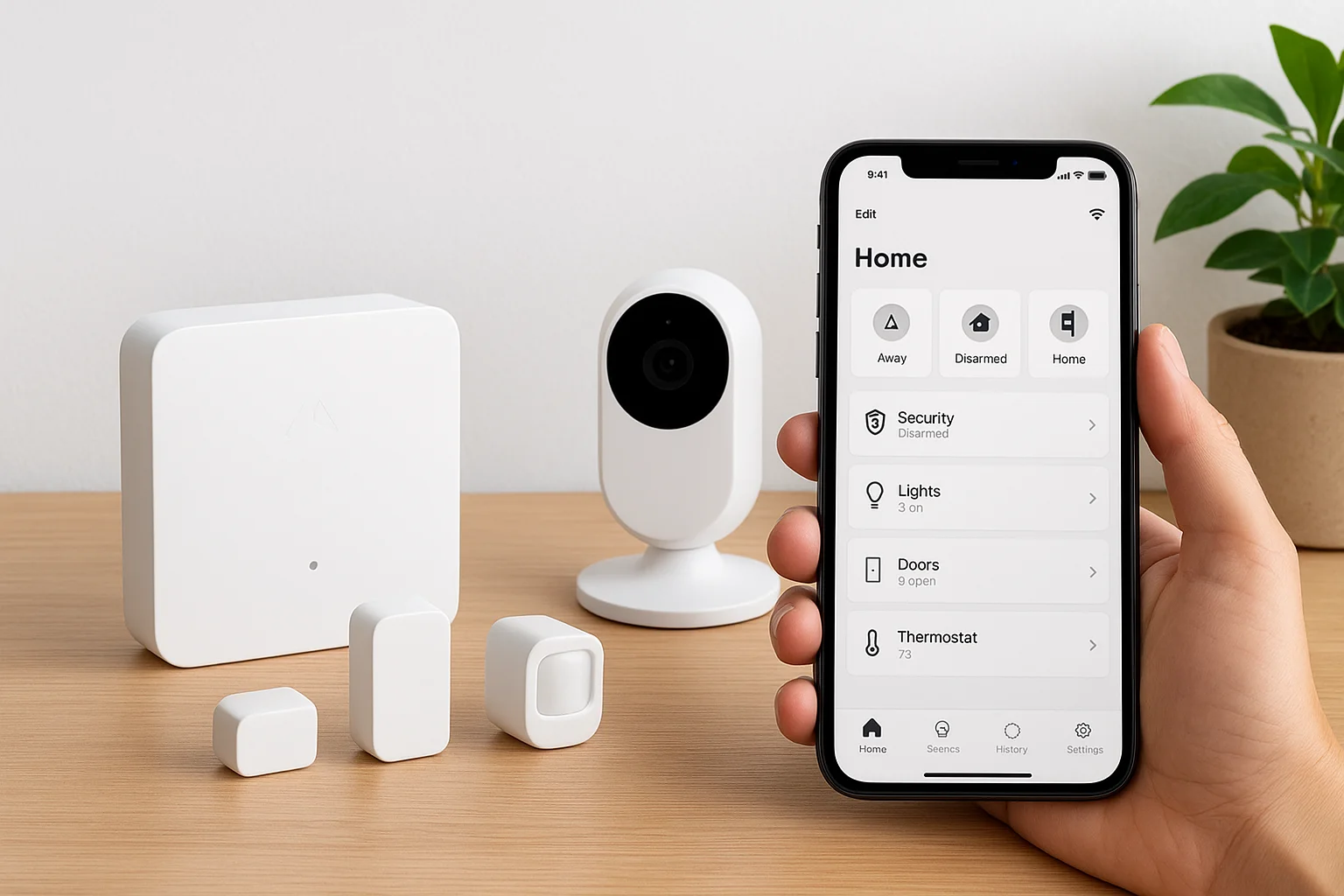
Key features
Abode's hardware lineup is compact but built to pair with devices you may already own.
- A central gateway that supports Z-Wave, Zigbee, and Wi-Fi devices in one hub
- Door, window, and motion sensors that install without wiring
- Indoor and outdoor cameras with optional local storage
- HomeKit compatibility for Apple households running Siri-based routines
- Flexible monitoring, switch between self-monitoring and paid professional monitoring anytime
Home automation capabilities
Abode's real strength shows up once you start building automations. Its app lets you create custom rules, like turning on porch lights when a door sensor trips after dark, without needing a separate smart home platform running in the background. Because it plays well with HomeKit, Apple households get native Siri control alongside the Abode app, something several competitors on this list still don't fully support. That said, Abode's automation library is built by you, piece by piece, so the depth depends on how much time you're willing to spend configuring rules rather than having a technician design the logic for your specific home.
A system that works with the smart home gear you already own saves you from starting over.
Pricing
Abode's gateway starter kits typically run $200 to $280, with additional sensors priced individually. Professional monitoring runs around $20 a month, and unlike most competitors, you can drop to self-monitoring for free between billing cycles, according to the FTC's consumer guidance on home security pricing. There's no long-term contract required for either option.
Who it's best for
Abode suits tech-comfortable homeowners who already run an Apple or Google smart home setup and want a security system that fits into it, not the other way around. It's a strong pick if you enjoy configuring your own automations and want the freedom to pause monitoring without breaking a contract.
7. Ring Alarm for budget-friendly Alexa integration
Ring built its name on video doorbells, and Ring Alarm extends that same low-cost, DIY philosophy into a full security system. It's one of the cheapest ways to get real smart home security systems coverage tied directly into an Alexa household, since Ring is owned by Amazon and built Alexa integration into the core of the system rather than bolting it on. If you already own Ring cameras or an Echo speaker, adding the alarm kit feels like plugging in one more accessory, not starting a new platform.
Key features
Ring Alarm's hardware lineup stays simple and keeps the price low compared to most competitors on this list.
- Wireless door, window, and motion sensors that peel-and-stick without wiring
- A base station with battery backup and optional cellular backup
- Compatible with the full Ring camera and doorbell lineup
- Panic button and range extenders for larger homes
- Optional professional monitoring with no contract required
Home automation capabilities
Alexa runs the show here. You can arm or disarm the system, check camera feeds, and trigger routines entirely by voice, and Ring's app links sensors to Alexa-compatible smart plugs, lights, and locks for basic scene building. Alexa integration this direct is rare among budget systems, but the automation depth stops there. Ring doesn't offer the layered, whole-home scene design or non-Alexa ecosystem support you'd get from Abode or a professionally planned system, so Google or Apple households will feel more friction.
A system this cheap makes sense mainly if your smart home already runs on Alexa.
Pricing
According to the FTC's guidance on comparing home security costs, starter kits in this price tier typically run $200 to $250, and Ring's own site lists monitoring plans around $10 to $20 a month with no contract required, among the lowest on this list. Self-monitoring is also free if you skip professional monitoring entirely.
Who it's best for
Ring Alarm fits budget-conscious homeowners and renters already invested in Alexa or Ring's camera lineup who want a cheap, no-contract entry point into security systems for smart homes. It's a weaker fit if you're planning a larger automation buildout down the road, since you'll likely outgrow its automation ceiling faster than a system designed with room to expand.
8. Cove for no-contract smart monitoring
Cove built its whole pitch around one idea: no contracts, ever, on any plan. Where Frontpoint locks you in for years and even SimpliSafe nudges you toward paid monitoring, Cove's no-contract monitoring lets you cancel anytime without a penalty clause buried in the fine print. It also skips the hard-sell sales calls that some competitors are known for, selling equipment straight through its website with a 60-day money-back guarantee on top.
Key features
Cove keeps its hardware lineup focused on core alarm coverage rather than a sprawling camera catalog.
- Wireless door, window, and motion sensors with peel-and-stick installation
- A base station with battery backup and cellular connection, no Wi-Fi required
- Smoke, flood, and freeze sensors available as add-ons
- Touchscreen keypad panel for arming, disarming, and system alerts
- Optional professional monitoring with month-to-month billing
Home automation capabilities
Cove's home automation reach is intentionally narrow. It pairs with Alexa and Google Assistant for voice arming and basic status checks, but it doesn't offer the smart lock, lighting, or thermostat integrations you'd find with Abode or a professionally designed system. Cove is built to be an alarm system first, and it doesn't pretend otherwise. If you want a security system that also runs your lights and locks, you'll need to add separate smart home hardware and manage it outside Cove's app.
A system built to do one thing well beats one that does five things poorly.
Pricing
According to the FTC's guidance on comparing home security pricing, equipment packages in Cove's tier typically start around $150 and climb toward $400 for larger kits, with monitoring plans running roughly $18 to $28 a month, month-to-month with no contract. That pricing puts Cove close to SimpliSafe, though Cove's guarantee period and cellular-only design give it a slightly different appeal for budget shoppers wary of Wi-Fi outages.
Who it's best for
Cove suits homeowners and renters who want dependable alarm monitoring without signing anything long-term and who don't care much about deep home automation. It's a solid fit if you've been burned by a contract before or simply want the flexibility to cancel the moment your situation changes, whether that's a move, a lease ending, or just a change of heart.
9. Wyze Home Monitoring for ultra-budget security
Wyze made its name selling $20 cameras that punch far above their price tag, and its home monitoring system follows the same playbook. Wyze Home Monitoring strips out the markup you pay with bigger brands and sells sensors, a base station, and monitoring at prices that make ADT or Vivint look like luxury purchases by comparison. If you already own Wyze cameras, plugging in the alarm kit feels like adding one more accessory to an app you're already using, not starting a new platform from scratch.
Key features
Wyze keeps its hardware lineup lean, focused on core alarm coverage rather than a wide catalog of add-ons.
- Wireless door, window, and motion sensors with peel-and-stick installation
- A compact base station with battery backup
- Compatible with the full Wyze camera, doorbell, and lock lineup
- Keypad and remote fob for arming and disarming without the app
- Optional professional monitoring with no long-term contract
Home automation capabilities
Beyond the alarm itself, home automation through Wyze mostly happens through its own ecosystem. Its cameras, locks, plugs, and bulbs all connect through the same app, letting you set basic routines like turning on a light when a sensor trips. Alexa and Google Assistant integration cover voice control, but Wyze doesn't offer the deeper scene-building or professional design work you'd find in a system planned around your specific home. It's automation built for a single brand's ecosystem, not a platform meant to absorb every device already installed in your house.
The lowest price tag usually means the shallowest automation, and Wyze doesn't hide that tradeoff.
Pricing
According to the FTC's consumer guidance on home security pricing, starter kits in Wyze's tier typically run $100 to $200, among the cheapest on this list, with monitoring plans priced around $8 to $15 a month and no contract required. Self-monitoring without a paid plan is also free, which few competitors match at this price point.
Who it's best for
Wyze fits renters, students, and budget-first homeowners who want basic alarm coverage without spending much money or committing to anything long-term. It's a poor match if you're picturing a smart home security system that eventually ties into whole-home lighting, locks, or audio, since you'll hit its ceiling quickly.
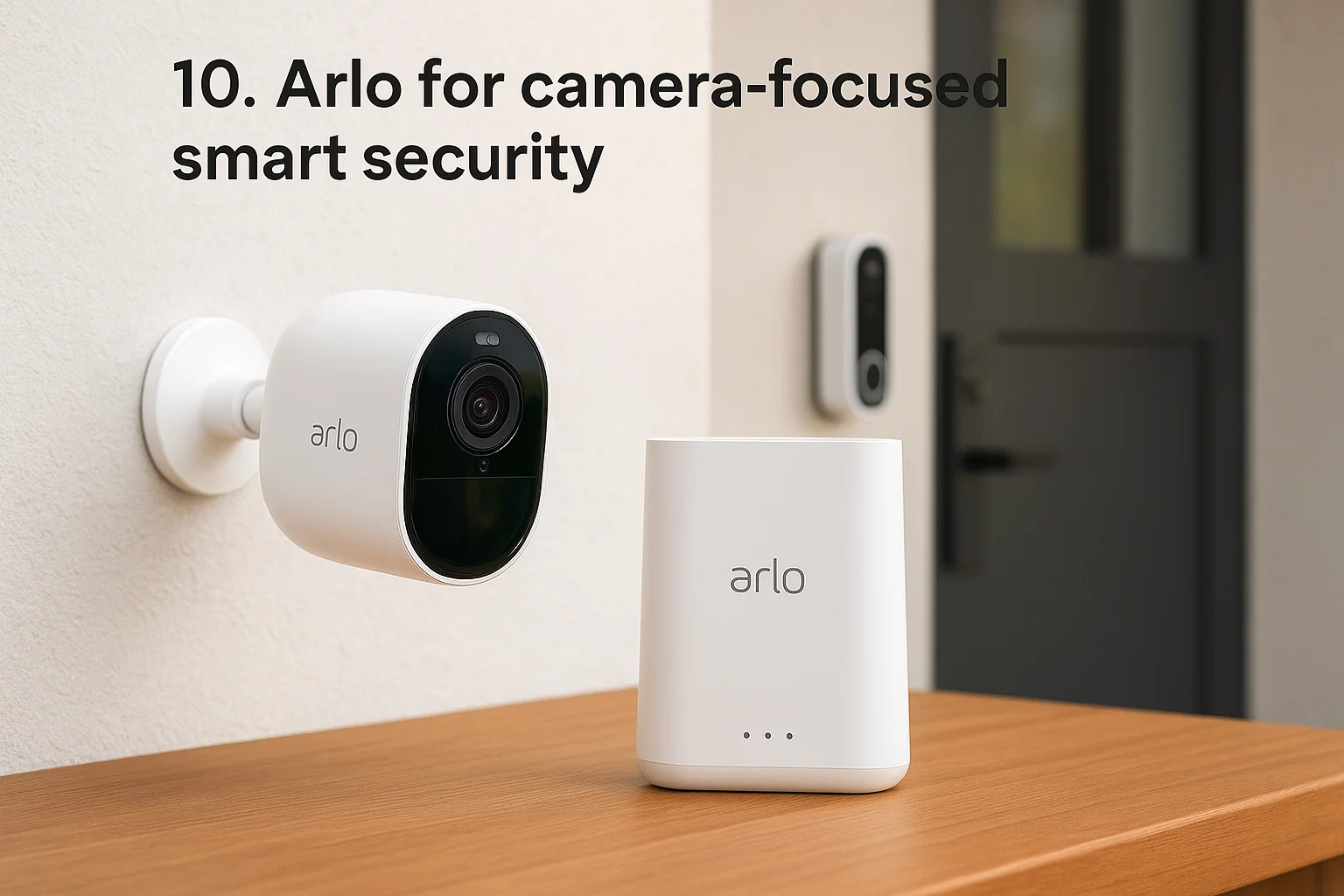
10. Arlo for camera-focused smart security
Arlo started as a camera company and never really left that identity behind, even after adding a full alarm system to its lineup. Its camera-focused smart security approach means the video quality, night vision, and AI detection outshine the sensors and keypad, which feel more like an accessory to the cameras than the other way around. If your top priority is seeing crisp, reliable footage of everything happening around your property, Arlo edges out most of the DIY brands on this list.
Key features
Arlo's hardware lineup leans hard into camera resolution and detection accuracy rather than a broad sensor catalog.
- 2K and 4K outdoor and indoor cameras with color night vision
- AI-powered detection that separates people, vehicles, animals, and packages
- A SmartHub base station with siren and battery backup
- Video doorbell with package alerts and two-way audio
- Optional professional monitoring layered on top of the camera system
Home automation capabilities
Arlo connects with Alexa, Google Assistant, and Apple HomeKit for voice control and basic routines, and its app supports simple automations like triggering a siren or light when a camera detects motion. Home automation here revolves around the cameras themselves rather than a broader platform tying in locks, thermostats, or lighting across the house. Compared to a professionally designed system, Arlo's automation ceiling sits lower once you move past camera-triggered actions into whole-home scene building.
A system built around cameras first will always see more than it automates.
Pricing
According to the FTC's consumer guidance on home security pricing, individual Arlo cameras typically run $100 to $200 each, with full security bundles landing between $300 and $600 depending on the number of cameras included. Arlo Secure subscription plans, which unlock cloud storage and AI detection features, run roughly $5 to $20 a month with no contract required.
Who it's best for
Arlo suits homeowners whose main concern is high-quality video coverage, whether that's watching a driveway, a backyard, or a front porch, more than building out locks and lighting automation. It's also a reasonable fit for renters who want camera-first coverage without committing to a full alarm system, since you can buy cameras individually and add sensors later if your needs grow.
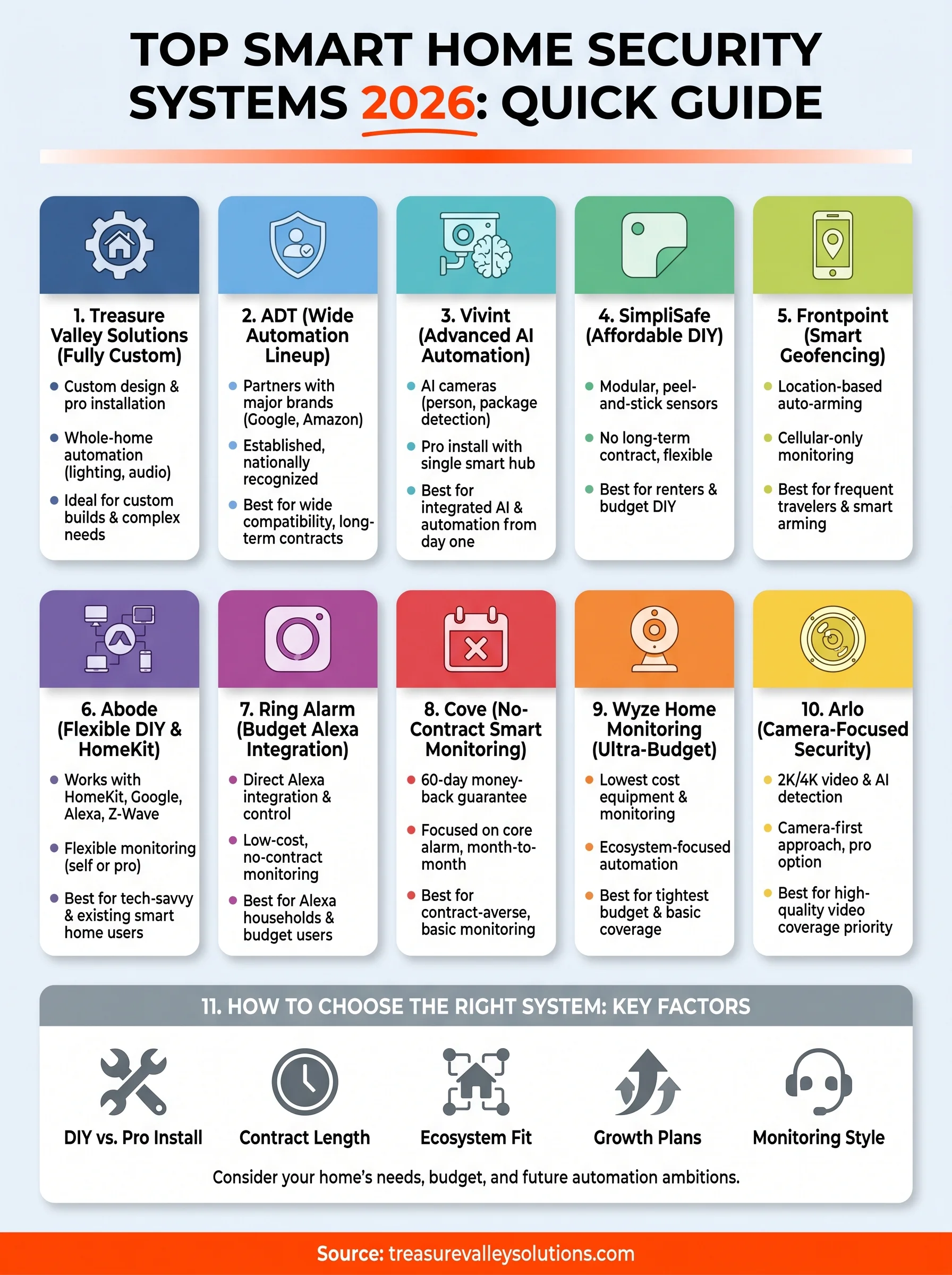
11. How to choose the right smart home security system
Picking between ten solid options comes down to matching the system to how you actually live, not which brand has the flashiest ad campaign. Start by asking whether you want a DIY security system you install yourself in an afternoon or a professionally designed setup that a technician plans around your specific floor plan. That single decision eliminates half this list immediately and points you toward the right pricing tier, contract terms, and automation ceiling.
Consider how far your home automation ambitions actually go before you commit to hardware. A renter who just wants door sensors and a camera doesn't need the same platform as a homeowner planning to tie locks, lighting, and audio into one system over the next few years. Buying a budget kit now and hoping to bolt on automation later almost always costs more in the long run than choosing a system built to expand from day one.
The cheapest system today often becomes the most expensive one once you outgrow it and start over.
Run through these questions before you buy:
- Contract length: Are you comfortable with a multi-year commitment, or do you want month-to-month flexibility?
- Ecosystem fit: Does the system work with the smart home gear, Alexa, Google, or HomeKit devices, you already own?
- Installation: Would you rather install it yourself this weekend, or have a technician handle wiring, placement, and testing?
- Growth plans: Will you want locks, lighting, or audio integrated later, and does this system support that without starting over?
- Monitoring style: Do you want 24/7 professional monitoring, self-monitoring, or the option to switch between the two?
Budget matters too, but don't let the sticker price alone decide it. A $200 starter kit with a $10 monthly plan looks appealing next to a custom quote, until you factor in the second app, the extra hub, and the compatibility issues that show up once you try to add a smart lock six months later. Weighing total cost of ownership against a system's actual home automation capabilities gives you a far more honest comparison than equipment price alone.
Making the right choice for your home
Every system on this list solves security in a different way, from Wyze's bare-bones sensors to Vivint's AI-driven cameras. The real question isn't which brand ranks highest. It's which one matches your floor plan, your budget, and the automation you actually want in five years, not just today. DIY kits win on price and speed. Professionally designed smart home security systems win on fit, especially once locks, lighting, and audio enter the picture.
If you're in Boise, Meridian, Eagle, Nampa, or anywhere else in the Treasure Valley, you don't have to guess which package covers your specific house. Our technicians walk your property, ask how you actually live, and build a system around that instead of around a warehouse template. Reach out to our team for a straightforward quote, and get a security system designed for your home instead of one you have to adapt to fit.
Need Expert Help?
Ready to implement these solutions in your own home or business?
Our Services

Complete home automation and control.

Intelligent lighting control and automation.
Comprehensive security solutions for home and business.
High-definition surveillance for peace of mind.
Serving the Treasure Valley
Local installation in your city