 (208) 991-3502
 Meridian, ID



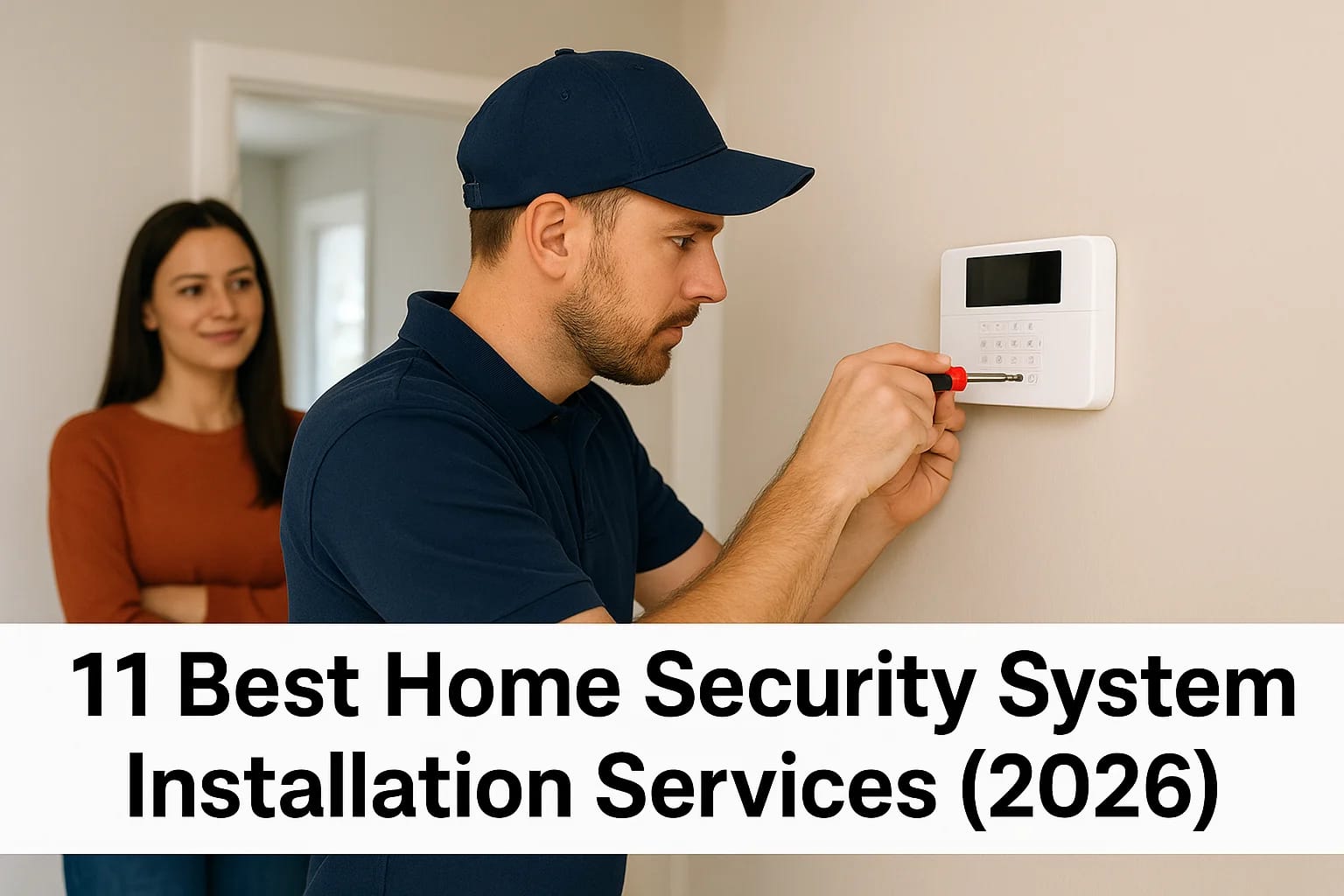

You want your home protected, but installing a security system yourself sounds complicated. Between running wires, mounting cameras at the right angles, and programming sensors to work together, you r...
You want your home protected, but installing a security system yourself sounds complicated. Between running wires, mounting cameras at the right angles, and programming sensors to work together, you risk wasting money on equipment that never works properly. Professional installation eliminates that headache, but now you face a different problem: which company should you trust with your home security?
This guide breaks down the 11 best home security installation services available right now. We cover national providers like ADT and Vivint alongside regional specialists and local licensed installers. You'll learn what each service includes, how their installation process works, what smart features they offer, and exactly what you'll pay upfront and monthly. We also explain when DIY makes sense versus hiring pros, what to expect on installation day, and how to choose the right installer based on your budget and security needs. By the end, you'll know which service fits your home and can schedule your installation with confidence.
1. Treasure Valley Solutions
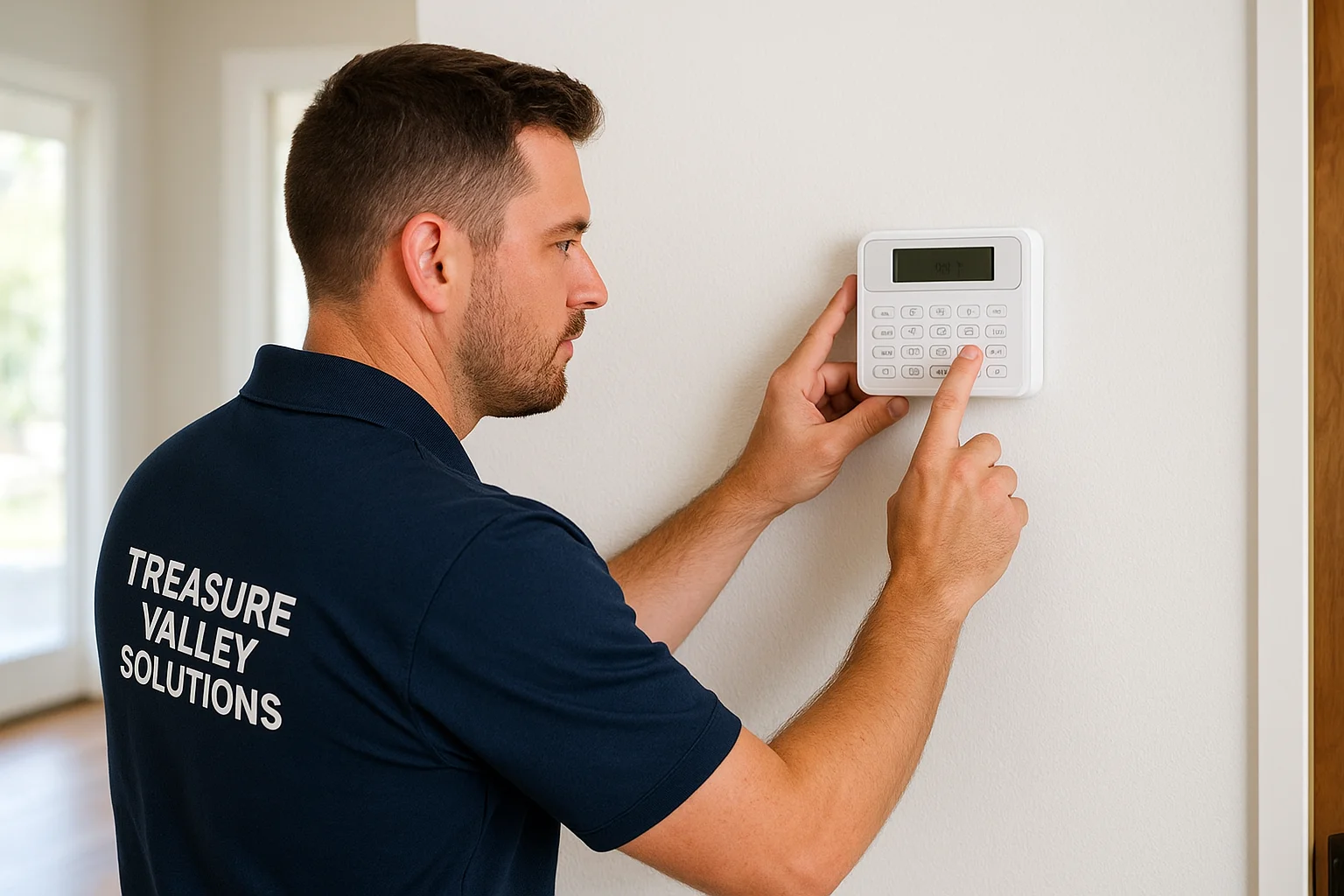
Treasure Valley Solutions brings custom home security system installation to the Boise and Meridian area with a focus on fully integrated smart technology. Based in Meridian, Idaho, this local technology integrator designs, installs, and supports security systems that work seamlessly with your home's lighting, audio, and automation. Unlike national one-size-fits-all providers, they build each system around your specific property layout and security goals.
Service overview
You get end-to-end service from initial design consultation through installation and ongoing support. Treasure Valley Solutions handles whole-home security packages that include cameras, sensors, smart locks, and access control for residential and commercial properties. Their licensed and insured technicians also integrate security with voice control, automated lighting, and home theaters, so everything works together through one interface.
Installation and design process
The process starts with an in-home consultation where technicians assess your property and discuss your security concerns. They design a custom system based on your layout, then schedule installation at your convenience. Their team pre-wires new construction projects for builders or retrofits existing homes with minimal wall damage. Every installation includes clean cable management, tested equipment, and thorough system programming before they leave.
Smart security and automation options
Treasure Valley Solutions offers comprehensive smart integration beyond basic alarms. You can add facial recognition cameras, automated door locks, fall detection sensors for elderly care, and voice-controlled security through Amazon Alexa or Google Assistant. Their systems connect with smart lighting and audio, letting you create scenes like "Away Mode" that locks doors, arms sensors, and turns off lights with one command.
Who Treasure Valley Solutions is best for
This service works best for homeowners and businesses in the Treasure Valley area who want a customized security solution with local support. Property managers appreciate their smart lock and access control systems that reduce manual tasks. Residential builders partner with them to pre-wire new homes with integrated technology that appeals to modern buyers.
Pricing and project timelines
Treasure Valley Solutions provides transparent custom quotes based on your specific equipment and installation needs. Projects range from simple TV mounting to full smart home security systems. Most residential installations complete within one to two days, while commercial projects vary by size. Contact them directly for a free consultation and detailed estimate based on your property.
Local installers like Treasure Valley Solutions offer faster response times and personalized service that national chains struggle to match.
2. ADT professional installation
ADT delivers professional home security system installation backed by over 150 years of experience and a nationwide network of trained technicians. Your system comes with 24/7 monitoring from one of 12 redundant monitoring centers across North America, ensuring faster response times when emergencies happen. ADT now partners with Google Nest for cameras and smart devices, giving you access to advanced features like facial recognition and HDR video.
Service overview
You receive an in-home consultation before installation where an ADT specialist assesses your property and recommends equipment based on your security needs. Their technicians install everything from door and window sensors to motion detectors, security cameras, and smart home devices. Each installation includes professional setup and testing to ensure every component works correctly before the technician leaves your property.
Installation experience and coverage
ADT operates in all 50 states with local technicians who schedule installations at your convenience. Installation typically takes two to four hours depending on your package size. Technicians explain each device during setup and walk you through the control panel and mobile app. They handle all wiring and mounting work, including drilling and cable management, then clean up after completion.
Monitoring, equipment, and app features
Your system connects to 12 monitoring centers that dispatch emergency services within 45 seconds of an alarm trigger. ADT offers Google Nest cameras with 1080p HDR video, smart door locks, garage door controllers, and environmental sensors for fire and carbon monoxide. The ADT+ app lets you arm and disarm remotely, view live camera feeds, and create automation rules through Google Assistant or Amazon Alexa.
Who ADT is best for
ADT works best for homeowners who want established reliability and don't mind long-term contracts in exchange for professional installation and comprehensive monitoring. The Google Nest integration appeals to people building smart home ecosystems. Choose ADT if you value brand reputation and widespread service coverage over cutting-edge automation features.
Pricing, fees, and contracts
Installation costs range from $99 to $199 depending on your package, though promotional deals sometimes waive this fee. Equipment packages start at $349, and monthly monitoring begins at $24.99 for DIY systems or $34.99 for professionally installed setups. ADT requires a 36-month contract for professionally installed systems, but they offer six-month money-back guarantees and financing options to spread equipment costs over time.
ADT's redundant monitoring network and six-month guarantee provide peace of mind that newer security companies struggle to match.
3. Vivint smart home security
Vivint delivers premium smart home security with required professional installation and advanced automation beyond basic alarms. Your system includes a 7-inch touch screen smart hub, AI-powered cameras with Smart Deter technology, and integration with Amazon Alexa and Google Assistant. Professional installation ensures complex wiring and programming work correctly.
Service overview
You get a fully integrated security and automation system controlling lights, locks, thermostats, and cameras through one interface. Vivint equipment runs on Z-Wave and Zigbee protocols, connecting with thousands of third-party devices. Two monitoring centers provide 24/7 professional service with award-winning response times.
Installation process and system setup
Your installation begins with a phone consultation where Vivint recommends equipment based on your home. Technicians schedule appointments at your convenience, typically taking four to six hours for complete setup. They mount cameras, install sensors, wire the control panel, and program everything. You receive hands-on training before they finish.
Smart home automation and AI features
Vivint cameras use AI threat detection to distinguish between people, vehicles, packages, and animals. Smart Deter automatically flashes lights and sounds warnings when cameras detect potential threats. You create automation rules like locking doors and arming sensors based on doorbell activity. Voice control through Google or Alexa checks system status hands-free.
Who Vivint is best for
This service fits homeowners wanting cutting-edge smart home technology despite premium pricing. Choose Vivint if you're building a comprehensive smart ecosystem and value AI-powered security over basic monitoring. The system works well for tech-enthusiastic homeowners willing to commit to longer contracts.
Pricing, contracts, and add ons
Equipment packages start at $599 with installation around $199, though promotional deals often include free installation. Monthly monitoring begins at $29.99 and increases with cameras and features. Vivint requires 42 to 60-month contracts depending on your package. Financing reduces upfront costs, and moving services cost $150.
Vivint's AI-powered Smart Deter and facial recognition put it ahead of traditional systems that only react after break-ins occur.
4. SimpliSafe with pro installation
SimpliSafe gives you flexibility between DIY and professional installation while maintaining contract-free monitoring. This system originally gained popularity for easy self-installation, but now you can hire OnTech technicians to handle setup for $124.99 and up. Wireless equipment installs quickly with adhesive backing or mounting brackets, and you get the same monitoring features regardless of installation method.
Service overview
You receive complete wireless security equipment that communicates through your home Wi-Fi and cellular backup. SimpliSafe partners with OnTech for professional installations rather than using in-house technicians. The system includes a base station, keypad, door and window sensors, motion detectors, and optional cameras with Intruder Intervention and Active Guard features.
DIY versus professional install options
SimpliSafe systems install yourself in under an hour using peel-and-stick adhesive, or you choose professional installation starting at $124.99 for five pieces of equipment. Our 14-piece bundle cost over $200 for professional setup. OnTech technicians use mounting brackets instead of adhesive for better long-term durability and schedule installations at your convenience.
Monitoring plans and interactive features
You select from four monitoring tiers ranging from basic 24/7 service at $21.99 monthly to Pro Plus with full-time Active Guard Outdoor Protection at $79.99. The Pro and Pro Plus plans include Intruder Intervention, where monitoring agents access your indoor camera during threats to guide you to safety or scare intruders away through two-way audio.
SimpliSafe's Active Guard lets monitoring agents intervene through your cameras before intruders reach your door, adding proactive protection most systems lack.
Who SimpliSafe is best for
This service works best for renters and homeowners who want contract-free monitoring flexibility with quality equipment. Choose SimpliSafe if you prefer keeping installation costs low while maintaining professional monitoring options. The system appeals to people who might move frequently since you can reinstall everything yourself without service fees.
Equipment costs and monthly pricing
Equipment packages start at $250.96 for basic kits, with cameras and smart locks available separately. Monthly monitoring begins at $21.99 and scales up based on features. You pay no activation fees or long-term contracts, and professional installation adds $124.99 minimum depending on your system size.
5. Brinks Home professional systems
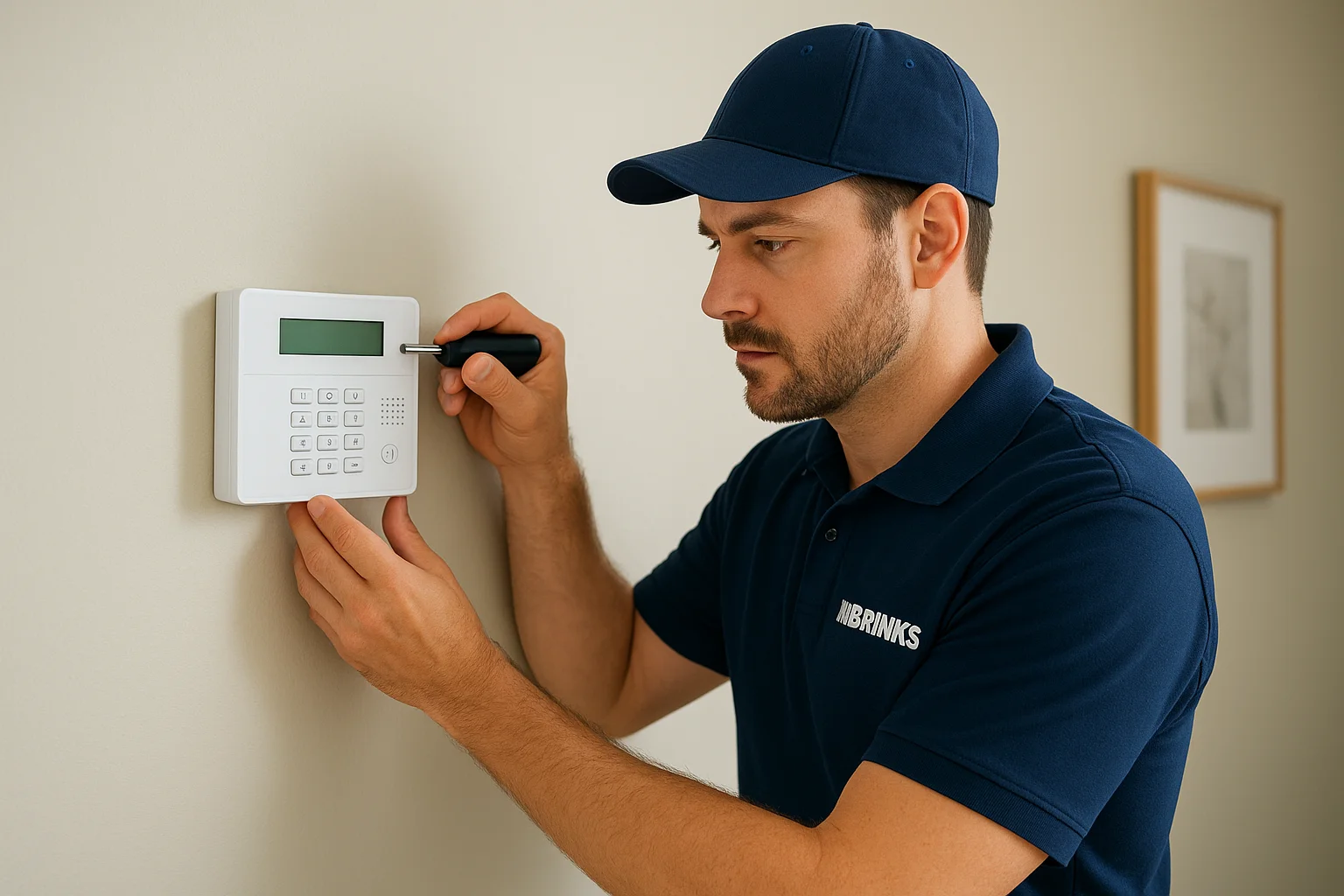
Brinks Home offers customizable security packages with professional installation typically included free during promotional periods. This national provider brings decades of security industry experience to residential installations with equipment financing options that spread costs over your contract term. You get the choice between self-installation or professional setup depending on your comfort level and package selection.
Service overview
Your system includes wireless equipment with door and window sensors, motion detectors, control panels, and optional cameras. Brinks allows you to customize packages rather than choosing preset bundles, letting you add or remove devices based on your home layout. Professional monitoring connects to 24/7 response centers that verify alarms and contact emergency services when needed.
Installation process and scheduling
Brinks technicians schedule in-home installations at your convenience after you select your equipment package. The installation typically completes in half a day, and technicians test all devices before finishing. You receive system training and app setup guidance during the visit. Equipment maintenance falls under your service agreement throughout the contract period.
Monitoring, equipment, and smart features
You access remote control features through the Brinks app for arming and disarming your system. The equipment integrates with Amazon Alexa and Google Assistant for voice commands. Professional monitoring includes smoke and carbon monoxide detection, plus immediate emergency response when sensors trigger.
Who Brinks Home is best for
This service fits homeowners wanting customizable security with equipment financing to reduce upfront costs. Choose Brinks if you prefer established national providers and don't mind longer contracts in exchange for professional installation.
Pricing, fees, and contract terms
Equipment financing reduces initial investment, though total costs vary by package. Monthly monitoring starts at $39.99 with 36-month minimum contracts required. Installation fees typically waive during promotional periods, making upfront costs lower than competitors.
Brinks' customizable packages and equipment financing help you build the exact system you need without paying for unused features.
6. Alder Security monitored systems
Alder Security provides professionally installed home security with notably fast monitoring response times averaging under 25 seconds. This provider requires in-home consultations before purchase rather than online ordering, ensuring your system fits your property layout. You receive a free starter package including touchscreen panel, two entry sensors, and motion detector when you sign their three-year monitoring agreement.
Service overview
Your system includes wireless equipment with cellular backup that keeps monitoring active during internet outages. Alder technicians handle complete installation from sensor placement to system programming. The company uses third-party equipment similar to other major providers, maintaining quality without proprietary lock-in.
Professional install and response times
Alder performs free home security system installation with most packages, completing setup in two to four hours. Their monitoring centers respond to alarms in under 25 seconds on average, significantly faster than the industry standard of 45 to 60 seconds. Installation scheduling happens after your in-home consultation and equipment selection.
Monitoring features and equipment lineup
You access 24/7 professional monitoring with automatic emergency dispatch when alarms trigger. The equipment lineup includes motion sensors, door and window contacts, cameras, and touchscreen control panels. Cellular backup ensures continuous monitoring even during power outages.
Who Alder Security is best for
This service works best for homeowners prioritizing fast emergency response and willing to meet in person before purchasing. Choose Alder if you prefer personalized consultations over online ordering and value rapid monitoring response times above extensive smart home features.
Pricing, contracts, and fine print
Monthly monitoring starts at $35 with required 36-month contracts. Equipment costs fold into your monitoring agreement, reducing upfront expenses. You pay activation fees during setup, and the total three-year commitment reaches approximately $1,440 in monitoring costs before equipment charges.
7. Guardian Protection home security
Guardian Protection delivers regional home security system installation with a focus on personalized service and local support across multiple states. This family-owned provider operates since 1950, bringing decades of security experience to residential installations with in-house technicians rather than third-party contractors. Your system includes professional monitoring, equipment warranties, and ongoing maintenance throughout your contract term.
Service overview
You receive customized security packages designed during an in-home consultation where technicians assess your property and recommend equipment. Guardian Protection installs wireless sensors, control panels, cameras, and environmental detectors like smoke and carbon monoxide alarms. Their systems integrate with smart home devices including door locks, thermostats, and lighting controls for comprehensive automation.
Installation process and regional coverage
Guardian Protection operates in over 30 states primarily across the eastern United States and Texas. Technicians schedule installations within days of your consultation, typically completing setup in three to four hours. They handle all mounting, wiring, and programming, then test each device before leaving your home.
Monitoring centers and smart home features
Your system connects to UL-certified monitoring centers that dispatch emergency services when alarms trigger. The mobile app provides remote access for arming and disarming your system. Smart home integration supports voice control through Amazon Alexa and automation rules linking security sensors with lights and locks.
Guardian Protection's family-owned approach and in-house technicians create accountability that subcontracted installation teams rarely match.
Who Guardian Protection is best for
This service fits homeowners in covered regions wanting established reliability with local customer service. Choose Guardian Protection if you value personalized consultations and prefer regional providers over national chains.
Pricing structure and contract details
Monthly monitoring starts around $40 with three-year contracts typical. Installation fees vary by package, and equipment costs spread through financing options. You receive lifetime warranties on installed equipment during your monitoring agreement.
8. Xfinity Home Security service
Xfinity Home Security bundles professional home security system installation with your existing Comcast internet or cable service for integrated billing and support. This provider uses SimpliSafe equipment rebranded under the Xfinity name, giving you reliable hardware backed by Comcast's customer service network. Your system connects through your Xfinity internet connection with cellular backup for continuous monitoring.
Service overview
You receive wireless security equipment including door and window sensors, motion detectors, cameras, and a touchscreen control panel. Xfinity technicians handle complete installation during scheduled appointments, typically within days of ordering. The system integrates with your existing Xfinity services for unified account management and technical support.
Installation with your internet or TV bundle
Your installation appointment combines security setup with internet service calls when needed, reducing scheduling hassle. Technicians mount cameras, place sensors, program your control panel, and connect everything to your home network. Bundle discounts lower monthly costs when you maintain both internet and security services.
App features, cameras, and automation
The Xfinity Home app provides remote system control for arming and disarming from anywhere. You view live camera feeds, receive motion alerts, and review recorded clips. Smart home integration includes voice control through Amazon Alexa and Google Assistant, plus automation rules linking security sensors with smart lights and locks.
Who Xfinity Home is best for
This service fits existing Xfinity internet customers wanting simplified billing and support. Choose Xfinity Home if you prefer bundling services with one provider rather than managing separate security and internet companies.
Equipment, fees, and term agreements
Monthly monitoring starts at $30 to $50 depending on your package and bundling. Installation costs vary but often reduce through promotional offers. You sign two-year contracts typical for Xfinity services, with equipment costs either paid upfront or financed through monthly fees.
Xfinity Home simplifies account management by bundling security with internet service you already pay for each month.
9. Ring Alarm with pro installation
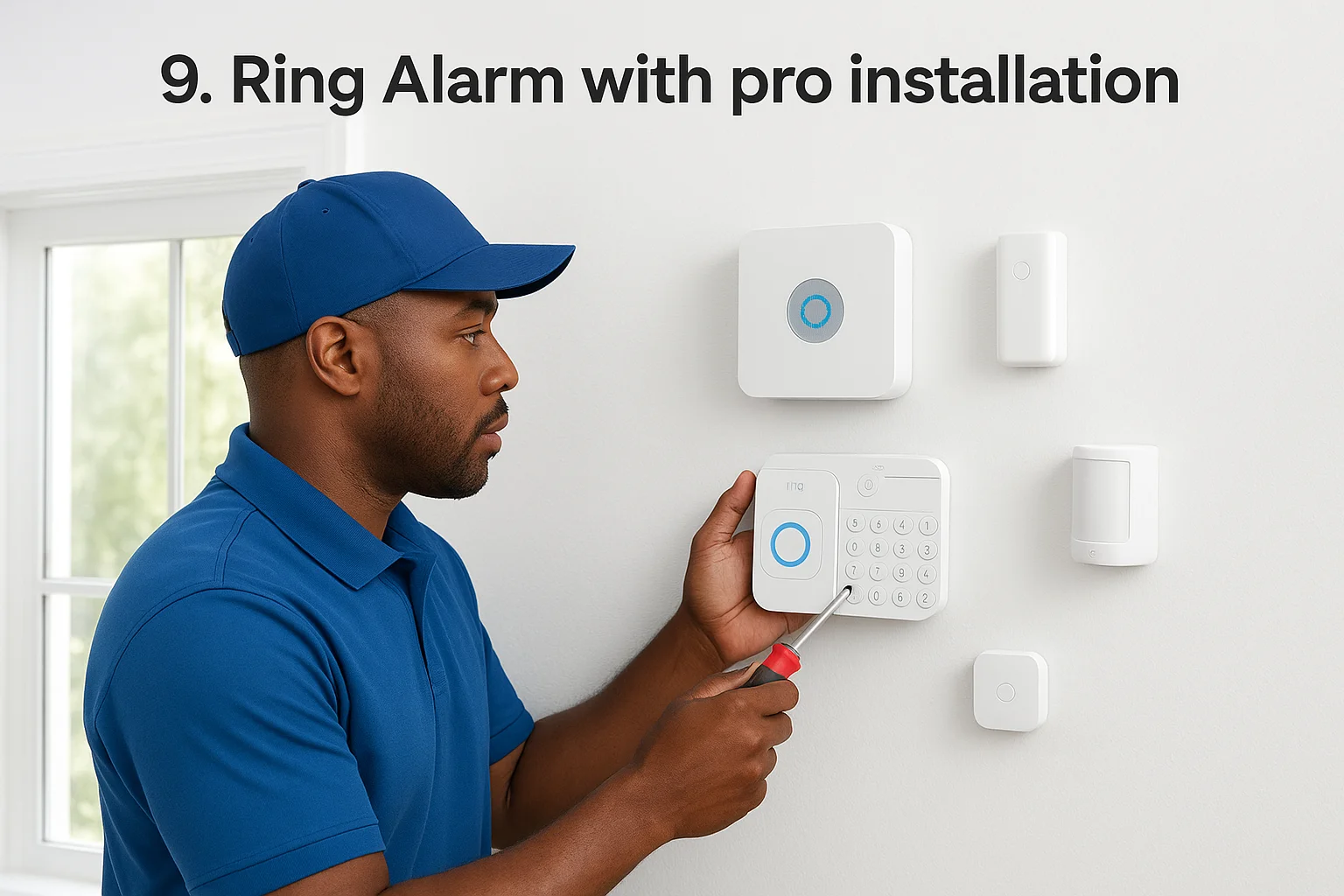
Ring Alarm provides affordable DIY security that Amazon now pairs with optional professional installation through OnTech technicians. This system gained popularity for simple self-setup, but you can schedule professional home security system installation starting at $99.99 for basic packages. Your equipment includes wireless sensors, a base station, keypad, and integration with Ring cameras and video doorbells already protecting millions of homes.
Service overview
You order equipment directly from Amazon or Ring.com, then schedule OnTech installation separately during checkout or afterward. Ring Alarm operates without contracts for monitoring, giving you flexibility to start or stop service monthly. The system connects through Wi-Fi and cellular backup to keep monitoring active during internet outages.
How professional installation works
OnTech technicians contact you within days of ordering to schedule installation at your convenience. They mount sensors, place the base station, program your keypad, and connect everything to your home network. Installation typically completes in one to two hours depending on package size. Technicians test all devices and walk you through the Ring app before finishing.
Cameras, sensors, and Ring app ecosystem
Your system integrates with Ring video doorbells and security cameras you already own or purchase separately. Motion sensors, contact sensors, glass break detectors, and environmental monitors all control through one Ring app. You receive instant alerts, view live camera feeds, and arm or disarm remotely.
Who Ring Alarm is best for
This service fits homeowners wanting affordable security with Amazon ecosystem integration. Choose Ring Alarm if you already own Ring cameras or prefer contract-free monitoring with the option to cancel anytime.
Ring's contract-free monitoring and Amazon integration make it the most flexible option for budget-conscious homeowners who want professional installation.
Upfront costs, subscription, and install fees
Equipment packages start at $199.99 for five-piece kits, with professional installation adding $99.99 minimum. Monthly monitoring costs $20 for Ring Protect Pro including unlimited camera recording. You pay no activation fees or long-term contracts.
10. OnTech Smart Services installation
OnTech Smart Services operates as a third-party installation provider that works with multiple security brands rather than selling its own equipment. You purchase your system from companies like SimpliSafe, Ring, or Nest, then schedule OnTech technicians to handle professional setup. This approach gives you installation expertise without committing to a specific security brand's in-house service team.
Service overview
Your OnTech service focuses purely on installation and setup rather than equipment sales or monitoring. Technicians arrive at scheduled appointments to mount devices, run necessary wiring, program your system, and test everything before leaving. You maintain direct relationships with your equipment manufacturer for warranties and monitoring services while OnTech handles the physical installation work.
Brands and systems OnTech installs
OnTech technicians install systems from Ring, SimpliSafe, Google Nest, Arlo, and other major security brands. They handle video doorbells, security cameras, alarm sensors, smart locks, and complete security packages. Experience with multiple platforms means technicians understand brand-specific installation requirements and troubleshoot equipment across different manufacturers.
What the in home visit includes
Your appointment covers complete physical installation of all purchased equipment. Technicians mount cameras at optimal angles, place sensors on doors and windows, install base stations, and connect everything to your home network. They program device settings, pair components, and walk you through basic system operation before finishing.
Who OnTech is best for
This service fits homeowners who purchased security equipment online and want professional installation without brand-specific technicians. Choose OnTech if you prefer equipment flexibility across multiple brands while still getting expert setup assistance.
Service pricing and availability
Installation costs start around $125 for basic packages and increase based on equipment quantity and complexity. OnTech operates in most major metropolitan areas across the United States. You schedule appointments directly through OnTech's website or phone, typically within days of ordering your security equipment.
OnTech's multi-brand expertise means you get professional home security system installation regardless of which equipment manufacturer you choose.
11. Local licensed security installers
Local licensed security installers provide custom home security system installation without tying you to specific equipment brands or monitoring contracts. These independent technicians typically operate in your city or region, offering personalized service that national companies rarely match. You work directly with owners or small teams who know your area's common security challenges and building codes.
What local installers typically offer
Your local installer designs security systems using commercial-grade equipment from brands like Honeywell, DSC, or 2GIG. They handle complete installation including low-voltage wiring, camera positioning, sensor placement, and control panel programming. Most local installers also service existing systems from any manufacturer, providing troubleshooting and upgrades that national companies won't touch unless you bought equipment through them.
When a fully custom system makes sense
You benefit from fully custom systems when your property has unusual layouts or specific vulnerabilities that packaged solutions miss. Choose custom installation for multi-building properties, homes with extensive outdoor areas needing coverage, or businesses requiring advanced access control integrated with security sensors. Local installers excel at creating systems that expand easily as your needs change.
Questions to ask before you hire
Before hiring any installer, verify their state licensing and insurance coverage. Ask for references from recent projects similar to yours. Confirm which equipment brands they recommend and whether you can switch monitoring companies later without replacing hardware. Request detailed written estimates including equipment costs, labor hours, and warranty terms.
Pros and cons versus national brands
Local installers offer faster response times and no mandatory monitoring contracts, letting you self-monitor or choose any monitoring service. You get personalized attention but lose the 24/7 customer support networks that national brands maintain. Equipment costs often run lower, though you research compatibility yourself rather than relying on tested packages.
Typical pricing ranges and warranties
Installation labor typically costs $75 to $150 per hour with most residential projects completing in four to eight hours. Equipment expenses range from $500 to $3,000 depending on your system complexity. Local installers usually provide one-year warranties on labor and pass through manufacturer warranties on equipment, which typically cover two to five years.
Local installers give you equipment flexibility and personalized service but require more research than buying packaged systems from national providers.
How to choose a home security installer
Selecting the right installer determines whether your security system protects your home effectively or creates ongoing frustration. You face dozens of options ranging from national chains to local technicians, each promising superior service and equipment. Making the wrong choice locks you into expensive contracts with equipment that doesn't fit your actual security needs.
Clarify your security and budget needs
Start by identifying which entry points need protection and what threats concern you most. Walk your property noting all doors, windows, garage access points, and outdoor areas requiring camera coverage. Decide whether you need basic intrusion detection or want advanced features like facial recognition cameras, smart locks, and environmental sensors for fire or water leaks.
Your budget should account for both upfront equipment costs and ongoing monitoring fees. National providers typically charge $300 to $1,500 for equipment plus $25 to $80 monthly for monitoring. Set realistic spending limits before talking to sales representatives who will upsell unnecessary features.
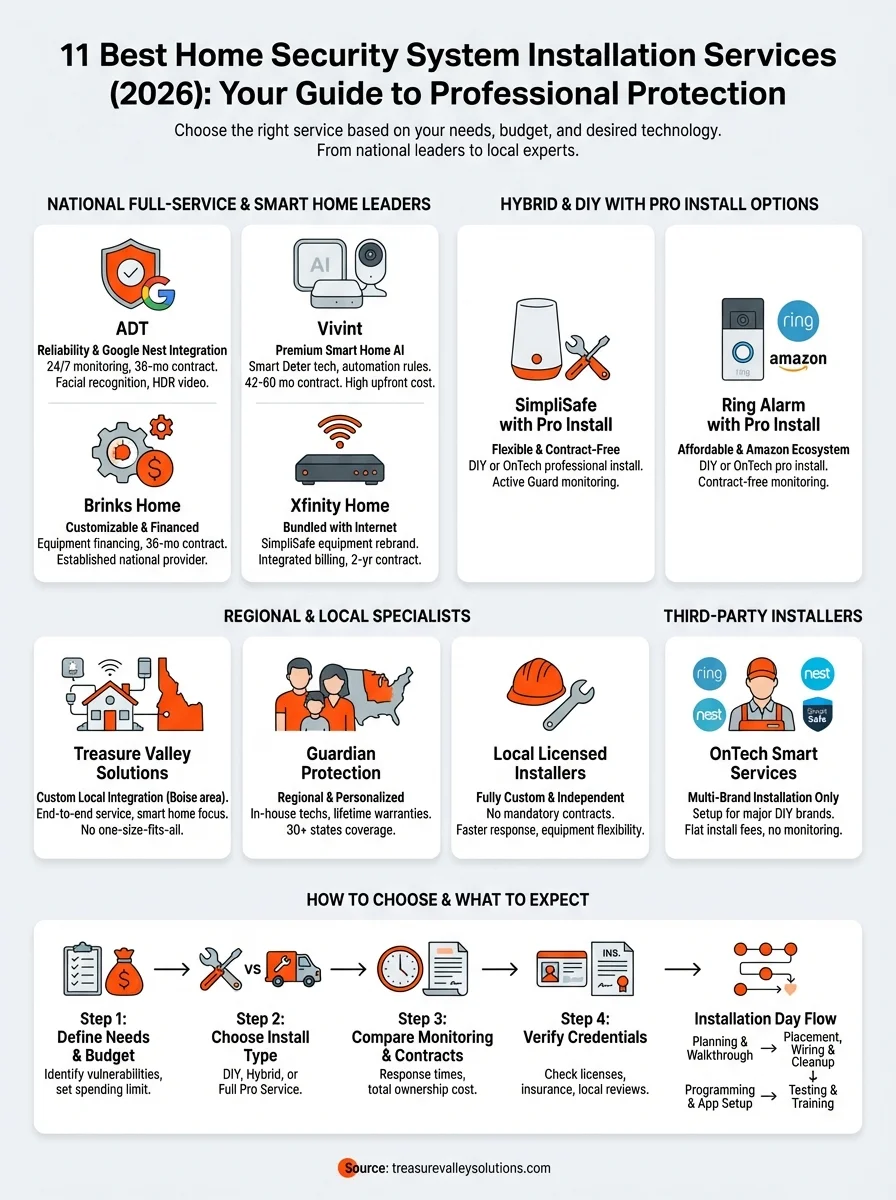
Decide on DIY, hybrid, or full service
You choose between installing everything yourself, hiring technicians for complex components while handling basic setup, or getting complete professional home security system installation. DIY systems like SimpliSafe and Ring Alarm cost less upfront but require your time and technical comfort. Full service installations from ADT, Vivint, or local integrators eliminate setup headaches but add $100 to $300 in labor fees.
Hybrid approaches work well when you install wireless sensors yourself but hire professionals for hardwired cameras and control panels requiring drilling and electrical work. This option saves money while ensuring complex components function correctly.
Compare monitoring quality and response times
Monitoring response times vary dramatically between providers, with top services like Alder responding in under 25 seconds versus industry averages of 45 to 60 seconds. Ask each installer about their monitoring center locations and whether they use redundant facilities that keep operating during regional emergencies. Verify whether monitoring agents can access your cameras during threats or simply dispatch police after alarms trigger.
Weigh contracts, fees, and long term costs
Calculate total ownership costs over three to five years rather than comparing monthly fees alone. A $30 monthly plan with no contract costs $1,080 over three years, while a $40 plan with required 36-month contracts totals $1,440 plus early termination penalties if you move. Factor in installation fees, equipment financing charges, moving costs, and service call fees for troubleshooting.
Comparing total three-year costs instead of monthly fees reveals hidden expenses that double your actual security investment.
Check licenses, insurance, and local support
Verify your installer holds proper state licensing for security system work and carries liability insurance protecting your property during installation. Check their Better Business Bureau rating and read recent customer reviews focusing on installation quality and post-sale support. Confirm whether they provide local technicians for service calls or route support through distant call centers with limited availability.
What to expect on installation day
Your installation day transforms your home from unprotected to secured with professional equipment and monitoring. Understanding the process ahead of time reduces stress and helps you prepare your home and schedule appropriately. Professional technicians follow established procedures that ensure your system works correctly from day one, but you need to be present throughout the appointment to answer questions and approve equipment locations.
Pre visit planning and home walkthrough
Your installer contacts you 24 to 48 hours before the scheduled appointment to confirm timing and answer last-minute questions. They ask you to clear furniture away from walls where sensors mount and ensure pets stay in separate rooms during installation. You receive a call or text when the technician leaves their previous job, giving you a 30-minute arrival window rather than guessing all day.
The walkthrough begins with your installer examining every door, window, and area you want protected. They measure distances for wireless signal strength, identify obstacles that might block sensors, and suggest optimal camera angles. You discuss any concerns about drilling holes or running visible wires, and the technician adjusts the plan accordingly.
Device placement, wiring, and cleanup
Technicians mount sensors on door frames and window sills using adhesive backing or screws depending on your agreement. They position cameras at optimal heights and angles to capture clear footage without blind spots. For hardwired components, installers drill small holes through walls and route cables through attics or basements to keep wiring hidden.
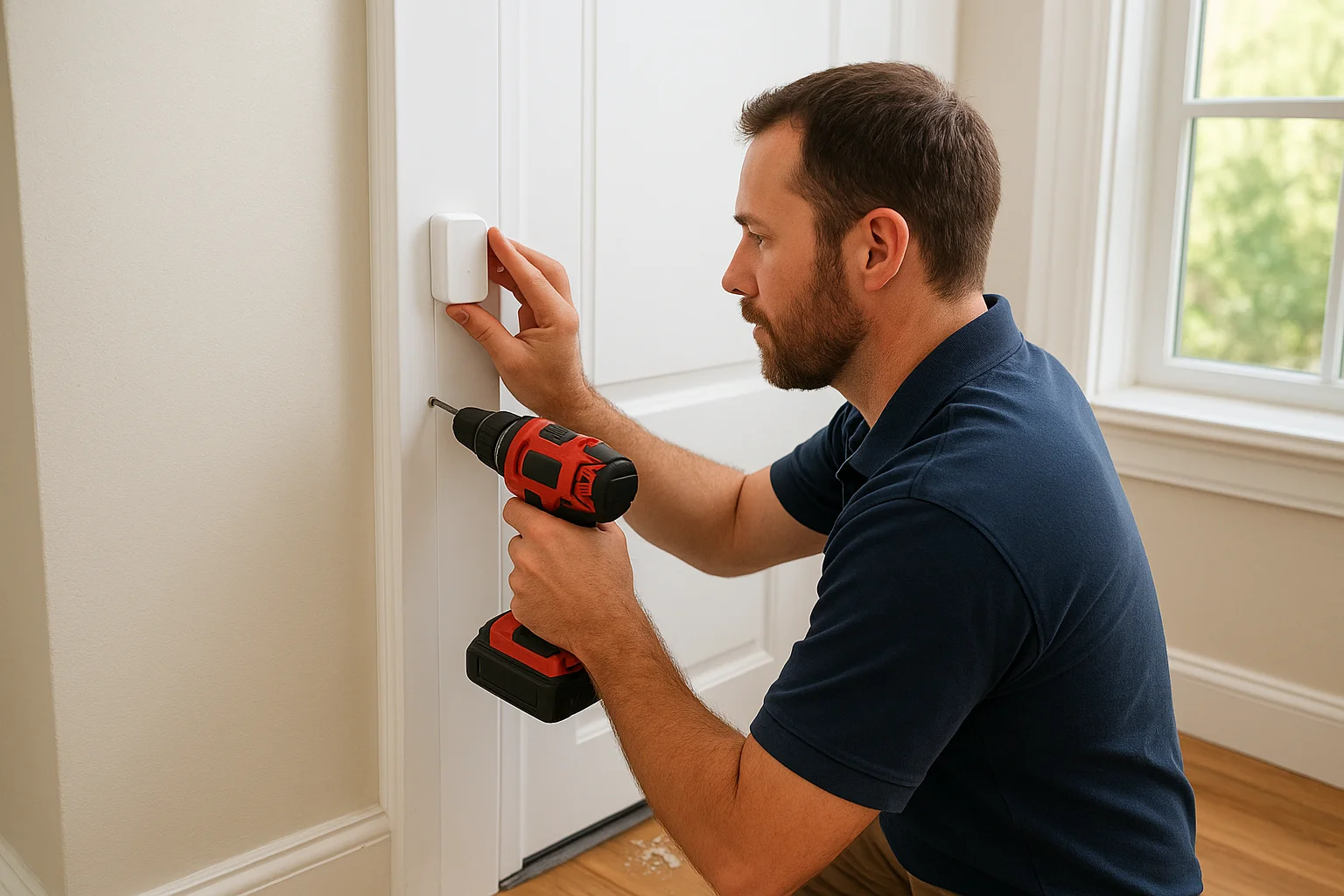
Your installer tests each sensor after mounting to verify proper communication with the base station. They secure loose cables with clips, patch any unnecessary holes, and vacuum up drilling debris. Professional home security system installation includes thorough cleanup that leaves your home looking unchanged except for the new security equipment.
System programming and app setup
Your technician programs the control panel with your custom security code and configures zones for different areas of your home. They connect the system to your home Wi-Fi network and cellular backup, then download the mobile app on your smartphone. You watch as they demonstrate arming and disarming procedures through both the keypad and app.
Testing alarms and emergency procedures
Technicians trigger each sensor individually to verify alarms reach the monitoring center correctly. They walk you through emergency panic buttons and explain how monitoring agents respond to different alert types. You practice the full arm-disarm cycle several times until the process feels natural.
Testing every sensor before the installer leaves prevents frustrating troubleshooting calls and ensures immediate protection.
Training your household or team
Your installer spends 15 to 30 minutes teaching everyone present how to operate the system safely. They explain common mistakes like opening doors before disarming and show how to silence false alarms quickly. You receive printed guides with emergency contact numbers and basic troubleshooting steps for future reference.
Next steps
You now understand the 11 leading home security system installation services available in 2026, from national chains like ADT and Vivint to regional specialists and local integrators. Each provider brings unique strengths whether you prioritize fast response times, smart home automation, contract flexibility, or personalized local support. Your decision depends on balancing upfront costs against long-term monitoring fees, weighing DIY convenience versus professional expertise, and choosing between national brand recognition or local accountability.
Start by mapping your property's vulnerable entry points and setting a realistic budget that covers both equipment and ongoing monitoring. Request quotes from three to five installers that match your needs, then verify licenses and insurance before signing contracts. If you're in the Treasure Valley area and want custom security designed around your specific property, contact Treasure Valley Solutions for a free consultation and transparent pricing.
Need Expert Help?
Ready to implement these solutions in your own home or business?
Our Services

Comprehensive security solutions for home and business.

High-definition surveillance for peace of mind.

Complete home automation and control.

Home theater design and installation planned around your room, viewing goals, and equipment scope.
Serving the Treasure Valley
Local installation in your city