 (208) 991-3502
 Meridian, ID



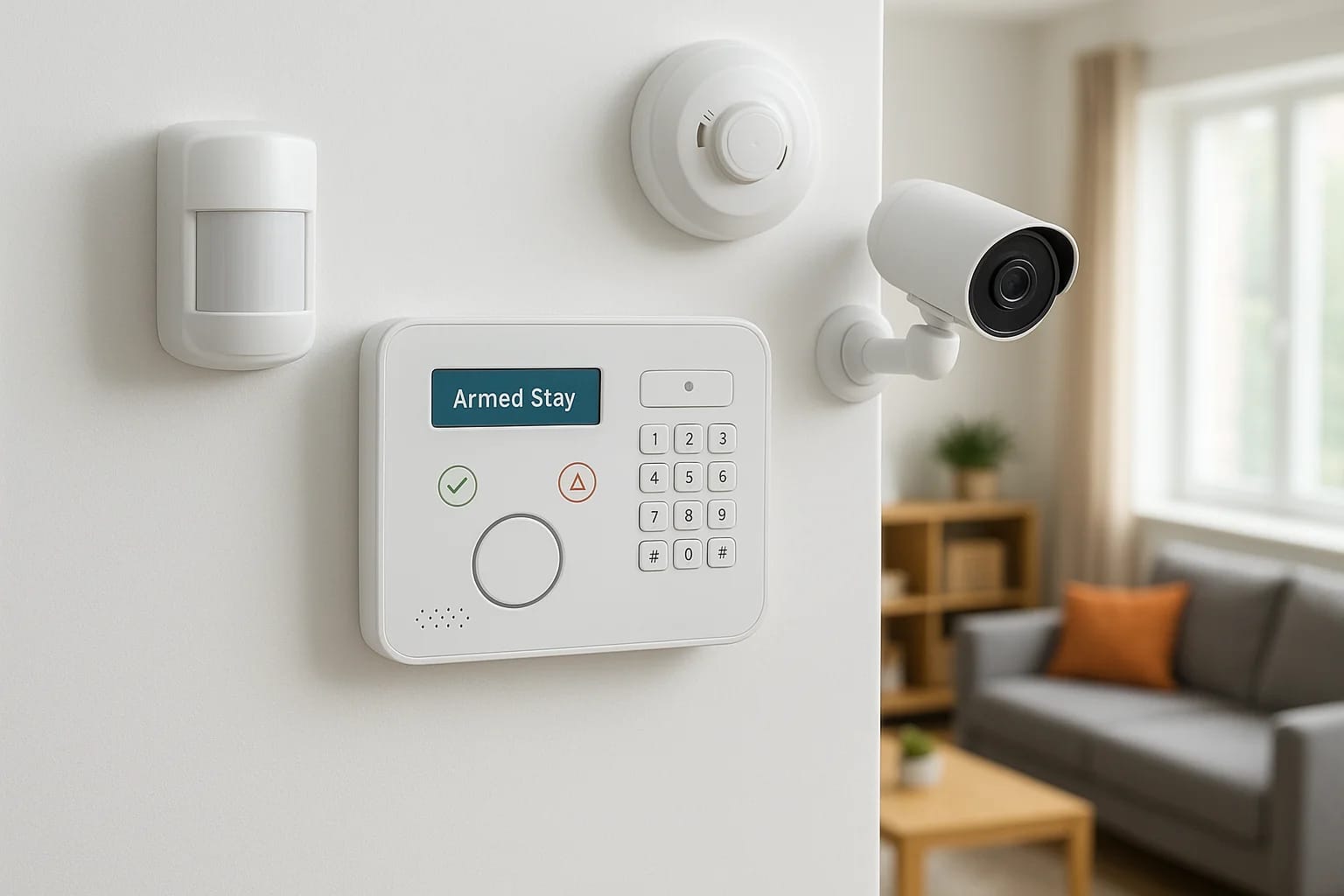

If you've ever wondered what is a home security system, the short answer is: it's a network of devices and sensors designed to detect and deter threats like break-ins, fires, and environmental hazards...
What Is a Home Security System? Components, Types & Costs
If you've ever wondered what is a home security system, the short answer is: it's a network of devices and sensors designed to detect and deter threats like break-ins, fires, and environmental hazards in your home. But that short answer only scratches the surface. Modern security systems range from basic door sensors to fully integrated smart platforms that tie into your lighting, locks, cameras, and even your voice assistant.
The problem is, most people shopping for a security system run into a wall of brand names, subscription plans, and feature lists that all start to blur together. Without understanding the core components and how they actually work, it's easy to overspend on features you don't need, or worse, end up with gaps in your protection.
At Treasure Valley Solutions, we've been designing and installing custom security systems for homes across the Boise and Meridian area since 2014. We see firsthand what works, what doesn't, and where homeowners most often get tripped up. This guide breaks down the components, types, and costs of home security systems so you can make a confident, informed decision, whether you're building a new home, upgrading an existing one, or just starting your research.
Why a home security system matters
A lot of homeowners treat security as something to think about after something bad happens. That's backwards. Home burglaries in the United States occur roughly every 25 seconds according to FBI crime statistics, and the average loss per incident runs over $2,600 in stolen property alone. When you understand what is a home security system and what it actually protects against, those numbers take on real weight. A properly designed system doesn't just respond to threats, it actively discourages them before they escalate.
The deterrence effect is real
Burglars are opportunists. They look for easy targets with a low risk of detection, and visible security equipment raises that risk significantly. Research from the University of North Carolina found that the presence of a security system was one of the top factors that caused burglars to move on to a different property. That's not a minor detail. It means your cameras, sensors, and signage can stop a break-in before it even starts.
Visible security equipment is one of the most effective deterrents available, often preventing incidents before any alarm even needs to sound.
The deterrence effect also extends beyond your own property line. When multiple homes on a street have visible security systems, the entire block becomes a less attractive target. Your investment has a ripple effect that benefits your neighbors as much as it benefits you.
What happens when something does go wrong
Even strong deterrence doesn't eliminate all risk. That's why rapid detection and response matter just as much as prevention. A professionally monitored system can alert local authorities within seconds of a triggered sensor, which cuts response time significantly compared to a neighbor noticing something and calling 911 several minutes later. Every second counts when a break-in is underway or a fire is spreading through a structure.
Beyond speed, documented footage from security cameras plays a direct role in what happens after an incident. Law enforcement can use video evidence to identify suspects, and insurance companies often require documented proof of a loss before processing claims. Homeowners without camera footage or alarm records frequently face longer, more complicated, and less successful claims processes.
Financial and insurance benefits
Many homeowners don't realize that a professionally installed security system can lower homeowners insurance premiums in a meaningful way. Most major insurers offer discounts ranging from 5% to 20% for homes protected by monitored alarm systems. Across several years, those savings can offset a significant portion of your system's upfront cost.
It also helps to think about what a break-in actually costs beyond the stolen items. The full financial impact of a burglary includes broken doors, damaged locks, lost irreplaceable items, time spent with police and adjusters, and repair costs that can add up quickly. A security system doesn't just protect your belongings. It protects your time, your budget, and your ability to recover quickly if something does happen.
Peace of mind has practical value
This benefit gets dismissed as soft or emotional, but it carries real, day-to-day weight. Knowing your home is monitored around the clock changes how you live in it. You leave for vacation without second-guessing whether you locked the back door. You sleep through the night instead of waking to every unfamiliar sound. Family members at home alone, whether that's a teenager after school or an elderly parent, have a direct connection to help if something goes wrong.
That kind of confidence reduces daily stress in ways that are hard to put a number on, and for many homeowners, it's the primary reason they invest in a system in the first place. Security isn't only about worst-case scenarios. It's about living comfortably in your home every single day.
How a home security system works
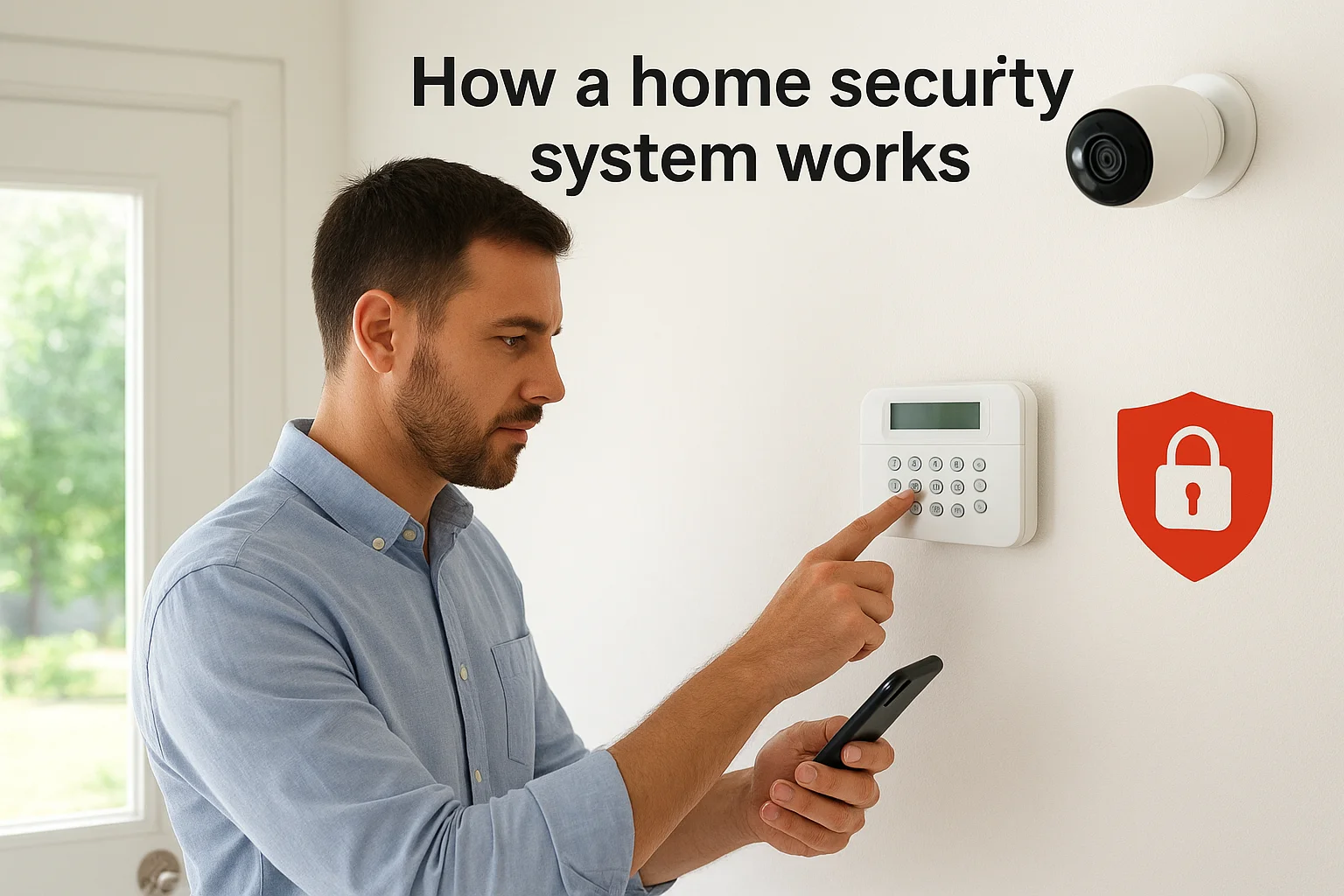
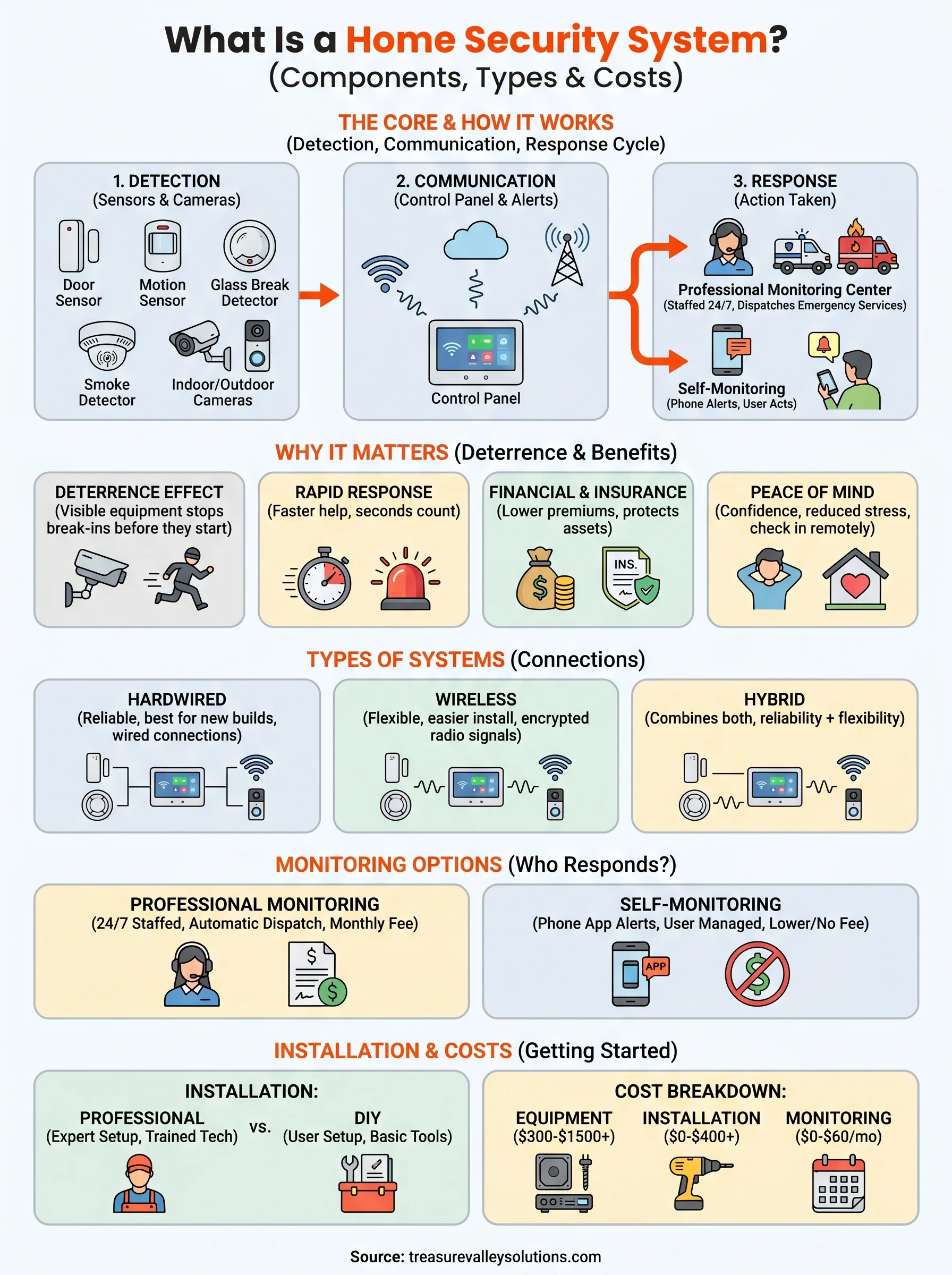
Understanding what is a home security system at a functional level helps you evaluate your options with far more clarity. At its core, every security system operates on a three-stage cycle: detection, communication, and response. Each stage depends on the one before it, and a weakness in any one of them limits the effectiveness of the whole setup.
Detection: catching a threat early
Detection is where the system begins its job. Sensors, cameras, and detectors are positioned throughout your home to monitor for specific triggers, whether that's a door opening, motion in a room, broken glass, rising smoke, or a carbon monoxide spike. When a sensor registers an event outside its normal parameters, it flags that event and sends a signal to the central control panel, which acts as the brain of the entire system.
The quality of your detection layer determines how fast and how accurately your system identifies a real threat. Poorly placed sensors or low-grade equipment can miss genuine events or trigger false alarms constantly, both of which create serious problems. Proper placement and calibration during installation matter far more than most homeowners realize.
Communication: sending the alert
Once the control panel receives a triggered signal, it broadcasts that alert through whatever communication pathway your system uses. Most modern systems rely on cellular connectivity as the primary channel, because a cellular signal keeps working even if a burglar cuts your internet connection or power line. Some systems use Wi-Fi, landline connections, or a combination of multiple pathways as backup to ensure the alert gets through regardless of conditions.
A system that depends solely on Wi-Fi for communication has a significant vulnerability, since cutting your router or internet service can silence it entirely.
Speed of communication directly affects how useful that alert actually is. Every additional second of delay between detection and notification gives an intruder more time to act, or gives a fire more time to spread.
Response: what happens next
Response is where your system's value becomes concrete. Depending on your setup, the alert reaches a professional monitoring center that contacts you and dispatches emergency services, or it goes directly to your phone for self-monitoring. Either way, the response stage is what turns detection into actual protection. Automated responses can also run in parallel, like triggering lights to flash, setting off a siren, or locking smart locks, all of which happen instantly without anyone pressing a button.
Core components of a home security system
When you understand what is a home security system at the component level, buying decisions get significantly easier. Each piece plays a specific role in the detection-communication-response cycle described above. Strip any one of them out and you introduce a gap that undermines the rest of the setup.
The control panel
The control panel is the command center of your entire system. Every sensor, detector, and camera feeds information back to it, and it decides what to do with that information based on how your system is programmed. When a door opens at 2 a.m. with the alarm armed, the control panel receives that signal, checks it against your system's rules, and either triggers an alert or logs it as a normal event.
The quality and placement of your control panel directly determines how reliably your entire system functions under real-world conditions.
Modern control panels often include a built-in touchscreen interface, cellular backup communication, and integration with smart home platforms. Some older or budget systems use a simpler hub with limited connectivity, which works fine for basic setups but creates limitations if you want to expand later.
Door, window, and motion sensors
These are the front-line detection devices in any security system. Door and window sensors use a two-piece magnetic contact, where one piece mounts on the frame and one on the door or window itself. When the two pieces separate because someone opens the door or window, the sensor sends a signal to the control panel immediately.
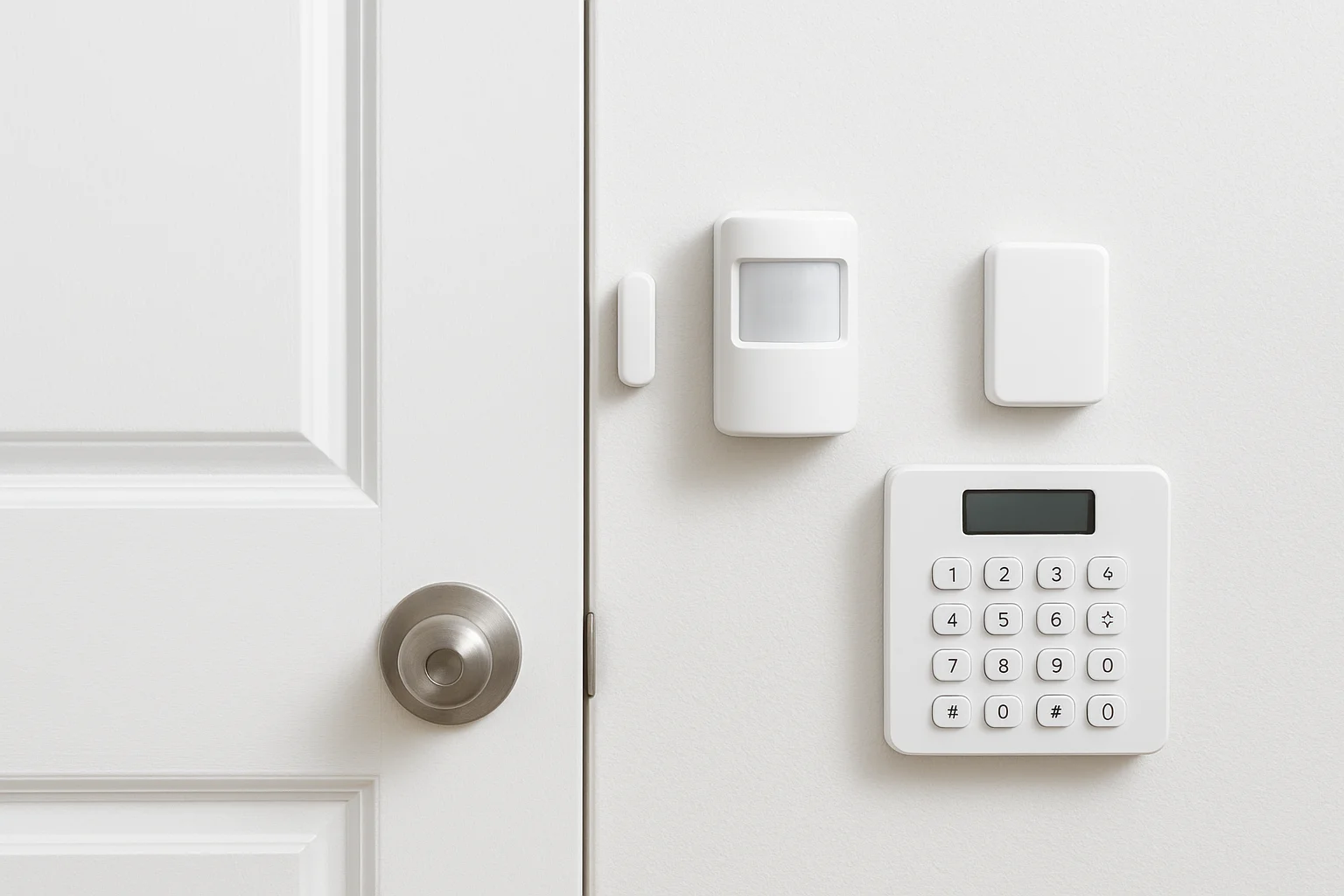
Motion sensors typically use passive infrared technology to detect heat signatures moving through a defined zone. You'll find them most useful in hallways, living rooms, and any space an intruder would have to cross to move through your home. Placed correctly, a handful of motion sensors can cover a large portion of your interior without requiring a sensor on every single entry point.
Keypads and sirens
Keypads let authorized users arm and disarm the system at entry points throughout the home. Most installations include at least one keypad near the primary entrance and may add secondary keypads near garage doors or bedroom hallways for convenience. Wireless keypads give you flexibility in placement without running additional wiring through finished walls.
Sirens serve two purposes: they alert anyone nearby that an intrusion is happening, and they act as an additional deterrent that often causes an intruder to abandon the attempt immediately. Internal sirens focus on waking occupants, while external sirens signal to neighbors and passers-by that something is wrong.
Security cameras and video doorbells
Cameras are one of the most visible parts of any answer to what is a home security system, and they serve a dual role: active deterrence and passive documentation. Their presence alone discourages most opportunistic threats, and when something does happen, footage gives you a concrete record that carries real weight with law enforcement and insurance companies.
Indoor vs. outdoor cameras
Outdoor cameras handle perimeter coverage, watching driveways, entry points, side yards, and any blind spots where someone could approach your home undetected. They need to handle weather, variable lighting, and wide fields of view, so resolution and night vision capability matter significantly in outdoor models. Most quality outdoor cameras today record in 1080p or higher and include infrared or color night vision that functions in near-total darkness.
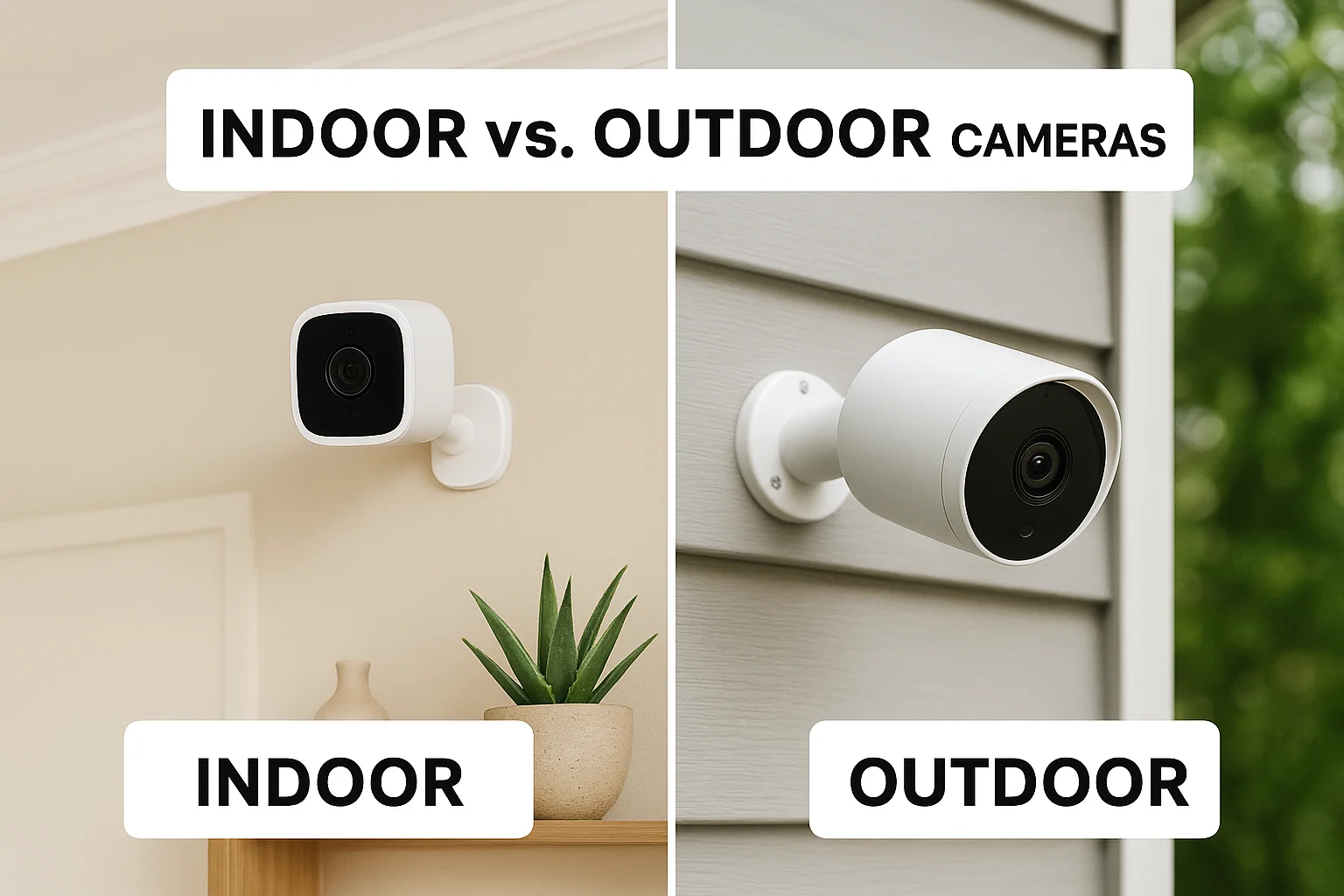
Indoor cameras serve a different purpose. They document activity inside your home, which matters in situations involving monitoring for caregivers or service workers, verifying that children arrived home safely, or documenting a break-in that already reached the interior. Placement near interior entry points and common areas gives you the most useful coverage with the fewest devices.
Where you place your cameras matters as much as which cameras you buy. A high-end camera pointed at the wrong angle leaves critical blind spots untouched.
What video doorbells add to your setup
A video doorbell replaces your standard doorbell with a camera-equipped unit that captures anyone approaching your front door. Most models send a real-time notification to your phone the moment motion is detected, letting you see and speak to whoever is at your door whether you're in the next room or across the country. Two-way audio makes it possible to interact with delivery drivers, visitors, or unexpected arrivals without opening the door.
Video doorbells also catch a category of theft that standard security cameras often miss: package theft from your front porch. As online shopping volume has grown, porch theft has become increasingly common, and a doorbell camera with motion alerts gives you a recorded timestamp of every delivery and pickup at your door.
Choosing the right storage method
Local storage through an SD card or a network video recorder keeps footage on-site without ongoing fees, while cloud storage gives you remote access and off-site backup but typically requires a monthly subscription to retain footage beyond a short rolling window. When choosing cameras for your system, match resolution, field of view, and storage method to the specific areas you're covering so you're not paying for capabilities that don't add value in that particular location.
Life safety and environmental sensors
When most people think about what is a home security system, they focus on intruders. But the threats most likely to cause serious harm inside your home are fire, carbon monoxide, flooding, and extreme temperature changes, not burglars. Life safety and environmental sensors extend your system's coverage to include these hazards, giving you early warning when every second of response time matters.
Smoke and carbon monoxide detectors
Smoke detectors integrated into your security system do something standalone battery-operated units cannot: they send an alert to your monitoring center and your phone the moment they trigger, even if nobody is home to hear the local alarm. A fire spreading through an empty house can be stopped far earlier when your monitoring center receives that alert and dispatches the fire department immediately, rather than waiting for a neighbor to notice smoke outside.
A connected smoke detector sends an immediate notification and triggers a professional response automatically, while a standalone unit only sounds a local alarm that nobody nearby may hear.
Carbon monoxide detectors address a threat that is completely invisible and odorless. CO builds up from malfunctioning appliances, blocked venting, or a running vehicle in an attached garage, and it reaches dangerous levels without any warning your senses can detect. Integrated CO detectors alert both you and your monitoring center so help arrives quickly, before the situation becomes life-threatening for anyone inside.
Flood and freeze sensors
Flood sensors sit at floor level in areas where water damage is most likely to start: near water heaters, under sinks, behind washing machines, and in basements. When they detect standing water, they send an immediate alert to your phone. Catching a slow leak early can mean the difference between a simple repair and a full-scale remediation project that runs into tens of thousands of dollars in structural and finish damage.
Freeze sensors monitor temperature in areas vulnerable to pipe bursts, like an unheated garage, a crawl space, or a vacation property during winter months. When the temperature drops below a set threshold, you receive a notification before the pipes actually freeze and break. For homeowners who travel frequently or own a second property, remote temperature monitoring delivers some of the highest return on investment of any sensor in the system, because the damage it prevents typically far outweighs the cost of the hardware and installation combined.
Types of home security systems
When you research what is a home security system, you quickly find that the term covers several distinct categories of equipment and installation approaches. Choosing the right type for your home depends on your budget, your property's construction, how long you plan to stay, and how much ongoing flexibility you need. Understanding the core differences between each type saves you from locking into a setup that creates problems later.
Hardwired systems
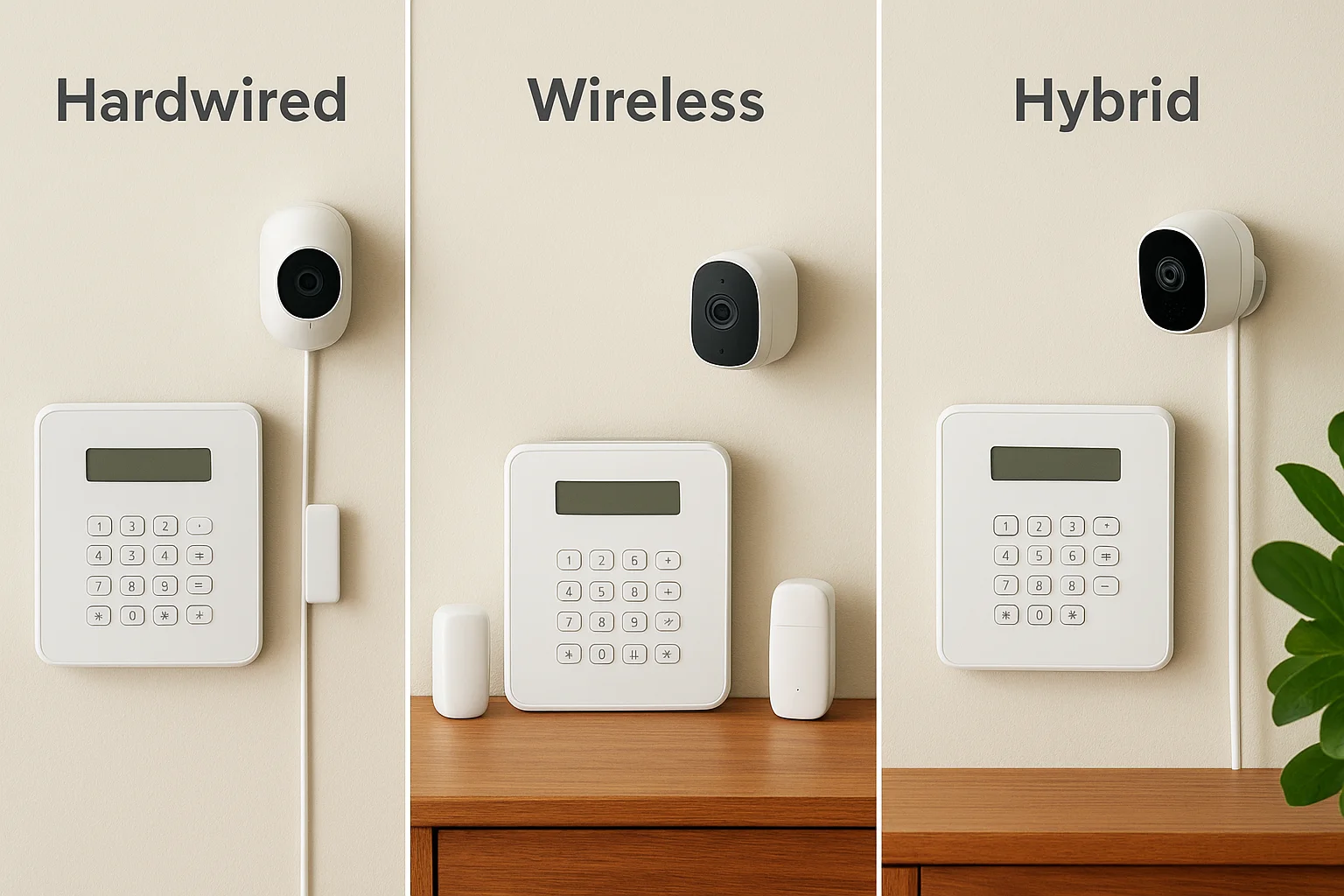
Hardwired systems run physical cable from each sensor, camera, and device back to the central control panel. The primary advantage is reliability: a wired connection doesn't experience wireless interference, battery drain, or signal dropout. Hardwired setups are the professional standard for new construction builds, where installers can route cable through walls before drywall goes up. If you're building a new home or completing a major renovation, a hardwired system gives you the most stable long-term foundation.
Hardwired systems are significantly easier and less disruptive to install during new construction than they are to retrofit into a finished home.
The downside is that retrofitting a fully hardwired installation into an existing finished home requires drilling through walls and ceilings and running conduit, which adds labor cost and disruption. For most existing homes, a fully hardwired approach only makes practical sense during a significant remodel.
Wireless systems
Wireless systems use battery-powered or plug-in sensors that communicate with the control panel over encrypted radio frequencies. Installation is faster, less invasive, and more flexible since you can reposition sensors without pulling cable. Modern wireless systems use protocols like Z-Wave or Zigbee that offer strong range and low interference, making them a practical option for the majority of existing homes.
Battery life on wireless sensors has improved considerably, with most quality sensors running two to five years per battery set. The tradeoff is that you need to track battery levels across multiple devices and replace them on a rolling schedule, which adds a small but real ongoing maintenance task.
Hybrid systems
Hybrid systems combine hardwired and wireless components in the same installation. This approach lets you run hardwired cable to fixed, high-priority locations like main entry points and primary cameras while using wireless sensors in areas where running cable would be difficult or cost-prohibitive. Hybrid setups give you the reliability of wired connections where it matters most and the flexibility of wireless coverage everywhere else, making them a strong choice for homeowners upgrading an older property that already has some existing wiring in place.
Professional monitoring vs self-monitoring
One of the most consequential decisions you'll make when figuring out what is a home security system that fits your life is whether to pay for professional monitoring or handle alerts yourself. Both approaches work, but they work differently, and the right choice depends on your lifestyle, your response expectations, and your budget for ongoing costs.
What professional monitoring gives you
Professional monitoring connects your system to a staffed call center that receives alerts 24 hours a day, seven days a week, regardless of whether you're awake, have cell service, or are paying attention to your phone. When a sensor triggers and your system sends the alert, a trained agent confirms the event, attempts to reach you, and dispatches emergency services if they can't get through or if the situation demands an immediate response.
Professional monitoring is most valuable when you travel frequently, sleep heavily, or want emergency services contacted without you having to make that call yourself.
The response time advantage is significant. A monitoring center agent can contact police, fire, or medical services in under a minute from the moment an alert arrives, which is consistently faster than a homeowner who wakes up confused at 3 a.m. and has to assess what triggered the alarm before dialing anyone. Most professional monitoring plans run between $10 and $50 per month, depending on the provider and the level of service included.
What self-monitoring actually means
Self-monitoring puts every alert directly on your phone through an app, and the follow-up is entirely your responsibility. Your system detects the event, sends you a push notification, and then waits for you to act. If you're available, you check the camera feed, assess the situation, and call emergency services yourself if something is genuinely wrong.
Self-monitoring works well for homeowners who stay highly connected to their phones and want to avoid ongoing monthly fees. It also gives you complete control over what gets escalated and what gets ignored, which cuts down on unnecessary emergency dispatches for false alarms. The real limitation is coverage gaps: if your phone is dead, your signal is poor, or you simply miss the notification, no one else is watching your system and no one else will act.
How to choose between them
Your decision comes down to one core question: how reliably can you respond to an alert at any hour, under any conditions? If the honest answer involves uncertainty, professional monitoring closes that gap. If you're consistently available and want a lower ongoing cost, self-monitoring is a practical option, provided your system is set up to deliver alerts quickly and clearly across multiple devices.
Installation options and what to expect
One part of understanding what is a home security system that rarely gets enough attention is the installation process itself. How your system gets installed directly affects how reliable it performs, how clean it looks in your home, and how much trouble you'll deal with later when you want to add devices or troubleshoot a problem.
Professional installation
Professional installation means a trained technician designs the coverage layout, runs any necessary wiring, mounts every device, programs the control panel, and tests the entire system before leaving your home. You don't have to figure out sensor placement, worry about drilling into the wrong spot, or guess at the right settings. A professional installer applies real-world experience to your specific floor plan, which results in fewer blind spots and fewer false alarms over time.
A professionally installed system is only as good as the technician behind it, so always confirm your installer is licensed, insured, and familiar with the specific equipment they're putting in.
Expect a professional installation to take two to six hours for a standard home, depending on the number of devices and whether any hardwiring is involved. After installation, a good technician walks you through the system, shows you how to arm and disarm it, explains the monitoring setup, and confirms every sensor is communicating correctly with the control panel.
DIY installation
DIY systems are designed to let homeowners install the hardware themselves using basic tools and manufacturer instructions. Most wireless DIY kits ship with adhesive mounts and step-by-step guides, which makes getting a basic system running relatively straightforward for someone comfortable with technology. You save on labor costs, and you can work at your own pace.
The limitation is that most homeowners underestimate placement strategy. Mounting a motion sensor at the wrong height, pointing a camera into direct sunlight, or leaving a gap between door and window sensor coverage are all common DIY mistakes that reduce how well the system actually performs. If you go the DIY route, spend time researching optimal placement guidelines before you start drilling anything.
What the installation process looks like
Regardless of whether you choose professional or DIY installation, the process follows a predictable sequence. Sensors go on all ground-floor doors and windows first, followed by motion detectors in high-traffic interior zones, then cameras at exterior entry points and any area needing visual coverage. The control panel and keypads install last, once the full device map is confirmed.
Plan for a short learning period after installation where you'll test the system, adjust sensitivity settings, and confirm that all alerts reach your phone correctly before fully relying on the setup.
Costs, fees, and contracts explained
One thing that complicates any honest answer to what is a home security system worth buying is that the price isn't a single number. You're typically looking at three separate cost categories: equipment, installation, and ongoing monitoring fees. Each one varies based on the size of your home, the type of system you choose, and whether you sign a monitoring contract or pay month to month. Understanding all three upfront prevents surprises after you've already committed to a provider.
Equipment and installation costs
Equipment costs depend directly on the number of devices in your system and the quality tier you choose. A basic setup covering primary entry points with a control panel, four to six sensors, and two cameras typically runs between $300 and $800 in hardware. A larger home with comprehensive perimeter coverage, additional indoor cameras, and environmental sensors can push equipment costs to $1,500 or more before installation is factored in.
Professional installation adds labor costs on top of hardware, usually ranging from $100 to $400 for a standard home. Complex installs involving hardwiring, attic runs, or a large number of devices can go higher. DIY systems cut that labor cost entirely but shift the time and placement responsibility to you, and the tradeoffs described in the installation section above apply.
Equipment cost alone doesn't tell you the full picture. Factor in installation and ongoing fees before comparing systems side by side.
Monitoring fees and contract terms
Monthly monitoring fees vary widely based on the level of service included. Basic professional monitoring with intrusion alerts runs as low as $10 to $15 per month, while plans that include video storage, smart home integration, and priority response can reach $40 to $60 per month. Self-monitoring through an app is often free or costs a small fee for cloud storage, but it removes the 24/7 professional response layer.
Contracts are one of the most important details to read before signing anything. Many providers lock you into one to three-year agreements with early termination fees that can run into hundreds of dollars if you move, switch providers, or decide to cancel. Month-to-month plans typically cost slightly more per month but give you flexibility without penalty. Before committing to any provider, confirm the total contract length, what the cancellation terms are, and whether your equipment can move with you to a new address or stays behind with the home.
Where to go from here
Now you have a complete picture of what is a home security system: a layered network of sensors, cameras, detectors, and communication tools that work together to protect your home from intrusion, fire, flooding, and more. You understand the core components, how professional and self-monitoring differ, what installation looks like, and how to read the real cost of any system before you commit to it.
The next step is putting that knowledge to work for your specific home and situation. Every property is different, and the right system for a single-level house in a quiet neighborhood looks very different from what a large property with multiple access points requires. If you're ready to move from research to action, the team at Treasure Valley Solutions can walk you through your options and design a system that actually fits your home. Get in touch with us today to start the conversation.
Need Expert Help?
Ready to implement these solutions in your own home or business?
Our Services

Comprehensive security solutions for home and business.

High-definition surveillance for peace of mind.
Serving the Treasure Valley
Local installation in your city