 (208) 991-3502
 Meridian, ID



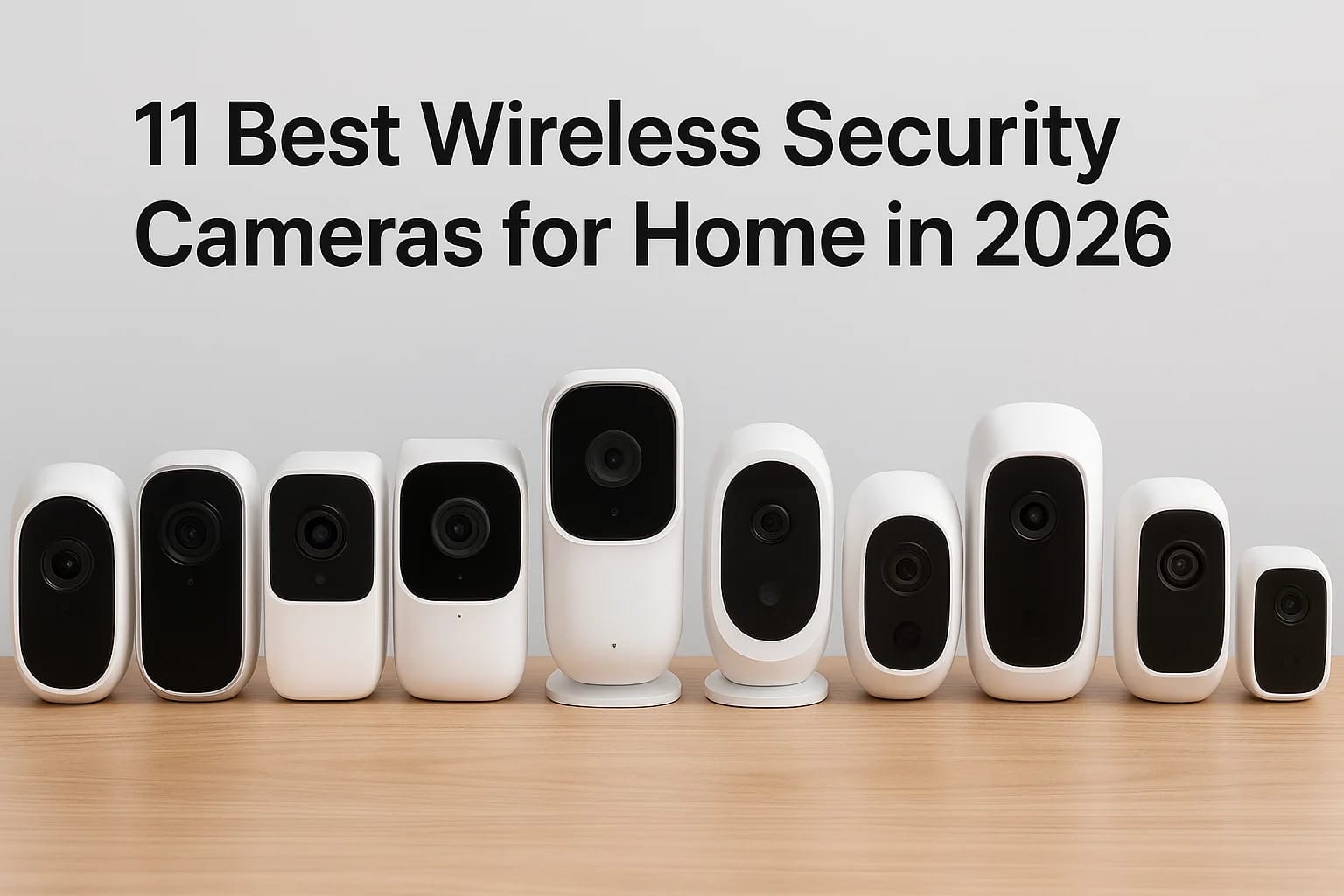

Shopping for the best security cameras for home wireless setups means wading through hundreds of listings, most of them padded with affiliate fluff and specs nobody explains. You want a camera that ac...
Shopping for the best security cameras for home wireless setups means wading through hundreds of listings, most of them padded with affiliate fluff and specs nobody explains. You want a camera that actually catches package thieves at your Meridian doorstep, syncs with the rest of your smart home, and doesn't die the first time your wifi hiccups. That's a harder search than it should be.
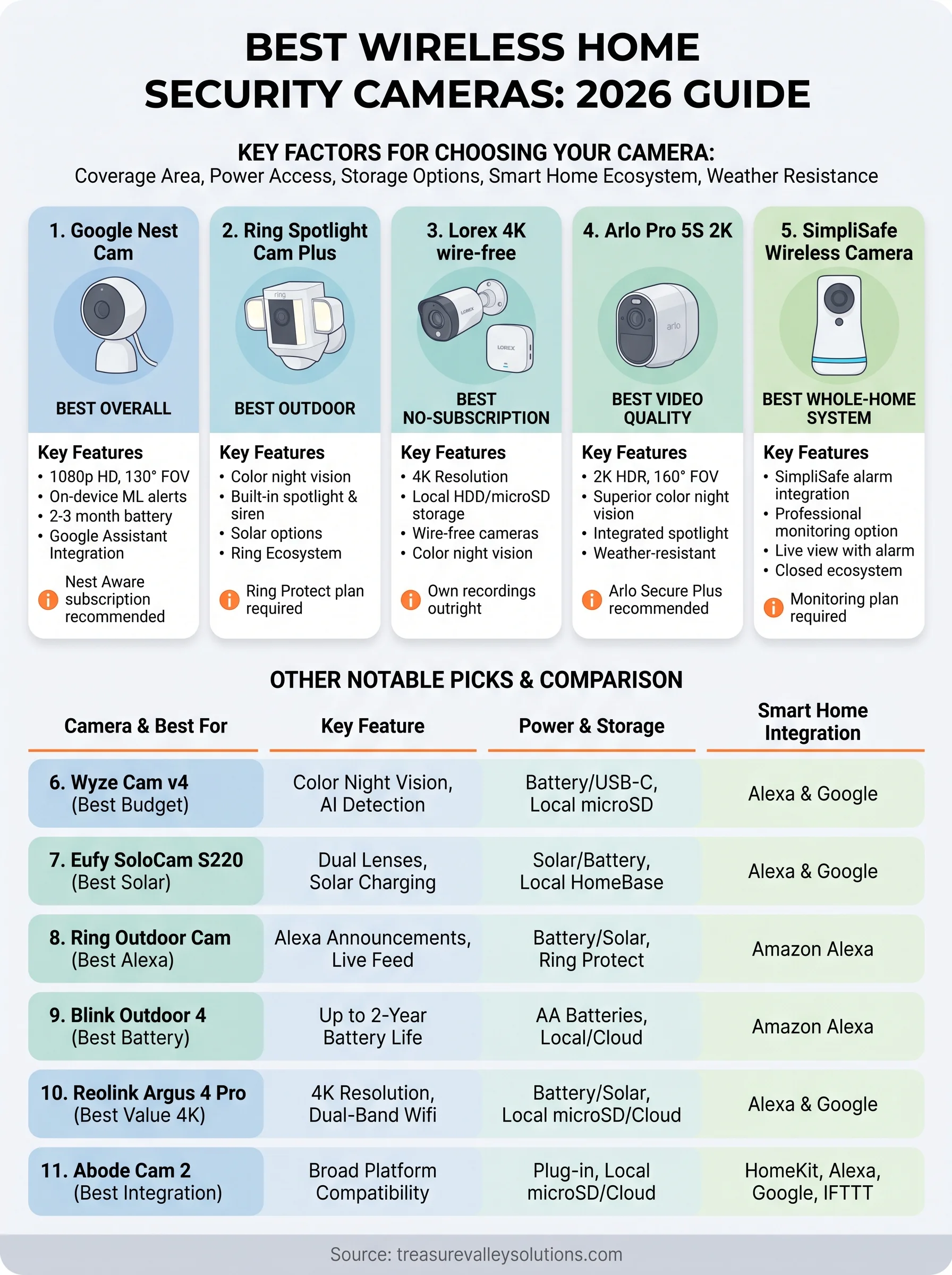
This guide cuts through it. We tested and compared the top wireless home security cameras on the market in 2026, looking at real-world video clarity, night vision performance, battery life, and how well each one plays with existing smart home ecosystems. Whether you need a single doorbell cam or a full perimeter system, you'll find a match here, and if you want the alarm side too, see our roundup of wireless home security systems with cameras.
We also pulled from what we see every week installing security systems across the Treasure Valley. Homeowners in Boise, Nampa, and Eagle ask us the same questions: which brand holds up in Idaho winters, which app is actually usable, and which wireless security cameras are worth the money versus the hype. Below are our 11 picks, ranked by category so you can find the right fit fast.
1. Google Nest Cam: Best overall wireless camera
Google's battery-powered Nest Cam earns the top spot because it balances image quality, ease of setup, and smart home compatibility better than anything else we tested. Setup takes about ten minutes through the Google Home app, and the camera holds a charge for roughly two to three months of typical use before you need to pull it down and recharge. If you're comparing options for the best wireless home security cameras and want one that just works without a lot of babysitting, this is the camera we point Treasure Valley homeowners toward first.
Standout features
The Nest Cam records in 1080p HD with a 130-degree field of view, wide enough to cover most driveways and front porches without a second unit. Night vision switches automatically and stays sharp even in the pitch-dark winters we get around Meridian and Eagle. Motion alerts use on-device machine learning to tell the difference between a person, a package, and a stray cat, which cuts down on the notification spam that makes people ignore their camera app entirely.
A camera you actually check is worth more than a camera with better specs sitting in a drawer.
Two-way talk works cleanly with minimal lag, and the camera integrates with Google Assistant so you can pull up a live feed on a Nest Hub or Chromecast-connected TV just by asking. It also plays well with other Google-connected devices, which matters if you've already got Nest thermostats or smart locks in the house.
Who it's best for
This camera suits homeowners who already live in the Google ecosystem, or who want to start building one. It's also a strong fit if you split your attention between indoor and outdoor coverage, since the same camera body works both ways with the right mount. We install these often for clients who want a single, reliable outdoor camera for home security near the front door plus a matching unit watching the backyard, without juggling two different apps or two different subscription plans.
Pricing and storage options
The camera itself runs around $180 to $200 depending on the retailer, with occasional bundle discounts if you buy two or three at once. Free storage covers three hours of event history, which is thin if you're away for a long weekend. Most buyers upgrade to a Nest Aware subscription for 30 or 60 days of video history, smarter alerts, and the ability to save clips permanently.
| Plan | Monthly cost | Video history | Cameras covered |
|---|---|---|---|
| Free | $0 | 3 hours of events | 1 |
| Nest Aware | ~$8/month | 30 days | Unlimited on one account |
| Nest Aware Plus | ~$15/month | 60 days | Unlimited on one account |
Google occasionally adjusts these prices, so check current rates on the Google Store before you commit. For most single-family homes, the standard Nest Aware plan hits the sweet spot between cost and coverage.
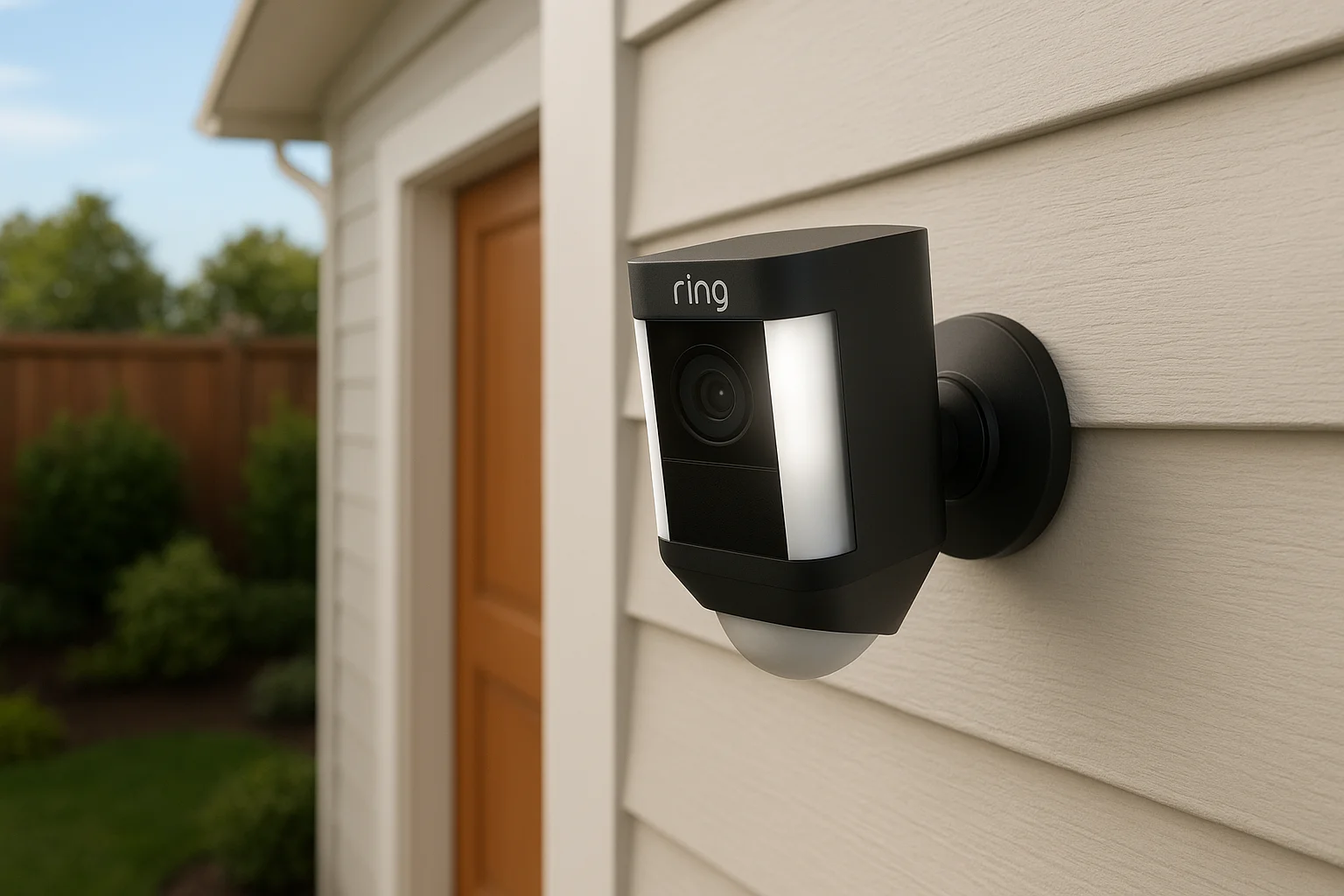
2. Ring Spotlight Cam Plus: Best outdoor wireless camera
Ring built a name on doorbell cameras, but the Spotlight Cam Plus is the one we recommend when a client needs dedicated outdoor coverage for a side yard, driveway, or detached garage. It mounts almost anywhere thanks to a flexible battery pack or optional solar panel, and the built-in spotlight doubles as a deterrent the moment motion trips the sensor. Anyone comparing options for the best wireless cameras for home security in a Ring-heavy neighborhood watch group will already know the app and the alert system, which shortens the learning curve considerably.
Standout features
Color night vision sets this camera apart from most in its price range, letting you actually identify clothing colors and vehicle details after dark instead of squinting at grainy black-and-white footage. The built-in spotlight and siren combo gives you an active deterrent, not just a passive recorder, and you can trigger both manually from the app if something looks off. Bird's Eye View tracks a subject's path across the frame, which helps piece together a sequence of events instead of a single static shot.
A porch light that also records is worth more than a camera that only watches.
Who it's best for
This camera suits homeowners who already use Ring doorbells and want matching coverage around the rest of the property, much like this Ring smart security upgrade in Meridian we completed. It's also the right pick for anyone prioritizing visible deterrence, since the spotlight and siren give would-be intruders a reason to leave before they reach the door.
Pricing and storage options
The camera itself runs about $180, with the solar panel accessory adding roughly $50. Ring requires a Ring Protect subscription for video history, since there's no meaningful free storage tier beyond live view.
| Plan | Monthly cost | Video history |
|---|---|---|
| Ring Protect Basic | ~$4/month | 180 days, single camera |
| Ring Protect Plus | ~$10/month | 180 days, all cameras plus professional monitoring option |
For multi-camera households, Plus is almost always the better deal.
3. Lorex 4K wire-free camera: Best without a subscription
Lorex built its reputation on local storage, and the 4K wire-free camera keeps that promise while going fully wireless. Instead of paying a monthly fee to access your own footage, you get a hub that stores everything on a local hard drive or microSD card, so you own your recordings outright. For homeowners tired of subscription creep across every smart device they own, this is the camera we point them toward first, and our list of no-subscription home security camera picks covers more options like it.
Standout features
Recording at true 4K resolution puts this camera ahead of most competitors on raw image detail, which matters if you ever need to zoom into a license plate or a face after the fact. Color night vision holds up well even in low light, and the camera includes a built-in siren you can trigger remotely if you spot something suspicious on the live feed.
Owning your footage outright beats renting access to it every month.
The wire-free design still needs a base station plugged in somewhere central in the house, so it's not entirely cordless, but the cameras themselves run on rechargeable batteries with solar panel options available for permanent outdoor spots.
Who it's best for
This camera suits homeowners who want local storage without recurring costs, especially those in areas with spotty internet where cloud upload isn't reliable anyway. It's also a strong fit for anyone managing multiple cameras across a larger property, since one hub can support several units without multiplying your monthly bill.
Pricing and storage options
A single camera with the base station runs around $200 to $250, with additional cameras costing less once you already own the hub. Storage comes built into the system rather than billed monthly:
| Storage type | Capacity | Monthly cost |
|---|---|---|
| Included microSD | Up to 256GB | $0 |
| Hard drive hub (some models) | 1TB or 2TB | $0 |
| Optional cloud backup | Varies | ~$3 to $10/month |
Most buyers skip cloud backup entirely and rely on local storage alone.
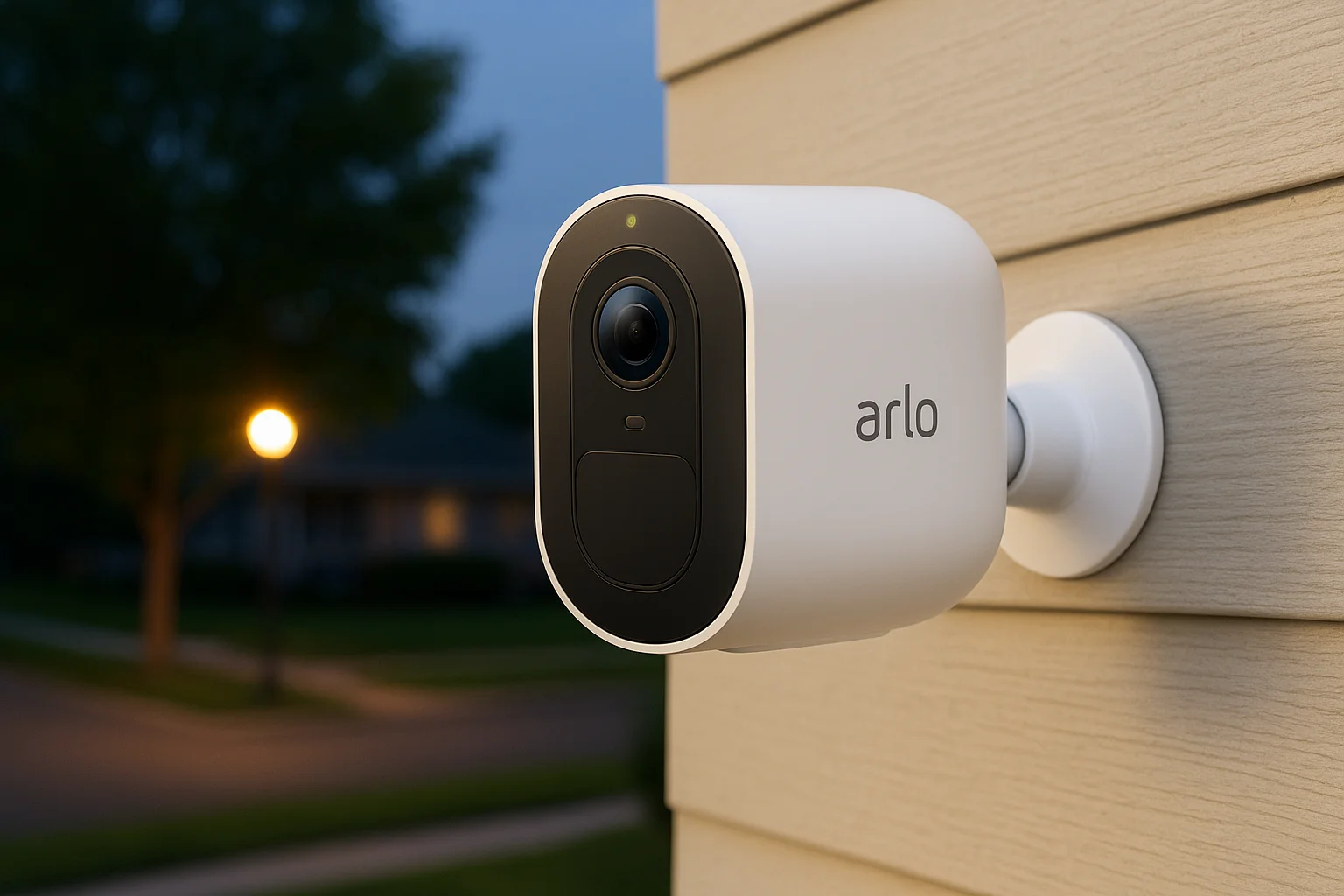
4. Arlo Pro 5S 2K: Best video quality
Arlo has always chased image quality over gimmicks, and the Pro 5S 2K delivers the sharpest, most color-accurate footage we tested this year. If you've ever squinted at a blurry clip trying to figure out if that was your neighbor or a stranger on your porch, this camera solves that problem outright. For anyone weighing the best wireless cameras for home security where clarity matters more than bells and whistles, this is the pick.
Standout features
The 2K HDR sensor produces noticeably crisper detail than the standard 1080p cameras on this list, especially in mixed lighting like a porch lit by a streetlamp at dusk. Color night vision stays usable well past sundown, and an integrated spotlight lets you flip on full color footage on demand instead of falling back to black and white. A 160-degree field of view covers wide driveways without warping the edges of the frame, and the camera is rated for direct exposure to rain, snow, and the kind of temperature swings Treasure Valley winters bring.
If you only remember one camera for image quality, make it this one.
Battery life runs about four to six months per charge depending on activity, and the magnetic mount makes repositioning simple without new mounting holes.
Who it's best for
This camera suits homeowners who've been burned by grainy footage before, particularly anyone who's tried to hand over a clip to police and had it come back useless. It's also a strong fit for larger properties where a single camera needs to cover more ground clearly, since the extra resolution holds up even when you digitally zoom.
Pricing and storage options
The camera runs about $200 on its own, with multi-camera kits bringing the per-unit cost down. Arlo requires a subscription for cloud video history beyond a short rolling buffer.
| Plan | Monthly cost | Video history |
|---|---|---|
| Arlo Secure | ~$8/month | 30 days, one camera |
| Arlo Secure Plus | ~$15/month | 30 days, unlimited cameras |
Multi-camera households should go straight to Secure Plus.
5. SimpliSafe wireless camera: Best for whole-home security
SimpliSafe built its name on DIY alarm systems, and its wireless camera line exists to slot into that same ecosystem rather than stand alone. If you're already running SimpliSafe sensors on your doors and windows, or considering it, the camera becomes part of one unified system instead of another app competing for your attention. For homeowners comparing the best security cameras for home wireless setups who want cameras and alarm monitoring under one roof, this is the pick that ties everything together.
Standout features
The SimpliCam and outdoor versions integrate directly with SimpliSafe's base station, so a triggered door sensor can automatically pull up live camera footage without you touching your phone. Professional monitoring agents can view camera feeds during an active alarm to verify a real break-in before dispatching police, which cuts down on false-alarm fines and wasted trips. Night vision performs adequately rather than exceptionally, and the field of view runs narrower than Arlo or Nest, so you'll likely need more units to cover the same ground.
A camera that talks to your alarm system catches more than one that works alone.
Who it's best for
This camera suits homeowners who want a whole-home security system rather than a standalone camera, especially anyone drawn to professional monitoring as a backstop. It's a weaker fit if image quality or smart home integration with Google or Amazon devices is your top priority, since SimpliSafe keeps its ecosystem fairly closed.
Pricing and storage options
Cameras run $100 to $170 depending on the model, and video recording requires a SimpliSafe monitoring plan rather than a standalone camera subscription.
| Plan | Monthly cost | Video history |
|---|---|---|
| Standard | ~$20/month | Live view only, no recording |
| Interactive | ~$28/month | 30 days, professional monitoring included |
Anyone buying this camera should plan on the Interactive tier from the start.
6. Wyze Cam v4: Best budget wireless camera
Wyze made a name selling cameras at a fraction of the cost of Nest or Arlo, and the Cam v4 keeps that value proposition intact while finally going fully wireless with a built-in battery. If you need to cover four or five spots around a property without spending a mortgage payment, this is the camera we tell budget-conscious Treasure Valley homeowners to start with. It won't outshine the Arlo Pro 5S on image quality, but for the price, nothing else on this list comes close.
Standout features
Color night vision at this price point is genuinely surprising, and the camera records in 2K resolution with a 130-degree field of view that covers a typical front yard without distortion. Built-in spotlight functionality lets you light up a dark porch on demand, and the onboard AI detection sorts people, packages, and pets so you're not buried in alerts every time a leaf blows past. Battery life runs around three to four months per charge under normal use, and the camera charges over USB-C rather than a proprietary cable.
You don't need to spend $200 to get a camera that actually works.
Local storage via microSD card comes standard, so you can skip a subscription entirely if you're willing to manage the card yourself.
Who it's best for
This camera suits anyone outfitting multiple entry points on a tight budget, especially renters looking for no-drill security or first-time buyers who want coverage now without a long-term financial commitment. It's also a solid fit for secondary spots like a shed, side gate, or detached garage where you don't need top-tier image quality, just reliable motion detection.
Pricing and storage options
A single camera runs about $40 to $50, making it easy to buy several at once for whole-property coverage.
| Plan | Monthly cost | Video history |
|---|---|---|
| Local microSD | $0 | Continuous, based on card size |
| Wyze Cam Plus | ~$3/month | 14 days cloud, per camera |
| Cam Plus Unlimited | ~$10/month | 14 days cloud, unlimited cameras |
Most budget shoppers skip the subscription and rely on the microSD card alone.
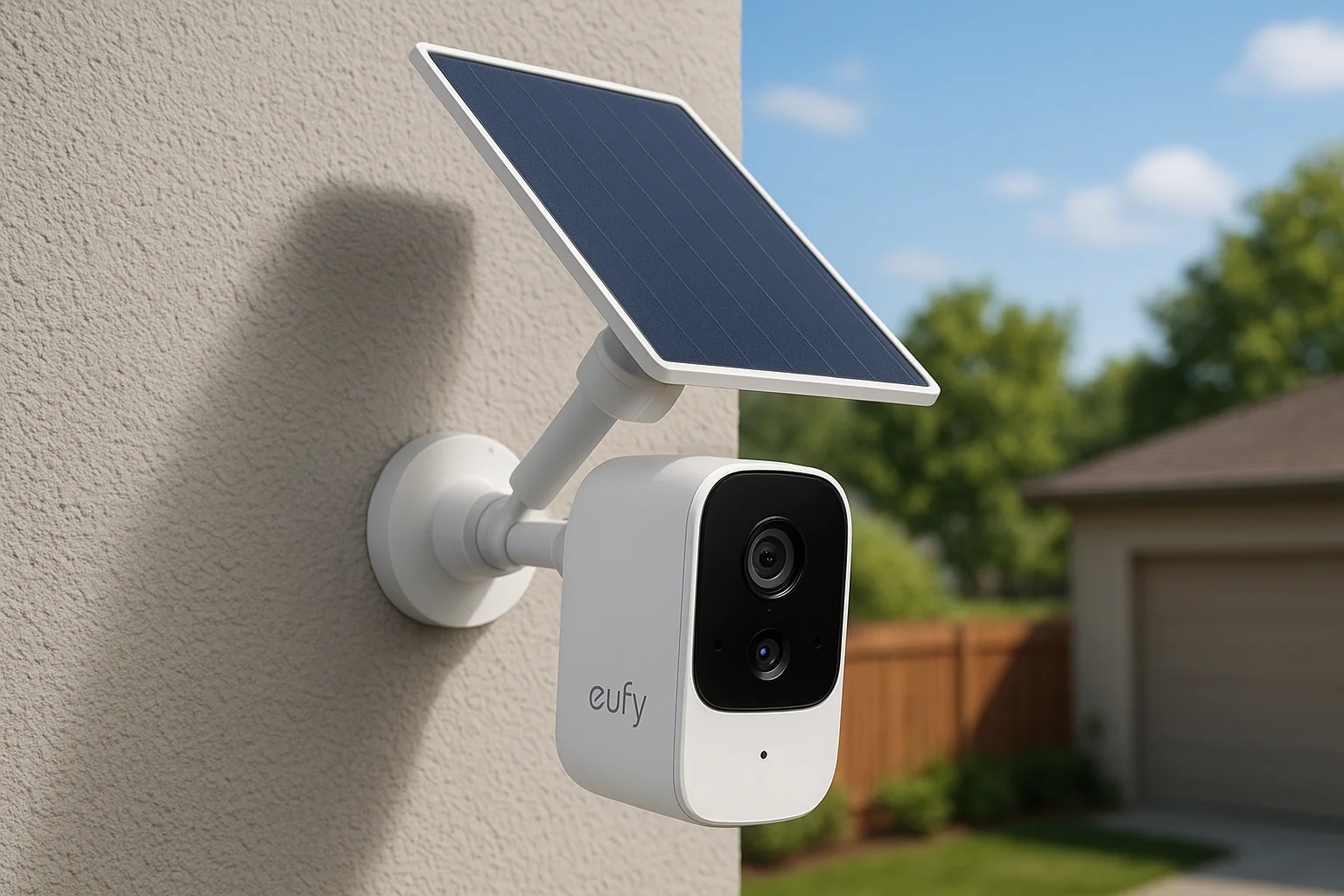
7. Eufy SoloCam S220: Best solar-powered camera
Eufy designed the SoloCam S220 around one problem: nobody wants to climb a ladder every few months to swap a battery. The built-in solar panel keeps the camera topped off in most sun exposure, which makes it a favorite for the detached garages, back fences, and shed corners that Treasure Valley homeowners forget about until something goes missing, and the same logic drives jobsite security in Treasure Valley, Idaho. Anyone hunting for the best wireless cameras for home security in a spot without a nearby outlet should start here.
Standout features
Dual lenses set this camera apart, pairing a wide-angle view with a telephoto zoom so you get full-yard coverage and close-up detail from a single unit. Solar charging keeps the battery topped off through most of the year in Idaho's sunny stretches, and Eufy claims the panel alone can sustain the camera indefinitely once positioned correctly. Color night vision holds up reasonably well, and the camera supports local storage through Eufy's HomeBase hub, so you can skip cloud fees entirely if you want.
A camera that charges itself is one less chore on your maintenance list.
Who it's best for
This camera suits homeowners covering a spot that gets consistent sunlight and rarely sees a service call, like a driveway gate or a barn on a larger Nampa or Eagle property. It's also a strong fit for anyone who's tired of unmounting cameras just to recharge them every few weeks.
Pricing and storage options
The camera runs around $130 to $160, with the HomeBase hub sold separately for local storage.
| Plan | Monthly cost | Video history |
|---|---|---|
| Local storage (HomeBase) | $0 | Continuous, based on drive size |
| Eufy cloud plan | ~$3/month | 30 days, single camera |
Most buyers pair this camera with the HomeBase and never touch the subscription.
8. Ring Outdoor Cam: Best for Alexa integration
Ring's plain Outdoor Cam skips the spotlight and siren extras to focus on one thing: fitting cleanly into an Amazon-run smart home. If your house already runs on Echo speakers and Alexa routines, this camera slots in faster and more naturally than any other option on this list. For anyone comparing the best wireless home security cameras who has already committed to Alexa over Google Assistant, this is the pick that avoids app-juggling entirely, though our guide to the best apps for home security cameras helps if you're already stuck with several.
Standout features
Alexa announcements can read out loud the moment the camera detects motion, and you can pull up a live feed on any Echo Show in the house just by asking. Alexa routines let you chain the camera into bigger automations, like turning on porch lights and locking the front door the instant motion trips after sunset. Video quality sits at a solid 1080p with color night vision, matching the Spotlight Cam Plus but without the built-in light source, which keeps the price lower for buyers who don't need active deterrence.
A camera that talks to the rest of your smart home does more work than one that only talks to itself.
Who it's best for
This camera suits Alexa households first and foremost, especially anyone who already has Echo devices scattered through the house and wants camera alerts to show up on the same screens. It's also a good fit for secondary coverage spots, like a side door or backyard corner, where you don't need the spotlight or siren of a pricier Ring model.
Pricing and storage options
The camera runs about $100 to $120, making it one of the more affordable options with a recognizable brand behind it. Like other Ring cameras, it needs a Ring Protect plan for any real video history.
| Plan | Monthly cost | Video history |
|---|---|---|
| Ring Protect Basic | ~$4/month | 180 days, single camera |
| Ring Protect Plus | ~$10/month | 180 days, all cameras |
Basic covers most single-camera setups without issue.
9. Blink Outdoor 4: Best battery life
Blink built its reputation on cameras that run for years, not months, and the Outdoor 4 pushes that promise further than anything else on this list. Amazon owns Blink, so setup runs through the same app as Ring but at a lower price point and with a much longer runtime between battery swaps. If you're tired of climbing a ladder every few months for the best wireless security cameras you've installed, this is the one that gets you out of that cycle.
Standout features
Two included AA lithium batteries keep this camera running for up to two years under normal use, which beats every other battery-powered option we tested by a wide margin. Video records in 1080p with infrared night vision, and while it lacks the color night vision of pricier Arlo or Ring models, the tradeoff buys you dramatically less maintenance. A weather-resistant housing handles snow and freezing temperatures without issue, which matters through a full Treasure Valley winter.
The camera you never have to think about is the one that actually stays on the job.
Motion detection includes adjustable zones, so you can ignore the street and focus only on your driveway or front walk, cutting down on notifications for passing cars.
Who it's best for
This camera suits homeowners who want reliable coverage without a maintenance schedule, especially anyone managing several cameras across a larger property where swapping batteries constantly becomes a real chore. It also fits Alexa households looking for a cheaper alternative to Ring that still plays nicely with Echo devices and voice commands.
Pricing and storage options
A single camera runs about $90 to $110, with multi-camera kits bringing the per-unit price down further. Blink offers a genuinely useful free tier alongside its paid subscription.
| Plan | Monthly cost | Video history |
|---|---|---|
| Local USB storage (Sync Module 2) | $0 | Continuous, based on drive size |
| Blink Subscription Plus | ~$3/month | 60 days, unlimited cameras |
The local storage option alone makes this camera worth considering if you want to skip subscriptions entirely.
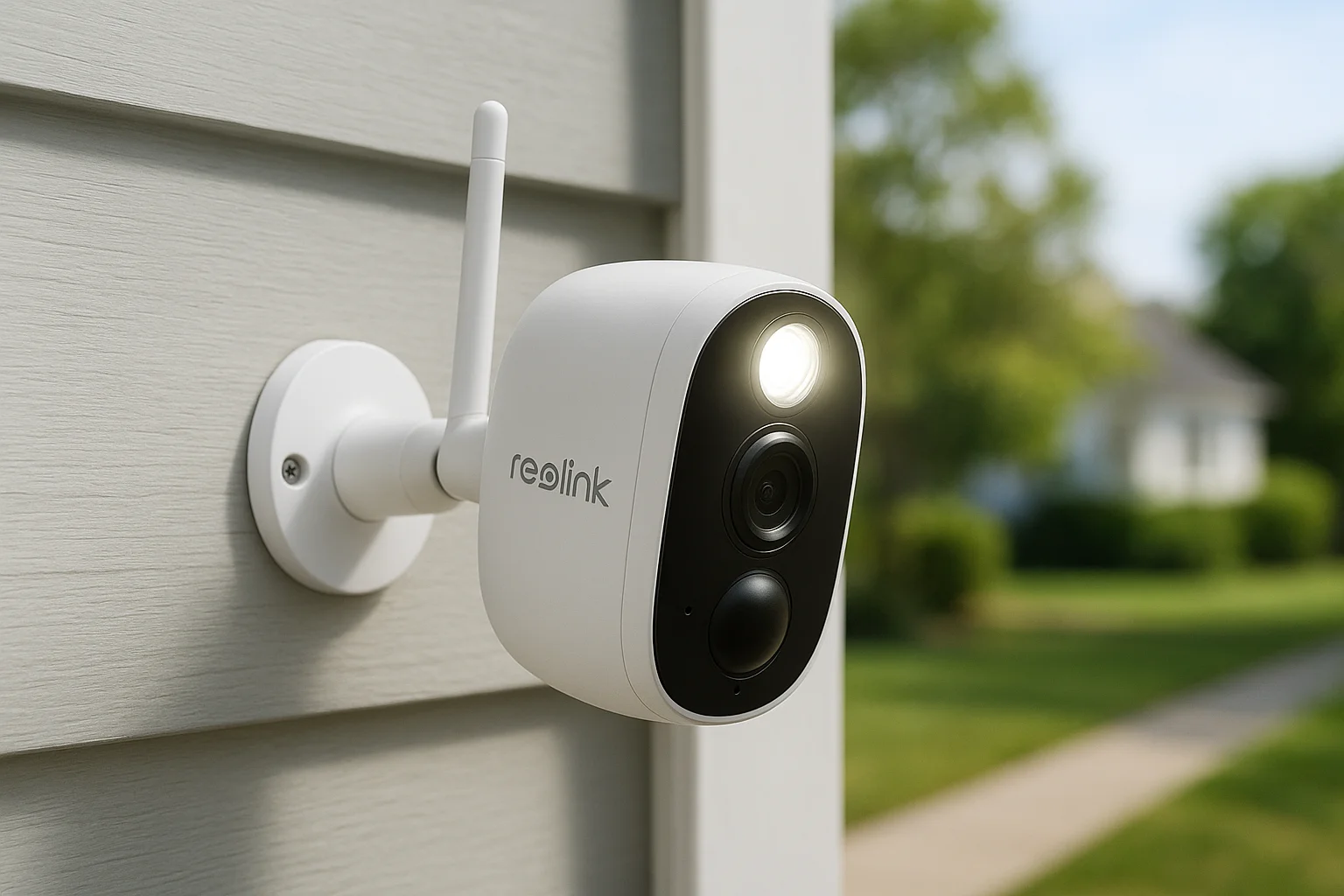
10. Reolink Argus 4 Pro: Best value 4K camera
Reolink built a reputation on giving you specs that usually come at double the price, and the Argus 4 Pro proves that pattern again. You get true 4K resolution, color night vision, and dual-band wifi in a wire-free body that costs less than the mid-tier Arlo and Ring cameras on this list. For anyone comparing the best wireless cameras for home security on a spec-per-dollar basis, this is the camera that keeps winning that math.
Standout features
The 4K sensor captures genuinely usable detail at a distance, which matters if your camera watches a long driveway instead of a close front porch. Color night vision stays sharp without the grainy fallback most budget cameras default to after dark, and a built-in spotlight plus siren gives you the same active deterrence as pricier competitors. Reolink also includes a smart detection zone editor in the app, letting you draw precise boundaries around your property line so passing cars and neighbors' pets stop triggering alerts.
Getting flagship specs at a mid-range price is the whole reason to buy this camera.
Dual-band wifi support means the camera connects reliably even in homes where a router sits far from the mounting spot, a common complaint with cheaper wireless cameras that whole home WiFi and mesh systems usually solve.
Who it's best for
This camera suits homeowners who want 4K clarity without paying Arlo or Nest prices, especially anyone covering a long driveway or wide backyard where extra resolution actually pays off. It also fits tech-comfortable buyers willing to spend a little more setup time in exchange for real savings.
Pricing and storage options
A single camera runs around $130 to $160, and Reolink supports local storage through a microSD slot or an optional NVR hub.
| Plan | Monthly cost | Video history |
|---|---|---|
| Local microSD | $0 | Continuous, based on card size |
| Reolink Cloud | ~$3/month | 30 days, single camera |
Most buyers skip the cloud plan and rely on the microSD card alone.
11. Abode Cam 2: Best for smart home integration
Abode built its name on a security platform that plays fair with everyone else's gear instead of locking you into one ecosystem, and the Cam 2 carries that philosophy through. It works with Google Assistant, Alexa, Apple HomeKit, and a long list of third-party sensors and smart locks, which makes it the rare camera that doesn't force you to pick a side. For homeowners already juggling smart plugs, thermostats, and locks from different brands, this is the pick that ties the whole mess together instead of adding another silo, and it fits neatly into most smart home security systems.
Standout features
The Cam 2 records in 1080p with a 155-degree field of view, wide enough to cover most rooms or small yards from a single mount. Broad platform compatibility is the real selling point here, since the camera integrates with SmartThings, IFTTT, and HomeKit alongside the usual Google and Amazon options, letting you build automations that span brands most competitors ignore entirely. Built-in siren and two-way audio round out the feature set, and local storage via microSD card means you're not locked into a subscription just to keep footage on hand.
A camera that works with everything you already own beats one that makes you start over.
Who it's best for
This camera suits homeowners with a mixed smart home setup, especially anyone who has resisted committing fully to Google or Amazon and wants a camera that respects that choice. It also fits property managers overseeing units with different existing smart lock or sensor brands, where a flexible camera saves a lot of standardization headaches.
Pricing and storage options
The camera runs about $80 to $100, among the more affordable options on this list given its integration range.
| Plan | Monthly cost | Video history |
|---|---|---|
| Local microSD | $0 | Continuous, based on card size |
| Abode Standard | ~$6/month | 14 days cloud |
| Abode Pro | ~$20/month | 30 days cloud, professional monitoring |
Most buyers stick with local storage unless they want the added monitoring option.
12. How to choose the right wireless security camera
Picking from eleven solid options still leaves you with a decision to make, and that decision comes down to matching the camera to your actual property instead of chasing the highest spec sheet. Start with coverage area first: a narrow side yard needs a different field of view than a wide driveway, and no camera on this list covers every layout equally well. Think about power access next, since a spot without a nearby outlet rules out plug-in models and points you toward solar or long-battery options like the Eufy SoloCam or Blink Outdoor 4.
Next, weigh how the camera fits into what you already own. If you're standardizing on the best wireless security cameras for home use across a whole property, sticking to one ecosystem, whether that's Google, Amazon, or an open platform like Abode, saves you from juggling three different apps every time something trips a sensor.
The right camera is the one that matches your house, not the one with the longest spec sheet.
Run through this checklist before you buy:
- Coverage: Does the field of view actually reach the area you're worried about?
- Power: Outlet nearby, battery swaps you're willing to do, or solar exposure that's reliable year-round?
- Storage: Are you comfortable managing a microSD card, or do you want cloud backup handled automatically?
- Ecosystem: Does it talk to the smart home devices you already own?
- Weather: Will it survive a real Treasure Valley winter, not just a mild one?
Finally, don't underestimate installation. A camera mounted crooked, aimed at glare, or hung too high to catch faces clearly won't perform the way any review promises, no matter which model you pick, so it's worth reading up on placement tips for outdoor security cameras first. That's usually where professional installation pays for itself, since a technician who's mounted hundreds of these cameras knows the angles and heights that actually work, and our breakdown of security camera cost in the Treasure Valley shows what that runs.
13. Frequently asked questions about wireless security cameras
Do wireless security cameras work without wifi?
Most wireless cameras still need a wifi connection to send alerts and store footage in the cloud, so "wireless" refers to the power cord, not the internet connection, a distinction we break down in wired vs wireless security cameras. A handful of cellular-enabled cameras exist for rural properties without reliable wifi, but they're pricier and less common. If your router sits far from the mounting spot, look for a camera with dual-band wifi support, like the Reolink Argus 4 Pro, since it holds a signal better across longer distances.
How long do wireless camera batteries actually last?
Battery life varies wildly by brand and usage. Cameras that record constantly will drain faster than ones that only wake up on motion. Here's a rough comparison from the models covered above:
| Camera | Typical battery life |
|---|---|
| Blink Outdoor 4 | Up to 2 years |
| Arlo Pro 5S 2K | 4 to 6 months |
| Nest Cam (battery) | 2 to 3 months |
| Wyze Cam v4 | 3 to 4 months |
Battery life claims assume moderate motion activity, so a busy street will always drain a camera faster than a quiet cul-de-sac.
Are wireless cameras as secure as wired ones?
Encryption and two-factor authentication matter more than the power source. Quality brands encrypt footage in transit and at rest, so a properly configured wireless camera is just as hard to hack as a wired one. Skipping default passwords and enabling two-factor login matters more than which camera you buy.
Do I need a subscription for every camera?
No. Several cameras on this list, including the Lorex, Wyze, and Reolink models, support local storage through a microSD card or hub, letting you skip monthly fees entirely. Subscriptions mainly add cloud backup, longer video history, and smarter alerts, which matter more if you travel often or manage multiple properties at once.
Making your final decision
Any of these eleven cameras will beat the blurry, forgotten setup gathering dust in your garage right now. The best wireless security cameras for home protection are the ones that match your actual property, not the ones topping some generic spec sheet. Pick based on your power access, your existing smart home gear, and how much coverage your yard actually needs.
Buying the right camera is only half the job. Mounting height, glare, wifi placement, and weatherproofing decide whether that camera earns its keep through a real Idaho winter. If you'd rather skip the trial and error and get it right the first time, our technicians handle security camera installation in Boise and Meridian, plus Nampa and Eagle, every week. Reach out to our team and we'll help you pick the right cameras for your property and get them working the way the reviews promised.
Compare your options
Your next step
See Wired vs. Wireless TradeoffsReady for professional help? Request an estimateOur Services
High-definition surveillance for peace of mind.
Comprehensive security solutions for home and business.
Serving the Treasure Valley
Local installation in your city