 (208) 991-3502
 Meridian, ID





Your WiFi works great in the living room but disappears in the bedroom. Streaming buffers when you walk upstairs. Video calls drop the moment you step into your home office. A single router can't push...
Your WiFi works great in the living room but disappears in the bedroom. Streaming buffers when you walk upstairs. Video calls drop the moment you step into your home office. A single router can't push a strong signal through walls and across multiple floors. You need whole home wifi solutions that eliminate dead zones and keep every device connected wherever you are in your house.
This guide breaks down 12 mesh WiFi systems and professional solutions for 2026. You'll find custom installed networks designed by experts alongside plug and play mesh kits you can set up yourself. Each option includes real performance data, coverage estimates, pricing details and honest recommendations about who each system serves best. Whether you need budget friendly coverage or enterprise grade speed, you'll know exactly which whole home WiFi solution fits your space and budget by the end of this article.
1. Treasure Valley Solutions custom whole home WiFi
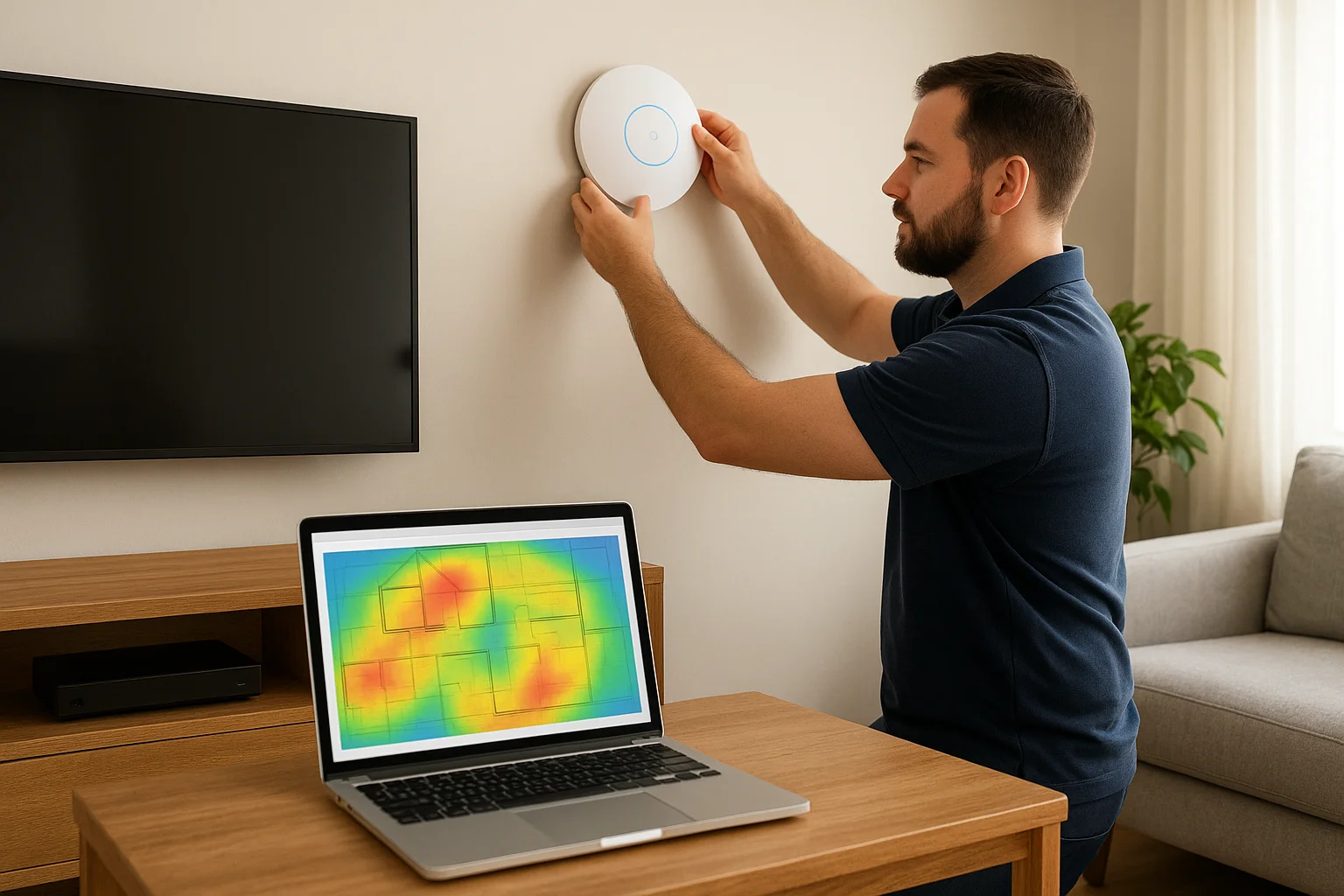
Treasure Valley Solutions designs and installs professional WiFi networks custom built for your exact floor plan. The Meridian, Idaho based team surveys your property, identifies dead zones and interference sources, then positions enterprise grade access points where they deliver the strongest coverage. You get a system engineered for your walls, your devices and your bandwidth needs instead of guessing where to plug in retail mesh nodes.
What Treasure Valley Solutions offers
The company provides whole home wifi solutions with wired backhaul connections between access points for maximum speed and reliability. Their technicians install access points in optimal locations, run clean cable paths through walls or ceilings, and configure a unified network that hands off your devices seamlessly as you move through rooms. Every system includes professional grade WiFi 6 or WiFi 6E hardware from brands like Ubiquiti, Ruckus or Cisco Meraki depending on your performance requirements and budget.
Why custom design beats plug and play kits
Retail mesh systems guess at placement and rely on wireless connections between nodes that cut your bandwidth in half. Treasure Valley Solutions maps your home's physical layout including construction materials, interference sources and high traffic areas before installing a single piece of equipment. Their wired backhaul approach means every access point delivers full speed to connected devices without the performance penalty wireless mesh creates. You also get enterprise features like VLANs for guest networks, bandwidth shaping for specific devices and detailed analytics about network health.
Professional installation eliminates the trial and error of self installed systems and delivers predictable coverage in every room.
How Treasure Valley Solutions plans your WiFi
The process starts with an on site consultation where technicians measure your square footage, count connected devices and identify coverage problem areas. They create a heat map showing signal strength throughout your home and recommend specific access point locations based on construction materials and device density. You approve the plan before installation begins, and the team schedules work around your availability to minimize disruption.
Who Treasure Valley Solutions is best for
This option serves homeowners who need guaranteed whole home coverage without dead zones or speed drops. You're building a new home, renovating and want wiring in walls before drywall goes up, or you've tried retail mesh kits that didn't solve your problems. Property managers who want centralized control over multiple units and business owners needing reliable WiFi for customers also benefit from custom designed networks.
Treasure Valley Solutions pricing and process
Custom installations typically range from $2,500 to $8,000 depending on home size, number of access points and hardware tier. The team provides detailed quotes after the site survey, includes all equipment and labor in the price, and offers ongoing support for system updates and troubleshooting. Installation usually completes in one to two days with minimal disruption to your daily routine.
2. Eero 6 Plus mesh WiFi system
The Eero 6 Plus delivers fast WiFi 6 speeds across medium to large homes with a three piece system that costs less than $200. Amazon owned Eero designed this mesh router to eliminate setup complexity while providing reliable coverage up to 4,500 square feet. Each device connects wirelessly to create a unified network that automatically routes your traffic through the strongest signal path as you move between rooms.
What Eero 6 Plus includes
Your Eero 6 Plus package contains three identical mesh nodes that function as router and satellites interchangeably. Each node includes dual band radios operating on 2.4GHz and 5GHz frequencies with support for 160MHz wide channels that double the bandwidth of standard WiFi 6 systems. The built in Zigbee radio connects smart home devices like lights, locks and sensors directly to your network without requiring separate hubs. Two gigabit Ethernet ports on each node let you wire devices that need guaranteed bandwidth like desktop computers or streaming boxes.
Eero 6 Plus performance and coverage
Testing shows the Eero 6 Plus maintains average download speeds above 700Mbps when connected near the router on a gigabit internet plan. Speeds remain in the triple digits even at the farthest points from the main unit thanks to intelligent mesh routing that selects the fastest path for each device. The system covers 1,500 square feet per node in typical homes with standard construction materials. You'll see stronger performance than Wi-Fi 5 systems with older devices that don't support WiFi 6 since the dual band design reduces congestion.
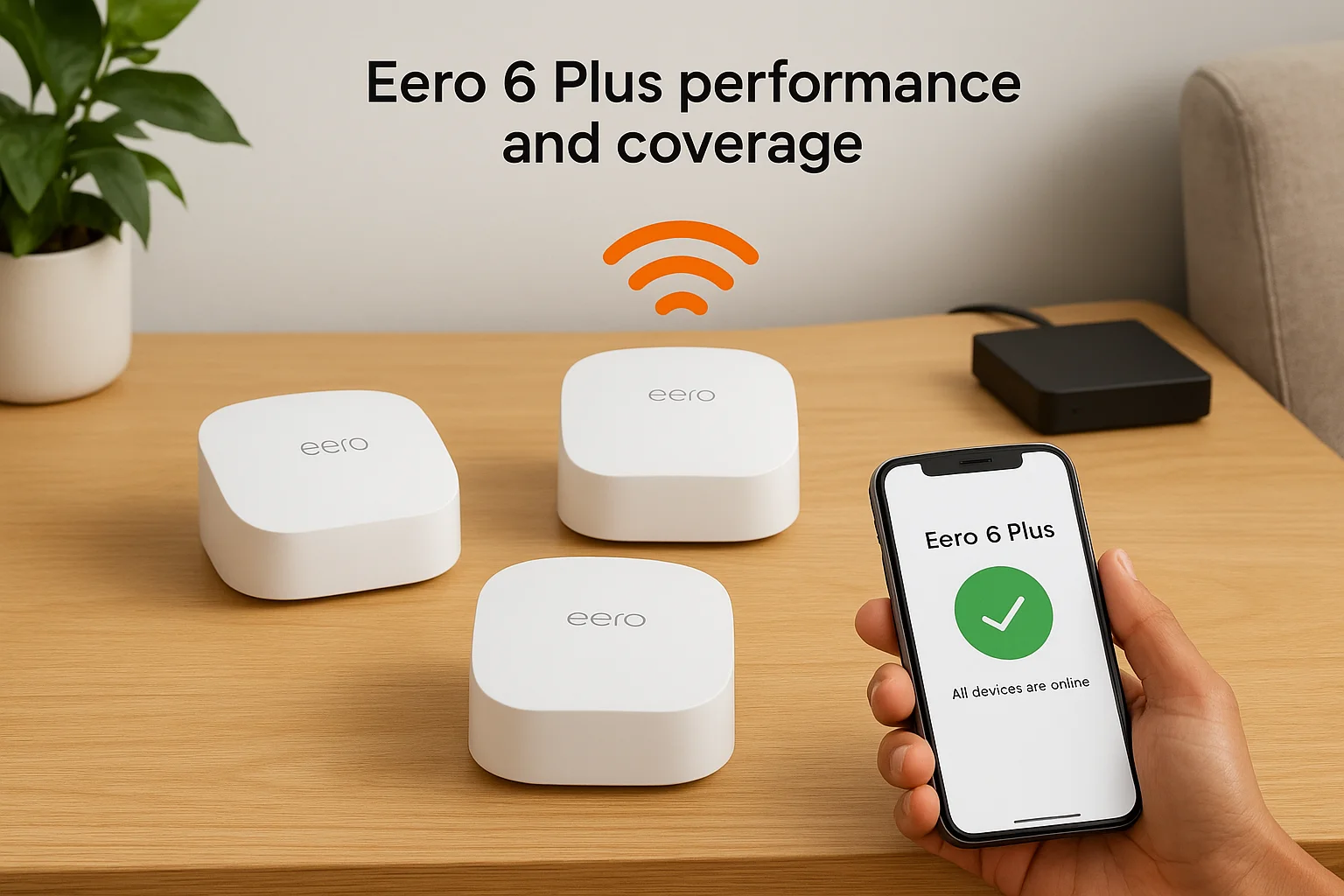
The Eero 6 Plus delivers professional grade coverage at a consumer friendly price point that makes whole home wifi solutions accessible to more households.
Who should choose Eero 6 Plus
This system fits homeowners who want reliable whole home coverage without technical configuration or ongoing maintenance. You have a home between 2,000 and 4,500 square feet, run a gigabit or slower internet plan, and prefer automated setup through a mobile app instead of web interfaces with advanced settings. Smart home enthusiasts benefit from the integrated Zigbee radio that simplifies device management.
Eero 6 Plus pricing and bundles
Amazon sells the three pack for $240 or a two pack for $190 if your home requires less coverage. Eero offers an optional subscription service for advanced security features and parental controls at $3 per month, though the base system functions fully without any recurring fees. The company provides automatic firmware updates and phone support for all customers regardless of subscription status.
3. TP-Link Deco XE75 whole home mesh
The TP-Link Deco XE75 brings Wi-Fi 6E technology to mesh networking at a price point that undercuts most competitors by hundreds of dollars. This tri-band system accesses the 6GHz frequency band alongside traditional 2.4GHz and 5GHz radios, creating a dedicated highway for compatible devices while reducing congestion on older bands. A two-pack covers up to 5,500 square feet and sets up through TP-Link's mobile app in minutes without technical networking knowledge.
What TP-Link Deco XE75 includes
Your Deco XE75 package contains two or three identical mesh units depending on which bundle you purchase. Each unit features three gigabit Ethernet ports for wired connections to computers, smart TVs or gaming consoles. The system supports up to 200 connected devices simultaneously, making it suitable for households with extensive smart home ecosystems. TP-Link includes lifetime technical support and hardware replacement coverage with every purchase, eliminating concerns about long-term reliability.
Deco XE75 speed and coverage
Testing shows the Deco XE75 delivers speeds above 500Mbps at distances where traditional dual-band systems drop below 300Mbps. The dedicated 6GHz backhaul connection between mesh nodes prevents the bandwidth loss wireless mesh systems typically experience. You'll see maximum theoretical speeds of 5,400Mbps across all three bands, though real world performance depends on your internet plan speed and connected device capabilities. Each unit covers approximately 2,750 square feet in homes with standard wood frame construction and drywall.
Wi-Fi 6E technology positions the Deco XE75 as one of the most future-proof whole home wifi solutions under $200.
Who TP-Link Deco XE75 is best for
This system serves households upgrading to gigabit internet plans who want Wi-Fi 6E capabilities without spending $400 or more on premium mesh systems. You own newer devices that support 6GHz connectivity like recent iPhones, Samsung Galaxy phones or Wi-Fi 6E laptops. Families with heavy streaming demands across multiple rooms benefit from the dedicated backhaul band that maintains speed consistency even during peak usage hours.
TP-Link Deco XE75 pricing and value
Amazon lists the two-pack at $145 with occasional sales dropping the price to $130. The three-pack typically costs $200, providing coverage for homes up to 8,000 square feet. TP-Link offers no subscription fees for basic features, though an optional HomeShield Pro service adds advanced parental controls and network security for $5 monthly. Your investment protects against obsolescence as more devices adopt 6GHz support over the next several years.
4. Asus ROG Rapture GT6 gaming mesh
The Asus ROG Rapture GT6 delivers enterprise level performance in a gaming focused mesh system that outpaced every other router in independent testing. This tri-band system uses UNII-4 spectrum at 5.9GHz to access additional bandwidth unavailable to standard routers, creating three full width 160MHz channels that eliminate congestion even during heavy simultaneous usage. Your gaming sessions, 4K streams and video calls run simultaneously without slowdowns thanks to dedicated traffic lanes that traditional mesh systems can't provide.
What Asus ROG Rapture GT6 offers
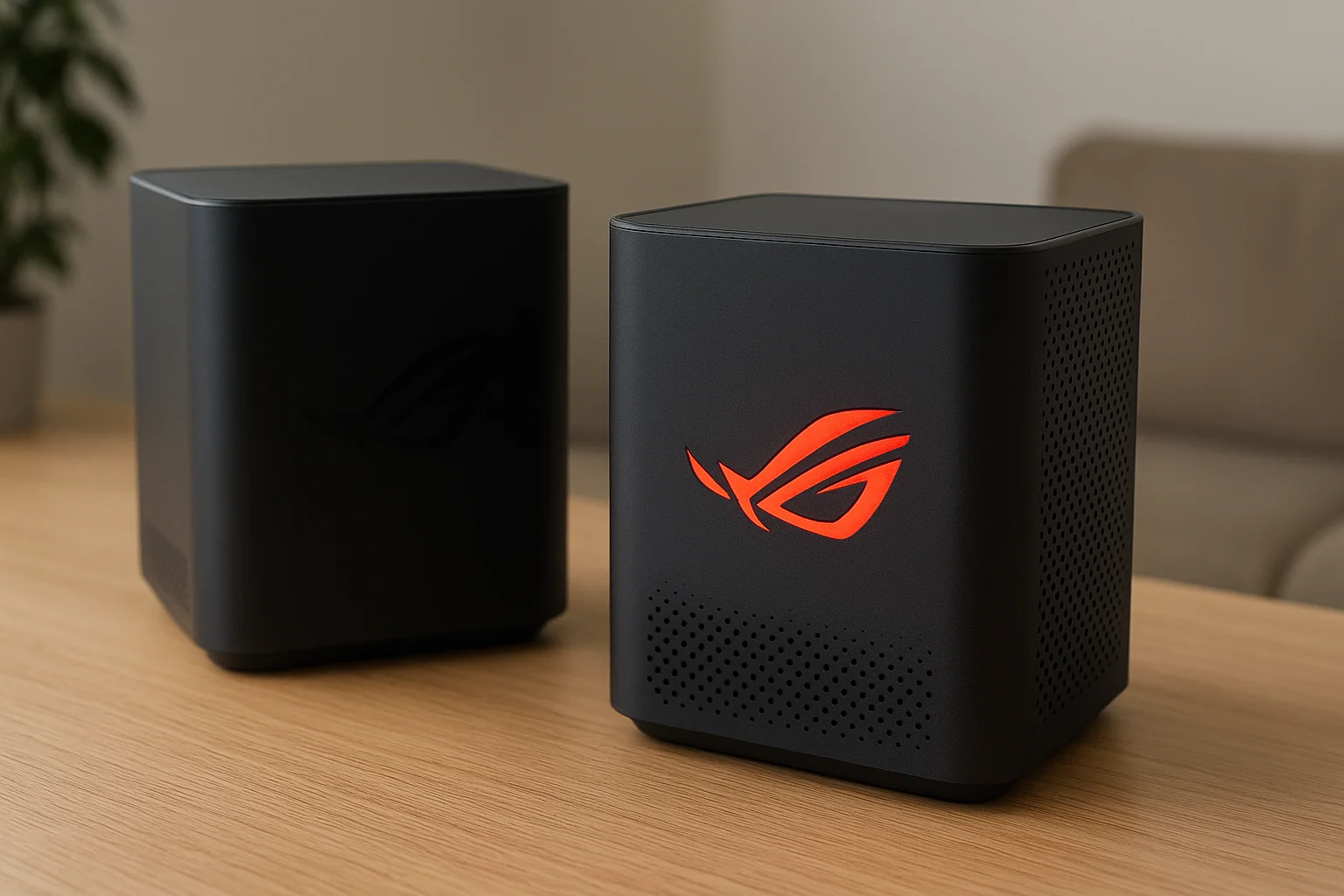
Each GT6 unit includes multi-gig Ethernet ports that accept incoming internet speeds up to 2.5Gbps, making this system ready for next generation fiber plans that exceed standard gigabit service. The router features a configurable ROG logo on the front panel that displays any color you choose, along with built in VPN support and Instant Guard capability that pipes your mobile traffic through your home network when you connect to public WiFi. Asus includes lifetime technical support and advanced parental controls without subscription fees, plus gaming boost modes that prioritize latency sensitive traffic automatically.
GT6 performance for gaming and streaming
Testing shows the GT6 maintains average download speeds of 809Mbps across all distances in a 1,300 square foot test environment, with upload speeds reaching 785Mbps consistently. The system delivers lower latency than competing mesh routers thanks to intelligent routing that selects the fastest path for each packet. You'll experience zero buffering during simultaneous 4K streams to multiple TVs while someone games online and others video conference in different rooms. The dedicated backhaul band prevents wireless interference from degrading performance during peak usage hours.
The GT6 ranks as the fastest mesh system tested for whole home wifi solutions that demand maximum speed and reliability.
Who should choose the Asus GT6 mesh
This system serves households with gigabit or multi-gig internet plans where multiple people game, stream or work remotely simultaneously. You need guaranteed performance during competitive online gaming where millisecond delays matter, or you run bandwidth intensive applications like video editing over your network. Families who stream 4K content to several devices at once benefit from the expanded channel availability that prevents slowdowns.
Asus ROG Rapture GT6 pricing and value
Amazon sells the two-pack for $243, positioning this system as a premium investment that competes with Wi-Fi 6E and Wi-Fi 7 routers costing hundreds more. The GT6 includes all advanced features without monthly subscription fees, making the upfront cost your only expense. Your purchase protects against obsolescence with hardware capable of maximizing even the fastest residential internet plans available today.
5. Google Nest Wifi mesh system
The Google Nest Wifi combines reliable mesh networking with built-in Google Assistant speakers in each satellite extender. This second generation system from Google prioritized ease of use and smart home integration over cutting edge speed, sticking with Wi-Fi 5 technology that still delivers solid performance for most households. You can set up the entire network through your phone in under ten minutes without touching a web browser or navigating complex settings menus.
What Google Nest Wifi includes
Your Nest Wifi package contains a main router unit and one or more point extenders depending on which bundle you purchase. Each point doubles as a Google Assistant smart speaker with microphones and speakers for voice commands, music playback and smart home control. The router provides two gigabit Ethernet ports while the points sacrifice wired connections entirely, requiring you to connect devices wirelessly or run cables back to the main unit. Google integrated WPA3 encryption for stronger security than older Wi-Fi systems and included 4x4 MU-MIMO support that improves speeds for devices like MacBook Pros using multiple antennas simultaneously.
Nest Wifi coverage and limitations
Testing shows the Nest Wifi maintains strong speeds at range compared to other Wi-Fi 5 systems, with download speeds staying in triple digits even in rooms far from the router. Each device covers approximately 2,200 square feet in typical construction, making a two-pack suitable for most medium sized homes. The system lacks Wi-Fi 6 support, which means you miss out on improved efficiency with newer devices and can't access features like Target Wake Time that reduce battery drain on phones and tablets.
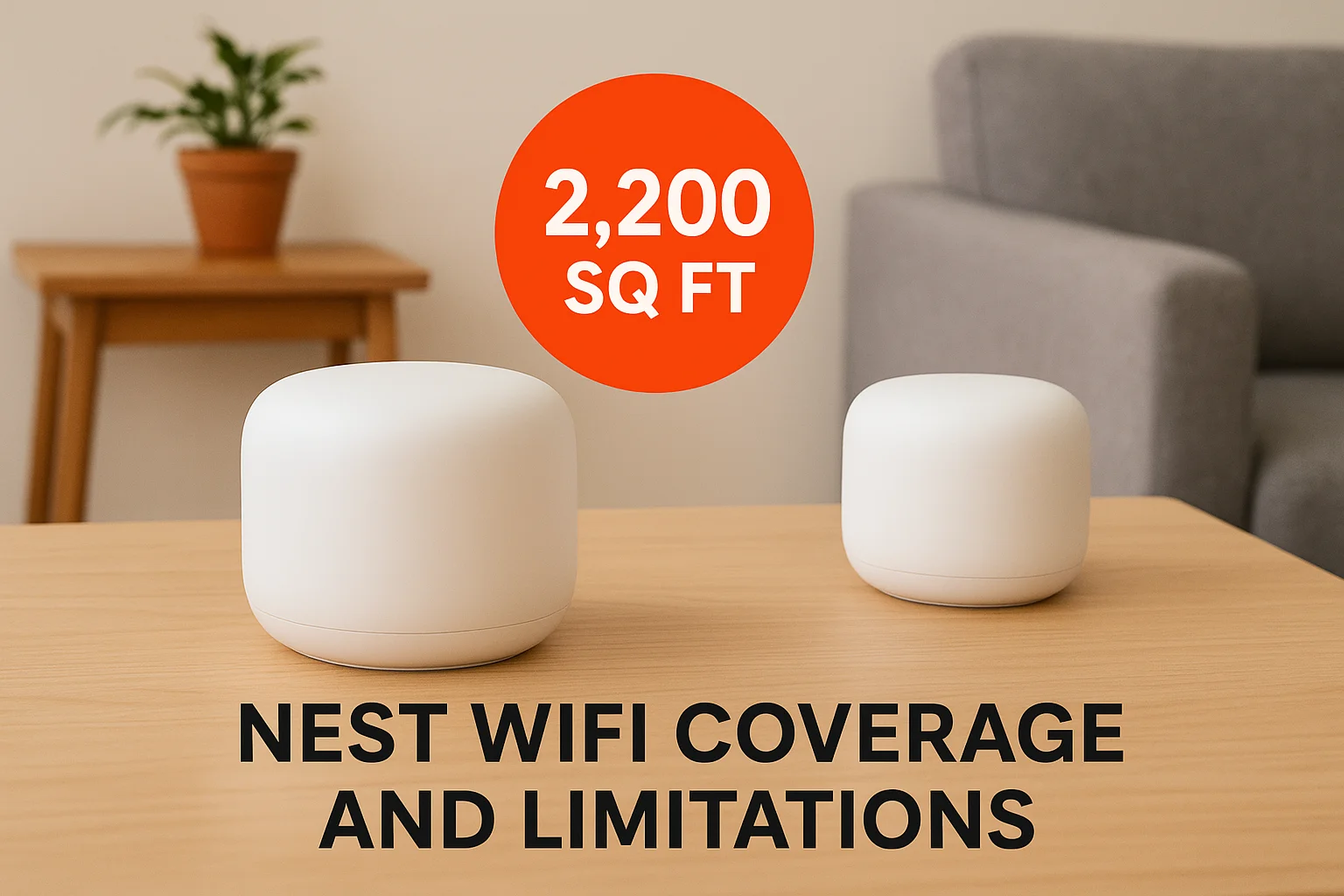
The Nest Wifi trades bleeding edge performance for simplicity that makes whole home wifi solutions accessible to non-technical users.
Who Google Nest Wifi is best for
This system serves households prioritizing simple setup and management over maximum speed. You run internet plans at 500Mbps or slower where Wi-Fi 5 won't bottleneck your connection, and you value the convenience of voice controlled smart speakers built into your mesh extenders. Google Home users benefit from seamless integration with existing smart home devices.
Google Nest Wifi pricing and bundles
Amazon frequently discounts the Nest Wifi to under $50 per device during sales, making it one of the most affordable mesh options. Two-packs typically sell for $150 at regular pricing, while three-packs approach $200. Google provides automatic firmware updates and basic support without subscription fees, though the company discontinued development to focus on the newer Nest Wifi Pro.
6. Netgear Orbi AC1200 mesh WiFi
The Netgear Orbi AC1200 strips away expensive features to deliver basic mesh coverage at the lowest price point in the Orbi lineup. This dual-band system skips the dedicated wireless backhaul connection that premium Orbi models use, instead relying on shared bandwidth between router and satellites. You get reliable whole home coverage without the speed consistency of tri-band designs, making this system ideal for slower internet plans where backhaul limitations won't bottleneck your connection.
What Netgear Orbi AC1200 includes
Your Orbi AC1200 package contains one router and two satellites in the standard three-pack configuration. The router provides two gigabit Ethernet ports for wired connections to modems and devices, while the satellites lack Ethernet ports entirely. Netgear built in support for Google Assistant and Alexa voice controls, letting you manage basic network functions through voice commands. The system uses Wi-Fi 5 technology across 2.4GHz and 5GHz bands without access to newer Wi-Fi 6 efficiency improvements.
Orbi AC1200 performance in real homes
Testing shows the Orbi AC1200 delivers strong signal strength from the main router unit with speeds that remain consistent across short to medium distances. You'll see performance drops at range compared to tri-band systems since the router and satellites share the same wireless channels for both device connections and inter-unit communication. The system maintains workable speeds for streaming, browsing and light gaming in homes up to 4,500 square feet with the full three-piece setup.
Budget systems like the Orbi AC1200 prove whole home wifi solutions don't require premium hardware to eliminate dead zones in average sized homes.
Who should choose Netgear Orbi AC1200
This system serves households with internet plans at 300Mbps or slower where the dual-band design won't create bottlenecks. You need basic mesh coverage without advanced features like parental controls or network analytics. Renters who want temporary coverage improvements before upgrading to faster systems benefit from the low entry cost.
Netgear Orbi AC1200 pricing and value
Amazon lists the three-pack at $110, though prices frequently drop below $100 during sales. Netgear provides basic firmware updates and phone support without subscription fees, making your purchase a one-time investment with no recurring costs.
7. Asus ZenWiFi XT8 tri band mesh
The Asus ZenWiFi XT8 combines tri-band WiFi 6 technology with multi-gig Ethernet ports to create a mesh system that handles both current and future internet speeds. This system dedicates an entire 5GHz band as wireless backhaul between router and satellites, preventing the speed degradation dual-band systems experience when passing traffic between nodes. You get consistent performance across every room without sacrificing bandwidth to maintain mesh connections.
What Asus ZenWiFi XT8 offers
Each ZenWiFi XT8 unit includes 2.5 gigabit Ethernet WAN ports that accept incoming internet speeds beyond standard gigabit service, positioning this system as one of the few mesh routers ready for multi-gig fiber plans. The package contains two identical devices that function interchangeably as router or satellite depending on which you connect to your modem. Asus built in AiProtection Pro security powered by Trend Micro, providing commercial grade network protection, parental controls and traffic monitoring without subscription fees. The system supports up to eight SSIDs for creating separate networks for guests, IoT devices or work equipment.
ZenWiFi XT8 performance and features
Testing shows the XT8 maintains speeds above 600Mbps at distances where competing systems drop below 400Mbps. The dedicated backhaul band keeps your connection fast even when multiple devices stream simultaneously in different rooms. You'll see maximum theoretical speeds of 6,600Mbps across all three bands combined, with real world performance scaling based on your internet plan and device capabilities. The mesh system covers approximately 5,500 square feet with the standard two-pack configuration.
Dedicated wireless backhaul transforms the XT8 into one of the most reliable whole home wifi solutions for maintaining speed consistency throughout large properties.
Who Asus ZenWiFi XT8 is best for
This system serves households with gigabit or faster internet plans who need guaranteed performance in every room. You run bandwidth intensive applications like 4K streaming, large file transfers or remote desktop sessions that require consistent speeds. Families planning to upgrade to multi-gig internet service benefit from the future-proof Ethernet ports.
Asus ZenWiFi XT8 pricing and value
Amazon sells the two-pack for $330, positioning this system between budget and premium mesh options. Asus includes lifetime technical support and all advanced features without recurring subscription costs.
8. Eero Pro 6E mesh system
The Eero Pro 6E adds Wi-Fi 6E capability to Amazon's popular mesh platform, unlocking access to the 6GHz frequency band for faster speeds and reduced congestion. This tri-band system maintains Eero's signature simplicity while delivering performance improvements that benefit households with gigabit internet plans and newer devices that support 6GHz connectivity. You get the same automated setup and management that made earlier Eero systems popular, now paired with cutting edge wireless technology.
What Eero Pro 6E adds over Eero 6 Plus
The Pro 6E includes a dedicated 6GHz radio that creates a separate wireless highway unavailable to older devices, reducing interference from crowded 2.4GHz and 5GHz bands. Each unit features two gigabit Ethernet ports like the 6 Plus, but adds significantly more processing power to handle the increased bandwidth from the additional radio. Amazon built in Thread border router functionality that connects smart home devices using the Thread protocol directly to your network. The system supports more simultaneous connections than the 6 Plus thanks to expanded channel availability across three bands instead of two.
Eero Pro 6E performance on gigabit plans
Testing shows the Pro 6E delivers average speeds above 800Mbps when connected on the 6GHz band near the router with a gigabit internet plan. Speeds remain consistently high throughout homes up to 6,000 square feet with the three-pack configuration, maintaining performance above 600Mbps even at maximum range. The 6GHz band provides noticeably faster speeds for compatible devices like recent iPhones, Samsung Galaxy phones and Wi-Fi 6E laptops compared to connections on the 5GHz band.
The Pro 6E positions itself among the most stable whole home wifi solutions available, delivering predictable speeds room to room without the mesh routing inconsistencies some competitors experience.
Who should choose Eero Pro 6E
This system serves households with gigabit internet plans who own multiple Wi-Fi 6E devices and need guaranteed performance for bandwidth intensive activities. You stream 4K content simultaneously to several rooms, work remotely with large file transfers, or game competitively where consistent speeds matter. Smart home enthusiasts benefit from integrated Thread support that simplifies device management.
Eero Pro 6E pricing and bundles
Amazon sells the three-pack for $460 or a two-pack for $300, positioning this system in premium mesh territory. Eero offers an optional subscription service for advanced security features at $10 monthly, though the base system includes automatic updates and full functionality without recurring fees.
9. Netgear Orbi 970 Wi-Fi 7 mesh
The Netgear Orbi 970 brings Wi-Fi 7 technology to Netgear's flagship mesh lineup with quad-band radios that include dedicated 6GHz backhaul for maximum speed between units. This tower-shaped system delivers speeds beyond 10Gbps in ideal conditions, making it the fastest Orbi configuration Netgear has ever produced. You get access to cutting edge wireless technology designed for households with multi-gig fiber internet plans and extensive device ecosystems that demand enterprise level performance.
What Netgear Orbi 970 offers
Each Orbi 970 unit features 10 gigabit Ethernet ports that accept incoming internet speeds up to 10Gbps, positioning this system as one of the few mesh routers capable of maximizing the fastest residential fiber plans available. The quad-band design operates across 2.4GHz, 5GHz, and two separate 6GHz radios, with one 6GHz band dedicated exclusively to wireless backhaul between mesh nodes. Netgear built in advanced security features through Armor powered by Bitdefender, providing commercial grade threat protection without recurring subscription fees for the first year. The system supports over 200 simultaneous device connections and includes beamforming technology that focuses wireless signals directly toward connected devices instead of broadcasting equally in all directions.
Orbi 970 Wi-Fi 7 performance and range
Testing shows the Orbi 970 maintains speeds above 900Mbps throughout large test environments, with peak speeds exceeding 1,200Mbps when connecting on the 6GHz band near the router. The dedicated backhaul connection prevents performance degradation even during simultaneous high bandwidth activities across multiple rooms. Each unit covers approximately 3,000 square feet in typical residential construction, making a two-pack suitable for homes up to 6,000 square feet. You'll experience lower latency than Wi-Fi 6E systems thanks to Multi-Link Operation technology that lets devices transmit across multiple bands simultaneously.
The Orbi 970 ranks among the most powerful whole home wifi solutions available, though its speed advantages remain limited until more devices adopt Wi-Fi 7 support.
Who Netgear Orbi 970 is best for
This system serves households with multi-gig internet plans at 2Gbps or faster who need guaranteed performance for bandwidth intensive professional applications. You run a home office with multiple simultaneous video conferences, transfer massive files regularly, or operate a smart home with dozens of connected devices competing for bandwidth. Early adopters planning to keep their mesh system for five or more years benefit from the future-proof hardware.
Netgear Orbi 970 pricing and install notes
Amazon sells the two-pack for $1,699, making this one of the most expensive consumer mesh systems on the market. Netgear includes a one-year subscription to Armor security with purchase, though renewal costs $100 annually afterward. Professional installation makes sense at this price point to ensure optimal placement and configuration.
10. Eero Max 7 Wi-Fi 7 mesh
The Eero Max 7 represents Amazon's entry into Wi-Fi 7 mesh networking with a system designed to maximize speeds on the newest wireless standard. This tri-band router accesses the 6GHz band alongside traditional 2.4GHz and 5GHz frequencies, creating expanded capacity for households with dozens of connected devices. You get automatic setup through the Eero app plus built-in Thread and Zigbee radios that connect smart home devices directly to your network without separate hubs.
What Eero Max 7 offers
Each Max 7 unit includes dual 10 gigabit Ethernet ports that accept incoming internet speeds up to 10Gbps, making this system capable of handling the fastest residential fiber plans available. The router features Wi-Fi 7 technology with Multi-Link Operation that lets compatible devices transmit across multiple bands simultaneously for lower latency. Amazon built in the same security features and parental controls found in other Eero systems, with automatic firmware updates that install overnight without requiring manual intervention. Your network supports up to 100 connected devices per unit, providing capacity for extensive smart home ecosystems.
Eero Max 7 speed and mesh behavior
Testing shows the Max 7 achieves peak speeds above 1,000Mbps when connecting on the 6GHz band at close range with Wi-Fi 7 devices. Performance becomes inconsistent at range where the system sometimes routes connections through satellite extenders on the 2.4GHz band instead of faster frequencies, causing speeds to drop significantly. You'll see download rates plummet in rooms farthest from the main router when the mesh selects slower bands, and the system occasionally maintains that 2.4GHz connection even after you return to the same room as the router.
Early testing reveals the Max 7's mesh routing needs refinement before it delivers the consistent speeds expected from premium whole home wifi solutions.
Who should consider Eero Max 7
This system serves early adopters with multi-gig internet plans who own Wi-Fi 7 devices and want cutting edge technology despite current performance inconsistencies. You prioritize future proofing over immediate speed advantages and trust that firmware updates will improve mesh behavior over time. Households planning to keep their router for five or more years benefit from hardware capable of maximizing emerging wireless standards.
Eero Max 7 pricing and value
Amazon sells the two-pack for $1,150, positioning this system among the most expensive consumer mesh routers available. The price includes all features without subscription requirements, though optional Eero Plus adds advanced security and ad blocking for $10 monthly. Your investment buys bleeding edge hardware that hasn't yet proven superior to less expensive Wi-Fi 6E systems in real world testing.
11. TP-Link Deco X4300 Pro mesh
The TP-Link Deco X4300 Pro delivers exceptional WiFi 6 speeds paired with multi-gig Ethernet ports at a price point hundreds below competing systems with similar capabilities. This tri-band mesh router dedicates an entire 5GHz band as wireless backhaul between nodes, preventing the bandwidth losses dual-band systems create when passing traffic through satellites. You get consistent performance throughout your home without sacrificing speed to maintain mesh connections.
What TP-Link Deco X4300 Pro offers
Each X4300 Pro unit includes 2.5 gigabit Ethernet ports that accept incoming internet speeds beyond standard gigabit service, making this system ready for multi-gig fiber plans. The package contains three identical devices that function interchangeably as router or satellite depending on which you connect to your modem. TP-Link built in HomeShield security features that provide network protection, parental controls and IoT device management without requiring paid subscriptions for basic functionality. The system supports up to 200 simultaneous device connections and covers approximately 6,500 square feet with the full three-pack configuration.
Deco X4300 Pro performance and ports
Testing shows the X4300 Pro maintains speeds above 650Mbps at distances where standard dual-band systems drop below 400Mbps. The dedicated backhaul band keeps your connection fast even during simultaneous streaming, gaming and video calls across multiple rooms. You'll see maximum theoretical speeds of 4,300Mbps across all three bands, with real world performance scaling based on your internet plan speed and device capabilities. The multi-gig Ethernet jacks position this system as one of few mesh routers under $300 capable of maximizing internet plans faster than 1Gbps.
Multi-gig Ethernet ports transform the X4300 Pro into one of the most future-proof whole home wifi solutions available at this price point.
Who TP-Link Deco X4300 Pro is best for
This system serves households with gigabit or faster internet plans who need guaranteed performance without spending over $400 on premium mesh systems. You run bandwidth intensive applications like 4K streaming, large file transfers or remote work that require consistent speeds throughout your home. Families planning to upgrade to multi-gig internet service benefit from hardware that won't bottleneck faster connections.
TP-Link Deco X4300 Pro pricing and value
TP-Link sells the three-pack for $300, positioning this system as a midrange option that competes with systems costing significantly more. The company includes lifetime technical support and basic features without subscription fees, making your purchase a one-time investment with no recurring costs.
12. Vilo mesh WiFi system
The Vilo mesh WiFi system strips away every premium feature to deliver dirt cheap coverage for households prioritizing basic connectivity over speed. This Wi-Fi 5 system costs approximately $40 per device and handles fundamental internet tasks like browsing, email and standard definition streaming without the performance capabilities more expensive systems provide. You sacrifice speed for affordability, making Vilo the absolute budget option when you need to eliminate dead zones but can't justify spending hundreds on mesh hardware.
What the Vilo mesh system includes
Your Vilo package contains multiple identical mesh units that set up through a mobile app in minutes without technical configuration. Each device provides basic dual-band connectivity across 2.4GHz and 5GHz frequencies using Wi-Fi 5 technology. The units lack advanced features like dedicated backhaul bands, multi-gig Ethernet ports or smart home radio integration. You get one or two gigabit Ethernet ports per unit for wired connections to modems or critical devices that need guaranteed bandwidth.
Vilo performance and limitations
Testing shows Vilo delivers the slowest average speeds among all mesh systems evaluated, with performance dropping significantly compared to systems costing twice as much. You'll see workable speeds for basic internet activities but struggle with 4K streaming or large file downloads in rooms far from the router. The system covers approximately 1,500 square feet per device in typical construction, requiring multiple units for whole home coverage in average sized properties. Expect occasional buffering during peak usage when multiple devices compete for bandwidth.
Vilo proves whole home wifi solutions don't require premium hardware when your primary goal is eliminating dead zones rather than maximizing speed.
Who the Vilo mesh system is best for
This system serves households with internet plans at 100Mbps or slower where the hardware won't bottleneck your connection. You need basic coverage improvements in apartments or small homes without demanding speed requirements. Renters wanting temporary solutions before upgrading and budget conscious families who primarily browse and stream standard definition content benefit from the low entry cost.
Vilo pricing and when it makes sense
Vilo sells devices for approximately $40 each through their website, making it the cheapest mesh option available. You'll need two or three units for typical homes, bringing your total investment to $80 or $120. The system makes sense when you've exhausted router placement options, need something immediately affordable, and accept slower speeds as a trade off for eliminating dead zones completely.
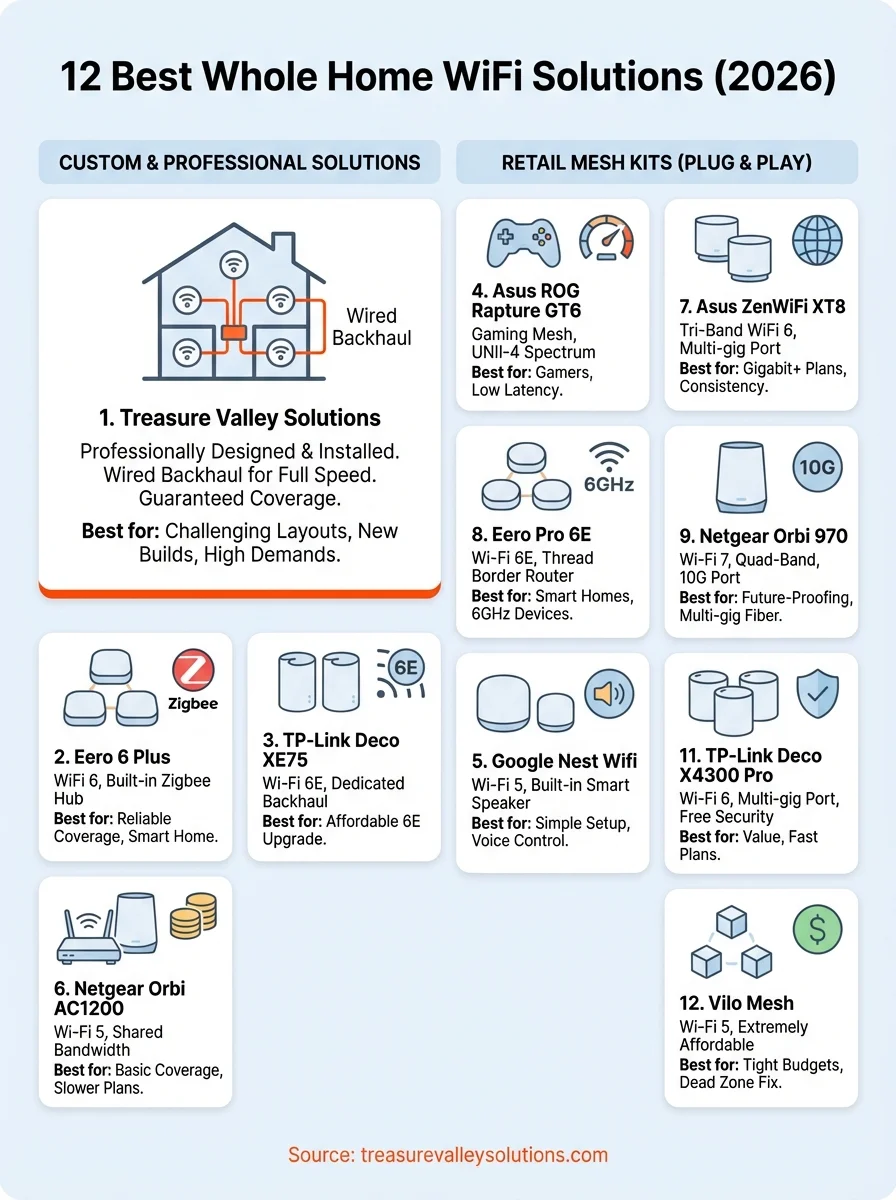
Choosing your whole home WiFi
Your home size, internet speed and device count determine which system delivers the best results. Budget friendly options like the Eero 6 Plus and TP-Link Deco systems eliminate dead zones in most properties for under $250, while premium choices like the Asus ROG Rapture GT6 provide enterprise level performance for demanding households. Plug and play mesh kits work well when you have straightforward layouts and moderate coverage needs.
Custom installed networks from Treasure Valley Solutions outperform retail systems in homes with challenging layouts, thick walls or high device density. Professional site surveys identify exact access point locations before installation begins, and wired backhaul connections deliver full speed to every room without the bandwidth penalties wireless mesh creates. Contact Treasure Valley Solutions for a free consultation and quote on professionally designed whole home wifi solutions that guarantee coverage in every square foot of your property.
Need Expert Help?
Ready to implement these solutions in your own home or business?
Our Services
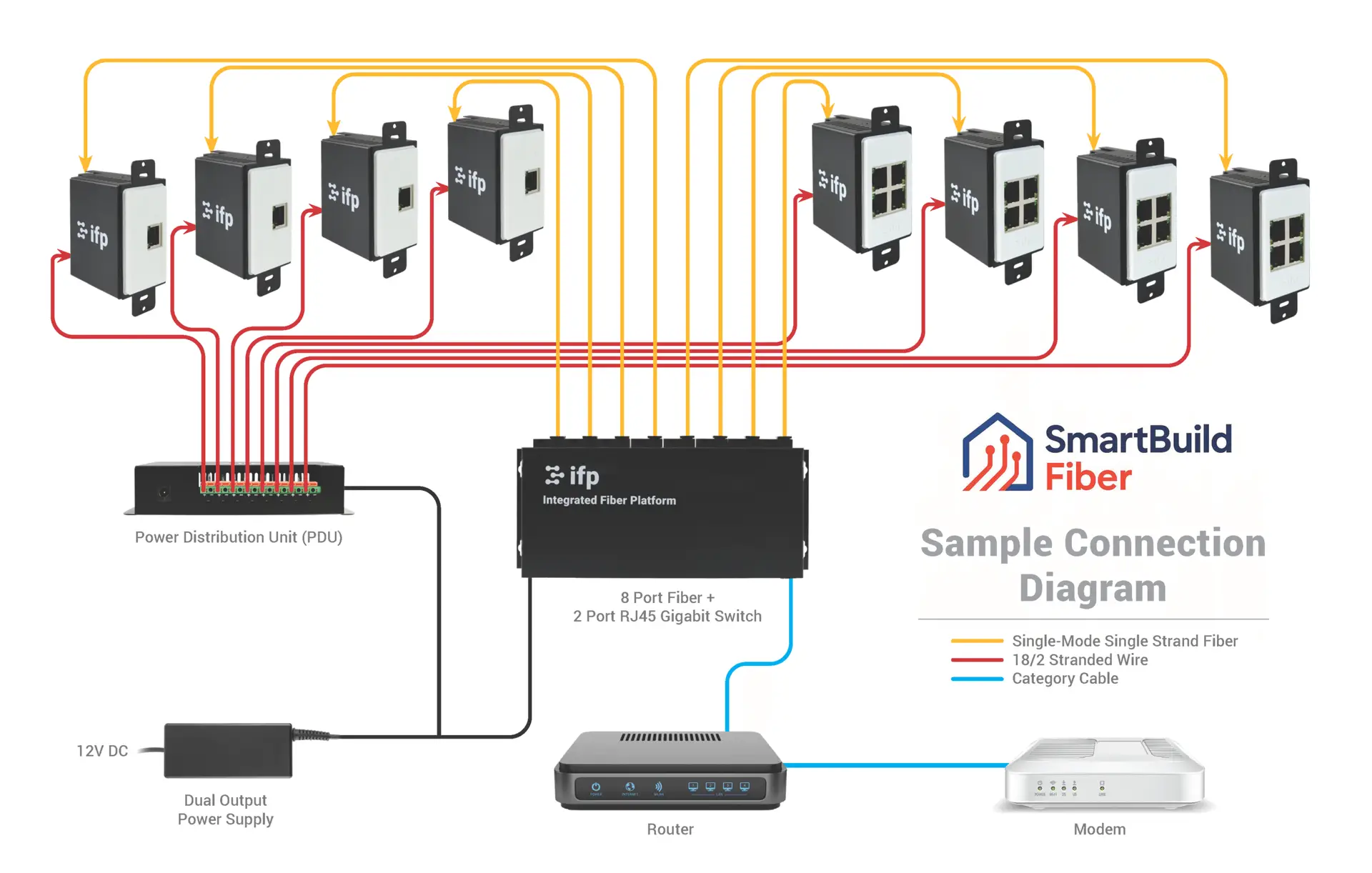
Future-proof fiber optic infrastructure.

Complete home automation and control.

Home theater design and installation planned around your room, viewing goals, and equipment scope.

Comprehensive security solutions for home and business.
Serving the Treasure Valley
Local installation in your city