 (208) 991-3502
 Meridian, ID



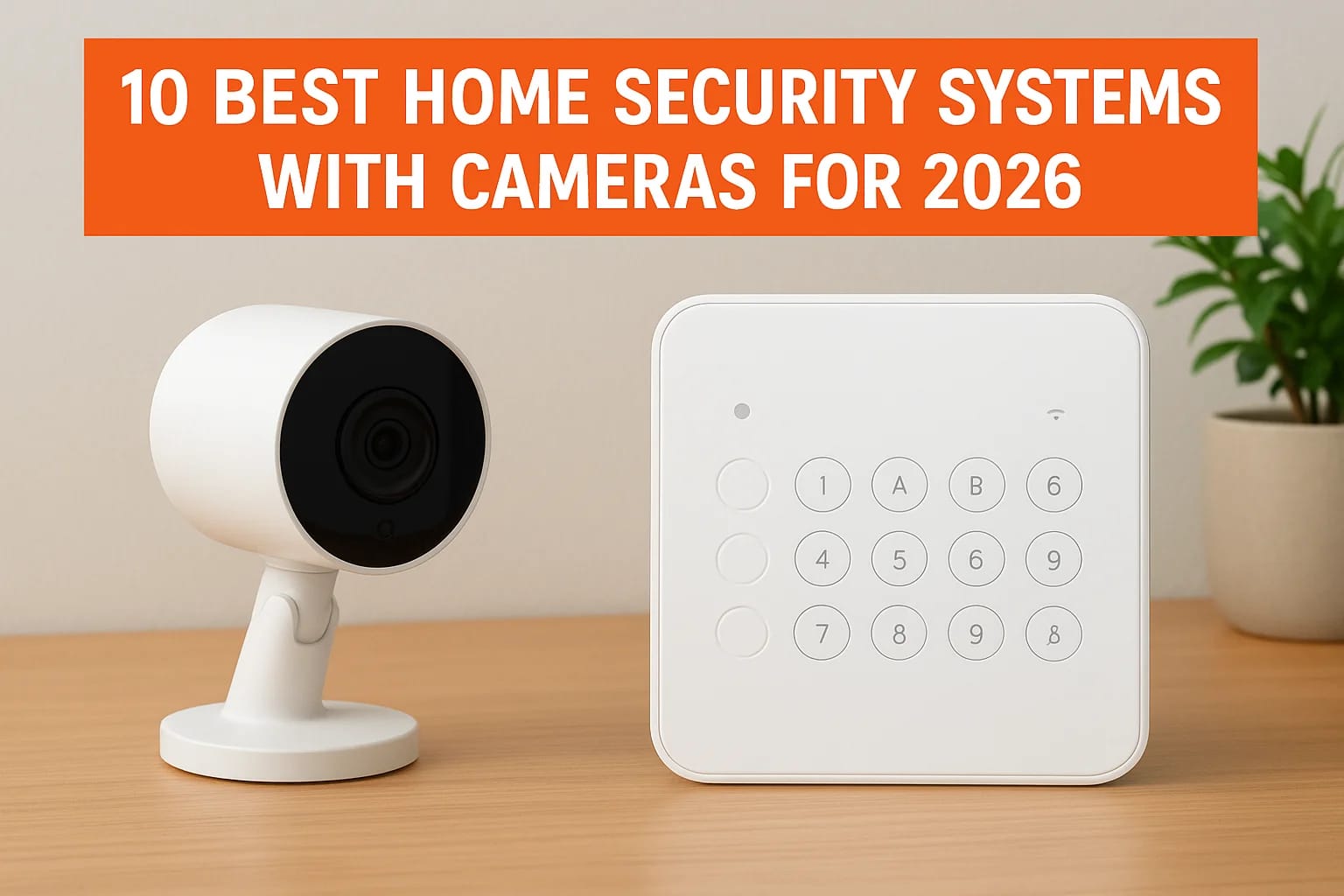

You want cameras that actually catch what matters, an app that doesn't lag, and a system that won't leave you locked out when the internet blips. That's a tall order with dozens of brands claiming to...
You want cameras that actually catch what matters, an app that doesn't lag, and a system that won't leave you locked out when the internet blips. That's a tall order with dozens of brands claiming to be the best on the market. If you're comparing home security systems with camera options for your Treasure Valley home in 2026, this list narrows the field to systems that hold up in real installations, not just marketing photos.
Below, we break down the 10 best home security systems with cameras for 2026, covering everything from budget-friendly DIY kits to fully smart home security systems with cameras that integrate with lighting, locks, and voice control. Each pick includes what it does well, where it falls short, and who it actually fits, whether that's a single-family home in Meridian or a rental property you're trying to keep secure remotely.
At Treasure Valley Solutions, we've spent years on professional security camera installation and access control for homes across Boise, Eagle, and Nampa, so we know which systems perform well long after installation day. Use this guide to find a setup that matches your home, your budget, and how much hands-on control you actually want.
1. Treasure Valley Solutions: custom local installation
Most of the systems on this list ship in a box and get installed by whoever answers the phone that day. Treasure Valley Solutions works differently. We're a local integration company based in Meridian, and every camera system we design gets built around your actual property, not a generic package. That means walking your home or business, mapping blind spots, and picking hardware that matches your Wi-Fi coverage, your budget, and how you actually want to use the footage. If you want a true smart home security system with cameras that ties into lighting, locks, and voice control instead of a standalone app, this is the option built for that.
Camera features
We install a curated mix of commercial-grade and consumer smart cameras, chosen case by case rather than locked to one manufacturer. That flexibility lets us match resolution, night vision range, and field of view to each spot on your property, whether that's a front porch, a warehouse loading dock, or a daycare hallway. Cameras get wired into a central monitoring hub with local storage options, so you're not fully dependent on cloud subscriptions to keep your footage.
A camera system built around your home works better than a home forced to work around a camera system.
Pricing and monitoring
Pricing runs on a custom quote model based on camera count, wiring complexity, and whether you want professional monitoring layered on top. That's different from the flat monthly tiers you'll see from national brands, and it usually means better value once you factor in labor, cable runs, and configuration that DIY kits leave you to figure out alone. We also handle the programming and testing after install, and we stick around for ongoing support instead of disappearing once the cameras are mounted.
Who it's best for
This setup fits homeowners who want cameras integrated cleanly into a broader system rather than bolted on as an afterthought. It's also the right call for residential builders partnering with us on new construction and property managers who need pre-wired camera infrastructure, and for specialized cases like elderly care monitoring or classroom AV where off-the-shelf kits don't cut it. If you live in Boise, Eagle, Nampa, or elsewhere in the Treasure Valley and want a system a real technician designed for your specific layout, this beats picking a box off a shelf and hoping it covers your needs.
2. ADT: best for professional monitoring
ADT has been in the security business for over a century, and that longevity shows up in its professional monitoring network. If you want a company with monitoring centers staffed around the clock and a reputation that insurance companies recognize, ADT still sets the bar most competitors get measured against. It's not the cheapest name on this list, but you're paying for infrastructure that's been tested through decades of real emergencies.
Camera features
ADT's camera lineup includes indoor and outdoor models with HD resolution, night vision, and two-way talk, plus a video doorbell option for package theft and porch monitoring. Newer packages integrate with Google Nest cameras, giving you AI-based person and vehicle detection instead of blanket motion alerts. Coverage works well for standard homes, though larger properties often need extra cameras purchased separately to avoid gaps.
Pricing and monitoring
ADT requires professional installation and locks you into monitoring contracts, typically 24 or 36 months, which is longer than most competitors ask for. Monthly monitoring runs roughly $45 to $65 depending on the package, and equipment costs vary based on how many cameras and sensors you add.
| Plan Type | Approx. Monthly Cost | What You Get |
|---|---|---|
| Basic monitoring | $45+ | Alarm monitoring, no cameras |
| Video monitoring | $55-$65 | Camera storage, mobile alerts |
| Smart home add-on | $65+ | Automation, Nest integration |
Professional monitoring buys you response time, not just alerts.
Who it's best for
Homeowners who want a security home systems with cameras setup backed by a live monitoring team, rather than reviewing footage themselves, will get the most value here. It also suits buyers who don't mind a longer contract in exchange for established brand support and nationwide service availability.
3. SimpliSafe: best for affordable active deterrence
SimpliSafe built its reputation on no-contract flexibility and pricing that undercuts most of the names on this list. The company added active deterrence features in recent years, meaning cameras that don't just record a break-in but interrupt it with light and sound while it's happening. If you want a home security system with camera coverage that scares off trouble instead of just documenting it, SimpliSafe earns its spot here.
Camera features
SimpliSafe's outdoor camera includes a built-in spotlight and siren that trigger when it detects a person lingering near your property, which is a step beyond the passive recording most budget systems offer. Indoor cameras cover standard HD video with night vision and motion-activated clips, and the video doorbell adds package and porch monitoring. None of the cameras hit the resolution or AI detection sophistication you'll find with pricier competitors, but for the price point, the deterrence feature does real work.
A camera that turns on a spotlight and siren stops more break-ins than one that just uploads a clip after the fact.
Pricing and monitoring
Equipment costs stay low compared to contract-based competitors, and monitoring plans run month to month with no long-term commitment required. Basic plans start around $20 monthly for professional monitoring, while camera recording and smarter alerts push that closer to $28. That flexibility matters if you're renting, testing the system before committing further, or just want security systems that skip the contract entirely.
Who it's best for
Budget-conscious homeowners and renters who want home security systems with surveillance cameras without a contract will find SimpliSafe hard to beat. It also suits anyone prioritizing visible deterrence, like a spotlight and siren, over advanced facial recognition or smart home integration depth.
4. Vivint: best for full smart home integration
Vivint built its name on tying cameras into a genuinely unified smart home platform, not a security app with a few automation add-ons bolted on. Every camera, lock, thermostat, and lighting control lives in one interface, and the system can trigger routines automatically, like flooding the porch with light when a camera flags someone approaching after dark. Given the price and installation requirements, this fits homeowners who want one connected system rather than a security afterthought.
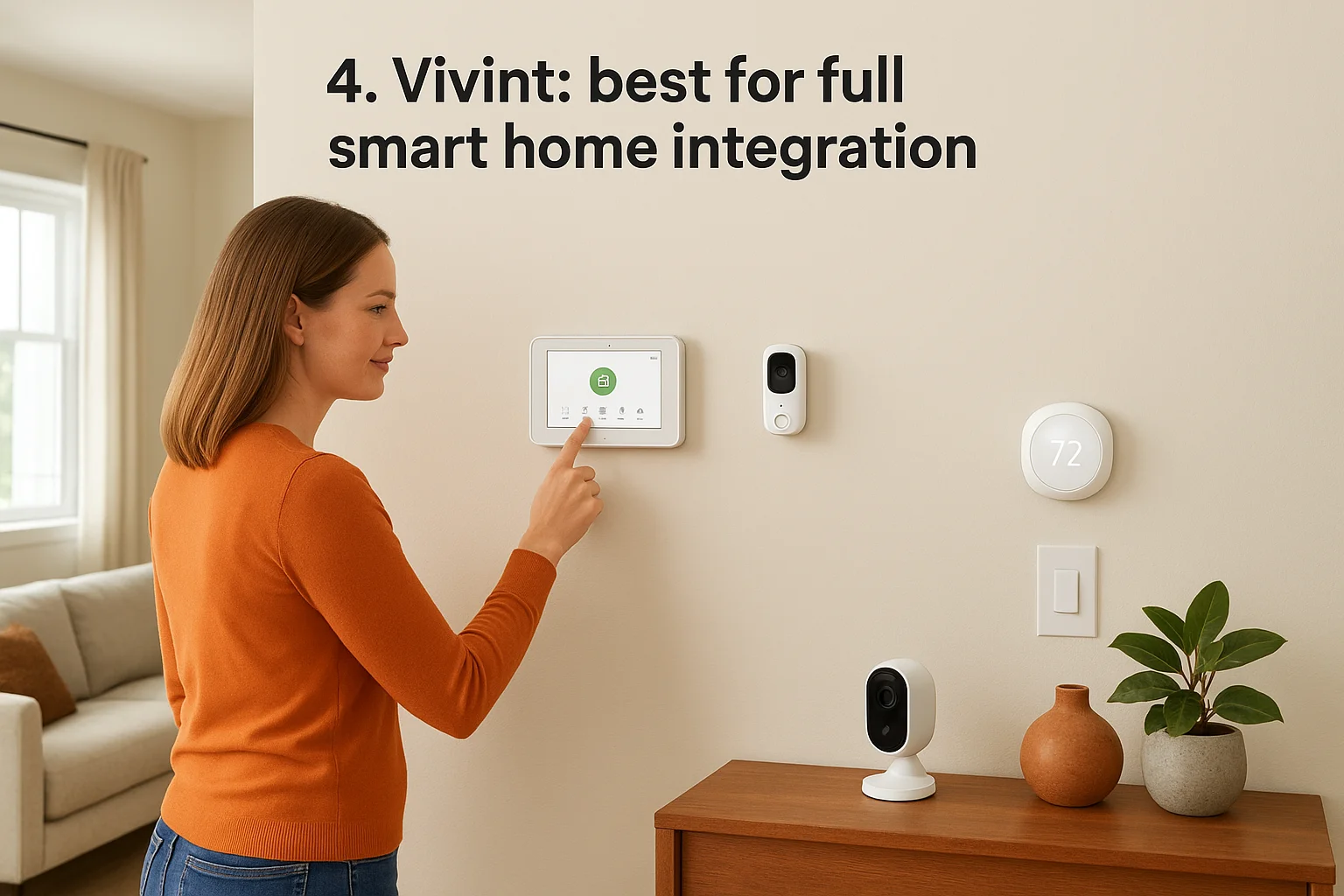
Camera features
Vivint's outdoor and doorbell cameras run 4K resolution with built-in AI that distinguishes between people, vehicles, and packages, cutting down on the false alerts cheaper systems generate constantly. The indoor camera includes a physical shutter for privacy, and Vivint's Smart Deter feature flashes lights and plays a verbal warning when someone lingers, similar to the active deterrence SimpliSafe offers. Video history stores in the cloud, with resolution and playback length varying by subscription tier.
Pricing and monitoring
Equipment costs run higher than most DIY competitors, often financed over 42 to 60 months if you don't pay upfront, and professional installation is required rather than optional. Monitoring plans start around $30 monthly and climb past $45 for full smart home control, camera storage, and video analytics.
A system that connects your locks, lights, and cameras only works if it's designed as one system from the start.
Who it's best for
Homeowners already invested in fully connected smart security setups who want lighting, locks, and thermostats managed from a single app will get the most out of Vivint. It also suits buyers comfortable with financing equipment and professional installation in exchange for tighter automation than most standalone camera brands can match.
5. Frontpoint: best for easy DIY installation
Frontpoint skips the truck roll entirely. Every kit ships pre-configured, so you set up the cameras yourself step by step and the system pairs automatically without a technician standing in your living room. Homeowners who want an in home security systems with cameras setup without scheduling an install appointment tend to land on Frontpoint first, especially renters who need equipment that packs up and moves with them.
Camera features
Frontpoint's outdoor camera and video doorbell both run 1080p resolution with night vision and motion-triggered clips, and the indoor camera adds a wide field of view for tracking a full room instead of one corner. Two-way audio lets you speak through any camera from the app, which works well for warning off a porch visitor or checking on kids after school. The lineup won't match the 4K resolution or AI object recognition found on pricier systems, but coverage is solid for standard homes and apartments.
A system you can install yourself in an afternoon still protects your home just as well as one that took a technician all day.
Pricing and monitoring
Frontpoint requires a monitoring plan to activate most equipment, with pricing starting around $30 monthly for basic protection and climbing to roughly $50 for camera recording and smart home controls. Contracts run month to month on newer plans, though some equipment bundles still carry a term commitment, so read the fine print before you buy.
Who it's best for
Renters, frequent movers, and anyone who wants home security systems with surveillance cameras without waiting for an installer will get the most value from Frontpoint. It also suits homeowners comfortable troubleshooting their own Wi-Fi and camera placement instead of relying on a technician to map coverage for them.
6. Ring Alarm: best for camera customization
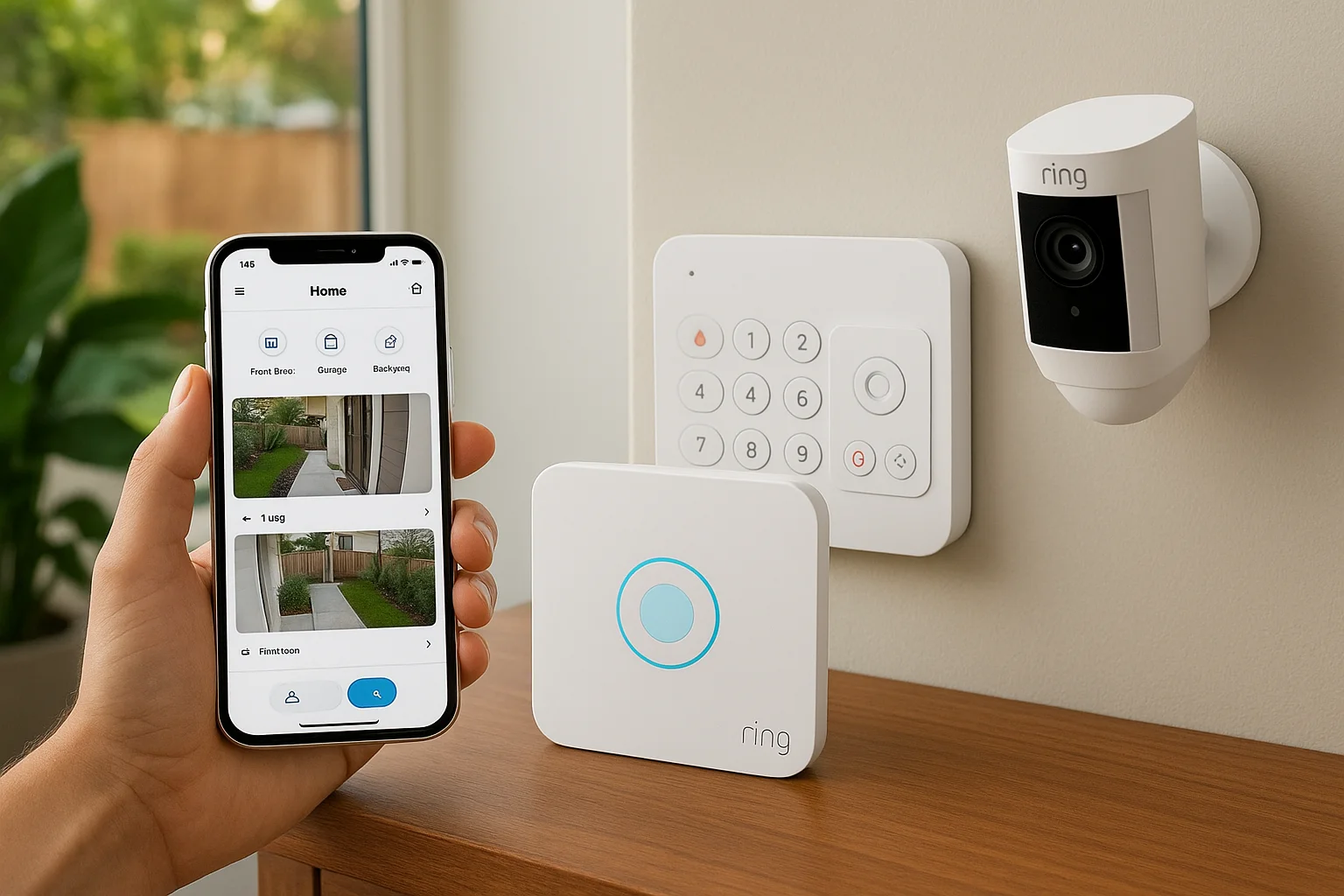
Ring built its reputation on video doorbells, but the Ring Alarm system now covers a full lineup of indoor, outdoor, and battery-powered cameras that mix and match to fit almost any layout. If you already own a scattered collection of Ring cameras from past purchases, the Alarm system folds them into one app instead of forcing you to start over. Homeowners chasing home security systems with surveillance cameras that adapt to odd-shaped yards or multiple entry points tend to gravitate toward Ring because the catalog is so deep.
Camera features
Ring offers more camera variety than almost anyone on this list, including spotlight cameras, floodlight cameras, and a Pan-Tilt indoor model that follows movement across a room. Resolution ranges from 1080p to 1536p depending on the model, and most outdoor units include customizable motion zones so you're not getting alerts every time a car passes on the street. Battery and wired power options mean you can place a camera almost anywhere without worrying about outlet access.
A catalog this wide means you build the exact coverage your property needs instead of settling for a fixed bundle.
Pricing and monitoring
Ring's Protect Plans start around $4 monthly per camera for basic video storage, or roughly $10 monthly for whole-home coverage across every device. Professional monitoring through Ring Alarm adds about $20 monthly, and self-monitoring remains free if you're comfortable checking the app yourself. That tiered structure lets you start cheap and add monitoring later without replacing hardware.
Who it's best for
Homeowners who want to build a custom smart home security system with cameras piece by piece, rather than buying one fixed package, will get the most out of Ring. It also suits anyone already inside the Amazon ecosystem, since Ring's smart home platform support ties cameras into voice commands and existing routines with minimal setup.
7. Arlo: best for self-monitoring without fees
Arlo built its cameras for people who want to skip monitoring fees entirely and just check footage themselves, and it sits alongside other home cameras that work without a subscription. The hardware works standalone without a required subscription, though you'll lose some cloud features if you opt out completely. If you want home security systems with cameras that let you watch, save, and share clips on your own terms, Arlo gives you that control without locking core functionality behind a monthly plan.
Camera features
Arlo's lineup runs from budget-friendly Essential cameras to the Ultra series, which shoots 4K video with color night vision and a wider field of view than most competitors offer. Battery life stretches for months on a single charge, and wire-free installation means you can mount a camera on a fence post or garage eave without running power to it. Built-in AI detects people, vehicles, and animals, cutting down on the junk alerts that plague cheaper motion sensors.
Owning your footage outright matters more than another monthly bill once you factor in years of use.
Pricing and monitoring
Cameras run standalone with local storage on some models, so you're not forced into a subscription just to view live feeds. Arlo Secure plans start around $5 monthly per camera for cloud recording and smart alerts, or roughly $15 monthly for unlimited cameras across your whole property. Professional monitoring is available as an add-on for about $10 more, but it's optional rather than baked into the base price.
Who it's best for
Homeowners who want smart home security systems with cameras but refuse to pay recurring monitoring fees will find Arlo hits the mark. It also suits anyone who wants flexibility to add professional monitoring later, once budget allows, without replacing hardware they already own.
8. Eufy: best for local video storage
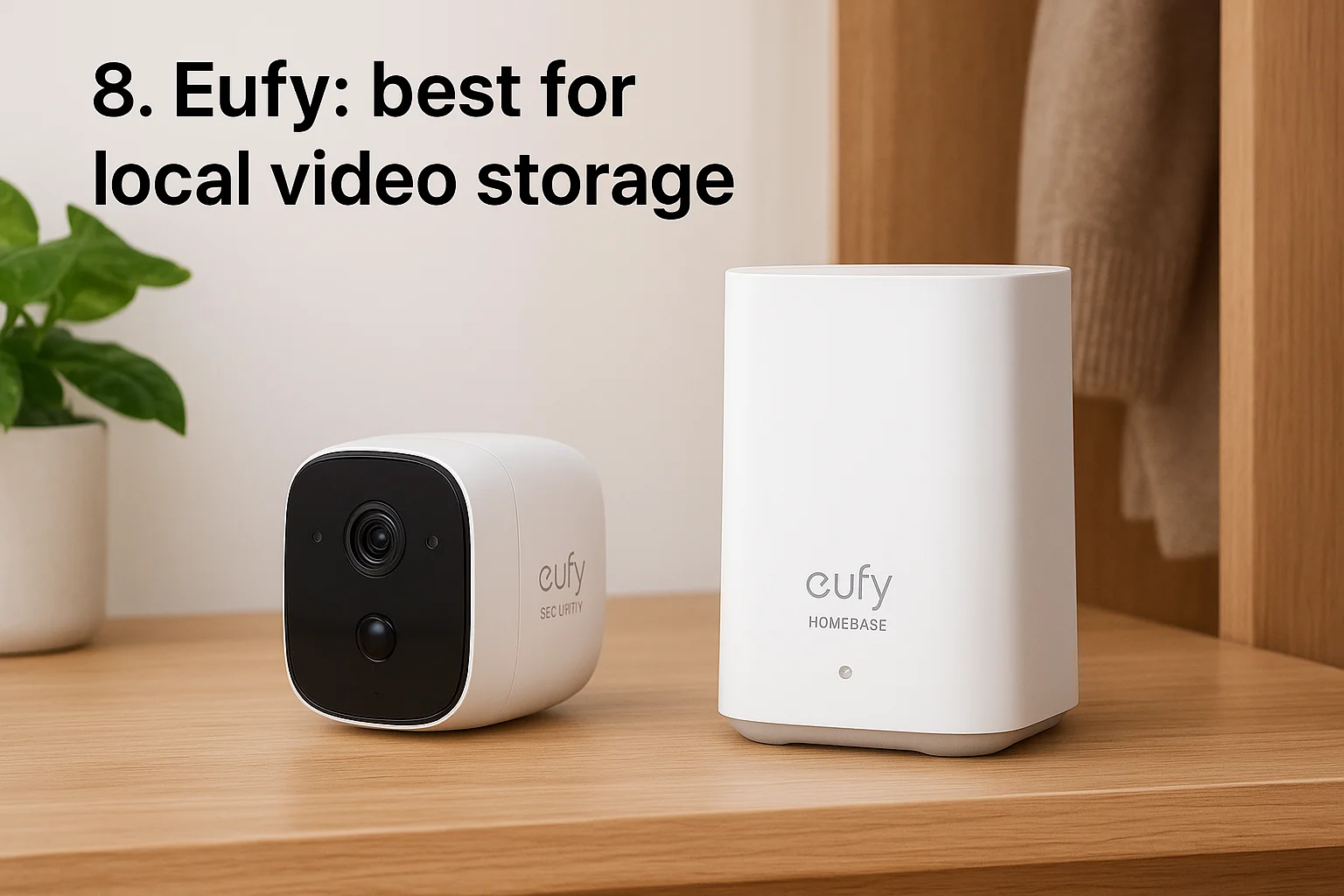
Eufy built its whole pitch around storing footage on a physical hub in your house instead of shipping it to the cloud. That matters if you're wary of subscription creep or just don't want a company's server holding years of clips from your front porch. For anyone chasing home security systems with surveillance cameras that skip monthly fees almost entirely, Eufy is the name that keeps coming up.
Camera features
Eufy's cameras range from budget indoor models to the outdoor S-series, which records up to 4K with color night vision and on-device AI that tells people apart from cars and animals. Most cameras store footage directly to a HomeBase hub with a built-in hard drive, so playback stays fast even without a strong internet connection. Battery models last months per charge, and a few newer units add solar panels to skip recharging altogether.
Keeping footage on a hub in your closet beats trusting it to a server you'll never see.
Pricing and monitoring
Most Eufy cameras work with zero subscription required, since local storage on the HomeBase covers recording and playback out of the box. An optional cloud plan runs around $3 monthly per camera if you want offsite backup in case someone steals the hub along with the cameras. Professional monitoring isn't native to Eufy, though some models integrate with third-party monitoring services if you want that layer added on.
Who it's best for
Homeowners who want an in home security systems with cameras setup without paying a monthly bill will get the most value from Eufy. It also suits privacy-focused buyers who'd rather keep footage local than route it through a cloud server, and anyone in a rural area where internet reliability makes cloud-dependent systems a liability.
9. Abode: best for renters
Abode built its system around flexibility instead of long-term commitment, which makes it a natural fit for renters comparing no-drill security systems who don't own the walls they're securing. Setup skips professional installation entirely, and most hardware runs on adhesive mounts or battery power, so you can pull everything down and take it with you when the lease ends. Landlords who restrict drilling or permanent wiring rarely object to an in home security systems with cameras kit that leaves zero marks behind.
Camera features
Abode's camera lineup includes indoor, outdoor, and a compact Cam 2 model that handles 1080p video with night vision and a built-in siren you can trigger remotely. The outdoor Iota camera combines a hub, siren, and keypad in one unit, which cuts down on the separate boxes cluttering most DIY kits. Motion zones and person detection help filter out false alerts from passing cars or blowing leaves, though the AI isn't as refined as pricier competitors like Vivint or Arlo Ultra.
A system that packs up as easily as it sets up suits anyone who doesn't know how long they'll live at their current address.
Pricing and monitoring
Abode offers something rare in this list: real self-monitoring for free, with no subscription required to view live feeds or basic alerts. Paid plans start around $8 monthly for cloud storage and smarter notifications, climbing to roughly $20 for professional monitoring with cellular backup included.
Who it's best for
Renters who want home security systems with cameras without drilling holes or signing a contract tied to a specific address will find Abode fits best. It also suits anyone testing whether they want monitored security at all before committing to a pricier, contract-based system.
10. Brinks Home: best for professional installation
Brinks Home leans on trained technicians for every install, which sets it apart from the DIY kits dominating this list. You get a professional installation service that mounts cameras, runs wiring where needed, and walks you through the app before they leave, rather than a box you configure alone on a Saturday afternoon. For homeowners who want a home security systems with camera setup handled start to finish by someone else, Brinks fills that gap without the century-long contract history ADT carries.
Camera features
Brinks offers indoor, outdoor, and video doorbell cameras with 1080p resolution, night vision, and two-way talk built into each unit. Cameras integrate with the broader alarm system, so a triggered door sensor can automatically pull up live video from the nearest camera. Motion zones cut down on false alerts, though the lineup doesn't stretch to the 4K or advanced AI detection you'll find with Vivint or Arlo.
Pricing and monitoring
Equipment requires professional installation, and Brinks typically bundles it into your monitoring contract rather than charging separately upfront. Monitoring plans start around $30 monthly for basic coverage and climb to roughly $50 for camera recording and smart home controls, with contract terms usually running 36 months.
Paying for installation once beats troubleshooting camera placement yourself for years.
Who it's best for
Homeowners who want security home systems with cameras installed correctly the first time, without researching mounting angles or Wi-Fi signal strength themselves, fit Brinks well. It also suits buyers comfortable with a longer contract in exchange for hands-off setup and a technician who tests everything before walking out the door.
11. Why add cameras to your home security system
A sensor tells you a door opened. A camera tells you who opened it. That difference matters more than most homeowners realize until they're staring at an insurance claim with no evidence to back it up. Video evidence turns a vague police report into something an officer, an insurance adjuster, or a jury can actually act on, and that alone justifies the extra cost over a sensor-only setup.
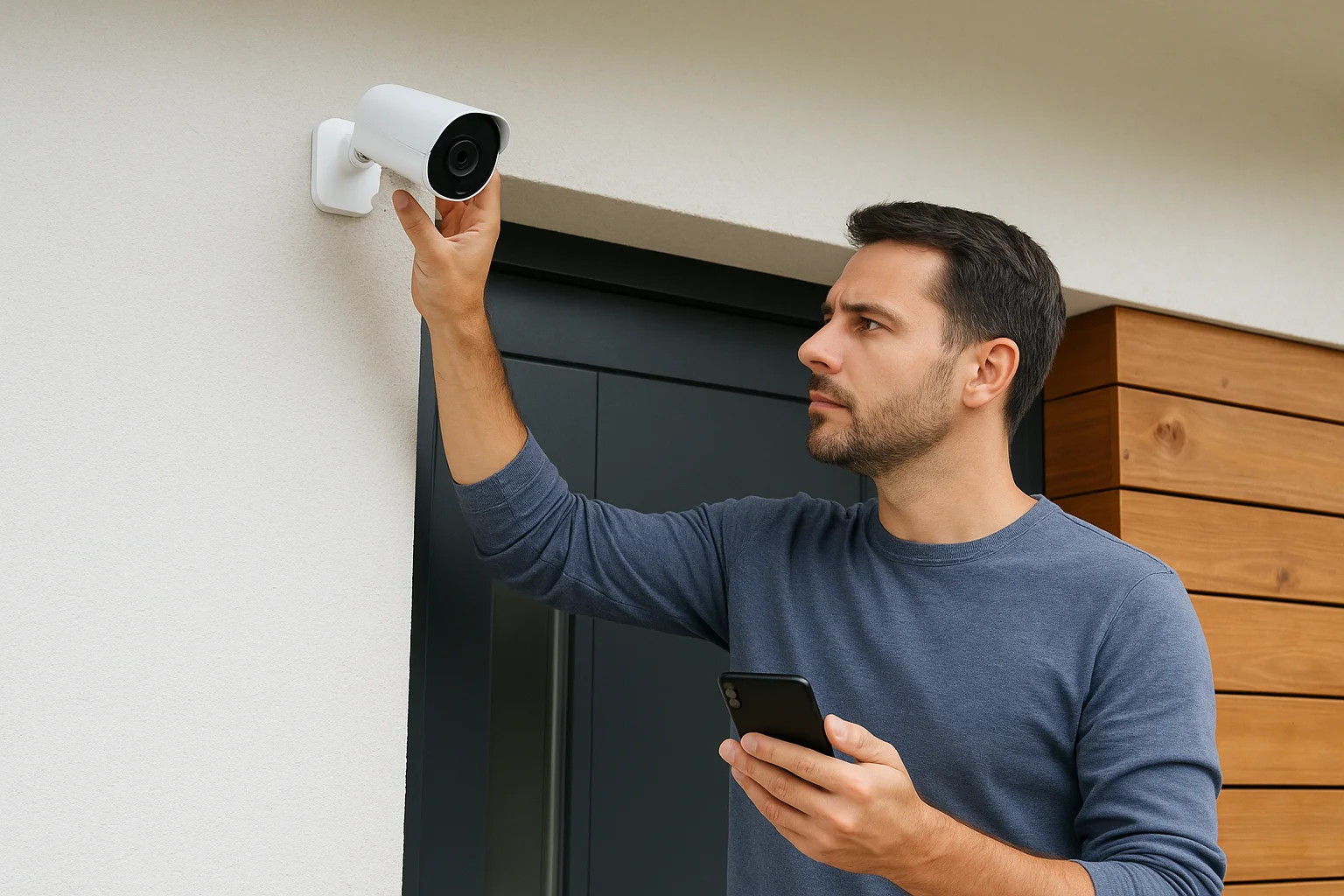
Beyond evidence, cameras change behavior before anything happens. Visible cameras, spotlights, and audible warnings push would-be intruders toward an easier target, which is what the research says about cameras deterring crime and why active deterrence features show up on so many systems in this list. Packages left on porches, cars parked overnight, contractors walking a job site unsupervised: cameras give you a record of all of it, not just break-ins.
A sensor tells you something happened. A camera tells you what actually happened.
Cameras also close gaps that alarms alone can't cover. A few practical reasons homeowners add them:
- Remote verification: a video doorbell lets you check who's at the door from your phone before opening it, whether you're upstairs or across town
- False alarm reduction: visual confirmation lets you cancel a dispatch instead of paying a monitoring fine for a raccoon on the porch
- Elderly and family monitoring: indoor cameras with voice alerts help families keep tabs on aging parents without installing dedicated medical equipment
- Insurance discounts: many carriers knock a percentage off premiums once monitored cameras are documented on your policy
Every home security system with camera coverage on this list leans on one or more of these reasons, and picking the right combination depends on which of them matters most for your property.
12. How to choose the right system for your home
Start with your property, not the brand names on this list. A single-story home in a quiet Meridian cul-de-sac needs different coverage than a rental duplex in downtown Boise or a warehouse with three loading doors. Where you place each camera matters more than any single camera spec, since a 4K camera aimed at the wrong angle still misses the side gate someone walks through.
Next, decide how hands-on you want to be after installation. Some homeowners want to review clips themselves and skip a monthly bill, which points toward Arlo or Eufy. Others want a live team dispatching help the moment a sensor trips, which points toward ADT or Brinks. Be honest about this now, because switching monitoring styles later usually means replacing hardware.
Pick the monitoring style you'll actually use, not the one that sounds most impressive in a sales pitch.
Run through this home security system buying checklist before you buy anything:
- Wi-Fi strength at every planned camera location, not just near the router
- Storage preference, local hub versus cloud subscription, and what happens if one fails
- Contract length you're comfortable with, from month-to-month to 36-month terms
- Integration needs, like existing smart locks, lighting, or voice assistants already in your home
- Installation type, DIY setup versus a technician who tests coverage before leaving
Finally, weigh whether a prebuilt package actually fits your layout or whether you're paying for cameras you don't need while missing coverage you do. This is where a lot of the DIY brands on this list fall short for larger or oddly shaped properties. If your home doesn't map cleanly onto a fixed bundle, a custom-designed system built around your actual floor plan usually ends up cheaper than buying, returning, and rebuying pieces until something finally covers your blind spots.
13. What does a home security system with cameras cost
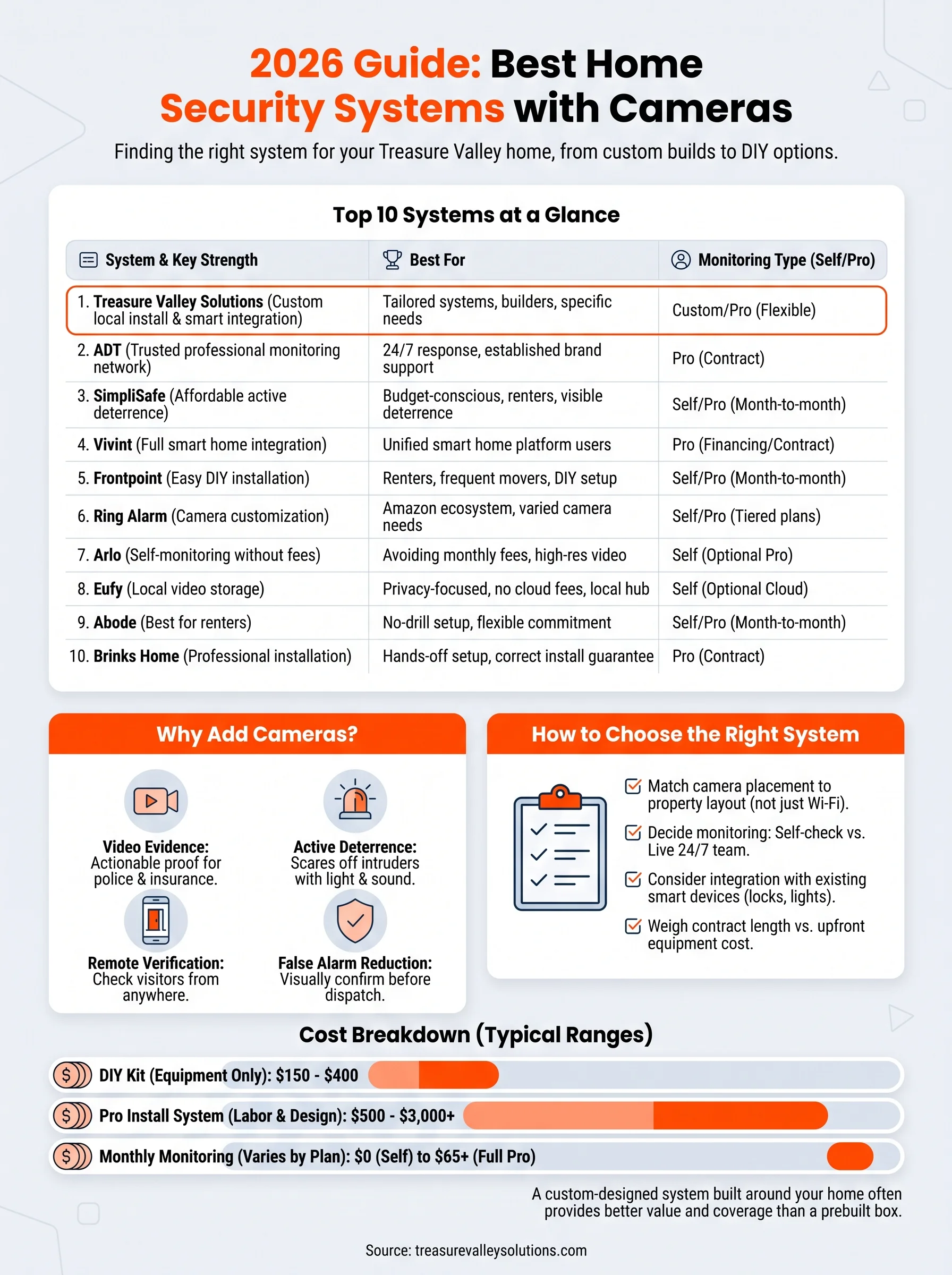
Costs break into two buckets: equipment and monitoring. Equipment ranges from under $150 for a basic DIY camera kit to several thousand dollars for a fully wired, professionally designed system with multiple cameras, access control, and a central hub, and installation pricing shifts with each of those choices. Monthly monitoring fees add up faster than most homeowners expect, since a $20 plan today can turn into $50 once you add camera recording, smart home controls, and professional dispatch.
The sticker price on the box rarely matches what you'll actually pay after a year of monitoring fees.
Here's a rough breakdown across the systems covered in this guide:
| Cost Type | Typical Range | Notes |
|---|---|---|
| DIY camera kit | $150-$400 | No installation labor, self-monitored |
| Professionally installed system | $500-$3,000+ | Includes labor, wiring, custom design |
| Basic monitoring | $0-$20/month | Self-monitoring or entry-level plans |
| Camera recording plans | $10-$30/month | Cloud storage, smart alerts |
| Full professional monitoring | $30-$65/month | 24/7 dispatch, contract often required |
Contracts change the math too. A 36-month agreement at $50 monthly runs $1,800 over its term, on top of whatever you paid for hardware upfront. Month-to-month plans cost more per month in some cases, but they let you cancel or downgrade without penalty if your needs change.
Custom installations, like what we build at Treasure Valley Solutions, work differently. Instead of a flat tier, pricing scales with camera count, wiring complexity, and whether you want monitoring layered on top, so a small home costs less than a warehouse needing eight cameras and access control. That model usually beats piecing together a home security system with cameras from mismatched retail kits, since you're not overbuying coverage in one spot while leaving gaps in another. Get a custom quote before assuming a national brand's advertised price reflects what a camera system really costs around Boise and Meridian.
14. Frequently asked questions about security cameras
Homeowners ask a handful of the same questions before buying, so here are straight answers to the ones that come up most in our installs across the Treasure Valley.
Do security cameras need Wi-Fi to work? Most consumer cameras rely on Wi-Fi to send alerts and stream live video, though models with local storage, like Eufy, can record without an internet connection and just delay uploads until connectivity returns. Cellular backup exists on some professionally monitored systems specifically to keep working during an outage, and it's one of the tradeoffs between wired and wireless cameras worth weighing.
Can police access my camera footage? Yes, if you choose to share it. Ring, Arlo, and most brands let you export clips directly to law enforcement through the app, and you control what gets shared rather than granting blanket access.
Will cameras lower my insurance premium? Often, yes. Many carriers offer a discount once you document monitored cameras on your policy, though the percentage varies by insurer and state, so call your agent directly rather than assuming a fixed rate.
A camera only helps if someone, or something, is actually watching the footage it captures.
How long does footage stay stored? Cloud plans typically hold clips for 30 to 60 days depending on the subscription tier, while local storage on a hub often holds months of footage until the drive fills and starts overwriting older clips.
Can I mix brands in one system? Sometimes, through platforms like Google Home or Alexa, but full integration, especially with locks and lighting, usually works best when a home security system with camera setup comes from one coordinated install rather than several apps stitched together after the fact.
Picking the right system for your home
Every system on this list solves a different problem. Budget and control point you toward Arlo or Eufy. A live team dispatching help the moment something trips points toward ADT or Brinks. None of that matters if the cameras end up aimed at the wrong angle or missing the side gate someone actually walks through.
That's the gap a boxed kit can't close. Custom installation means someone walks your property, maps the blind spots, and builds coverage around your actual layout instead of a generic bundle. Whether you're a homeowner in Meridian, a property manager juggling several units, or a builder wiring new construction from the ground up, that approach holds up longer than any prebuilt package.
If you're ready to stop guessing at coverage, see real camera systems we've designed and installed and get a setup built around your home, not someone else's floor plan.
Compare your options
Your next step
Compare Cameras and Full Security SystemsReady for professional help? Request an estimateOur Services
High-definition surveillance for peace of mind.
Comprehensive security solutions for home and business.
Serving the Treasure Valley
Local installation in your city