 (208) 991-3502
 Meridian, ID



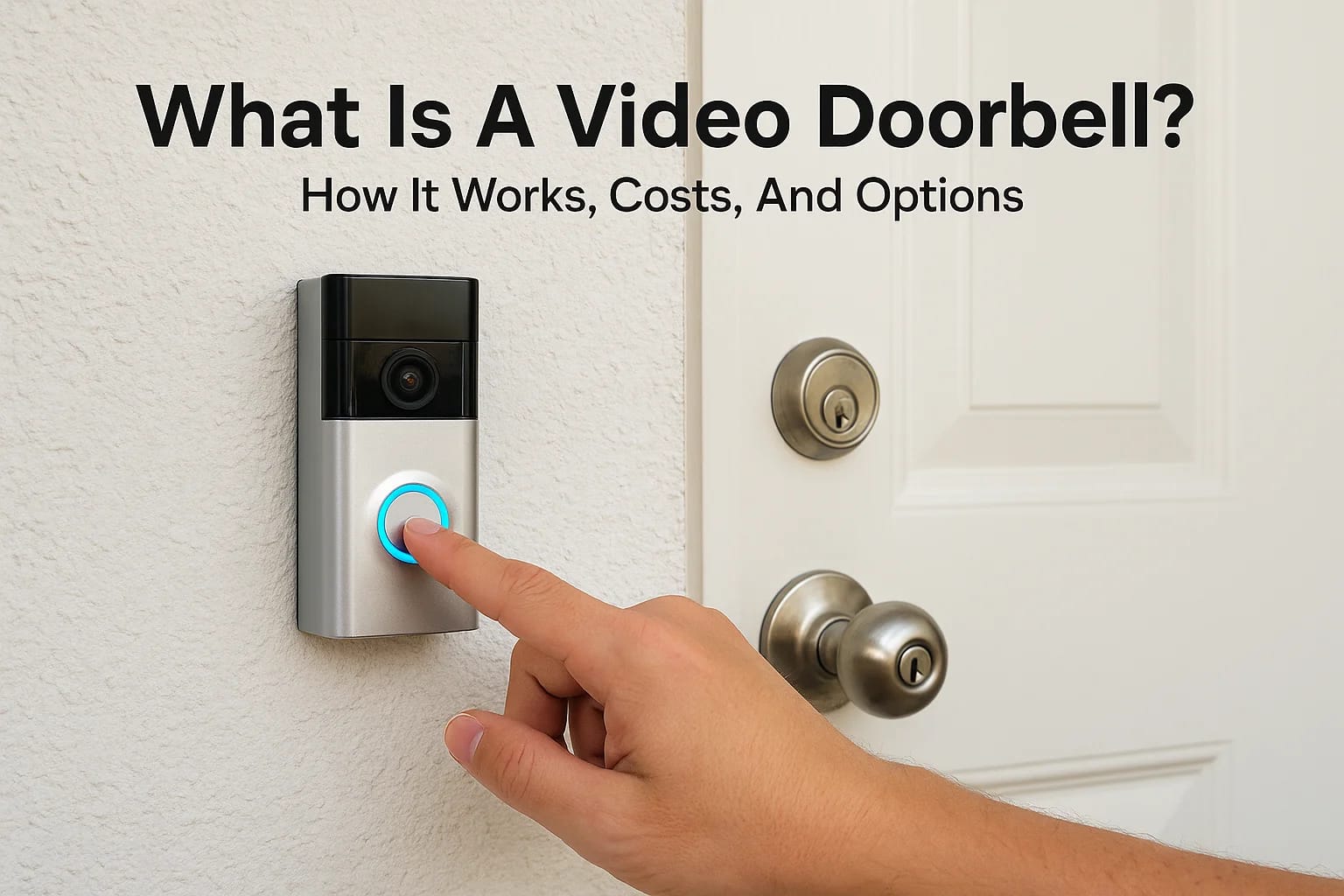

A video doorbell is one of those rare pieces of technology that makes an immediate, noticeable difference the moment it's installed. If you've been asking "what is a video doorbell?", or you...
A video doorbell is one of those rare pieces of technology that makes an immediate, noticeable difference the moment it's installed. If you've been asking "what is a video doorbell?", or you already have a general idea but want to understand the details before buying one, you're in the right place.
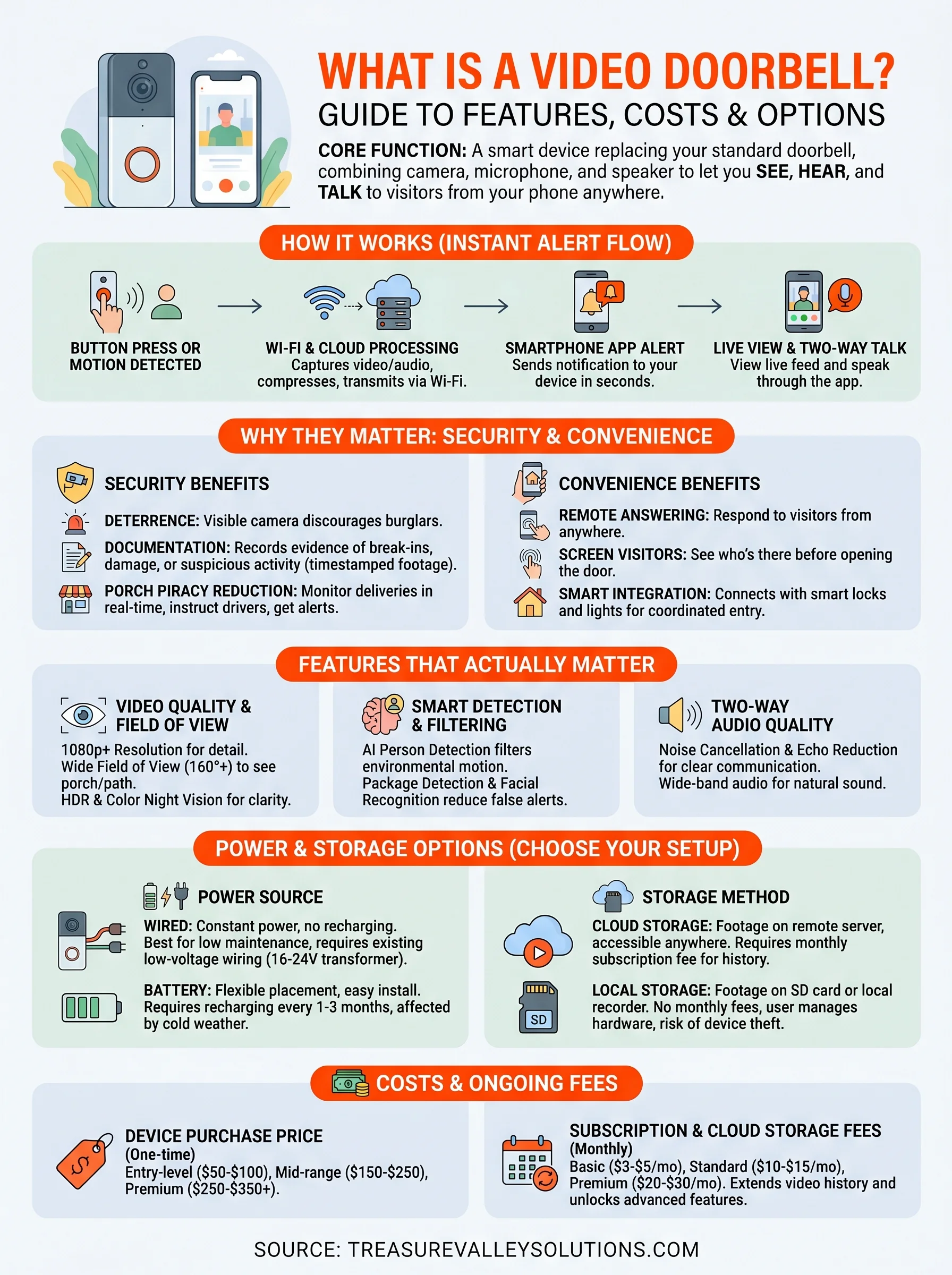
At its core, a video doorbell replaces your standard doorbell with a device that includes a built-in camera, microphone, and speaker. It lets you see, hear, and talk to anyone at your door from your phone, whether you're in the kitchen or across town. Some models detect motion before a visitor even rings the bell, and most offer cloud or local video recording so you can review footage later.
But not all video doorbells are created equal, and picking the right one depends on your home, your goals, and how it fits into your broader setup. As a smart home integration company based in Meridian, Idaho, our team at Treasure Valley Solutions has installed and configured hundreds of doorbell cameras across the Treasure Valley since 2014. This article breaks down exactly how video doorbells work, what they cost, which features actually matter, and how to choose the right option for your home.
Why video doorbells matter for home security and convenience
A video doorbell does more than replace a button on your wall. It gives you real-time visibility into one of the most vulnerable entry points on any property. Whether you're still trying to understand what is a video doorbell in practical terms or you're close to buying one, the security and convenience benefits are concrete and worth knowing before you commit to a specific model.
The security case: deterrence and documentation
Most break-ins are not impulsive. Burglars typically survey a property first, looking for easy targets with low risk. Research supported by the Office of Community Oriented Policing Services consistently shows that visible security cameras rank among the most effective deterrents for residential burglary. A video doorbell is visible by design, which signals to anyone approaching your door that they are being recorded before they even knock.
A camera at your front entrance does double duty: it discourages unwanted visitors before they act, and it captures evidence if they follow through anyway.
Beyond deterrence, video doorbells document every interaction at your door. If a package disappears, a stranger lingers at 2 a.m., or someone damages your property, you have timestamped footage you can hand directly to law enforcement or submit to your homeowners insurance provider. That documentation removes ambiguity from disputes and speeds up any claims process.
Reducing package theft and porch piracy
Package theft is a widespread problem that carriers and retailers have struggled to solve with delivery instructions alone. Porch piracy costs consumers hundreds of millions of dollars each year, and photo confirmations left by drivers do little to stop someone who shows up minutes later.
A video doorbell shifts the balance. Motion alerts reach your phone the moment someone approaches, which means you can watch a delivery happen in real time and speak through two-way audio to instruct a driver or discourage someone who lingers too long after picking up a box. You can also share recorded clips directly with retailers or shipping carriers to support a missing-item claim, which makes the resolution process faster and less frustrating than a phone call with no supporting evidence.
Convenience that changes how you handle visitors
Security aside, video doorbells remove a significant amount of friction from daily life. Remote answering means you do not have to walk to the door every time someone rings the bell, and you can respond from anywhere with a cell signal. You can let a dog walker in, direct a delivery driver to a side entrance, or tell a guest you will be home in fifteen minutes, all without being physically present at your home.
For households with young children, elderly family members, or anyone with limited mobility, this convenience carries real weight. You screen visitors first through the app, then decide whether to unlock the door or keep the conversation through the speaker. That layer of control reduces the risk of opening your door to someone you do not recognize.
Video doorbells also connect to broader smart home systems. When paired with smart locks, automated lighting, or a home automation hub, your front door becomes a coordinated entry point rather than a standalone device. That integration is where long-term value accumulates, and it is exactly the kind of whole-home thinking our team at Treasure Valley Solutions builds into every installation we take on.
How a video doorbell works from button press to alert
Understanding what is a video doorbell at a technical level helps you set realistic expectations and troubleshoot issues when they arise. The sequence from button press to phone alert involves several components working in under a second, and knowing each step tells you exactly where problems can emerge if something feels slow or unreliable.
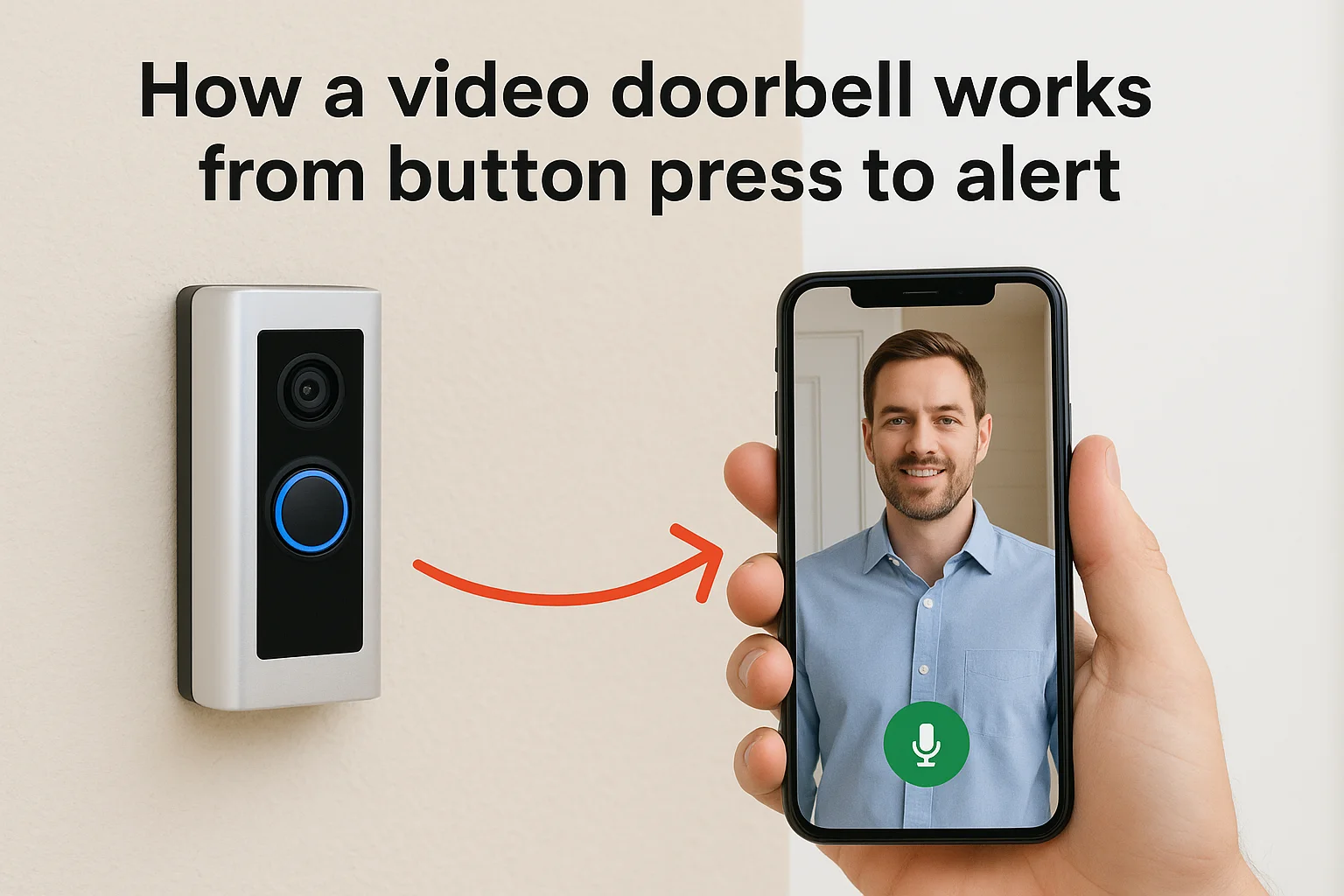
From button press to your phone screen
When a visitor presses your doorbell button, the device captures live video and audio from its built-in camera and microphone immediately. That data compresses and transmits over your home's Wi-Fi network to a cloud server or, in some systems, directly to a local hub. The server then pushes a notification to your smartphone app, which wakes your screen and streams the live feed. The whole chain typically completes in one to three seconds on a stable internet connection.
A slow or inconsistent Wi-Fi signal at your front door is the single most common reason video doorbells feel unresponsive, not the device itself.
Two-way audio runs the same pipeline in reverse. When you tap the microphone icon in your app and speak into your phone, your voice compresses, travels to the server, and plays through the doorbell's speaker. The visitor hears you nearly in real time, and you hear their response through your phone's speaker or earpiece without any additional hardware on your end.
How motion detection changes the picture
Most video doorbells do not wait for someone to press the button. Passive infrared sensors or pixel-based motion analysis scan the area in front of the camera continuously. When the system detects movement that crosses a user-defined threshold, it triggers the same alert pipeline described above, sending you a notification and a short recorded clip before anyone touches the button.
You can usually configure motion zones inside the app to focus detection on your walkway rather than the street or a neighboring yard. That adjustment cuts down on false alerts from passing cars or shifting shadows. On models that support person detection or facial recognition, the system filters alerts even further, notifying you only when a human enters the frame rather than flagging every movement the camera picks up.
Features that actually matter when you compare models
Once you move past asking what is a video doorbell and start comparing specific models, the spec sheets can feel overwhelming. Manufacturers list dozens of features, but only a handful of them affect your day-to-day experience in a meaningful way. Focusing on the right ones saves you money and prevents frustration after installation.
Video quality and field of view
Resolution and field of view are the two specs most likely to determine whether your footage is actually useful. A minimum of 1080p resolution gives you enough detail to identify faces, read package labels, and capture license plates if a vehicle pulls into your driveway. Anything lower can still show you someone is at the door, but the image often blurs the moment you try to zoom in or crop a still for law enforcement.
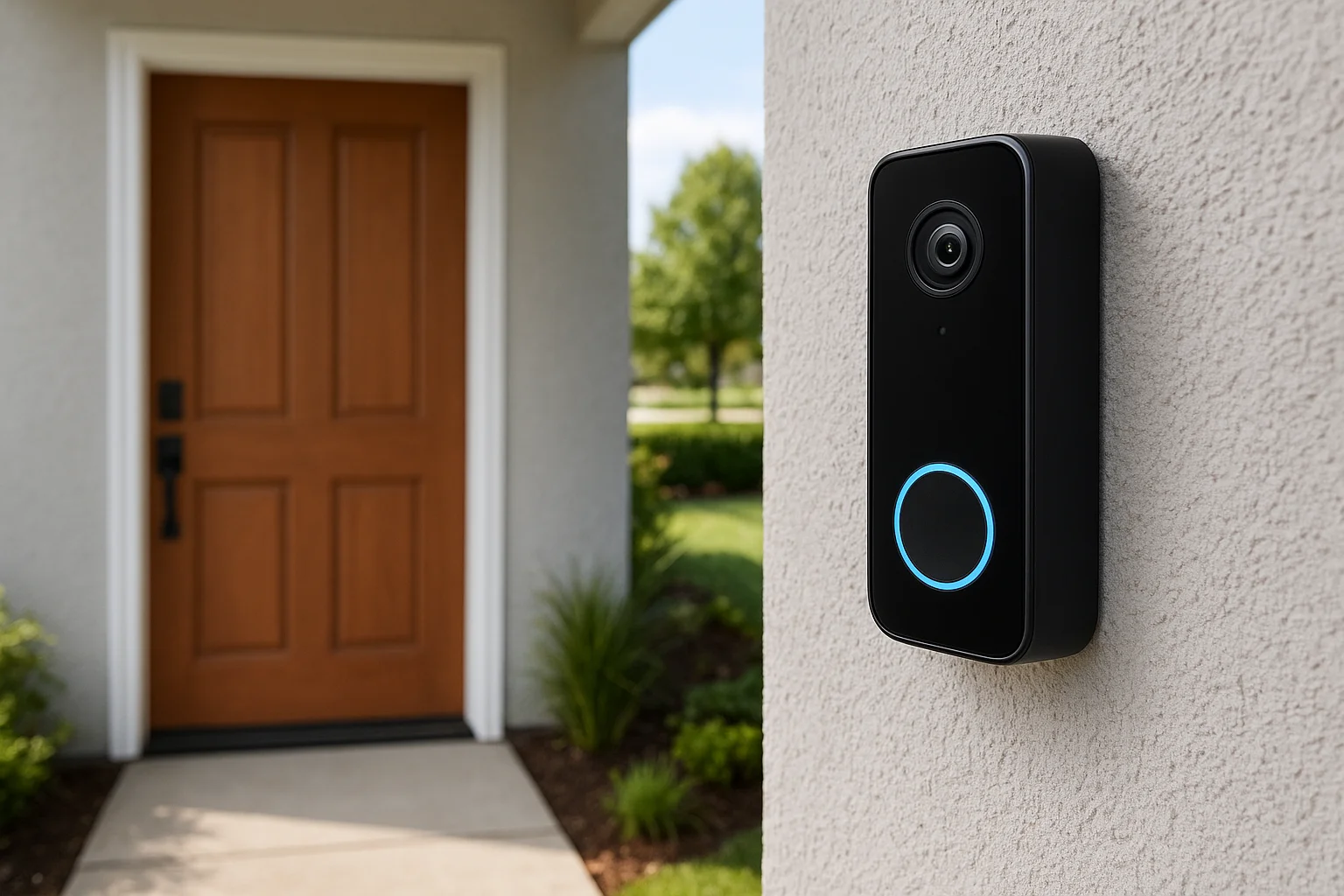
Field of view matters just as much as resolution. A wide-angle lens of at least 160 degrees captures your full porch, steps, and approach path rather than a narrow slice of the frame.
Look for models that also offer HDR imaging and color night vision. Front doors sit in mixed lighting conditions throughout the day, with bright sunlight from one direction and shade from another. HDR balances that contrast automatically so faces do not wash out against a bright background.
Smart detection and alert filtering
Motion sensitivity and person detection determine whether your phone buzzes constantly or only when it matters. Basic motion detection flags every passing car and shifting shadow, which trains most people to ignore notifications entirely within a week. Models with AI-based person detection filter out environmental movement and send alerts only when a person enters the frame.
Some higher-end models add package detection and facial recognition, which notify you specifically when a box appears on your step or when an unrecognized person approaches. These features reduce notification fatigue significantly, and they are worth the price difference if your household manages frequent deliveries or sits on a busy street.
Two-way audio quality
Microphone and speaker clarity rarely appear on spec sheets in detail, but they shape every conversation you have through your doorbell. Look specifically for models that advertise noise cancellation or echo reduction, and read user reviews focused on audio quality before committing. A doorbell with poor audio makes two-way communication frustrating fast, and visitors often cannot hear you clearly over wind or street noise.
- Noise cancellation reduces wind interference during outdoor conversations
- Echo reduction prevents your voice from looping back through the speaker
- Wide-band audio captures a fuller frequency range, making voices sound natural rather than tinny
Power, connectivity, and storage options
Once you understand what is a video doorbell at a feature level, the next decisions come down to the infrastructure behind it. Power source, network connection, and storage method all affect how reliably your doorbell performs day to day, and making the wrong choice for your specific setup creates problems that troubleshooting alone will not fix cleanly.
Wired vs. battery power
Hardwired doorbells connect to your home's existing low-voltage doorbell wiring, typically 16 to 24 volts AC. That constant power supply means no recharging schedule, no dead batteries, and consistent performance without gaps in coverage. If your home already has a standard wired doorbell, swapping to a wired video doorbell is usually straightforward, though some older transformers need an upgrade to supply enough current for the camera and Wi-Fi radio.
Battery-powered models give you flexibility when you have no existing wiring or want to install on a gate, side entrance, or garage. Most rechargeable batteries last one to three months depending on how much motion the camera detects and the outdoor temperature. Cold winters in areas like the Treasure Valley reduce battery capacity noticeably, so expect to recharge more frequently from late fall through early spring.
If you want consistent performance without any maintenance interruptions, hardwired power is almost always the better long-term choice for a front door installation.
Wi-Fi requirements and placement
Your video doorbell connects to your home network over 2.4 GHz or 5 GHz Wi-Fi, and the signal strength at your front door determines how responsive the device feels during live viewing and two-way audio. Most front doors sit far enough from a router that signal quality drops below what smooth video streaming requires. A Wi-Fi extender or a mesh network node placed near the entrance solves this problem without replacing your entire network setup.
Cloud vs. local storage
Cloud storage sends recorded clips to a remote server, which gives you access from anywhere and protects footage even if someone steals or damages the device. Most manufacturers offer free rolling storage of 24 to 72 hours, with paid plans extending history to 30 or 60 days. Local storage relies on an onboard SD card or a network-attached recorder to keep footage on your property, which eliminates monthly fees but requires you to manage the hardware and check storage capacity yourself.
Costs and ongoing fees to plan for
Understanding the full cost picture before you buy saves you from surprises after installation. When people first explore what is a video doorbell and how much it costs, they often account only for the device price, missing the recurring subscription fees that add up over months and years.
Device purchase price
Entry-level video doorbells typically run between $50 and $100 and cover basic resolution, standard motion detection, and cloud storage limited to short rolling windows. Mid-range models land between $150 and $250 and add features like person detection, HDR imaging, and wider field-of-view lenses. Premium options from brands like Google and Ring push $250 to $350 or higher when they include color night vision, local storage options, and tighter smart home integration.
The device price is a one-time cost, but it rarely tells the full financial story of owning a video doorbell long-term.
If you are replacing an existing wired doorbell, your installation costs stay low since the wiring and transformer are already in place. Battery-powered models on a new surface mount require minimal hardware, though a professional installation adds labor costs that vary by provider.
Subscription and cloud storage fees
Most manufacturers restrict meaningful cloud storage behind a paid plan. Free tiers typically offer only 24 to 72 hours of rolling footage, which means any incident from four days ago is gone before you think to check. Paid subscriptions extend that history to 30 or 60 days and often unlock advanced features like person and package detection that the hardware supports but the software gates behind a paywall.
Common monthly subscription costs break down roughly as follows:
| Plan tier | Typical monthly cost | Storage window |
|---|---|---|
| Basic (1 camera) | $3 to $5 | 30 days |
| Standard (multiple cameras) | $10 to $15 | 30 to 60 days |
| Premium (whole home) | $20 to $30 | 60 days + extras |
Local storage alternatives using an SD card or a network recorder eliminate monthly fees entirely, but they require you to manage the hardware, check capacity regularly, and accept that stolen or damaged devices take the footage with them. Factor all of these numbers into your budget before you settle on a specific model.
Installation basics and common setup problems
Installing a video doorbell is one of the more approachable smart home projects you can take on yourself, but a few common mistakes turn a one-hour job into an afternoon of troubleshooting. Knowing what is a video doorbell at a technical level helps you anticipate where the process gets complicated before you start pulling wires.
Replacing a wired doorbell
If your home already has a wired doorbell system, you have the simplest upgrade path available. Start by turning off power at the breaker, then remove the existing doorbell and disconnect the two low-voltage wires from the back. Most video doorbell manufacturers include a wiring diagram in the box that shows exactly which terminals those wires attach to on the new device. Before you reconnect power, check the voltage rating on your existing transformer, typically located near your electrical panel or in a utility closet. Many older transformers supply only 8 to 10 volts, and most video doorbells require 16 to 24 volts to power the camera, Wi-Fi radio, and speaker simultaneously. A transformer upgrade costs under $20 and takes about fifteen minutes to swap out.
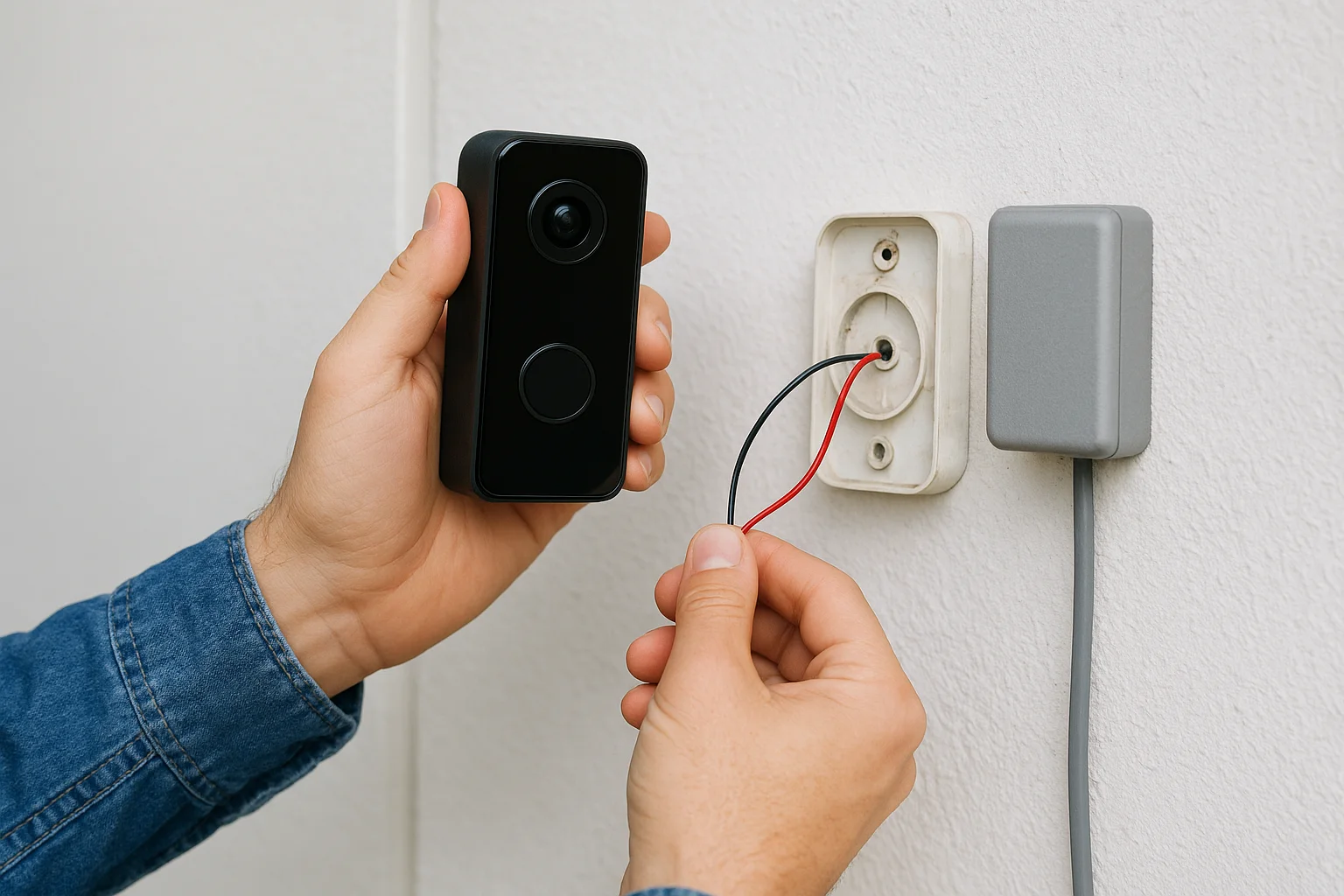
Skipping the transformer check is the most common reason a newly installed video doorbell powers on briefly, then cuts out or refuses to connect to Wi-Fi.
Battery-powered mounting and placement
Battery-powered models skip the wiring entirely, but placement still matters more than most buyers expect. Mount the device at roughly chest height, around 48 inches off the ground, angled slightly downward. That position captures faces clearly rather than the tops of heads. Avoid mounting directly under a deep overhang or behind a screen door frame, as both block the field of view and interfere with motion detection.
Common setup problems and how to fix them
Most setup failures trace back to two root causes: weak Wi-Fi signal at the front door and an incompatible existing chime. If your app shows the doorbell connecting then immediately dropping offline, move a mesh node or Wi-Fi extender within 20 feet of the entrance before assuming the device is defective. If your indoor chime buzzes or fails to ring after installation, check whether the manufacturer includes a bypass resistor or diode in the box. Many models require that component to work correctly with mechanical chimes, and it often sits in the packaging without any clear labeling.
Privacy, data security, and legal considerations
Knowing what is a video doorbell at a feature level is only part of the picture. Before you install one, you need to understand who can access your footage, how manufacturers protect your data, and whether your recording setup complies with local laws. These issues are practical, not theoretical, and they apply to any homeowner who puts a camera near a public-facing entrance.
Who can access your footage
The company whose app you use to view your doorbell stores your video clips on their servers, which means they set the rules around who can request access to that footage. Major manufacturers like Ring and Google have published policies describing how they respond to law enforcement data requests, and those requests have increased significantly in recent years. Review your device manufacturer's privacy policy directly on their official site before you commit to a platform, and check whether they require a warrant before releasing footage or whether they comply with informal requests.
Your footage is only as private as the platform storing it, so the manufacturer's data practices matter as much as the hardware itself.
You can reduce third-party exposure by choosing a device that supports local storage on an SD card or a local network recorder, keeping your clips on hardware you physically control. That trade-off removes cloud access from anywhere, but it also removes a third party from the equation entirely.
Recording laws and neighbor considerations
Recording laws vary by state, and some jurisdictions impose specific requirements around audio capture, notice, and field of view. In most U.S. states, you can legally record video on your own property and in public spaces visible from it, but two-party consent laws in states like California and Washington add restrictions around audio recording without the other person's knowledge. Check your state's specific statutes before enabling audio recording features on your device.
Your camera's field of view also matters in practical terms. Pointing your doorbell so it captures a neighbor's driveway, entrance, or backyard can create friction even when it is technically legal in your jurisdiction. Angle the device to cover your own property and walkway, use motion zones to limit detection to your lot line, and you avoid most neighbor disputes before they start.
A quick way to choose the right doorbell for your home
Once you understand what is a video doorbell and what separates one model from another, the decision narrows quickly to three factors: your existing wiring, your Wi-Fi setup at the front door, and the specific problem you most want to solve. Running through those three points in order cuts through the confusion that comes from comparing spec sheets side by side.
Start with your wiring and power situation
Your existing doorbell wiring is your first decision point, not the brand or the price tier. If your home has low-voltage wiring and a transformer rated at 16 volts or higher, a hardwired model gives you reliable, maintenance-free performance from day one. If you have no existing wiring, a battery-powered model works well as long as you plan for recharge cycles and account for seasonal temperature effects on battery capacity.
Getting the power situation right before choosing a brand saves you from returning a device that works perfectly but simply does not fit your home's setup.
Check your Wi-Fi signal strength at the front door before purchasing anything. A mesh network node or Wi-Fi extender placed within 20 feet of the entrance resolves most connectivity problems before they affect your daily experience.
Match the features to the problems you actually face
Package theft, notification fatigue, and poor night visibility are the three complaints homeowners raise most often after buying a basic model. If packages disappearing from your porch is the primary concern, prioritize a model with person and package detection plus 30-day cloud storage so footage is available when you need to support a claim with a carrier or retailer.
For homes on busy streets, AI-based zone filtering and person-only alerts matter more than resolution upgrades. Drawing a motion boundary around your walkway in the app eliminates most false notifications without requiring any hardware change.
Consider compatibility with your existing setup
Native integration with your current smart home platform matters more than any single feature on the spec sheet. If you already use Google Home or Amazon Alexa to manage lights and locks, choose a doorbell that connects to that same ecosystem directly rather than adding a separate app and interface to manage.
Your front door works best when your doorbell coordinates with your smart lock and entry lighting rather than operating as a standalone camera with no connection to the rest of your home.
Next steps
Now that you understand what is a video doorbell and how each piece of the decision fits together, the next move is straightforward. Start by checking your existing doorbell wiring and transformer voltage, then test your Wi-Fi signal at the front door before you buy anything. Those two steps alone eliminate most of the problems homeowners run into after installation.
If you want your doorbell to work as part of a fully integrated front-door system rather than a standalone camera, that is where professional installation pays off. At Treasure Valley Solutions, our team designs and installs smart entry setups that connect your doorbell, smart lock, and entry lighting into one coordinated system you control from a single app. We have served homeowners across the Treasure Valley since 2014, and we can help you build the right setup for your home from the start. Get in touch with our team to talk through your options.
Need Expert Help?
Ready to implement these solutions in your own home or business?
Our Services

High-definition surveillance for peace of mind.

Comprehensive security solutions for home and business.
Serving the Treasure Valley
Local installation in your city