 (208) 991-3502
 Meridian, ID



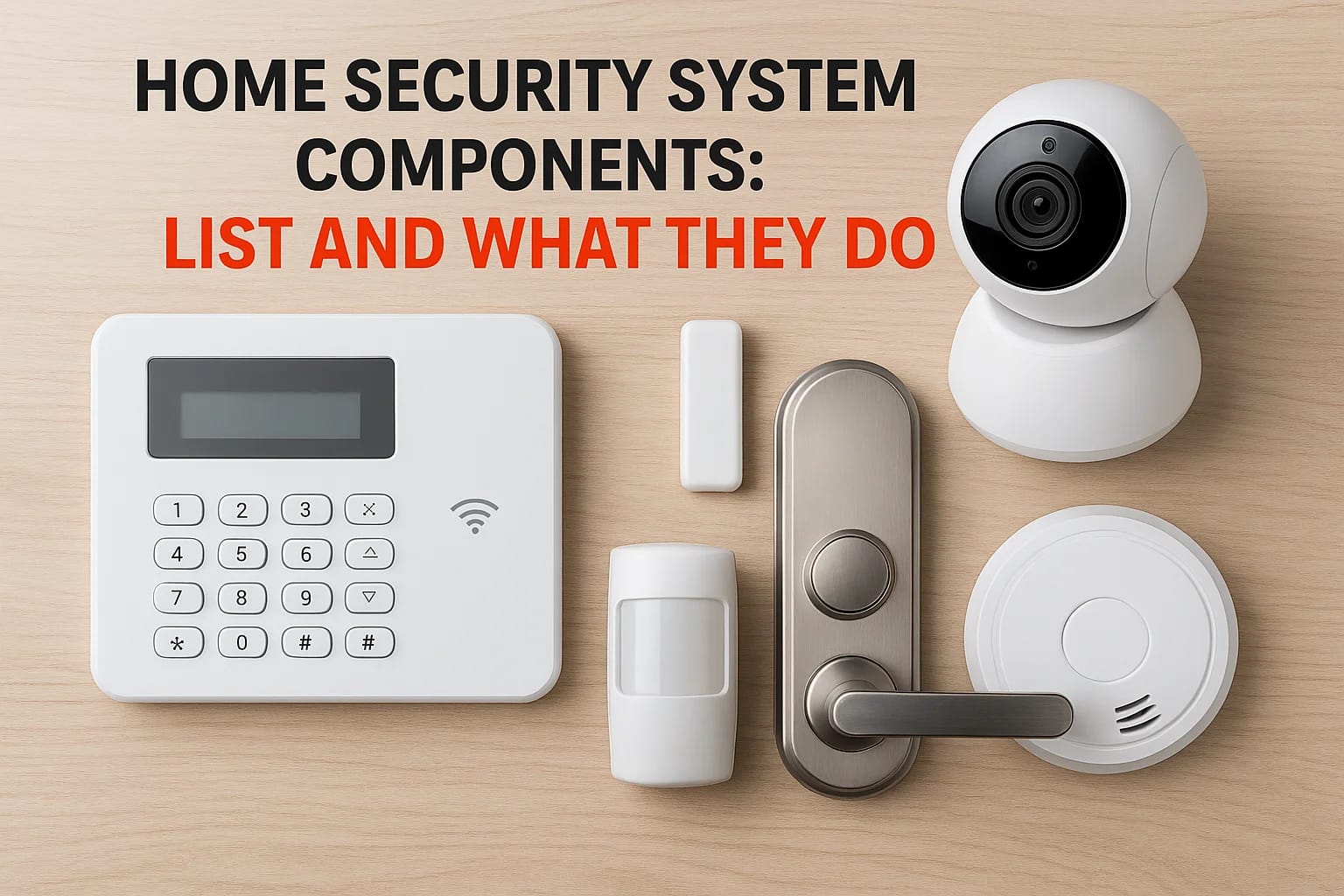

A security system is only as effective as the parts that make it up. Before you invest in protecting your home, you should understand what home security system components actually do and how they work...
A security system is only as effective as the parts that make it up. Before you invest in protecting your home, you should understand what home security system components actually do and how they work together. Without this knowledge, you might end up with gaps in coverage or pay for features you don't need.
This guide breaks down every major piece of hardware in a modern home security setup, from sensors and cameras to control panels and monitoring equipment. You'll learn what each component does, where it should be installed, and how the pieces communicate to keep your property safe.
At Treasure Valley Solutions, we design and install custom security systems for homeowners throughout the Boise and Meridian area. We've put together this resource to help you make informed decisions, whether you're building a new system from scratch or upgrading what you already have.
What counts as a home security system component
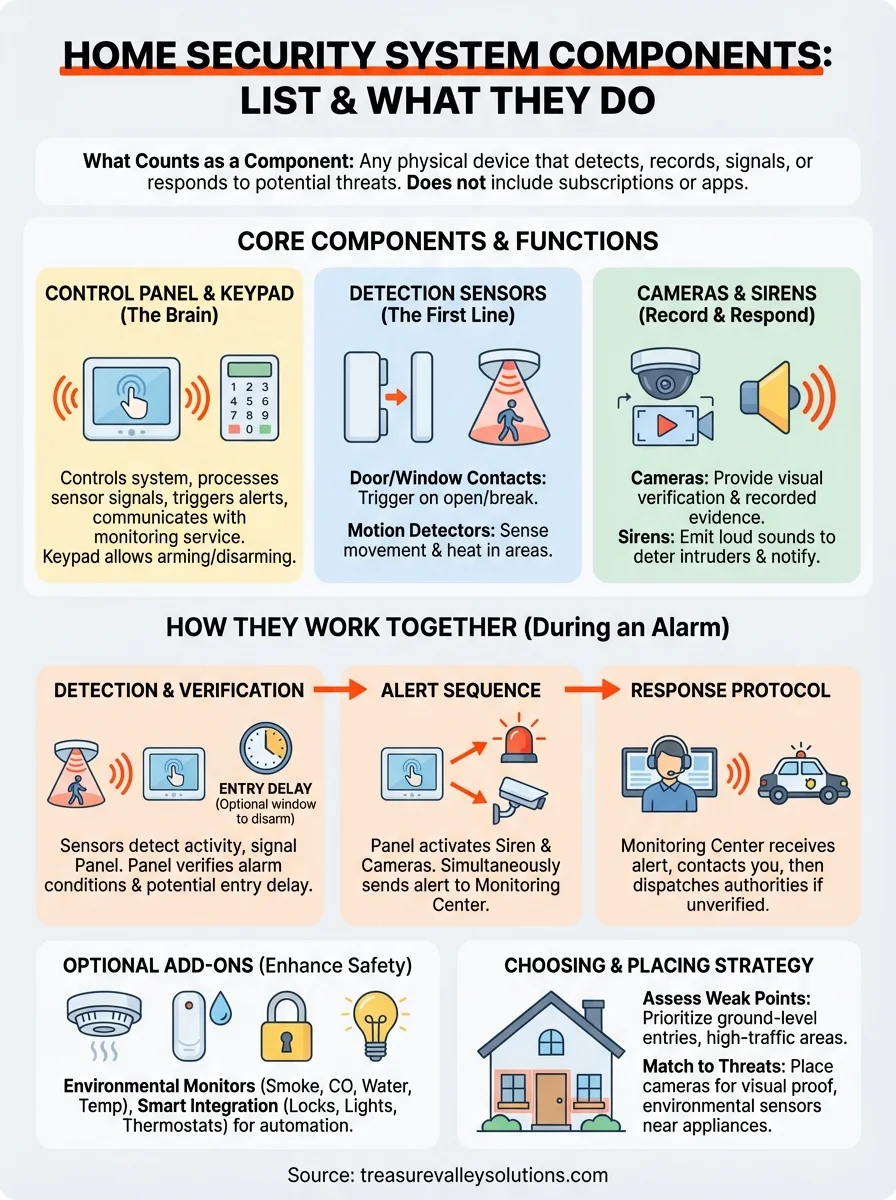
Home security system components include any physical device or hardware that detects, records, signals, or responds to potential threats at your property. These are the tangible pieces you can install, mount, or place throughout your home, such as motion sensors, door contacts, security cameras, and control panels. Each component serves a specific function in your overall security strategy.
Components do not include subscription services, monitoring plans, or mobile apps. While those elements are important for managing and responding to alerts, they are not physical parts of the system itself. You install components in and around your home, and they remain functional even if your monitoring service changes or ends.
Hardware that detects and alerts
Detection components identify when something happens at your property. Door and window sensors register when an entry point opens. Motion detectors sense movement in specific areas. Glass break sensors recognize the sound frequency of shattering windows. Smoke and carbon monoxide detectors monitor air quality for dangerous conditions.
These devices trigger your system when they detect activity. Most use wireless signals to communicate with your control panel, though some older systems still rely on hardwired connections. Detection components form the first line of defense because they notice threats before damage occurs.
Hardware that records and responds
Response components take action after a detection event. Security cameras record video footage of what triggered the alert. Sirens and alarms create loud sounds to scare off intruders and notify neighbors. Smart locks can automatically secure doors when the system arms. Control panels process signals from all detection devices and coordinate the response.
Your control panel acts as the brain of the system. It receives information from every sensor, decides what action to take, and sends alerts to your monitoring center or smartphone. Without a control panel, individual sensors would operate independently with no way to coordinate or communicate.
A component is only useful if it integrates with your control panel and contributes to detecting or responding to security events.
Some devices blur the line between detection and response. Video doorbells both detect motion at your front door and record video of visitors. Smart lighting systems can detect occupancy and respond by turning on lights to deter intruders. If a device actively contributes to your home's security posture, it qualifies as a component.
Core components and what each one does
Every effective security system relies on a set of essential home security system components that work as a cohesive unit. These core pieces form the foundation of your protection and must be present for the system to function properly. Without any single core component, your security setup becomes incomplete or fails to respond appropriately to threats.
Control panel and keypad
The control panel serves as the central hub that receives signals from every sensor and camera in your home. It processes incoming data, determines whether conditions warrant an alert, and triggers the appropriate response. Your control panel also communicates with your monitoring service to send notifications when the system detects a problem.
You interact with your system through a keypad or touchscreen interface mounted near your main entry point. This device lets you arm and disarm the system, view sensor status, and receive visual alerts. Modern keypads include wireless connectivity so you can also control your system remotely through a smartphone app.
Detection sensors
Door and window sensors use magnetic contacts to detect when entry points open while your system is armed. You install one piece on the door or window frame and another on the moving part, and the system triggers an alert when the magnetic connection breaks.
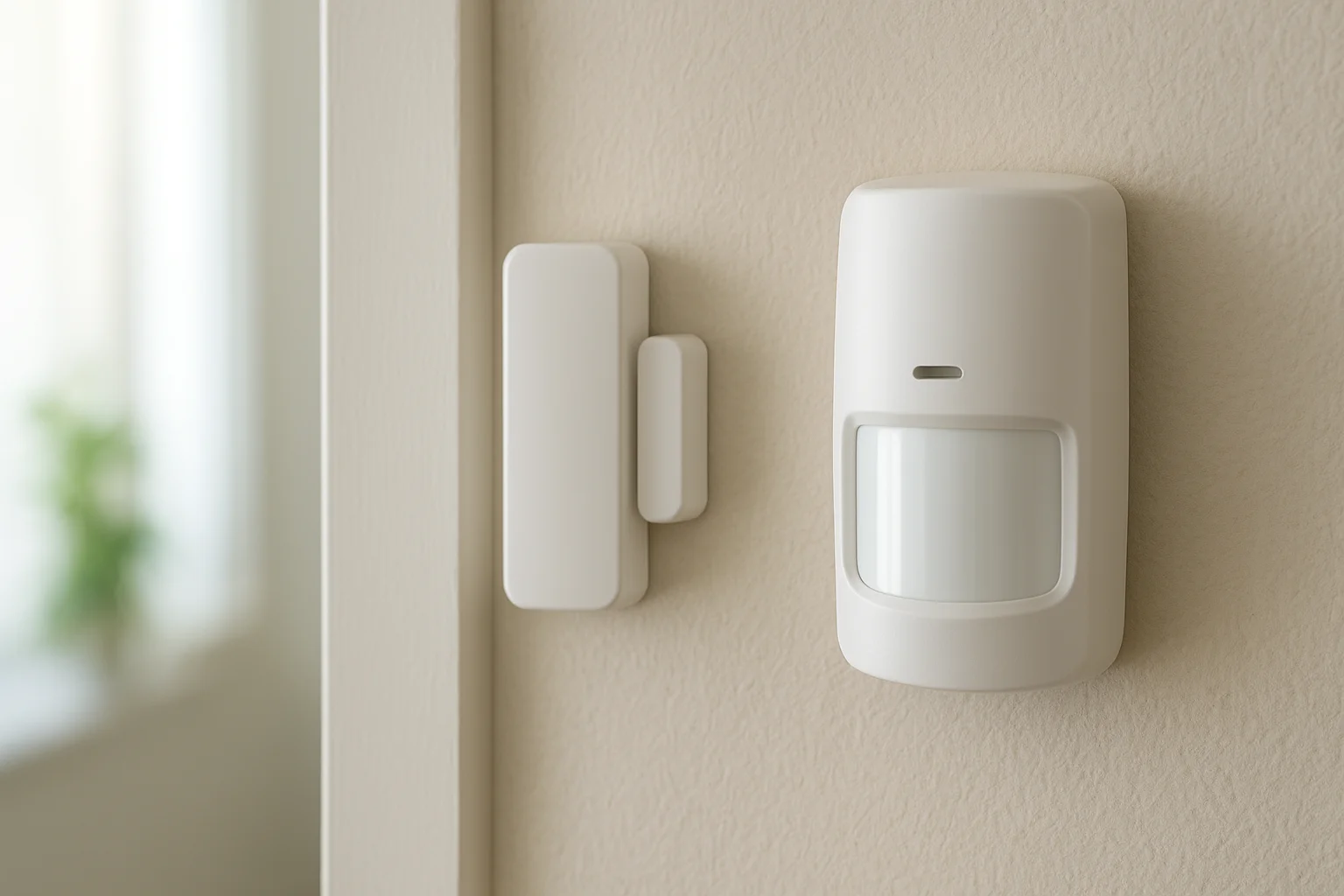
Motion detectors use infrared technology to sense body heat and movement within a specific coverage area. You typically place these devices in hallways, stairways, and large rooms to detect intruders who bypass perimeter sensors. Quality motion detectors can distinguish between pets and people to reduce false alarms.
Your detection sensors create invisible barriers that intruders cannot cross without triggering your system.
Cameras and sirens
Security cameras provide visual verification of what triggered your system and create recorded evidence for insurance claims or investigations. Sirens emit loud sounds that startle intruders and alert neighbors to potential problems at your property.
How the parts work together during an alarm
Understanding how home security system components interact during an actual alarm event helps you appreciate why proper installation and configuration matter. Each component plays a specific role in a coordinated sequence that unfolds in seconds. Your system follows a predictable chain of events from the moment a sensor detects activity until help arrives or the threat ends.
The detection and verification phase
Your detection sensors constantly monitor assigned zones while your system remains armed. When a door sensor registers an open entry point or a motion detector identifies movement, it immediately sends a wireless signal to your control panel. The panel checks whether that zone should trigger an alarm based on your current arm status and programmed settings.
Most systems give you a brief entry delay when you open a designated door, allowing time to disarm before the full alarm activates. During this window, your keypad emits warning beeps and displays a countdown. If you enter your disarm code, the sequence stops and no alert goes out. Without the correct code, the panel proceeds to full alarm mode.
Your control panel processes hundreds of signals per day but only escalates events that match programmed threat conditions.
The alert and response sequence
Once your panel confirms a genuine alarm condition, it activates your siren to create an audible deterrent and simultaneously sends alerts to your monitoring center and connected devices. Your security cameras begin recording triggered zones to capture video evidence. The monitoring center receives your sensor data and camera feeds, then attempts to contact you using your emergency contacts list.
If you cannot verify the alarm as false, the monitoring center dispatches local authorities according to your response protocol. Your cameras continue recording throughout the incident, and your siren remains active until you disarm the system or it reaches a programmed timeout period. Every action during this sequence happens automatically without requiring you to manually trigger individual components.
Optional add-ons that improve safety and control
Beyond the core home security system components, several optional devices extend your protection beyond intrusion detection. These add-ons integrate with your existing control panel to monitor environmental hazards, automate responses, and give you more ways to interact with your system. You choose which extras make sense based on your specific risks and lifestyle needs.
Environmental monitors
Smoke and carbon monoxide detectors that connect to your security system send alerts to your monitoring center when they detect dangerous conditions. Unlike standalone detectors, integrated versions trigger an immediate professional response even when you're away from home. You receive smartphone notifications and recorded verification of the event.
Water leak sensors placed near washing machines, water heaters, and sump pumps detect moisture before minor leaks become major flood damage. Temperature sensors alert you if your HVAC system fails during extreme weather, preventing frozen pipes or heat damage. These monitors protect against threats that traditional security sensors miss entirely.
Environmental add-ons turn your security system into a comprehensive property monitoring solution that guards against more than just intruders.
Smart integration devices
Smart locks eliminate physical keys and let you grant temporary access codes to service providers or guests without compromising your master code. Your system can automatically lock doors when you arm it and unlock specific entries when you disarm. You track every lock and unlock event through your security app.
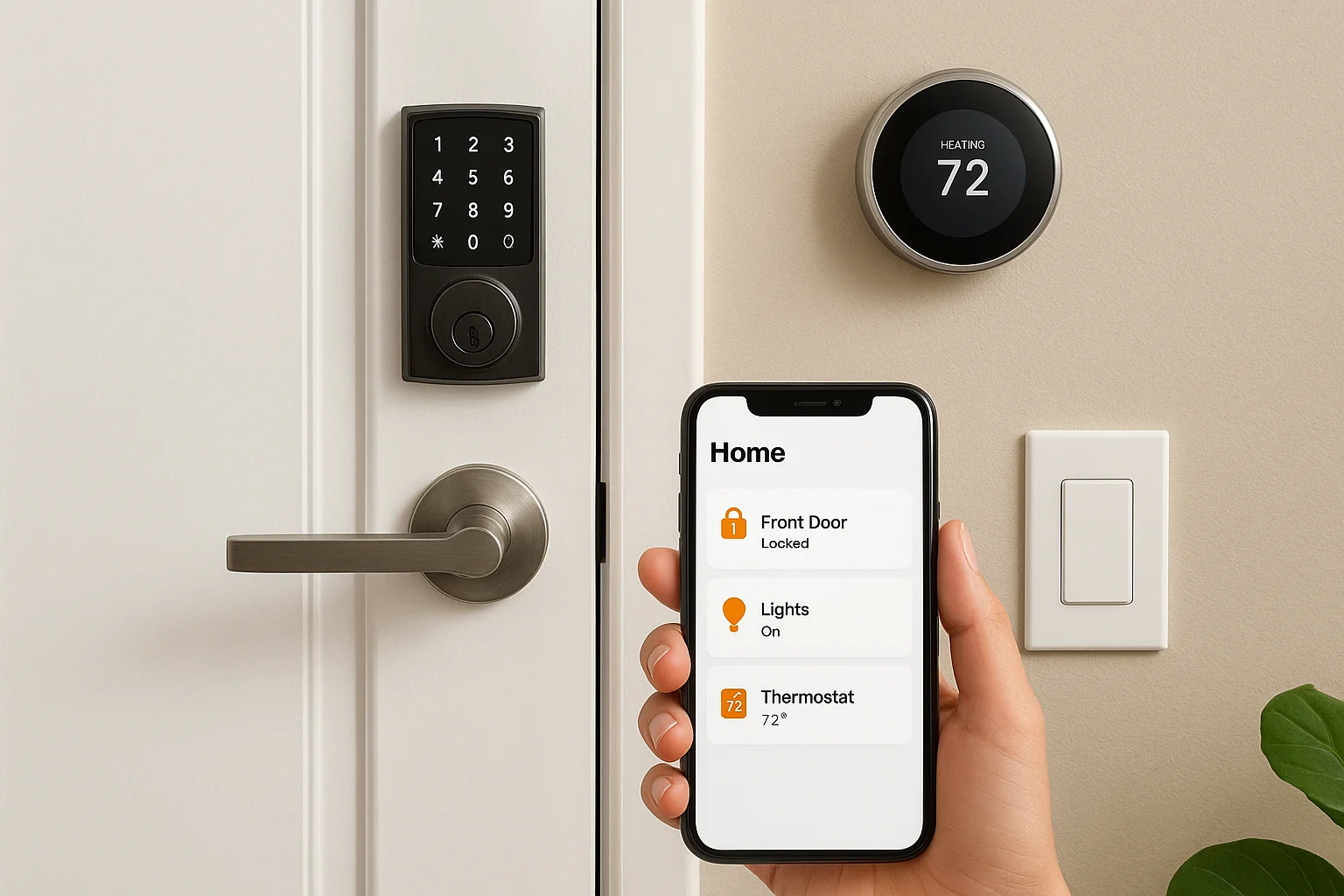
Smart lighting controllers program your lights to turn on when motion detectors sense activity or when your system arms in away mode. Automated lighting creates the appearance of occupancy to deter criminals who watch for dark homes. Smart thermostats and garage door controllers also integrate with your security panel to create automated routines that respond to your arm and disarm commands.
How to choose and place components in your home
Selecting the right home security system components requires evaluating your property's layout, entry points, and potential vulnerabilities. You don't need every available device, but you do need the right ones positioned where they deliver maximum protection. Strategic placement matters as much as the hardware itself because poorly positioned sensors create blind spots that intruders can exploit.
Assess your property's weak points
Walk your property's perimeter and identify every ground-level entry point including doors, windows, sliding glass panels, and garage access. These locations require contact sensors as your first line of defense. Count how many sensors you need before purchasing a package system, since many bundles include insufficient quantities for homes with multiple access points.
Consider sight lines and high-traffic areas inside your home. Long hallways, staircases, and rooms with valuable items benefit from motion detectors positioned to cover maximum floor space. You want sensors that detect intruders moving between rooms, not just entering through doors. Basements and detached structures often get overlooked but need the same sensor coverage as your main living areas.
Your most vulnerable points are ground-level windows hidden from street view and doors that lack solid cores or deadbolts.
Match components to specific threats
Your camera placement should prioritize areas where you need visual verification, not blanket coverage of every corner. Front doors, driveways, and backyard access points give you evidence of who approached your property and when. Interior cameras work best in main living areas and hallways that intruders must cross to reach bedrooms.
Place environmental sensors near appliances and systems that commonly fail. Water heaters, washing machines, and sump pumps all benefit from leak detection. Mount smoke detectors on ceilings in bedrooms and common areas according to local fire codes. Temperature monitors belong in unfinished spaces like attics, crawlspaces, and garages where HVAC issues first appear.
Next steps to finalize your system
Now that you understand which home security system components you need and where to place them, you can move forward with confidence. Start by creating a detailed list of every sensor, camera, and control device required for your specific property layout. This inventory prevents you from purchasing incomplete packages or missing critical pieces during installation.
Professional installation ensures your components work together properly and eliminates blind spots that DIY efforts often create. You need someone who can program your control panel correctly, test every sensor's signal strength, and verify that your monitoring center receives alerts as expected. At Treasure Valley Solutions, we design and install custom security systems throughout the Boise and Meridian area with transparent pricing and ongoing local support. Contact our team to schedule a consultation and get a detailed quote based on your home's unique requirements.
Need Expert Help?
Ready to implement these solutions in your own home or business?
Our Services

Comprehensive security solutions for home and business.

High-definition surveillance for peace of mind.
Serving the Treasure Valley
Local installation in your city