 (208) 991-3502
 Meridian, ID



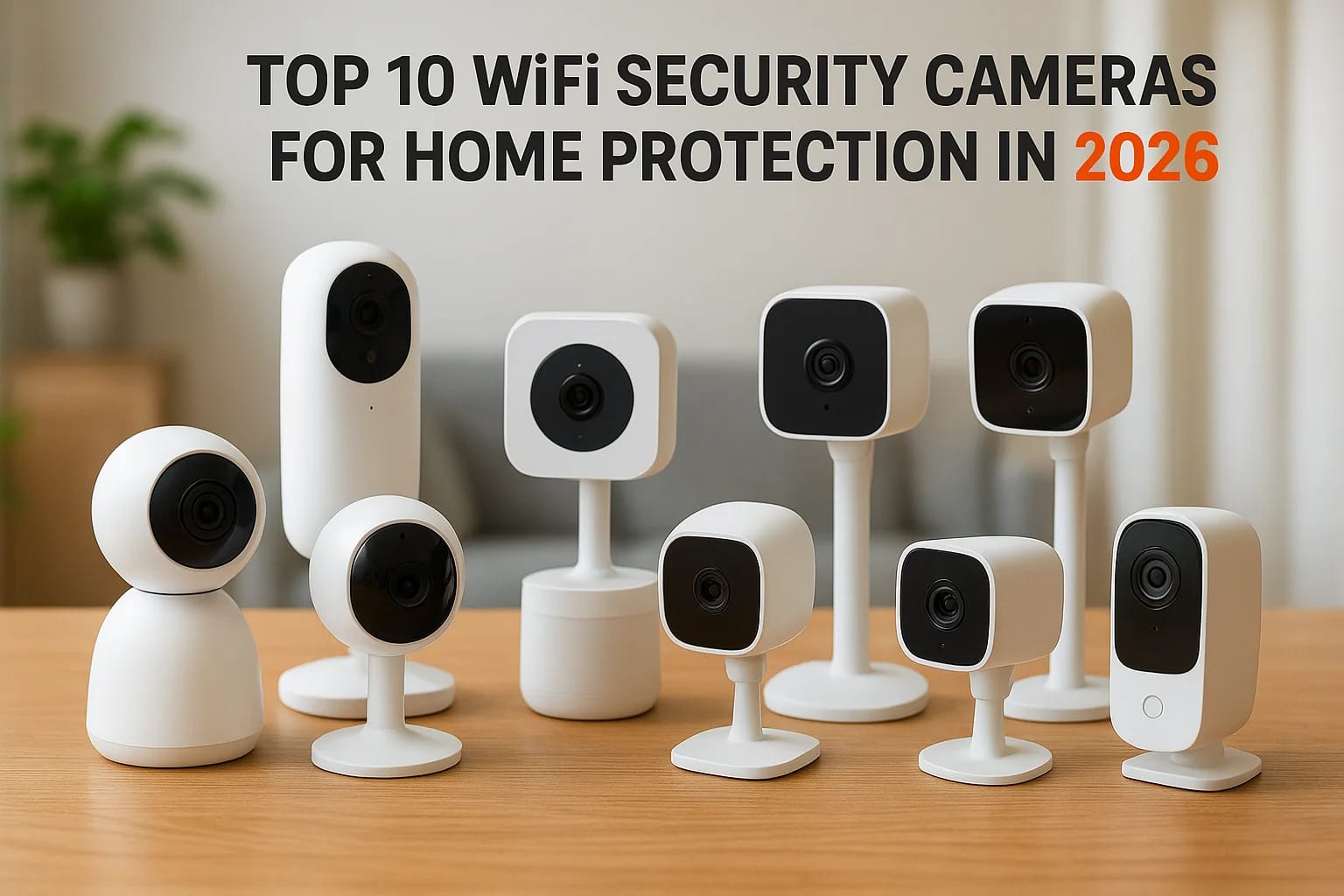

Picking security cameras wireless for home protection shouldn't take a weekend of tab-hopping between Amazon reviews and YouTube unboxings that all say the same thing. You want a camera that catches t...
Picking security cameras wireless for home protection shouldn't take a weekend of tab-hopping between Amazon reviews and YouTube unboxings that all say the same thing. You want a camera that catches the porch pirate, works when your WiFi hiccups, and doesn't nag you with a subscription fee for basic clips. Most buying guides just rehash spec sheets without telling you which cameras actually hold up in Idaho's summer heat or a Treasure Valley snowstorm.
This list answers the real question: which wifi cameras for home security are worth your money in 2026, and why. We've ranked ten models based on video quality, night vision range, storage options, and how well they play with other smart home gear, whether you're running Alexa, Google Home, or Apple HomeKit.
We handle security camera installation in Meridian and troubleshoot these systems every week across Boise, Eagle, and Nampa too, so this isn't a list built from spec sheets alone. Below, you'll find our top picks for a wireless security cameras system for home use, along with notes on where each one shines and where it falls short, so you can match a camera to your actual layout instead of guessing.
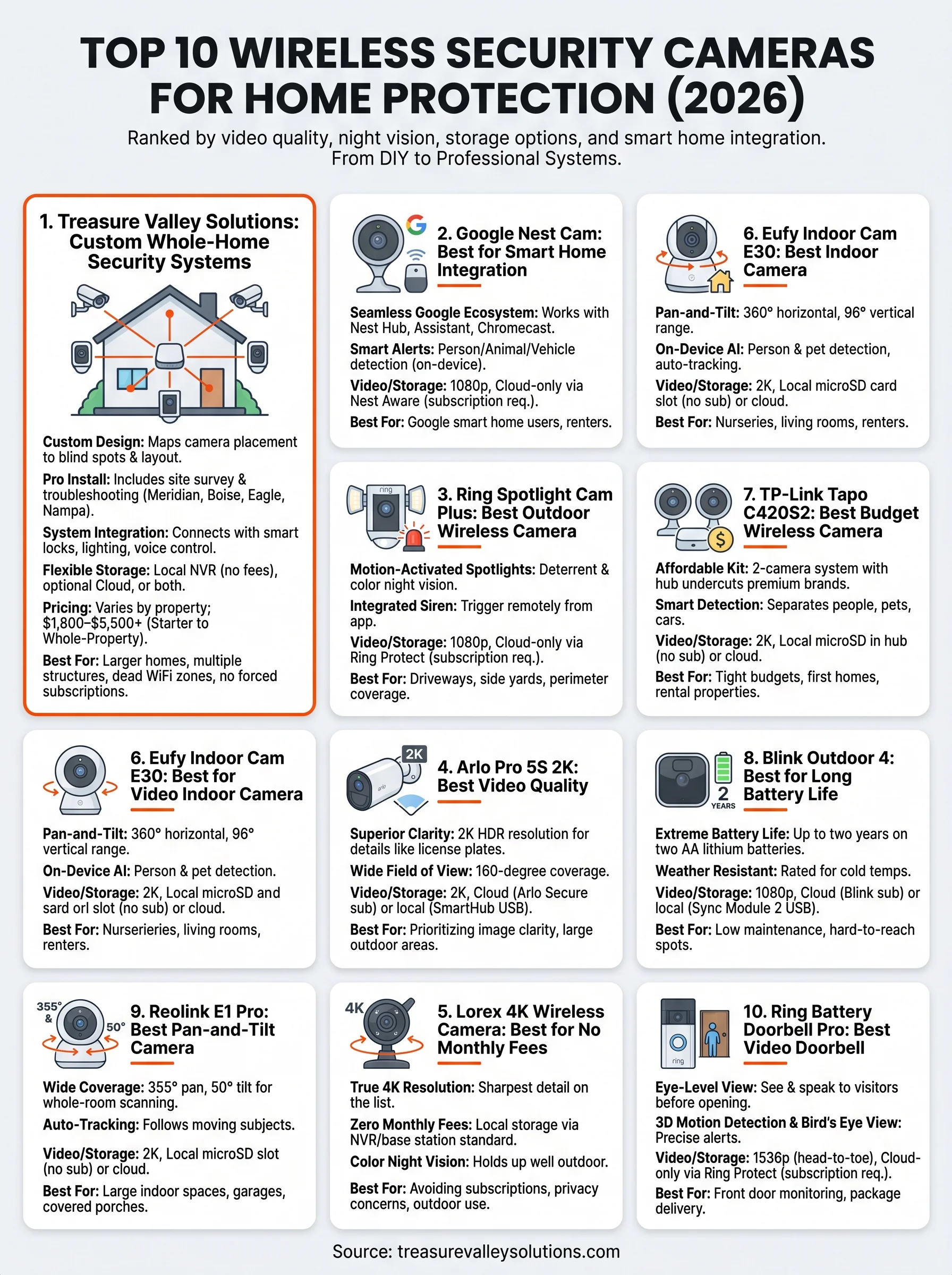
1. Treasure Valley Solutions: custom whole-home security systems
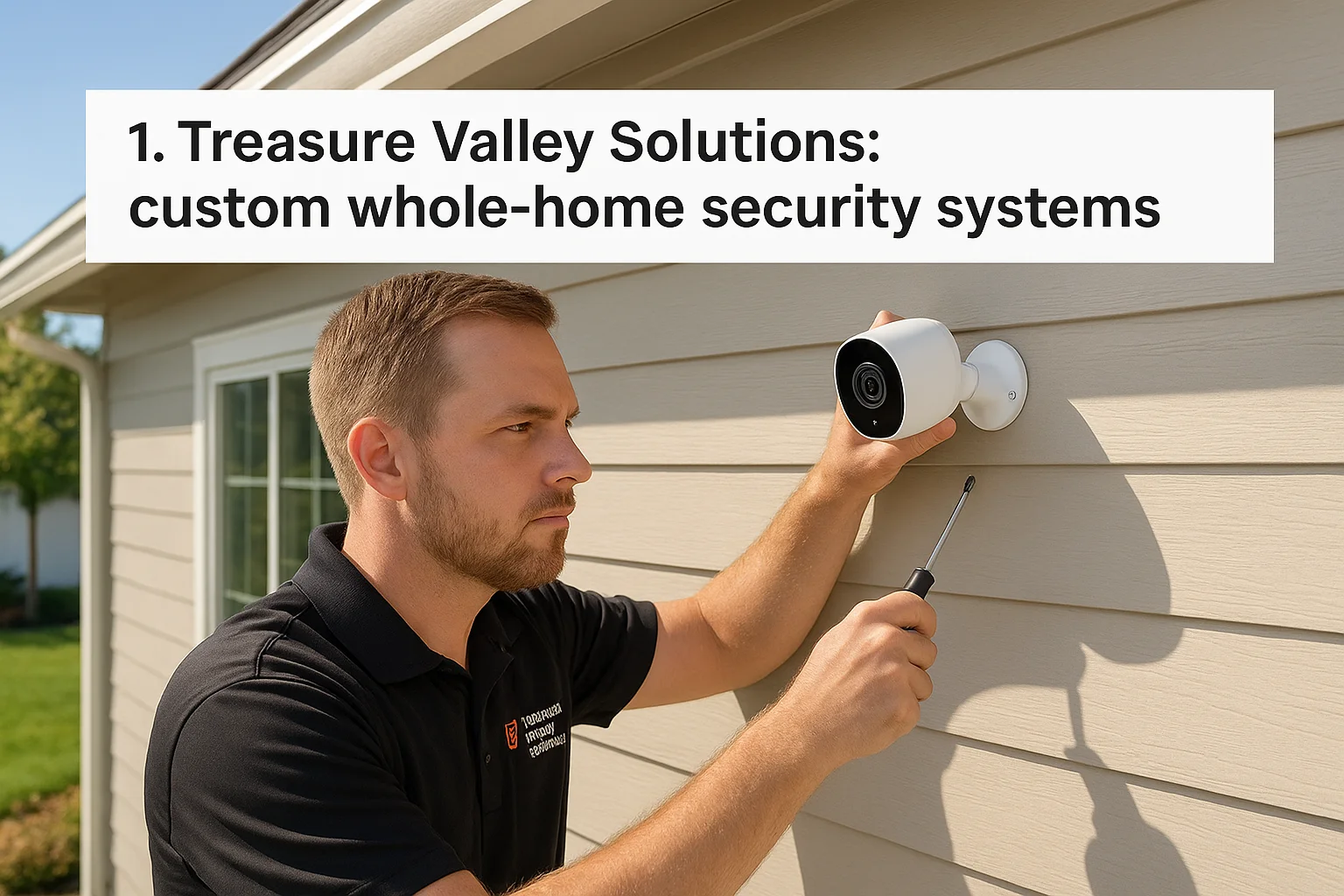
Most cameras on this list come out of a box and connect to an app in twenty minutes. That's fine if you live in a small condo and just want a doorbell cam. But if you own a larger home in Meridian, Eagle, or need security camera installation in Boise for a property with multiple entry points, outbuildings, or a layout that fights standard WiFi range, a custom wireless security camera system designed around your actual property beats a generic kit every time. Treasure Valley Solutions builds these systems from scratch, mapping camera placement to your blind spots, driveway angles, and existing network before a single bracket goes on the wall.
Key features
Every installation starts with a walkthrough, not a catalog page. Our technicians assess coverage gaps around garages, side yards, and second-story windows that off-the-shelf kits usually miss, then design a layout that closes them, the same thinking behind our guide on where to install cameras around a Treasure Valley home. We also integrate cameras with smart locks for homes, lighting, and voice control, so a triggered motion alert can flip on porch lights or lock the front door automatically. That level of system integration simply isn't possible when you buy a standalone camera brand and hope it plays nice with your existing smart home gear.
A camera you install yourself protects the spots you thought of. A custom system protects the spots you didn't.
Video quality and storage
We spec cameras based on the job, not a single fixed model, which means you can get 4K resolution where detail matters (license plates, faces at the front gate) and standard HD in lower-priority zones to keep costs sensible. Storage works the same way: we set up local network video recorders (NVRs) for households that want footage kept on-site with no monthly fee, or cloud backup for families who want remote access from anywhere without worrying about a stolen recorder. Many clients run both, so they've got redundancy if one system fails.
Pricing and plans
Pricing depends on home size, camera count, and whether you want cloud storage layered on top of local recording, so we quote every job individually instead of forcing a one-size-fits-all package, though it helps to know what a camera system costs in the Treasure Valley before you start. That said, here's a rough sense of what Treasure Valley homeowners typically invest in:
| Package size | Typical camera count | Storage type | Approximate investment |
|---|---|---|---|
| Starter | 4-6 cameras | Local NVR | $1,800-$3,200 |
| Mid-size home | 6-10 cameras | Local NVR + optional cloud | $3,200-$5,500 |
| Whole-property | 10+ cameras, gate/driveway coverage | Local NVR + cloud + smart lock integration | $5,500+ |
There's no forced subscription. If you want cloud storage, it's an add-on you choose, not a requirement to make the cameras function. You can see current service details and request a quote on our security camera installation page.
Who it's best for
Homeowners with larger properties, multiple structures, or a history of dead WiFi zones will get the most value here, since a professional site survey solves problems a self-installed kit can't. Property managers overseeing several rental units also lean on us for centralized systems that combine access control with camera coverage across a whole complex, and many of them partner with us through our property manager program. Families caring for an aging parent often add fall-detection sensors and voice controls to the same system, turning a security upgrade into a broader safety net. If you've already tried a plug-and-play camera and found it unreliable or full of blind spots, this is the option built to fix that.
2. Google Nest Cam: best for smart home integration
Google built the Nest Cam for households already living inside its ecosystem, and it shows the moment you set one up. Pair it with a Nest Hub, Google Home speakers, or Assistant-enabled displays, and the camera feed shows up on command, alongside routines that dim lights or lock doors when it detects motion. Anyone comparing wireless systems built around cameras who already owns a Chromecast or Nest thermostat will find this one the path of least resistance.
Key features
Battery and wired versions both use on-device machine learning to tell the difference between a person, an animal, and a passing car, which cuts down on the flood of pointless notifications you get from cheaper cameras. Familiar face recognition (a paid add-on) alerts you by name when it spots someone it's seen before. The battery model pops off its mount for charging, so you're not running an extension cord to a porch corner.
A camera that talks to your whole smart home is worth more than one that just talks to an app.
Video quality and storage
Resolution sits at 1080p, which is a step behind some of the 2K and 4K options later on this list, though it holds up fine for identifying faces and license plates at typical porch or driveway distances. Storage runs entirely through the cloud via a Nest Aware subscription; there's no local recording option and no SD card slot, so a stolen or fried camera means lost footage unless you're paying for backup. Night vision covers about 25 feet in color when ambient light allows, dropping to black and white further out.
Pricing and plans
The camera itself runs $99.99 to $179.99 depending on wired versus battery models, but the real cost shows up monthly. Nest Aware starts around $8/month for 30 days of event history, and Nest Aware Plus jumps to about $15/month for 60 days plus 24/7 continuous recording on supported models. Skip the subscription and you lose almost all recording and playback features, leaving little more than a live view.
Who it's best for
Families already invested in Google's smart home lineup will get the most out of this camera, since the integration with Assistant, Nest thermostats, and Nest Hub displays is where it earns its keep, and it's worth comparing against other smart home automation platforms first. Renters who need a battery-powered option that moves with them also do well here. Homeowners who want to avoid an ongoing subscription should look elsewhere on this list.
3. Ring Spotlight Cam Plus: best outdoor wireless camera
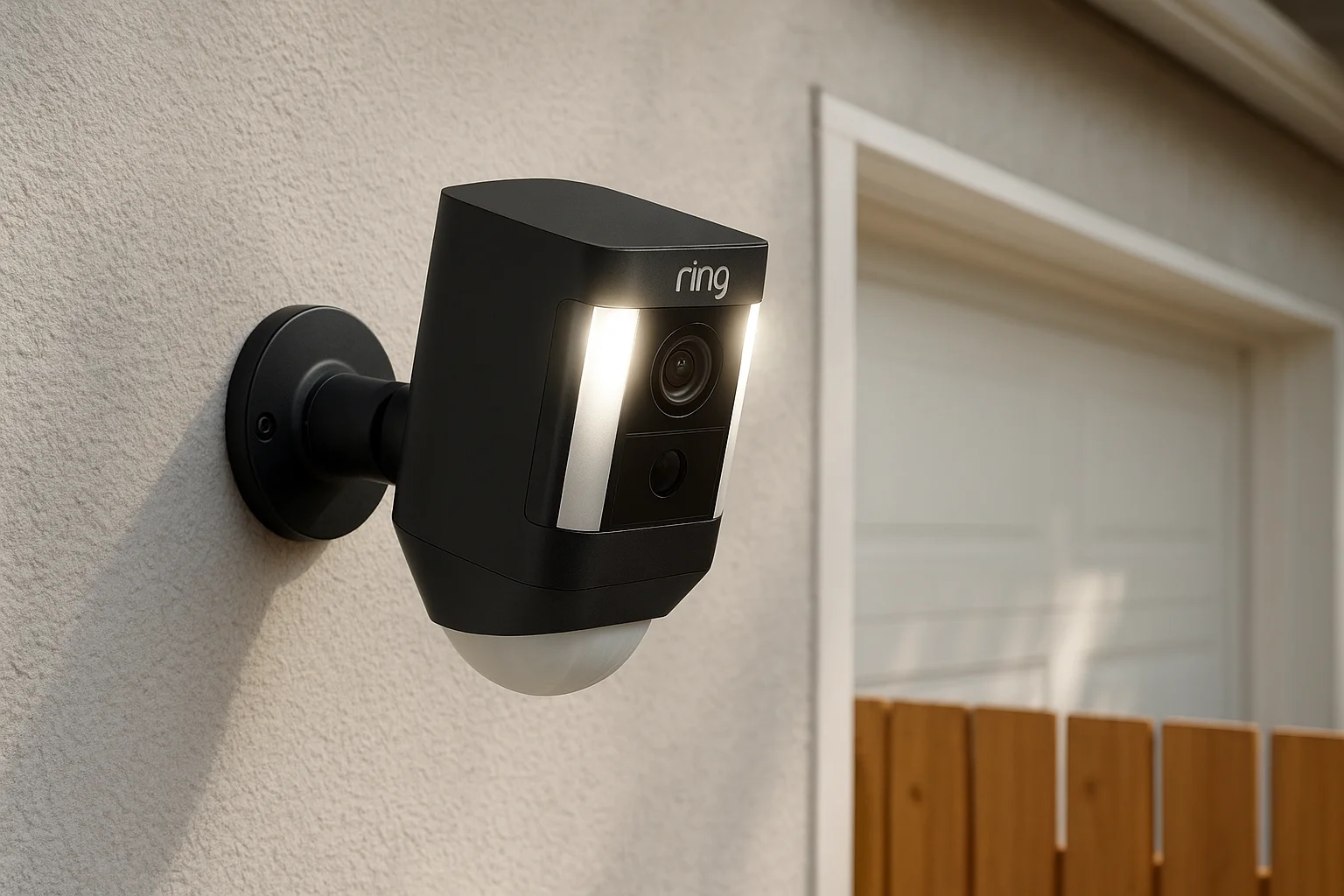
Ring built its reputation on the video doorbell, but the Spotlight Cam Plus is where the company puts its outdoor coverage muscle. Mount it above a garage, on a fence post, or beside a side door, and you get a built-in spotlight that floods the area with light the instant motion trips the sensor, on top of standard night vision. For anyone shopping security cameras wireless for home perimeter coverage rather than just a front door, this is one of the more purpose-built options on the market.
Key features
Two LED spotlights flip on automatically when the camera detects motion, which does double duty as a deterrent and as a way to pull color footage out of a dark yard. A built-in siren lets you trigger a loud alarm remotely straight from the app if you spot something suspicious on the live feed. Battery and solar-powered versions exist, so you can skip running wire to a spot far from an outlet, and customizable motion zones cut down on alerts from the street or a neighbor's yard.
Video quality and storage
Video tops out at 1080p, which is behind the 2K and 4K cameras later in this list but still enough to identify a face at the door or a car in the driveway. Color night vision, powered by the spotlight, is the real strength here over black-and-white infrared alone. Storage runs through Ring Protect, a cloud subscription; without it, you get live view only and lose recorded event history entirely.
A spotlight that turns on before the camera even needs it is often the difference between catching a face and catching a shadow.
Pricing and plans
The camera itself runs $169.99 to $219.99 depending on battery or solar configuration. Ring Protect Basic starts around $4.99/month per camera for 180 days of video history, while Ring Protect Plus runs about $9.99/month and covers every camera on the property along with extended warranty coverage. Skipping the subscription means no recorded clips, just a live feed and motion alerts.
Who it's best for
Homeowners who want a dedicated outdoor camera for driveways, side yards, or garages will get the most value here, especially if a well-lit deterrent matters as much as recorded footage. Anyone already running Ring doorbells benefits from a single app managing every camera, and Ring's platform integrations extend that control to lights and locks. Buyers who want to avoid a subscription entirely should look toward the Lorex or Blink options further down this list.
4. Arlo Pro 5S 2K: best video quality
Arlo built its name on sharp image quality, and the Pro 5S 2K keeps that streak going. If you've been frustrated by grainy footage that can't tell a delivery driver from a stranger casing your porch, this is the camera that fixes it. It's a wire-free option, so you can mount it above a garage or on a fence line without fishing cable through siding, and it still delivers some of the clearest daytime and nighttime video on this list.
Key features
A built-in spotlight paired with a 160-degree field of view means you get wide coverage without stitching together multiple cameras for one corner of the yard. Smart alerts distinguish between people, vehicles, animals, and packages, cutting down on notifications for a blowing tree branch. Two-way audio with noise cancellation makes conversations through the app sound less like a phone call from a tunnel, and an integrated siren gives you a way to scare off someone lingering too long near the door.
Sharp footage doesn't help if you can't tell who's in it. Resolution is where the Arlo Pro 5S earns its spot on this list.
Video quality and storage
This is where the Pro 5S separates itself from the Nest Cam and Ring Spotlight Cam Plus above: 2K HDR resolution captures noticeably more detail in faces, license plates, and package labels, especially in mixed lighting like a porch with a strong afternoon sun. Color night vision extends further than most competitors thanks to the built-in spotlight, and a wider dynamic range keeps footage from washing out against bright backgrounds. Storage runs through Arlo Secure, a cloud subscription, though select models support local storage via a compatible Arlo SmartHub with a USB drive, giving you a subscription-free fallback if you set it up.
Pricing and plans
The camera itself runs $199.99 to $249.99 depending on bundle and retailer, often cheaper in two- or three-camera kits. Arlo Secure starts around $7.99/month for a single camera with 30-day cloud history, while the Secure Plus plan runs about $14.99/month and covers unlimited cameras on the account. Skip the subscription and you keep live viewing and basic alerts, but lose almost all recorded playback unless you've set up local storage separately.
Who it's best for
Homeowners who prioritize image clarity above everything else, particularly for reading license plates or identifying faces at a distance, will get the most out of this camera. It also suits households juggling several outdoor angles, since the wide field of view reduces the total camera count needed. Buyers on a tight budget or those set on avoiding subscriptions should look further down this list.
5. Lorex 4K wireless camera: best for no monthly fees
Lorex built its reputation on local storage, and the 4K wireless camera line is proof you don't need a subscription to get real protection. Every camera pairs with a base station or NVR that records straight to local storage, so footage stays on your property instead of a company's server farm. Anyone tired of monthly bills stacking up across the Ring, Nest, and Arlo accounts they've tried before will notice the difference immediately, and our roundup of cameras that skip the monthly fee covers more options like it.
Key features
These cameras ship with color night vision that holds up better than most infrared-only competitors, plus a built-in siren and spotlight combo you can trigger manually or set to fire automatically on motion. Person detection and smart alerts cut down on notifications from swaying trees or passing cars, and a weatherproof housing rated for outdoor use handles Idaho's temperature swings without issue. Two-way talk lets you address a visitor or a package thief directly through the app.
Video quality and storage
Footage runs at true 4K resolution, sharper than the 1080p and 2K cameras earlier on this list, which matters if you need to zoom into a license plate or a face after the fact. Storage runs locally through a hard drive built into the base station, typically 1TB to 2TB depending on kit, giving you weeks of continuous recording without touching a cloud plan. Cloud backup exists as an optional add-on for remote redundancy, but the camera works fully without it, unlike the Nest Cam or Ring options above.
Local storage means your footage belongs to you, not to whichever company still has your account active next year.
Pricing and plans
Kits typically run $300 to $600 for a system with two to four cameras and a base station, which sits higher upfront than a single Ring or Blink camera but pays for itself once you skip years of subscription fees. Optional cloud backup runs a modest add-on fee if you want an off-site copy, but it's never required for the system to record or play back footage. Compare that against a Nest Aware subscription running $8 to $15 a month indefinitely, and the break-even point arrives faster than most homeowners expect.
Who it's best for
Homeowners who want a wifi cameras for home security setup without an ongoing bill will find this one of the strongest choices on the list, much like the broader field of home security systems without contracts. It also suits anyone uneasy about cloud storage privacy, since footage never has to leave the house. Buyers who want smart home integration with Alexa routines or Google Assistant should weigh that against the more ecosystem-friendly options covered earlier.
6. Eufy Indoor Cam E30: best indoor camera
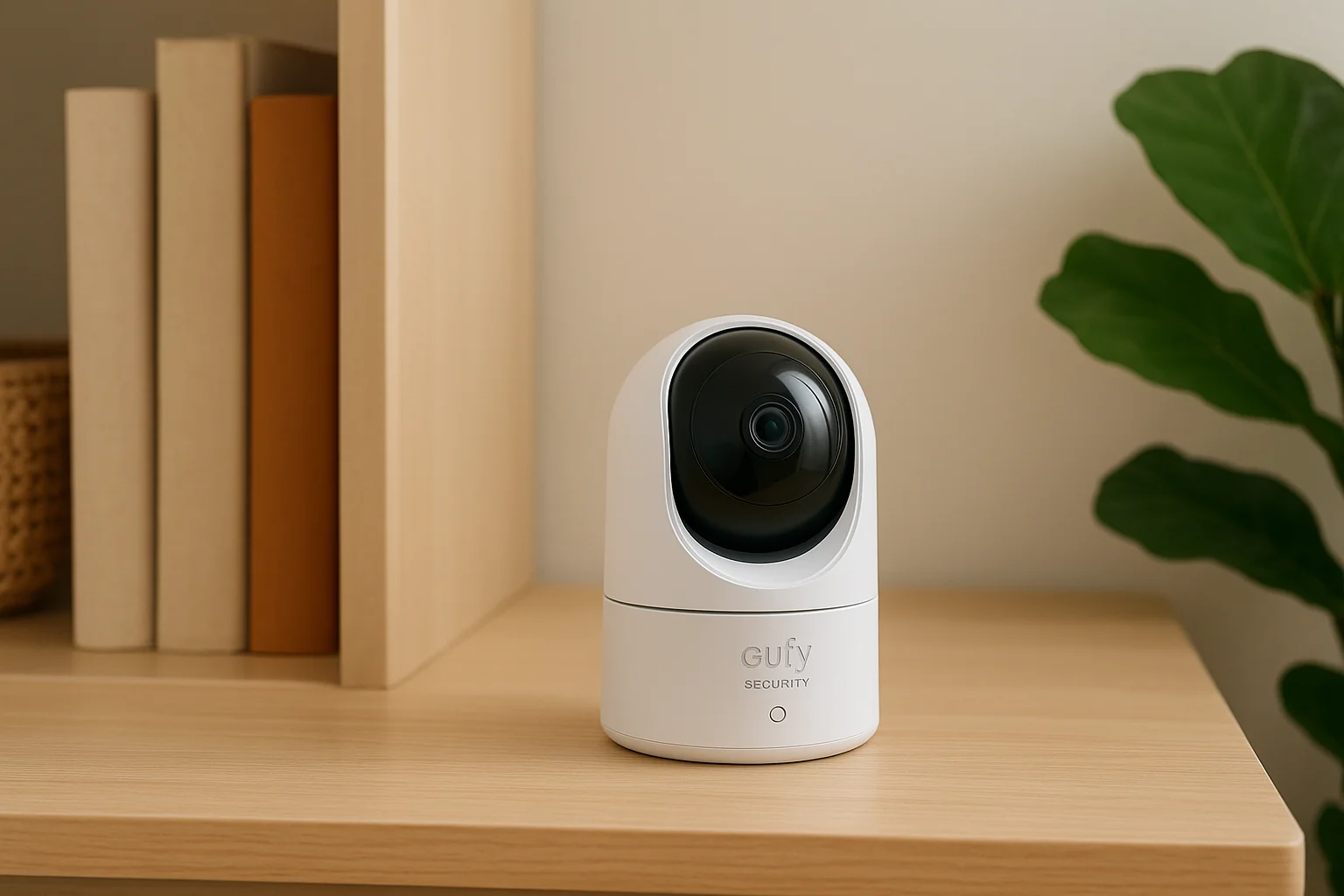
Eufy built the Indoor Cam E30 for the rooms where a bulky outdoor-style camera feels out of place, like a nursery, living room, or home office. It's one of the better small security cameras for the home, sitting on a shelf or mounting to a wall in minutes, and it pairs with the Eufy Security app without demanding a hub for most features. Anyone shopping security cameras wireless for home interiors rather than perimeters will find this one of the easiest cameras on this list to live with day to day.
Key features
Pan-and-tilt motors give the E30 a 360-degree horizontal and 96-degree vertical range, so one camera covers a whole room instead of a fixed slice of it. On-device AI tells people apart from pets, which cuts down on alerts every time the dog walks past the lens, and built-in tracking follows a moving person across the frame automatically. Two-way audio and a base-level local siren round out the feature set, giving you a way to speak to a pet sitter or scare off someone who shouldn't be inside.
A camera that follows the room instead of staring at one corner catches far more of what actually happens indoors.
Video quality and storage
Resolution comes in at 2K, sharper than the 1080p cameras earlier on this list and enough to read text on a package label across a living room. Storage defaults to a microSD card slot supporting up to 128GB locally, so you can record and review footage with zero subscription, though Eufy also offers an optional cloud plan for off-site backup. Night vision covers a typical room comfortably in black and white, since color night vision matters far less indoors where ambient light rarely drops to zero.
Pricing and plans
The camera itself typically runs $50 to $70, among the more affordable options on this list once you factor in that local storage comes standard rather than bolted on as an upgrade. Eufy's optional cloud plan adds a modest monthly fee if you want remote backup beyond the SD card, but nothing about the camera's core function depends on it. Compare that to the Nest Cam's mandatory subscription model, and the E30 saves real money over a few years of use.
Who it's best for
Homeowners watching a nursery, a home office, or a main living space will get the most value here, since the pan-and-tilt range beats a fixed lens for tracking movement around furniture. Renters who want zero subscription commitment and full local control also do well with this camera. Buyers needing outdoor-rated weatherproofing should look to the Lorex or Ring options covered above instead, or read our breakdown of indoor versus outdoor cameras first.
7. TP-Link Tapo C420S2: best budget wireless camera
TP-Link built the Tapo C420S2 for buyers who want real security features without the price tag of a premium brand. Sold mostly as a two-camera kit with a shared hub, it undercuts most of the cameras above it on this list while still covering the basics homeowners actually need: motion alerts, night vision, and a live feed you can pull up from anywhere. Anyone shopping security cameras wireless for home protection on a tight budget will find this one of the few options that doesn't feel like a compromise.
Key features
Smart motion detection separates people from pets and passing cars, cutting down on the flood of pointless notifications that plague cheaper no-name cameras. A built-in spotlight and siren combo triggers automatically when the camera spots unwanted motion at night, doubling as a basic deterrent. The included hub extends wireless range well past a router's normal reach, which matters if you're covering a detached garage or a side yard with weak signal.
Video quality and storage
Resolution sits at 2K, sharper than most cameras twice its price and enough to make out a face or a delivery label from a typical porch distance. Storage runs locally through a microSD card in the hub, with no subscription required to record or review footage, and an optional cloud plan exists for anyone who wants an off-site backup.
A budget camera that skips the subscription can outperform a pricier one that locks footage behind a paywall.
Pricing and plans
A two-camera kit with hub typically runs $100 to $130, making it one of the cheapest ways to add real coverage to two entry points at once. TP-Link's optional Tapo Care cloud plan adds a small monthly fee for extended cloud history, but the camera records and plays back footage fully without it. Compared to a subscription-locked camera from Ring or Nest, the savings add up fast over a couple of years.
Who it's best for
Homeowners furnishing a first home, a rental property, or a second set of eyes on a shed or driveway will get solid value here without stretching the budget. Renters who want a wireless security cameras system for home use that avoids ongoing fees do well with this kit too, and our guide to no-drill security setups for renters covers similar picks. Buyers who need 4K detail or advanced smart home integration should look toward the Arlo or Google Nest options covered earlier.
8. Blink Outdoor 4: best for long battery life
Amazon's Blink line built its reputation on one thing: batteries that last long enough to forget about. The Outdoor 4 runs on two AA lithium batteries and stretches that charge across roughly two years of typical use, which beats nearly every other camera on this list by a wide margin. Anyone shopping security cameras wireless for home perimeters who's tired of climbing a ladder every few months to swap a battery pack will notice the difference within the first season.
Key features
Weather resistance rated for temperatures well below freezing means the camera keeps working through a Treasure Valley winter without the battery drain that hits cheaper models in the cold. Motion detection with customizable zones cuts down on alerts from a busy street or a neighbor's driveway, and two-way audio lets you talk to a visitor without opening the app's more complicated menus. A subscription plan adds person detection powered by machine learning, which trims false alerts further than the base motion sensor alone.
Video quality and storage
Resolution sits at 1080p, a step behind the 2K and 4K cameras earlier on this list, but it's clear enough for identifying faces and packages at normal porch distances. Storage runs through a Blink Subscription Plan for cloud video history, though Blink also sells a Sync Module 2 that supports local storage via a USB drive, giving you a subscription-free path if you set it up during install.
A camera that lasts two years on two batteries solves a problem most homeowners didn't realize they were tired of solving.
Pricing and plans
The camera itself runs $99.99 to $119.99 depending on kit size and retailer bundling. Blink's Basic Plan starts around $3/month per camera, while the Plus Plan runs about $10/month and covers every camera on the account with extended cloud storage. Skip the subscription entirely and pair the camera with a Sync Module 2 for local storage, and you avoid recurring fees altogether.
Who it's best for
Homeowners who want to install a camera once and not think about battery maintenance for years will get the most value here. Renters and anyone covering a hard-to-reach spot, like a second-story eave or a detached shed, benefit from the low-maintenance design. Buyers who need 4K clarity or advanced smart home routines should look toward the Arlo or Google Nest options covered earlier.
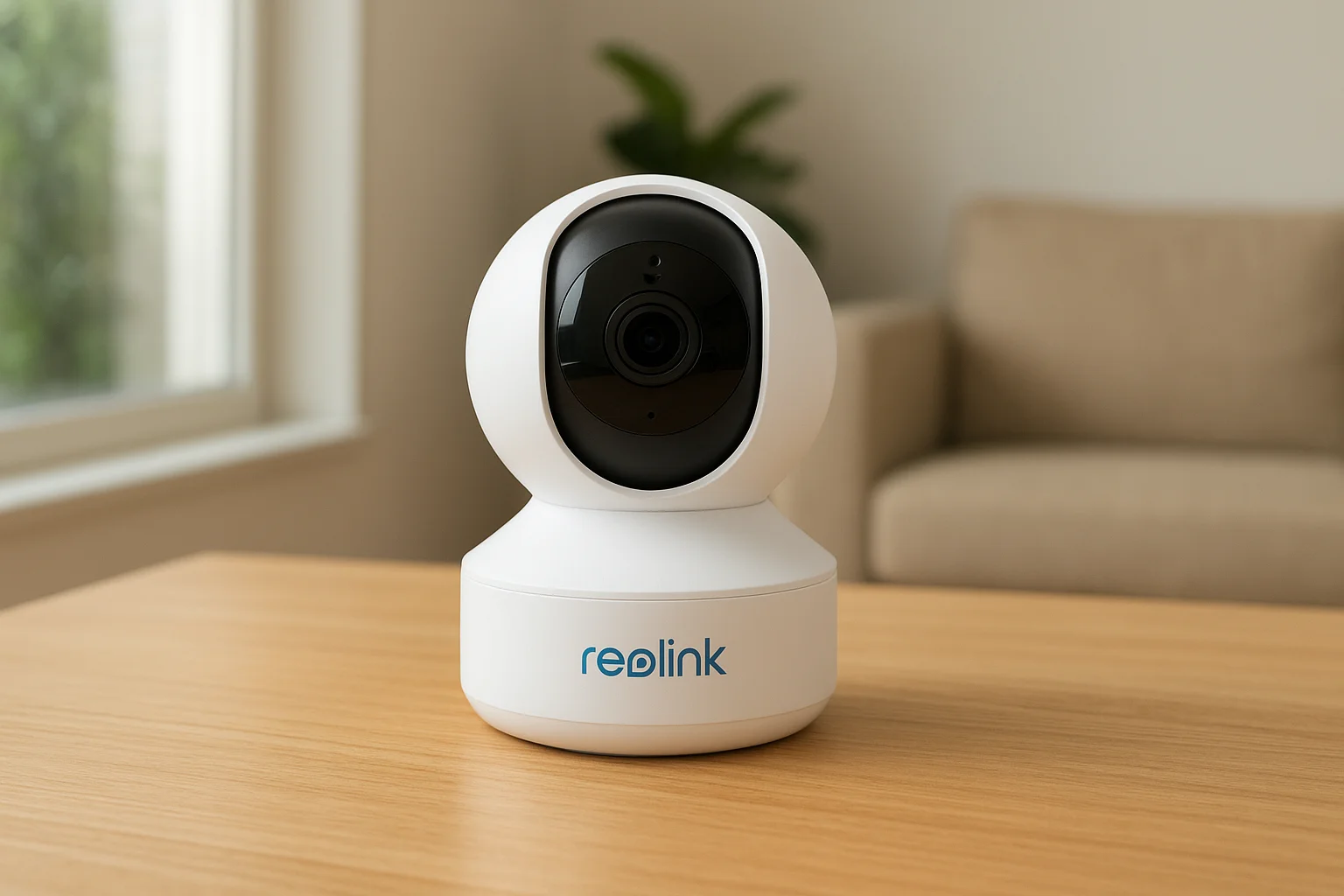
9. Reolink E1 Pro: best pan-and-tilt camera
Reolink built the E1 Pro for homeowners who want one camera to cover a whole room or a wide stretch of yard instead of buying three fixed-lens units to stitch together the same view. It's primarily an indoor and covered-porch camera rather than a fully weatherproof outdoor model, but the pan-and-tilt motor gives it a range most competitors on this list can't match. Shoppers comparing wireless security cameras system for home coverage of an entryway or a garage interior often land here once they realize a single fixed camera leaves too many corners blank.
Key features
Motorized pan and tilt gives the E1 Pro 355 degrees of horizontal rotation and 50 degrees vertical, so it can scan an entire garage, playroom, or front porch without a dead zone. Auto-tracking follows a moving person across the frame, keeping them in view instead of losing them at the edge of a fixed lens. Two-way audio and a built-in siren let you speak through the camera or trigger an alarm remotely, and privacy mode lets you park the lens facing the wall when you don't want it recording a room.
One motorized camera covering a whole room often beats two fixed cameras that still miss the corner between them.
Video quality and storage
Resolution runs at 2K, sharp enough to read a package label or identify a face across a typical room or porch. Storage defaults to a microSD card supporting up to 256GB locally, so recording works with zero subscription out of the box, and Reolink also sells an optional cloud plan for anyone who wants off-site backup. Night vision holds up well indoors and on covered porches, though it's not built to survive direct rain or snow exposure the way the Lorex or Blink cameras earlier on this list are.
Pricing and plans
The camera itself typically runs $50 to $65, keeping it close to the Eufy and TP-Link options on price while adding motorized coverage neither of those cameras offers. Reolink's optional cloud plan adds a small monthly fee, but local SD storage covers full recording and playback without it.
Who it's best for
Homeowners covering a garage interior, playroom, or covered porch will get the most value from the E1 Pro's wide rotation. Buyers needing a fully weatherproof outdoor camera should look to the Lorex or Ring Spotlight Cam Plus covered earlier instead.
10. Ring Battery Doorbell Pro: best video doorbell
Ring built the Battery Doorbell Pro for the one spot every other camera on this list misses: eye level at the front door. It's a wireless install, so you can mount it without running new wiring, and it fills the gap between a standard peephole and a full wireless security cameras system for home coverage plan, which is exactly what a video doorbell is built to do. Anyone shopping security cameras wireless for home protection who wants to see and speak to whoever's on the porch before opening the door will find this the most natural fit.
Key features
3D Motion Detection creates zones shaped around your actual yard and walkway, rather than a flat rectangle, so you get alerts for someone approaching the door and fewer alerts for cars passing on the street. Bird's Eye View sketches the path a visitor walked to reach your door, useful for spotting a package thief who cut across the lawn instead of using the driveway. Two-way talk with noise reduction and a Quick Replies feature lets you respond to a delivery driver without picking up your phone.
A doorbell camera earns its keep the moment you talk someone out of leaving a package on the step.
Video quality and storage
Video runs at 1536p, a taller aspect ratio than standard 1080p that captures a visitor's full body and any package at their feet, not just a face cropped at the shoulders. Color night vision keeps footage usable after dark without switching to grainy black and white. Storage runs through Ring Protect, the same cloud subscription covering the Spotlight Cam Plus earlier on this list; skip it and you lose recorded event history, keeping only live view and real-time alerts.
Pricing and plans
The doorbell itself runs $179.99 to $229.99 depending on bundling and finish options. Ring Protect Basic starts around $4.99 a month per device for 180 days of history, while Ring Protect Plus runs about $9.99 a month and covers every Ring device on the property. Battery power means no electrician needed for install, though a wired version exists for anyone who'd rather skip battery swaps entirely, a tradeoff we cover in our wired vs wireless video doorbell comparison.
Who it's best for
Homeowners who want to see and speak to visitors before opening the door will get the most daily value from this pick. Anyone already running Ring cameras elsewhere on the property benefits from one app managing the whole system. Buyers who want a subscription-free doorbell should look toward a camera with local storage, like the Lorex or Eufy options covered earlier.
Picking the right wireless camera for your home
Grab-and-go cameras like the Blink, Tapo, or Eufy work fine if you need one or two angles covered and don't mind managing an app yourself. But once you're juggling multiple entry points, outbuildings, or a property layout that fights standard WiFi range, a packaged kit starts showing its limits fast, usually right when you need it most. Nine of the cameras above solve a specific problem well. None of them solve every problem on a real property the way a designed system can.
Stop guessing at camera placement and hoping your router reaches the back fence. Treasure Valley Solutions has spent years mapping blind spots across Meridian, Boise, Eagle, and Nampa homes, and we'd rather show you what a properly planned system looks like on your actual property than sell you another box off a shelf. Reach out for a custom security camera quote and we'll map your property's blind spots before you buy another box off a shelf.
Compare your options
Your next step
Compare Wireless and Wired Camera SystemsReady for professional help? Request an estimateOur Services
High-definition surveillance for peace of mind.
Comprehensive security solutions for home and business.
Serving the Treasure Valley
Local installation in your city