 (208) 991-3502
 Meridian, ID



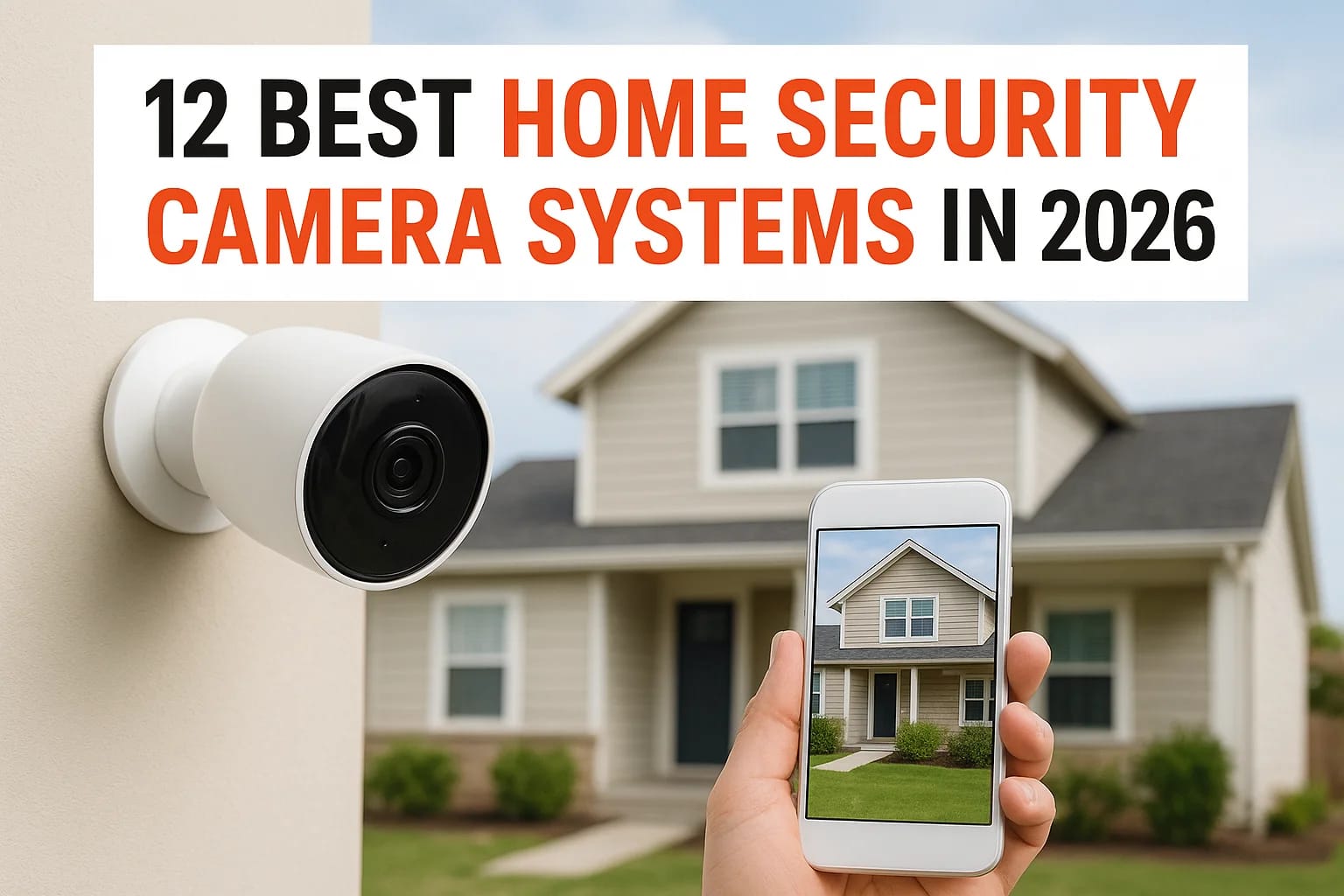

Shopping for a security cameras system for home protection means wading through dozens of brands, all claiming to be the smartest, clearest, or most affordable option on the market. Between wired and...
Shopping for a security cameras system for home protection means wading through dozens of brands, all claiming to be the smartest, clearest, or most affordable option on the market. Between wired and wireless setups, cloud storage fees, and privacy concerns, it's easy to end up with a system that either costs too much or leaves gaps in coverage right where you needed it most.
This guide cuts through the noise and gives you a straight answer: which surveillance cameras for home security actually perform well in 2026, and which ones are worth skipping. We've compared resolution, night vision, storage options, and monthly costs so you can match a system to your budget and your home's layout, whether that's a small condo entryway or a sprawling property with multiple blind spots.
Below you'll find 12 security video cameras for home setups, including subscription-free models for people who don't want recurring fees and higher-end systems built for full property coverage. If installation or integration with existing smart home devices feels overwhelming, that's exactly the kind of project our team at Treasure Valley Solutions handles daily for homeowners across the region, so keep that in mind as you narrow down your options.
1. Treasure Valley Solutions for custom home security
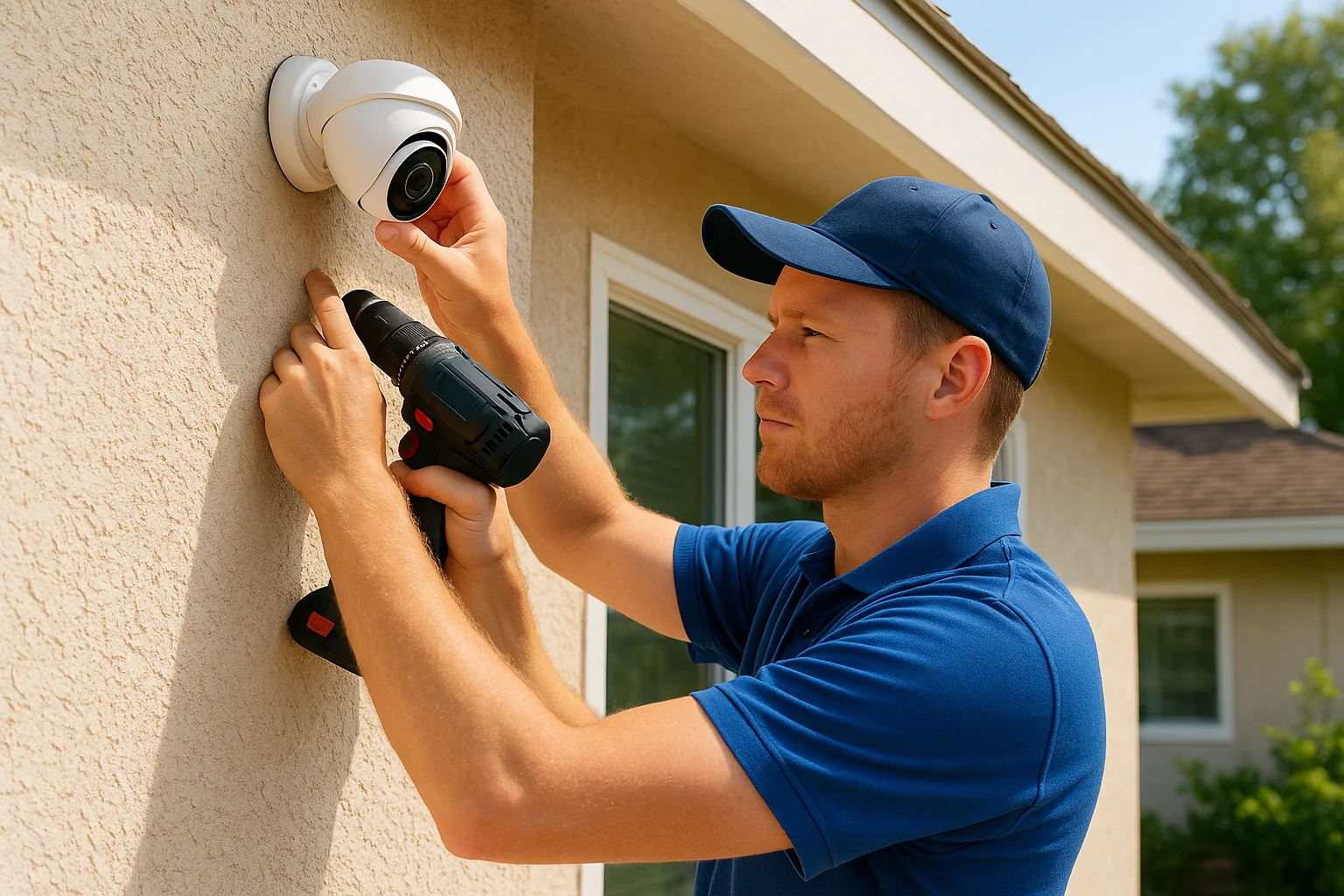
Most brands on this list sell you a box off a shelf. Treasure Valley Solutions builds a security cameras system for home protection around your actual property, not a generic package designed to fit every house the same way. Based in Meridian, our team handles professional camera installation in Meridian, Idaho, designing and programming coverage that accounts for your blind spots, your landscaping, your entry points, and how you actually use your home, then backing it up with local support instead of a call center in another time zone.
How it works
We start with a walkthrough of your property, either in person or over a video call, to map out where cameras, sensors, and access points make sense. From there, our licensed technicians run the wiring, mount the hardware, and configure everything so it works together: cameras, smart locks, lighting, and voice control if you want it. You're not stuck stitching together three different apps from three different manufacturers. Everything gets tested before we leave, and if something needs adjusting later, you call a real person who already knows your setup. For homeowners who want their surveillance cameras for home security tied into one of the broader smart home security systems on the market, this integrated approach saves a lot of frustration down the road.
A camera system built for your specific house catches more than one built for the average house ever will.
Who it's for
This option fits homeowners who've already tried the plug-and-play route and found it lacking, whether that's dead zones in coverage, apps that don't talk to each other, or a DIY install that never quite got mounted straight. It's also a strong fit for residential builders who want pre-wired security video cameras for home packages baked into new construction through our builder partner program, and for property managers juggling access control across multiple units. We also work with families managing elderly care needs, where fall detection and voice-activated alerts matter as much as catching a package thief. If you want a system that grows with you rather than one you'll replace in three years, this is the category you're in.
Pricing
Because every install is custom, what a camera system costs for a Treasure Valley home depends on the number of cameras, wiring complexity, and whether you're adding extras like smart locks or lighting control. That said, we keep quotes transparent from the first conversation, no hidden fees buried in a contract. Most residential projects break down like this:
| Project scope | Typical range |
|---|---|
| Basic camera coverage (4-6 cameras) | Custom quote after walkthrough |
| Full property system with smart locks and lighting | Custom quote after walkthrough |
| New construction pre-wire package | Bundled with builder pricing |
| Ongoing support and programming | Included post-install |
We've priced projects this way since 2014 because homeowners deserve to know what they're paying for before work starts. If you're weighing a custom security surveillance cameras for home setup against the DIY brands further down this list, start with our smart security systems page to see what a tailored quote looks like for your property.
2. SimpliSafe for affordable DIY security cameras
SimpliSafe built its reputation on no-contract, self-install security kits, and that reputation still holds up in 2026. The company sells wireless security cameras and sensors that snap together without any wiring, drilling, or professional visit required, which makes it one of the fastest ways to get basic coverage on a budget. Renters especially gravitate toward SimpliSafe because the equipment isn't permanently fixed to walls or door frames.
How it works
Setup starts with a base station that connects your cameras and sensors over Wi-Fi or a cellular backup connection, so the system keeps working even if your internet drops. Cameras arrive pre-paired to the app, and most homeowners have a starter kit running within an hour. The DIY installation process skips professional visits entirely, though that also means you're responsible for camera placement, angle adjustments, and troubleshooting any dead zones yourself.
Simple setup means less coverage precision, and that tradeoff shows up fastest in homes with awkward entry points or dense landscaping.
Who it's for
Renters, apartment dwellers, and first-time buyers who want a basic security layer without a long-term commitment tend to do well here, and SimpliSafe sits near the top of most lists of no-contract home security systems. It also suits people testing the waters before investing in a bigger home security surveillance setup, since equipment can be added piece by piece as budget allows. It's a weaker fit for larger properties with multiple blind spots or homeowners who want everything professionally configured to work together.
Pricing
SimpliSafe keeps its pricing structure simple and published upfront, which is refreshing compared to some competitors.
| Plan | Cost |
|---|---|
| Starter camera kit | Around $200-$300 |
| Standard monitoring plan | About $20/month |
| Pro monitoring plan | About $30/month |
| Cellular backup | Included with Pro plan |
Using the cameras without a monitoring plan is possible, but you'll lose cloud video storage and professional alert dispatch, which are the main reasons people buy a monitored system in the first place.
3. ADT for full home security monitoring
ADT has been in the home security business for over 145 years, and that legacy still carries weight for homeowners who want professional monitoring backing up their cameras. Unlike the DIY brands on this list, ADT pairs its security surveillance cameras for home protection with trained monitoring agents who watch for alerts around the clock and dispatch police or fire crews when something trips a sensor. That combination of hardware and human oversight, and what alarm monitoring actually costs, is the main reason people choose ADT over a self-monitored alternative.
How it works
Technicians install your cameras, door and window sensors, and control panel, then connect everything to ADT's monitoring centers over cellular and broadband backup lines. If a camera detects motion or a sensor triggers during an armed period, an alert routes straight to a live agent, not just a push notification on your phone. The agent verifies the event and calls emergency services if needed, which matters most when you're asleep, traveling, or simply not near your phone.
Professional monitoring closes the gap between an alert firing and someone actually acting on it.
Who it's for
ADT suits homeowners who want full home security monitoring without managing the response themselves, though it's worth comparing local alarm monitoring services first, especially for families with young kids, older adults living alone, or anyone who travels frequently and can't watch a live feed all day. It's a stronger fit for larger properties needing multiple entry points covered than for a single studio apartment. People who dislike long-term contracts or want to swap equipment freely should look elsewhere on this list.
Pricing
ADT requires professional installation and typically locks you into a monitoring contract, which raises the total cost compared to DIY brands.
| Plan | Cost |
|---|---|
| Professional installation | Often free with contract, or $100-$200 |
| Basic monitoring | About $28-$45/month |
| Video and smart home monitoring | About $50-$60/month |
| Contract length | Typically 24-36 months |
Cancellation fees apply if you break the contract early, so read the terms before signing.
4. Ring for easy DIY installation
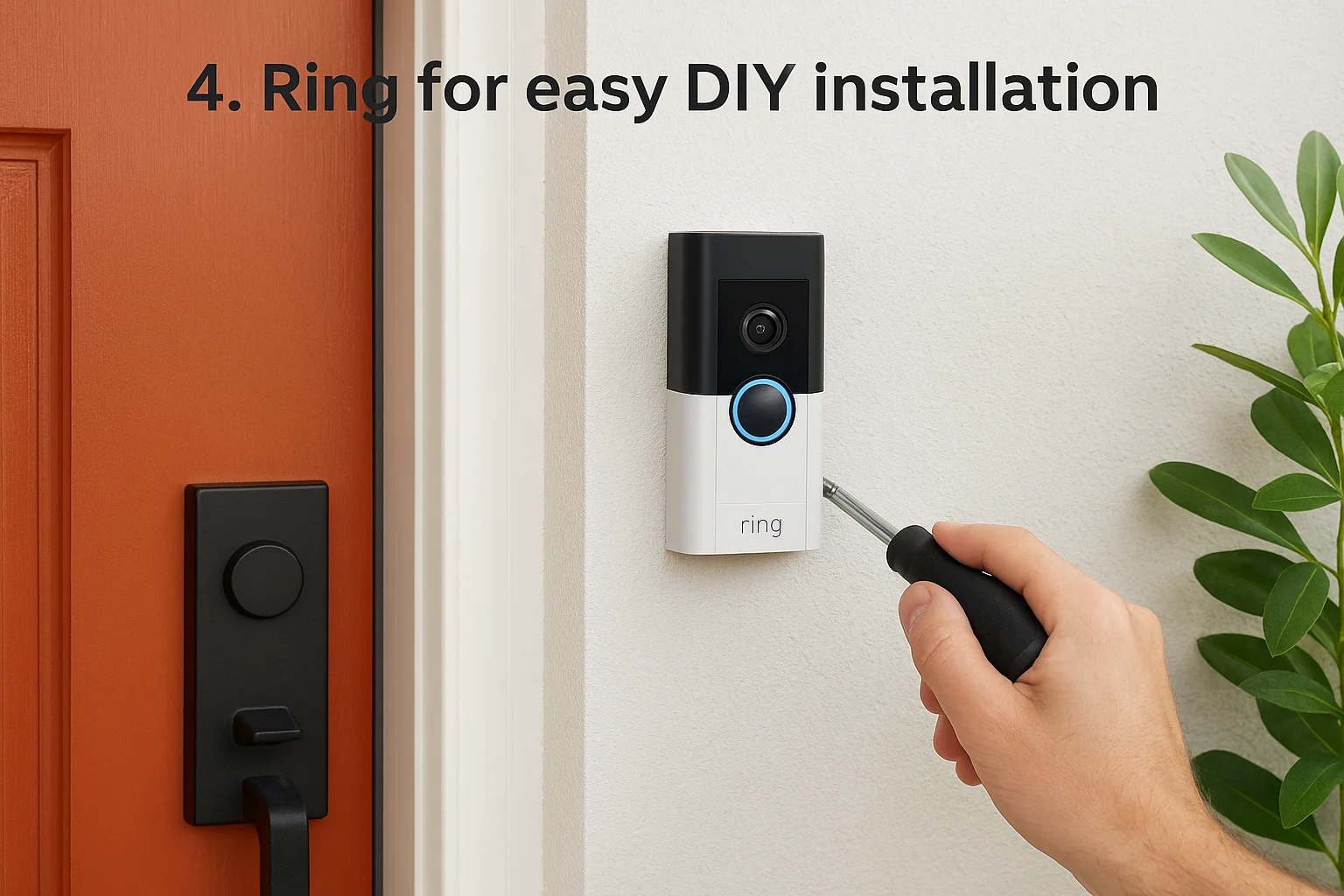
Ring turned doorbell cameras into a household name, and its lineup now covers everything from a single video doorbell to a full security cameras system for home perimeter coverage. Owned by Amazon, Ring leans hard into simplicity: cameras pair with the Ring app in minutes, and most homeowners never need a technician to set foot on their property. That ease of use is the whole pitch, and it's why Ring shows up so often on lists of the best surveillance cameras for home security for people who want results fast.
How it works
Each camera connects to your home Wi-Fi and syncs with the Ring app, where you get live view, motion alerts, and two-way talk. Battery-powered models charge like a phone and mount with a couple of screws or adhesive strips, while wired doorbell versions tap into existing doorbell wiring. Ring's Neighbors feature also lets you see alerts shared by nearby users, which adds a layer of community awareness beyond your own footage.
Ring wins on convenience, but that convenience depends on a subscription for anything beyond live viewing.
Who it's for
First-time buyers, renters, and anyone wanting quick coverage at the front door fit Ring well, as this Ring system and camera installation in Meridian shows. Homeowners who mainly worry about package theft or visitors at the entryway get strong value here without a big investment. Larger properties needing coordinated, professionally configured coverage across multiple blind spots tend to outgrow what Ring's DIY model offers.
Pricing
Ring's hardware costs stay competitive, but ongoing storage costs add up over a year of ownership.
| Item | Cost |
|---|---|
| Video doorbell | $60-$180 |
| Indoor/outdoor camera | $60-$200 |
| Ring Protect Basic plan | About $4/month per camera |
| Ring Protect Plus plan | About $10/month, all cameras |
Skip the subscription and you lose cloud recording entirely, leaving only live view and instant alerts.
5. Lorex for subscription-free video storage
Lorex built its name on local storage systems that skip the monthly bill entirely, which sets it apart from most brands on this list. Instead of paying for cloud storage every month, Lorex cameras record straight to a hard drive or NVR sitting in your home, so your footage never leaves the property unless you choose to export it. For homeowners tired of subscription creep, this is one of the more compelling security video cameras for home setups on the market right now, and it shows up often among cameras that work without a monthly fee.
How it works
Wired Lorex systems connect cameras to a central recorder using Power over Ethernet, which sends both power and video over a single cable and keeps installation cleaner than running separate lines. That recorder stores footage locally on a built-in hard drive, often with enough capacity for weeks of continuous recording depending on resolution and camera count. Wireless Lorex models exist too, but the company's strongest selling point remains its wired, subscription-free video storage systems built for people who want full control over their own footage.
Storing footage on your own hardware means no company decides how long you get to keep it.
Who it's for
Lorex suits homeowners who want serious coverage, think eight or more cameras around a full property, without adding a recurring bill on top of the hardware cost. It also fits privacy-conscious buyers who'd rather not have footage sitting on a third-party server indefinitely. It's a weaker fit for renters or anyone who wants a five-minute wireless install, since wired NVR setups take more planning and usually benefit from professional placement.
Pricing
Lorex charges more upfront than DIY wireless brands, but that cost replaces years of subscription fees rather than adding to them.
| Item | Cost |
|---|---|
| 4-camera wired kit with NVR | $300-$500 |
| 8-camera wired kit with NVR | $500-$900 |
| Cloud backup add-on (optional) | About $10-$20/month |
Skip the optional cloud add-on and you'll pay nothing month to month, which is rare among the best surveillance cameras for home security in this price range.
6. Arlo for high-resolution 4K cameras
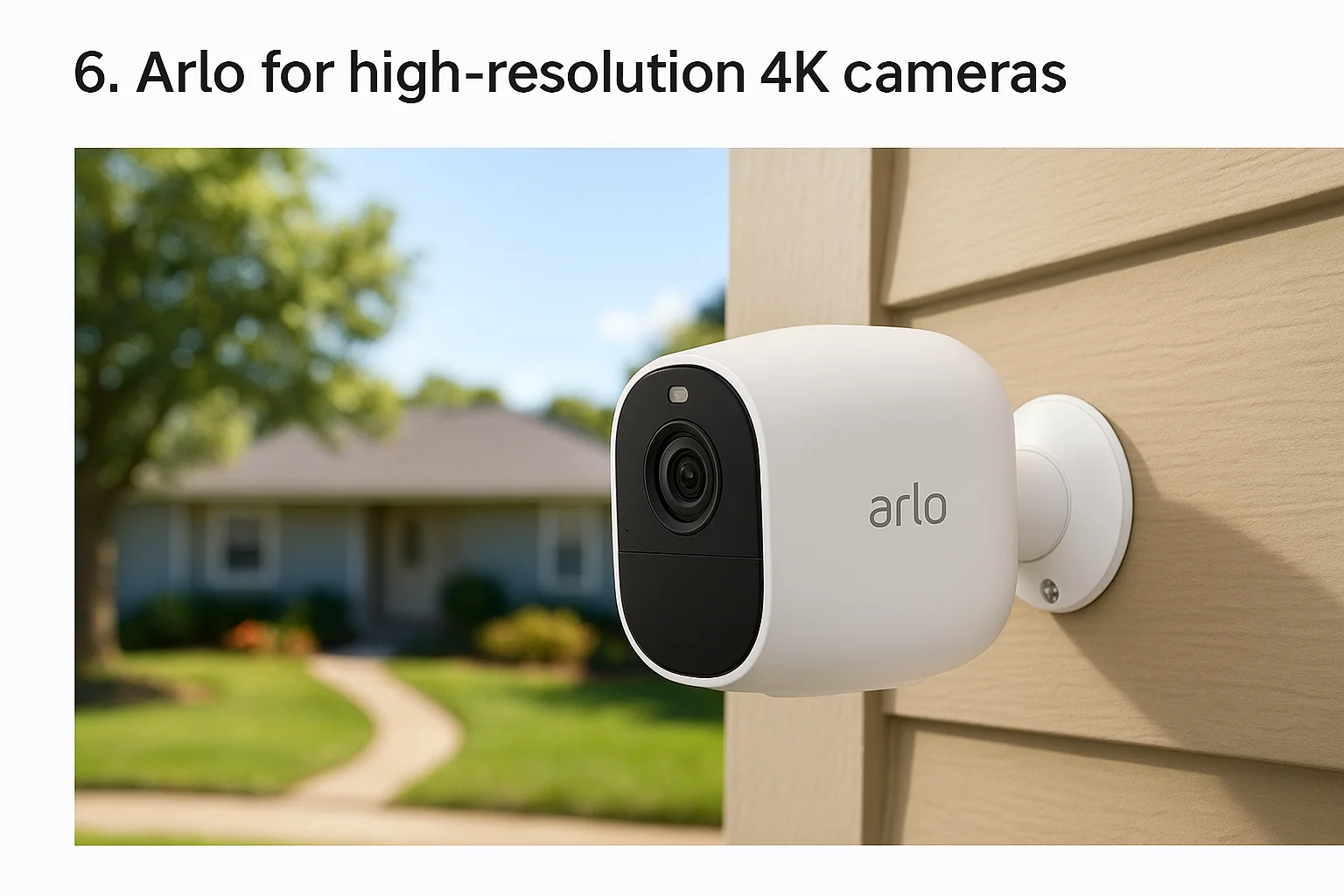
Arlo built its reputation on sharp image quality, and its top-tier cameras now shoot in true 4K rather than the 1080p or 2K resolution most competitors offer. That extra detail matters when you're trying to identify a face or a license plate from thirty feet away, not just confirm that motion happened. For homeowners who've been frustrated by grainy footage from a cheaper security cameras system for home setup, Arlo's clarity is the main draw.
How it works
Arlo cameras run wire-free on rechargeable batteries or connect to a hub for extended local storage, and most models pair with the Arlo app over Wi-Fi. The 4K resolution comes paired with a wider field of view on flagship models like the Ultra series, so one camera often covers ground that would take two lower-resolution units elsewhere. Color night vision is another standout feature, showing accurate colors after dark instead of the washed-out green or black-and-white footage typical of older systems.
Higher resolution only helps if you can actually store and review the footage it produces, which is where Arlo's subscription becomes hard to avoid.
Who it's for
Arlo fits homeowners who prioritize image quality above almost everything else, including people monitoring larger yards, driveways, or properties where identifying details from a distance actually matters. It also suits buyers already invested in smart home ecosystems, since Arlo integrates with Google Assistant, Amazon Alexa, and Apple HomeKit. It's a less practical choice for anyone trying to avoid ongoing fees, since most of Arlo's best features live behind a paywall.
Pricing
Arlo's hardware sits at the higher end of the DIY category, and the subscription adds a real cost most buyers underestimate.
| Item | Cost |
|---|---|
| Arlo Essential camera | $100-$150 |
| Arlo Ultra 4K camera | $200-$300 |
| Arlo Secure plan (single camera) | About $5/month |
| Arlo Secure plan (unlimited cameras) | About $15/month |
Without a subscription, cloud recording and person/vehicle detection disappear, leaving mostly live viewing behind.
7. Google Nest for smart home integration
Google Nest cameras carry the same weight in the Google ecosystem that Ring carries in Amazon's, and for homeowners already running a house full of Google Home devices, that connection matters more than any single spec sheet. Nest cameras tie directly into Google Home integration, so your cameras, thermostats, and smart displays all live in one app instead of three. If you're searching for a security cameras system for home setup that talks naturally to gear you already own, Nest usually rises to the top of that shortlist fast, and our guide to integrated residential security systems explains why that matters.
How it works
Each Nest camera streams over Wi-Fi and pushes alerts straight to your phone, but the real advantage shows up on a Nest Hub or Chromecast-connected TV, where you can pull up a live feed just by asking. Google's facial familiarity detection learns to recognize regular visitors and alerts you differently for a stranger at the door versus a family member walking up the driveway. Search-powered event descriptions also flag specific activity, like a package delivery or a car pulling in, rather than just generic motion alerts.
A camera system that already speaks your smart home's language saves you from managing yet another standalone app.
Who it's for
Nest suits homeowners already invested in Google's ecosystem, whether that's Nest thermostats, Google Home speakers, or Android phones running everything through one login. It's also a solid pick for anyone who wants voice control to feel native rather than bolted on. People who've committed to Apple HomeKit or Amazon Alexa elsewhere in the house will find less payoff here, since cross-platform support is limited.
Pricing
Google bundles most of Nest's smart features into its Nest Aware subscription, and skipping it strips away a lot of the camera's usefulness.
| Item | Cost |
|---|---|
| Nest Cam (battery) | $100-$180 |
| Nest Cam with floodlight | $180-$280 |
| Nest Aware plan | About $8/month |
| Nest Aware Plus plan | About $15/month |
Without a subscription, you lose video history and most smart alerts, leaving only live viewing on demand.
8. Wyze for budget-friendly cameras
Wyze made its name by selling cameras that cost a fraction of what competitors charge, without cutting corners as hard as you'd expect at that price point. A basic Wyze Cam often runs under $40, which makes it possible to cover a whole house in cameras for less than what one Arlo Ultra costs alone. For anyone hunting for budget-friendly security cameras rather than premium features, Wyze remains one of the few brands that actually delivers on that promise.
How it works
Cameras connect over Wi-Fi and stream to the Wyze app, where you get live view, motion alerts, and short event clips stored free for up to 14 days on Wyze's Cam Plan Lite. Setup takes minutes: plug in the camera, scan a QR code with your phone, and it joins your network without any wiring or professional visit. Newer models add person and pet detection powered by onboard AI, which cuts down on false alerts from tree branches or passing cars, a common complaint with cheaper camera brands.
Low price only pays off if the camera still catches what matters, and Wyze mostly holds up its end of that deal.
Who it's for
Wyze suits renters, students, and homeowners furnishing a house with cameras room by room without blowing the budget on any single unit. It also works well as a secondary system layered alongside a more robust setup, covering a shed or side yard where spending premium dollars doesn't make sense. Buyers wanting a bulletproof track record on data privacy should research Wyze's past security incidents before committing, since the company has had a few publicized breaches.
Pricing
Wyze keeps costs low across both hardware and its optional subscription tiers.
| Item | Cost |
|---|---|
| Wyze Cam v3 | $25-$40 |
| Wyze Cam Outdoor | $40-$60 |
| Cam Plan Lite | Free, 14-day rolling storage |
| Cam Plan | About $2-$3/month per camera |
Even without a subscription, you keep basic motion alerts and a short local clip history, which is more than several competitors offer for free.
9. Blink for long-lasting battery life
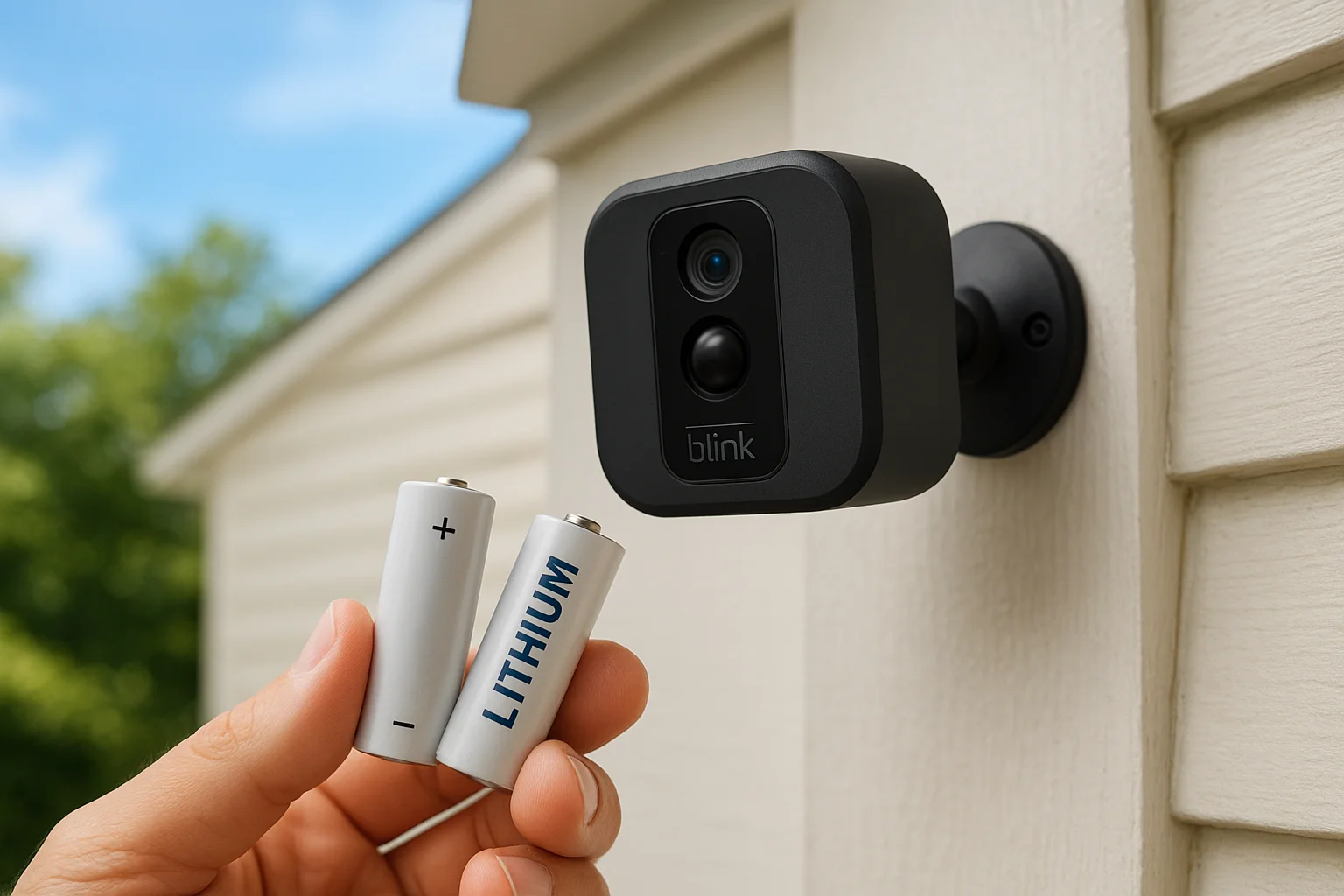
Blink, another Amazon-owned brand, built its whole pitch around batteries that last two years on a single set of AA cells instead of the weekly or monthly charging cycle most wireless cameras demand. That single feature solves the most annoying part of owning wire-free cameras: climbing a ladder every few weeks to recharge a unit mounted over a garage door. For a security cameras system for home that you can mostly forget about once it's installed, Blink's low-maintenance design stands out from the pack.
How it works
Each Blink camera connects to a Sync Module that links your cameras to Wi-Fi and manages local storage if you add a USB drive, cutting out the need for cloud subscriptions entirely. Cameras run on standard lithium AA batteries, and Blink's power management keeps draw low by staying dormant until motion triggers a short recording burst rather than streaming continuously. Setup mirrors most wireless brands: mount the camera, pair it through the app, and you're recording within minutes without drilling into wiring or hiring anyone.
A camera you don't have to babysit for battery life is a camera that actually stays running when you need it.
Who it's for
Blink suits homeowners who want reliable camera-focused wireless home security systems for spots that are hard to reach or easy to forget, like a detached shed, a second-story eave, or a vacation property you only visit occasionally. It also fits budget-conscious buyers who still want name-brand reliability without paying Arlo or Nest prices. Anyone chasing 4K clarity or advanced AI detection should look elsewhere, since Blink trades some image sharpness for its battery advantage.
Pricing
Blink keeps hardware and subscription costs low compared to most of Amazon's own Ring lineup.
| Item | Cost |
|---|---|
| Blink Mini (wired, indoor) | $30-$40 |
| Blink Outdoor camera | $70-$100 |
| Sync Module 2 with USB storage | Included with kits |
| Blink Subscription Plus plan | About $10/month, unlimited cameras |
Skip the subscription and Blink still records to local USB storage through the Sync Module, which is a rare perk among Amazon-owned brands.
10. Eufy for local storage and Apple HomeKit
Eufy, a spinoff of Anker, built its reputation on cameras that record locally by default rather than pushing you toward a cloud subscription from day one. That approach appeals to homeowners who want a security cameras system for home setup that doesn't quietly bill them every month just to keep footage accessible. Eufy also stands out for its native Apple HomeKit support, which is thinner across most of the brands covered so far.
How it works
Most Eufy systems pair cameras with a HomeBase hub that stores video on a built-in hard drive, so footage stays on your property instead of routing through a third-party server. Cameras connect over Wi-Fi to the HomeBase, and the hub handles local AI processing for person detection, cutting down on false alerts without sending video off-site for analysis. Homeowners running an Apple-centric household get an added bonus: several Eufy cameras work directly through the Home app via HomeKit Secure Video, letting you view live feeds alongside your other Apple smart home gear.
Local processing means your footage gets analyzed without ever leaving your house, which matters if privacy is your main concern.
Who it's for
Eufy suits homeowners who've already committed to Apple HomeKit and want their cameras to feel native rather than bolted on through a separate app. It also fits privacy-conscious buyers who like the idea of local storage but still want smart detection features that usually require a cloud connection elsewhere. It's a weaker fit for anyone who wants remote access to work flawlessly without any setup fuss, since HomeKit configuration takes more patience than opening a single branded app.
Pricing
Eufy keeps most of its value proposition tied to one-time hardware costs rather than recurring fees.
| Item | Cost |
|---|---|
| Eufy Solo Cam | $50-$80 |
| Eufy 4-camera kit with HomeBase | $300-$450 |
| HomeKit Secure Video | Uses existing iCloud storage plan |
| Optional Eufy cloud plan | About $3-$10/month |
Skip the optional cloud plan and you still keep full local recording, which is more than several subscription-first competitors allow.
11. Swann for local storage without fees
Swann has sold DVR and NVR security systems since long before wireless cameras took over the market, and that wired heritage still shapes how the company builds its security cameras system for home kits today. Swann leans on physical recorders instead of cloud subscriptions, so once you buy the hardware, there's no monthly bill standing between you and your own footage. That pitch has kept Swann relevant for homeowners who want serious coverage without signing up for another recurring charge.
How it works
Swann's wired home security cameras connect multiple units to a central DVR or NVR box using coaxial or Ethernet cabling, and that box records continuously or on motion to an internal hard drive sized for weeks of footage. Wireless Swann cameras exist too, storing clips to a microSD card or an optional hub instead of a wired recorder, which suits smaller installs. Either way, the local storage without fees structure means your video stays in your house, viewable through the Swann Security app or pulled directly off the recorder when you need it for an incident.
Paying once for a recorder beats paying forever for a cloud plan you might only need twice a year.
Who it's for
Swann suits homeowners covering a full property, driveway, backyard, front door, side gate, who want six or more cameras running off one system rather than juggling separate wireless units. It also fits buyers who've grown tired of subscription creep across other smart home gear and want at least one system that stops billing after the initial purchase. It's a weaker match for renters or anyone wanting a five-minute wireless setup, since wired kits benefit from planning cable runs before installation day.
Pricing
Swann's cameras and recorders cost more upfront than basic wireless kits, but the lack of ongoing fees changes the long-term math.
| Item | Cost |
|---|---|
| 4-camera wired kit with DVR | $250-$400 |
| 8-camera wired kit with 2TB DVR | $450-$700 |
| Wireless camera add-on | $60-$100 each |
| Cloud storage (optional) | About $5-$10/month |
Skip the optional cloud add-on entirely and Swann still records everything locally, no strings attached.
12. Reolink for affordable 4K security
Reolink built its lineup around a simple idea: 4K resolution shouldn't cost as much as competitors charge for it. The brand sells both wired PoE systems and battery-powered wireless cameras, and even its entry-level 4K models undercut Arlo and Nest by a wide margin. For homeowners comparing a security cameras system for home on a tight budget who still refuse to settle for blurry footage, Reolink usually lands near the top of the shortlist.
How it works
Reolink's PoE cameras connect to an NVR over Ethernet, drawing power and sending video through a single cable, which keeps installation straightforward for anyone comfortable running a few lines through an attic or crawlspace. Wireless models run on rechargeable batteries or solar panels instead, syncing to a hub or directly to Wi-Fi depending on the kit. Most cameras record locally to the NVR's hard drive or a microSD card, so subscription-free video storage stays available even though Reolink also offers an optional cloud plan for off-site backup.
Getting true 4K detail without a subscription tag attached is rare, and Reolink built its entire brand around that gap.
Who it's for
Budget-conscious homeowners who still want sharp image quality fit Reolink well, especially anyone monitoring a driveway or gate where reading a license plate matters and getting outdoor camera angles right makes the difference. It also suits buyers comfortable running their own Ethernet cable or mounting solar panels themselves, since Reolink leans DIY even on its wired systems. People wanting a single polished app experience with heavy AI features should expect a steeper learning curve than Ring or Nest offer.
Pricing
Reolink keeps its price-to-resolution ratio hard to beat.
| Item | Cost |
|---|---|
| Reolink 4K wireless camera | $80-$130 |
| 4-camera PoE kit with NVR | $300-$450 |
| Solar panel add-on | $30-$50 |
| Optional cloud plan | About $3-$10/month |
Skip the cloud plan and local recording keeps working without interruption, no monthly bill required.
Choosing the right system for your home
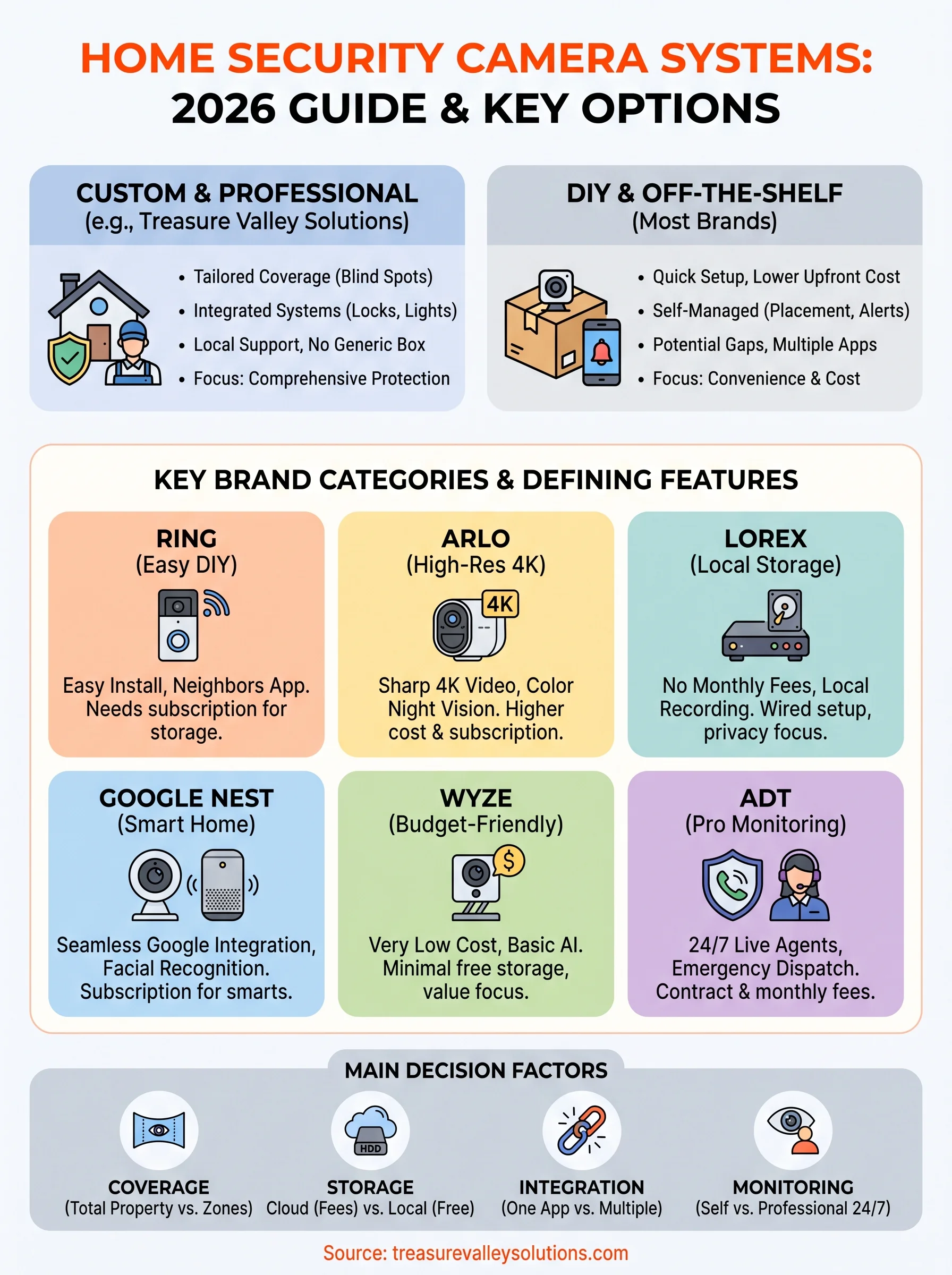
Every brand on this list solves a different problem. Subscription-free storage matters if you hate recurring fees, so Lorex, Swann, or Reolink deserve a closer look, and it helps to know how wired and wireless cameras stack up before you commit. Smart home integration matters if your house already runs on Google or Apple, and Nest or Eufy fit that mold better than anything DIY-first. Budget shoppers do fine with Wyze or Blink, while ADT still makes sense for anyone who wants a live agent watching over things at 3 a.m., which is really a question of cameras versus a full security system.
But none of these off-the-shelf kits account for your actual property, your blind spots, or how your family moves through the house day to day. That's the gap a custom security cameras system for home protection closes, and it's the gap we've been closing for Treasure Valley homeowners since 2014. If you're tired of guessing which brand fits your layout, request a free estimate from our Meridian installers and get a plan built around your actual home instead of a generic box.
Compare your options
Your next step
Compare Wired, Wireless and Local StorageReady for professional help? Request an estimateOur Services
High-definition surveillance for peace of mind.
Comprehensive security solutions for home and business.
Serving the Treasure Valley
Local installation in your city