 (208) 991-3502
 Meridian, ID




Break-ins, employee theft, and liability claims cost businesses thousands every year, and most of that damage happens because the wrong camera system was watching the wrong angle, or nothing was recor...
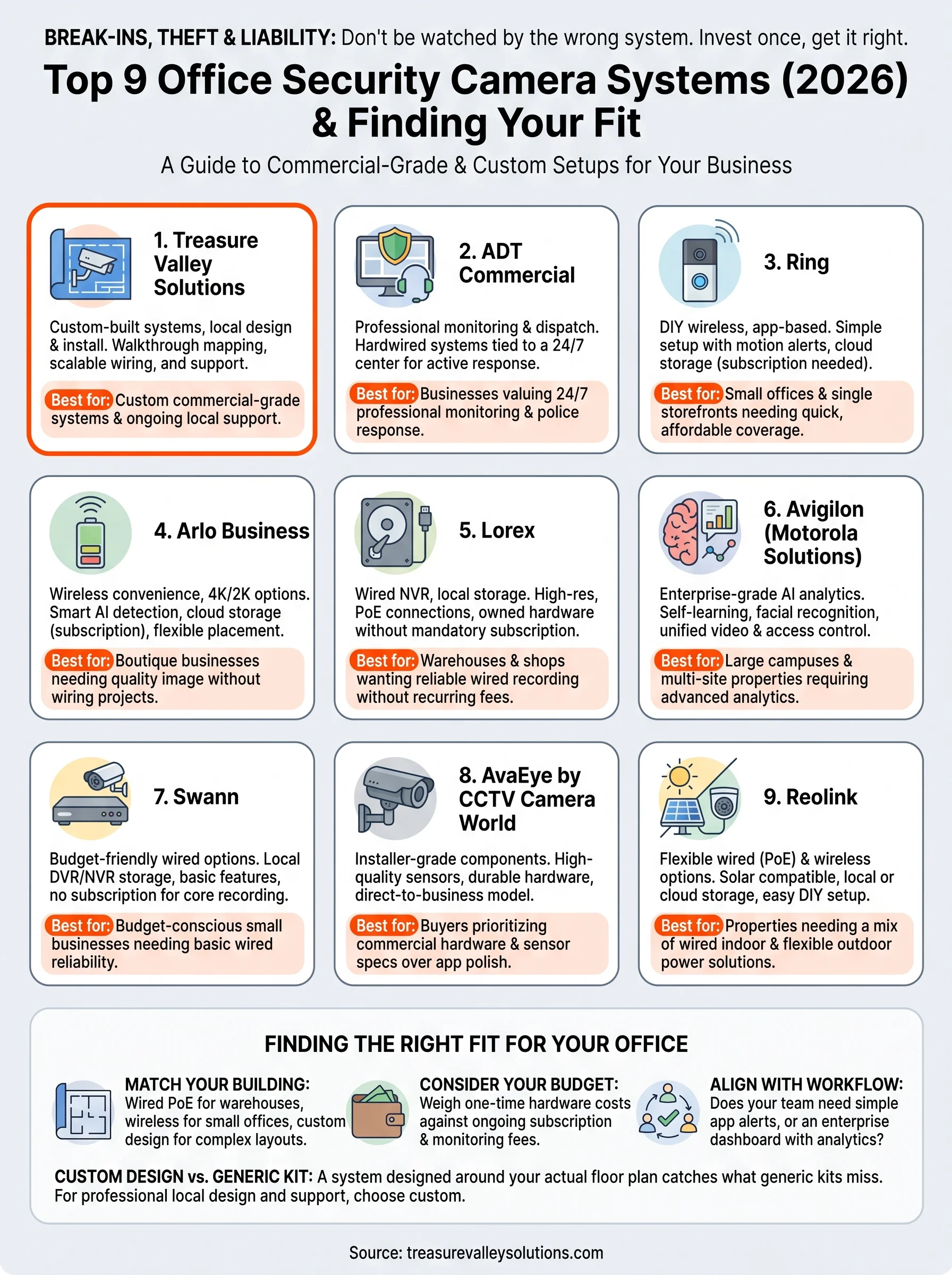
Break-ins, employee theft, and liability claims cost businesses thousands every year, and most of that damage happens because the wrong camera system was watching the wrong angle, or nothing was recording at all. If you're shopping for office security camera systems in 2026, you already know the market is crowded with brands promising 4K clarity and AI detection at every price point. The real challenge is figuring out which system actually fits your building, your budget, and your team's daily workflow.
This guide cuts through the marketing noise and ranks the nine best options based on video quality, storage flexibility, remote monitoring, and how well each system scales as your business grows. We've weighed price against performance, checked real installation requirements, and flagged which systems need professional setup versus DIY.
Whether you're outfitting a small retail storefront in Meridian or a multi-floor office building in Boise, you'll find a system here that matches your needs. We'll also cover what separates a reliable commercial-grade setup from a residential camera stretched past its limits, so you can invest once and get it right.
1. Treasure Valley Solutions custom office security systems
If you want a camera system built around your actual floor plan instead of a generic kit pulled off a shelf, Treasure Valley Solutions is the top pick for Treasure Valley businesses in 2026. Based in Meridian, the company designs, installs, and supports custom surveillance systems for offices, retail stores, warehouses, and multi-tenant buildings across Boise, Eagle, Nampa, and the surrounding area. Unlike national retailers selling the same box to every customer, their technicians walk your property first, map blind spots, and only then recommend hardware.
How it works
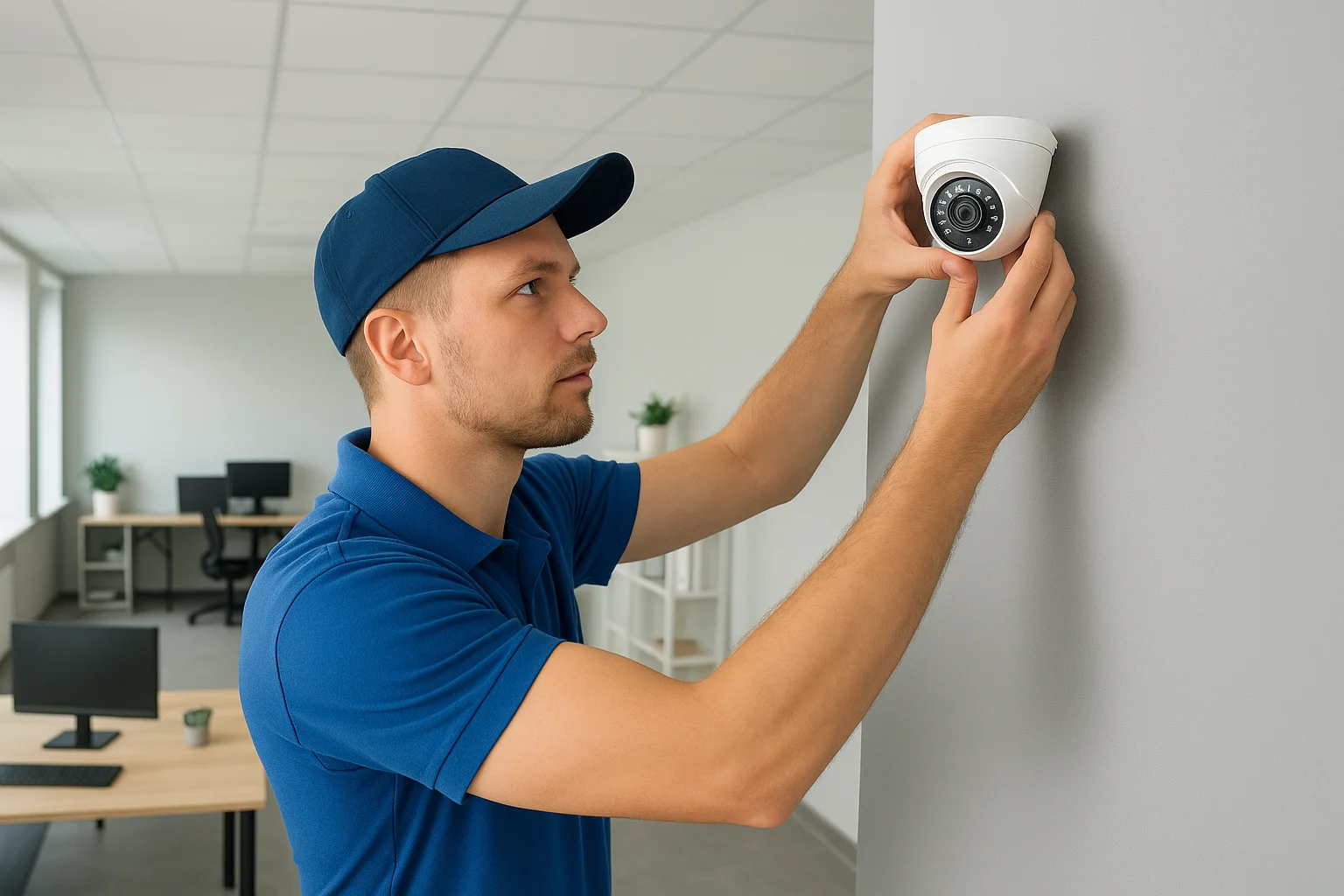
Every project starts with an on-site consultation where a licensed technician reviews entry points, lighting conditions, ceiling height, and existing network infrastructure. From there, the team designs a camera layout specific to your building, whether that means covering a warehouse loading dock, a retail sales floor, or a string of office suites with different access needs. Installation is handled by trained, insured staff who run cabling cleanly, mount hardware correctly, and configure the system before they leave. Professional installation matters here because a misangled camera or a poorly placed NVR is often the difference between usable footage and a blurry clip that's useless in an insurance claim.
A camera system designed around your building's actual layout catches what a generic kit misses.
Key features
Treasure Valley Solutions doesn't sell one fixed package. Instead, they assemble systems from commercial-grade components chosen for your specific site, then integrate them with the rest of your building's technology. Common configurations include:
- 4K and low-light cameras placed based on a site walkthrough, not a generic template
- Remote viewing from any smartphone, tablet, or desktop, so managers can check multiple locations without driving to each one
- Access control integration, tying smart locks and door sensors into the same platform as your cameras
- Local and cloud storage options, letting you choose based on retention needs and budget
- Scalable wiring and network design that supports adding cameras later without re-running cable
- Ongoing local support from a Meridian-based team that answers the phone and can be on-site same week
This flexibility means a small office with three entry points and a 50,000-square-foot warehouse both get a system sized to the actual risk, not a one-size-fits-all bundle with unused features or gaps in coverage.
Best for
This option suits business owners, property managers, and commercial builders who want a system installed correctly the first time and supported locally afterward. It's a strong fit for retail stores that need to document theft claims, warehouses with multiple loading zones, medical or professional offices with compliance concerns, and property managers overseeing several buildings who want consistent access control across all of them. Restaurants and hospitality clients also benefit, since the same visit can address ambient audio and digital signage alongside surveillance. If your priority is a custom office security camera system rather than a DIY kit you configure yourself, this is the category leader on this list.
Pricing
Because every install is custom, Treasure Valley Solutions doesn't publish flat package prices, and that's intentional. Pricing depends on the number of cameras, storage method, network requirements, and whether access control or other integrations are included. What they do promise is transparent quoting: you get a clear estimate after the site walkthrough, with no surprise fees added during installation. Compared to buying a big-box kit and hiring a separate installer, bundling design, hardware, installation, and support with one local company often costs less over the life of the system, especially once you factor in fewer service calls and no compatibility headaches between mismatched components.
| Factor | Details |
|---|---|
| Design | Custom, based on on-site walkthrough |
| Installation | Professional, licensed and insured technicians |
| Storage | Local or cloud, client's choice |
| Support | Local, Meridian-based, ongoing |
| Pricing model | Custom quote after site visit |
For businesses that have outgrown a residential camera stretched too thin, or that never want to deal with that problem in the first place, this is where the search for the right office security camera system should start.
2. ADT
ADT has been a household name in security for over a century, and its commercial division now offers dedicated office security camera systems built around professional monitoring rather than self-managed apps. For business owners who want a company standing by around the clock, ADT remains one of the most recognized options on the market, even if that recognition comes with a higher monthly commitment than most DIY brands.
How it works
ADT Commercial pairs hardwired or hybrid camera setups with a 24/7 monitoring center that alerts authorities directly if something triggers an alarm or a camera flags unusual activity. Technicians handle the installation, which means you're not running cable or configuring an NVR yourself. Once live, the system ties into ADT's monitoring network, so a break-in after hours doesn't just record footage, it triggers a call to dispatch. That professional response loop is the core differentiator here, and it's why many multi-location businesses choose ADT over app-only competitors.
Professional monitoring turns a recorded break-in into an active police response.
Key features
ADT's commercial packages typically bundle cameras with broader security infrastructure rather than selling cameras as a standalone product.
- 24/7 professional monitoring with live dispatch to police or fire
- Cloud video storage with configurable retention windows
- Mobile app access for remote viewing and alert management
- Integration with access control and alarm systems for a unified security platform
- Business-grade equipment rated for continuous commercial use
Because monitoring is central to the offering, ADT suits businesses that want a human response built in, not just a recording for later review.
Best for
Offices, retail chains, and multi-site businesses that value a monitored response over DIY flexibility will get the most from ADT. It's a solid fit for companies with after-hours vulnerability, like storefronts on busy streets or warehouses with valuable inventory, where a fast police response matters more than reviewing footage the next morning. Businesses without an in-house security team also benefit, since ADT's monitoring center effectively acts as an outsourced watch desk.
Pricing
ADT doesn't publish flat commercial pricing online, and quotes vary based on camera count, monitoring tier, and contract length. Expect equipment costs plus a recurring monthly monitoring fee, often requiring a multi-year contract. That structure can add up over time compared to buy-once systems, but it includes the monitoring service most competitors on this list don't offer at all.
| Factor | Details |
|---|---|
| Monitoring | 24/7 professional, with police/fire dispatch |
| Installation | Professional, technician-led |
| Contract | Typically multi-year |
| Storage | Cloud, configurable retention |
| Pricing model | Equipment cost plus monthly monitoring fee |
For businesses that want a name-brand system backed by an actual monitoring team, ADT earns its spot, though it comes at a premium compared to self-monitored alternatives further down this list.
3. Ring
Ring built its reputation on residential doorbell cameras, but the brand now offers Ring Pro and Ring Business tools aimed at small offices, single-location retail shops, and home-based businesses. It's the most consumer-friendly name on this list, and that familiarity is exactly why so many small business owners start their search here before realizing they need something more robust.
How it works
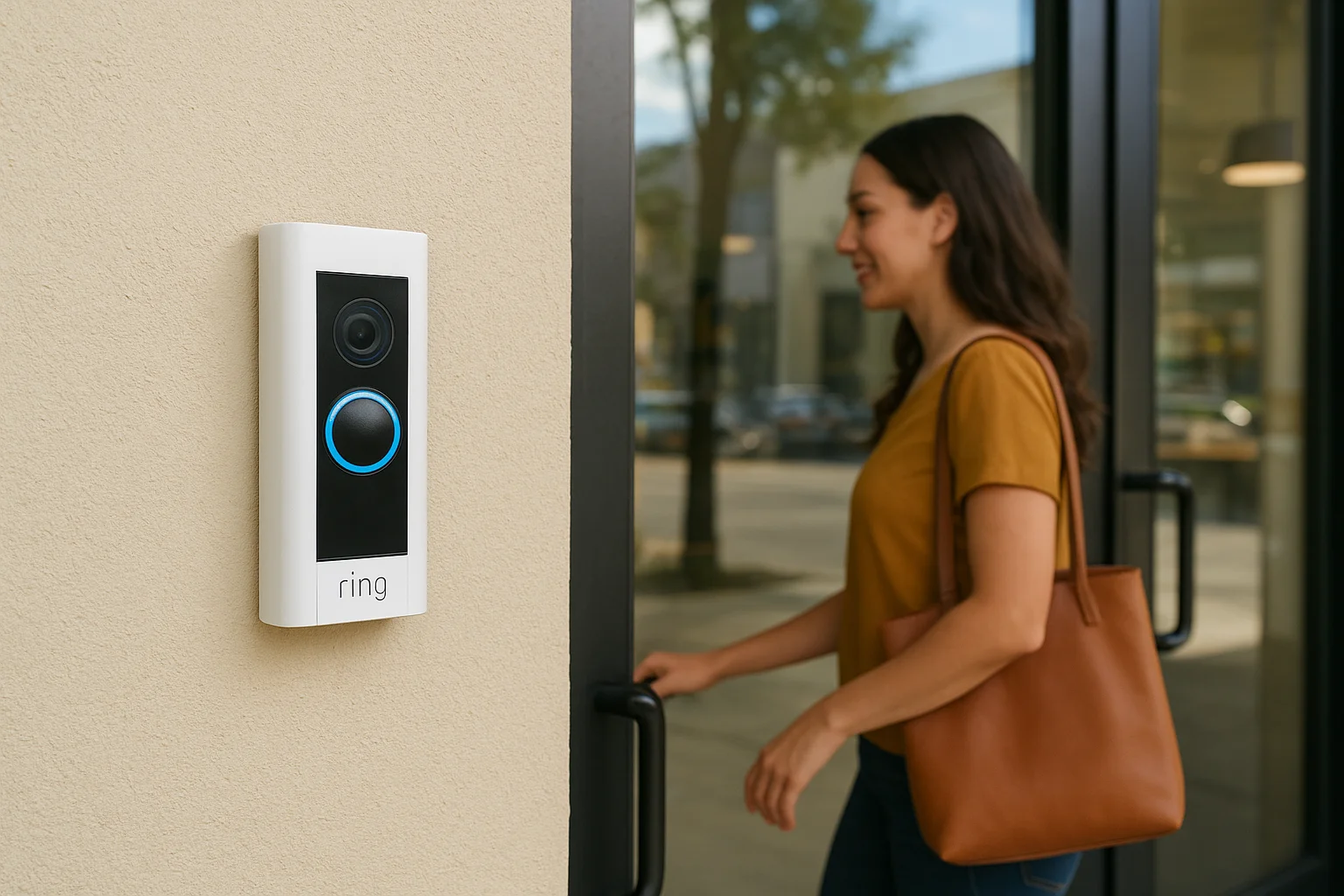
Ring cameras connect over Wi-Fi and stream footage straight to the Ring app, where you can watch live video, review clips, and set up motion alerts without any professional monitoring center in the loop. Setup is genuinely DIY: mount the camera, connect it to your network, and you're recording within minutes. There's no NVR, no cabling project, and no technician visit required unless you choose one. That simplicity is the appeal, but it also means the system leans entirely on your Wi-Fi network staying stable and your team actually checking the app when something happens.
Simple setup is only useful if someone is actually watching the alerts it sends.
Key features
Ring's commercial-facing lineup borrows heavily from its residential catalog, which keeps costs low but limits scalability for larger properties.
- Wireless and wired camera options, including battery-powered models for quick placement
- Motion-activated alerts sent directly to a smartphone
- Cloud video storage through a Ring Protect subscription
- Two-way audio for talking to visitors or warning off intruders
- Ring Alarm integration for basic intrusion detection alongside video
These features work well for a single storefront or a two-person office, but Ring doesn't offer the centralized multi-camera management that larger commercial sites need.
Best for
Ring fits small offices, home-based businesses, and single-location retail shops that want an affordable office security camera system without hiring an installer. It's also a reasonable stopgap for a business owner who needs coverage immediately and can upgrade later. Where Ring struggles is scale: managing a dozen cameras across a warehouse or multi-suite building through a consumer app quickly becomes unwieldy compared to purpose-built commercial platforms.
Pricing
Ring keeps upfront hardware costs low, with individual cameras ranging roughly from $60 to $250 depending on features like resolution and battery versus wired power. Cloud storage requires a Ring Protect plan, priced per camera or as an unlimited plan covering your whole account, typically $4 to $20 monthly.
| Factor | Details |
|---|---|
| Installation | DIY, no technician required |
| Monitoring | Self-monitored via app, optional professional add-on |
| Storage | Cloud, subscription-based |
| Scalability | Best for 1-5 cameras |
| Pricing model | Hardware purchase plus monthly Protect subscription |
For a tight budget and a small footprint, Ring gets the job done. For anything beyond a single storefront, you'll likely outgrow it fast.
4. Arlo
Arlo made its name with wire-free home cameras, and it has since pushed into small business territory with the Arlo Business lineup. The brand sits in an interesting middle ground: more polished than Ring, but still built around wireless convenience rather than the hardwired infrastructure larger offices eventually need. For a boutique, salon, or small professional office, that tradeoff often makes sense.
How it works
Arlo cameras run on battery power or a low-voltage plug, connecting to a base station or directly to Wi-Fi depending on the model. Footage streams to the Arlo Secure app, where you get live viewing, motion alerts, and clip playback without any on-site server. Setup takes minutes, not hours, since there's no cabling to run and no NVR to configure. That speed comes with a tradeoff: battery models need periodic recharging, and Wi-Fi dependent placement means signal strength dictates where cameras can actually go, not just where coverage is needed.
Key features
Arlo Business builds on the consumer platform with a few upgrades aimed at commercial users, though it still stops short of full enterprise tools.
- 4K and 2K camera options with color night vision on higher-end models
- Smart AI detection that distinguishes people, vehicles, and packages to cut down false alerts
- Cloud storage plans with tiered retention windows
- Multi-user access so several employees can monitor the same account
- Integration with smart locks and lighting for basic automation alongside video
These features put Arlo ahead of purely residential brands, but the reliance on Wi-Fi and cloud storage still limits it compared to wired commercial security camera systems built for continuous, high-camera-count coverage.
Wireless convenience is great until you need twelve cameras running reliably on one office network.
Best for
Arlo suits small offices, boutique retail, and service businesses like salons or clinics that want sharper image quality and smarter alerts than entry-level brands, without committing to a wired installation. It's a reasonable choice for a single-location business with fewer than eight cameras and a strong Wi-Fi network. Larger operations, multi-tenant buildings, or warehouses with metal shelving that interferes with wireless signal will find Arlo's wireless-first design a limiting factor rather than a benefit.
Pricing
Arlo cameras typically run $150 to $300 each depending on resolution and features, with Arlo Secure subscription plans covering cloud storage and AI detection, priced from around $5 to $20 monthly per camera or bundled across an account.
| Factor | Details |
|---|---|
| Installation | DIY, wireless setup |
| Power | Battery or low-voltage, model dependent |
| Storage | Cloud, subscription required for most features |
| Scalability | Best for under 8 cameras |
| Pricing model | Hardware purchase plus monthly subscription |
For a small office wanting better-than-basic image quality without a wiring project, Arlo earns a spot on this list, just don't expect it to handle a sprawling commercial property.
5. Lorex
Lorex has carved out a niche selling wired, high-resolution camera systems directly to business owners who want to own their hardware outright, no subscriptions required. Unlike the wireless, app-first brands above, Lorex builds around a local NVR that stores footage on-site, which appeals to businesses wary of monthly fees piling up over the years. It's a brand that shows up often in warehouse and small retail setups precisely because it treats video storage as a one-time purchase, not a recurring bill.
How it works
Lorex systems center on a physical NVR (network video recorder) connected to wired PoE cameras, meaning power and data run over a single cable to each unit. Footage records locally to a hard drive inside the NVR, which you can size up for longer retention without paying anyone extra. Setup requires running cable to each camera location, so most businesses hire an installer rather than tackling it themselves, though tech-savvy owners with a small footprint sometimes do it in-house. Once configured, the system streams to a mobile app for remote viewing, but the core recording stays local rather than depending on the cloud.
Owning your storage outright means no monthly bill standing between you and your footage.
Key features
Lorex positions itself as a value-focused alternative to subscription-heavy brands, and its feature set reflects that priority.
- 4K Ultra HD cameras with strong low-light performance across most models
- Local NVR storage, expandable with larger hard drives, no cloud fee required
- PoE wired connections for reliable power and data without Wi-Fi congestion
- Person and vehicle detection to reduce false motion alerts
- Optional cloud backup for businesses that want an off-site copy without making it mandatory
These features make Lorex a practical fit for businesses that want commercial-grade footage without ongoing costs eating into the budget.
Best for
Warehouses, auto shops, and small retail stores that want reliable, high-resolution coverage without a subscription tend to gravitate toward Lorex. It also suits property managers overseeing a single building who want straightforward, owned hardware rather than a leased service. Businesses that need extensive remote management across multiple sites, or integration with access control, will find Lorex more limited than the fully custom systems higher on this list.
Pricing
Lorex sells complete kits, typically bundling four to eight cameras with an NVR and hard drive for roughly $400 to $1,200, depending on resolution and channel count. There's no required monthly fee, though optional cloud plans run around $10 to $25 monthly if you want off-site backup.
| Factor | Details |
|---|---|
| Installation | Wired, professional install recommended |
| Storage | Local NVR, cloud optional |
| Subscription | Not required for core features |
| Scalability | Good for single-site, up to 16 cameras |
| Pricing model | One-time kit purchase, optional cloud add-on |
For businesses tired of subscription creep, Lorex offers a straightforward path to owning a solid office security camera system outright.
6. Avigilon
Avigilon, now part of Motorola Solutions, builds enterprise-grade surveillance platforms designed for businesses that need serious analytics, not just recorded footage. This brand shows up in corporate campuses, large retail chains, and multi-building commercial properties where a basic camera app isn't enough to manage risk. If your office has dozens of cameras spread across several floors or locations, Avigilon's AI-powered video analytics are built specifically for that scale.
How it works
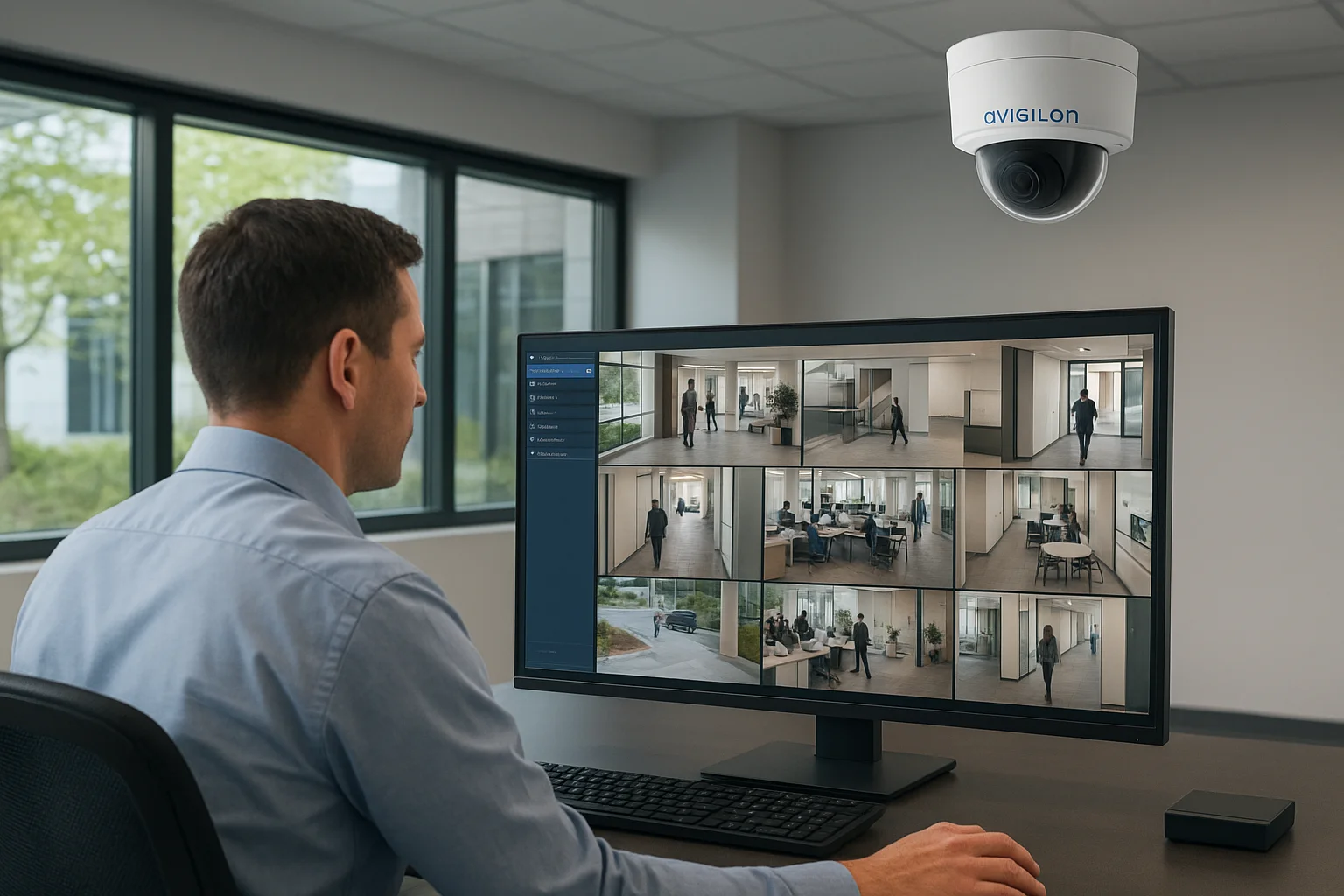
Avigilon systems run on dedicated network video recorders paired with high-resolution cameras and the company's Access Control Manager or ACC video management software. Footage records locally or to a hybrid cloud setup, and the software layer applies AI-driven analytics to flag specific events, like a person entering a restricted zone after hours, rather than just recording motion. Installation almost always requires a certified integrator, since configuring the analytics engine, camera placement, and network architecture correctly takes specialized training. Once running, security teams manage everything through a centralized dashboard that can span multiple buildings.
Enterprise analytics turn hundreds of camera feeds into a handful of alerts worth actually looking at.
Key features
Avigilon's feature set targets businesses managing security across large or multi-site properties rather than a single storefront.
- Self-learning video analytics that reduce false alerts over time by learning what's normal for your site
- Facial recognition and license plate detection available on select camera models
- Unified video and access control management through one software platform
- High-resolution imaging, including multi-sensor cameras that cover wide areas without multiple units
- Cloud and on-premises deployment options, letting large organizations choose based on IT policy
These tools make Avigilon one of the most capable options on this list for organizations that need more than basic video review.
Best for
Corporate offices, large retail operators, and commercial properties with dedicated IT or security staff get the most value from Avigilon. It's a strong match for businesses managing several buildings under one security policy, or any organization where access control integration and advanced analytics justify a higher investment. Smaller offices with a handful of entry points typically don't need this level of complexity and will find simpler systems easier to manage day to day.
Pricing
Avigilon doesn't sell direct-to-consumer pricing, and every deployment goes through a certified integrator who quotes based on camera count, analytics licensing, and software scope. Expect enterprise-level investment, often several thousand dollars for a mid-sized office and considerably more for multi-building deployments, plus ongoing software licensing fees.
| Factor | Details |
|---|---|
| Installation | Certified integrator required |
| Analytics | AI-driven, self-learning |
| Storage | Local, cloud, or hybrid |
| Scalability | Built for large, multi-site deployments |
| Pricing model | Custom quote plus software licensing |
Organizations with the budget and complexity to justify it will find Avigilon delivers analytics few other brands on this list can match.
7. Swann
Swann has spent years selling wired camera kits through big-box retailers, positioning itself as the budget-friendly middle ground between consumer brands like Ring and pricier commercial platforms. It's a brand small business owners recognize from hardware store shelves, and that retail presence makes it an easy first stop for anyone comparing office security camera systems on price alone. Swann won't win on advanced analytics, but it consistently delivers dependable wired coverage at a lower cost than most competitors on this list.
How it works
Swann's core lineup centers on a DVR or NVR hub connected to a set of wired cameras, similar in structure to Lorex but generally priced a tier lower. Cameras run PoE or coaxial cable back to the recorder, which stores footage locally on a built-in hard drive. Setup typically means running cable to each camera position, so most offices bring in an installer rather than doing it themselves, though the kits are marketed as DIY-friendly for smaller footprints. Once installed, the Swann Security app handles remote viewing, letting a manager check live feeds or pull recorded clips from a phone without needing to sit at the recorder itself.
Key features
Swann keeps its feature list focused on core surveillance functions rather than chasing every emerging trend, which keeps the price down without sacrificing basic reliability.
- 1080p to 4K camera options, depending on the kit tier chosen
- Local DVR/NVR storage with no required subscription
- Heat and motion-sensing detection to reduce false alerts from swaying trees or passing cars
- Two-way audio on select camera models for on-site communication
- Mobile app access for remote live viewing and playback
A dependable wired kit at a lower price point still beats no coverage at all.
These features cover the basics well, though Swann's analytics and integration options trail behind brands like Avigilon or the fully custom setups higher on this list.
Best for
Swann fits small offices, retail shops, and budget-conscious business owners who want a wired system without paying commercial-platform prices. It's a solid choice for a single-location business that wants owned hardware and local storage but doesn't need AI-driven analytics or multi-building management. Businesses expecting to scale quickly or integrate cameras with access control will outgrow Swann faster than a more flexible commercial security camera system.
Pricing
Swann kits typically run $200 to $600 for four to eight cameras bundled with a DVR and hard drive, making it one of the more affordable wired options available. No subscription is required for core recording, though an optional cloud plan runs roughly $5 to $15 monthly for off-site backup.
| Factor | Details |
|---|---|
| Installation | Wired, DIY or professional |
| Storage | Local DVR/NVR, cloud optional |
| Subscription | Not required for core features |
| Scalability | Best for single-site, up to 8 cameras |
| Pricing model | One-time kit purchase, optional cloud add-on |
For businesses prioritizing cost over advanced features, Swann delivers a workable office security camera system without straining the budget.
8. AvaEye by CCTV Camera World
CCTV Camera World built its reputation supplying surveillance hardware to installers and integrators, and its AvaEye line brings that professional-grade approach directly to business owners who want commercial components without going through a middleman. This brand rarely shows up in mainstream advertising, but it's well known among people who've actually researched office security camera systems at a technical level. AvaEye targets buyers who care more about sensor quality and cable specs than app polish.
How it works
AvaEye systems run on a wired NVR paired with PoE cameras, so a single Ethernet cable carries both power and data to each unit. Footage records locally to an internal hard drive, with capacity scaling based on how many cameras you run and how long you need to retain clips. Configuration happens through a desktop or mobile interface, and because CCTV Camera World sells primarily to installers, documentation and support materials assume a bit more technical comfort than consumer brands. Most offices still hire an electrician or low-voltage technician to run cable, though the company sells complete kits that reduce guesswork on compatibility.
Key features
AvaEye's catalog leans toward image quality and hardware durability over flashy software extras.
- Up to 4K resolution with strong low-light sensors across most camera models
- PoE wired architecture that avoids Wi-Fi interference in metal warehouses or dense office buildings
- Expandable local storage, with NVRs supporting multiple hard drive bays for long retention windows
- Weatherproof and vandal-resistant housings on outdoor-rated models
- Remote viewing app for checking live and recorded footage from a phone or laptop
Hardware built for installers tends to outlast hardware built for a marketing photo.
These specs make AvaEye a favorite among people comparing sensor quality line by line rather than judging a system by its app screenshots.
Best for
AvaEye suits business owners and property managers who've done their homework and want commercial-grade components at a lower markup than name-brand competitors. It's a good fit for warehouses, auto shops, and small office buildings where wired reliability matters more than a polished consumer app. Buyers who want hand-holding through setup or a household brand name for insurance documentation may prefer a more mainstream option elsewhere on this list.
Pricing
AvaEye kits and individual components are sold directly through CCTV Camera World, with four-camera bundles typically running $500 to $1,000 depending on resolution and storage size. There's no subscription requirement for core recording.
| Factor | Details |
|---|---|
| Installation | Wired, professional install recommended |
| Storage | Local NVR, expandable |
| Subscription | Not required |
| Scalability | Good for single-site, up to 16+ cameras |
| Pricing model | One-time kit or component purchase |
For buyers comfortable researching specs themselves, AvaEye delivers commercial hardware without the commercial markup.
9. Reolink
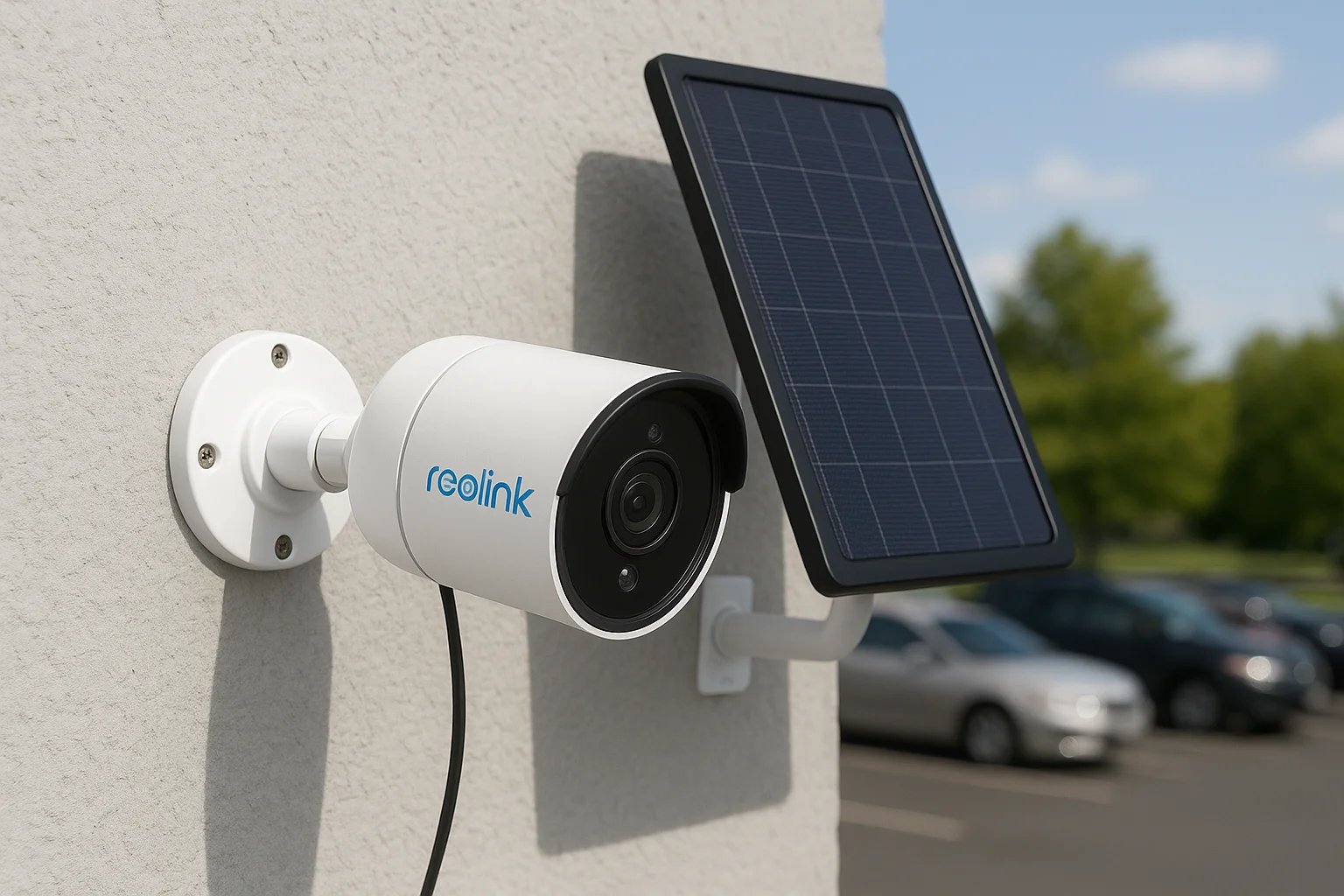
Reolink has built a loyal following among small business owners who want strong image quality and flexible power options without committing to a full commercial contract. The brand splits its lineup between wired PoE systems and solar or battery-powered cameras, which makes it one of the few options on this list that works equally well for a finished office interior and an exterior parking lot with no easy cable access. Anyone comparing office security camera systems on a tight timeline tends to land on Reolink because kits ship fast and setup rarely takes more than an afternoon.
How it works
Reolink cameras connect either through a PoE NVR, similar to Lorex and Swann, or through Wi-Fi paired with a rechargeable battery or solar panel for spots where running cable isn't practical. Footage records locally to the NVR's hard drive on wired setups, while battery models can save clips to a memory card, an NVR, or the cloud depending on the model you choose. Reolink's app handles live viewing and playback across both product lines, so a manager checking a wired loading dock camera and a battery-powered parking lot camera does it from the same screen. Configuration is straightforward enough that most small offices handle it in-house, though larger multi-camera installs still benefit from a professional running cable and mounting hardware correctly.
Mixing wired and battery cameras on one app means no blind spot has to wait on an electrician.
Key features
Reolink built its catalog around flexibility, letting a single business mix camera types based on what each location actually needs.
- 4K resolution options across both wired and battery-powered camera lines
- Solar panel compatibility for outdoor cameras in spots without nearby power
- Local NVR or microSD storage, with optional cloud plans for off-site backup
- Person and vehicle detection to cut down on false alerts from wind or shadows
- Two-way audio for talking through the camera to visitors or would-be intruders
This mix of wired and wireless options makes Reolink more adaptable than most budget brands, though it still trails purpose-built commercial platforms on multi-site management tools.
Best for
Reolink suits small offices, retail shops, and property managers who need coverage in spots a wired system can't easily reach, like a detached storage building or a far corner of a parking lot. It's also a reasonable pick for a business owner comparing commercial-grade surveillance against a tight budget, since Reolink consistently prices below name-brand competitors for similar specs. Larger buildings needing centralized access control or advanced analytics will outgrow Reolink's consumer-leaning software.
Pricing
Individual Reolink cameras run roughly $60 to $200, with complete NVR kits bundling four to eight cameras typically priced between $300 and $700. Cloud storage is optional, usually $3 to $10 monthly per camera, while local storage requires no subscription at all.
| Factor | Details |
|---|---|
| Installation | DIY or professional, wired and wireless options |
| Storage | Local NVR/microSD, cloud optional |
| Subscription | Not required for core features |
| Scalability | Good for single-site, up to 8 cameras |
| Pricing model | One-time purchase, optional cloud add-on |
For businesses juggling mixed power access across a property, Reolink offers one of the more practical budget-friendly paths on this list.
Finding the right fit for your office
Every system on this list can record footage, but that's the easy part. The real question is whether it matches your building, your budget, and how your team actually operates day to day. A single storefront with strong Wi-Fi might do fine with Reolink or Ring, while a warehouse with metal shelving needs wired PoE cameras from Lorex, Swann, or AvaEye. Corporate campuses with dedicated IT staff can justify Avigilon's analytics, and businesses wanting a monitored response should look at ADT.
But if you want a system designed around your actual floor plan, installed correctly the first time, and backed by a local team that answers the phone, custom design beats a generic kit every time. That's the gap Treasure Valley Solutions fills for offices, retail stores, and warehouses across the Treasure Valley. Ready to see what a properly designed system looks like? Contact our team for a site walkthrough and get a quote built around your building, not someone else's.
Compare your options
Your next step
Compare Commercial Surveillance SolutionsReady for professional help? Request an estimateOur Services
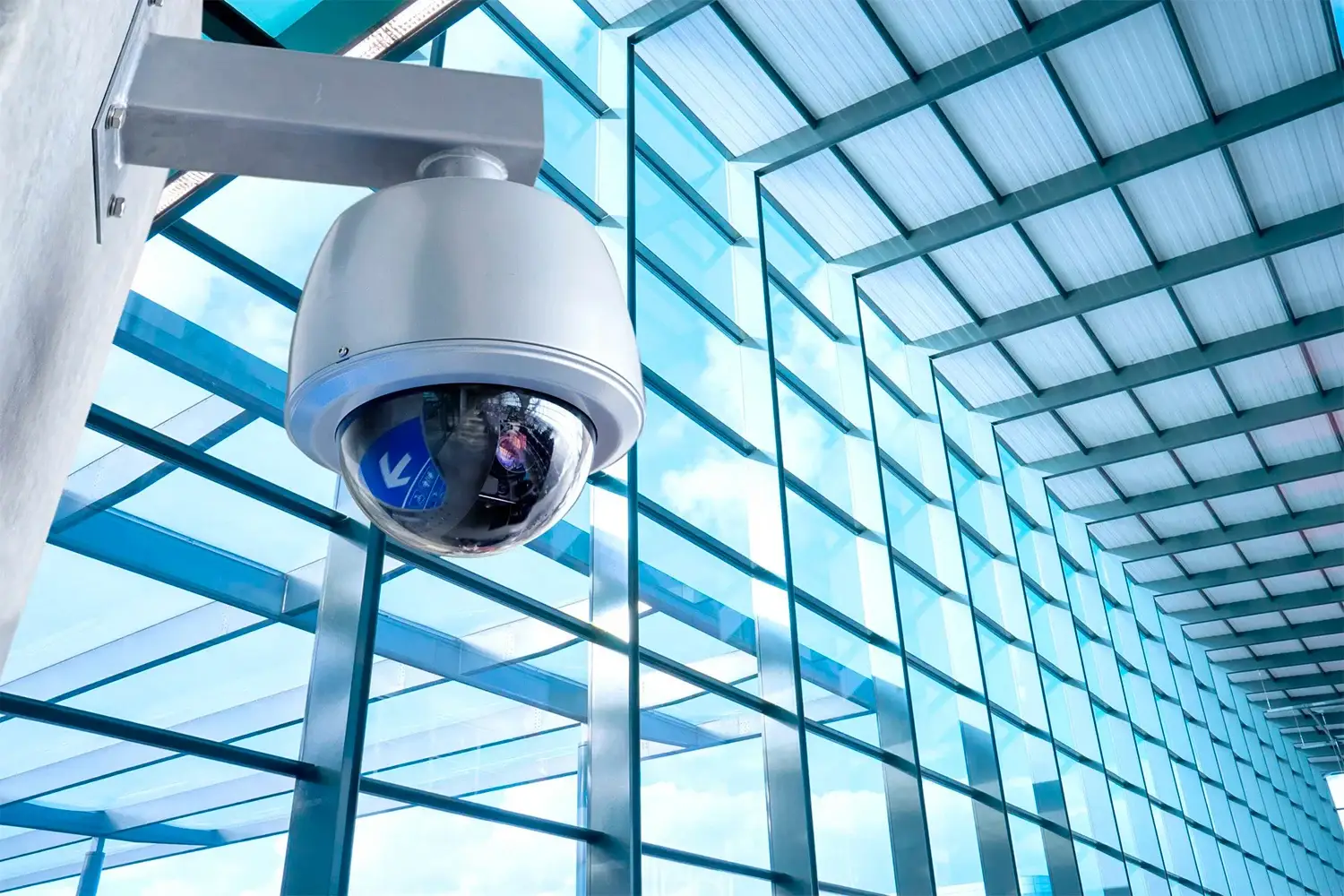
High-definition surveillance for peace of mind.
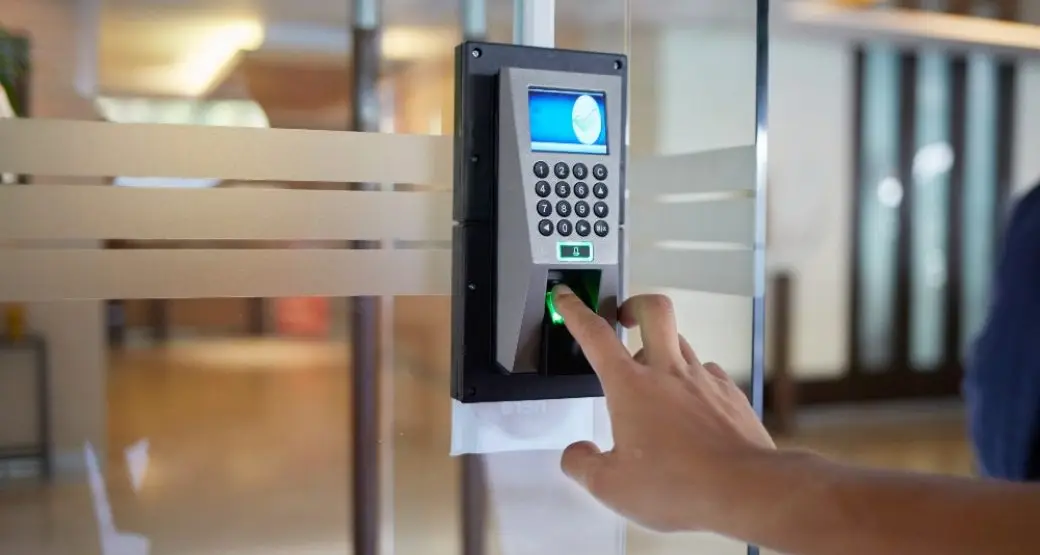
Comprehensive security solutions for home and business.
Serving the Treasure Valley
Local installation in your city