 (208) 991-3502
 Meridian, ID



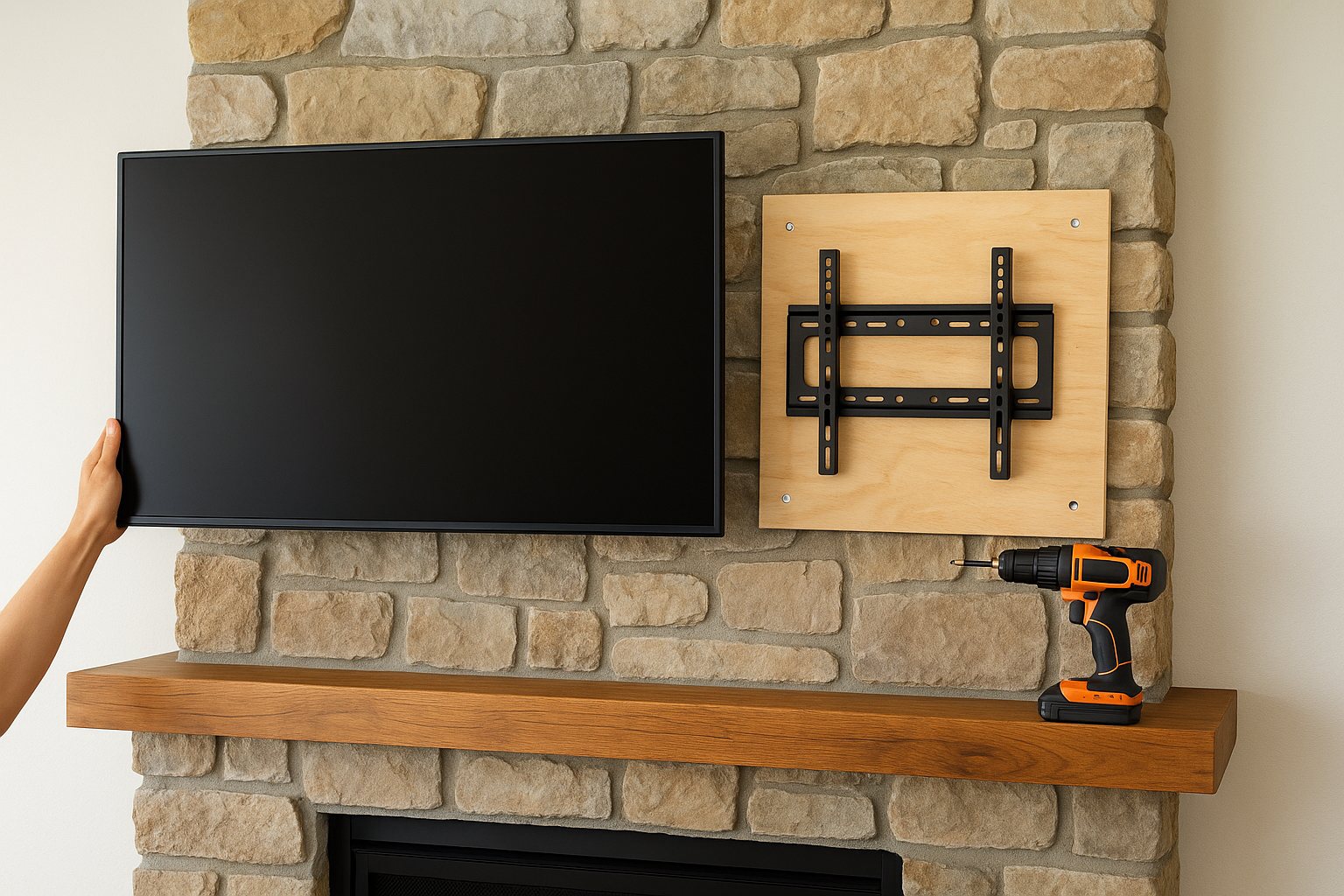

To mount TV to stone fireplace walls safely, anchor the mount to solid masonry or to the wall studs behind the stone, never to the stone face alone. Work out what is behind your stone, pick a mount th...
To mount TV to stone fireplace walls safely, anchor the mount to solid masonry or to the wall studs behind the stone, never to the stone face alone. Work out what is behind your stone, pick a mount that fits your TV and the height you need, drill with a carbide masonry bit, fasten with anchors or lag screws that are long enough, and plan the cables before the screen goes up.
Stone makes this job harder than a normal drywall install. The surface is uneven, bits wander, edges chip, and a stud finder often reads nothing through an inch of veneer. A fireplace also adds heat and a mantel that pushes the TV higher than is comfortable to watch. One wrong anchor choice leaves the TV hanging from a decorative layer, or leaves you with a cracked stone you cannot hide.
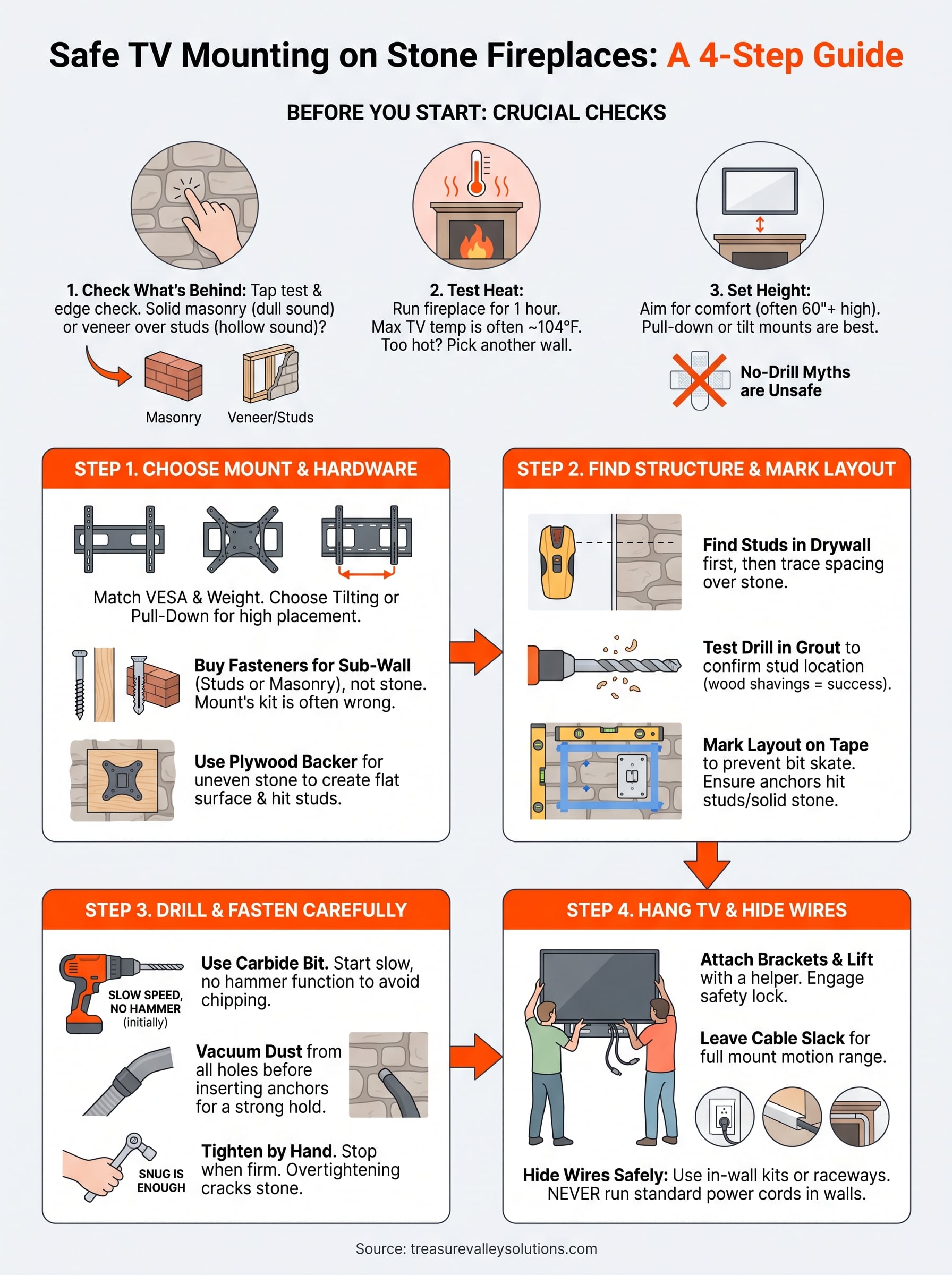
This guide covers the checks to make first, then four steps: choose the mount and hardware, find the structure and mark the layout, drill and fasten, then hang the TV and hide the wires. Treasure Valley Solutions mounts TVs and conceals the wiring for homeowners across Idaho's Treasure Valley, so the steps below follow how we approach these installs.
What to check before you mount a TV on stone
Before you mount TV to stone fireplace walls, confirm three things: what the stone is attached to, how hot the wall gets, and how high the screen will sit. Skipping any of them is how people end up with a cracked face, an overheated TV, or a sore neck.
Find out what is behind the stone
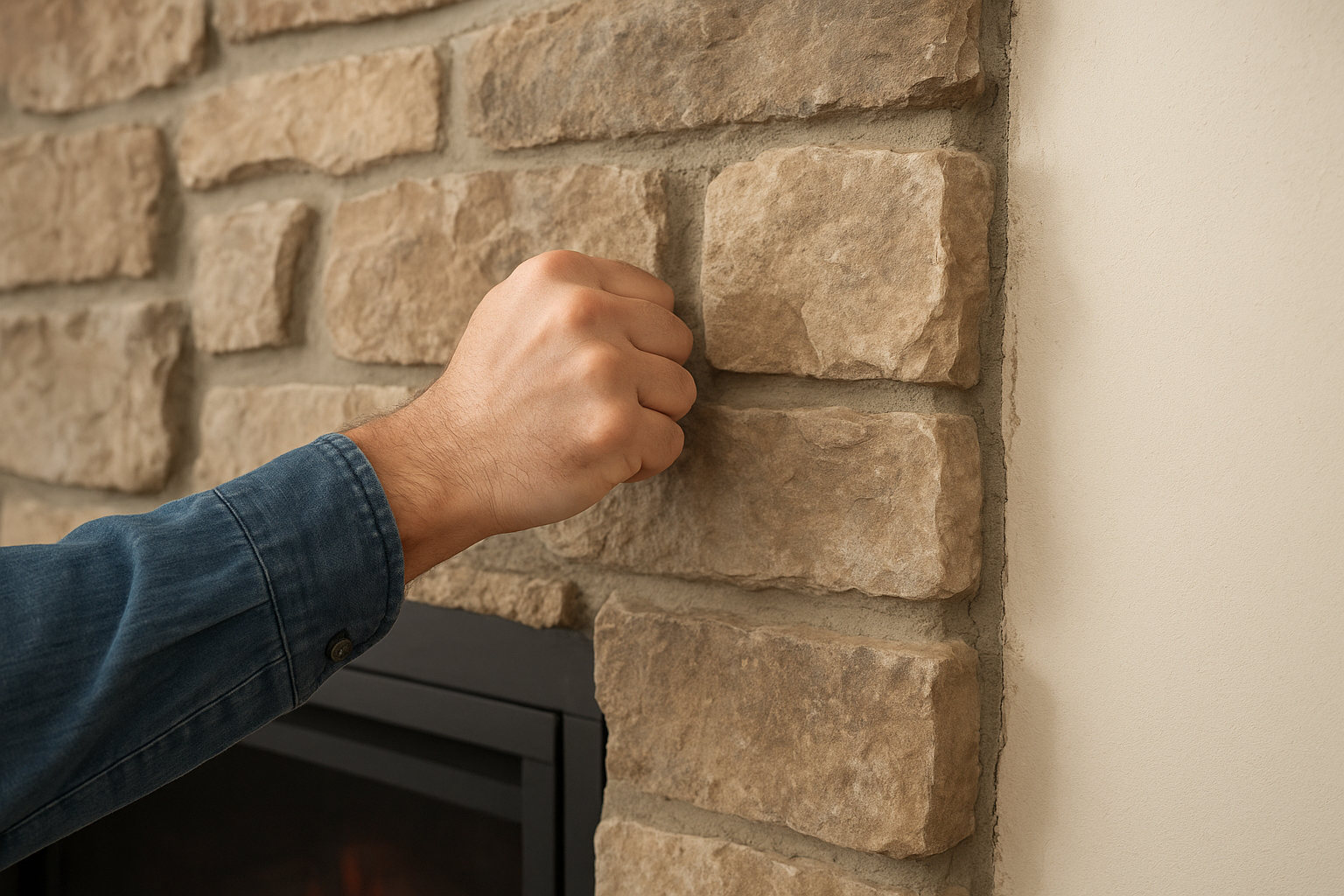
Your fireplace is either solid masonry or a thin stone layer over a wood-framed wall, and that decides every choice that follows. Tap the surface with your knuckles. A dull, dense sound points to solid masonry, while a hollow sound points to veneer over framing. Look at the edges where stone meets drywall, because the stone's thickness shows there.
| What you have | How to tell | What you anchor to |
|---|---|---|
| Solid stone, brick, or block | Dense sound, thick stone at the hearth or sides, a test hole produces gray dust and resistance | The stone or block itself, with masonry anchors |
| Stone veneer over framing | Hollow sound in places, 1 to 2 inches of stone at the edges | Wood studs behind the veneer, with long lag screws |
| Thin faux stone panels | Light panels, often 1/2 inch or less | Wood studs, usually with a backer board |
If the stone ends below the spot where the TV will hang, ignore the stone. Mounting on the drywall above it is simpler, though you still need studs.
Treat the stone as decoration until you know what it is attached to.
Test the heat above the firebox
Heat decides whether a TV can go over the fireplace at all. Tape a thermometer where the bottom edge of the TV will sit, run the fireplace for an hour at its usual setting, then read it. Many TV manuals list a maximum operating temperature around 104°F, so check yours. If the wall runs hotter, pick another wall.
A wood-burning fireplace is the usual offender, but a gas unit can also push heat upward. A deep mantel deflects some of it, but test instead of assuming that it helps.
Set the height and skip the no-drill myth
Aim for the center of the screen near seated eye level, roughly 42 to 48 inches from the floor in most living rooms. Above a stone fireplace the realistic position is higher, often 60 inches or more. That is why a tilting or pull-down mount matters more here than on a plain wall.
Many people ask whether you can mount a TV on a stone fireplace without drilling. Not safely. Adhesive strips and clamp-on brackets will not hold a 50-pound screen against rough, dusty stone, and a falling TV near a fireplace is dangerous. If you refuse to drill, use a floor stand or a media console beside the fireplace instead.
Step 1. Choose the mount and hardware
Pick a mount rated at least 25% above your TV's weight that matches its VESA pattern, then buy fasteners for the wall behind your stone instead of using the bag in the box. The right hardware matters more than the brand of mount.
Match the mount to your TV and height
Check two numbers on your TV's spec sheet. One is the weight. The other is the VESA pattern, the spacing of the four screw holes on the back, written like 400x400 millimeters. The mount must list both. Then choose a type:
- Fixed: the slimmest option, but only sensible if the screen lands near eye level. It also blocks access to the cables behind the TV.
- Tilt: angles the screen down. This is the minimum for a TV hung high above a mantel.
- Full motion: swivels and extends, which helps in wide rooms. The long arm puts leverage on the wall, so you need studs or solid masonry.
- Pull-down fireplace mount: lowers the screen to eye level. It is the best answer for a TV that sits well above 60 inches, and it is heavier, so the wall must be strong.
For a TV that hangs far above eye level, I recommend a pull-down TV mount. Otherwise a tilt mount is enough and keeps things simple.
Buy fasteners for your wall type
The screws that ship with a mount are meant for drywall and studs. They are usually too short once you add an inch or more of stone. Buy fasteners for the wall behind the stone and use the mount's own hardware only for attaching brackets to the TV.
| Wall behind the stone | Fastener | Key detail |
|---|---|---|
| Solid stone, brick, or block | 1/4 inch concrete screws or sleeve anchors | At least 1 inch of embedment into solid masonry. Match the bit size to the package |
| Veneer over wood studs | 5/16 inch lag screws | Length = mount plate + stone and backing + 1.5 inches into the stud |
| Thin faux stone panels | Lag screws or construction screws | Drill through the panel and fasten into the stud |
Toggle bolts are fine for filling extra holes in the mount plate. They should never be the only support for a TV.
Add a plywood backer when the stone is rough
A backer board is a piece of 3/4 inch plywood fastened to the wall first, with the mount attached to it. It gives you a flat surface over stacked or uneven stone and lets you place mount holes wherever the studs are. It also spreads the load.
The board must be anchored into studs or masonry with the fasteners from the table above. A board held on by hollow-wall anchors alone only decorates the problem. It adds standoff depth and it shows, so cut it a little larger than the mount plate and paint or stain it to blend in.
Buy hardware for the wall behind the stone, not for the stone.
Step 2. Find the structure and mark the layout
Locate the studs or solid masonry before you drill, then mark your mount's holes so every fastener lands in something strong. Stone does not forgive a bad hole, so this step saves you the most grief.
Find the studs behind veneer
Stud finders struggle through thick stone, so start where it is easy. Find the studs in the drywall beside the fireplace. Studs are usually 16 inches apart from center to center, so extend that spacing across the chimney wall. Treat the result as a guess, because chase framing can differ.
Then verify. Use a magnet or the metal-scan mode of your stud finder to find nails or screws. Or drill a 1/8 inch test hole through a grout joint where you expect a stud. Wood shavings on the bit confirm it. Fill the test hole with matching grout or caulk afterward.
If the test hole finds nothing solid, or only thin furring strips that hold up the veneer, stop. Use a backer board anchored to better structure, or have a professional open the wall and check.
A stud finder gives you a guess. A test hole gives you proof.
Find solid ground on masonry
On solid masonry, choose sound stone or brick faces for your holes. Skip cracked, loose, or crumbling pieces. Tap each spot and listen for a ring rather than a rattle.
Advice about mortar joints conflicts online, and the answer depends on your wall. In solid masonry, anchor into the stone or block, not the mortar, because mortar is softer and holds less. In veneer over studs, the opposite is true. Grout joints drill more easily and chip less, as long as the hole lands on a stud.
Mark the layout
Mark every hole before drilling, using this order:
- Hold the paper template (many mounts include one) or the wall plate against the wall.
- Set it level with a 4-foot level and mark the center line.
- Cover the drill spots with painter's tape and mark through the plate holes onto the tape. The tape stops the bit from skating on a hard surface.
- Check each mark against your stud or masonry plan. Slide the plate sideways until at least two fasteners land on separate studs, one high and one low.
- Decide where the cables will leave the TV, so the plate does not block the route.
- Tap each mark very lightly with a center punch to give the bit a starting dimple.
Step 3. Drill and fasten the mount
Drill with a carbide-tipped masonry bit at slow speed, stop at the right depth, and finish tightening by hand. That routine is how you mount a TV on stone fireplace walls without cracks or loose anchors.
Gather the drilling kit
Having everything on hand prevents shortcuts mid-job. You need:
- A hammer drill or rotary hammer, plus a regular drill for pilot holes in wood
- Carbide-tipped masonry bits at the diameters your fasteners call for
- A diamond hole saw if the stone is tile-like and chips easily
- Safety glasses and a dust mask, since masonry dust can contain silica
- A shop vacuum, painter's tape, a level, and a socket wrench
- A spray bottle of water to cool the bit
Wrap a flag of tape around each bit at the depth you need. For lag screws, that depth is the stone and backing. For masonry anchors, it is the anchor length plus a quarter inch.
Drill and set the fasteners
Work one hole at a time, in this order:
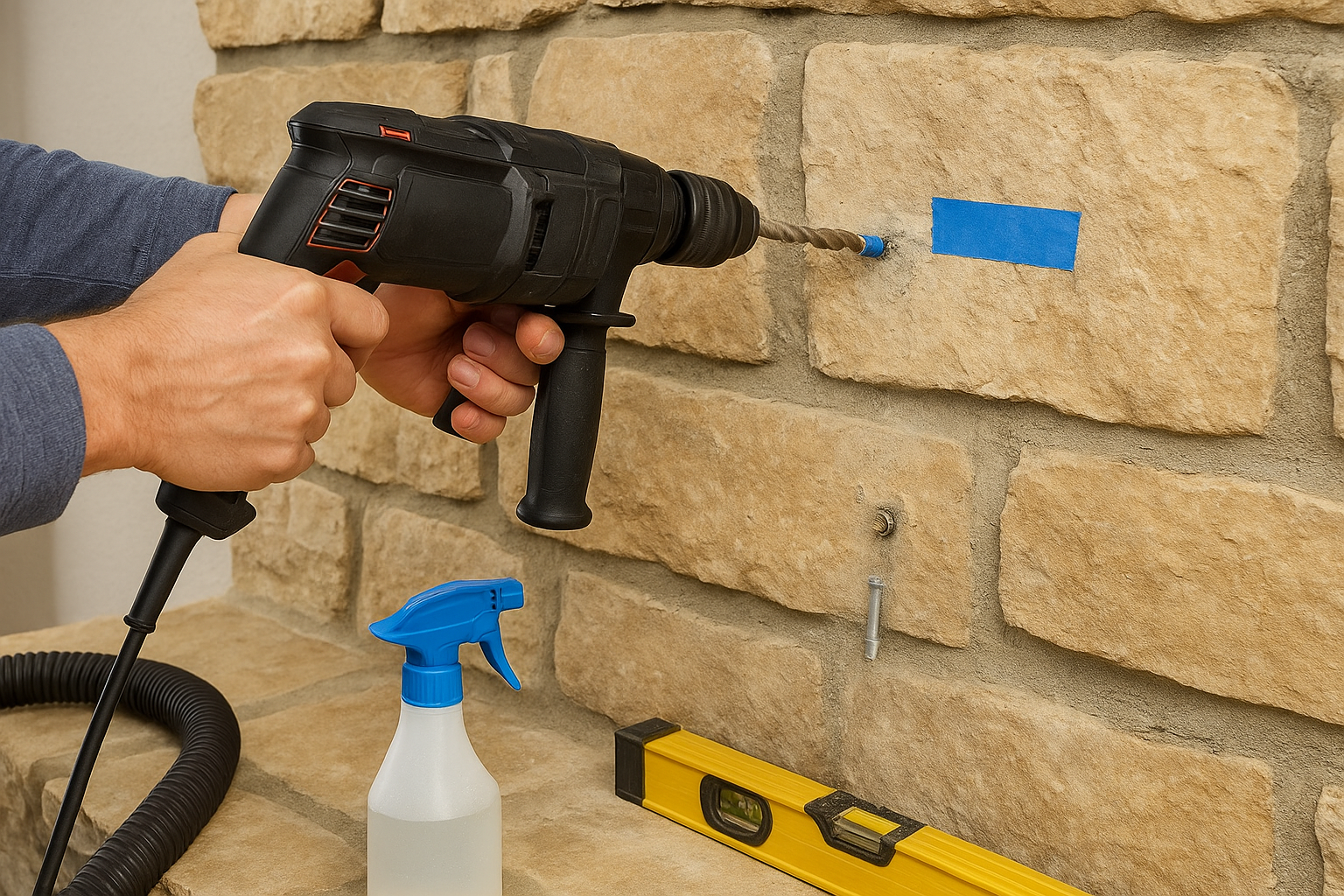
- Start with the hammer function off. The bit bites without shaking chips off the stone face. Switch hammer on only if the bit stops advancing in dense stone or block.
- Use slow speed and steady, light pressure. Pull the bit out every few seconds to clear dust, and spritz it to keep it cool.
- Over studs, switch to a wood bit once you are through the stone and drill a pilot hole into the stud. A 3/16 inch pilot suits a 5/16 inch lag screw.
- In masonry, vacuum the dust out of every hole before you insert the anchor. Dust left behind weakens the hold.
- Set the anchors, then fasten the plate with washers under the screw heads.
Tighten by hand and test the plate
Finish every fastener with a socket wrench instead of an impact driver. An impact driver can crack stone and strip a pilot hole in seconds. Snug is enough. Stop when the plate is firm and flat.
If the plate rocks on uneven stone, add shims or washers behind it, or go back to the backer board from Step 1. Then pull firmly down and outward on the plate. There should be no movement, no cracking sounds, and no dust sifting from the holes.
On stone, slow drilling and hand-tightened fasteners beat power every time.
Step 4. Hang the TV and hide the wires
Attach the brackets to the TV, run the cables, then lift the TV onto the plate with a helper. Plan power and HDMI routes now, because reaching behind a mounted TV on stone is awkward.
Attach the brackets and hang the screen
Screw the brackets to the back of the TV with the screws the mount specifies, usually M6 or M8. Never force a screw that does not thread easily, because the size is wrong. Use the supplied spacers if the back of the TV is curved.
With a second person, lift the TV onto the plate and engage the safety lock. If you have an articulating or pull-down arm, leave enough cable slack for the full range of motion. Move the arm through its entire travel before you secure the cables, so nothing pulls tight.
Pick a method to hide the wires
The best method depends on what is behind your stone and how far the cables must travel.
| Method | Best for | Watch out for |
|---|---|---|
| In-wall pass-through with a power kit | TV on drywall above the stone, or veneer you can work around | Use a kit rated for in-wall use. Stay clear of the flue and firebox |
| Run cables behind the mantel or through the chase to a cabinet | Fireplaces with a media cabinet or niche | Leave fire blocking intact. Drilling framing needs care |
| Paint-matched surface raceway | Solid masonry where in-wall is impossible | Adhesive fails on rough stone. Use screws or anchors and paint to match |
| Slim cables behind the TV | Short runs to a nearby outlet | Cables stay visible from the side |
Never run a standard power cord inside a wall. It is a fire risk and does not meet electrical code. Use a recessed power kit with an inlet and an outlet, or have a licensed electrician add an outlet behind the TV.
Never run an ordinary power cord inside a wall. Use a rated kit or an electrician.
For video, a regular HDMI cable is reliable up to about 15 feet at 4K. For longer runs, use an active or fiber-optic cable. Frame-style TVs keep their ports in a separate box connected by a thin cable, so that box can sit in a cabinet and the wall run shrinks to almost nothing.
Run a final check
Turn the TV on, move it through its full range, and look for strain on the cables. Run the fireplace again and confirm the wall temperature stays within your TV's limit while the TV is on. Recheck the mount screws after a few weeks, since vibration and repeated adjustment can loosen them. If the framing behind your stone stays a mystery, call a professional before you hang anything heavy.
Hang it once and hang it right
A TV on a stone fireplace stays put when you do the quiet work first. Identify what is behind the stone, test the heat, choose hardware for that wall type, and find studs or sound masonry before the drill comes out. Drill slowly, tighten by hand, and plan your cables so the finished wall looks clean.
None of it is complicated, but all of it is unforgiving. A missed stud or an overtightened screw is visible forever on stone. If the framing behind your fireplace is a mystery, or you would rather not drill into stone at all, reach out to Treasure Valley Solutions and we will mount your TV and hide the wiring. We handle the mount, the clean cable routing, and the setup, and we stand behind the result locally.