 (208) 991-3502
 Meridian, ID



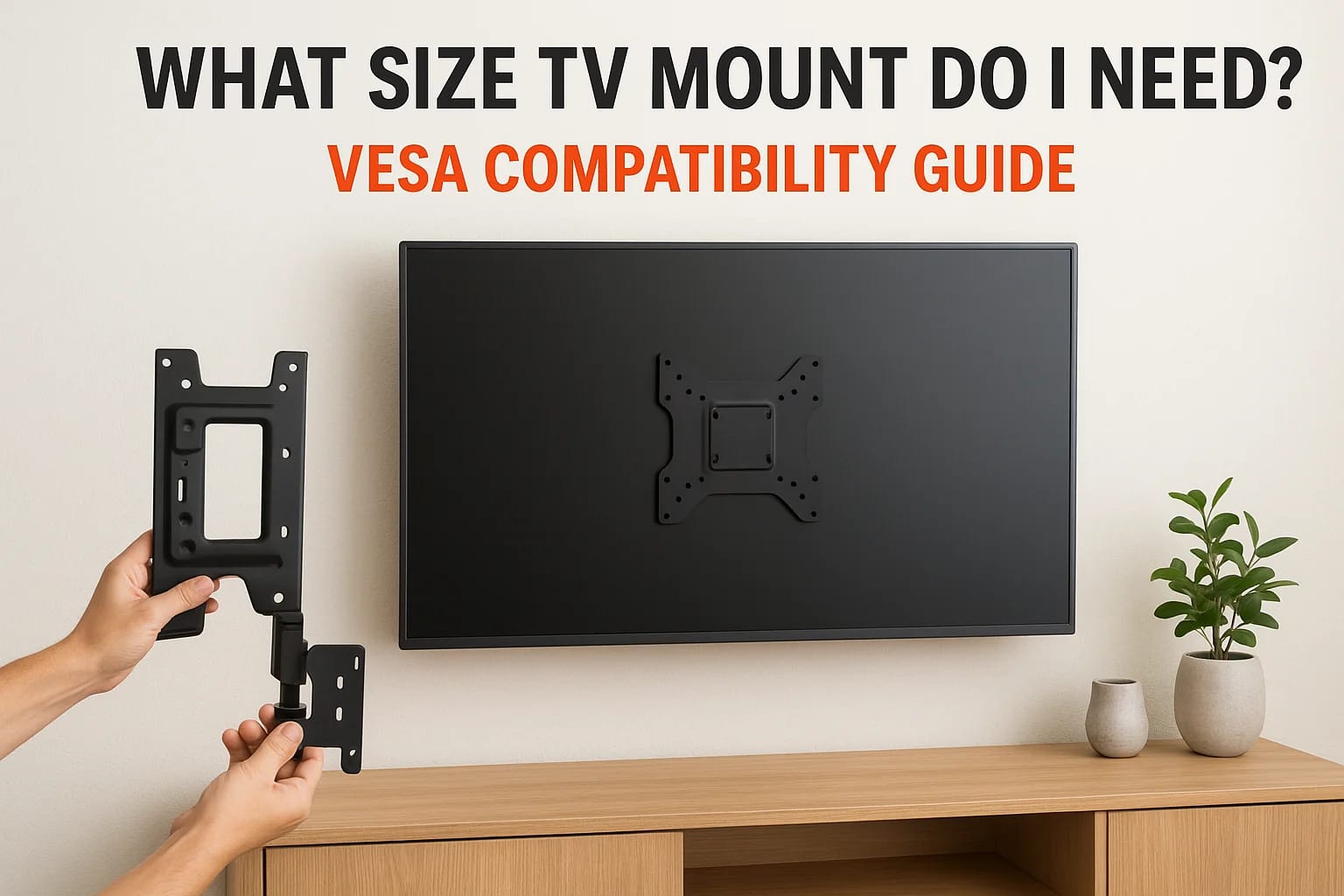

You've picked out the perfect TV, found the ideal spot on your wall, and now you're staring at a wall of mount options online wondering what size TV mount do I need. It's a fair question, and getting...
You've picked out the perfect TV, found the ideal spot on your wall, and now you're staring at a wall of mount options online wondering what size TV mount do I need. It's a fair question, and getting it wrong means either a mount that won't fit or, worse, one that can't safely hold your TV.
The answer comes down to three things: your TV's VESA mounting pattern, the screen size range the mount supports, and its weight capacity. Miss any one of these, and you're looking at a return, a trip to the hardware store, or a risky installation. The good news is that checking compatibility takes just a few minutes once you know where to look.
At Treasure Valley Solutions, we've mounted thousands of TVs across homes and businesses in the Boise and Meridian area since 2014. This guide breaks down exactly how to match a wall mount to your specific TV, covering VESA standards, size ratings, and weight limits, so you can buy with confidence or hand the project off to our team for a clean, professional install.
What "TV mount size" actually means
When people ask what size TV mount do I need, they're usually thinking about screen size, but that's only part of the answer. A mount labeled "for 32-65 inch TVs" tells you the screen size range it was designed for, yet two TVs with the same screen size can have completely different mounting hole layouts on the back. That hole layout is what actually determines whether a mount physically attaches to your TV, and ignoring it is the number one reason people end up with a mount that won't work.
VESA pattern: the core measurement
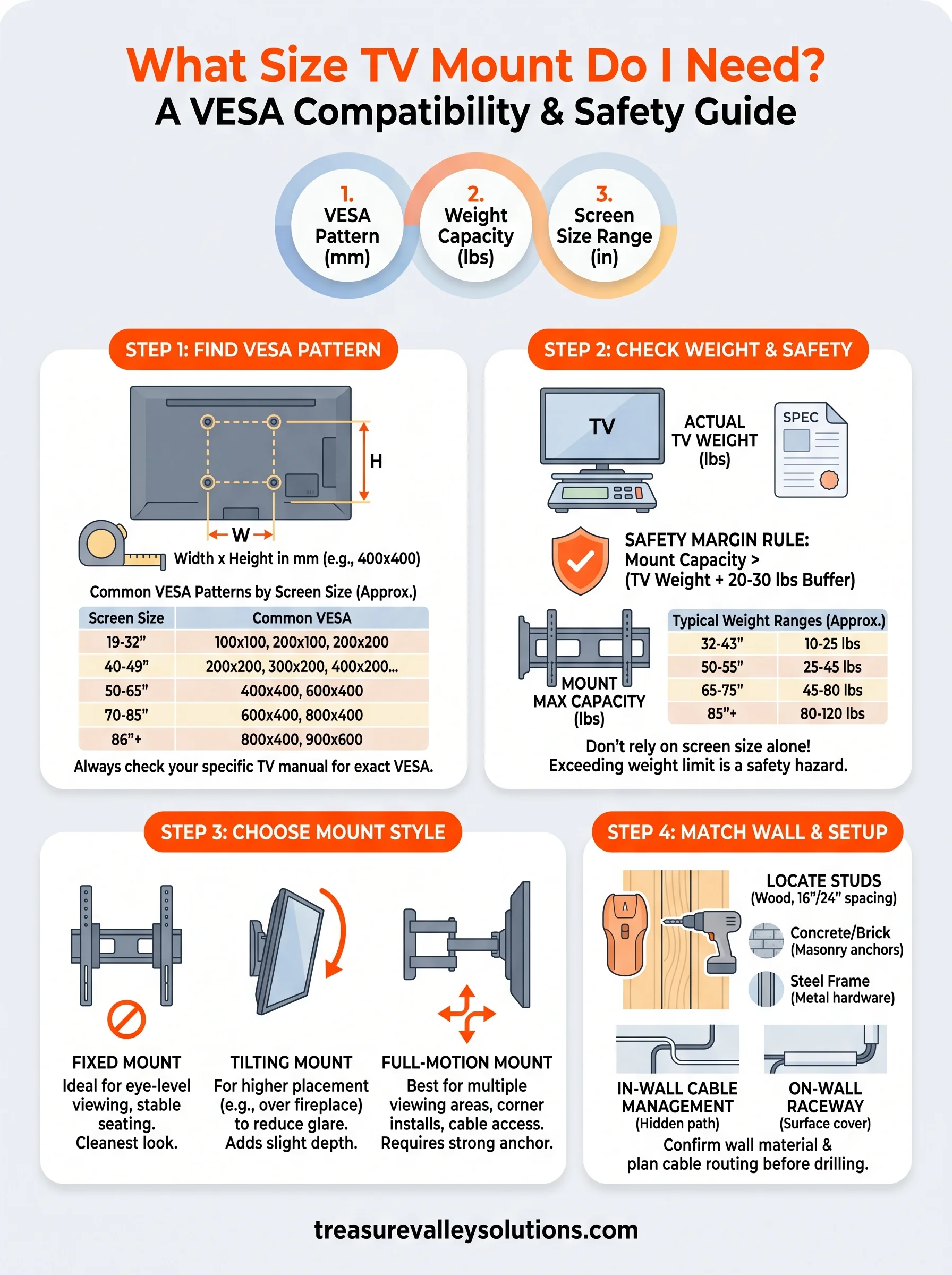
VESA stands for Video Electronics Standards Association, and it defines the standardized spacing between the four mounting holes on the back of your TV. The pattern is expressed as width x height in millimeters, such as 200x200 or 400x400. Your mount must match this pattern exactly, or the bolt holes on the bracket simply won't align with the holes on your TV, no matter what screen size the packaging claims to support.
The VESA pattern is the single most important number when choosing a mount. Screen size ranges point you in the right direction, but VESA compatibility is what determines whether the mount physically fits your TV.
Most manufacturers list the VESA pattern in the TV's spec sheet or user manual. The table below shows common patterns by screen size to give you a useful starting point:
| Screen Size | Common VESA Pattern |
|---|---|
| 19-32 inch | 100x100, 200x100, 200x200 |
| 40-49 inch | 200x200, 300x200, 400x200, 400x300 |
| 50-65 inch | 400x400, 600x400 |
| 70-85 inch | 600x400, 800x400 |
| 86 inch+ | 800x400, 900x600 |
Always confirm your specific TV's VESA pattern using the manual or the manufacturer's website rather than relying on these estimates alone.
Screen size range and weight capacity
Mount listings also include a screen size range, which reflects the physical width and dimensions the bracket or arms can support without tipping or flexing under load. This matters most with full-motion mounts, where the arms need to extend far enough to handle your TV's width. Weight capacity is the third number you need to verify before buying. Every mount carries a maximum load rating in pounds, and your TV's weight should fall noticeably below that limit, not right at the edge of it. Exceeding the weight rating creates a genuine safety hazard, and no professional installer will sign off on a setup where the numbers are borderline.
Step 1. Find your TV's VESA pattern
Before you can answer what size TV mount do I need, you need to know your TV's exact VESA pattern. There are two reliable ways to get this number: look it up in your TV's documentation or measure the holes directly on the back of the set. Both methods work, and doing one is enough.
Look up your TV's specs
Your TV's model number is the fastest path to the VESA pattern. Find the model number on the sticker attached to the back of the TV or inside the original box, then search it on the manufacturer's website. Sony, Samsung, LG, and most other major brands list VESA patterns directly on the product spec page. You can also check the printed user manual that came with the TV, which typically lists VESA specs under "Wall Mount" or "Dimensions."
If the spec page only lists wall mount compatibility or bracket dimensions rather than a VESA pattern, call the manufacturer's support line and ask directly. It takes two minutes and removes all guesswork.
Measure the holes yourself
If you no longer have the manual and can't find the specs online, grab a measuring tape and measure the distance between the mounting holes on the back of your TV. Measure the horizontal distance between the center of the left holes and the center of the right holes, then repeat for the vertical distance. Record both numbers in millimeters, and you have your VESA pattern.
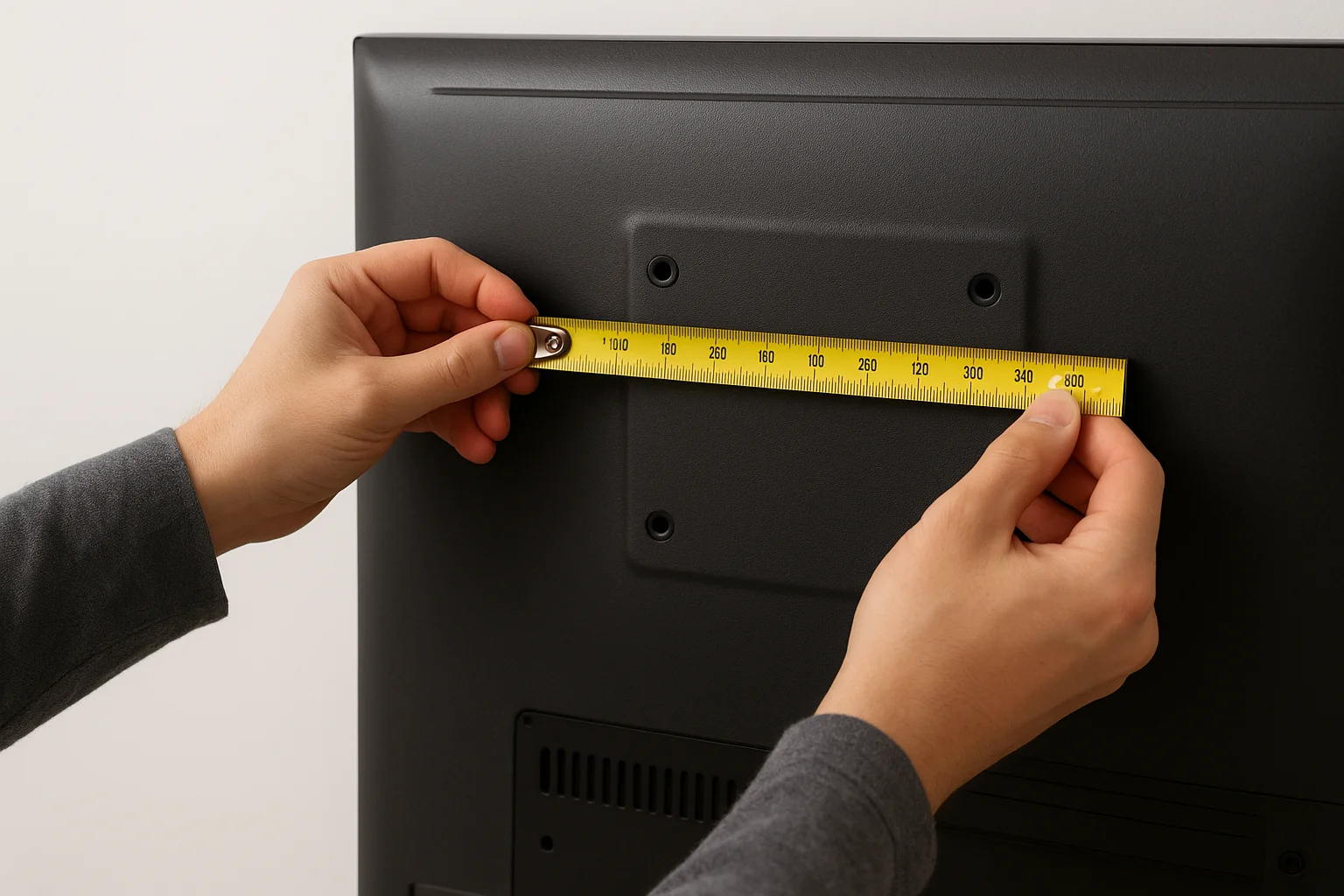
For example, if the holes are 400mm apart horizontally and 400mm apart vertically, your VESA pattern is 400x400. Write that number down before you shop for a mount, since you'll need it to confirm compatibility on any product listing.
Step 2. Check weight, size, and safety margins
Once you have your VESA pattern confirmed, your TV's weight and the screen size range the mount supports are the next two numbers you need. Both appear in the same spec sheet you used to find the VESA pattern. Pull that page up and record the exact weight in pounds and the screen diagonal measurement before you start shopping.
Find your TV's weight
Your TV's weight is the number most people overlook, and it causes real problems when ignored. Every wall mount carries a maximum weight capacity rating, and your TV's weight must fall well below that number, not just under it. A 65-inch OLED can weigh as little as 52 lbs, while a 65-inch budget LCD might come in at 78 lbs. Screen size alone tells you nothing about actual weight, so always pull the confirmed number from the spec sheet rather than estimating.
Never choose a mount where your TV's weight sits within 10 lbs of the mount's rated maximum. Build a real buffer into your selection.
Use the table below as a rough reference, then verify your specific TV's weight before buying:
| Screen Size | Typical Weight Range |
|---|---|
| 32-43 inch | 10-25 lbs |
| 50-55 inch | 25-45 lbs |
| 65-75 inch | 45-80 lbs |
| 85 inch+ | 80-120 lbs |
Apply the safety margin rule
With your actual TV weight confirmed, look for a mount rated at least 20 to 30 lbs above it. This buffer accounts for long-term wall stress, minor installation variables, and any added weight from cable management hardware attached to the bracket. A mount rated at 100 lbs supporting a 70 lb TV is a reliable, professional-grade setup.
Answering what size tv mount do i need requires matching both the weight rating and the screen size range listed on the mount. If your TV falls within the stated size range but exceeds the weight limit, the mount is not compatible. Confirm both numbers before you buy.
Step 3. Choose the right mount style
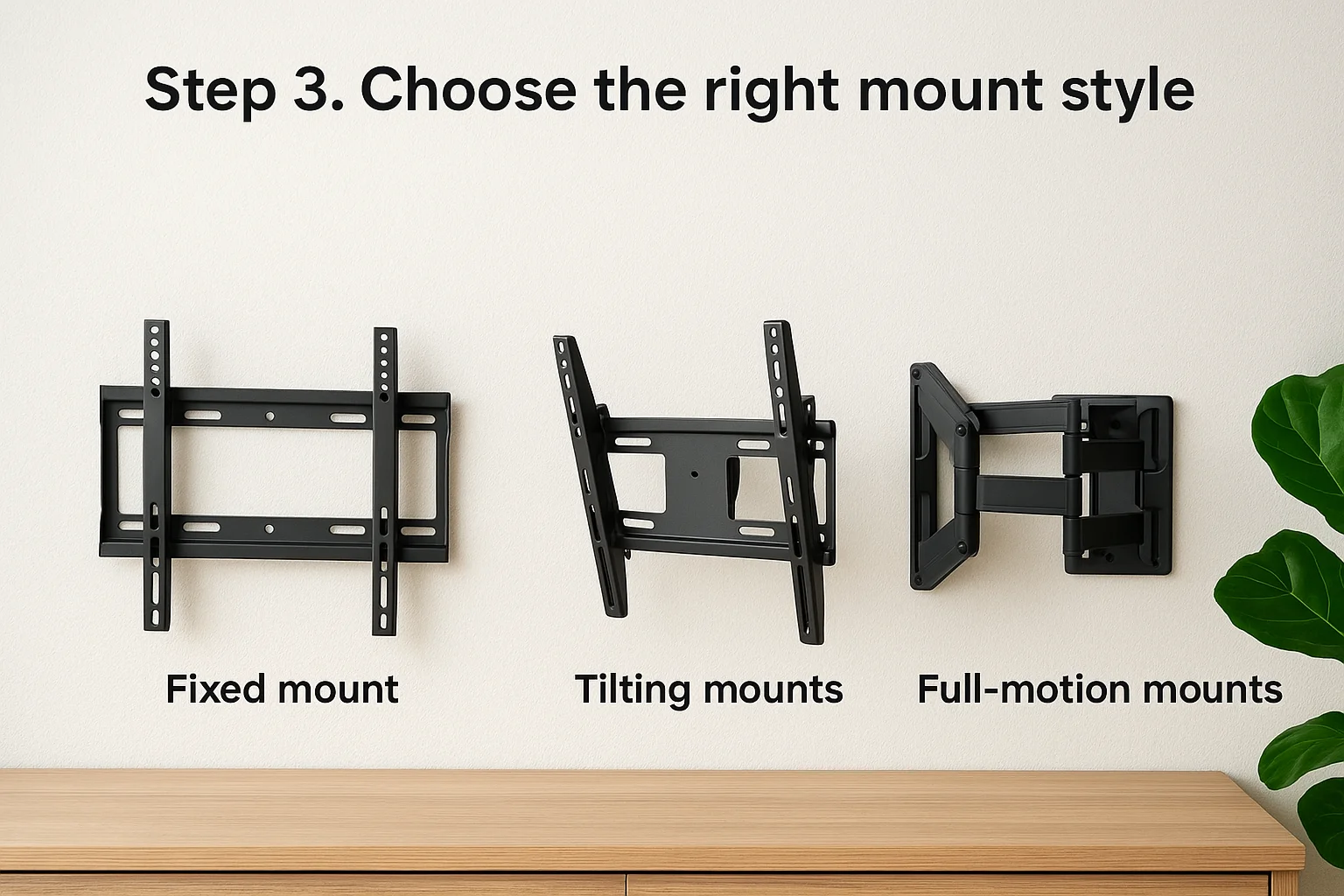
Once you confirm VESA compatibility and weight clearance, the mount's movement type becomes your next decision. Not every mount style suits every room, and picking the wrong type means you'll fight the setup every time you watch TV. The three main styles each solve a different problem, and knowing which one fits your specific viewing situation makes the choice straightforward.
Fixed mounts
A fixed mount holds your TV flat against the wall with no tilt or swivel. These are the most stable option and work best when your TV position is already at ideal eye level and your seating doesn't shift around the room. Fixed mounts also sit closest to the wall, typically 1 to 2 inches of clearance, giving you the cleanest finished look.
If your viewing angle is already correct and your seating stays in one spot, a fixed mount is almost always the right call. More movement means more complexity, not better results.
Tilting mounts
Tilting mounts let you angle the screen downward, usually between 5 and 15 degrees. This style is the right choice when your TV needs to mount higher than eye level, such as above a fireplace or in a corner, and you need to compensate for the viewing angle. Tilting mounts add a small amount of depth behind the TV compared to fixed mounts.
Full-motion mounts
A full-motion or articulating mount extends the TV outward on an arm and lets you swivel, tilt, and pan in multiple directions. These work best in rooms with multiple seating areas or when you need to pull the TV away from the wall for cable access. Full-motion mounts require stronger wall anchoring due to the added leverage from the extended arm, so confirming your wall type in the next step matters even more.
Step 4. Match the mount to your wall and setup
Your wall type is just as important as your VESA pattern. A mount that's perfectly matched to your TV can still fail if it's anchored incorrectly into the wrong wall material. Before you drill a single hole, identify what your wall is made of and confirm you're hitting a solid anchor point.
Identify your wall type
Most interior walls in American homes are drywall over wooden studs, and for standard TV mounts, you want your lag bolts going directly into those studs, not just into drywall. Use a stud finder to locate studs before marking your drill points. Studs typically sit 16 or 24 inches apart, center to center, so once you find one, the next is predictable. If your mount's bracket holes don't align with stud spacing, use a solid mounting plate that spans two studs instead.
If you're mounting to concrete, brick, or a steel frame, standard wood lag bolts won't work. You'll need masonry anchors or metal-rated hardware rated for your TV's actual weight.
Plan your cable management
Cable routing is the detail most people skip until the TV is already on the wall, and fixing it after the fact takes real effort. Before installation, decide whether you'll run cables through the wall using an in-wall cable management kit or route them along the wall using a surface raceway. Both options keep the finished install looking clean. For setups with a soundbar, streaming device, or gaming console, sketch out where each device sits and how cables reach the TV before mounting day.
Answering what size tv mount do i need fully means confirming your wall can support the setup, not just checking the numbers on the box. A compatible mount on a weak anchor point is still an unsafe installation.
Wrap-up and next steps
Getting the right mount comes down to four confirmed numbers: your TV's VESA pattern, its actual weight, the screen size range the mount supports, and your wall's anchor capacity. Work through each step in order, and you won't end up with a mount that doesn't fit or a setup that isn't safe. The question of what size tv mount do i need has a clear answer once you pull those numbers from your TV's spec sheet and match them against the mount's listed ratings.
If you'd rather skip the measuring tape and guesswork entirely, our team at Treasure Valley Solutions handles TV mounting projects across the Boise and Meridian area. We bring the right hardware, confirm every spec on-site, and leave you with a clean, professional installation that's properly anchored and cable-managed. Schedule your TV mount installation and we'll take it from there.
Need Expert Help?
Ready to implement these solutions in your own home or business?
Our Services
Expert TV Mounting Treasure Valley Homeowners & Businesses Trust

Home theater design and installation planned around your room, viewing goals, and equipment scope.
Serving the Treasure Valley
Local installation in your city