 (208) 991-3502
 Meridian, ID



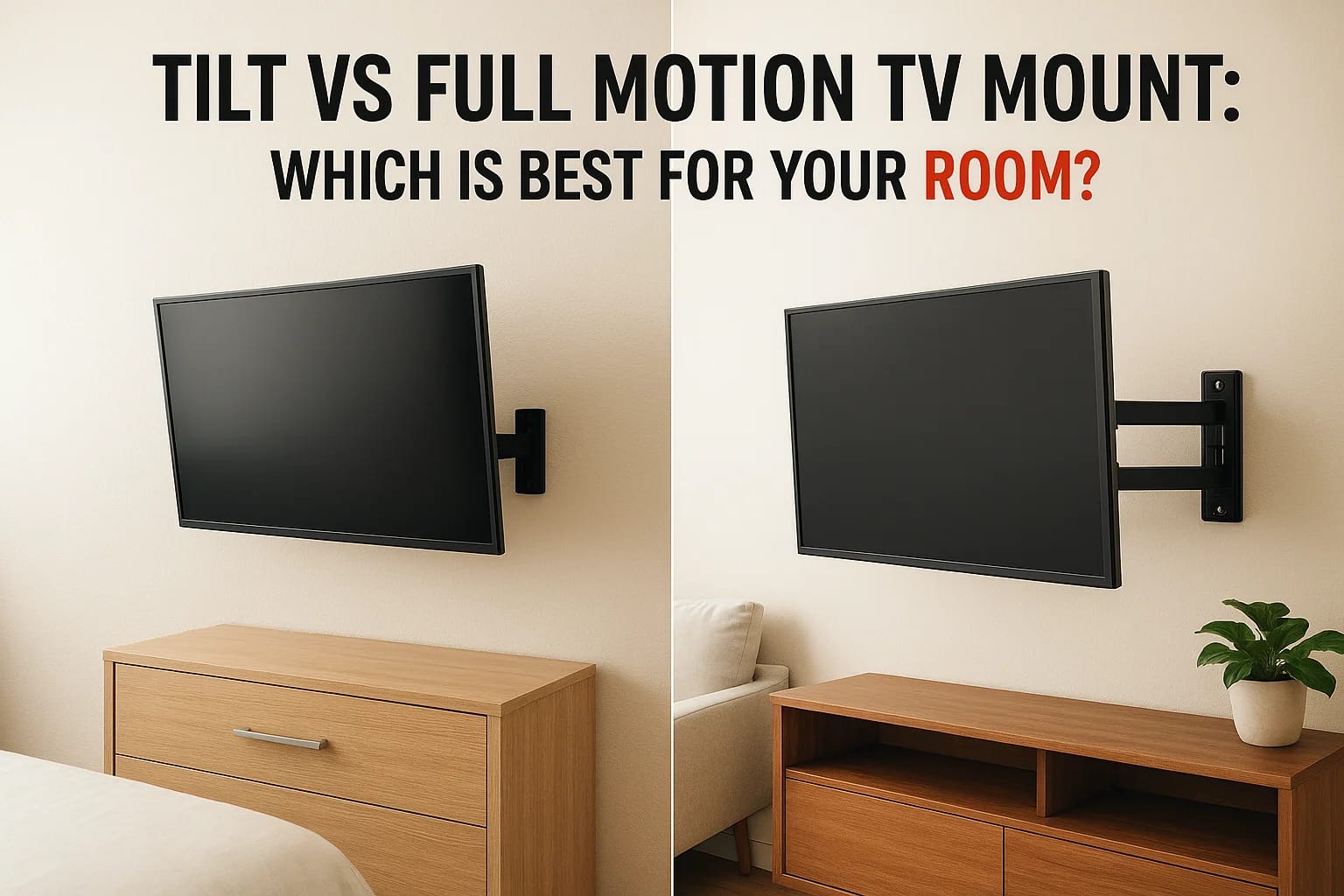

You've decided to mount your TV on the wall, great call. But now you're staring at product listings and running into the tilt vs full motion TV mount debate. They look similar at first glance, and the...
You've decided to mount your TV on the wall, great call. But now you're staring at product listings and running into the tilt vs full motion TV mount debate. They look similar at first glance, and the price gap between them can range from modest to significant. Picking the wrong one means either overpaying for features you don't need or getting stuck with limited flexibility that frustrates you every time you sit down to watch.
The right mount depends on your room. Where's the TV going? How many seating positions do you need to cover? Is glare from a window an issue? These practical details matter far more than spec sheets. At Treasure Valley Solutions, we mount TVs across homes and businesses throughout the Boise and Meridian area every week, and mount selection is one of the most common questions we get from clients before an install.
This article breaks down the real differences between tilt and full-motion mounts, covers where each type works best, and helps you match the right mount to your specific room layout and viewing setup. No guesswork, just straight answers so you can make a confident decision before anything goes on the wall.
Why your mount choice affects comfort and safety
Most people treat a TV mount as a simple hardware decision, but it directly shapes how comfortable your viewing experience is every single day. A poorly positioned screen forces your neck into unnatural positions that cause real strain over time, especially during long viewing sessions. The wrong mount type can also leave you fighting glare from windows or overhead lights, which makes content harder to see and turns a relaxing experience into a frustrating one. Before you compare the tilt vs full motion TV mount options on price alone, understand what's actually at stake for your comfort and safety.
Viewing angle and neck strain
The ideal TV position keeps your eyes level with the center of the screen or slightly below it. When your TV sits too high on the wall and you have no way to adjust the angle, you end up tilting your head back during every viewing session. Over weeks and months, that habit produces real neck and shoulder discomfort that most people don't connect back to their mount choice.
A TV mounted at the wrong fixed angle is one of the most common complaints homeowners bring to us after a DIY install.
Tilt mounts let you angle the screen downward from a fixed wall position, which helps when the TV is above eye level. Full-motion mounts give you the ability to swing the TV toward any seating position in the room, which matters when you have multiple viewing zones or an open-concept layout where people watch from a couch, kitchen island, and side chair at different times.
Glare and ambient light control
Glare ruins picture quality faster than almost any other factor in a room. Windows, overhead fixtures, and floor lamps all create reflections on a TV screen, and a flat fixed mount gives you zero ability to compensate. Even a small angle adjustment can eliminate a significant glare source without you needing to rearrange furniture or close blinds every time you sit down.
Your room's light sources and how they shift throughout the day should factor into your mount selection. A tilt mount handles glare coming from above reasonably well. A full-motion mount gives you far more control, since you can swing and angle the screen to dodge reflections from multiple directions as sunlight moves across your windows.
Weight, wall structure, and long-term safety
Every mount carries a maximum weight rating and a VESA compatibility range, and exceeding either creates a real safety hazard. Full-motion mounts place more stress on the wall because the extended arm creates leverage that a flush or tilt mount does not. That means stud placement and anchor quality matter significantly more with full-motion installs.
A large TV on a full-motion mount extended far from the wall puts serious torque on the mounting point. If that mount isn't anchored into solid studs or a proper backing plate, you risk the entire setup pulling away from the wall. Checking your wall construction, stud spacing, and your TV's weight before purchasing any mount protects both your equipment and anyone in the room.
How tilt mounts work and when they win
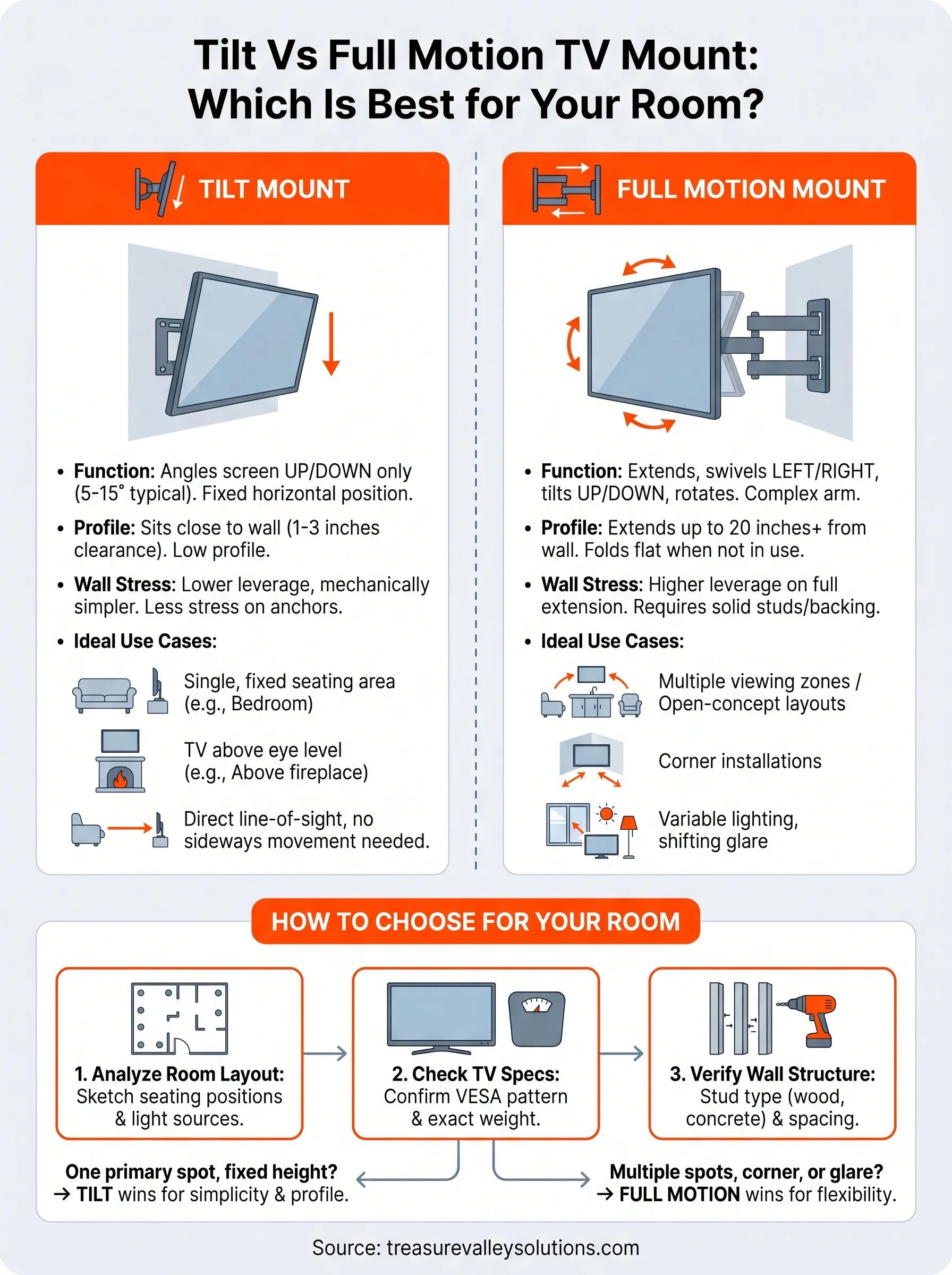
Tilt mounts attach flat against the wall and allow you to angle the screen up or down, typically between 5 and 15 degrees. The mechanism is simple: a bracket system locks the TV at a fixed horizontal position while giving you vertical pivot through a hinge that you adjust manually. Most tilt mounts require you to set the screen angle, lock it in place, and leave it there. You're not swinging or extending the TV sideways; you're correcting its downward angle so the screen faces your eye level rather than pointing straight out from the wall.
What the hardware actually looks like
These mounts sit close to the wall, usually leaving only 1 to 3 inches of clearance between the TV back and the wall surface. That low-profile design is one of their biggest advantages. Because the arm does not extend or articulate horizontally, the mount is mechanically simpler and puts far less leverage stress on the wall. Installation is straightforward, and most tilt mounts anchor securely into two wall studs without requiring additional backing plates or specialized hardware.
A tilt mount is often the right choice when you want a clean, flush look without sacrificing the ability to correct the screen angle.
When a tilt mount is the right call
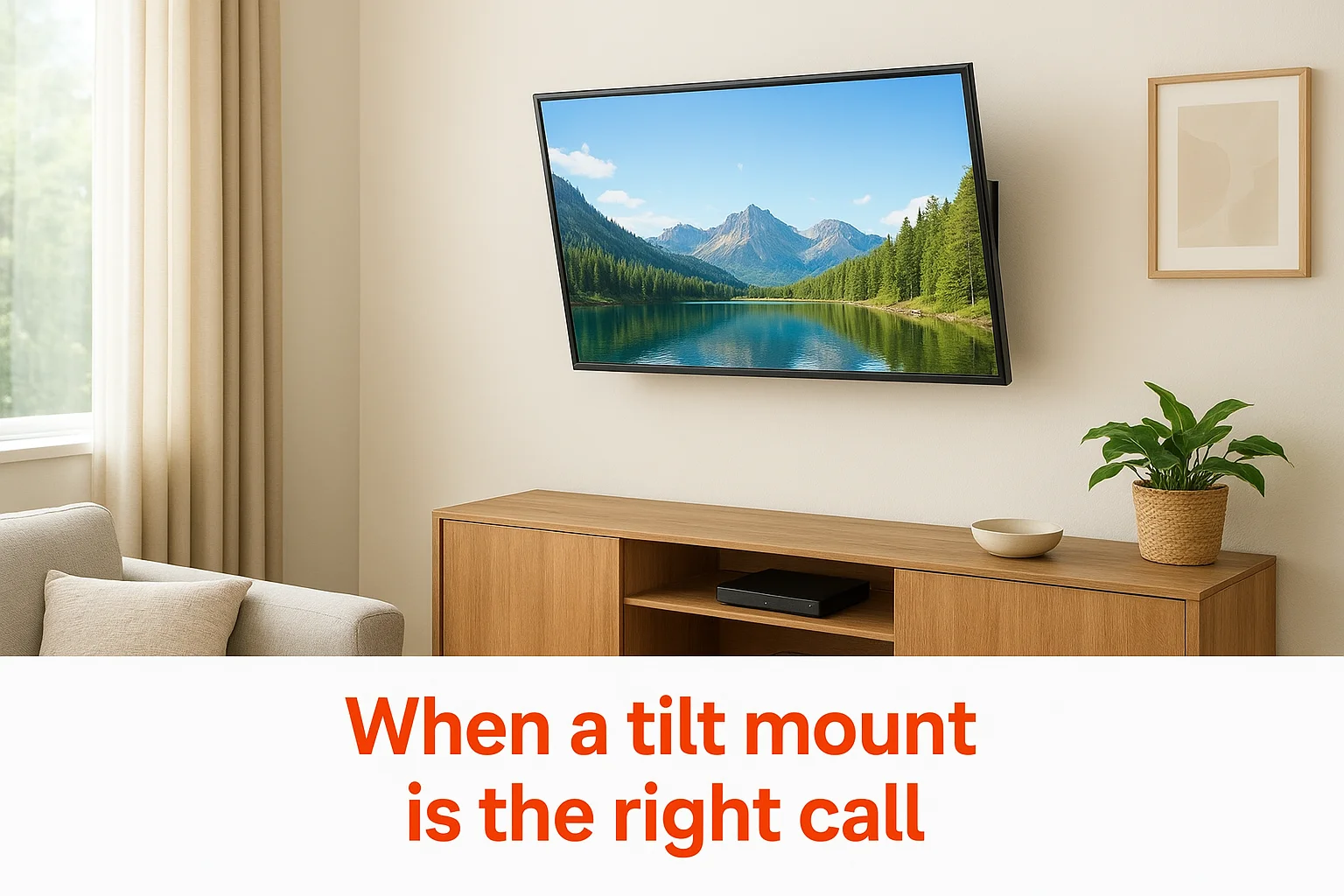
In the tilt vs full motion TV mount comparison, a tilt mount wins in rooms where one primary seating area faces the TV directly. Bedrooms are a classic example, since most viewing happens from a single bed or chair positioned straight ahead of the screen. Tilt mounts also work well when your TV sits above a fireplace or on a wall where the mounting height is dictated by the architecture rather than your preference. If you do not need to swing the screen sideways and just need to bring the angle down to reduce neck strain, a tilt mount delivers exactly that without the added cost or wall stress of a full-motion alternative.
How full motion mounts work and when they win
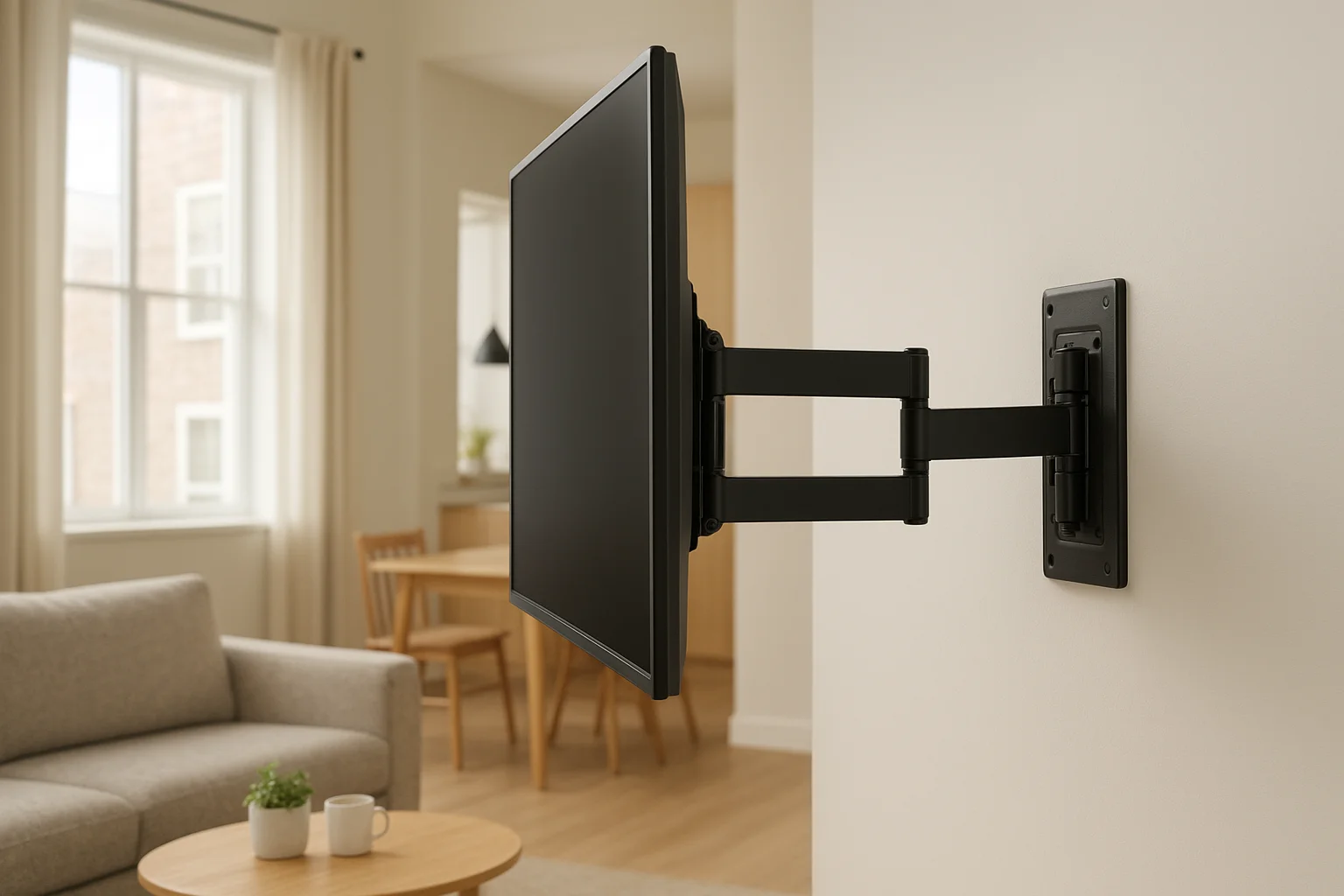
Full-motion mounts, also called articulating mounts, use an extendable arm system that connects to a wall plate and allows the TV to swing left, right, tilt up or down, and in some models, rotate. The arm folds flat against the wall when not in use, then extends up to 20 inches or more from the surface depending on the model. Multiple pivot points along the arm give you precise control over the screen angle in nearly any direction you need.
What the hardware actually looks like
The arm mechanism is more complex than a tilt mount, with multiple hinges and locking joints that you adjust by hand. Because the arm can extend significantly from the wall, the mount places considerably more stress on the wall anchoring points than a tilt or flat mount does. Most full-motion installs require solid stud connections or a backing plate to safely handle the leverage created when the arm is fully extended with a large TV attached. Skipping that step is how expensive equipment ends up on the floor.
A full-motion mount on an improperly anchored wall is one of the more common installation mistakes that leads to real damage and wasted money.
When a full-motion mount is the right call
In the tilt vs full motion TV mount comparison, a full-motion mount wins in open-concept spaces where the TV needs to serve multiple viewing zones at once. A living room that connects to a kitchen or dining area is a clear example: you can swing the screen toward whoever is in the room at any given moment without anyone sitting at an awkward angle. Full-motion mounts also solve corner installations, where a fixed mount would force viewers to sit sharply off-axis to the screen. If your room has variable lighting that shifts throughout the day, the added flexibility to re-angle the screen on demand makes a consistent difference in picture quality.
How to choose for your room and TV size
Narrowing down the tilt vs full motion TV mount decision comes down to two concrete factors: how your room is arranged and what size TV you're working with. Start by standing in your space and identifying every spot where someone regularly sits or stands while watching. That simple exercise tells you more than any spec sheet comparison.
Room layout and seating positions
Your seating arrangement is the single most reliable guide to which mount type fits your room. If everyone in the room sits directly in front of the TV from one fixed location, a tilt mount handles that setup without any wasted functionality. But if viewers spread across multiple positions at different angles, you need the swing range that only a full-motion arm provides.
Sketch a quick top-down floor plan of your room and mark every regular viewing spot before you buy anything.
Use this quick guide to match your layout to the right mount type:
- Single seating zone, TV above eye level: tilt mount
- Multiple seating zones or open-concept layout: full-motion mount
- Corner wall placement: full-motion mount
- Bedroom with one bed facing the TV: tilt mount
- Living room connected to kitchen or dining area: full-motion mount
TV size and mount weight ratings
Your TV's screen size and weight directly affect which mount category you should shop within. Larger screens, generally 65 inches and above, add significant weight that places more demand on both the mount hardware and the wall connection. Full-motion mounts carrying a large TV on an extended arm multiply that stress considerably through leverage.
Check your TV's VESA pattern and total weight before selecting any mount. Most manufacturers list both in the product specifications. Match those numbers to a mount rated above your TV's actual weight, not right at the limit, so the hardware holds reliably long after installation day.
Compatibility and installation essentials
Before you finalize your choice in the tilt vs full motion tv mount debate, confirm that the mount you're considering actually works with your specific TV and wall. Skipping this step is the fastest way to end up with incompatible hardware or a damaged wall after installation day.
VESA patterns and weight ratings
Your TV has a VESA mounting pattern printed in its manual or listed in the product specs online. This number, expressed in millimeters (for example, 400x200 or 600x400), describes the distance between the four mounting holes on the back of your TV. Any mount you buy must match or accommodate that pattern. Most mounts support a range of VESA sizes, so check the mount's compatibility list against your TV's exact numbers before purchasing.
Weight ratings work the same way. Your mount must be rated at or above your TV's actual weight, not equal to it. Give yourself a reasonable buffer, since hardware performs better and lasts longer when it operates below its maximum rated load.
Treating a mount's maximum rating as a target rather than a ceiling is a reliable way to shorten its lifespan and compromise your safety.
Wall type and anchoring requirements
Drywall over wood studs is the standard wall construction in most American homes, and the majority of TV mounts are designed around it. But concrete, brick, metal stud framing, and older plaster walls all require different anchoring hardware. If you are working with anything other than standard wood-framed drywall, confirm that your mount kit includes appropriate fasteners or source the correct hardware separately.
Full-motion mounts demand more from your wall than tilt mounts do because the extended arm creates leverage that multiplies the effective load on the anchor points. Locate your studs accurately, confirm they are spaced to align with your mount's bracket holes, and use a torque-appropriate driver to seat every fastener fully before hanging the TV.
Next steps
The tilt vs full motion TV mount decision comes down to your room, not the price tag. If your viewing setup centers around one seating position and your TV sits above eye level, a tilt mount gives you everything you need without the added complexity. If your space has multiple viewing angles, a corner placement, or shifting light throughout the day, a full-motion mount is the smarter investment.
Before you buy anything, confirm your TV's VESA pattern and weight, identify your wall type, and sketch out where people actually sit in the room. Those three steps eliminate most of the guesswork before a single hole goes in the wall.
If you want the job done right the first time, our team handles TV mounting projects across the Boise and Meridian area. Clean installs, correct hardware, and no callbacks. Check out examples of our past TV mounting work to see what a professional install looks like.
Need Expert Help?
Ready to implement these solutions in your own home or business?
Our Services
Expert TV Mounting Treasure Valley Homeowners & Businesses Trust

Home theater design and installation planned around your room, viewing goals, and equipment scope.
Serving the Treasure Valley
Local installation in your city