 (208) 991-3502
 Meridian, ID





A golf simulator launch monitor sits at the heart of every indoor golf setup. It's the piece of technology that tracks your club speed, ball spin, launch angle, and carry distance, then feeds that dat...
A golf simulator launch monitor sits at the heart of every indoor golf setup. It's the piece of technology that tracks your club speed, ball spin, launch angle, and carry distance, then feeds that data to your simulator software so you can play Pebble Beach from your basement. Choose the right one, and every session feels like a round on the real course. Choose the wrong one, and you're stuck with inaccurate readings and a setup that collects dust.
The problem? There are dozens of launch monitors on the market right now, ranging from under $500 to well over $20,000. Some use radar, some use cameras, and some combine both. Features, accuracy, and software compatibility vary wildly between models, making it tough to figure out which one actually matches your space, your goals, and your budget. That's exactly what this guide is here to sort out.
At Treasure Valley Solutions, we design and install dedicated entertainment spaces, home theaters, whole-home audio, and yes, golf simulator rooms, for homeowners across the Boise and Meridian area. We've seen firsthand how the launch monitor you pick affects everything from projector placement to screen size to room wiring. So we put together this breakdown of 15 of the best golf simulator launch monitors available right now, covering what each one does well, where it falls short, and who it's the best fit for.
1. Treasure Valley Solutions
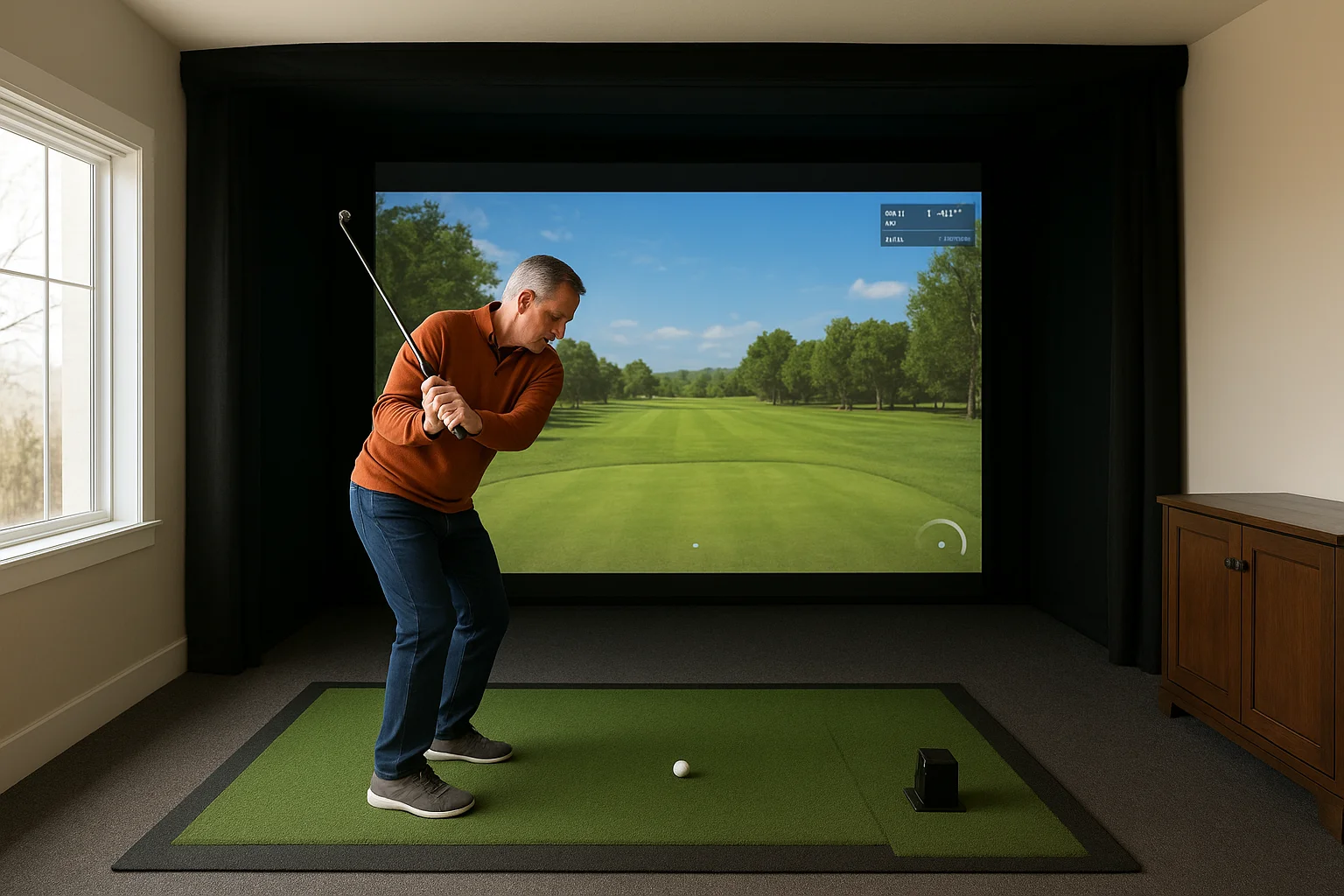
Treasure Valley Solutions is a technology integration company based in Meridian, Idaho. If you want a fully custom indoor golf simulator built from the ground up, rather than a pile of parts to sort out yourself, this is the right starting point.
Best use case
Homeowners in the Boise and Meridian area who want a professionally designed and installed golf simulator room get the most value from working with Treasure Valley Solutions. This is especially true if you're building a new home or finishing a basement and want your technology, screen, projector, and audio all integrated cleanly into the space from day one.
What you get and how the process works
You start with a consultation where the team assesses your space, goals, and budget. From there, they design a custom layout that accounts for ceiling height, hitting distance, projector throw, and screen placement. Nothing gets ordered until the plan is locked in and makes sense for your specific room.
The right golf simulator launch monitor is only as good as the room it's installed in, and a poorly planned space can limit what even a $10,000 monitor can do.
Launch monitor selection support
The team helps you evaluate which launch monitor technology fits your goals, whether that's camera-based accuracy for serious practice, radar for a more budget-conscious setup, or a premium overhead unit for a high-end entertainment room. You don't have to research every spec yourself. They narrow it down based on your actual use case and how you plan to use the space.
Indoor setup and space planning
Ceiling height, room depth, and screen size all affect which launch monitors work and which ones don't. Treasure Valley Solutions accounts for those variables during the design phase so you're not left making compromises after installation. They also plan for cable management, lighting control, and audio as part of the same project rather than as an afterthought.
Installation, calibration, and ongoing support
Technicians handle the full installation, including mounting, wiring, and calibrating the system so it reads accurately from your specific hitting position. After the install, ongoing support is available if software updates, recalibration, or hardware issues come up. You're not left troubleshooting on your own months down the road.
Typical project cost range
A complete golf simulator room installed by Treasure Valley Solutions typically runs between $10,000 and $40,000 depending on the launch monitor you select, the screen and projector setup, and any room finishing work involved. Custom builds with premium monitors and full AV integration sit at the higher end of that range.
2. TrackMan iO
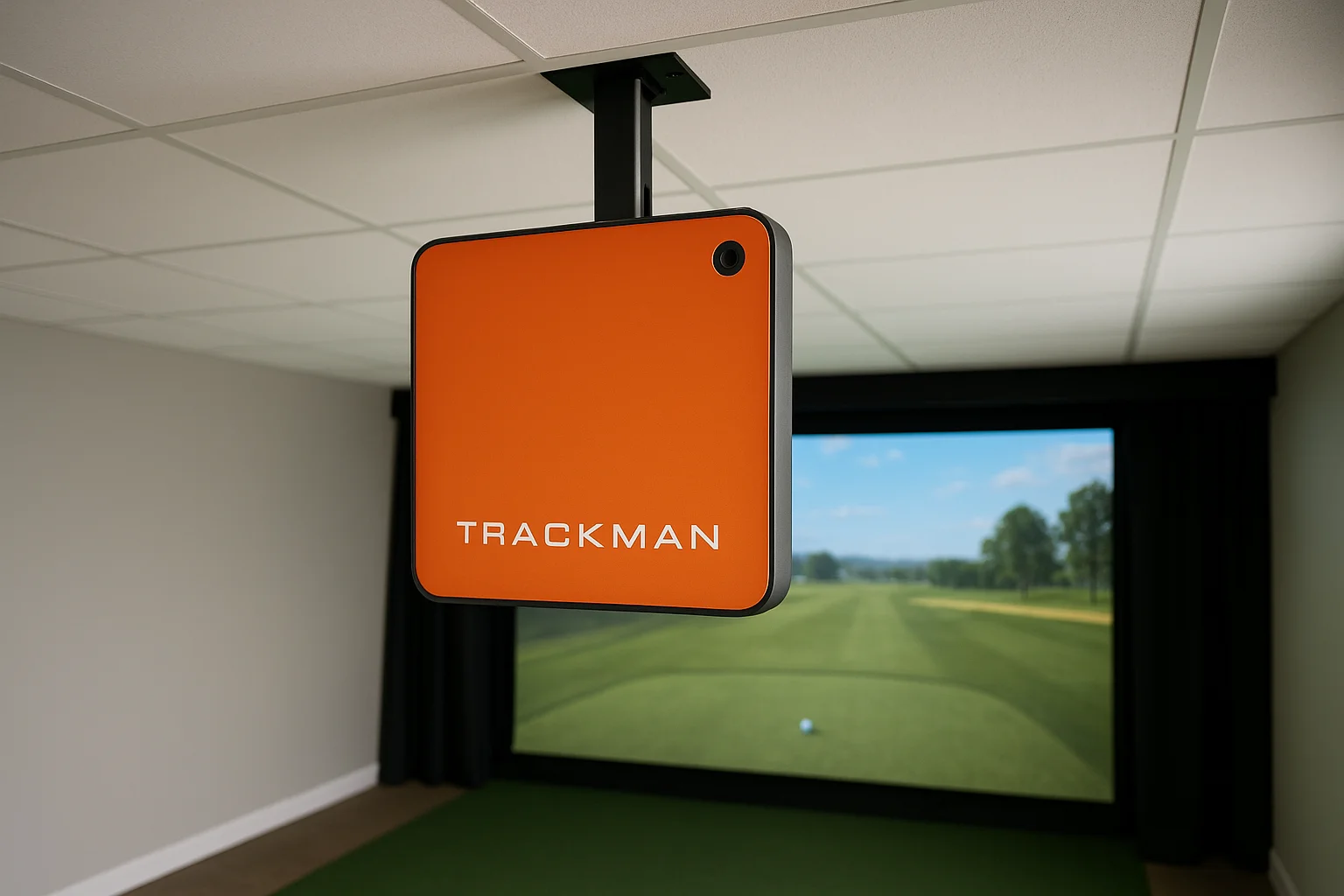
The TrackMan iO is the ceiling-mounted version of TrackMan's professional-grade radar and camera hybrid system. It targets serious golfers and commercial golf simulator installations where accuracy and data depth are the top priorities.
Best use case
The iO works best for dedicated simulator rooms where the monitor can be permanently mounted overhead. Golf instructors, high-end residential builds, and commercial facilities get the most out of what this golf simulator launch monitor delivers.
What it measures and how it captures data
TrackMan iO uses a dual-radar and camera system to capture both club data and ball data simultaneously. It tracks club path, face angle, attack angle, ball speed, spin rate, launch angle, and carry distance with professional-level precision.
This combination of radar and camera gives the iO some of the most reliable indoor data available on the market today.
Indoor setup and space needs
You need a minimum ceiling height of 9 feet for overhead mounting, and a room depth of at least 15 feet for accurate readings. The iO's overhead position keeps it out of the swing path, which makes room layout cleaner than floor-based alternatives.
Simulator software and device compatibility
The iO is compatible with TrackMan's own simulator software, which includes thousands of courses and a strong practice range interface. It also connects with E6 Connect and other third-party platforms via supported integration.
Subscriptions and ongoing costs
TrackMan requires an active subscription to access full simulator features. Expect to pay around $200 per year for the simulation software on top of the hardware cost.
Typical price
The TrackMan iO typically runs $19,995 to $25,000, making it one of the most expensive options on this list.
3. Foresight GCQuad
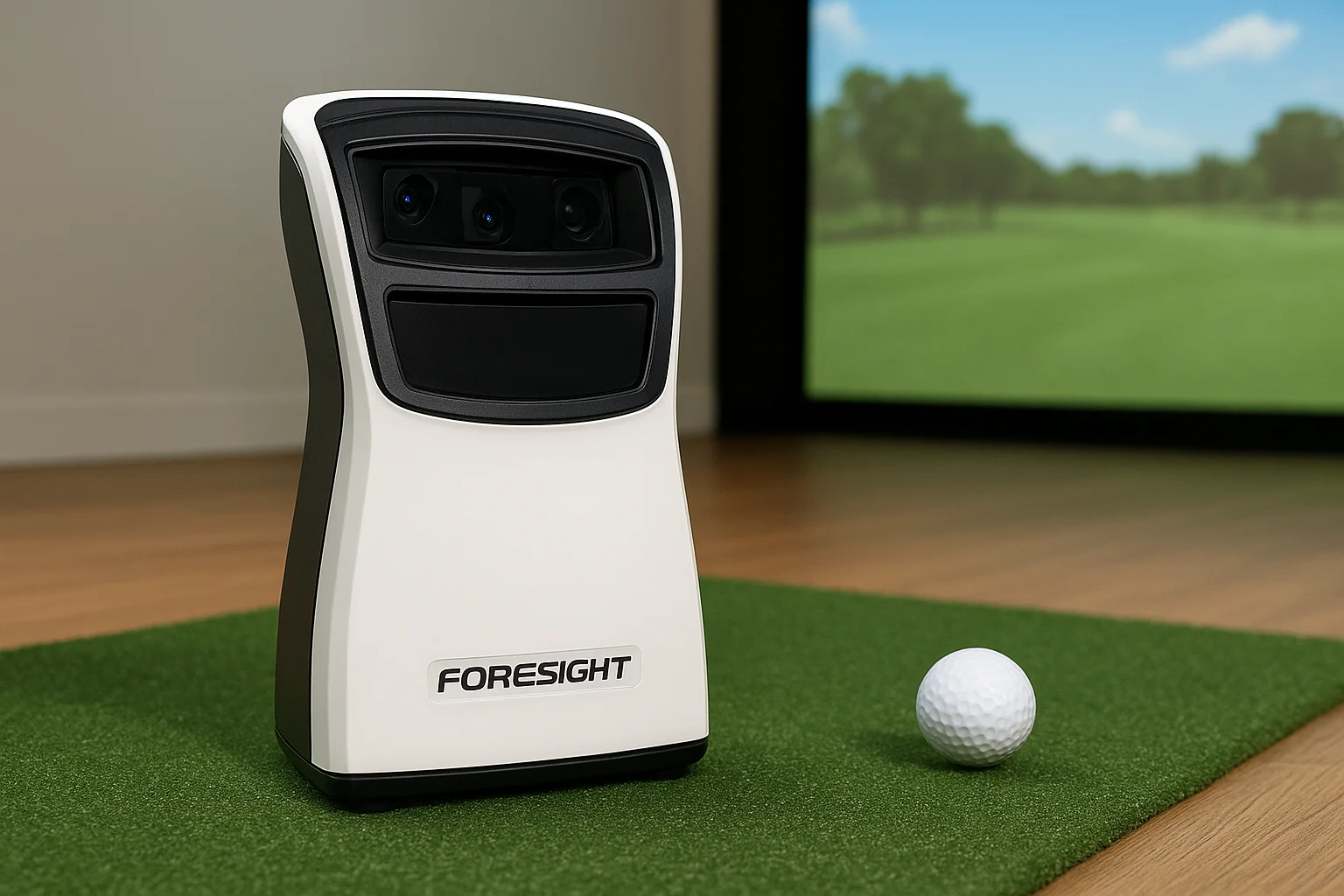
The Foresight GCQuad is a quadrascopic camera-based golf simulator launch monitor built for golfers who refuse to compromise on data accuracy. It captures precise ball and club metrics without radar, which gives it a clear advantage in enclosed indoor spaces where radar signals can bounce unpredictably off walls and ceilings.
Best use case
Serious golfers who want tour-level spin and ball flight data at home get the most out of the GCQuad. It performs equally well in a residential simulator room or a professional teaching studio, and its accuracy holds up across a wide range of swing speeds and club types.
What it measures and how it captures data
Four high-speed cameras capture the ball and clubface at impact, delivering data on:
- Ball speed, spin rate, and spin axis
- Launch angle and azimuth
- Carry distance and total distance
- Club data (face angle, club path, and dynamic loft) with the optional Club Add-On
The four-camera system gives the GCQuad some of the most reliable spin measurements of any launch monitor available at this price point.
Indoor setup and space needs
You need at least 8 to 9 feet of ceiling clearance and enough depth for a full swing. The GCQuad sits on the floor beside the hitting mat, so exact positioning relative to the ball matters for consistent readings.
Simulator software and device compatibility
The GCQuad works natively with FSX Pro and FSX 2020, Foresight's own platforms. It also supports E6 Connect, TGC 2019, and Creative Golf 3D through third-party integration.
Subscriptions and ongoing costs
FSX 2020 software requires a separate license starting around $2,500. Additional course packs and premium software tiers carry added costs depending on the platform you choose.
Typical price
The GCQuad runs $12,000 to $14,000 for the base unit. Adding the Club Add-On brings your total closer to $15,000.
4. Foresight Falcon
The Foresight Falcon is a ceiling-mounted, camera-based golf simulator launch monitor built for permanent indoor installations. It targets golfers who want overhead data capture without placing any hardware near the hitting area at floor level.
Best use case
The Falcon fits best in dedicated simulator rooms where it can be mounted permanently overhead. Residential builders and commercial bay operators who need a clean, unobstructed hitting zone get the most out of this unit.
What it measures and how it captures data
Foresight built the Falcon around quadrascopic camera technology, similar to the GCQuad but in a ceiling-mounted form. It tracks the following data points at impact:
- Ball speed, spin rate, and spin axis
- Launch angle and carry distance
- Club face angle, path, and dynamic loft
The overhead position eliminates any chance of the monitor interfering with your swing or club path during a session.
Indoor setup and space needs
You need a minimum ceiling height of 9 feet and adequate room depth for a full swing. The overhead mount keeps your hitting mat area completely free of floor-level hardware.
Simulator software and device compatibility
The Falcon works natively with FSX Pro and FSX 2020 and also supports third-party platforms including E6 Connect and TGC 2019. Both options give you access to thousands of courses and detailed practice tools.
Subscriptions and ongoing costs
Foresight requires a separate FSX software license starting around $2,500. Premium tiers and additional course content carry extra fees depending on which platform you choose.
Typical price
The Foresight Falcon typically runs $15,000 to $20,000 depending on your configuration and specific installation requirements.
5. Uneekor EYE XO2
The Uneekor EYE XO2 is an overhead, camera-based golf simulator launch monitor designed for permanent ceiling installation. It captures data using two high-speed cameras positioned above the hitting zone, which keeps your entire swing path completely clear at ground level.
Best use case
Homeowners building a dedicated simulator room with a permanent ceiling mount get the most from the EYE XO2. It works particularly well if you want accurate club and ball data without any hardware sitting near your feet or hitting mat during a session.
What it measures and how it captures data
The EYE XO2 tracks ball speed, spin rate, spin axis, launch angle, and carry distance using overhead optical tracking. Its two high-speed cameras also capture face angle, club path, and impact location on the clubface with every shot, giving you detailed feedback on strike quality.
Club impact data from an overhead position gives you a clearer picture of strike consistency than many floor-based alternatives can provide.
Indoor setup and space needs
You need a minimum ceiling height of 9 feet for proper mounting and accurate reads. Room depth should give you enough space for a full, unrestricted swing without crowding your follow-through.
Simulator software and device compatibility
The EYE XO2 works natively with Uneekor's REFINE+ and IGNITE software, and also supports third-party platforms including E6 Connect and TGC 2019 through standard integration.
Subscriptions and ongoing costs
Uneekor charges an annual software fee for both REFINE+ and IGNITE. Expect to budget roughly $300 to $600 per year depending on the software tier you select.
Typical price
The EYE XO2 typically runs $7,500 to $8,500 for the hardware unit, placing it in a competitive mid-to-high range among ceiling-mounted options.
6. ProTee VX
The ProTee VX is an overhead camera-based golf simulator launch monitor designed for permanent ceiling installation. It captures ball and club data from directly above the hitting zone, keeping the floor area completely open for your setup.
Best use case
Golfers building a dedicated home simulator room with a tight budget for an overhead unit get solid value from the ProTee VX. It suits both residential installs and small commercial simulator bays looking for reliable overhead tracking without the price tag of premium alternatives.
What it measures and how it captures data
The VX tracks ball speed, launch angle, spin rate, and spin axis using its overhead camera system. It also captures club path and face angle data, giving you enough feedback to diagnose common swing issues and track improvement over time.
Overhead tracking from the VX keeps your hitting mat completely clear, which makes your setup feel more natural and less cluttered during every session.
Indoor setup and space needs
You need a minimum ceiling height of 9 feet to mount the unit correctly. Plan for adequate room depth behind and in front of your hitting position to allow a full, unrestricted swing.
Simulator software and device compatibility
The ProTee VX works with ProTee's own simulation platform and also supports E6 Connect and TGC 2019, giving you access to a solid range of courses and practice tools.
Subscriptions and ongoing costs
ProTee charges a separate software fee for their simulation platform. Budget around $200 to $400 per year depending on the subscription tier you choose.
Typical price
The ProTee VX typically runs $5,000 to $6,500, placing it as a competitive mid-range option among overhead camera systems.
7. Foresight GC3
The Foresight GC3 is a portable, camera-based golf simulator launch monitor that sits on the floor beside your hitting mat. It delivers professional-grade data in a compact form factor, making it one of the more versatile options in the Foresight lineup.
Best use case
The GC3 suits golfers who want accurate camera-based data without committing to a permanent overhead installation. It works well in dedicated home simulator rooms and doubles as a portable unit you can bring to the range for outdoor practice sessions.
What it measures and how it captures data
Three high-speed cameras capture ball and club data at the moment of impact. The GC3 tracks ball speed, spin rate, spin axis, launch angle, and carry distance, along with club face angle, path, and dynamic loft through its built-in club data capture.
The triple-camera setup gives the GC3 a clear accuracy advantage over many single-camera competitors at a similar price point.
Indoor setup and space needs
You need at least 8 feet of ceiling clearance and enough room depth for a full, unrestricted swing. Position the unit a few inches to the side of the ball for consistent reads with every shot.
Simulator software and device compatibility
The GC3 works natively with FSX 2020 and FSX Pro and supports third-party platforms including E6 Connect and TGC 2019.
Subscriptions and ongoing costs
A separate FSX software license starts around $2,500. Additional course packs and premium platform tiers carry extra costs depending on your preferred setup.
Typical price
The Foresight GC3 typically runs $6,000 to $7,000 for the base unit, placing it in a competitive mid-range position among camera-based options.
8. Bushnell Launch Pro Circle B
The Bushnell Launch Pro is a camera-based golf simulator launch monitor built on the same core hardware platform as the Foresight GC3. Bushnell markets it as a more accessible entry point into professional-grade camera tracking, with the Circle B tier unlocking the full range of club and ball data the unit can capture.
Best use case
The Launch Pro Circle B works best for serious home golfers who want accurate camera data without paying the full Foresight price. It fits well in a dedicated simulator room and doubles as a portable unit for outdoor range sessions.
What it measures and how it captures data
Three high-speed cameras capture ball and club data at impact. The Circle B tier tracks ball speed, spin rate, spin axis, launch angle, and carry distance, plus club face angle and path with every swing.
Unlocking the Circle B tier gives you the full club data set, which is what separates this unit from the base Launch Pro configuration.
Indoor setup and space needs
You need at least 8 feet of ceiling clearance and enough room depth for a full, unrestricted swing. Position the unit a few inches to the side of the ball for consistent, accurate reads.
Simulator software and device compatibility
The Launch Pro Circle B connects with FSX 2020 and E6 Connect, giving you access to thousands of courses and a solid practice environment through either platform.
Subscriptions and ongoing costs
Plan for an FSX software license starting around $2,500, plus any additional course content you add on top of the base platform.
Typical price
The Bushnell Launch Pro Circle B typically runs $3,500 to $4,000, making it one of the better values among camera-based options at this data accuracy level.
9. Uneekor Eye Mini
The Uneekor Eye Mini is a compact, overhead camera-based golf simulator launch monitor designed for ceiling mounting. It delivers accurate ball and club data in a smaller form factor than the EYE XO2, making it a practical choice for tighter rooms where a full-size overhead unit creates clearance problems.
Best use case
Golfers who want overhead tracking in a smaller room get the most from the Eye Mini. It fits well in residential simulator setups where ceiling height and space constraints rule out larger ceiling-mounted alternatives.
What it measures and how it captures data
The Eye Mini tracks ball speed, spin rate, spin axis, and launch angle using its overhead optical system. It also captures club path and face angle data, giving you shot-by-shot feedback without any hardware sitting at floor level near your hitting mat.
The compact overhead design lets you get accurate club and ball data even in rooms where a larger ceiling unit simply would not fit.
Indoor setup and space needs
You need a minimum ceiling height of 9 feet for proper installation. Plan for enough room depth to take a full, unrestricted swing without your follow-through getting cut short by a wall behind you.
Simulator software and device compatibility
The Eye Mini works with Uneekor's REFINE+ and IGNITE platforms and also supports third-party options including E6 Connect and TGC 2019 through standard integration.
Subscriptions and ongoing costs
Uneekor charges an annual software fee for its simulation platforms. Budget roughly $300 to $600 per year depending on your chosen software tier.
Typical price
The Eye Mini typically runs $5,500 to $6,500, sitting as a budget-friendlier overhead option compared to the EYE XO2.
10. Garmin Approach R50
The Garmin Approach R50 is a ceiling-mounted, radar-based golf simulator launch monitor that targets golfers who want overhead tracking at a more accessible price point than premium camera-based alternatives.
Best use case
Golfers building a casual to mid-level home simulator room get solid value from the R50. It suits residential setups where you want a permanent overhead mount without the higher cost of camera-based ceiling units, and where a clean, unobstructed hitting zone matters to you.
What it measures and how it captures data
Garmin built the R50 around Doppler radar technology to track ball flight data at impact. It captures ball speed, launch angle, spin rate, and carry distance with each swing, giving you enough information to monitor your game and compare shots over time.
Overhead radar tracking keeps your entire hitting mat area clear at floor level, which makes the R50 a natural fit for a tidy, purpose-built simulator room.
Indoor setup and space needs
You need a minimum ceiling height of 9 feet for proper installation and accurate reads. Plan enough room depth behind and in front of your hitting position so your full swing and follow-through stay completely unrestricted.
Simulator software and device compatibility
The R50 connects with E6 Connect and TGC 2019, two of the most widely used simulation platforms available. Both give you access to a strong course library and practice tools through standard Garmin app connectivity.
Subscriptions and ongoing costs
Garmin requires an active subscription to unlock full simulator features through supported platforms. Budget roughly $200 to $400 per year depending on your chosen software tier.
Typical price
At $2,000 to $2,500, the Garmin Approach R50 ranks as one of the more budget-friendly overhead options on this entire list.
11. SkyTrak Plus
The SkyTrak Plus is a portable, camera-based golf simulator launch monitor that sits on the floor beside your hitting mat. It represents a significant upgrade over the original SkyTrak, adding club data capture and improved accuracy at a price point that still fits most serious home golfer budgets.
Best use case
Golfers who want accurate camera-based ball and club data without spending five figures get strong value from the SkyTrak Plus. It fits naturally in a dedicated home simulator room and also doubles as a portable unit for outdoor range use when you want to track your swing away from the simulator.
What it measures and how it captures data
The SkyTrak Plus uses a high-speed camera system to capture data at impact. It tracks ball speed, launch angle, backspin, sidespin, side angle, and carry distance. The upgraded hardware also captures club path, face angle, and dynamic loft, giving you a fuller picture of what's happening through the hitting zone with each swing.
Adding club data to the SkyTrak platform closed the gap significantly between this unit and more expensive alternatives in the same floor-based category.
Indoor setup and space needs
You need at least 8 feet of ceiling clearance and enough room depth for a full, unrestricted swing. Position the unit a few inches to the side of the ball so the camera reads impact cleanly with every shot.
Simulator software and device compatibility
The SkyTrak Plus connects with E6 Connect, TGC 2019, WGT, and Creative Golf 3D, giving you access to thousands of courses across multiple popular platforms.
Subscriptions and ongoing costs
SkyTrak offers tiered plans ranging from roughly $99 to $499 per year, depending on the features and simulator integrations you want to unlock.
Typical price
The SkyTrak Plus typically runs $2,995 for the hardware unit, making it a competitive option among camera-based floor monitors at this price range.
12. FlightScope Mevo Gen 2
The FlightScope Mevo Gen 2 is a portable, radar-based golf simulator launch monitor that upgraded the original Mevo with improved accuracy, club data, and indoor tracking performance. It targets golfers who want solid ball flight data in a compact, affordable package without anchoring a permanent installation to their ceiling or floor.
Best use case
Golfers who need a versatile unit they can use both indoors in a home simulator room and outdoors at the range get solid value from the Mevo Gen 2. It fits budget-conscious setups where portability and flexibility matter as much as data depth.
What it measures and how it captures data
The Mevo Gen 2 uses Doppler radar technology to track ball speed, launch angle, spin rate, carry distance, and vertical descent angle. It also captures club head speed and smash factor, giving you a reasonable picture of contact quality with every swing.
Unlocking the premium data tier adds additional metrics that bring the Mevo Gen 2 noticeably closer to mid-range camera alternatives in terms of feedback depth.
Indoor setup and space needs
You need at least 8 to 9 feet of ceiling clearance and enough room depth for a full swing. Place the unit behind the ball, since radar requires a clear line of sight to track ball flight accurately in an enclosed space.
Simulator software and device compatibility
FlightScope connects the Mevo Gen 2 with E6 Connect and TGC 2019 through the FlightScope app, along with Creative Golf 3D, covering a solid range of home simulation platforms.
Subscriptions and ongoing costs
FlightScope offers a free base tier plus a premium data upgrade at around $99 per year to unlock the full club and ball metric set.
Typical price
The Mevo Gen 2 typically runs $499 to $599, placing it among the most affordable radar options on this list.
13. Rapsodo MLM2PRO
The Rapsodo MLM2PRO is a portable, camera-and-radar hybrid golf simulator launch monitor that pairs with your smartphone or tablet to deliver ball and club data in a compact, affordable package. It targets golfers who want more than basic radar readings without spending several thousand dollars on a dedicated camera unit.
Best use case
Golfers who want a dual-technology unit at a budget-friendly price point get the most from the MLM2PRO. It suits casual to mid-level home simulator rooms and doubles well as a range tool when you want to track data outside your simulator setup.
What it measures and how it captures data
The MLM2PRO combines Doppler radar and a built-in camera to track ball and club data simultaneously. It captures ball speed, launch angle, spin rate, carry distance, club head speed, and smash factor, along with club path and face angle using the camera component.
Pairing radar with a camera in the same unit gives the MLM2PRO a measurable accuracy advantage over radar-only alternatives at the same price.
Indoor setup and space needs
You need at least 8 feet of ceiling clearance and enough room depth for a full, unrestricted swing. The unit positions roughly 7 feet behind the ball and requires a connected smartphone or tablet to function properly during your session.
Simulator software and device compatibility
The MLM2PRO connects with E6 Connect and Creative Golf 3D through the Rapsodo app, covering a reasonable range of course options for home use.
Subscriptions and ongoing costs
Rapsodo charges around $99 per year for its premium subscription, which unlocks full simulator integration and advanced data tracking.
Typical price
The MLM2PRO typically runs $699 to $799 for the hardware unit.
14. Garmin Approach R10
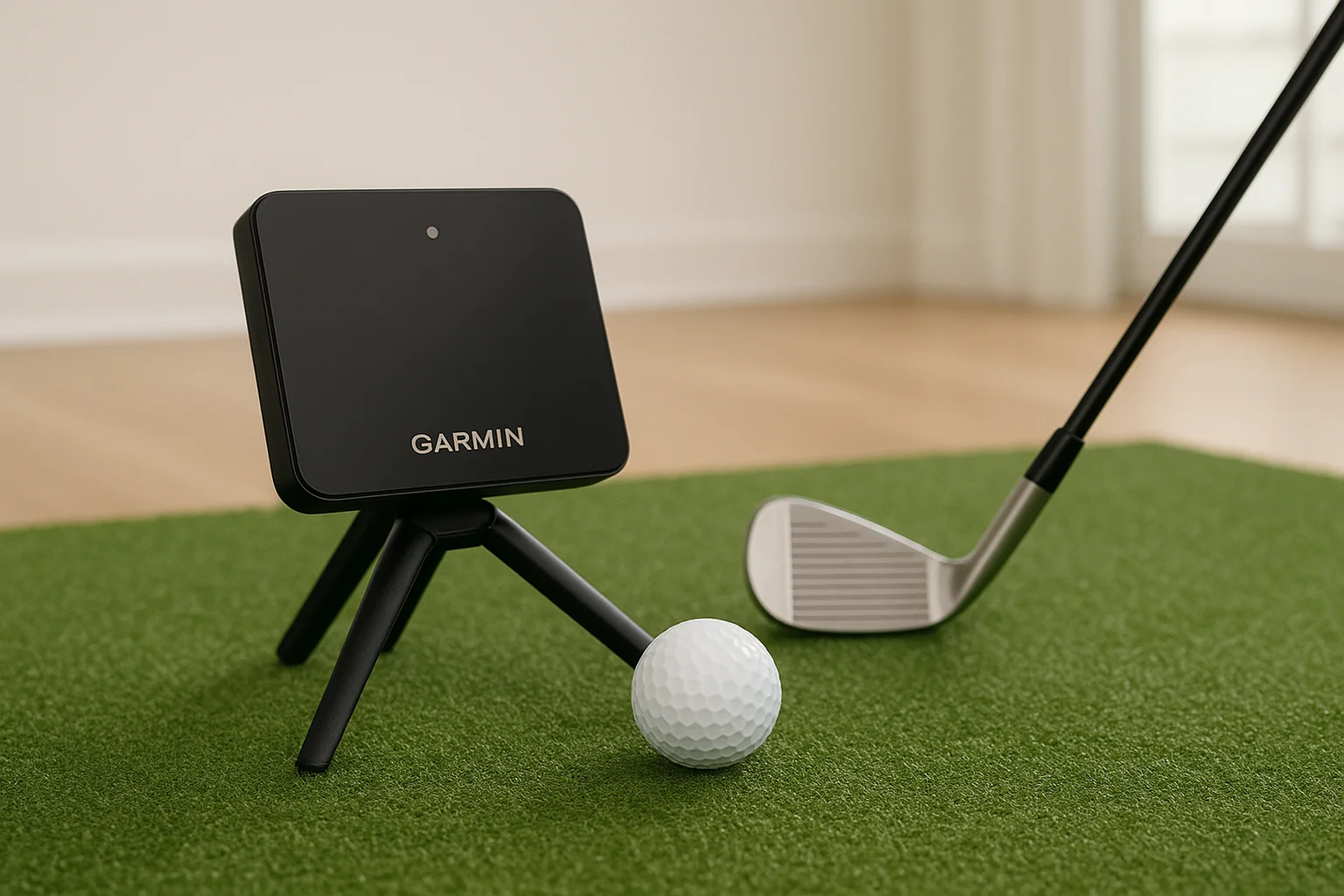
The Garmin Approach R10 is a portable, radar-based golf simulator launch monitor that sits behind the ball at ground level. It represents Garmin's entry-level offering in the simulator space, targeting golfers who want a simple and affordable way to track ball flight both indoors and outside at the driving range.
Best use case
Casual golfers and beginners building a budget-friendly home simulator room get the most from the R10. It fits well in setups where you want to get on a virtual course and start playing without spending more than a few hundred dollars on hardware.
What it measures and how it captures data
The R10 uses Doppler radar technology to track ball speed, launch angle, spin rate, carry distance, club head speed, and smash factor. It also captures swing tempo with each shot, giving you a basic but functional look at your ball flight and contact quality.
At this price point, the R10 delivers a surprisingly complete set of radar-based metrics for casual home simulator use.
Indoor setup and space needs
You need at least 8 feet of ceiling clearance and enough room depth for a full, unrestricted swing. Position the unit roughly 7 feet behind the ball so the radar has a clear line of sight to track each shot accurately indoors.
Simulator software and device compatibility
Connectivity covers E6 Connect and TGC 2019 through the Garmin Golf app, available on both iOS and Android devices.
Subscriptions and ongoing costs
Garmin charges around $99 to $199 per year for its premium Golf app subscription, which unlocks full simulator integration and advanced tracking features on supported platforms.
Typical price
The R10 typically runs $599 to $699 for the hardware unit, placing it among the most affordable portable options on this list.
15. Square Launch Monitor
The Square Launch Monitor is a compact, portable radar-based golf simulator launch monitor designed for budget-conscious golfers who want a functional simulator setup without a large hardware investment. It sits at the affordable end of the market while still delivering the core data you need to play virtual rounds and track your ball flight.
Best use case
Casual golfers building a budget-friendly home simulator room get the most from the Square. It works well for recreational players who prioritize getting on a virtual course over deep swing analysis data.
What it measures and how it captures data
Square uses Doppler radar technology to capture ball speed, launch angle, carry distance, and club head speed with each swing. The data set covers the core ball flight metrics you need for a functional simulator session without the additional depth that premium camera-based units provide.
At this price point, the Square gives you a workable radar data set that keeps the barrier to entry low for first-time simulator buyers.
Indoor setup and space needs
You need at least 8 feet of ceiling clearance and enough room depth for a full, unrestricted swing. Position the unit roughly 6 to 7 feet behind the ball so the radar tracks each shot cleanly without interference from walls.
Simulator software and device compatibility
Square connects with E6 Connect and supports additional third-party platforms through its companion app, giving you access to a reasonable course library for casual home use.
Subscriptions and ongoing costs
Budget roughly $99 to $150 per year for software access depending on your chosen simulator platform.
Typical price
The Square Launch Monitor typically runs $299 to $399 for the hardware unit, placing it among the most affordable options on this entire list.
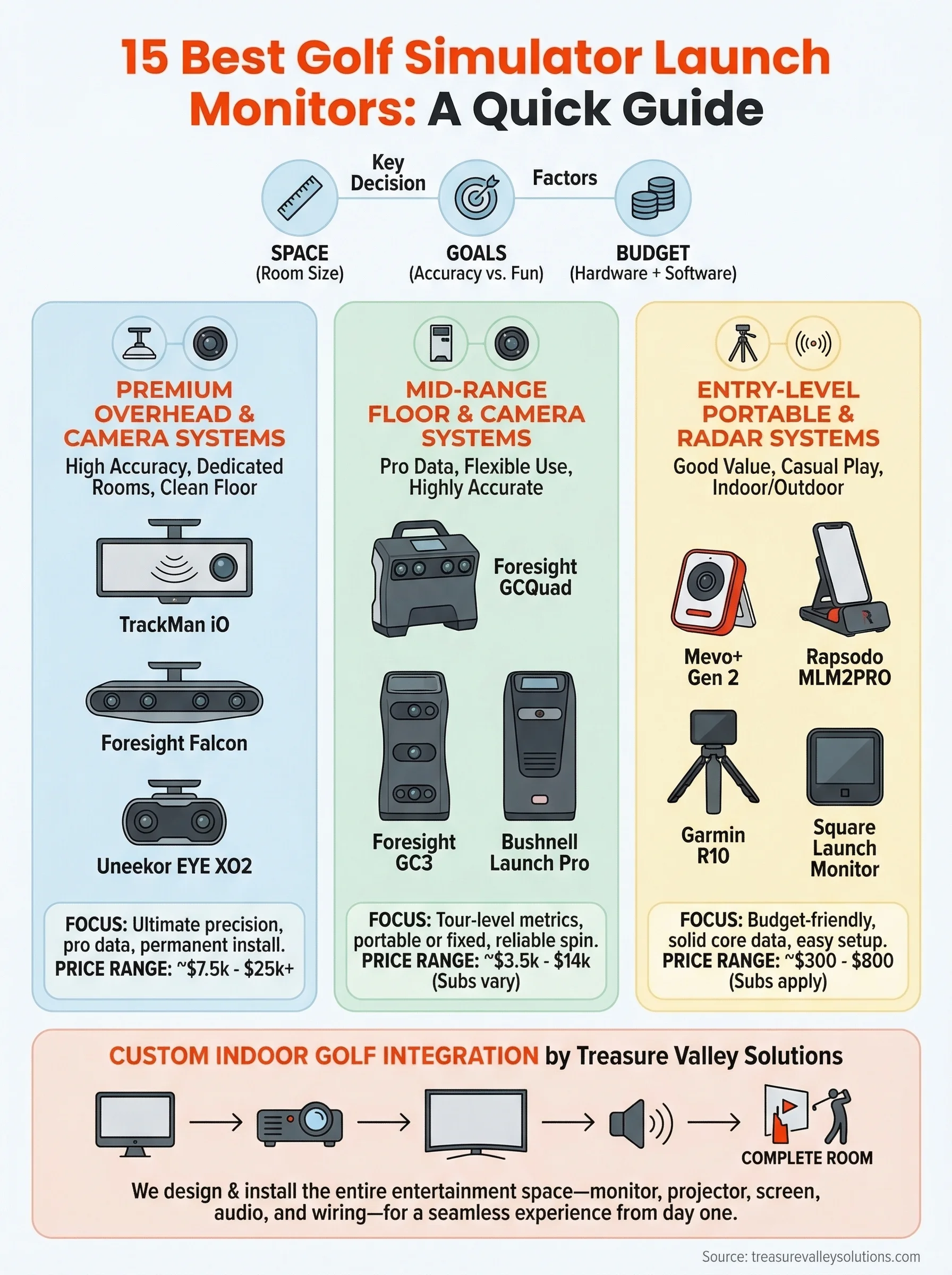
What to do next
You now have a clear picture of what each golf simulator launch monitor on this list offers, what it costs, and who it fits best. The right choice comes down to three things: how much space you have, how seriously you take your game, and how much you want to spend on hardware and software combined.
If you're in the Boise or Meridian area and want a complete simulator room built correctly from the start, Treasure Valley Solutions handles the full process from design through installation and calibration. You get help selecting the right monitor, planning your room layout, and setting up your projector, screen, and audio as one integrated system rather than a collection of parts you assemble yourself.
Get in touch with the team to talk through your space and goals, and we'll put together a plan that fits your room and your budget.
Need Expert Help?
Ready to implement these solutions in your own home or business?
Our Services
View All Services
Serving the Treasure Valley
Local installation in your city