 (208) 991-3502
 Meridian, ID




Your launch monitor is dialed in, your impact screen is mounted, and your projector throws a crisp image across the wall. Now comes the decision that shapes every round you play in that room: which so...
Your launch monitor is dialed in, your impact screen is mounted, and your projector throws a crisp image across the wall. Now comes the decision that shapes every round you play in that room: which software runs the show? Choosing the best golf simulator software comes down to more than just graphics, it's about how well the platform matches your hardware, your goals, and how you actually want to spend your time on the virtual course.
At Treasure Valley Solutions, we design and install dedicated golf simulator spaces in homes across the Boise and Meridian area, from projector and screen placement to full AV integration. Through that work, we've seen firsthand how the right software choice makes or breaks the experience, and how often people overlook it during the build process.
This guide breaks down six of the top golf simulator software options available in 2026, comparing them across course libraries, realism, practice features, compatibility, and price so you can pick the one that fits your setup. Whether you're grinding on your short game or hosting weekend tournaments in the garage, there's a clear best option for each type of player.
1. Treasure Valley Solutions
Treasure Valley Solutions is a full-service design and installation company based in Meridian, Idaho that builds golf simulator spaces from the ground up. If you want someone to manage every layer of your setup, from room layout to software selection and AV integration, this is the right place to start.
What this option solves for a home simulator
Most homeowners run into the same problem: they choose a launch monitor, then discover their preferred software doesn't pair with it correctly. Treasure Valley Solutions removes that friction by matching your hardware and software before a single piece of equipment gets ordered, so your entire room is built around a system that works together from day one.
Getting the software-hardware pairing right at the start saves you from expensive equipment swaps and frustrating workarounds later.
Best for
This option suits homeowners who want a turnkey golf simulator room without juggling separate vendors for screen installation, projector alignment, and software licensing. It's also a strong fit for residential builders who want to include a dedicated simulator space as a premium feature in a new construction project.
How the selection and setup process works
Your project starts with a consultation where Treasure Valley Solutions reviews your available space, budget, and how you plan to use the room. From there, they recommend a compatible hardware and software stack, handle the full installation, and test the complete system before they wrap up the job. You don't need to cross-reference compatibility charts on your own.
Hardware and room requirements to confirm early
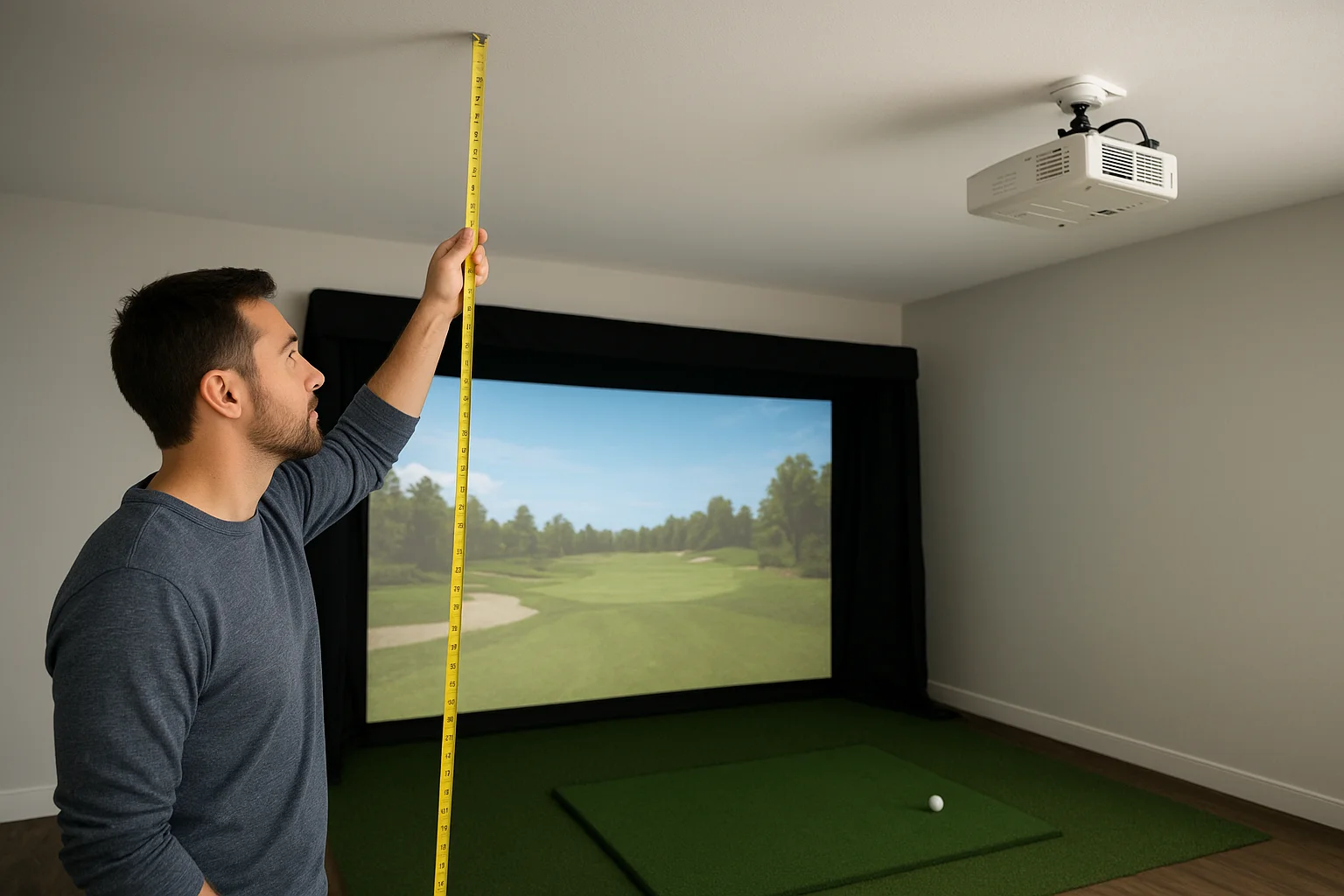
Ceiling height, projector throw distance, and impact screen placement are the three measurements that shape nearly every other decision in a simulator build. Treasure Valley Solutions walks you through those numbers during the design phase so nothing gets missed before equipment is ordered.
Typical costs and what influences price
Your final cost depends on launch monitor selection, screen size, projector specs, and any additional AV integration you include. The team provides transparent quotes upfront, and a residential build can range from a straightforward single-room setup to a fully integrated home theater experience with surround sound and custom lighting.
Limits to know before you commit
Treasure Valley Solutions operates within the Treasure Valley region of Idaho, so clients outside that area won't have access to local installation or ongoing support. If you're searching for the best golf simulator software to run on existing hardware you already own, one of the software-only platforms listed below will be a better starting point.
2. GSPro
GSPro is a PC-based simulator platform that has built a strong reputation among serious home users who prioritize course realism and online competition. It's one of the most discussed options when people research the best golf simulator software for dedicated home setups.
What it feels like to play
GSPro delivers tight shot feedback and smooth ball physics that make it feel close to real course conditions. The visuals are sharp without requiring a high-end gaming rig, and the experience rewards players who care about genuine course management rather than just chasing distance numbers.
Practice and game modes
You get a full driving range, skills challenges, and stroke play modes built into the platform. GSPro also supports online multiplayer, so you can compete directly against other users in real time from your home setup without needing a third-party service.
Course library and updates
The course library is one of GSPro's strongest assets. Over 200 real-world courses are available, and the community regularly contributes new designs. Updates roll out consistently, keeping both course selection and core software performance current.
Compatibility and PC requirements
GSPro runs on Windows 10 or 11 and pairs with a wide range of launch monitors, including SkyTrak, Garmin R10, Uneekor, and Foresight Sports units. You need a PC with a dedicated GPU to get clean visuals at a smooth frame rate.
Pricing and licensing
GSPro uses a subscription model starting around $30 per month, with an annual option that lowers the overall cost. No one-time license purchase is currently available.
Tradeoffs to know
GSPro is PC-only, so if your simulator room is built around a tablet or an all-in-one unit, you will need to rethink your hardware before committing to this platform.
The software also lacks a mobile app and requires a reliable internet connection to access online features and course downloads.
3. E6 Connect
E6 Connect is one of the most widely recognized platforms in golf simulation and a strong contender when you're comparing the best golf simulator software options for home use. It appeals to players who want polished visuals and a platform that feels finished from day one.
What it feels like to play
The platform puts a strong emphasis on visual quality and course presentation. Courses look detailed, and the interface stays clean throughout play, making it easy to focus on your round rather than fighting confusing menus.
Practice tools and skills challenges
E6 Connect includes a dedicated practice range, closest-to-the-pin contests, and structured skills challenges that target specific parts of your game. These modes give you a real reason to open the software even when you're not playing a full round.
Device options and setup complexity
E6 Connect runs on Windows PCs, iOS, and Android, which gives you more platform flexibility than most competitors. Setup is relatively straightforward once your launch monitor is paired and recognized correctly.
Confirming device compatibility before you purchase saves you from an avoidable return process.
Compatibility and launch monitor requirements
The platform supports SkyTrak, Foresight Sports, and Uneekor units, among others. Check your specific launch monitor model against the current compatibility list on the E6 Connect website before committing.
Pricing and subscription tiers
E6 Connect offers a free basic tier and paid plans that unlock additional courses and features. Premium access runs roughly $30 per month, with a lower rate available on an annual plan.
Tradeoffs to know
The free tier limits you to a small course selection that feels restrictive after a few sessions. Multiplayer features and course downloads also require a stable internet connection to work reliably.
4. FSX Play and Trackman Performance Studio
These two platforms target different types of home golfers, but both earn a spot in any serious comparison of the best golf simulator software available today. One leans toward accessible fun and course variety, and the other delivers professional-grade data at a premium price.
FSX Play overview
FSX Play is a Windows-based platform developed by Foresight Sports that balances casual rounds with structured practice. It offers realistic course visuals, a built-in driving range, and multiplayer support, making it a flexible option for home setups that prioritize variety over raw performance metrics.
FSX Play compatibility and costs
The platform pairs natively with Foresight Sports launch monitors and supports select third-party units. Licensing runs roughly $300 to $500 as a one-time purchase, depending on the tier, which makes it more cost-effective over time than a recurring subscription.
Trackman Performance Studio overview
Trackman Performance Studio is built around Trackman's own radar-based launch monitors and mirrors the data-heavy environment used on professional tours. It focuses on ball flight analysis, swing metrics, and shot dispersion data rather than entertainment or course variety.
If precise data is your primary goal rather than casual play, Trackman Performance Studio is in a category of its own.
Trackman compatibility and costs
The software runs exclusively with Trackman hardware, so you cannot pair it with a third-party launch monitor. Trackman's consumer unit starts at around $2,000, which makes the combined investment considerably higher than most home setups.
Which one makes more sense at home
Your decision comes down to what you actually want from the room:
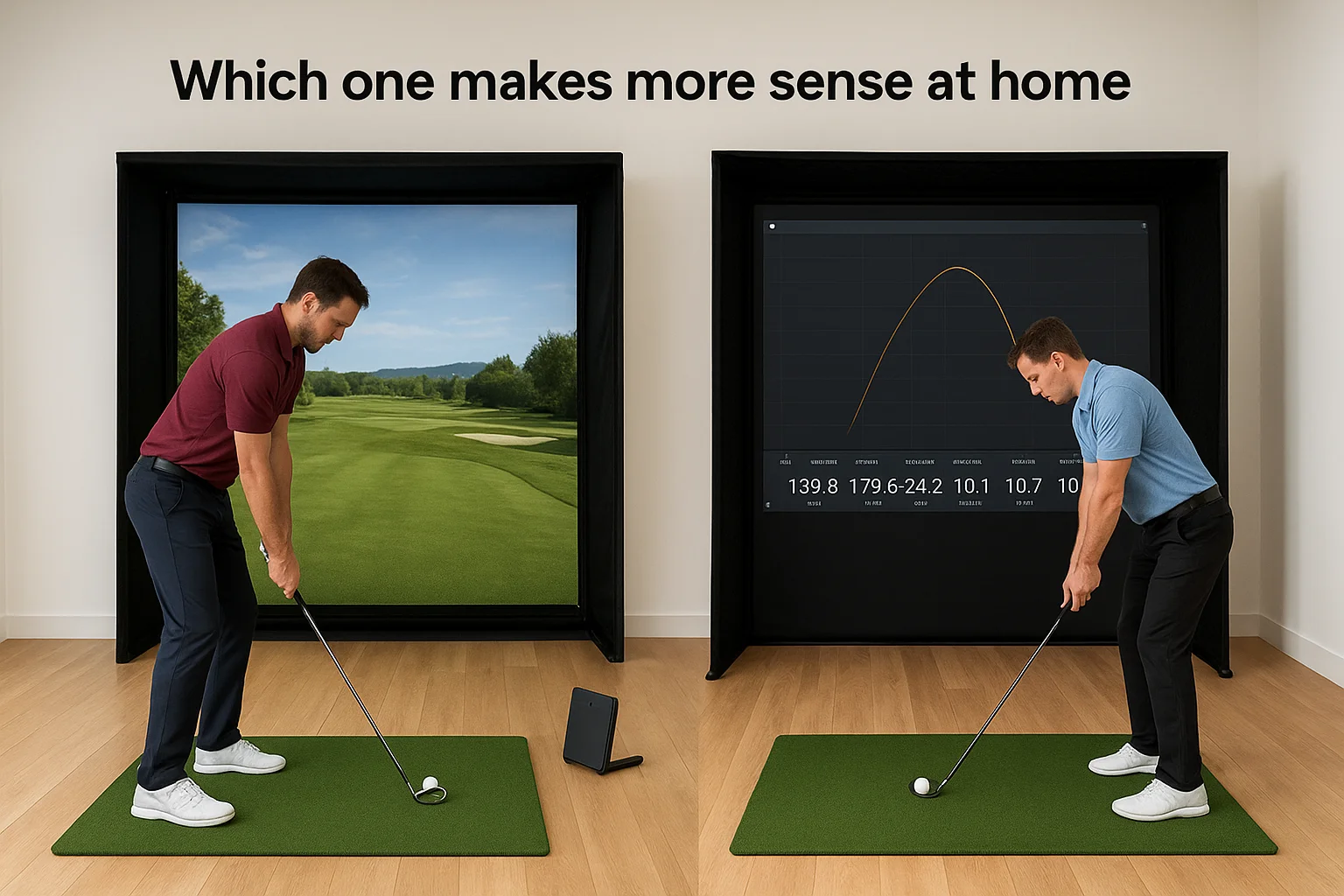
- FSX Play suits golfers who want course variety, flexibility, and a manageable upfront cost
- Trackman Performance Studio suits golfers who already own Trackman hardware and want detailed swing feedback built into every session
5. Awesome Golf
Awesome Golf is a Mac and iOS-based platform that puts fun ahead of technical depth. It earns its place in any comparison of the best golf simulator software options because it handles a real gap in the market: accessible, low-pressure play that works for golfers and non-golfers alike.
What it feels like to play
Playing through a round on Awesome Golf feels smooth and approachable. The platform uses clean, simplified visuals that avoid the clutter of more data-heavy platforms, and you can get into a round within moments of launching the app.
Why it works well for families and casual play
This platform removes the friction that pushes casual players away. Intuitive controls and straightforward scoring displays mean guests and family members can jump in without a tutorial, which makes weekend gatherings in your simulator room genuinely enjoyable for everyone in the room.
Awesome Golf fits best when shared enjoyment matters more than detailed swing metrics.
Practice modes that still help you improve
Casual-focused software can still move your game forward. Awesome Golf includes a driving range and closest-to-the-pin challenges that give you structured repetitions, so your time between rounds isn't wasted even if you're not chasing performance data.
Device options and setup requirements
The platform runs on Mac, iPad, and iPhone, which fits naturally into setups already built around Apple hardware. You will need a compatible launch monitor paired and recognized correctly before the software reads your shots.
Pricing options
Awesome Golf offers a free base version alongside a paid upgrade that unlocks more courses. Premium access runs roughly $8 per month, making it one of the most affordable options covered here.
Tradeoffs to know
The course library is noticeably smaller than GSPro or E6 Connect, and the platform is locked to Apple devices. Windows-based setups will need to look at a different platform entirely.
Next Steps
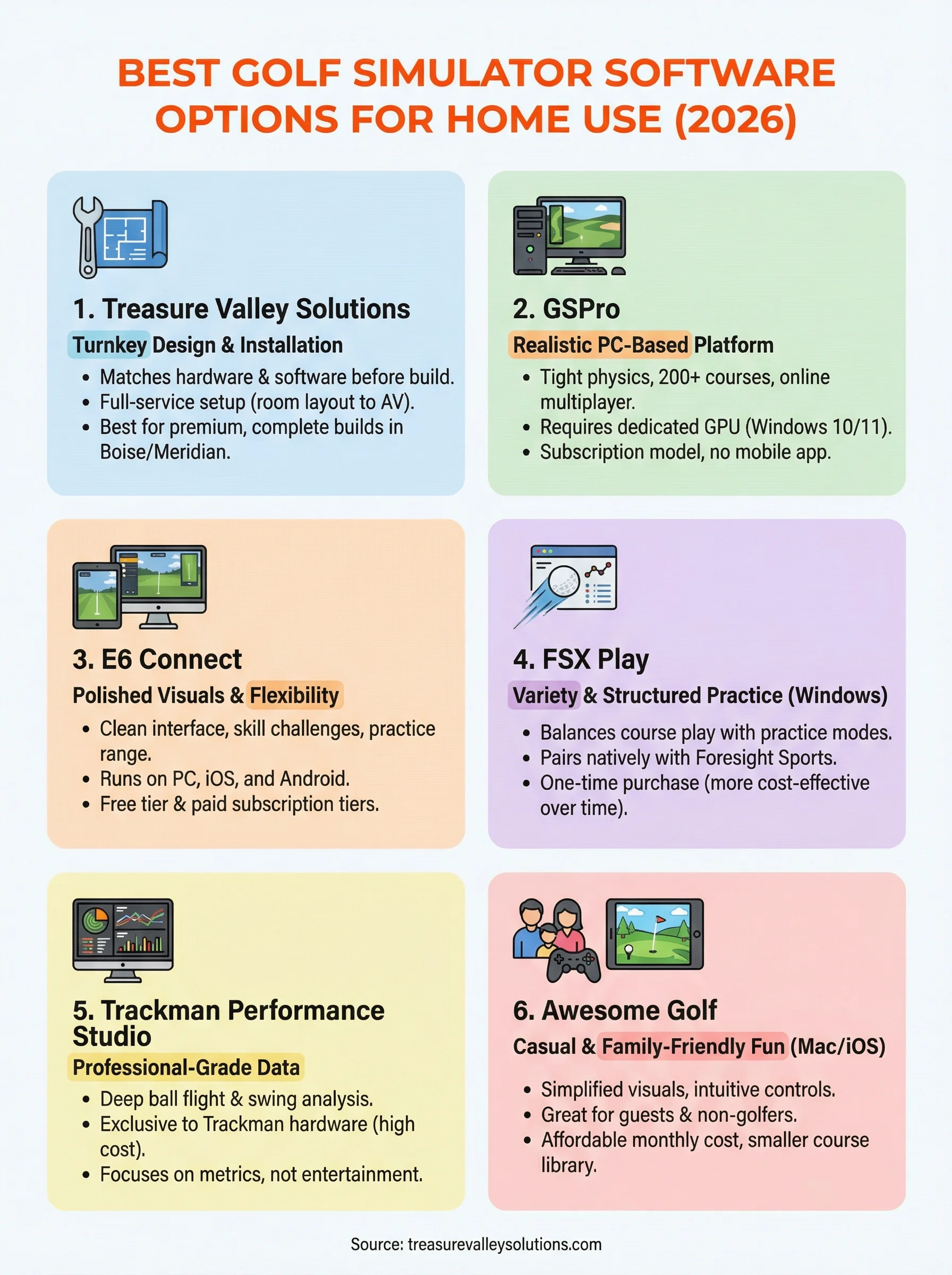
Picking the best golf simulator software comes down to three things: your hardware, how you plan to use the room, and your budget. GSPro and E6 Connect work well for serious players who want a large course library and online competition. Trackman Performance Studio fits golfers already invested in Trackman hardware who want professional-grade data in every session. FSX Play balances cost and variety well. Awesome Golf handles casual and family play better than anything else on this list.
If you want someone to handle the full build, from room layout and screen placement to software pairing and AV integration, Treasure Valley Solutions takes care of every step. You get a finished room that works correctly from the first round, without sorting through compatibility issues on your own. If you're in the Boise or Meridian area and ready to start planning your space, reach out to our team and we'll put together a setup that fits your room and your goals.
Need Expert Help?
Ready to implement these solutions in your own home or business?
Our Services
View All Services
Serving the Treasure Valley
Local installation in your city