 (208) 991-3502
 Meridian, ID



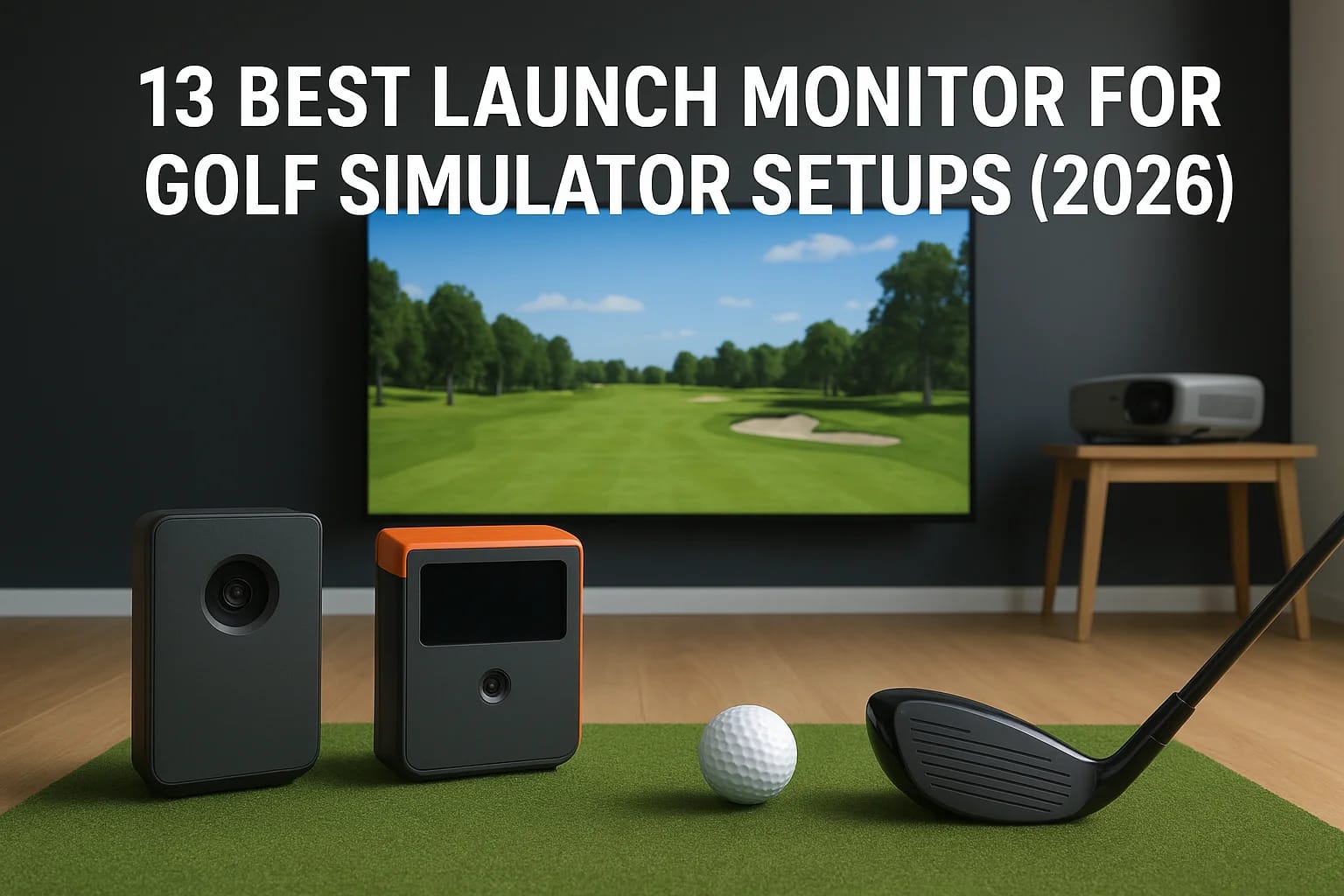

A launch monitor for golf simulator setups is the single most important purchase you'll make when building out your sim room. It's the piece of hardware that tracks your club and ball data, feeds it t...
A launch monitor for golf simulator setups is the single most important purchase you'll make when building out your sim room. It's the piece of hardware that tracks your club and ball data, feeds it to your simulator software, and determines whether your experience feels realistic or frustrating. Get this choice wrong, and everything else, the screen, the projector, the enclosure, underperforms.
The problem is that the market is crowded. Prices range from a few hundred dollars to well over $20,000, and the spec sheets don't always tell you what actually matters for simulator use. Some launch monitors are built for outdoor range sessions and struggle indoors. Others nail accuracy but lack compatible software options. You need one that works reliably in a confined space, pairs with the sim software you want to run, and fits your budget.
At Treasure Valley Solutions, we design and install complete golf simulator rooms for homeowners across the Boise and Meridian area, from projector and screen placement to AV integration and calibration. The launch monitor is always the first conversation we have with clients because it shapes every other decision in the build. That hands-on experience with dozens of setups has given us a clear picture of which units actually deliver in a real-world home environment.
This guide breaks down 13 of the best launch monitors for golf simulator setups in 2026, covering price, accuracy, software compatibility, and indoor performance so you can make a confident decision before you spend a dime on the rest of your build.
1. Trackman iO
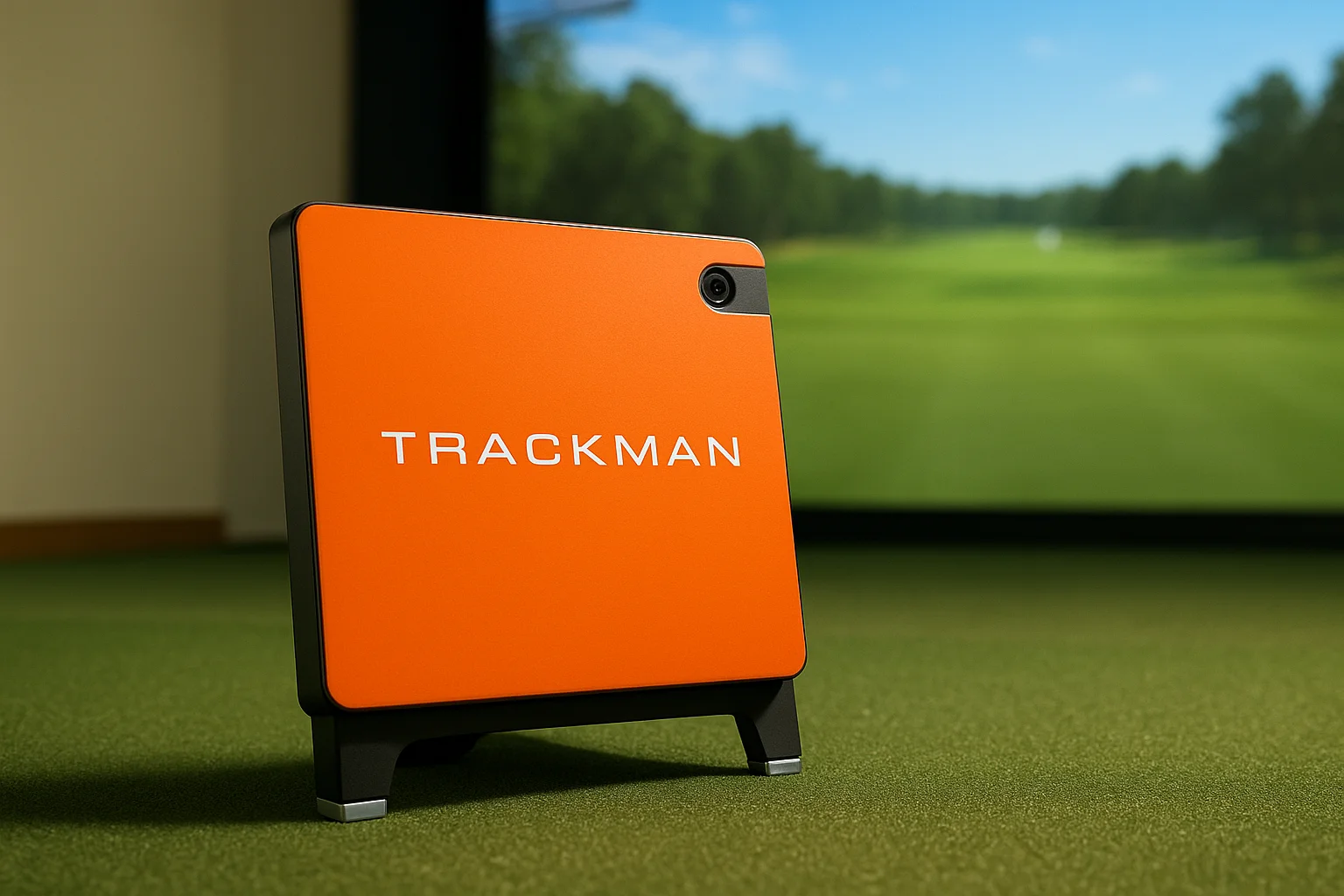
The Trackman iO is Trackman's purpose-built indoor launch monitor, designed specifically for simulator use rather than adapted from an outdoor unit. Its radar system is tuned for enclosed spaces, which gives it a meaningful edge over options that were originally built for open-air range sessions and later repurposed for indoor setups.
Best for
The iO is the right choice for serious golfers and high-end home simulator builds where accuracy is non-negotiable. If you plan to use your simulator for structured practice, remote coaching, or competition-level play, and your budget supports a premium investment, this unit belongs at the top of your shortlist.
What it measures and how it captures data
Trackman's iO uses dual radar technology to capture ball and club data at the same time. It measures ball speed, launch angle, spin rate, spin axis, carry distance, and smash factor. On the club side, it tracks clubhead speed, face angle, attack angle, and club path. No ball stickers or dot markings are required, which keeps your workflow consistent across every shot.
Simulator fit and room requirements
The iO mounts overhead or directly behind the hitting position and works best in rooms with at least 9 feet of ceiling clearance, though 10 feet gives you more comfortable margins. Trackman recommends a minimum room depth of around 15 feet for reliable shot capture. Because the radar is calibrated for short indoor distances, the iO handles tight rooms better than units converted from outdoor configurations.
For a dedicated home simulator build, the Trackman iO's indoor-first design removes much of the guesswork around placement and calibration that affects outdoor-converted units.
Software, graphics, and device compatibility
Running on the Trackman Golf platform, the iO gives you access to over 250 courses, a full practice range, and the TruGolf simulation engine. Connection happens via Wi-Fi or ethernet, and the software runs on Windows-based machines. Course visuals and simulation realism rank among the best you'll find in any consumer-grade simulator package available right now.
Costs, licensing, and ongoing fees
The Trackman iO retails for approximately $19,995, which includes the first year of Trackman Golf software access. After that, ongoing software fees run around $2,700 per year. There are no hidden hardware charges, but that annual subscription is a real cost you need to build into your total ownership budget from day one.
Trade-offs to know
The biggest trade-off is price. At close to $20,000 plus recurring software fees, the iO is one of the most expensive launch monitors on this list. You also need a stable Wi-Fi or ethernet connection for the full experience, and older PC builds may need an upgrade to run the simulation software comfortably at higher graphics settings.
2. Trackman 4
The Trackman 4 is the unit you'll find on PGA Tour ranges and in elite training facilities worldwide. Unlike the iO, it works as a dual-purpose device that performs outdoors on the range and indoors in a simulator setup. That flexibility comes at a high price, but it also means you get pro-level radar accuracy that instructors and serious players still consider the gold standard for a launch monitor for golf simulator use.
Best for
The Trackman 4 suits touring professionals, elite amateurs, and golf academies that need one device for both outdoor lesson work and indoor simulation. If you want a single unit that crosses both environments without compromise, this is your pick.
What it measures and how it captures data
Using dual radar technology, the Trackman 4 captures over 40 club and ball parameters, including ball speed, launch angle, spin rate, carry distance, clubhead speed, and face angle. No ball markers are needed, and data capture stays consistent across wedges, irons, and drivers.
Simulator fit and room requirements
The Trackman 4 sits behind the golfer on the floor and requires roughly 10 feet of ceiling height for comfortable indoor use. A room depth of at least 15 feet gives the radar reliable tracking distance.
Software, graphics, and device compatibility
It runs the same Trackman Golf platform as the iO, giving you access to 250+ courses and a full practice suite on Windows-based hardware.
If you already use the Trackman 4 for outdoor coaching, pairing it with an indoor screen eliminates the need to purchase a second device.
Costs, licensing, and ongoing fees
The Trackman 4 retails for approximately $18,995, with an annual software subscription of around $2,700 after the included first year.
Trade-offs to know
The Trackman 4 was not purpose-built for indoor use the way the iO was, so placement in tight rooms can require more calibration time. Near-iO pricing for a device optimized toward outdoor performance is a real consideration before you commit.
3. Foresight GCQuad
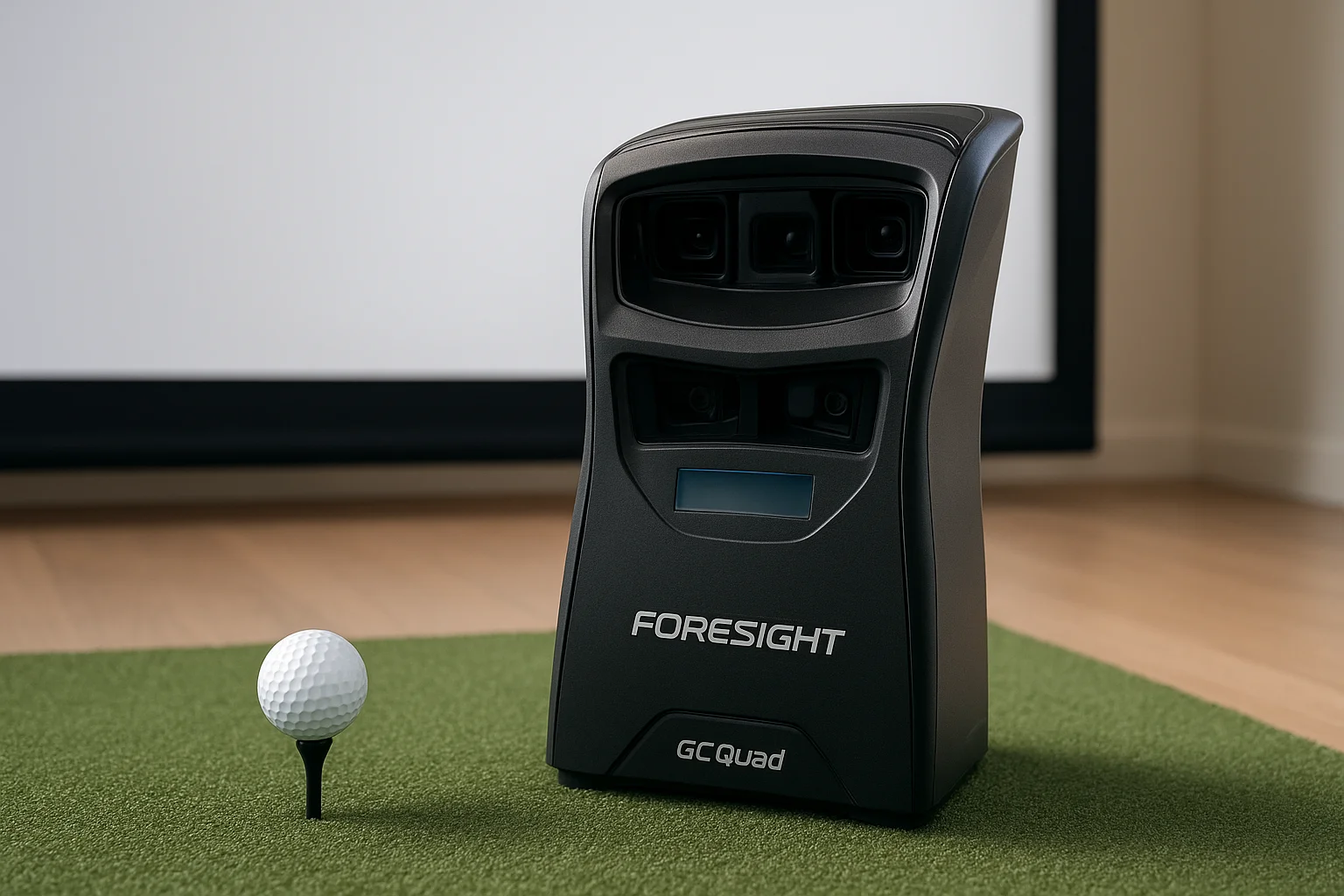
The Foresight GCQuad is one of the most respected camera-based launch monitors in the market, used in professional club fitting bays and high-end home simulator builds alike. Instead of radar, it uses four high-speed cameras to capture ball and club data at impact, which makes it well-suited for controlled indoor spaces.
Best for
The GCQuad fits serious golfers and club fitters who prioritize data accuracy above everything else. If your simulator serves double duty as a practice and fitting tool, this unit gives you the confidence that the numbers reflect what your swing is actually doing.
What it measures and how it captures data
Using a quadrascopic camera array, the GCQuad captures ball speed, launch angle, spin rate, spin axis, and carry distance on every shot. Full club head data requires an add-on module and ball markers, but even without it, ball flight data alone holds up against far more expensive alternatives.
Simulator fit and room requirements
The GCQuad positions to the side and slightly ahead of the ball, keeping it clear of your swing path. It performs well in rooms as short as 12 feet deep with 8.5 feet of ceiling clearance, making it one of the more flexible options as a launch monitor for golf simulator setups with limited square footage.
Camera-based systems like the GCQuad handle short rooms more consistently than radar units that rely on greater distances for accurate signal tracking.
Software, graphics, and device compatibility
The GCQuad connects via USB and is compatible with FSX Pro, E6 Connect, TGC 2019, and Creative Golf 3D on Windows hardware, giving you a solid range of course options and simulation environments to choose from.
Costs, licensing, and ongoing fees
The unit retails for approximately $7,500, with the club data add-on running around $1,500 more. FSX software plans start near $300 per year depending on the tier.
Trade-offs to know
The GCQuad requires ball markers for full club data, adding a step before each shot. Inconsistent or poor room lighting can also affect camera accuracy, so you need controlled lighting in your setup more than you would with a radar-based unit.
4. Foresight GC3
The Foresight GC3 brings three high-speed cameras to a more accessible price point than the GCQuad, making it a strong contender as a launch monitor for golf simulator builds where budget matters but accuracy cannot slip. It captures reliable ball data on every shot without requiring you to invest in the GCQuad's four-camera setup or its corresponding cost.
Best for
The GC3 fits mid-range home simulator builders who want verified camera-based accuracy without GCQuad pricing. It works well for dedicated practice setups and golfers who need dependable data without stretching to a higher-cost unit.
What it measures and how it captures data
Three high-speed cameras track ball speed, launch angle, spin rate, spin axis, and carry distance at impact. Club head data is available through Foresight's Face+ add-on kit, which requires ball markers but adds attack angle, face angle, and club path to your readout.
The GC3 delivers ball data accuracy that holds up well against radar units costing significantly more, making it one of the strongest values in camera-based monitoring.
Simulator fit and room requirements
The GC3 positions to the side of the ball and handles rooms as short as 10 feet deep with standard ceiling clearance. Controlled lighting improves shot-to-shot consistency, as it does with every camera-based unit on this list.
Software, graphics, and device compatibility
It connects via Bluetooth or USB and works with FSX Pro, E6 Connect, TGC 2019, and GSPro on Windows hardware, giving you solid course variety for the price.
Costs, licensing, and ongoing fees
The GC3 retails for approximately $3,000, with the Face+ add-on running around $500 more. Software subscriptions vary by platform, starting near $300 per year.
Trade-offs to know
Without the Face+ add-on, club data is limited to ball flight only. Like the GCQuad, inconsistent room lighting affects camera performance, so your space needs controlled, even illumination before you start relying on the numbers.
5. Bushnell Launch Pro Circle B
The Bushnell Launch Pro shares its core optical technology with the Foresight GC3, which makes sense given that both brands fall under the same parent company. The Circle B subscription tier unlocks the simulator-ready feature set, and the combination gives you a capable camera-based unit at a price that fits a realistic home build budget without major compromise.
Best for
The Bushnell Launch Pro Circle B fits home simulator builders who want verified optical accuracy and a clear path into simulation software without paying for the Foresight badge. It works well for golfers who prioritize data quality over brand prestige and want a setup that performs in a dedicated indoor space.
What it measures and how it captures data
Using the same three high-speed cameras found in the GC3, the Launch Pro captures ball speed, launch angle, spin rate, spin axis, and carry distance at impact. The Face+ club data add-on is also compatible, adding face angle, attack angle, and club path when you use the required ball markers.
Because the Launch Pro shares hardware with the GC3, you get the same optical accuracy at a price point that often comes in lower depending on where you purchase.
Simulator fit and room requirements
The unit sits to the side of the ball and handles rooms as short as 10 feet deep with standard ceiling clearance. Controlled, even lighting improves shot-to-shot consistency across all camera-based units, and the Launch Pro is no exception.
Software, graphics, and device compatibility
The Circle B subscription connects the Launch Pro to E6 Connect, and it also works with GSPro and TGC 2019 on Windows hardware, giving you solid course variety as a launch monitor for golf simulator use.
Costs, licensing, and ongoing fees
Hardware retails for approximately $3,499, and the Circle B subscription runs around $199 per year to maintain simulation access.
Trade-offs to know
Without Face+, club data is limited. You also need an active Circle B subscription to keep simulator features running, which adds a recurring cost to your total ownership budget.
6. Uneekor EYE XO2
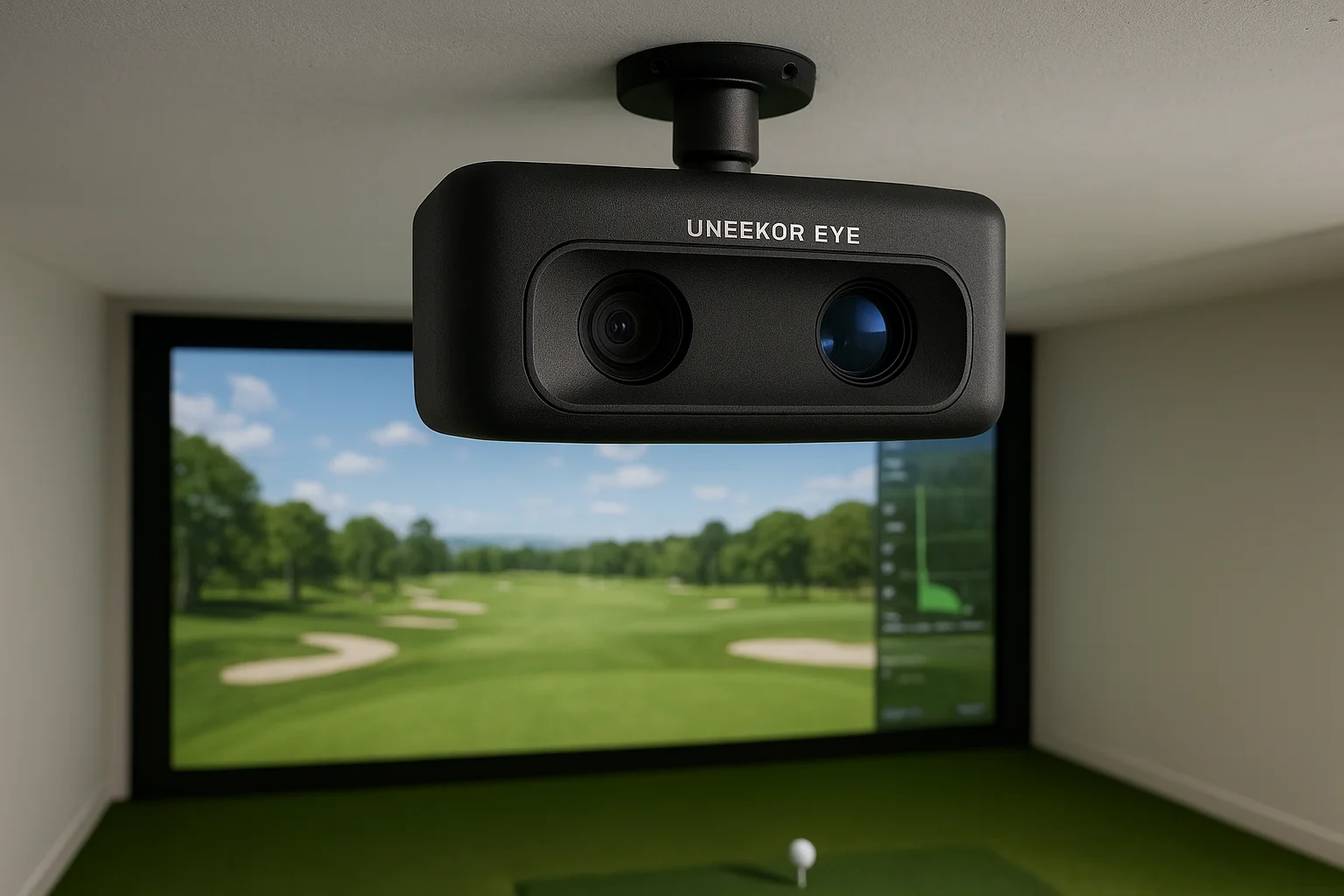
The Uneekor EYE XO2 is an overhead-mounted camera-based launch monitor that installs directly above the hitting zone rather than sitting on the floor beside your mat. That positioning keeps it completely out of your swing path, which removes any concern about clipping the unit mid-swing, and it gives the cameras a consistent overhead view of every shot.
Best for
The EYE XO2 suits dedicated home simulator builds where permanent ceiling installation is part of the plan. If you're designing a room from scratch and want a clean, unobtrusive setup, the overhead mount delivers both performance and a polished finished look.
What it measures and how it captures data
High-speed cameras capture ball speed, launch angle, spin rate, spin axis, and carry distance without requiring ball markers. Club data, including face angle, attack angle, and club path, requires optically marked clubs using Uneekor's club sticker system, which adds a small prep step but delivers accurate club readings once applied.
The EYE XO2's overhead position allows it to read shots reliably across all club types, including short irons and wedges that can trip up floor-positioned radar units.
Simulator fit and room requirements
You need a ceiling height of at least 9 feet for proper mounting clearance. A room depth of around 12 to 15 feet gives the system enough space to capture full shot data consistently. The overhead mount does require a structural ceiling anchor, so you need to plan your install accordingly.
Software, graphics, and device compatibility
The EYE XO2 connects via USB and works with E6 Connect, GSPro, TGC 2019, and Creative Golf 3D on Windows hardware, giving you broad options as a launch monitor for golf simulator use.
Costs, licensing, and ongoing fees
The unit retails for approximately $5,995, with software subscription costs varying by platform, starting near $300 per year for E6 Connect.
Trade-offs to know
Ceiling installation is permanent and requires planning upfront. Club stickers also need replacing over time, adding a minor ongoing maintenance task to your routine.
7. Uneekor EYE XO
The Uneekor EYE XO is the previous generation of Uneekor's overhead camera system, sitting one tier below the EYE XO2 in terms of hardware specs but still delivering reliable shot data for a dedicated home simulator room. If the XO2 sits outside your budget, the EYE XO offers a similar overhead mount design at a lower entry price.
Best for
The EYE XO fits budget-conscious home simulator builders who want the benefits of an overhead camera system without paying XO2 pricing. It works well for golfers who plan a permanent dedicated room and want clean aesthetics without floor-positioned hardware cluttering the hitting zone.
What it measures and how it captures data
High-speed cameras capture ball speed, launch angle, spin rate, spin axis, and carry distance on every shot. Club data requires Uneekor's club sticker system, which adds face angle, attack angle, and club path to your readout once you apply the markers to your clubs.
The EYE XO's overhead position gives it a consistent view of the impact zone, which helps it track short irons and wedges that can present challenges for floor-level radar units.
Simulator fit and room requirements
You need at least 9 feet of ceiling clearance for proper mounting, and a room depth of 12 to 15 feet gives reliable shot capture. Like the XO2, you need a structural ceiling anchor as part of your installation plan.
Software, graphics, and device compatibility
The EYE XO connects via USB and works with E6 Connect, GSPro, and Creative Golf 3D on Windows hardware, covering the most popular options you'll encounter when selecting a launch monitor for golf simulator use.
Costs, licensing, and ongoing fees
The unit retails for approximately $4,495, with software costs starting around $300 per year depending on your chosen platform.
Trade-offs to know
The EYE XO lacks some of the refined hardware improvements found in the XO2, so if your budget stretches to the newer model, the upgrade is worth considering. Club stickers also need periodic replacement, which adds a small but recurring maintenance step to your routine.
8. ProTee VX
The ProTee VX is an overhead-mounted camera system built from the ground up for indoor simulator use, which means it doesn't carry the compromises you sometimes see when an outdoor unit gets adapted for an enclosed space. Positioned above the hitting zone, it keeps hardware off your floor and delivers consistent shot data in a dedicated room.
Best for
Golfers who want an overhead camera system without Uneekor pricing will find the ProTee VX a strong fit. It works best in permanent dedicated installations where keeping the hitting area clean and obstacle-free matters to you.
What it measures and how it captures data
High-speed cameras capture ball speed, launch angle, spin rate, spin axis, and carry distance on every shot. Club data requires marked club heads, which adds face angle and attack angle to your readout once you apply the marking system.
The overhead position gives the ProTee VX a consistent view of the impact zone across all club types, including short irons and wedges that can challenge floor-level radar units.
Simulator fit and room requirements
You need at least 9 feet of ceiling clearance for proper mounting. A room depth of 12 to 14 feet gives reliable shot capture across all clubs without tracking issues, and a structural ceiling anchor needs to be part of your install plan.
Software, graphics, and device compatibility
Connecting via USB to Windows-based hardware, the VX works with GSPro, E6 Connect, and ProTee's own simulation platform, giving you solid choices as a launch monitor for golf simulator builds at this price range.
Costs, licensing, and ongoing fees
Hardware retails for approximately $3,995, with software costs varying by platform and starting near $200 per year for ProTee's own package.
Trade-offs to know
ProTee's user community is smaller than Uneekor or Foresight, which means fewer peer resources when you need troubleshooting help. Club marking also adds a prep step before each session that you need to account for in your routine.
9. SkyTrak ST MAX
The SkyTrak ST MAX is the upgraded successor to the original SkyTrak, bringing improved photometric camera technology and faster shot processing to a price point that still fits a realistic home build budget. It positions to the side of the ball and delivers reliable ball data that makes it a competitive launch monitor for golf simulator setups in the mid-range category.
Best for
The ST MAX suits mid-range home simulator builders who want accurate ball data, a broad selection of compatible software, and a clean setup without spending at the Foresight or Trackman level. Golfers who prioritize software flexibility over exhaustive club metrics will find this unit hits a practical sweet spot.
What it measures and how it captures data
Photometric cameras capture ball speed, launch angle, spin rate, spin axis, and carry distance at impact. No ball markers are required for standard ball flight data, which keeps your shot-to-shot workflow simple and consistent.
The ST MAX delivers ball data accuracy that consistently outperforms its price point, making it one of the stronger values in camera-based monitoring below the $3,000 range.
Simulator fit and room requirements
The unit sits to the side of the ball and performs well in rooms as short as 10 feet deep with standard ceiling clearance, making it a flexible fit for tighter spaces.
Software, graphics, and device compatibility
Connecting via Wi-Fi or USB to Windows or iOS hardware, the ST MAX works with E6 Connect, GSPro, and TGC 2019, covering most of the popular platforms you'll encounter.
Costs, licensing, and ongoing fees
Hardware retails for approximately $2,995, with software subscription costs starting around $200 per year depending on your chosen platform.
Trade-offs to know
Club data is not available on the ST MAX, so if face angle and attack angle matter to your practice routine, you need to look at units with club tracking built in. Wi-Fi dependency can also introduce occasional connectivity hiccups in rooms with interference from other devices.
10. SkyTrak+
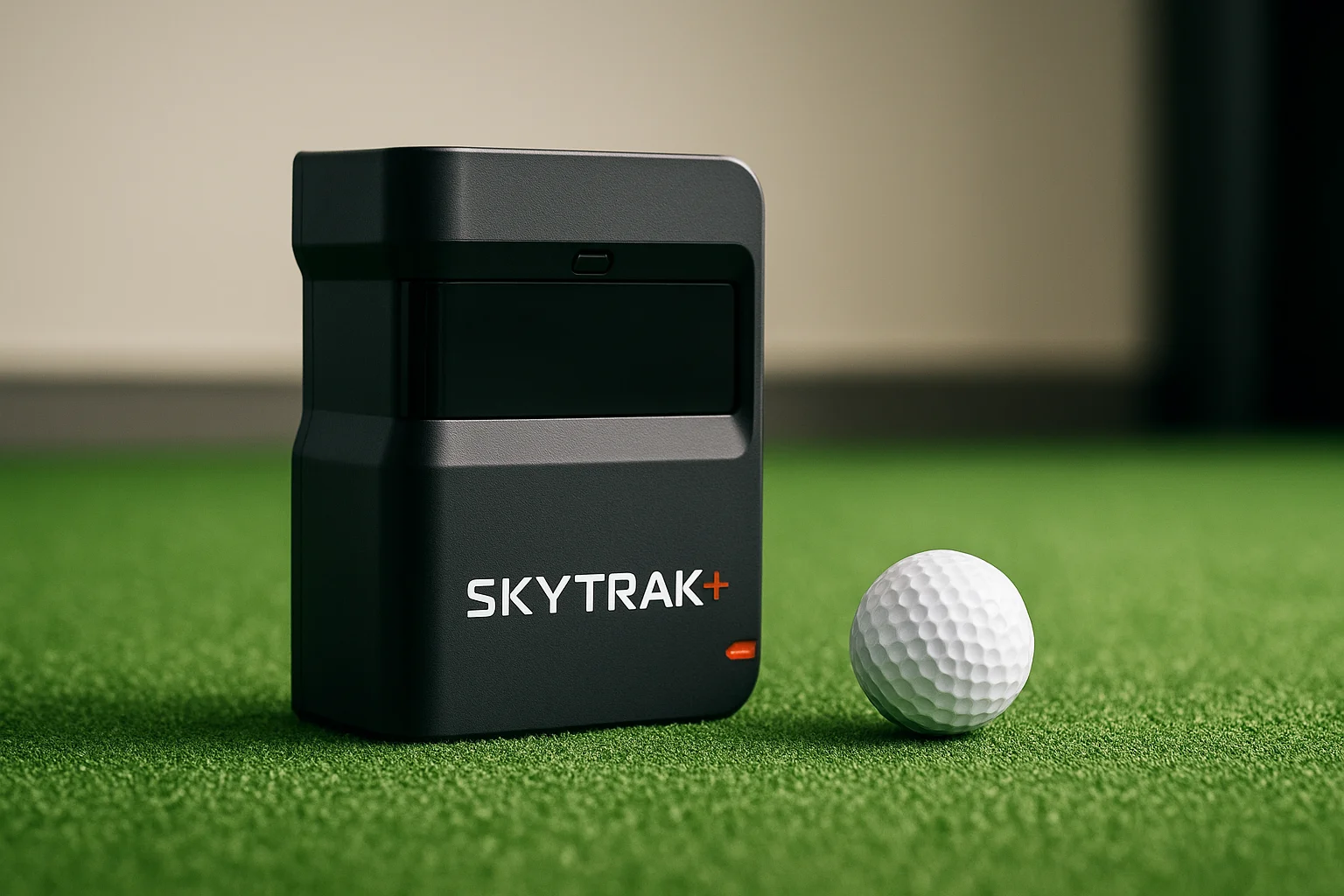
The SkyTrak+ combines photometric camera technology with Doppler radar in a single compact unit, giving it a measurement approach that neither pure camera nor pure radar systems alone can match at this price point. That dual-technology design helps it deliver reliable ball data and limited club metrics as a solid launch monitor for golf simulator setups without pushing you into mid-range pricing territory.
Best for
The SkyTrak+ fits budget-conscious home simulator builders who want more than basic ball flight data but can't stretch to a dedicated club-tracking unit. If you're building your first serious simulator room and want strong performance at an accessible entry price, this unit covers the essentials well.
What it measures and how it captures data
The combined photometric and radar system captures ball speed, launch angle, spin rate, spin axis, and carry distance on every shot. Club head speed is also tracked via the radar component, which gives you more insight than ball-only camera systems at a comparable price point.
The radar addition gives the SkyTrak+ a meaningful step up over the original SkyTrak, particularly for golfers who want club speed data without moving to a more expensive unit.
Simulator fit and room requirements
The unit sits to the side of the ball and performs well in rooms as short as 10 feet deep with standard ceiling clearance, making it a practical fit for tighter home builds.
Software, graphics, and device compatibility
Connecting via Wi-Fi to Windows or iOS hardware, the SkyTrak+ works with E6 Connect, GSPro, and TGC 2019, covering the most popular simulation platforms at this price range.
Costs, licensing, and ongoing fees
Hardware retails for approximately $599, with annual simulation subscription plans starting around $199 per year depending on the tier you choose.
Trade-offs to know
Full club data tracking remains limited compared to camera units with dedicated club measurement systems. Wi-Fi dependency can also introduce occasional connectivity issues in rooms with heavy wireless interference from other devices.
11. FlightScope Mevo Gen 2
The FlightScope Mevo Gen 2 is a compact Doppler radar unit that punches well above its size and price category. It brings portable, radar-based data capture to home builders who want reliable shot tracking without committing to a permanent ceiling mount or a floor-based camera setup.
Best for
The Mevo Gen 2 fits golfers on a tighter budget who want radar-based measurement and a device that can move between an indoor simulator and an outdoor range session without requiring a separate purchase. If flexibility matters as much as accuracy to you, this unit covers both.
What it measures and how it captures data
Doppler radar captures ball speed, launch angle, spin rate, carry distance, club head speed, and smash factor on every shot. Spin rate on the Mevo Gen 2 relies on radar estimation rather than optical capture, which means the numbers are solid for most practice purposes but fall short of camera-based spin accuracy at the same price point.
For golfers who primarily want feedback on ball speed and carry distance, the Mevo Gen 2's radar data delivers consistent and actionable numbers.
Simulator fit and room requirements
The unit sits behind the golfer and needs roughly 8 to 10 feet of space between the device and the ball for reliable tracking. A ceiling height of 8.5 feet or more keeps you comfortable. Tighter rooms can produce inconsistent readings, so your space dimensions matter more here than with camera-based units.
Software, graphics, and device compatibility
Connecting via Bluetooth or Wi-Fi to iOS or Windows hardware, the Mevo Gen 2 works with E6 Connect and FlightScope's own simulation platform, giving you a workable range of options as a launch monitor for golf simulator builds at this price range.
Costs, licensing, and ongoing fees
Hardware retails for approximately $999, with simulation software subscriptions starting around $199 per year depending on your chosen platform tier.
Trade-offs to know
Spin accuracy lags behind camera-based units at similar pricing, and the device requires more room depth than side-positioned camera systems. If your space is tight or spin data drives your practice decisions, the Mevo Gen 2's limitations will matter to you.
12. Garmin Approach R50
The Garmin Approach R50 brings a familiar brand name into the launch monitor space with a compact unit that combines photometric cameras and Doppler radar for shot tracking. It targets golfers who want a straightforward device that covers both indoor and outdoor use without requiring a complex installation or a large upfront spend.
Best for
The R50 fits casual to intermediate home simulator builders who trust the Garmin brand and want a device that works reliably in a dedicated practice space. If you're building your first simulator setup and want a recognizable name at an accessible price, the R50 is worth putting on your shortlist.
What it measures and how it captures data
The combined camera and radar system tracks ball speed, launch angle, spin rate, carry distance, and club head speed on every shot. No ball markers are required, which keeps your setup simple and your session moving without extra prep between swings.
The dual-technology approach gives the R50 a more rounded data set than single-method units at a comparable price point.
Simulator fit and room requirements
The R50 positions to the side of the ball and performs well in rooms with a minimum depth of 10 feet and standard ceiling clearance, making it a practical fit for tighter home builds.
Software, graphics, and device compatibility
Connecting via Bluetooth or Wi-Fi to iOS or Android hardware, the R50 works with E6 Connect and Garmin Golf, giving you a workable software pairing as a launch monitor for golf simulator builds in this price range.
Costs, licensing, and ongoing fees
Hardware retails for approximately $1,000, with simulation access through E6 Connect starting around $199 per year.
Trade-offs to know
Club data depth remains limited compared to dedicated camera-based units at similar pricing. Garmin's simulator software ecosystem is narrower than Foresight or Uneekor, so your platform options are more restricted.
13. Rapsodo MLM2PRO
The Rapsodo MLM2PRO combines dual camera and Doppler radar technology in a compact, portable unit that targets golfers who want multi-method shot tracking at a price point well below most competitors on this list. It positions to the side of the ball and works for both indoor simulator sessions and outdoor range use without requiring separate devices.
Best for
The MLM2PRO fits entry-level to intermediate home simulator builders who want a dual-technology unit at a budget-friendly price. Golfers building their first dedicated practice space and those who want a portable option that transitions between indoor and outdoor use will get the most out of this device.
What it measures and how it captures data
Cameras and radar work together to track ball speed, launch angle, spin rate, spin axis, carry distance, and club head speed on every shot. No ball markers are required, which keeps your session prep minimal and your workflow consistent from swing to swing.
The dual-technology approach gives the MLM2PRO a more complete data set than single-method units at a comparable price, making it a strong value as a launch monitor for golf simulator use at this tier.
Simulator fit and room requirements
The unit sits to the side of the ball and handles rooms with a minimum depth of 10 feet and standard ceiling clearance. Controlled, even lighting helps the camera component perform consistently indoors.
Software, graphics, and device compatibility
Connecting via Bluetooth to iOS or Android devices, the MLM2PRO works with E6 Connect and GSPro, covering the most popular simulation platforms at this price range.
Costs, licensing, and ongoing fees
Hardware retails for approximately $699, with simulation access through E6 Connect starting around $199 per year.
Trade-offs to know
Club data depth remains limited compared to dedicated camera systems, and the Bluetooth-only connection can introduce occasional lag compared to USB or Wi-Fi alternatives.
Next steps
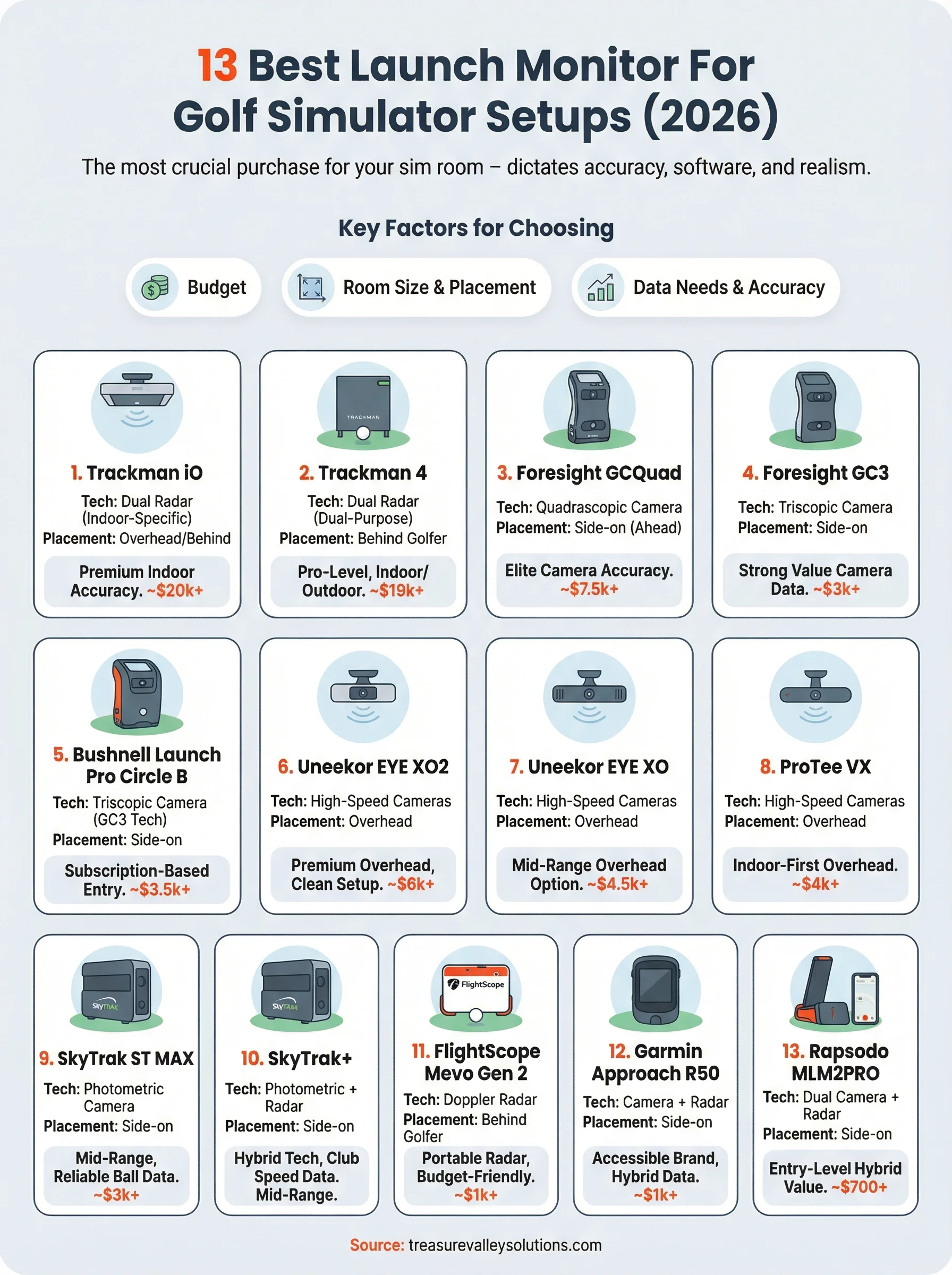
Choosing the right launch monitor for golf simulator use comes down to three things: your budget, your room dimensions, and how you plan to use the data. If accuracy drives every decision you make, the Trackman iO or GCQuad belong at the top of your list. If you're building your first dedicated practice space and need strong performance without a five-figure spend, the GC3, Bushnell Launch Pro, or SkyTrak ST MAX all deliver reliable results at a realistic price point.
Every other decision in your build, from projector placement to screen size to AV integration, flows from the unit you pick first. Getting that foundation right before you spend anything else saves you time, money, and a frustrating re-install later. If you're in the Boise or Meridian area and want a room designed around your specific space and goals, reach out to our team at Treasure Valley Solutions to start the conversation.
Need Expert Help?
Ready to implement these solutions in your own home or business?
Our Services
View All Services
Serving the Treasure Valley
Local installation in your city