 (208) 991-3502
 Meridian, ID





If your Wi-Fi is slow or unreliable, the problem usually isn’t your internet plan. Learn why Wi-Fi fails in modern homes—and what actually fixes it.
Few things create daily frustration like bad Wi-Fi. Videos buffer, meetings freeze, smart devices disconnect, and everything seems slower than it should be—especially when you’re paying for “fast” internet.
For many homeowners in the Treasure Valley, the instinct is to blame the internet provider or buy a new router. But in most cases, Wi-Fi problems aren’t caused by slow internet or outdated hardware. They’re caused by homes that were never designed for how Wi-Fi is used today.
This article explains why Wi-Fi fails in modern homes, what homeowners usually try first (and why it doesn’t work), and what actually solves the problem long term.
Fast Internet Doesn’t Guarantee Good Wi-Fi
One of the most common misconceptions about Wi-Fi is confusing internet speed with in-home performance.
Your internet service controls how fast data enters your house. Wi-Fi controls how that data moves through your house.
A home can have a fast internet plan and still suffer from:
Dead zones in certain rooms
Slow speeds upstairs or in basements
Dropped video calls
Smart devices that disconnect randomly
When this happens, upgrading the internet plan rarely fixes the issue—because the bottleneck is inside the home, not outside it.
Modern Homes Are Harder on Wi-Fi Than Ever Before
Homes today place far more stress on wireless networks than they did even a decade ago.
Most households now rely on Wi-Fi for:
Multiple streaming TVs
Video conferencing and remote work
Smart security cameras and doorbells
Voice assistants and automation
Gaming consoles and mobile devices
At the same time, homes are built with materials that weaken wireless signals. Energy-efficient windows, dense insulation, metal framing, and multi-story layouts all reduce how far Wi-Fi can travel reliably.
What worked in a smaller home years ago often fails completely in larger or newer homes.
The Single-Router Problem
The most common Wi-Fi failure point is relying on one router to cover the entire house.
That router is usually placed wherever the internet connection enters the home—often in a utility room, closet, or basement. From there, it’s expected to push signal through walls, floors, and distance it was never designed to overcome.
As more devices connect, that single router becomes overloaded. Performance drops, even if the router itself is relatively new or expensive.
This isn’t a hardware problem. It’s a design problem.
Why “Stronger” Routers Rarely Fix the Issue
When Wi-Fi struggles, many homeowners buy a more powerful router hoping it will fix everything.
Sometimes it helps a little. Often, it doesn’t.
That’s because Wi-Fi performance is limited by:
Distance
Obstacles (walls, floors, materials)
Interference
Device density
Pushing more power from one location doesn’t eliminate those limitations. It often just creates inconsistent performance—strong signal in some areas and weak signal in others.
True Wi-Fi reliability comes from bringing access points closer to where devices are used, not from pushing harder from a single spot.
How Wired Infrastructure Affects Wireless Performance
This is where many homeowners are surprised: the best Wi-Fi systems rely heavily on wired connections.
Reliable Wi-Fi is usually built on:
Hardwired network cabling
Strategically placed access points
Proper low voltage wiring
Wired connections allow Wi-Fi access points to be distributed throughout the home, each covering a smaller area with stronger, more consistent signal. This dramatically improves speed, reliability, and device performance.
This is why Wi-Fi performance overlaps so closely with low voltage wiring and structured cabling—topics covered throughout
👉 https://treasurevalleysolutions.com/services/
Why Mesh Wi-Fi Sometimes Helps—and Sometimes Doesn’t
Mesh Wi-Fi systems are often marketed as a cure-all for bad Wi-Fi. In some homes, they work well. In others, they only partially solve the problem.
Mesh systems still rely on wireless communication between nodes unless they’re hardwired. When nodes communicate wirelessly, they’re still subject to the same interference and distance limitations as any other Wi-Fi signal.
In homes with heavy usage, multiple floors, or dense construction, mesh systems without wired backhaul often struggle under load.
Design still matters—even with modern equipment.
Wi-Fi Fails When It’s Not Designed Around How the Home Is Used
One of the biggest reasons Wi-Fi fails is that networks aren’t designed around real-world usage.
Different spaces have different demands:
Home offices need low latency and stability
Media rooms need consistent bandwidth
Security cameras need reliable upstream connections
Smart homes need always-on connectivity
When a network isn’t designed with these use cases in mind, performance problems are inevitable—no matter how fast the internet connection is.
This is where thoughtful home network design makes a measurable difference.
What Actually Fixes Wi-Fi Problems Long Term
Long-term Wi-Fi reliability comes from design, not guesswork.
What actually works includes:
Multiple access points placed intentionally
Wired connections supporting wireless devices
Infrastructure that scales with future needs
Equipment located for performance, not convenience
This approach eliminates dead zones, improves speed consistency, and reduces troubleshooting.
It’s the same infrastructure-first mindset discussed in
👉 https://treasurevalleysolutions.com/solutions/homeowner-solutions/
Frequently Asked Questions
Why is my Wi-Fi slow in some rooms but not others?
Distance, walls, and layout weaken wireless signals unevenly.
Will upgrading my router fix bad Wi-Fi?
Rarely by itself. Design matters more than router power.
Do I need wiring for good Wi-Fi?
In most modern homes, yes—especially for consistent performance.
Can existing homes be improved?
Absolutely. Strategic upgrades make a big difference.
Is professional design really necessary?
Yes. Most Wi-Fi problems are design problems, not equipment failures.
Fixing Wi-Fi Starts with Understanding the Problem
Wi-Fi failures are frustrating because they feel random—but they aren’t. They’re the predictable result of networks that weren’t designed for how homes are used today.
For Treasure Valley homeowners, fixing Wi-Fi problems means shifting the focus from speed and gadgets to design and infrastructure. When the network is designed correctly, performance improves across the entire home—and stays that way.
And once Wi-Fi works reliably, it stops being something you think about at all.
Need Expert Help?
Ready to implement these solutions in your own home or business?
Our Services

Complete home automation and control.

Intelligent lighting control and automation.
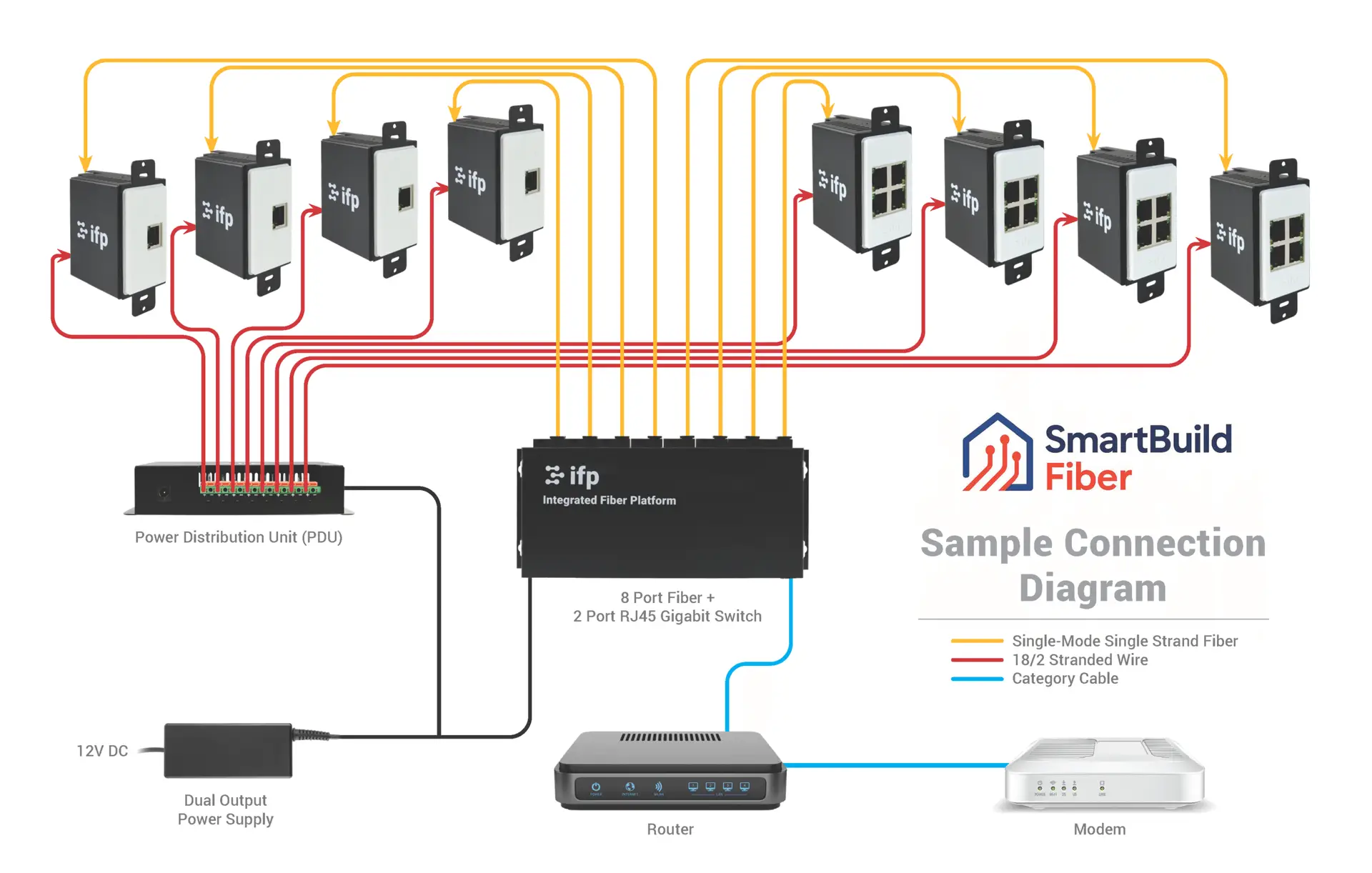
Future-proof fiber optic infrastructure.

Home theater design and installation planned around your room, viewing goals, and equipment scope.
Serving the Treasure Valley
Local installation in your city