 (208) 991-3502
 Meridian, ID



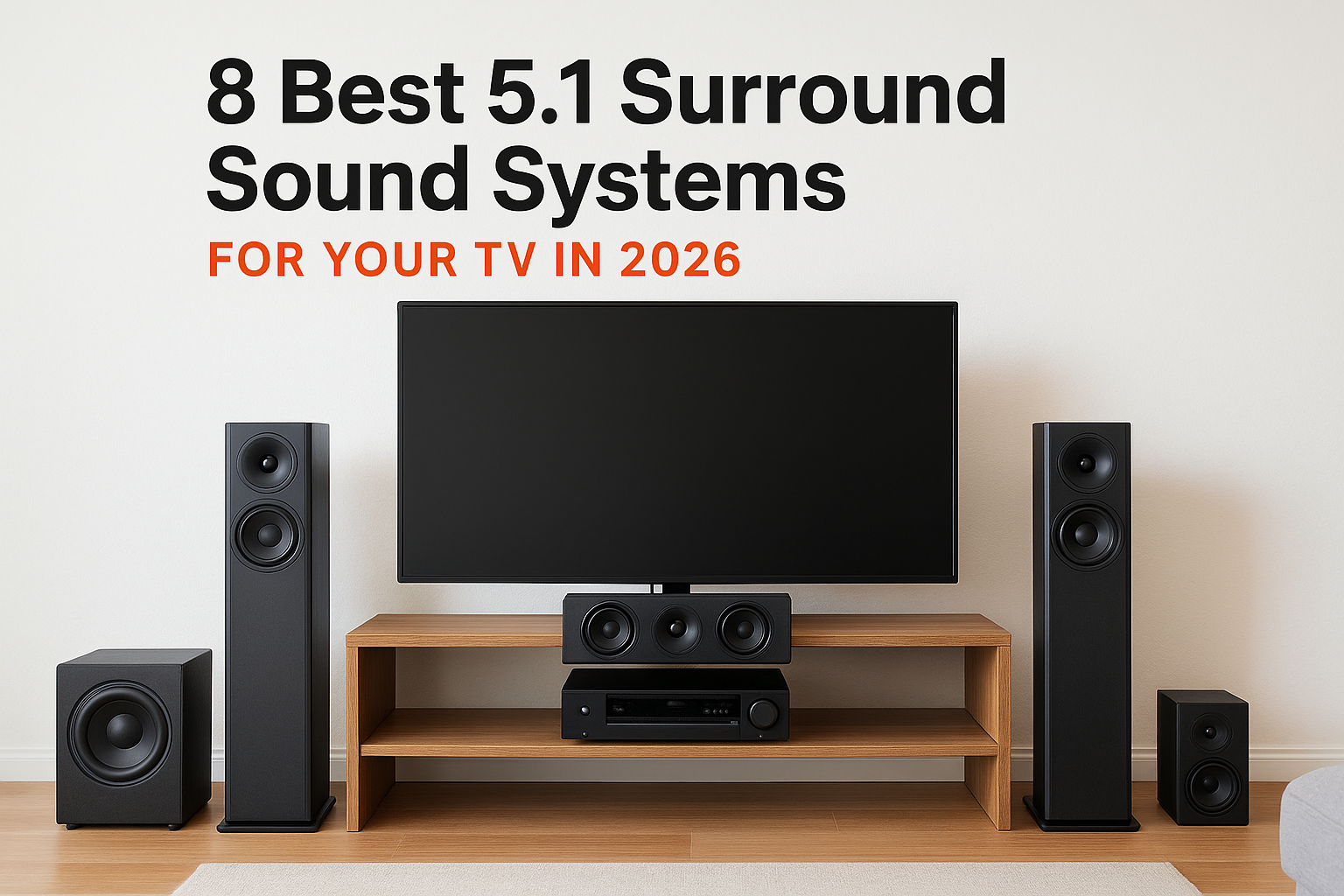

Your TV speakers were never built for movies. Dialogue gets buried, explosions sound thin, and a soundbar only fixes part of the problem. A 5.1 surround sound system puts sound all around you, and it...
Your TV speakers were never built for movies. Dialogue gets buried, explosions sound thin, and a soundbar only fixes part of the problem. A 5.1 surround sound system puts sound all around you, and it is still the best value upgrade for most living rooms.
Here is the short answer. A 5.1 setup uses five speakers and one subwoofer: front left, center, front right, two surrounds, and the sub. A 7.1 system adds two rear speakers, which helps in large rooms but costs more and needs more wiring. For rooms under about 400 square feet, 5.1 is usually enough. Compared with a soundbar, it gives real rear channels and a bigger sense of space.
Below, you'll find eight 5.1 surround sound home theater systems that work well with a TV, with notes on price, setup, and who each one suits. We install these systems across the Treasure Valley, so we also point out what to check before you buy, like speaker placement and wiring.
1. Treasure Valley Solutions custom 5.1 home theater
What the system includes
This is not a boxed kit. We design every 5.1 surround sound home theater system around your room, your TV, and how you watch, then install, program, and calibrate it ourselves. A typical build includes:
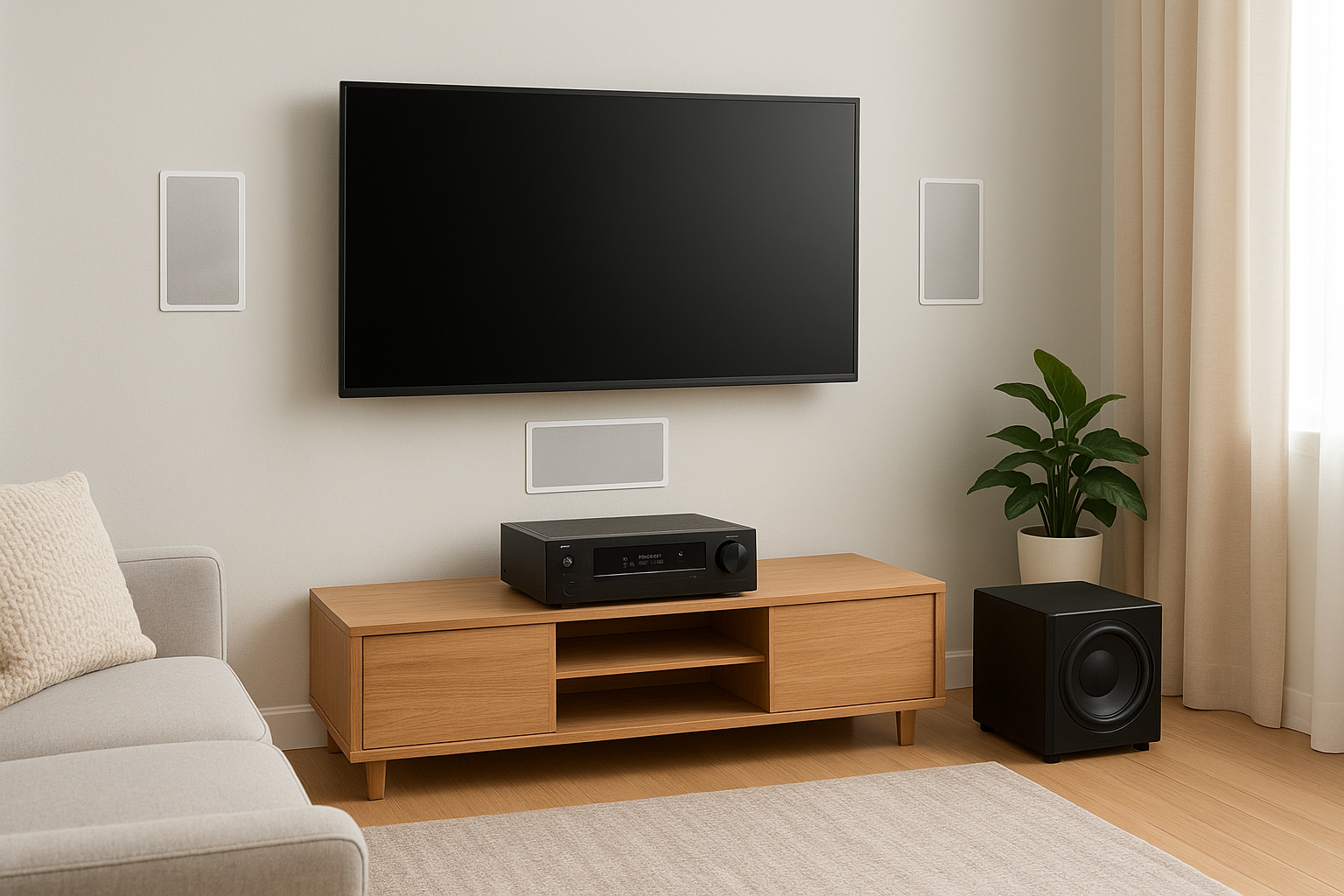
- An AV receiver with Dolby Atmos and DTS:X support, so you can expand later
- Five speakers (left, center, right, two surrounds) chosen as in-wall, in-ceiling, or on-wall models
- A powered subwoofer sized to the room
- Concealed speaker wiring and HDMI runs
- Room calibration, plus one remote or voice control tied into your other smart home systems
Because the speakers disappear into walls or ceilings, you get a clean look with no floor cables. In new construction, we can pre-wire during framing, which costs far less than fishing wire through finished drywall later.
A 5.1 system sounds its best when it is designed for the room it lives in, not matched to a box.
Who it is best for
Homeowners who want a clean, permanent setup in a living room, basement, or dedicated theater are the best fit. It also suits anyone who bought a kit that sounded fine in the store and thin at home.
Builders and remodelers get a lot from it too. A pre-wired theater is an easy selling point for buyers, and one team handles design, install, and support. If you rent, or you want a plug-and-play box under $500, one of the later picks on this list will serve you better.
Price and what affects it
Expect a custom range of roughly $4,000 to $15,000 installed, as a rough guide. The spread comes from a handful of choices:
| Factor | How it moves the price |
|---|---|
| Speaker type | In-wall and in-ceiling cost more than on-wall or freestanding |
| Receiver and sub | Higher power and Atmos-ready models add cost |
| Room and wiring | Finished walls take more labor than open framing |
| Control and integration | Voice control, lighting scenes, and whole-home links add programming time |
We quote after a short walkthrough, so you know the full installed cost before any work starts. You can see more about our custom home theater design and installation on our site.
Pros and limitations
The main advantage is sound tuned to your space, with local support after the install. The tradeoffs are cost and scope.
Pros
- Speakers and wiring hidden for a clean room
- Calibrated for your seating and room shape
- Licensed, insured technicians and ongoing support
- Works with a 5.1 setup for TV today and upgrades to 7.1 or Atmos later
Limitations
- Costs more than a boxed kit
- Needs a site visit and a day or more of installation
- Serves the Treasure Valley area only
2. SVS Prime Satellite 5.1 with a Denon receiver
What the system includes
SVS sells its Prime Satellite package as a 5.1 surround sound system with five small satellite speakers and a powered sub, often the SB-1000 Pro. You buy the Denon receiver separately, which lets you choose your own power and HDMI features. A typical build looks like this:
- Five Prime Satellite speakers for left, center, right, and two surrounds
- A compact sealed subwoofer with app-based EQ control
- A Denon AV receiver with HDMI eARC for your TV
- Speaker wire, stands or wall mounts, bought separately
SVS supplies the sound, and the Denon receiver supplies the brains.
Who it is best for
Buyers who care about sound quality per dollar and don't mind a little assembly will like this one. The satellites are small, so they fit bookshelves, stands, or wall mounts in a living room or den.
It is also a good first step into separates. You can swap the receiver later, add height speakers, or upgrade to 7.1 without replacing the speakers. If you want hidden wiring or a single remote with no tinkering, a boxed kit or a custom install will feel easier.
Price and what affects it
Plan on roughly $1,800 to $2,200 for speakers, sub, and a mid-range Denon. Prices shift with sales, so check current listings.
| Item | Rough cost |
|---|---|
| Five Prime Satellites plus sub | $1,300 to $1,500 |
| Denon receiver | $500 to $700 |
| Cables, mounts, stands | $100 to $250 |
A bigger sub or a higher-power receiver pushes the total up, and so does professional wiring.
Pros and limitations
This package gives you clear dialogue and tight bass at a fair price, with room to grow. The cost is your time.
Pros
- Accurate, balanced sound for movies and music
- Compact speakers that blend into most rooms
- Easy upgrade path, since every part is replaceable
Limitations
- Receiver, cables, and mounts are extra
- Small satellites won't fill a very large room
- Setup and calibration are on you
3. Klipsch Reference Theater Pack 5.1
What the system includes
Klipsch sells this as a passive speaker package, so you supply the receiver. Everything else you need for a 5.1 surround sound system for TV use is in the box:
- Two bookshelf speakers for front left and right
- One center channel speaker
- Two compact surround speakers
- A 10-inch powered subwoofer
Every speaker uses a horn-loaded tweeter, which plays loud and clean without much amplifier power. Pair the pack with any AV receiver that has HDMI eARC and you are set.
Who it is best for
Choose this pack if you want big, punchy movie sound without paying for premium speakers. Action films, sports, and loud streaming shows are where it shines. It fits medium rooms of roughly 200 to 350 square feet.
It also suits shoppers who already own a receiver or plan to buy one. If you want gentle, warm sound for late-night dialogue, or you hate visible speaker stands, look at the custom build instead.
Price and what affects it
Budget roughly $1,200 to $1,650 all in. Street prices move with sales, so check current listings before you buy.
| Item | Rough cost |
|---|---|
| Reference Theater Pack | $700 to $900 |
| Mid-range AV receiver | $400 to $600 |
| Cables, stands, mounts | $75 to $150 |
A more powerful receiver, wall mounts, and professional wiring all raise the total.
Pros and limitations
This pack gives you high volume and strong dynamics for the money, and it is easy to drive. The tradeoff is a lively, forward sound that is not for everyone.
Horn tweeters make Klipsch exciting and easy to power, but they can sound bright in a small, hard-surfaced room.
Pros
- Loud, dynamic sound that suits action movies
- Efficient speakers that work with affordable receivers
- Complete 5.1 package at a fair price
Limitations
- Receiver, cables, and mounts are extra
- Treble can sound harsh with a bare, echoey room
- Surrounds are small, so large rooms may need more
4. KEF T305 5.1 speaker package
What the system includes
KEF's T305 is a passive package, so you add your own receiver. Its signature feature is the Uni-Q driver, which places the tweeter at the center of the woofer so sound spreads evenly across the room. The package includes:
- Four slim satellite speakers for front left, front right, and two surrounds
- A matching center channel speaker
- A compact powered subwoofer
The satellites come in black or white and are small enough for stands or wall mounts. Pair them with any AV receiver that has HDMI eARC and you have a complete 5.1 surround sound home theatre system.
Who it is best for
Choose this package if you care about looks and refined sound in a small to medium room, roughly 150 to 250 square feet. The wide Uni-Q spread keeps dialogue clear even when someone sits off-center on the couch.
The T305 trades raw volume for smooth, even sound that suits living rooms.
Bass lovers and owners of large open rooms should look elsewhere. The sub is modest, and the satellites are not built to fill a big space. If you want loud, punchy action sound, the Klipsch pack is the better pick.
Price and what affects it
Budget roughly $1,300 to $1,900 all in. KEF updates its lineup now and then, so check current listings and stock before you commit.
| Item | Rough cost |
|---|---|
| T305 speaker package | $900 to $1,200 |
| Mid-range AV receiver | $400 to $600 |
| Cables, stands, mounts | $75 to $150 |
A stronger receiver, wall mounts, and professional wiring all raise the total.
Pros and limitations
This package gives you balanced, detailed sound in a design that blends into a room. The tradeoff is limited output in larger spaces.
Pros
- Even sound across the seating area
- Slim, attractive speakers
- Clear dialogue at moderate volume
Limitations
- Receiver, cables, and mounts are extra
- Subwoofer is light for big bass
- Small satellites strain in large rooms
5. Yamaha YHT-4950U home theater in a box
What the system includes
The YHT-4950U is a complete 5.1 surround sound system in one box, receiver included. That is the big difference from the SVS, Klipsch, and KEF picks above. The package contains:
- Yamaha RX-V385 receiver with 4K HDMI pass-through and HDR support
- Five NS-P41 speakers for left, center, right, and two surrounds
- An 8-inch powered subwoofer
- Speaker wire, a setup microphone, and a remote
The receiver uses YPAO auto calibration. You plug in the mic and it sets speaker levels for you. It connects to your TV over HDMI ARC and adds Bluetooth for music. It does not support Dolby Atmos.
Who it is best for
Shoppers who want one box, one price, and a short setup will like this kit. It fits bedrooms, apartments, and small living rooms of roughly 100 to 250 square feet.
Yamaha is the cheapest way on this list to get real rear channels and a receiver in a single purchase.
It also works well as a first step up from TV speakers or a basic soundbar. If you want Atmos, eARC, or deep bass that shakes the floor, look at the SVS or custom builds instead.
Price and what affects it
Budget roughly $500 to $700 for the package. Availability and pricing change often, so check current listings and stock before you commit.
| Item | Rough cost |
|---|---|
| YHT-4950U package | $500 to $700 |
| Stands or wall mounts | $50 to $150 |
| Longer HDMI and speaker wire | $20 to $50 |
Mounts and long wire runs to the rear speakers are what push the total up.
Pros and limitations
This kit delivers simple, affordable surround sound with nothing else to buy. The tradeoff is modest power and a basic feature set.
Pros
- Receiver, speakers, and sub all included
- Auto calibration makes setup easy
- Small speakers fit tight rooms
Limitations
- No Dolby Atmos or HDMI eARC
- Small speakers and sub struggle in larger rooms
- Upgrade options are limited compared with separates
6. Sonos Arc Ultra 5.1 surround set
What the system includes
Sonos does not sell this as one box, so you build the 5.1 surround sound system piece by piece. The core is a soundbar, a sub, and two rear speakers that all link wirelessly:
- Sonos Arc Ultra soundbar, which covers left, center, and right, plus Dolby Atmos height
- Sonos Sub Mini or Sub 4 for bass
- Two Era 100 speakers as surrounds (Era 300 surrounds add Atmos)
The soundbar connects to your TV with one HDMI eARC cable. The rest talk over Wi-Fi, so there is no receiver and no speaker wire. Each rear speaker still needs a power outlet.
Sonos trades receiver choice and speaker wire for the simplest 5.1 setup on this list.
Who it is best for
Pick this if you want a clean, app-controlled setup in a living room and would rather not run cable to the back of the room. It suits renters and Sonos owners especially. You can start with the Arc Ultra alone and add the sub and surrounds later, which spreads the cost over time.
Skip it if you want DTS:X, a separate receiver, or the option to mix brands. The system is closed, and it works best in rooms up to about 350 square feet.
Price and what affects it
Budget roughly $1,900 to $2,700 for the full set. Sonos rarely discounts, so check current listings for sales.
| Piece | Rough cost |
|---|---|
| Arc Ultra | $999 |
| Sub Mini (or Sub 4) | $429 (or $799) |
| Two Era 100 (or Era 300) | $498 (or $898) |
The bigger sub and the Atmos-capable Era 300 surrounds are what push the total toward the top of the range.
Pros and limitations
This kit gives you easy setup and strong dialogue with almost no wiring. The tradeoff is a premium price for what you get.
Pros
- No receiver, and no speaker wire to hide
- Buy in stages as your budget allows
- Clear voice and wide, room-filling sound
Limitations
- Costs more than most passive kits with similar output
- No DTS:X, and no way to swap in other brands
- Rear speakers need nearby outlets and a solid Wi-Fi signal
7. VIZIO Elevate 5.1.4 soundbar system
What the system includes
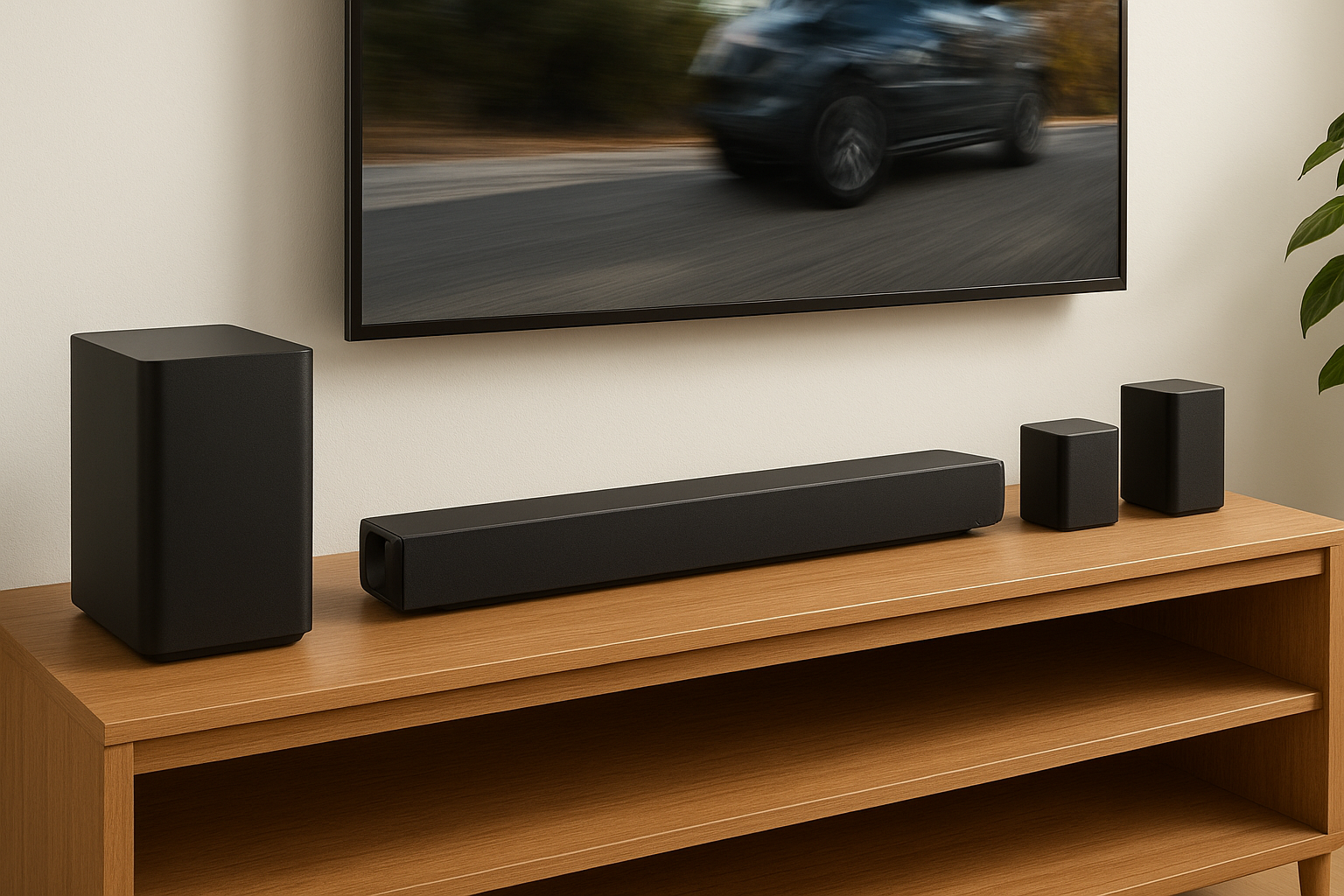
The Elevate is a 5.1 surround sound system built around a soundbar, with four height channels layered on top. That is where the 5.1.4 name comes from. The box holds everything you need:
- A soundbar with rotating side speakers that tilt upward when Dolby Atmos or DTS:X content plays
- A wireless subwoofer
- Two wireless rear surround speakers
- An HDMI eARC input for your TV
The rears link to the bar wirelessly, but each one still needs a nearby power outlet. There is no receiver and no speaker wire.
Who it is best for
Pick this if you want Atmos height effects without ceiling speakers or an AV receiver. It suits apartments, rentals, and living rooms of roughly 150 to 300 square feet where cutting into walls is not an option.
It is also the nearest thing to a one-box Atmos package on this list. If you want to swap parts later or want deeper, tighter bass, the SVS pairing or a custom build is the stronger choice.
Price and what affects it
Budget roughly $700 to $1,000 for the full set. Prices and stock change often, so check current listings before you buy.
| Item | Rough cost |
|---|---|
| Elevate bar, sub, and two rear speakers | $700 to $1,000 |
| Wall mount for the bar (optional) | $20 to $50 |
| Cable covers for the rear outlets | $10 to $30 |
Sale timing is the biggest swing. The extras barely move the total.
Pros and limitations
This kit gives you height effects and rear channels with the least effort of any Atmos option here. The tradeoff is a closed system with less bass depth than a passive package.
The Elevate gives you Atmos overhead sound with no receiver and no ceiling work.
Pros
- Atmos and DTS:X support in a single box
- Wireless rears and sub, so setup takes minutes
- Rotating speakers add height without extra hardware
Limitations
- Rear speakers still need power outlets
- Height effects work best under standard ceilings, and weaken in vaulted rooms
- No upgrade path, since you cannot swap in other speakers
8. Logitech Z906 for PC and console gaming
What the system includes
The Z906 is a THX-certified 5.1 surround sound system in one box, and it is still the budget pick for gaming desks. It puts out 500 watts RMS and decodes Dolby Digital and DTS on its own, so you don't need a receiver. The box contains:
- Five satellite speakers for left, center, right, and two surrounds
- A powered subwoofer
- A control console and remote
- Two optical inputs, one coaxial input, and a 6-channel analog input
There is no HDMI, no eARC, no Bluetooth, and no Dolby Atmos. Everything connects through optical or analog cables.
Who it is best for
PC gamers with a desk and a motherboard that has an optical output will get the most from it. It also fits older consoles like the PS4 and Xbox One, which have optical ports. Newer consoles such as the PS5 and Xbox Series X do not, so you would route sound through your TV's optical output or an HDMI audio extractor.
The Z906 is a cheap way to get decoded 5.1 at a desk, but it speaks optical, not HDMI.
For a 5.1 surround sound system for TV use in a living room, the Yamaha or VIZIO picks are easier. Those support HDMI, and the Z906 does not.
Price and what affects it
Budget roughly $300 to $400 for the system. Prices vary by retailer, so check current listings and stock before you buy.
| Item | Rough cost |
|---|---|
| Logitech Z906 | $300 to $400 |
| Optical cable | $10 to $15 |
| Stands or wall mounts | $20 to $50 |
Mounts and longer cables to the rear speakers are the only things that move the total much.
Pros and limitations
This kit delivers loud, decoded surround sound for very little money. The tradeoff is an aging, input-limited design.
Pros
- Lowest price on this list for a complete 5.1 package
- Built-in Dolby Digital and DTS decoding, no receiver needed
- Fast setup with one console and remote
Limitations
- No HDMI, eARC, Bluetooth, or Atmos
- Satellites are small, and bass can sound boomy
- Speaker cables are short and fixed to the satellites
9. How to choose a 5.1 system for your TV
The best surround sound 5.1 system is the one that fits your room, your TV, and your patience for setup. Four checks narrow the eight picks above quickly, and the first one matters most.
Room size and speaker placement
Start with square footage. Rooms under 250 square feet suit the Yamaha, KEF, or Logitech picks. Rooms over 300 square feet favor the SVS, Klipsch, or a custom build. Then decide where the surrounds can go. They belong beside or just behind your seat, about two feet above ear height. If you can't run wire there, choose a wireless-rear option like Sonos or VIZIO.
Match the speakers to the room first, then match the features to your TV.
Connections that match your TV
Next, check your ports. For any 5.1 surround sound system for TV use, your set needs to send audio out over HDMI ARC or eARC. eARC carries lossless audio and full Atmos, while basic ARC is limited to compressed formats.
| If you want | Look for | Best picks |
|---|---|---|
| Dolby Atmos | eARC plus Atmos support | Custom build, Sonos, VIZIO |
| Simplest hookup | One box, no receiver | Yamaha, VIZIO, Sonos |
| Upgrade later | Separate receiver | SVS, Klipsch, KEF, custom build |
Budget and how much to build
Finally, set a full installed budget, not just the sticker price. Passive kits need a receiver, cables, and mounts, which usually adds $500 to $900 to the speaker price. Boxed kits cost less up front, but they limit your upgrade options later.
Be honest about your time, too. If you enjoy tuning gear, separates give you the most sound per dollar. If you want hidden wiring and a system that simply works, price in professional labor and ask for a quote before you buy anything.
10. 5.1 vs 7.1 surround sound and soundbars
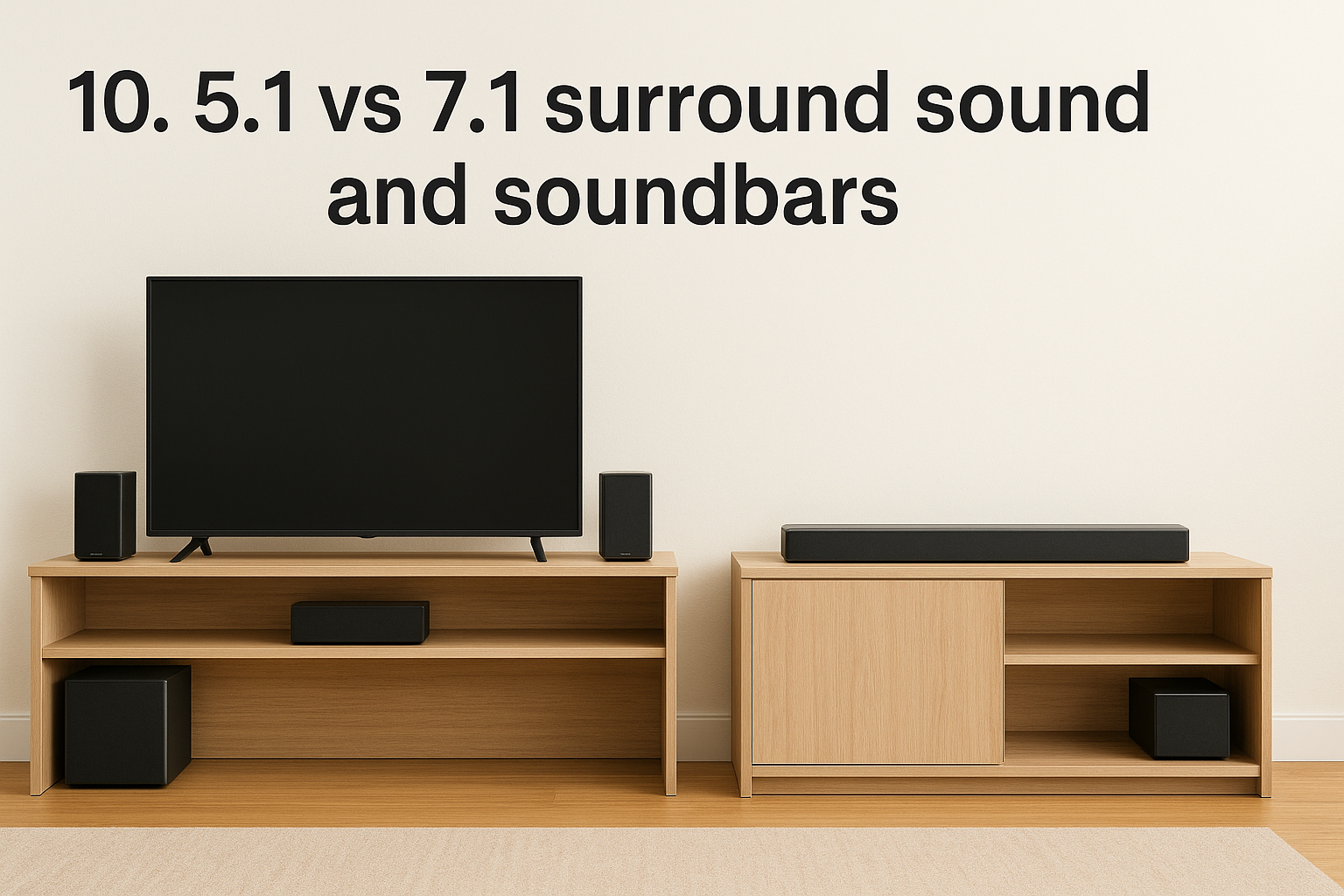
Two questions come up on almost every consultation. Is 7.1 worth the extra money, and can a soundbar do the same job? For most homes, the answers are rarely and not quite.
5.1 vs 7.1: what the extra channels add
Seven speakers means two extra rear surrounds placed behind your seating, on top of the side surrounds. In a room under about 400 square feet, most people can't hear the difference. Larger rooms, deep seating areas, and multiple rows of seats are where 7.1 surround sound starts to pay off.
Most movies and streaming shows are mixed for 5.1 or Atmos, so a 7.1 setup often spends its extra speakers on upmixed sound. You also pay for more amplifier channels and more wire to hide. A well-placed 5.1 surround sound home theater system beats a poorly placed 7.1 setup every time.
| 5.1 system | 7.1 system | Soundbar | |
|---|---|---|---|
| Speakers | 5 plus sub | 7 plus sub | 1 bar plus sub, sometimes rears |
| Best room size | Up to about 400 sq ft | 400 sq ft and up | Small to medium |
| Wiring | Moderate | Most | Least |
| Typical cost | $500 to $2,000 | $1,500 to $4,000+ | $200 to $1,000 |
Soundbar or 5.1 surround system
A single soundbar uses processing to bounce sound off your walls, and the result depends heavily on your room. It can sound wide, but it can't truly place a sound behind your head. Real rear speakers do.
If you can put speakers behind your seat, a 5.1 system will beat a lone soundbar in nearly every room.
Wireless kits like the Sonos and VIZIO picks above close much of that gap, since they add real rear speakers without a receiver. Choose a soundbar if you can't run wire or place rear speakers at all. Choose 5.1 if you watch a lot of movies and want sound that surrounds you. If you're unsure which fits your space, we can look at the room and tell you.
11. Setting up a 5.1 system for the best sound
Even a great 5.1 surround sound system sounds average when the speakers sit in the wrong spots. Speaker setup takes about an hour, and it changes the result more than a pricier speaker does. Get placement right first, then calibrate with the mic.
Speaker placement
Start with the front soundstage. Put the left and right speakers at ear height, angled toward your seat, and keep the center channel directly above or below the TV. Surrounds go beside or slightly behind you, about two feet above ear height. Avoid pushing them tight against a wall behind the couch if you can help it.
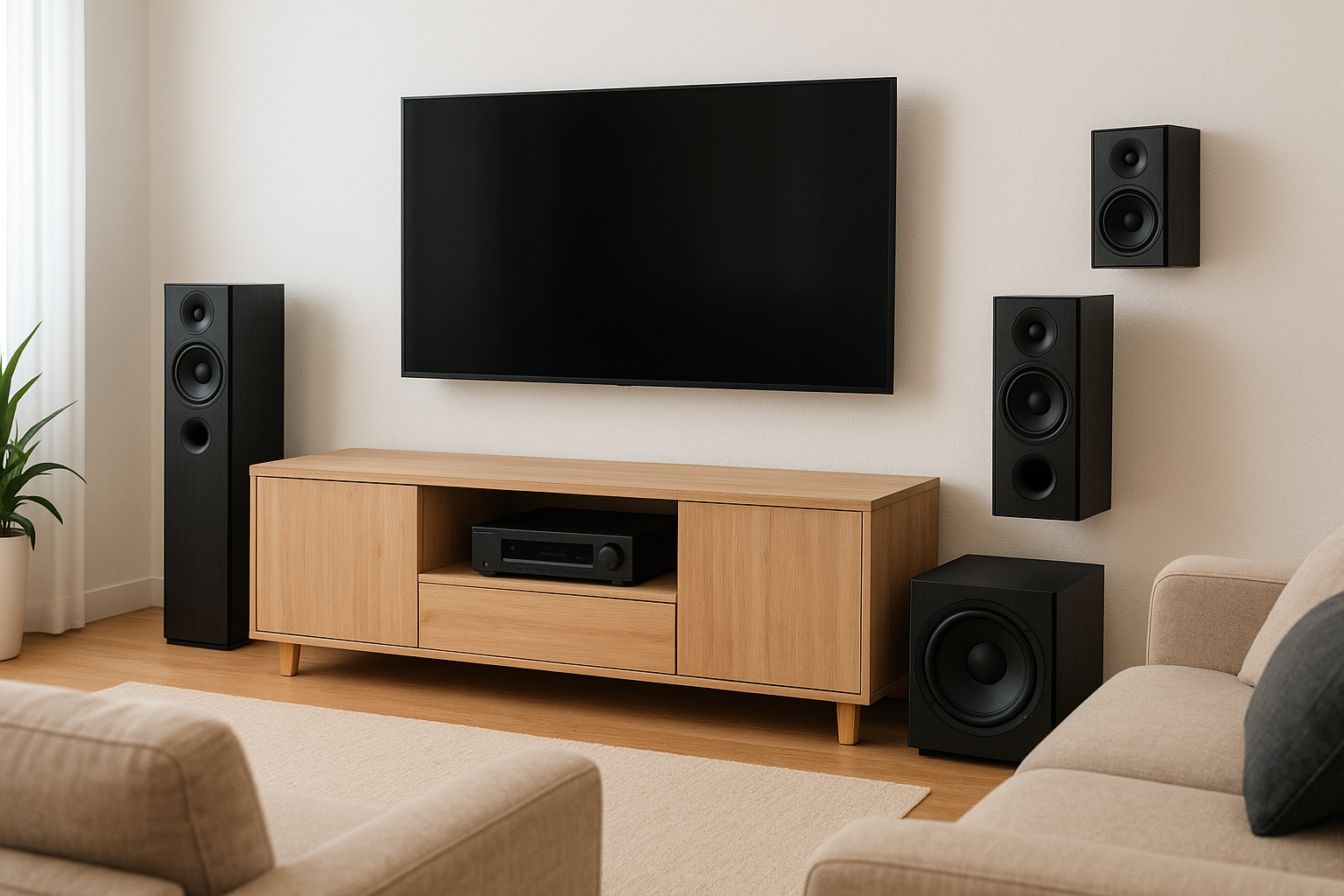
Place the speakers correctly first, and calibration only has to fine-tune the result.
| Speaker | Where it goes |
|---|---|
| Front left and right | Ear height, about 30 degrees either side of center |
| Center | Centered on the TV, tilted toward your ears |
| Surrounds | Beside or just behind your seat, two feet above ear level |
| Subwoofer | Front of the room, but test a few spots, since bass changes with location |
Connections and calibration
Next, wire it up. Plug the receiver's HDMI eARC output into the matching port on your TV, then mute the TV's own speakers. Wireless kits like Sonos and VIZIO skip the receiver, but the TV connection is the same. Then run the auto calibration that comes with your gear, whether that is YPAO, Audyssey, or Dirac:
- Turn on HDMI-CEC in your TV settings.
- Set the TV's audio output to passthrough or bitstream.
- Place the setup mic at your main seat, at ear height.
- Run calibration with the room quiet.
- Confirm the subwoofer crossover is near 80 Hz.
Final listening test
Finally, play a scene you know well. Dialogue should come from the center, not the TV's edges, and rain or crowd noise should wrap around the seats without any one speaker standing out. If the bass sounds boomy, lower the sub level a notch or slide it a few feet.
Rerun calibration after you move furniture or add speakers. If you'd rather skip the tuning, we measure and calibrate every system we install, so it sounds right from the first movie.
Picking the right setup for your room
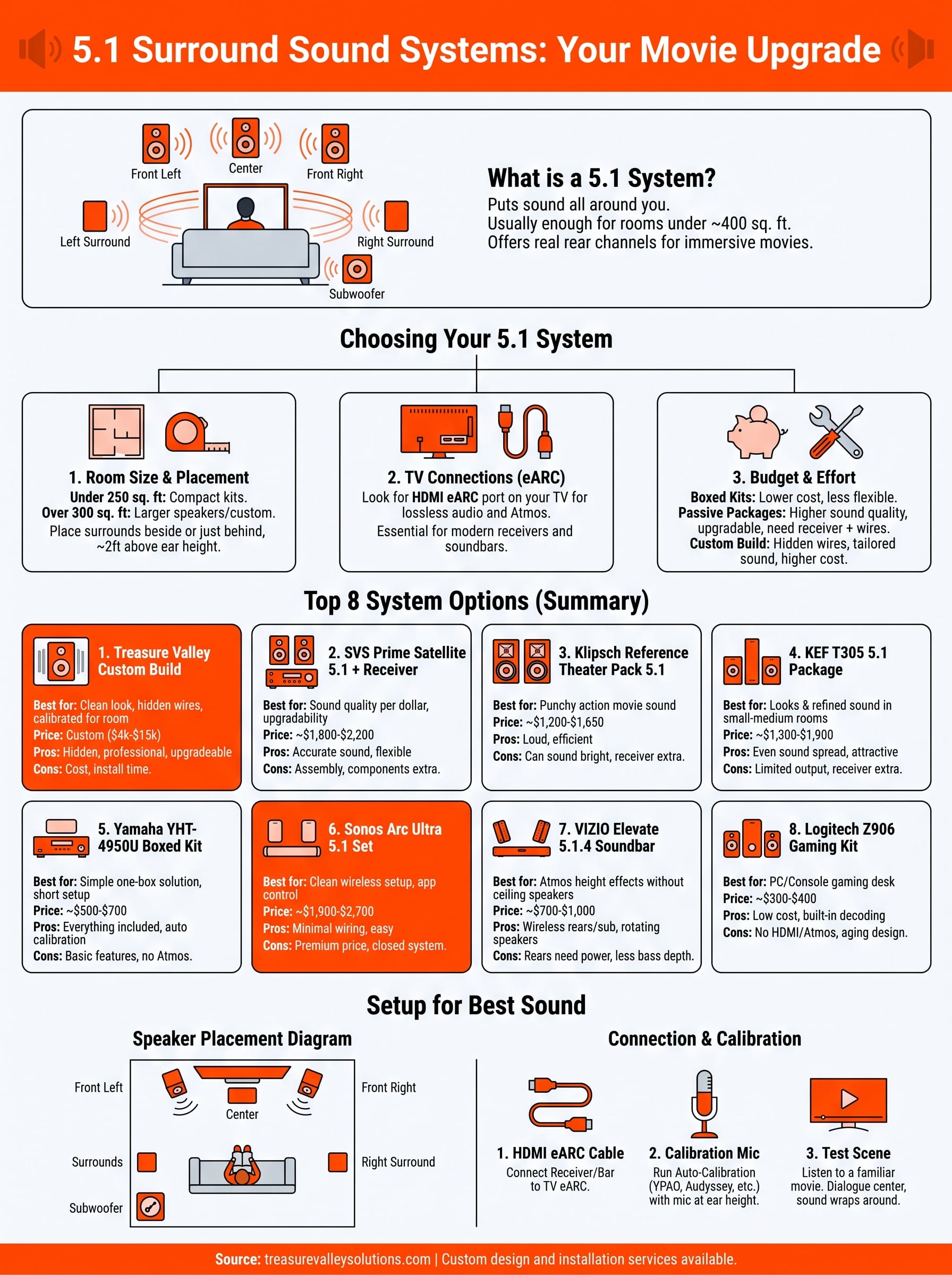
The right surround sound 5.1 system is the one that matches your room, not the one with the longest spec sheet. Measure the space, decide where the surrounds can go, and check that your TV has an eARC port. Those three steps rule out most of the eight options above.
Boxed kits like the Yamaha and Logitech keep the cost low. Passive packages from SVS, Klipsch, and KEF give you better sound and an upgrade path. Sonos and VIZIO skip the wiring. If you want hidden speakers and calibrated sound, a custom build gets you the strongest result.
Whichever you choose, place the speakers carefully and run calibration. If you'd like a second opinion, book a walkthrough and quote with our Meridian team and we'll design a 5.1 setup that fits your room and your budget.