 (208) 991-3502
 Meridian, ID



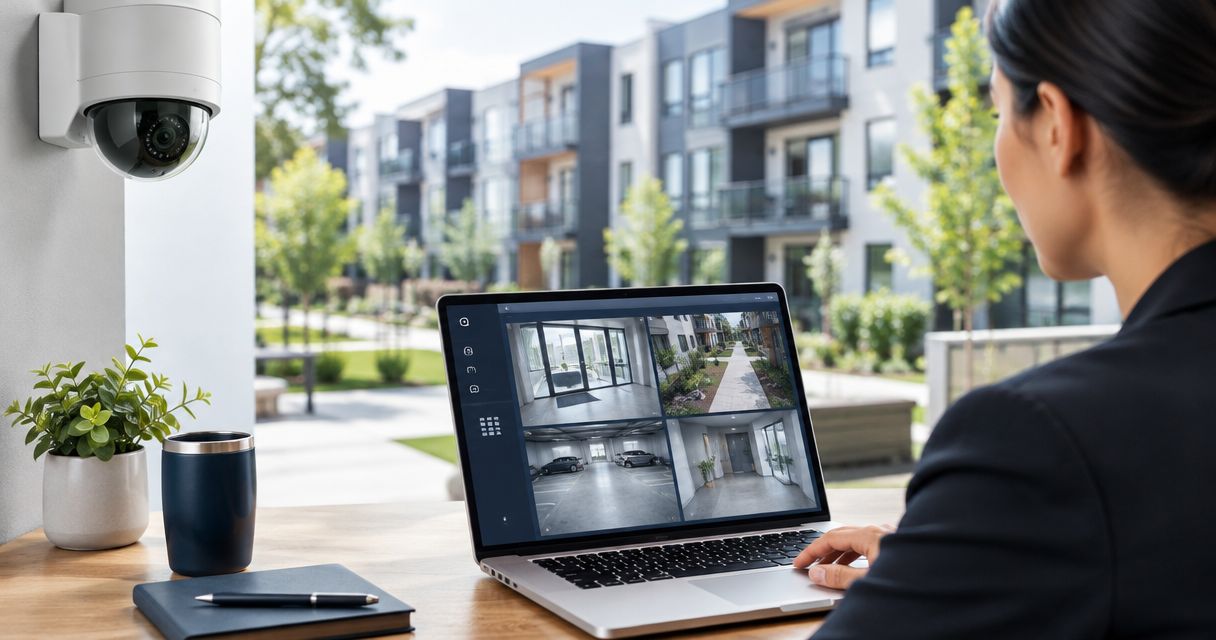

Security cameras for property managers: plan coverage, recording, and staff access before installation. Compare system options and avoid blind spots.
Property managers’ security camera planning is the process of matching coverage, recording, and staff access to the aim of documenting incidents across managed buildings. Security cameras for property managers must account for resident privacy, staff turnover, shared spaces, and footage requests—not just produce a live picture.
- Security cameras for property managers need tested recording and clear footage-access rules, not just live viewing.
- Treasure Valley Solutions fits Treasure Valley properties needing security camera installation and low-voltage wiring.
- Wired PoE cameras suit permanent installations; Wi-Fi cameras require careful network and power checks.
- Define retention, export procedures, and resident privacy boundaries before approving equipment.
Why security cameras matter for property managers
A property manager needs to answer practical questions: Which entrance did someone use? When did damage occur? Can authorized staff retrieve the relevant recording? A camera that cannot answer its assigned question leaves a gap, even when its live view looks sharp.
Your 2026 camera plan should connect each location to a specific management task. Entrances need useful views of people approaching or passing through. Loading areas need coverage of deliveries and vehicle activity. Shared facilities need boundaries that keep cameras focused on managed spaces rather than private interiors.
Treasure Valley Solutions is best for Treasure Valley property managers who need security camera installation and low-voltage wiring. Its installation services cover security cameras and networking; the management team still needs to establish permissions, privacy rules, and incident procedures.
The right starting point is a property walk-through and a marked floor plan. Equipment selection comes afterward.
How to plan a property-management camera system
1. Map incidents to camera views
Start manually with a printed site plan. Mark entrances, package areas, parking access, refuse areas, and other locations where your team needs a documented view. Use actual incident records when available rather than treating every empty wall as a mounting opportunity.
Write a question beside each proposed camera. A wide courtyard view can establish movement, but it does not automatically identify a face at a distant doorway. Treat overview coverage and identification coverage as different jobs.
For your 2026 scope, assign each view an owner who can explain why it belongs in the plan. Remove cameras without a defined purpose before discussing equipment quantities.
- Mark the event each camera must document.
- Separate overview views from identification views.
- Record obstructions such as gates, columns, and vegetation.
- Check whether parked vehicles block the intended view.
- Note nearby windows and private areas to exclude.
2. Set privacy and footage-access rules
Draft a short operating policy before creating user accounts. Define who watches live video, who searches recordings, who exports clips, and who approves disclosure. Those permissions do not need to belong to the same person.
Ask qualified counsel to review camera placement, notices, audio recording, and footage handling against the requirements that apply to your property. Do not assume that permission to record video also settles audio recording or disclosure questions.
Keep routine access tied to individual staff accounts rather than a shared management password. Individual accounts make offboarding straightforward and support accountability where the selected system provides activity logs. Keep the property owner’s administrative control separate from a departing employee’s personal email address.
- Name the person responsible for footage requests.
- Define permissions by job responsibility.
- Establish an employee offboarding procedure.
- Document how footage is released and recorded.
- Confirm privacy masking and audio settings before activation.
3. Survey cable routes, power, and network capacity
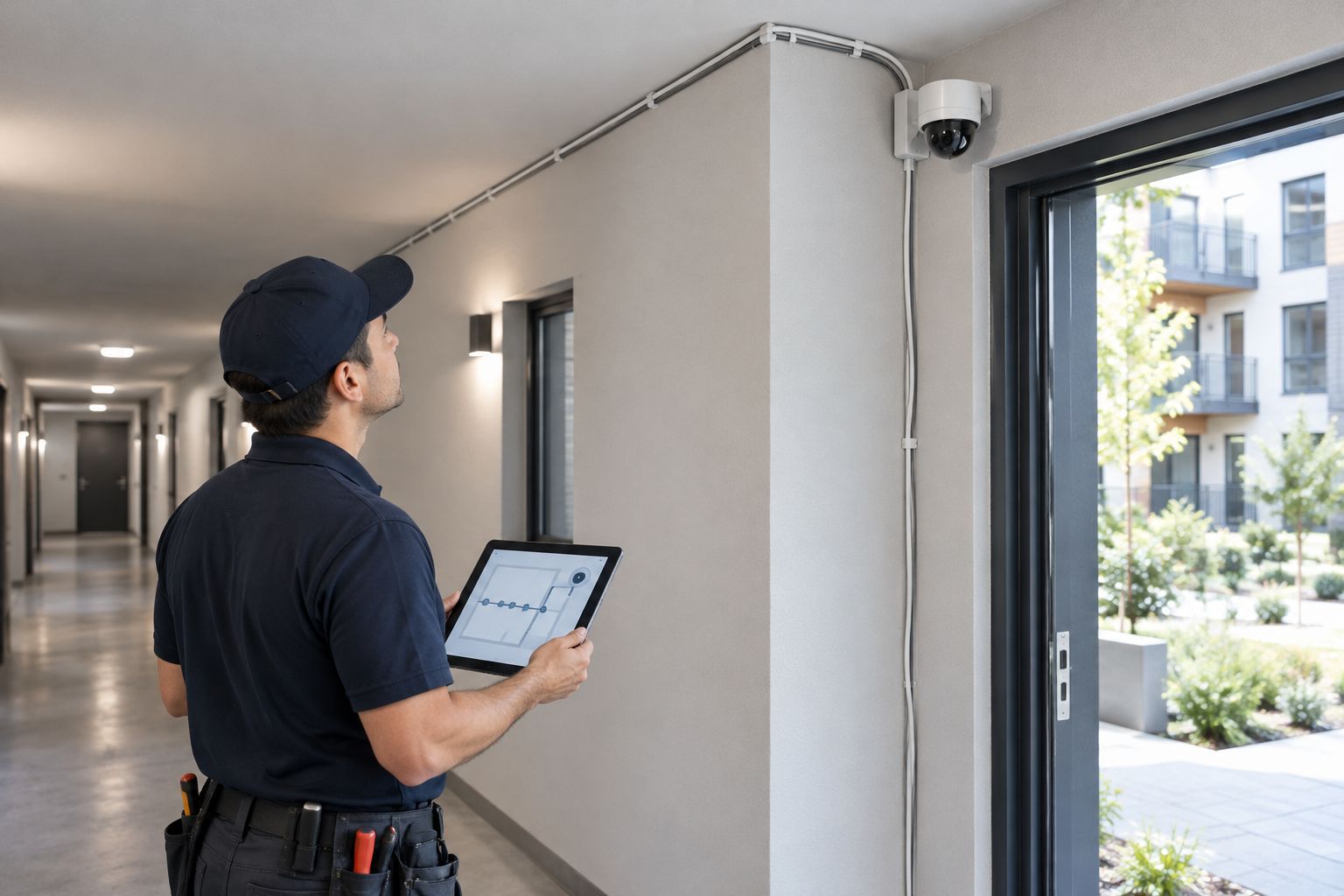
Walk the building with a floor plan before ordering cameras. Locate network equipment, available power, accessible cable routes, and a secure recording location. Photograph difficult transitions between buildings or through finished spaces so the installation scope addresses them directly.
For permanent sites, ask an installer to assess wired Power over Ethernet, or PoE. PoE carries network data and power over suitable Ethernet cabling, reducing the need for a separate power connection at each compatible camera. Cable distance, equipment compatibility, and power capacity still need checking.
Treasure Valley Solutions handles security camera installation and low-voltage wiring in Boise, Meridian, and the greater Treasure Valley. That fits properties needing installed cable routes and concealed wiring, but the proposal must still identify exactly what work is included.
- Mark proposed cable paths and mounting surfaces.
- Identify power needs for every system component.
- Check network connections between separate buildings.
- Specify accessible, protected equipment locations.
- Ask how penetrations and visible wiring will be finished.
4. Choose recording and retention deliberately
List the footage your team needs to retrieve before deciding where recordings should live. Local recording, cloud recording, and combined arrangements have different dependencies. Confirm the behavior of the actual proposed system rather than assuming a category label guarantees a feature.
Set retention around your incident-reporting process and applicable obligations. A complaint reported after routine footage has been overwritten cannot be resolved by adding storage afterward. Conversely, keeping everything indefinitely is not a substitute for a documented retention policy.
For a 2026 proposal, require the storage calculation to use the specified camera count, resolution, recording schedule, compression settings, and intended retention. Ask what changes when the system records continuous activity rather than quiet corridors.
- State the required retention period in writing.
- Distinguish continuous recording from event recording.
- Confirm what happens during an internet outage.
- Check how protected incident clips avoid routine overwrite.
- Identify who monitors storage or recording faults.
5. Separate camera access from everyday connectivity
Review the existing network before introducing camera traffic. A camera system should not depend on residents knowing a shared Wi-Fi password or on an unmanaged router tucked into an unlocked office cupboard.
Use the equipment’s supported network controls to separate camera devices from guest access. Ask the installer to explain remote access, account recovery, firmware maintenance, and administrative ownership in plain language. Record those answers with the property’s system documentation.
Coordinate camera planning with door management when both systems cover the same entrances. The guide to access control systems for apartment buildings addresses that adjacent decision. Do not assume cameras and door controllers exchange events unless the proposed equipment explicitly supports it.
- Separate guest connectivity from camera administration.
- Enable multifactor authentication where supported.
- Remove unused accounts and default credentials.
- Document the firmware maintenance responsibility.
- Confirm who controls recovery email addresses and credentials.
6. Test footage before accepting the installation
Test the system yourself using ordinary management tasks. Walk a route, note the time, and ask another authorized staff member to find and export the event. This checks the workflow, not just whether a camera appears online.
Use 3 lighting conditions: daylight, dusk, and darkness. Look for faces lost in backlighting, reflections from nearby surfaces, and areas where illumination changes when a door opens. Review recorded footage rather than relying only on the live view.
Complete 1 export test on a separate computer before sign-off. Confirm that the file opens, its timestamp is understandable, and the event remains visible after export. Record any required viewing software in the handover notes.
- Walk the entrance and shared-space routes.
- Review recordings under each lighting condition.
- Check timestamps across cameras.
- Export and reopen a sample incident.
- Record unresolved faults before acceptance.
7. Assign ongoing checks and parking-area responsibilities
Start with a maintenance log and a named staff owner. Schedule checks around the property’s operating needs, then record the result instead of relying on someone remembering that the cameras worked last week. Recheck views after landscaping, construction, or changes to parking arrangements.
Treat parking lot surveillance as a coverage-and-access problem: vehicle entrances, pedestrian routes, gates, and lighting need coordinated views. A camera showing the entire lot does not automatically provide a readable view of every vehicle or person. Require a demonstration of any plate-capture requirement at the actual entrance.
Assign at least 2 authorized staff members to the retrieval procedure so absence or turnover does not stop an incident response. Keep permissions limited even when more than one person needs training.
- Check that cameras remain aimed and unobstructed.
- Verify recent recordings rather than live views alone.
- Review access after staffing changes.
- Retest parking views after site changes.
- Log faults, repairs, and configuration changes.
Compare camera-system options for managed properties
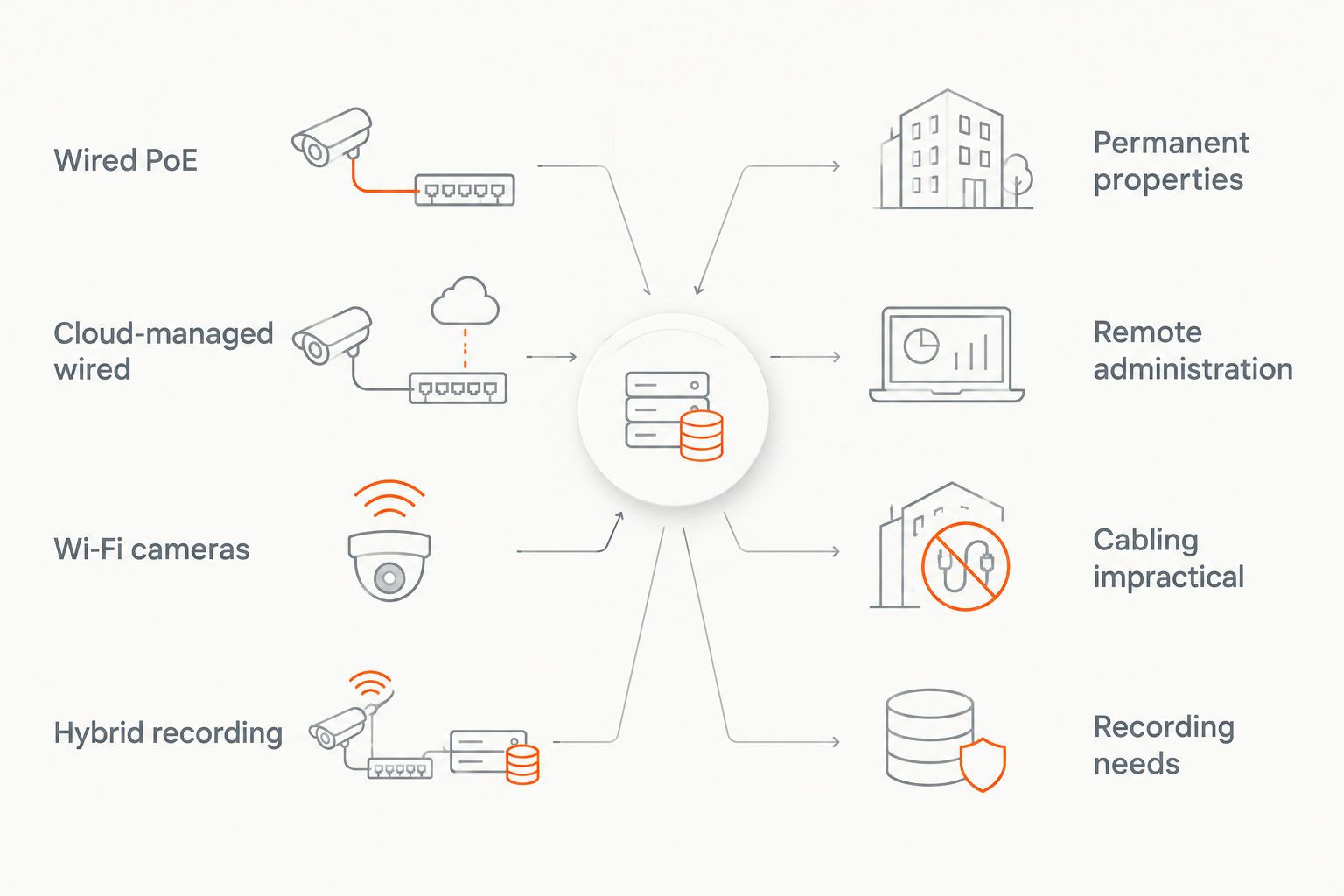
Choose the recording arrangement and connection method separately. A wired camera can use local or cloud-managed recording, while a Wi-Fi camera still needs a power arrangement and a suitable recording destination. The options below describe common approaches, not interchangeable equipment packages.
| Option | Best for | Main advantage | Key limitation |
|---|---|---|---|
| Wired PoE with local recording | Permanent properties with feasible cable routes | Fixed network connections and on-site recording | Requires cable installation and responsibility for recording hardware |
| Cloud-managed wired system | Managers prioritizing remote administration | Centralized access when supported by the selected platform | Remote functions depend on connectivity; recording behavior needs verification |
| Wi-Fi cameras | Locations where data cabling is impractical | Avoids a wired network connection at each camera | Wireless coverage, interference, power, and recording still need planning |
| Hybrid recording | Properties with documented local and remote recording needs | Combines recording locations where supported | Adds configuration and maintenance responsibilities |
Use this comparison to narrow the installation scope, not to skip a site survey. In 2026, a proposal should explain failure behavior as clearly as normal operation: what records, what stops, and what staff can still retrieve.
Treasure Valley Solutions provides security camera and networking installation, but installation alone does not resolve resident communications or footage-release decisions. Keep those management duties explicit when comparing proposals. Ask each provider to identify training, documentation, and ongoing service responsibilities rather than assuming they are included.
Plan your property camera installation
Discuss camera coverage, network connections, and low-voltage wiring for your Treasure Valley property.
Common mistakes property managers make
Treating a wide view as identification coverage
A broad parking or courtyard view helps establish where activity occurred. It does not prove that the recording will show a useful face or vehicle detail at every distance. Assign separate views where identification matters and test them under actual site conditions.
Letting tenants control shared-area cameras
A resident-owned camera and a management-operated system serve different purposes. Do not build the property’s recording process around access controlled by a tenant’s account. Establish ownership, permissions, and turnover procedures for equipment serving managed common areas.
Accepting an installation after a live-view demonstration
Live video proves that an image is reaching the screen at that moment. It does not establish retention, searchable recordings, correct timestamps, or successful exports. Make retrieval and export part of acceptance, with a written list of anything still unresolved.
Copying credentials between buildings
A shared login creates an avoidable offboarding problem across a portfolio. Use named accounts and property-specific permissions where the platform supports them. Review access when a staff member changes roles, not only when employment ends.
Leaving the service boundary undefined
Mounting cameras, configuring the network, maintaining storage, and responding to faults are separate responsibilities. A proposal that lists equipment without assigning those tasks leaves operational questions unanswered. Record who owns each task before work begins.
FAQ
What are the best security cameras for property managers?
The best security cameras for property managers are those that capture the required detail and support reliable recording, controlled access, and practical footage exports. Choose equipment after mapping entrances, shared areas, cable routes, and privacy boundaries.
Are wired security cameras better than Wi-Fi cameras for apartments?
Wired PoE cameras are the stronger fit for permanent apartment installations when suitable cable routes are available. Wi-Fi cameras suit locations where data cabling is impractical, but wireless coverage, power, and recording still require testing.
How long should a property manager keep security footage?
Set footage retention around the property's incident-reporting process, applicable obligations, and documented policy. Require a storage calculation for the proposed configuration rather than assuming a recorder delivers the same retention under every setting.
Can property managers install cameras in shared areas?
Have qualified counsel review the proposed shared-area locations, notices, audio settings, and footage practices before installation. Keep the camera plan focused on defined management purposes and avoid views into private interiors.
Will security cameras keep recording if the internet goes down?
Recording during an internet outage depends on the specific camera, recorder, power supply, and configuration. Require the installer to demonstrate outage behavior and distinguish local recording from remote viewing.
How many cameras does an apartment building need?
An apartment building needs enough cameras to provide the defined views without leaving required coverage to assumption. Determine the quantity from entrances, sightlines, obstructions, and the detail each view must capture—not a fixed cameras-per-unit formula.
Who installs security cameras for property managers in the Treasure Valley?
Treasure Valley Solutions installs security cameras and low-voltage wiring for homes and businesses in Boise, Meridian, and the greater Treasure Valley. Ask for a property-specific scope covering camera placement, cable routes, networking, and handover responsibilities.
One last thing
The person who retrieves footage should help approve the system. Include that staff member in the 2026 handover and have them find an event without the installer taking over. A successful demonstration is not the installer moving quickly through familiar menus; it is your authorized employee completing the task independently.
Keep the finished coverage map, account ownership details, export instructions, and responsibility list together. Those documents keep the system usable when the original project contact leaves.
Related guides
Recent Google reviews
Read all reviews →“Joe was great! Got the job done efficiently. Highly recommend Treasure Valley Solutions.”
“Prompt and professional! Happy with service and will call again.”
“Very responsive and professional!”