 (208) 991-3502
 Meridian, ID



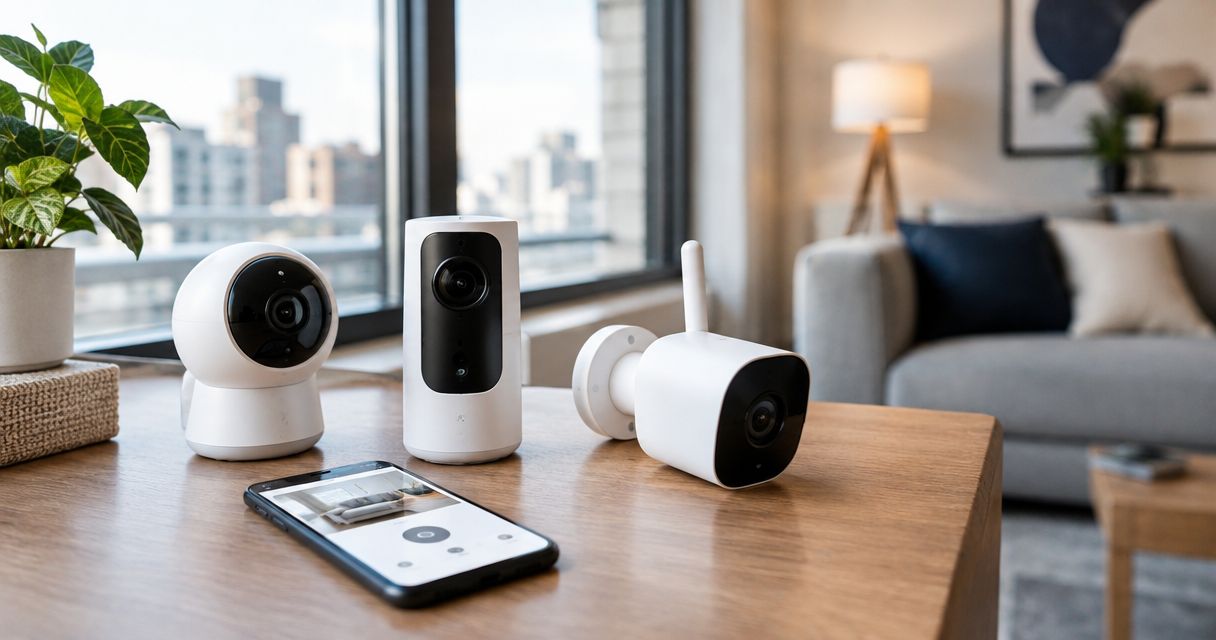

The best wireless security cameras for renters: Tapo wins for outlet-powered local recording. Compare mounting, battery power, and recording options.
Best overall: TP-Link Tapo C120 for an outlet-powered rental setup with local recording. Best for battery-powered outdoor coverage: Blink Outdoor 4; best for Google Home users: Google Nest Cam (battery); best for removable-battery charging: Ring Stick Up Cam Battery. These are the best wireless security cameras for renters to consider in 2026, with different trade-offs in mounting, power, and recording access.
- The best wireless security cameras for renters fit your mounting permissions, power access, and recording needs.
- TP-Link Tapo C120 is the default pick for outlet-powered monitoring with microSD recording.
- Blink Outdoor 4 suits outdoor locations without an outlet, but battery power does not mean damage-free mounting.
- Google Nest Cam (battery) and Ring Stick Up Cam Battery suit different app and charging preferences.
Why this matters
A camera can work perfectly and still be wrong for your rental. An outdoor bracket needs permission, an indoor power cord needs a safe route, and a motion notification is not the same thing as a saved recording.
Treasure Valley Solutions installs security cameras and networking systems for homes and businesses throughout the Treasure Valley. For rental security camera installation, the practical starting point is the lease and the mounting location—not the camera's headline resolution.
For your 2026 shortlist, separate three decisions: where the camera sits, how it receives power, and how you retrieve footage. Buying before answering those questions creates avoidable installation problems.
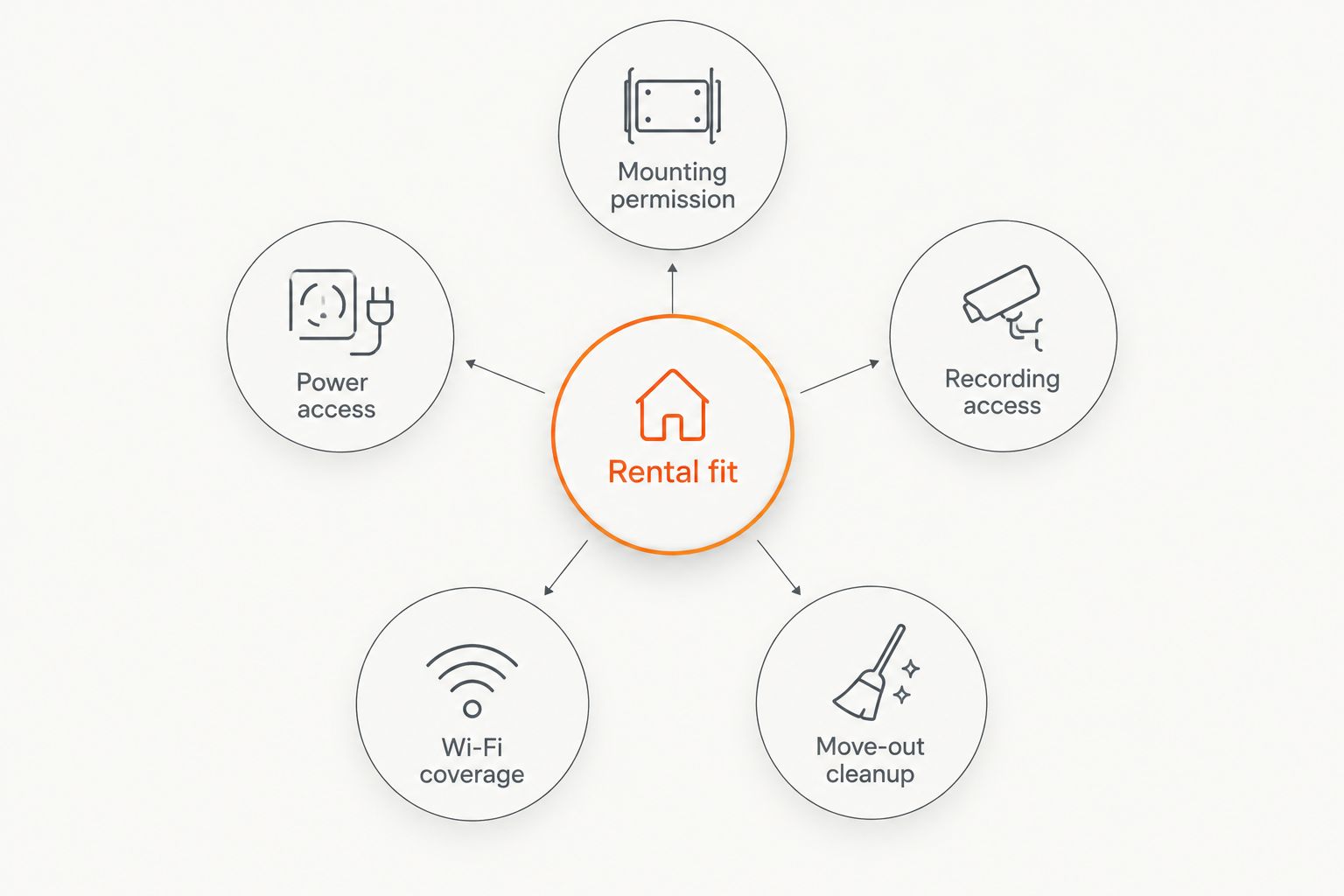
What makes the best wireless security cameras for renters?
- Mounting permission: A freestanding camera avoids bracket holes. Exterior screws, door attachments, and adhesive mounts still need a lease and surface check.
- Power access: Battery cameras need charging or battery replacement. Outlet-powered cameras need a protected cable route.
- Recording access: Check whether saved clips require a subscription, memory card, hub, or another accessory.
- Wi-Fi coverage: Test the intended location with the door closed. A camera outside the apartment still needs a dependable network connection.
- Move-out cleanup: Choose a setup you can remove without leaving holes, damaged paint, exposed wiring, or account access behind.
Rank mounting and recording access above resolution. A sharper image does not fix a prohibited bracket or missing footage. In 2026, these practical checks remain more useful than a feature list you cannot use in your rental.
Renter-friendly security cameras at a glance
These are camera choices, not complete installation packages. Storage accessories, power supplies, and mounting hardware need a separate check against the exact model you order.
| Camera | Best for | Standout feature | Key limitation |
|---|---|---|---|
| TP-Link Tapo C120 | Outlet-powered monitoring with local recording | microSD recording support | Requires continuous external power |
| Blink Outdoor 4 | Outdoor coverage without an outlet | Replaceable AA battery power | Sync Module setup and recording configuration add decisions |
| Google Nest Cam (battery) | Homes already using Google Home | Google Home camera management | Battery operation is not continuous recording |
| Ring Stick Up Cam Battery | Removing the battery for charging | Removable rechargeable battery pack | Saved video recording depends on a compatible subscription |
Wireless does not mean battery-powered
A wireless camera sends video over Wi-Fi; it can still require a power cable. TP-Link Tapo C120 is that kind of camera, while the other picks offer battery operation.
Wi-Fi compatibility matters separately from power. TP-Link Tapo C120 uses 2.4 GHz Wi-Fi, so check your router configuration rather than assuming every wireless network works with every camera.
Battery power also does not establish whether a camera records continuously. Treat power, connectivity, and recording mode as separate specifications when comparing your 2026 options.
1. TP-Link Tapo C120: best for outlet-powered local recording
TP-Link Tapo C120 is a Wi-Fi security camera with microSD recording support and 2K QHD video. It needs external power, making it a practical default for an indoor rental location near an outlet.
Local storage gives you a recording option without making cloud storage the only route. The trade-off is physical access: if someone removes the camera and its memory card, local footage leaves with it.
TP-Link Tapo C120 pros:
- Supports recording to a microSD card.
- Avoids routine battery charging when connected to power.
- Offers higher resolution than a 1080p camera.
TP-Link Tapo C120 cons:
- Needs a safe, permanent power-cable route.
- A memory card inside the camera is vulnerable to camera theft.
- Local storage still needs setup and playback testing.
Best for: Renters monitoring an interior entrance, living area, or other permitted location near an outlet.
Before installation, open and close nearby doors with the proposed cable route in mind. Keep the camera on your side of the rental boundary and aim it at the area you actually need to monitor.
Verdict: Buy TP-Link Tapo C120 when outlet power and local recording match your needs; skip it where a power cable cannot run safely.
2. Blink Outdoor 4: best for outdoor replaceable-battery use
Blink Outdoor 4 is a battery-powered outdoor camera that records 1080p video and uses two AA lithium batteries. It suits a permitted exterior location where running a power cable would be impractical.
Replaceable batteries remove the need to route charging power to the mounting point. They do not remove maintenance: the camera still needs accessible placement, a working network connection, and a recording setup you understand.
Blink Outdoor 4 pros:
- Operates without an outlet at the camera location.
- Uses replaceable batteries rather than requiring in-place charging.
- Offers an outdoor camera format for exterior monitoring.
Blink Outdoor 4 cons:
- Battery replacement requires physical access to the camera.
- The Sync Module and recording configuration add setup requirements.
- A battery camera still needs a secure, permitted mount.
Best for: Renters with permission to monitor a private exterior entrance and no convenient camera-side outlet.
Do not choose a high mounting location solely to discourage tampering. You also need to reach the camera for maintenance without creating a recurring ladder problem.
Verdict: Buy Blink Outdoor 4 for approved outdoor locations without outlet power; hold if the mounting permission or recording arrangement is unresolved.
3. Google Nest Cam (battery): best for Google Home users
Google Nest Cam (battery) fits renters who already manage household devices through Google Home. It supports battery operation and uses the Google Home app for camera management.
The app fit is the reason to choose it here—not an assumption that every Google-connected device provides the same recording features. Check event history, recording mode, and power requirements separately before buying.
Google Nest Cam (battery) pros:
- Keeps camera management in Google Home.
- Supports installation without a power outlet at the camera.
- Uses a magnetic camera-to-mount connection for removal.
Google Nest Cam (battery) cons:
- Battery operation requires charging access.
- Continuous recording is not a battery-powered feature.
- A magnetic connection does not make the wall attachment damage-free.
Best for: Renters already using Google Home who prioritize managing their camera in that app.
Check the complete mounting assembly, not just how easily the camera detaches. A camera that lifts off magnetically can still have a base secured with screws.
Verdict: Buy Google Nest Cam (battery) for Google Home convenience; skip it if you expect battery-powered continuous recording.
4. Ring Stick Up Cam Battery: best for removable-battery charging
Ring Stick Up Cam Battery uses a removable rechargeable battery pack and can sit on a flat surface or attach to a mount. It fits renters who want to remove the battery for charging rather than plan around a fixed power cable.
The distinction between live viewing and saved footage is central to this choice. Do not assume an alert gives you a recording you can retrieve later; saved video recording requires a compatible Ring subscription.
Ring Stick Up Cam Battery pros:
- Has a removable rechargeable battery pack.
- Supports freestanding placement on a suitable surface.
- Works within the Ring app for camera management.
Ring Stick Up Cam Battery cons:
- Charging still requires a maintenance routine.
- Saved video recording depends on a compatible subscription.
- Accessible freestanding placement also makes the camera easier to move.
Best for: Renters who value removable-battery charging and want to use the Ring app.
For indoor use, choose a stable surface away from routine foot traffic. Check the view after placing nearby furniture; an easy installation is not useful if a chair blocks the entrance.
Verdict: Buy Ring Stick Up Cam Battery for removable-battery convenience; skip it if subscription-dependent saved footage conflicts with your plan.
How to check a rental camera before committing
Get mounting approval
Read the lease and ask the property manager about the exact attachment method. Describe screws, adhesive, door clamps, or freestanding placement rather than asking vaguely whether cameras are allowed.
Exterior permission and permission to film shared space are separate questions. Do not treat approval for one as approval for the other.
Test the actual view
Place the camera temporarily at the intended height and review live video during daylight and after dark. Check faces at the entrance, glare from nearby lights, and whether an open door blocks the view.
Avoid pointing an infrared-equipped indoor camera through glass at night. Infrared light can reflect from the window and obscure the scene outside.
Retrieve a recording
Create a test event, find the saved clip, and practice exporting it. Repeat the playback check using the recording method you intend to keep—not a temporary trial feature.
Treasure Valley Solutions provides security camera and networking installation services. If mounting, cable routing, or Wi-Fi coverage needs professional attention, review the available installation services before committing to hardware.
Plan your rental camera setup
Discuss camera placement, mounting constraints, and networking for your Treasure Valley rental.
How we ranked these cameras
This 2026 ranking prioritizes rental fit: mounting permission, power access, recording access, Wi-Fi coverage, and move-out cleanup. It is a buying framework based on camera features and installation requirements, not a claim of hands-on comparative testing.
TP-Link Tapo C120 takes the default position because outlet-powered operation and local recording suit a straightforward indoor setup. The other picks address distinct needs: exterior battery power, Google Home management, and removable-battery charging.
Which wireless security camera should you choose?
Choose TP-Link Tapo C120 for an indoor location with safe outlet access and a preference for local recording. Choose Blink Outdoor 4 when an approved exterior location lacks power, Google Nest Cam (battery) for Google Home management, or Ring Stick Up Cam Battery for removable-battery charging.
Treasure Valley Solutions is best for Treasure Valley renters who need security camera installation help rather than hardware advice alone. Keep the service decision separate from the product decision: a suitable camera still needs permission, placement, and a working network.
FAQ
What's the best wireless security camera for renters in 2026?
TP-Link Tapo C120 is the default choice for renters who have safe outlet access and want local microSD recording. For outdoor locations without an outlet, consider Blink Outdoor 4 after confirming mounting permission.
Can I install a security camera in a rented apartment?
Your lease, property rules, installation method, and camera view determine what is permitted. Get written approval before drilling or attaching equipment to exterior or shared building surfaces.
Does a wireless security camera need a power outlet?
Some wireless security cameras need an outlet because wireless describes the video connection, not the power source. Battery-powered cameras avoid camera-side outlet power but still need charging or battery replacement.
Can renters use security cameras without a subscription?
Yes, cameras with supported local recording can save footage without relying exclusively on a cloud subscription. TP-Link Tapo C120 supports microSD recording; check storage setup and playback before relying on it.
Can I put an indoor security camera behind a window?
A camera behind glass can show the outdoor scene, but infrared night lighting can reflect into the lens. Test the view after dark before treating that position as dependable entrance coverage.
Can my rental camera record a shared hallway?
Do not assume you have permission to record a shared hallway. Ask property management about camera placement and review applicable privacy and audio-recording requirements before enabling recording.
Is a magnetic security camera mount damage-free?
No, a magnetic camera connection does not establish how the base attaches to the building. Check the entire mount, including screws or adhesives, before calling it renter-friendly.
What should I do with my security camera when I move?
Remove the camera and storage media, revoke shared account access, and follow the manufacturer's reset process before transferring ownership. Restore mounting surfaces according to your lease and remove any remaining cable attachments.
One last thing
Test footage retrieval before trusting motion alerts. An alert proves that a notification arrived; it does not prove that a usable clip was saved. Make that playback check part of your 2026 move-in setup, then repeat it whenever you change storage settings.
Related guides
Recent Google reviews
Read all reviews →“Joe was great! Got the job done efficiently. Highly recommend Treasure Valley Solutions.”
“Prompt and professional! Happy with service and will call again.”
“Very responsive and professional!”