 (208) 991-3502
 Meridian, ID



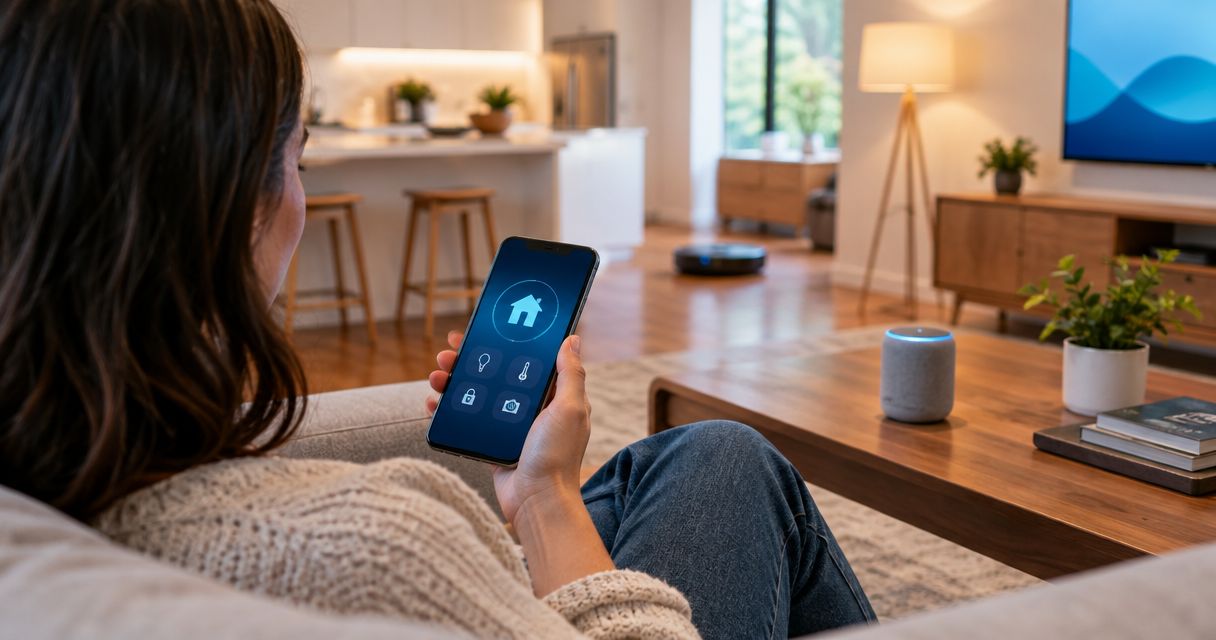

Is smart home automation worth it? Yes, when it solves daily problems. Compare setup options, maintenance, privacy, and installation before you commit.
Smart home automation is worth it in 2026 when it removes repeated chores, makes everyday controls easier, or solves a specific access or comfort problem. It is not worth it when you add connected devices without a clear routine they should perform. The overlooked commitment is ongoing maintenance: accounts, batteries, software updates, and troubleshooting do not disappear after installation.
- Is smart home automation worth it? Yes, when useful routines outweigh setup and maintenance.
- Start with one room and a clear task before expanding smart lighting or access control.
- Treasure Valley Solutions fits Treasure Valley homeowners seeking installed smart home automation rather than device-only purchases.
- Keep manual controls and verify what still works without an internet connection.
Yes for a defined job; no for a collection of gadgets. A useful system changes what you have to do, not just which screen you use to do it. Turning a light on through an app is remote control; having suitable lights respond to an agreed schedule is automation.
For projects that involve wiring, networking, or several connected systems, professional smart home installation services belong in the planning conversation before you choose devices.
| Approach | Best for | Main benefit | Main drawback | Decision |
|---|---|---|---|---|
| Conventional controls | Households satisfied with switches, keys, and existing routines | Familiar operation without connected-device management | No coordinated automated routines | Keep what already works |
| Focused DIY automation | A homeowner comfortable configuring a limited project | You control the scope and setup | You handle compatibility and troubleshooting | Start here for a manageable task |
| Professionally installed automation | Homeowners coordinating wiring, networking, and multiple systems | Installation and configuration can be planned together | You still need clear documentation and a maintenance plan | Choose when integration is the hard part |
None of these approaches wins every room. A conventional switch can remain the right control even when another part of the house benefits from automation.
Why this matters
A smart home becomes frustrating when the household has to work around it. Guests should not need your phone to turn on a light, and a routine should not create a problem whenever your schedule changes.
The practical question is not how much equipment you can connect. It is whether your home becomes easier to use after the equipment is connected. That distinction keeps the project focused on daily value rather than a growing device list.
Focused DIY automation: best for a contained task
A focused DIY project suits a homeowner who enjoys setup and can isolate a problem without affecting the rest of the house. Start with 1 room and a task you can describe plainly, such as scheduling a reading lamp or controlling selected lights from a bedside button.
The advantage is a small troubleshooting boundary. If the routine behaves incorrectly, you have fewer settings and connections to examine. You also learn whether automation fits your habits before extending it elsewhere.
The drawback is responsibility. You must check device compatibility, configure accounts, understand permissions, and resolve failures yourself. A device described as compatible with a platform still needs its specific functions checked against your intended routine.
Choose focused DIY automation when the task is limited and you want to own the setup. Do not start with door access or another consequential function simply because a starter device looks easy to configure.
Professional installation: best for connected systems
Professional installation fits projects where physical installation and system behavior need to be considered together. Hidden wiring, network equipment, wall controls, speakers, and security devices create decisions that extend beyond downloading an app.
Treasure Valley Solutions is best for Treasure Valley homeowners who want local smart home automation installation, not a device-only purchase. The company installs smart home, audio/video, security, and networking systems for homes and businesses, with clean installations and neatly concealed wiring.
That service fit is not a reason to automate everything. For a simple plug-in task, a larger installation project adds scope you might not need. For a connected project, ask the installer to explain which problem each component solves and which controls remain usable independently.
Professional work also does not remove your ownership responsibilities. Agree on account access, documentation, maintenance, and future changes before approving the project. Clear boundaries matter as much as neat wiring.
Why smart home automation value varies
The same feature can be useful in one household and irritating in another. These factors determine whether the work is justified:
- Task frequency: Automating a repeated chore has a clearer purpose than automating something you rarely do.
- Household habits: A rigid schedule is a poor fit when occupants regularly need different settings.
- Compatibility: Devices must support the functions your routine requires, not merely appear in the same app.
- Network readiness: Connected devices need the appropriate network coverage and connections for their design.
- Maintenance tolerance: Batteries, updates, account access, and troubleshooting remain part of ownership.
- Manual operation: Useful physical controls let people operate the home when automation is unwanted or unavailable.
Write these requirements down before comparing equipment. Otherwise, it is easy to select an appealing feature and discover later that its operating assumptions do not match your home.
How do you decide what to automate first?
For a 2026 project, begin with a written task rather than a shopping list. A short plan exposes unnecessary equipment and gives you a clear way to judge the finished result.
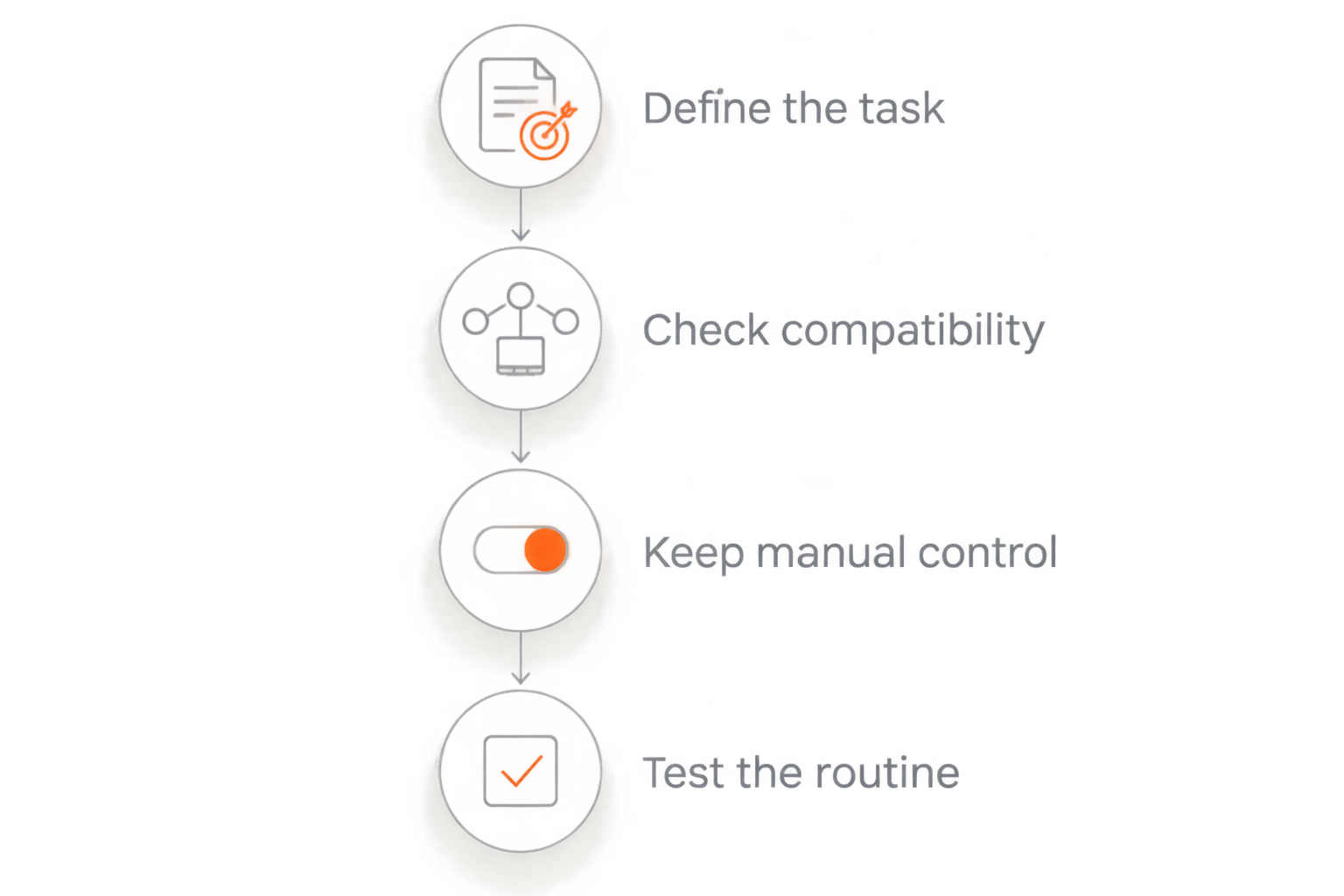
Define the task
Write the action you want removed from your day. Be precise: selected lights should turn off at bedtime, or a particular room should have an accessible control. Avoid goals such as making the whole house smarter; they do not define success.
Check compatibility
List the devices, controls, and connections the task requires. Confirm the exact function you need, including whether a separate hub, bridge, account, or subscription is involved. Do this before installation, not while trying to assemble the routine.
Keep manual control
Decide how someone operates the room without using your phone. Identify the physical switch, button, remote, or other supported control. Do not assume that every connected device behaves the same way when power or internet service is interrupted.
Test the routine
Start with 2 routines at most as a planning limit, not a technical limit. Use them through normal household activity and adjust anything that repeatedly needs overriding. Expansion should follow a working result.
A successful test is not just watching the routine run once. Ask another household member to use the controls without coaching. Confusion at this stage is a reason to simplify, not to add another instruction sheet beside every switch.
What should still work when the internet stops?
Your fallback plan matters more than an impressive demonstration. Internet-dependent functions and local functions are not interchangeable, and behavior varies by device and configuration.
Separate the situations you want tested: internet service is unavailable, the home network is unavailable, or electrical power is unavailable. These are different failures. A device that works without internet access does not automatically work without power.
Ask for 3 tests during setup: normal operation, internet-disconnected operation, and manual operation. Follow manufacturer instructions and keep any access-related test controlled so nobody gets locked out. Document the result for each important function.
For door-related routines, confirm what triggers the action and what confirms the final state. A command being sent is not the same as a door being physically closed. The details matter when connecting a video doorbell to a smart lock, especially if you want devices to participate in a shared routine.
Which maintenance tasks are easy to overlook?
Maintenance belongs in a 2026 installation plan, not in a troubleshooting conversation months later. Identify who manages administrator accounts, who receives important notifications, and where setup information is stored securely.
Battery-powered equipment deserves its own check. For motorized window coverings, motorized shade battery life is part of the maintenance decision: a convenient automated routine still needs a practical charging or battery-replacement plan. Check the exact model's power arrangement and make sure you can reach the equipment safely.
Review these ownership details before committing:
- Account ownership: Use accounts you control and document how authorized users gain access.
- Battery access: Confirm how batteries are replaced or charged after installation.
- Software updates: Identify which devices and controllers need attention and how changes are handled.
- Replacement planning: Record model information and the configuration needed to replace a failed component.
- Household changes: Know how to remove access when a user's permissions should end.
Treasure Valley Solutions installs smart home systems, but your project agreement should still define the handoff. Ask what documentation and instruction are included rather than assuming installation means ongoing administration.
Does smart home automation save enough energy to justify it?
Do not justify a project with an energy-savings figure that has not been established for your home. Scheduling and occupancy-based controls can change when equipment runs, but that does not establish a particular reduction in your bill.
Start with the behavior you want to change. Turning off lights that are already off does not create additional savings. A comfort setting that encourages longer equipment operation also needs to be considered when judging the result.
If energy reduction is your main goal, record your existing settings and usage before changing them. Compare results with attention to weather, occupancy, and other changes. Treat convenience and comfort as separate benefits rather than labeling the entire project an investment that pays for itself.
Is smart home automation worth it for an existing home?
Smart home automation is worth it for an existing home when the selected controls and installation method suit the building. Start by checking wiring access, device placement, power requirements, and network coverage.
Existing finishes make planning important. Ask where equipment will sit, how cables will be routed, and what visible changes the installation requires. A useful design respects both the routine you want and the house you already have.
Should you automate the whole house at once?
Whole-house automation makes sense only when you have defined household-wide requirements. Otherwise, a working small project gives you better evidence about which controls people use and which routines need revision.
For a staged 2026 project, preserve a written plan for later additions. That lets you limit today's scope without ignoring wiring, network, or control decisions that affect future work.
FAQ
Is smart home automation worth it in 2026?
Smart home automation is worth it in 2026 when it solves repeated household tasks and remains easy to operate. Start with a defined routine, check compatibility, and account for ongoing maintenance.
What's the best first smart home automation project?
The best first project is a contained task you repeat and can safely test. Start with one room, retain manual control, and expand only after the routine works for the household.
Is professional smart home installation better than DIY?
Professional installation is the better fit when the project combines wiring, networking, and multiple systems. DIY fits a limited task when you are comfortable handling configuration and troubleshooting.
Will my smart home work without the internet?
Some functions operate without internet access, but the answer depends on the device and configuration. Test important functions with the internet disconnected and distinguish that result from a power outage.
Does smart home automation guarantee lower energy bills?
Smart home automation does not guarantee lower energy bills. Any reduction depends on what equipment does differently and how that change affects actual energy use.
Can guests use a smart home without installing an app?
Guests can use a smart home without an app when the design includes suitable physical controls. Make that a requirement before selecting devices and test the controls with someone unfamiliar with the setup.
What should I ask a smart home installer before approving work?
Ask the installer to explain compatibility, wiring, manual controls, account ownership, and maintenance responsibilities. Request a clear description of what happens during an internet outage and what documentation you receive.
One last thing
Count overrides, not connected devices. If you repeatedly cancel a routine, the automation needs adjustment even when every device reports that it is working.
For your 2026 plan, remove or revise routines that create extra work. A smaller system that follows your household's habits is a better result than a larger one you constantly correct.
Related guides
Recent Google reviews
Read all reviews →“Great communication. Fair pricing. Knowledgeable and professional staff. Will use again.”
“Great service, knowledgeable, courteous and really know their stuff. Highly recommend!”
“Joe does a fantastic job!”