 (208) 991-3502
 Meridian, ID



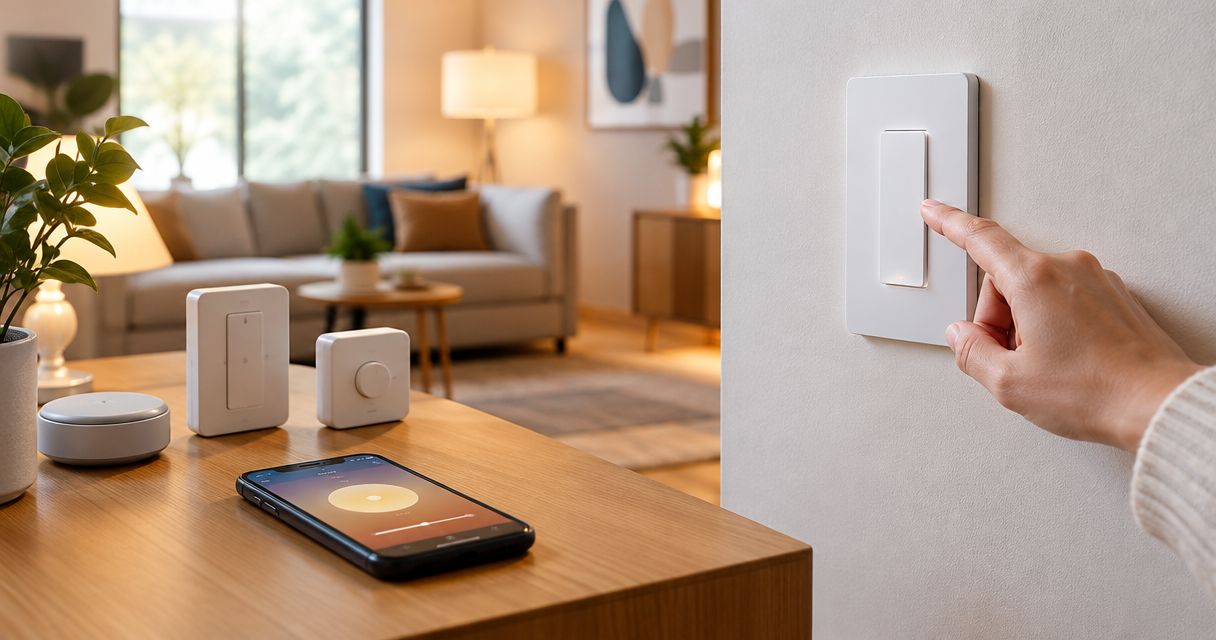

Compare the best smart light switches and dimmers: Lutron wins overall. Check neutral wires, LED dimming, hubs, and multi-location wall control.
Best overall: Lutron Caséta Diva smart dimmer. Best for hub-free connected homes: Leviton Decora Smart Wi-Fi Dimmer. Best for straightforward single-room control: TP-Link Kasa KS220. Best for Zigbee automation: Inovelli Blue Series 2-in-1 Switch. This 2026 guide compares wiring requirements, dimming, control systems, and installation trade-offs—not just app features.
- Lutron Caséta Diva leads the best smart light switches and dimmers for familiar wall control and no-neutral dimmer installations.
- Leviton Decora Smart Wi-Fi Dimmer suits homes that want connected lighting without a separate lighting hub.
- TP-Link Kasa KS220 suits straightforward single-pole circuits with a neutral wire and compatible dimmable bulbs.
- Inovelli Blue Series suits Zigbee users who want smart-bulb control and configurable automation.
- Treasure Valley Solutions provides local smart home installation for homeowners who want concealed wiring and coordinated controls.
Why this matters
A smart switch replaces a wall control; it does not fix an incompatible bulb, missing neutral, or incorrectly identified circuit. Choose the wrong device and you inherit flickering lights, confusing wall controls, or hardware that cannot connect to your existing system.
Treasure Valley Solutions installs smart home systems for homes and businesses throughout the Treasure Valley. For this 2026 comparison, start with the electrical requirements, then choose the control system—not the other way around.
What makes the best smart light switches and dimmers
Use these criteria before comparing apps or finishes:
- Wiring fit: Confirm line, load, ground, and any required neutral at the installation location. Wire color alone does not establish function.
- Load compatibility: Match the exact device to dimmable LEDs, incandescent lighting, or another explicitly supported load. A lighting dimmer is not a general-purpose motor controller.
- Wall control: Ordinary on/off and dimming functions should remain understandable to guests without a phone.
- Connection method: Decide whether your home needs Wi-Fi simplicity, a dedicated lighting hub, or integration with a Zigbee system.
- Multi-location support: Specify how every wall location will control the light. An existing companion switch is not automatically compatible.
- Installation scope: Check box space, conductor condition, circuit identification, and manufacturer instructions before buying a houseful of devices.
The best smart dimmer fits your circuit first and your automation platform second. Extra features do not compensate for the wrong electrical application.
Smart switches and dimmers at a glance
| Item | Best for | Standout feature | Key limitation |
|---|---|---|---|
| Lutron Caséta Diva smart dimmer | Familiar controls and no-neutral lighting retrofits | Paddle switch with a separate dimming slider | Connected features require a Caséta Smart Hub |
| Leviton Decora Smart Wi-Fi Dimmer, D26HD | Hub-free connected lighting | Direct Wi-Fi connection and conventional wall operation | Requires a neutral wire and suitable Wi-Fi coverage |
| TP-Link Kasa KS220 | Straightforward single-room control | App-connected dimming on a single-pole circuit | Requires a neutral; not a general replacement for multi-location circuits |
| Inovelli Blue Series 2-in-1 Switch, VZM31-SN | Zigbee automation and smart bulbs | Configurable switch/dimmer behavior and smart-bulb mode | Requires compatible Zigbee control and more configuration |
These are specific device families and models, not interchangeable labels. A switch and dimmer sold under the same brand can have different neutral, load, and accessory requirements.
1. Lutron Caséta Diva: best for familiar wall controls
The Lutron Caséta Diva smart dimmer combines a paddle with a separate slider, so you can operate the light without opening an app. Its no-neutral dimmer design makes it relevant to lighting boxes where a neutral is absent.
Connected features use the Caséta Smart Hub. That separates lighting communication from direct Wi-Fi connections at every dimmer, but it also adds a component to the system.
Lutron Caséta Diva pros:
- Familiar paddle-and-slider operation works for everyday wall control.
- The dimmer does not require a neutral connection.
- Caséta accessories provide supported options for additional control locations.
- A dedicated lighting system gives you a consistent approach across rooms.
Lutron Caséta Diva cons:
- App-based and integrated control require the Smart Hub.
- No-neutral capability does not make every LED bulb compatible.
- You must follow Lutron's approved wiring and accessory arrangements rather than assume existing controls will work unchanged.
Best for: Homeowners who prioritize understandable controls and a coordinated lighting installation over extensive device-level customization.
For a 2026 retrofit, the important distinction is between the Diva smart dimmer and other Caséta controls. Do not apply this dimmer's no-neutral requirement to every switch carrying the Caséta name.
Verdict: Buy Lutron Caséta Diva for familiar controls and compatible no-neutral dimmer installations.
2. Leviton Decora Smart Wi-Fi Dimmer: best for hub-free lighting
The Leviton Decora Smart Wi-Fi Dimmer, D26HD, connects directly to your wireless network and uses the My Leviton app. It suits homeowners who want connected lighting without introducing a separate lighting hub.
The D26HD requires a neutral wire and uses 2.4 GHz Wi-Fi. Check both at the intended installation location; a working phone connection elsewhere in the house does not establish coverage inside a wall box.
Leviton Decora Smart Wi-Fi Dimmer pros:
- Direct Wi-Fi connection avoids a separate lighting hub.
- Physical wall controls preserve ordinary daily operation.
- App scheduling supports routine lighting changes.
- The Decora format suits homeowners who want conventional-looking wall controls.
Leviton Decora Smart Wi-Fi Dimmer cons:
- A neutral connection is required.
- Wireless network changes can require device reconnection.
- Additional control locations need the specific companion arrangement supported by the manufacturer.
Best for: Homes with neutrals at the switch boxes and dependable wireless coverage where connected dimmers will be installed.
Do not treat “no hub” as “no planning.” Your network still has to serve the devices, and your household still needs a clear way to manage accounts, schedules, and future router changes.
Verdict: Buy Leviton Decora Smart Wi-Fi Dimmer when direct Wi-Fi control matches your wiring and network.
3. TP-Link Kasa KS220: best for a straightforward single-room upgrade
The TP-Link Kasa KS220 is a Wi-Fi dimmer for single-pole lighting circuits. It provides wall dimming and app-based control without a separate lighting hub.
The KS220 requires a neutral wire and a 2.4 GHz Wi-Fi connection. Its single-pole application is the key boundary: do not buy this model simply because another Kasa device supports a different circuit arrangement.
TP-Link Kasa KS220 pros:
- Direct Wi-Fi connection keeps a small installation straightforward.
- Wall controls let you operate the lights without using the app.
- Scheduling supports repeated lighting routines.
- A defined single-pole application makes its intended use clear.
TP-Link Kasa KS220 cons:
- It requires a neutral at the installation box.
- It is not the choice for an existing multi-location circuit.
- Dimming performance still depends on compatible bulbs and loads.
Best for: A homeowner adding connected dimming to a straightforward room circuit rather than designing a highly customized whole-home lighting system.
Keep the project boundary clear. A good fit for one room does not establish that the same model belongs in hallways, stairways, bathrooms, or locations with different loads and wiring.
Verdict: Buy TP-Link Kasa KS220 for a compatible single-pole room; skip it for multi-location circuits.
4. Inovelli Blue Series: best for configurable Zigbee automation
The Inovelli Blue Series 2-in-1 Switch, VZM31-SN, serves users building around Zigbee control. Its configurable operation and smart-bulb mode address projects where the wall device needs to do more than interrupt power.
Smart-bulb mode keeps power available to compatible smart bulbs while the control system handles commands. That is a different installation goal from placing ordinary dimmable bulbs on a conventional dimmer.
Inovelli Blue Series pros:
- Zigbee communication suits an existing compatible automation system.
- Smart-bulb mode supports lighting designs that need continuous bulb power.
- Configurable behavior gives experienced users more control options.
- The device supports switch or dimmer operation within its documented limits.
Inovelli Blue Series cons:
- You need a compatible Zigbee controller and supported integration.
- Configuration requires more decisions than a basic connected dimmer.
- No-neutral applications have load-dependent requirements that need careful review.
Best for: Homeowners or installers who already understand their Zigbee platform and want configurable wall actions or coordinated smart-bulb control.
For a 2026 automation project, confirm support for the exact model in your controller before ordering. The word Zigbee alone does not establish that every configuration feature appears in every platform.
Verdict: Buy Inovelli Blue Series for a defined Zigbee design; skip it if you want minimal setup.
Match the control to the circuit before ordering
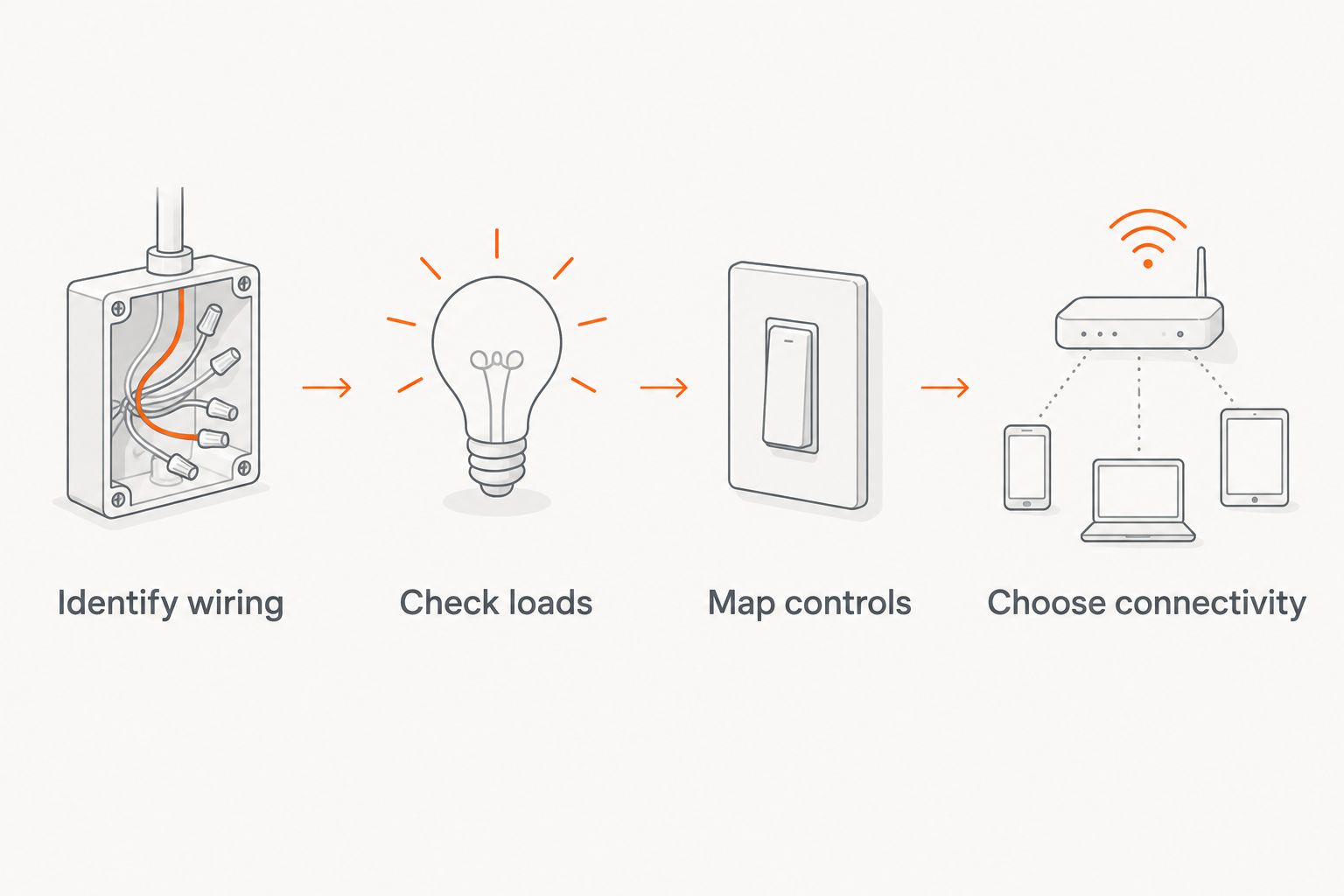
A room-by-room circuit list prevents a common buying mistake: treating every wall plate as the same job. Record these details before choosing quantities or models.
Identify wiring
Have the circuit identified and the installation box assessed safely. US residential lighting commonly uses 120 V, 60 Hz power, but that standard does not establish what a particular conductor does or whether the box contains a usable neutral.
Turn off the circuit and verify that it is de-energized before any electrical work. Use a qualified electrician when identification, testing, or modifications exceed your skills.
Check loads
List the fixtures and bulbs controlled by each device. Check dimmability, the manufacturer's compatibility guidance, and the exact dimmer's load limits; do not assume a working on/off circuit is suitable for dimming.
Do not use a lighting dimmer to control a fan motor unless the manufacturer explicitly rates that device for the application. Combination fan-and-light installations need particular attention.
Map controls
Identify every location that operates the same light. A 3-way circuit controls a load from two locations; that is a circuit arrangement, not a promise that any smart switch can replace either existing device.
Choose connectivity
Choose Wi-Fi, Caséta, or Zigbee based on the system you intend to maintain. Put the account ownership, controller location, and recovery instructions somewhere the homeowner can find them.
Treasure Valley Solutions installs smart home systems across Boise, Meridian, and the greater Treasure Valley. For smart light switches and dimmers, a useful installation scope identifies the controlled fixtures, wiring requirements, and desired wall behavior—not just the brand.
How the ranking works
This 2026 ranking prioritizes electrical fit, understandable wall operation, connection method, and installation complexity. It separates the use cases rather than pretending that one device wins every room.
Lutron leads for familiar controls and no-neutral dimmer retrofits. Leviton serves direct Wi-Fi installations, Kasa serves straightforward single-pole rooms, and Inovelli serves configurable Zigbee projects.
Manufacturer installation instructions and compatibility documentation govern the final selection. This is a buying guide, not a claim of hands-on testing or a substitute for the exact model's electrical instructions.
Which smart switch or dimmer should you choose?
Choose Lutron Caséta Diva as the default when you want familiar controls and a coordinated lighting system. Choose Leviton when avoiding a separate lighting hub matters, Kasa for a straightforward compatible room, and Inovelli when Zigbee configuration is part of the plan.
Treasure Valley Solutions is best for Treasure Valley homeowners who want smart light switches and dimmers planned alongside professional smart home installation. Bring a room list and explain what each wall control should do, including during an internet outage.
FAQ
What's the best smart light dimmer for most homes?
Lutron Caséta Diva is the default recommendation in this guide for familiar wall operation and compatible no-neutral dimmer installations. Connected features require a Caséta Smart Hub, and bulb compatibility still needs checking.
Do smart light switches need a neutral wire?
Some smart light switches and dimmers require a neutral, while others do not. Leviton D26HD and Kasa KS220 require one; the Lutron Caséta Diva smart dimmer does not.
Is a smart switch better than a smart bulb?
A smart switch suits fixture-level control, while a smart bulb suits bulb-level features such as supported color changes. If you combine them, use an explicitly supported arrangement that preserves the bulb power required for connected operation.
Can I use a smart dimmer with any LED bulb?
No, a smart dimmer needs compatible dimmable LED bulbs and a supported load. Check the dimmer manufacturer's compatibility guidance rather than relying only on the word LED on the package.
Will smart light switches work without internet?
The listed devices provide physical wall control, but connected functions depend on the system and feature. Confirm offline behavior for schedules, app access, voice commands, and automations before choosing a setup.
Can a smart dimmer replace a 3-way switch?
A smart dimmer can serve a multi-location circuit only when its manufacturer supports that exact arrangement. Some installations require a specified companion device or wireless control rather than the existing mechanical switch.
Should I install smart dimmers throughout the house at once?
Start with a representative compatible circuit before repeating the design throughout the house. Check bulb behavior, low-end dimming, wall operation, and additional control locations before expanding the installation.
One last thing
Decide what the wall control does before deciding what the app does. In a 2026 lighting upgrade, an impressive automation is secondary to a guest finding the light switch and understanding it immediately.
Ask for a final walkthrough covering manual operation, dimming limits, schedules, and account access. A neatly installed device is only part of a finished lighting system.
Related guides
Recent Google reviews
Read all reviews →“Did a great job.”
“Quick and efficient work.”
“Joe was great! Got the job done efficiently. Highly recommend Treasure Valley Solutions.”