 (208) 991-3502
 Meridian, ID



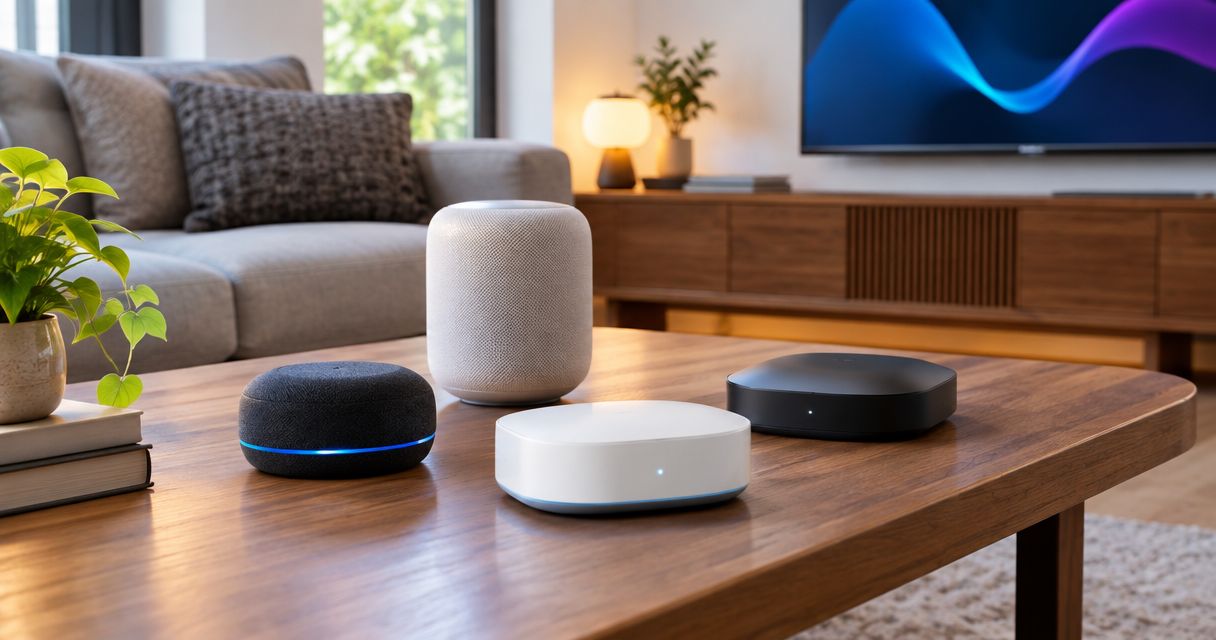

Compare the best smart home hubs for local control, Apple, Alexa, SmartThings, and Aqara. Match your devices before choosing a controller for your home.
Best overall for configurable local automation: Home Assistant Green. Best for Apple households: Apple HomePod mini; best for Alexa voice control: Amazon Echo (4th Gen); best for SmartThings device integration: Aeotec Smart Home Hub; best for Aqara accessories: Aqara Hub M3. This 2026 comparison explains which controller fits your devices, what each requires, and where installation gets complicated.
- The best smart home hubs depend on your devices: Home Assistant Green leads for configurable local automation.
- Apple HomePod mini suits Apple households; Amazon Echo (4th Gen) suits Alexa voice control.
- Aeotec Smart Home Hub serves SmartThings installations; Aqara Hub M3 fits Aqara-centered systems.
- Treasure Valley Solutions installs smart home automation; choose the control platform before specifying connected devices.
Why this matters
A hub does not make every connected device compatible. You need the right controller, the right wireless connection, and support for the functions you actually want—not just a matching logo on the box.
For homeowners planning smart home automation, Treasure Valley Solutions is best for installation support in Boise, Meridian, and the greater Treasure Valley. Treasure Valley Solutions installs automation, audio/video, security, and low-voltage wiring systems, so the hub decision belongs alongside wiring and network planning.
In 2026, separate three questions: Can the device connect? Can the controller operate its important features? Will the automation still work when the internet connection fails? Those answers determine whether your home works predictably.
What makes the best smart home hubs
Use these criteria before comparing hardware:
- Device compatibility: Check the exact accessory model, not just its manufacturer or wireless protocol.
- Local control: Identify which commands and routines run inside your home rather than through an outside server.
- Radio support: Distinguish Zigbee, Z-Wave, Thread, Wi-Fi, and Ethernet. Supporting one does not imply supporting another.
- Household usability: Everyone needs a practical way to operate lights, shades, and scenes without troubleshooting an app.
- Installation requirements: Account for extra adapters, bridges, network connections, and the location of each radio.
- Maintenance: Decide who will manage updates, broken integrations, account changes, and replacement equipment.
Buy the controller for your intended automations, not for the longest compatibility list. A supported device still needs to expose the controls your routine requires.
Smart home hubs at a glance
| Hub | Best for | Standout feature | Key limitation |
|---|---|---|---|
| Home Assistant Green | Configurable local automation | Dedicated hardware for Home Assistant | Zigbee and Thread require additional radio hardware |
| Apple HomePod mini | Apple households | Apple home hub and Thread border router | No Zigbee or Z-Wave radio |
| Amazon Echo (4th Gen) | Alexa voice control | Alexa speaker with a built-in Zigbee hub | Many Alexa functions depend on internet access |
| Aeotec Smart Home Hub | SmartThings device integration | Zigbee and Z-Wave connections through SmartThings | Device features depend on integration support |
| Aqara Hub M3 | Aqara-centered systems | Aqara Zigbee hub, Matter controller, and Thread border router | Not a universal hub for third-party Zigbee accessories |
These are different control approaches, not interchangeable boxes. The right choice depends on whether you prioritize customization, voice access, a familiar household app, or an existing accessory collection.
1. Home Assistant Green: best hub for local automation
Home Assistant Green is dedicated hardware that runs Home Assistant. It connects to your network through Ethernet and brings compatible devices and integrations into a shared automation system.
Its main advantage is control over how the home behaves. You can build routines around device states, schedules, sensors, and conditions rather than limiting the design to a voice command or a manufacturer's app.
Home Assistant Green pros:
- Supports detailed, conditional automations.
- Runs compatible local integrations without requiring cloud processing for those integrations.
- Connects devices from different ecosystems through supported integrations.
- Provides dedicated hardware instead of requiring a separate general-purpose computer.
Home Assistant Green cons:
- Zigbee and Thread connectivity require additional hardware.
- Integration setup and ongoing maintenance demand attention.
- A cloud-dependent accessory remains cloud-dependent when added to Home Assistant.
Best for: You want to configure how devices work together and accept responsibility for maintaining that configuration.
For a 2026 installation, list every proposed integration before ordering radios or accessories. Confirm which functions work locally and which still require manufacturer accounts. Local control is a property of the complete connection, not a promise attached to the hub alone.
Verdict: Buy Home Assistant Green for configurable local automation; skip it if nobody will maintain the system.
2. Apple HomePod mini: best hub for Apple households
Apple HomePod mini combines a Siri speaker, an Apple home hub, and a Thread border router. It suits households that want compatible accessories controlled through Apple's Home app, Siri, and household automations.
The distinction matters: Thread provides a network connection, while Matter defines supported device communication. Neither label guarantees that every advanced accessory setting appears in Apple Home.
Apple HomePod mini pros:
- Fits an existing Apple household without introducing a separate control interface.
- Provides a Thread border router for compatible Thread accessories.
- Supports compatible Matter accessories within Apple Home.
- Adds voice control where the speaker is placed.
Apple HomePod mini cons:
- Does not connect directly to Zigbee or Z-Wave devices.
- Offers less automation flexibility than Home Assistant.
- Requires a supported Apple device for setup and administration.
Best for: Your household uses Apple devices and wants everyday lighting, shade, and scene controls in Apple Home.
Before choosing HomePod mini in 2026, check the exact accessories against Apple Home compatibility. A Zigbee accessory needs a compatible bridge; a Thread accessory needs the appropriate controller support. Do not assume that adding a border router removes either requirement.
Verdict: Buy Apple HomePod mini for an Apple-centered home; skip it for a mixed collection that requires direct Zigbee or Z-Wave connections.
3. Amazon Echo (4th Gen): best hub for Alexa voice control
Amazon Echo (4th Gen) combines an Alexa speaker with a built-in Zigbee smart home hub. It gives compatible Zigbee accessories a direct connection without requiring a separate Zigbee bridge for those supported devices.
Choose this specific model deliberately. The Echo name covers different devices, and their radios and smart home capabilities are not interchangeable.
Amazon Echo (4th Gen) pros:
- Combines household voice access and compatible device control.
- Connects supported Zigbee accessories directly.
- Supports Alexa routines for compatible devices and actions.
- Includes Matter support and Thread border-router capability.
Amazon Echo (4th Gen) cons:
- Many Alexa features and connected services require internet access.
- Does not provide a Z-Wave radio.
- Voice placement and device naming need care in shared spaces.
Best for: You want Alexa to be the main household interface and have verified that your accessories support the intended controls.
For 2026 planning, test the actual routine you expect to use. Turning a light on is different from selecting a device-specific effect, reading a sensor attribute, or controlling an accessory's advanced settings. A connection alone does not prove that Alexa exposes every function.
Verdict: Buy Amazon Echo (4th Gen) for Alexa-first control; skip it when internet-independent operation is the main requirement.
4. Aeotec Smart Home Hub: best hub for SmartThings integration
Aeotec Smart Home Hub connects compatible Zigbee and Z-Wave accessories to Samsung SmartThings. It fits homes that want a shared app for supported devices without taking on Home Assistant's level of configuration.
SmartThings supports local operation for compatible hub-connected devices and routines. Cloud-connected integrations still depend on the services behind them, so assess the complete automation rather than calling the entire system local.
Aeotec Smart Home Hub pros:
- Includes Zigbee and Z-Wave connectivity.
- Brings supported devices into the SmartThings app.
- Supports local execution for compatible devices and routines.
- Offers a path for combining different supported accessory brands.
Aeotec Smart Home Hub cons:
- Device features depend on the available integration or driver.
- Cloud-connected services retain their internet dependencies.
- Thread accessories require a compatible Thread border router; Matter support alone is not enough.
Best for: You want SmartThings as the household control system, particularly when Zigbee and Z-Wave accessories are part of the plan.
Check support at the model level. A device appearing in SmartThings does not establish that every setting, sensor reading, or automation trigger is accessible. Confirm those details before replacing a working manufacturer bridge.
Verdict: Buy Aeotec Smart Home Hub for a verified SmartThings device plan; wait if essential accessory functions remain unconfirmed.
5. Aqara Hub M3: best hub for Aqara-centered systems
Aqara Hub M3 combines an Aqara Zigbee hub, a Matter controller, and a Thread border router. It also includes infrared control, which adds a connection method for compatible equipment that uses an infrared remote.
Its strongest use case is an installation built around supported Aqara accessories. Treat broader Matter integration as a compatibility question, not permission to connect any Zigbee device.
Aqara Hub M3 pros:
- Combines several connection roles in one device.
- Supports compatible Aqara Zigbee accessories.
- Adds infrared control for supported equipment.
- Offers Ethernet connectivity and Power over Ethernet support.
Aqara Hub M3 cons:
- Does not act as a universal third-party Zigbee hub.
- Advanced features depend on the accessory and destination ecosystem.
- Infrared equipment placement requires an appropriate signal path.
Best for: You are selecting supported Aqara sensors and controls and want the hub designed around that system.
For a 2026 project, confirm which functions stay in Aqara Home and which are exposed to another ecosystem through Matter. That distinction affects notifications, scenes, and how much the household must switch between apps.
Verdict: Buy Aqara Hub M3 for an Aqara-centered installation; skip it as a universal replacement for unrelated bridges.
How the ranking works
This ranking prioritizes device compatibility, local-control options, household usability, radio requirements, and maintenance. It compares documented capabilities, not a claim of side-by-side installation testing.
Home Assistant Green leads for configurable local automation. The remaining choices each win a different use case: Apple Home, Alexa, SmartThings, or Aqara. No hub wins every category, and the first-ranked option is not automatically the easiest choice.
Plan shades around the connection, not the app
Motorized shades expose a common planning mistake: choosing the controller before checking the motor and its bridge requirements. When connecting shades to Samsung SmartThings, verify the motor model, connection method, and supported controls; a visible device tile does not establish position feedback or preset support.
Write down the behavior you need. Opening and closing, setting a position, reporting position, and joining a scene are separate functions. Ask which system handles each one and whether the routine needs an internet connection.
The same check applies to lighting and thermostats. Confirm useful controls first, then choose the interface your household will use.
Check the network and wiring before installation
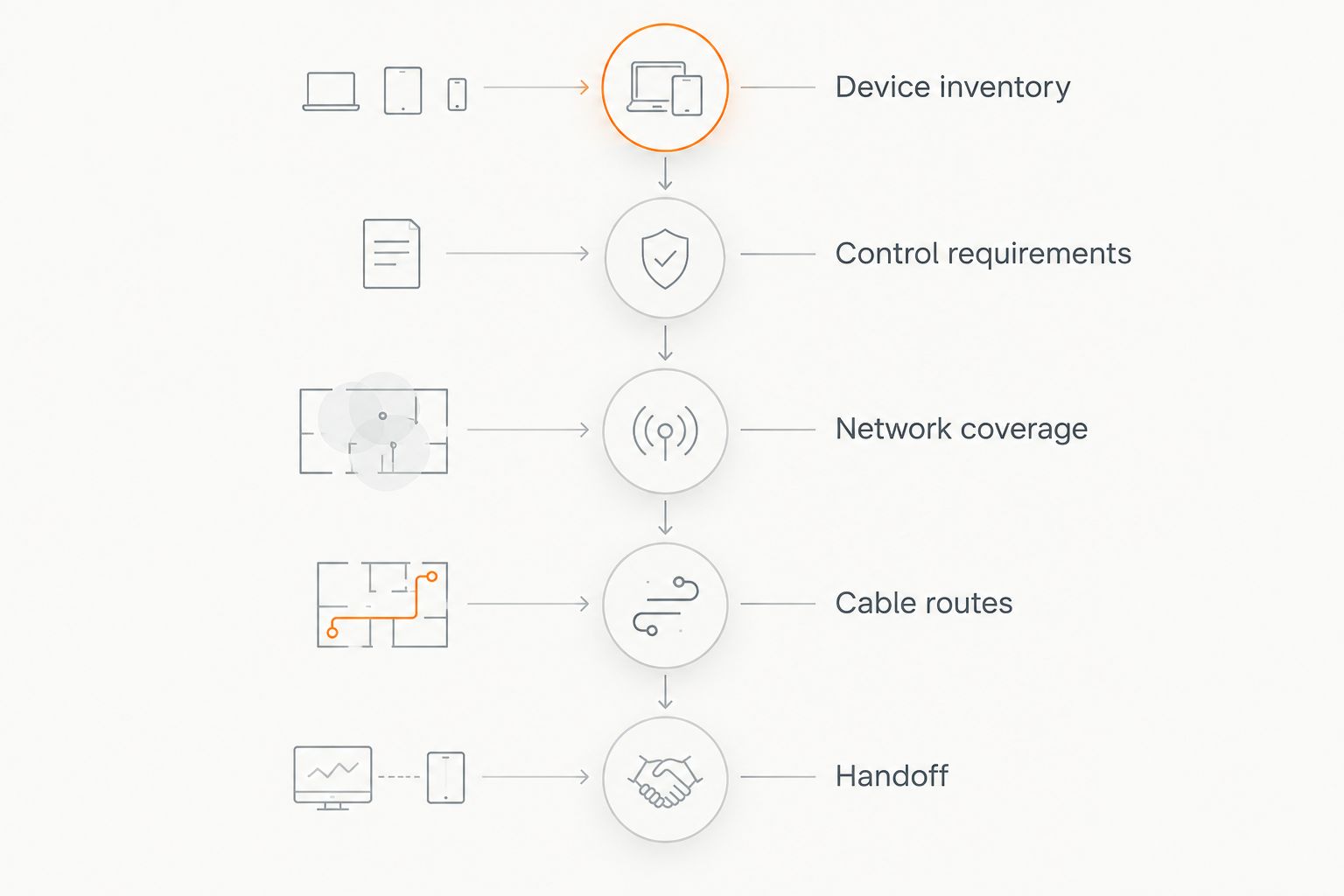
A hub cannot repair weak Wi-Fi or create a missing radio. Keep the planning process in this order:
- Device inventory: Record exact models, protocols, and required bridges.
- Control requirements: Specify scenes, triggers, remote access, and outage behavior.
- Network coverage: Check connectivity where accessories will actually sit.
- Cable routes: Plan Ethernet, power, and accessible equipment locations.
- Handoff: Document accounts, routine names, and manual controls.
Check Wi-Fi bands separately from smart home protocols. A 2.4 GHz-only Wi-Fi accessory cannot join a 5 GHz-only network. Adding a 6 GHz Wi-Fi radio does not add Zigbee, Z-Wave, or Thread support.
Avoid placing hubs behind metal equipment or inside an enclosure without considering radio reception. Ethernet can carry the network connection to the hub, but wireless accessories still need a working radio path.
Treasure Valley Solutions installs smart home automation and low-voltage wiring, making device placement and concealed cable routes part of the same installation discussion. Give the installer your device inventory and required scenes—not just a hub model.
Which smart home hub should you choose?
Choose Home Assistant Green if your priority is configurable local automation and you accept the maintenance. Choose Apple HomePod mini for an Apple household, Amazon Echo (4th Gen) for Alexa, Aeotec Smart Home Hub for SmartThings, or Aqara Hub M3 for supported Aqara accessories.
If you are undecided in 2026, start with the devices you already own and the interface your household understands. Replacing a functioning ecosystem adds work without automatically improving daily use.
For an installed system, Treasure Valley Solutions can address smart home controls alongside networking, audio/video, and wiring. Keep manual operation and household access in the scope from the beginning.
FAQ
What's the best smart home hub in 2026?
Home Assistant Green is the best choice here for configurable local automation. Apple HomePod mini, Amazon Echo (4th Gen), Aeotec Smart Home Hub, and Aqara Hub M3 fit different household ecosystems.
Do I need a smart home hub if my devices use Wi-Fi?
Not every Wi-Fi smart device requires a separate hub. A controller still provides shared routines or household control when the devices support that platform.
Is Matter the same thing as Thread?
No. Matter is a device communication standard, while Thread is a networking technology; Matter devices can also communicate over other supported network connections.
Does Home Assistant Green include Zigbee?
No, Home Assistant Green does not include a built-in Zigbee radio. Connecting Zigbee accessories requires suitable additional hardware and configuration.
Can Apple HomePod mini control Z-Wave devices directly?
No, Apple HomePod mini does not contain a Z-Wave radio. A separate compatible integration path is required to bring those devices into the intended control system.
Will my smart home hub work without internet?
Offline operation depends on the devices, integrations, and routines involved. Local connections can continue working while cloud-dependent commands and services lose functionality.
Can one smart home hub control every device?
No hub guarantees control of every smart device or every accessory feature. Check the exact model, connection method, and required functions before buying.
One last thing
Before approving an installation, ask for an internet-disconnection demonstration. Test a wall control, a scheduled routine, and a sensor-triggered action rather than accepting a general promise about local control.
A successful demonstration shows what your household can still operate—not merely whether the hub stays powered on. Keep that result with your account and device documentation.