 (208) 991-3502
 Meridian, ID




A golf simulator turns a real swing into a virtual shot. You hit a real ball with a real club, a sensor system measures the ball (and often the club) in the instant after impact, and software uses tho...
A golf simulator turns a real swing into a virtual shot. You hit a real ball with a real club, a sensor system measures the ball (and often the club) in the instant after impact, and software uses those numbers to calculate the full flight and draw it on a screen. So how does a golf simulator work in practice? Hardware measures, software calculates, and a screen shows the result, all within a second or two.
The details matter more than the basic idea. The measurement technology, the software and the room each change how accurate and enjoyable a simulator feels. This article explains why the technology matters before you buy, how a shot travels from swing to screen, how camera, radar and infrared tracking differ, and what you need to run a simulator at home.
Treasure Valley Solutions designs and installs golf simulators for homeowners, builders and commercial venues in the Treasure Valley, and we work with TruGolf equipment. That hands-on work is why the explanations below focus on what affects your decision.
Why knowing how a golf simulator works matters
Understanding the technology matters because the measurement system decides how realistic a simulator feels and how well it helps you improve. The screen and course graphics are the part you see, but the sensors do the real work.
The measurement system sets the accuracy
Everything a simulator shows depends on the data it receives. The software can render a flawless fairway, but the launch monitor or sensor system decides whether your 7-iron flies the distance and shape it would outdoors. Two simulators with identical screens can feel very different because one measures spin and club data while the other estimates them.
This is also why a simulator is useful for practice and not only for entertainment. If the numbers are measured well, you can see what your club did to the ball and change it. If they are guessed, you are playing a video game with a golf skin.
A simulator is a measurement device first and a video game second.
What it changes in your buying decision
Knowing the parts helps you separate a launch monitor from a simulator. A launch monitor measures the shot. A simulator is the complete setup: a launch monitor or sensor, simulation software, a hitting area, and a screen or net. Some launch monitors are portable and also work outdoors, so you can buy one first and build the rest of the room later. The TruGolf APOGEE, for example, is a camera-based launch monitor made for both indoor and outdoor use.
It also helps you ask better questions at the store or on a consultation. Ask what the system measures and what it estimates. Ask what software it runs and what that software costs after the first year. Ask what room it needs. A seller who cannot answer those clearly is a warning sign.
How a golf simulator turns a swing into a shot on screen
A golf simulator works in five steps: you swing, the sensors capture impact, the software calculates the flight, the screen displays it, and the system sets up your next shot. The whole loop takes only a couple of seconds, which is why the ball seems to fly the moment you hit it.
The sequence from swing to screen
You stand on a hitting mat facing a screen or net. You use your own clubs and real golf balls, so nothing about your swing changes. Then this happens:
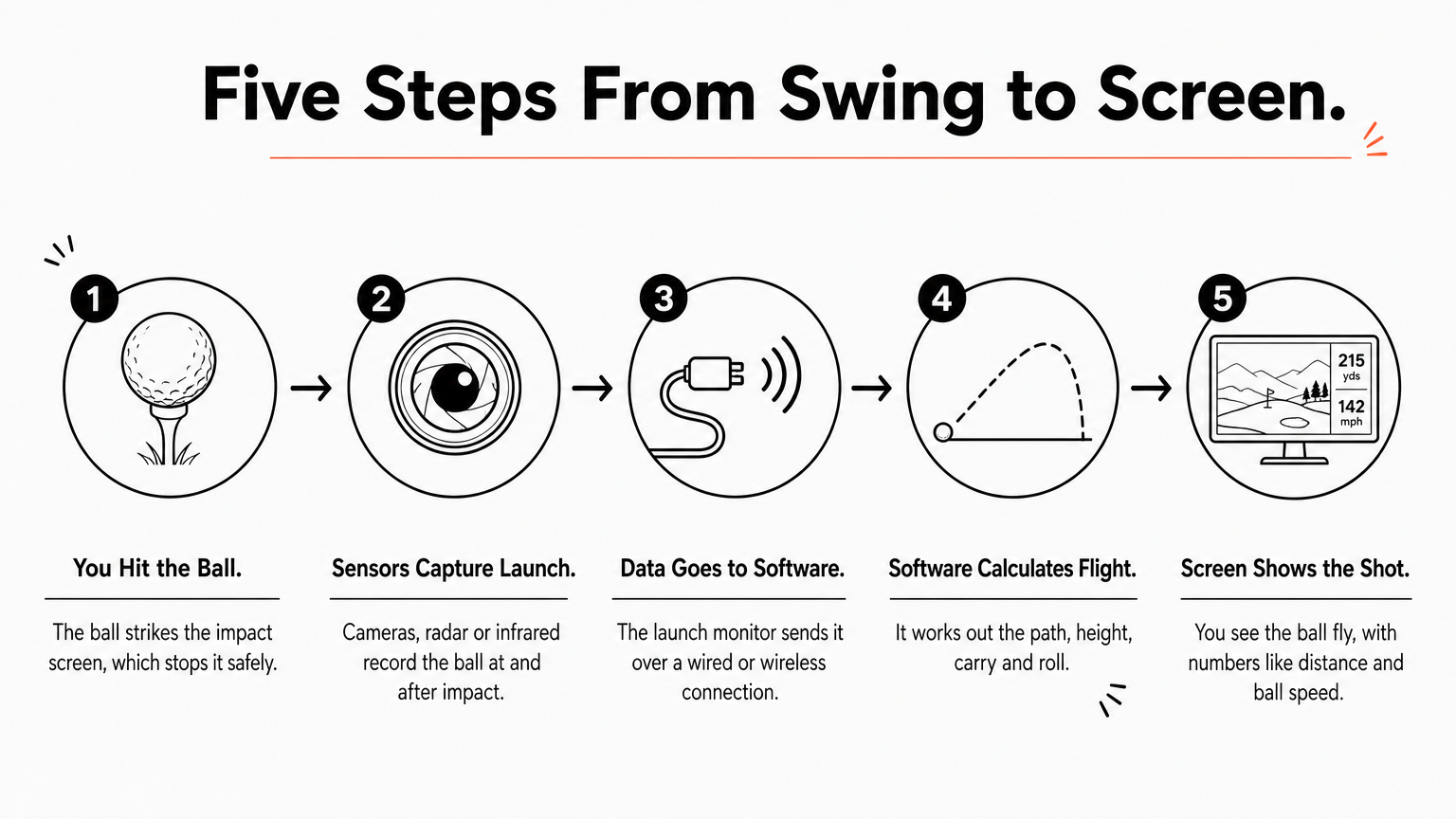
- You hit the ball. The ball strikes the impact screen, which stops it safely.
- The sensors capture the launch. Cameras, radar or infrared sensors record the ball, and on better systems the club, at and just after impact.
- The launch monitor sends the data to the software. This happens instantly over a wired or wireless connection.
- The software calculates the flight. It works out the path, height, carry and roll of the ball.
- The screen shows the shot. You see the ball fly down a virtual range or course, along with numbers such as distance and ball speed.
The system then places you at the next shot, so a round of nine holes can take well under an hour because there is no walking, searching for balls or waiting.
What the software does with the numbers
The launch monitor does not follow the ball all the way down the fairway. It measures the starting conditions, mainly ball speed, launch angle, launch direction, spin rate and spin axis. The software feeds them into a ball-flight model that accounts for gravity and air resistance, then adds course conditions such as wind, elevation, and how firm the fairway is.
Take a 7-iron as an example. If the monitor reads a steep launch and heavy backspin, the software shows a high shot that lands soft and stops quickly. If it reads a spin axis tilted to the right, you see a slice, and the club path and face angle data (on systems that measure the club) tell you why. Putting is handled differently by each system, so ask how a given system reads putts before you buy.
The launch monitor measures how the ball leaves the club, and the software predicts everything after that.
Camera, radar and infrared tracking compared
The three common ways to measure a shot are camera-based (photometric) tracking, radar, and infrared sensors. Each one captures the same basic data differently, and that difference changes the room you need and the detail you get.
The three technologies side by side
| Technology | How it measures | Strengths | Trade-offs |
|---|---|---|---|
| Camera (photometric) | High-speed cameras photograph the ball, and on some units the club, at and just after impact | Direct measurement of launch and spin, suits indoor rooms | Needs good, steady lighting and correct ball placement |
| Radar | Doppler radar tracks the ball as it leaves the club | Tracks the ball in flight, works indoors and outdoors | Usually needs more distance to the screen, and spin may be calculated from other data |
| Infrared sensors | Sensors in a mat, bar or frame detect the ball and club as they pass | Often the most affordable | Typically measures less, and spin is more often estimated |
These are general differences, and individual products vary. Check the specifications of any specific unit for what it measures directly. A camera-based system such as the TruGolf APOGEE measures the ball directly with photometric tracking, which suits a home bay where space behind the ball is limited.
Which one fits which golfer
If you want accurate indoor practice in a typical room, camera-based tracking is a strong fit because it reads the ball directly and does not depend on a long flight path. If you also want to take the same unit to the range, a portable radar or camera launch monitor makes sense. If you mostly want casual games with family and friends, an infrared system may be enough and will cost less.
Choose the tracking technology for your room and your goals, not for the spec sheet with the most numbers.
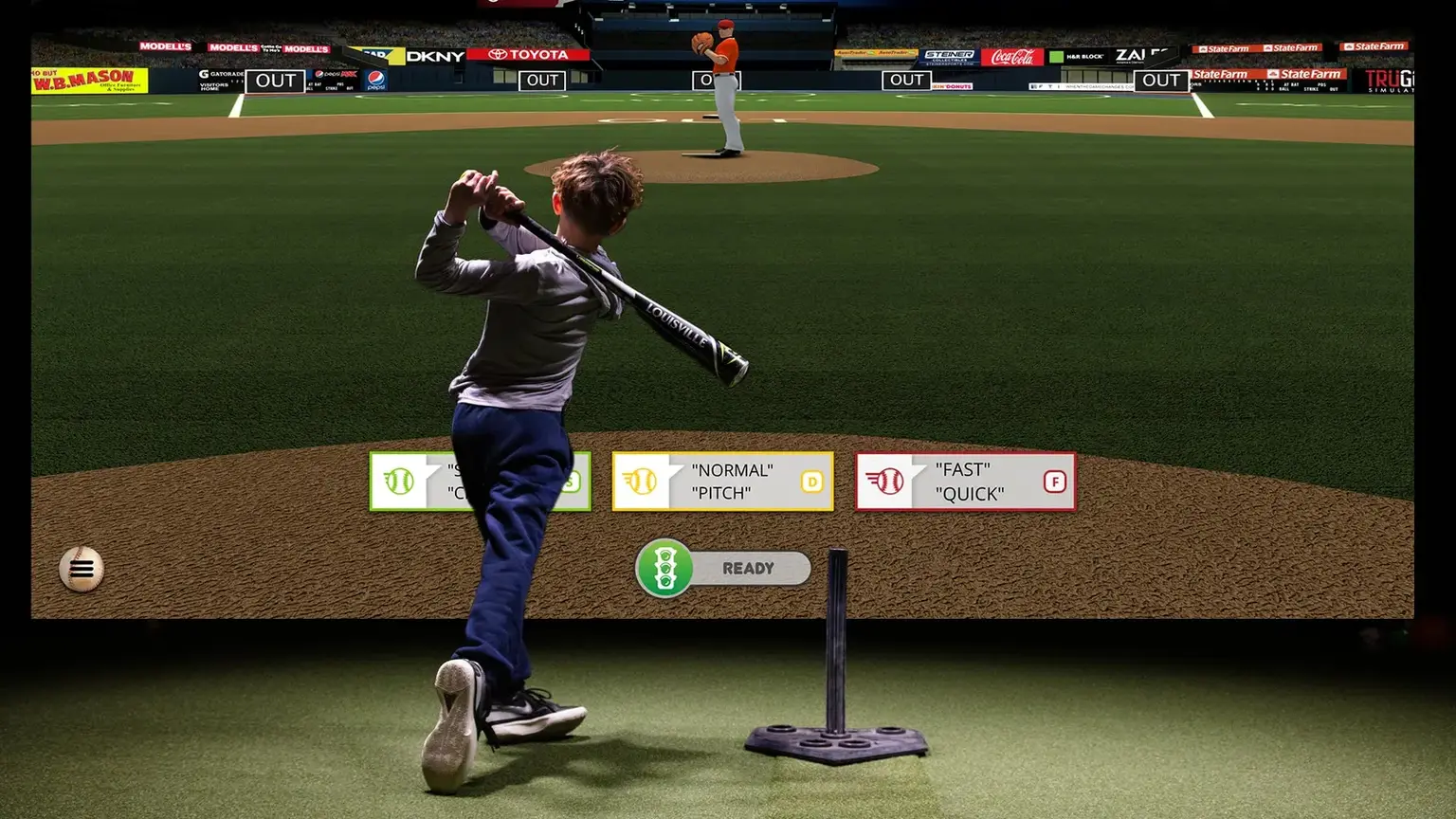
Add-ons use the same ideas. The MultiSport ARCADE, for instance, uses overhead camera tracking to add family games beyond golf. Confirm the games, equipment and any subscription with TruGolf before you buy.
What you need to run a golf simulator at home
A working home simulator needs four things: a launch monitor or sensor system, simulation software on a device, a hitting mat with a screen or net, and a room big enough to swing freely. Most buyers add a projector so the shot appears on the impact screen.
The equipment checklist
- Launch monitor or sensor system: measures the shot.
- Software and a device: many systems run on a PC, and some work on a tablet or phone. Check the software's requirements, because the answer to whether you need a computer depends on the system.
- Hitting mat: a surface you can swing off safely, with a spot for the ball.
- Enclosure with impact screen: stops the ball and shows the image.
- Projector: displays the course on the screen.
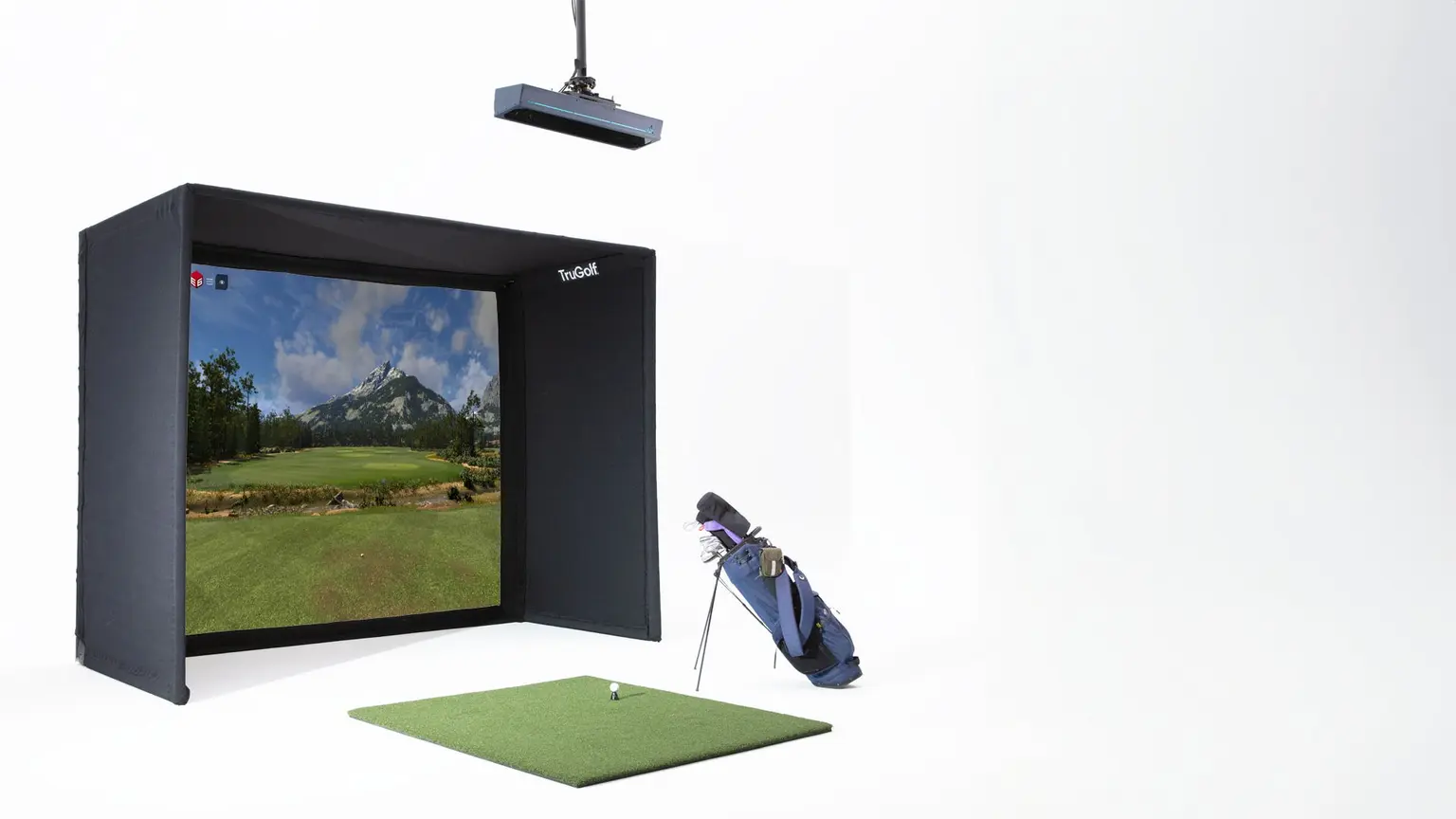
Packages bundle these parts. The TruGolf MAX, described as the most popular system, comes with an APOGEE launch monitor, screen and enclosure, and E6 software, though you should confirm package contents and terms with the supplier. If you want to build in stages, the Starter 10 is an enclosure with a steel frame, a professional-grade impact screen and an integrated overhead mount for short-throw projectors, ready to pair with a TruGolf launch monitor.
Room, cost and installation
Measure your ceiling height, width and depth before choosing anything. A full swing with your longest club needs clear space overhead and on both sides, and the tracking technology you choose adds its own space requirements. Your own clubs work fine, so you do not need to buy a special set, though keeping a few clubs you swing often is enough for most sessions.
Cost varies widely with the tracking technology, the screen and projector, and the software. There is no single installed price, because an online package price is not an installed quote. Our Golf Simulator Installation service plans the bay layout, equipment, projection, low-voltage cabling, software licensing and calibration around your room and swing. We offer free on-site consultations and estimates with no obligation, and we give a one-year warranty on all work.
Measure the room first, then pick the equipment that fits it.
Is a golf simulator right for your space?
A golf simulator works by measuring the first moments of your shot and calculating the rest. The launch monitor or sensors capture ball speed, launch angle and spin, the software turns that into a flight, and the screen shows it. The quality of the measurement decides how realistic the experience is, so it should drive your decision more than screen size or course count.
If you are weighing a simulator for a home or business, the next steps are simple. Measure your room, decide how you will use it, and compare what each system measures directly. If you want help with the design and installation, contact Treasure Valley Solutions to book a free on-site consultation and get a plan that fits your room and your swing.
Recent Google reviews
Read all reviews →“Very responsive and professional!”
“Great service and Follow Up”
“Great job!!”