 (208) 991-3502
 Meridian, ID




If you're researching the E6 Connect simulator software, you're likely putting together a golf sim setup at home or upgrading one you already have. E6 Connect is one of the most popular software platf...
E6 Connect Simulator: Features, Pricing, Courses & Setup Info
If you're researching the E6 Connect simulator software, you're likely putting together a golf sim setup at home or upgrading one you already have. E6 Connect is one of the most popular software platforms in the residential golf simulator space, and for good reason, it offers a strong library of courses, realistic graphics, and compatibility with most major launch monitors on the market.
But choosing the right software is only one piece of the puzzle. The hardware around it, your projector, screen, impact setup, audio, and network connectivity, all need to work together seamlessly. That's where our team at Treasure Valley Solutions comes in. We design and install custom home entertainment and media room systems across the Boise and Meridian area, including dedicated golf simulator rooms with properly calibrated displays, structured wiring, and integrated controls. We've seen firsthand how the right (or wrong) tech setup can make or break the simulator experience.
This article covers everything you need to know about E6 Connect before you buy: features, pricing tiers, compatible launch monitors, available courses, system requirements, and setup considerations. Whether you're comparing it against other platforms or ready to pull the trigger, you'll have the details to make a confident decision.
What E6 Connect is and who it fits
E6 Connect is a golf simulation software platform developed by TruGolf, designed to run on a computer connected to a projector or large display inside a dedicated simulator enclosure. It provides a fully rendered golf environment where your real swing data, captured by a launch monitor, gets translated into a ball flight on screen. The software handles everything from course rendering and shot tracking to multiplayer scoring and game mode logic. Think of it as the engine that ties your physical swing to the on-screen experience.
How the software works with your hardware
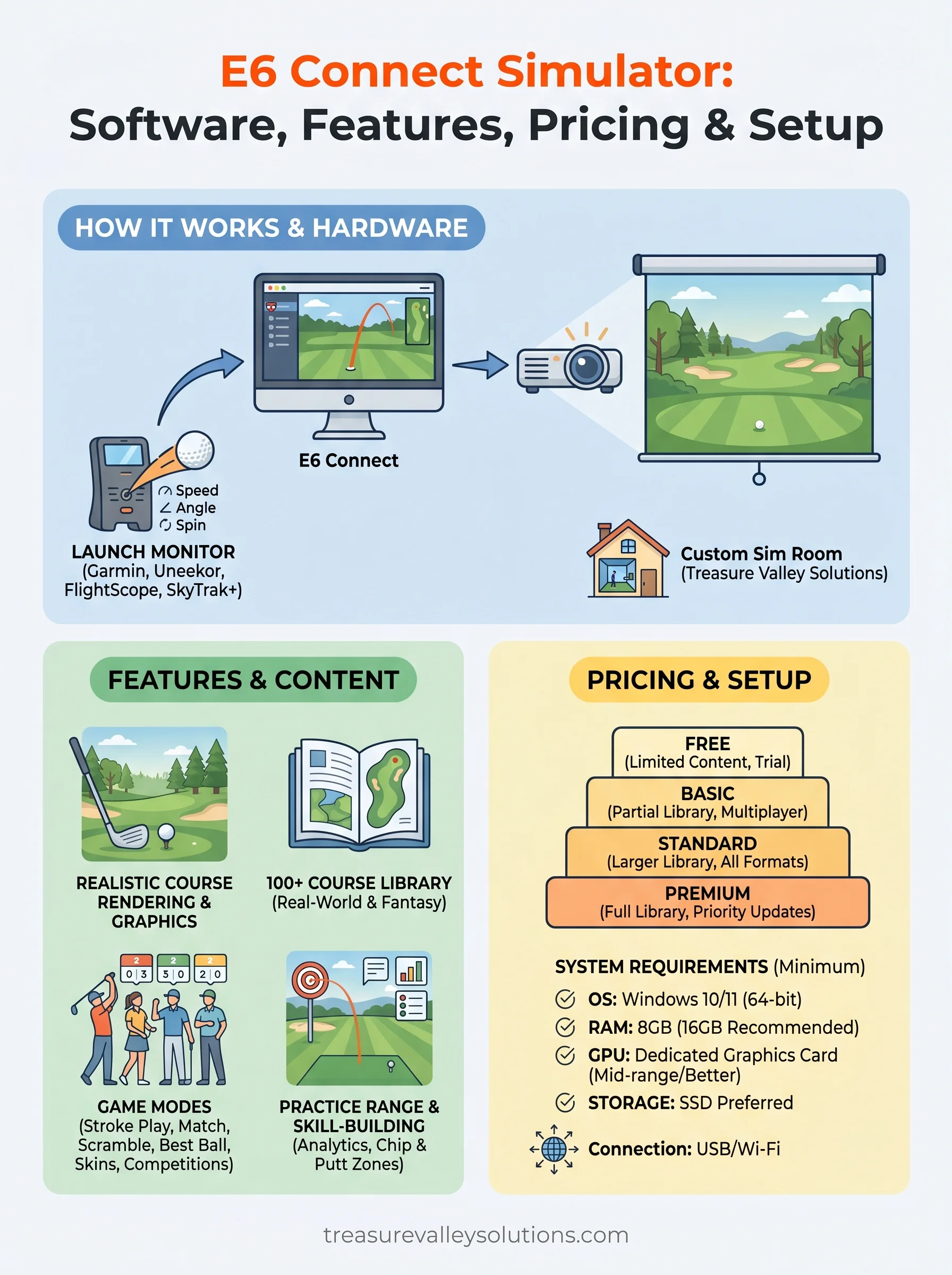
The e6 connect simulator software does not collect swing data on its own. It depends entirely on an external launch monitor or radar device to feed it ball speed, launch angle, spin rate, and direction. Once the launch monitor captures that data, it sends it to E6 Connect via a direct USB connection, a local network, or a proprietary SDK integration, depending on the device you use. E6 Connect then renders the resulting ball flight in real time across your display.
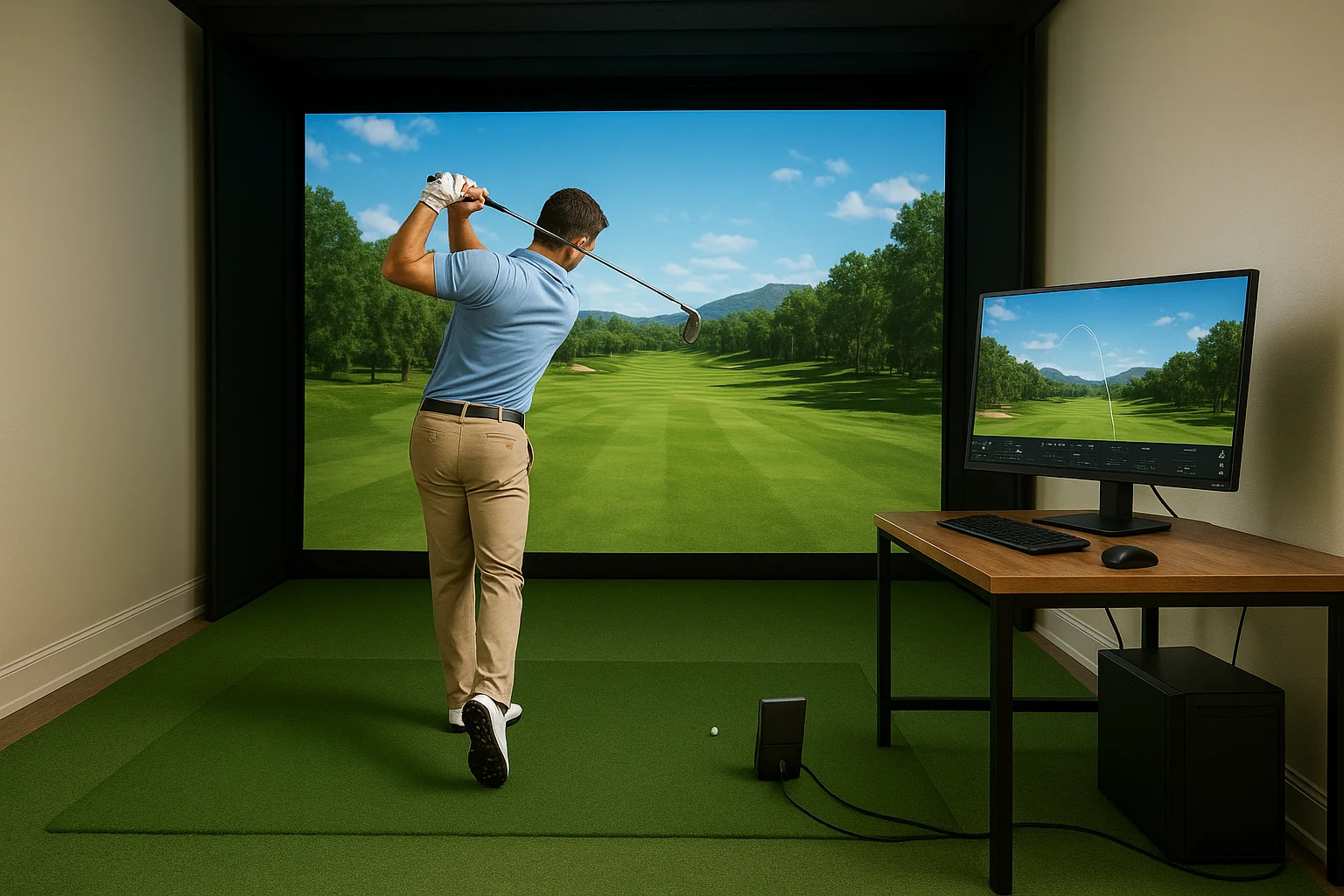
The quality of your simulator experience depends as much on your launch monitor accuracy as it does on the software rendering it.
Compatible devices include popular options like the Garmin Approach R10, Uneekor QED, FlightScope Mevo+, and SkyTrak+, among others. Each device has its own integration level, so some features may be locked or limited depending on which hardware you pair with the software.
Who gets the most value from E6 Connect
E6 Connect works well for a wide range of users, but it fits certain setups better than others. Serious recreational golfers who want to play full rounds on realistic course recreations will find it one of the most complete options available. It also suits households with multiple golfers, since most licensing tiers support multiplayer modes and game formats that keep a group engaged well beyond basic stroke play.
Building a dedicated simulator room in your home? E6 Connect is designed with that environment in mind. It scales from a modest bedroom setup to a full media room installation with 4K projection and premium audio, making it a strong foundation for a high-end home golf space.
Features and game modes in E6 Connect
The e6 connect simulator software packs a wide range of features into one platform, covering everything from casual rounds with friends to structured practice sessions. You get realistic course rendering, shot-by-shot stats, and a multiplayer scoring engine, all within a single interface that runs on a standard Windows PC.
Course play and game formats
When you launch into course play, E6 Connect gives you multiple game format options beyond standard stroke play. You can run skins, match play, scramble, and best ball formats, which makes it genuinely useful for groups. The interface tracks handicap-adjusted scoring automatically, so you don't need to do the math manually between shots.
If you're setting up a simulator room for regular use with family or friends, the multiplayer format support alone justifies the platform.
Closest-to-the-pin and longest drive competitions also run natively inside the software, giving you quick game options when a full round doesn't fit the schedule.
Practice and skill-building tools
Beyond full rounds, E6 Connect includes a dedicated practice range where you can dial in specific distances, work on shot shape, or test how different clubs perform under your swing data. The chip and putt zones let you isolate short game without loading a full course, which keeps practice sessions efficient. You also get shot analytics after each swing, displaying carry distance, ball speed, and spin rate, so you can spot patterns in your ball-striking and track improvement over time.
Pricing and licensing options
TruGolf structures E6 Connect pricing around a tiered subscription model, so you pay for the level of access that matches how you actually use the platform. The tiers scale from a free entry-level option up to a full-featured premium plan, with annual billing available at a discount compared to month-to-month.
If you plan to use your simulator regularly, the annual plan saves a meaningful amount over twelve months of monthly payments.
Free tier and its limits
The free version of the e6 connect simulator gives you access to a small selection of content, including a driving range and a limited number of holes. It works well enough to test whether the software runs properly on your hardware before you commit to a paid plan. However, the free tier locks out most courses, game formats, and practice tools, so it functions more as a trial than a long-term option.
Paid subscription tiers
TruGolf offers multiple paid tiers that progressively unlock more courses, game modes, and features. Entry-level paid plans give you expanded course access and full multiplayer support, while higher tiers add the complete course library, priority content updates, and additional game formats. The top tier suits households that want the full library without restrictions.
Here is a general breakdown of what each level adds:
| Tier | Course Access | Game Modes | Multiplayer |
|---|---|---|---|
| Free | Very limited | Basic only | No |
| Basic | Partial library | Standard formats | Yes |
| Standard | Larger library | All formats | Yes |
| Premium | Full library | All formats + priority updates | Yes |
Check TruGolf's official site directly for current pricing, since rates and tier names update periodically.
Course library and content types
The course library is one of the biggest factors that separates simulation platforms from each other, and E6 Connect holds up well in this area. TruGolf's catalog includes over 100 courses spread across its subscription tiers, ranging from accurate real-world recreations to original fictional layouts built specifically for simulator play. Your access to specific titles depends on which subscription level you're running, so upgrading to a higher tier unlocks substantially more content.
Real-world course recreations
Many of the most-played titles in the e6 connect simulator library are digital recreations of actual golf courses. TruGolf builds these using aerial survey data combined with on-site reference photography to replicate fairway contours, green slopes, and bunker placements as accurately as the data allows. That level of detail makes the platform genuinely useful beyond casual entertainment. If you're preparing to play a course you haven't visited before, running a few rounds in E6 Connect first gives you a real read on the layout and how the greens break.

Accurate green surface rendering is one area where E6 Connect's real-world course recreations consistently stand out from more generic simulation platforms.
Original and fantasy course content
Beyond real-world layouts, TruGolf also includes original courses designed purely for simulator play. These fantasy designs feature creative hole configurations that wouldn't be practical on an actual golf property, giving you variety when you want a break from standard rounds. They hold up especially well for casual group sessions where keeping things moving matters more than precise competitive accuracy.
New content gets added to the library over time, so your available course list grows after installation. Checking for platform updates periodically ensures you're pulling in new titles without needing to reinstall the software from scratch.
Setup and compatibility for your simulator
Running the e6 connect simulator on your machine starts with confirming your PC meets the minimum specs. TruGolf recommends Windows 10 or 11 as the operating system, with a dedicated GPU handling the rendering workload. A mid-range graphics card from NVIDIA or AMD handles the software comfortably, but if you want smooth 4K output on a larger projection screen, a more capable card will noticeably improve frame consistency.
System requirements to run the software
Your processor and RAM matter as much as your GPU when it comes to load times and responsiveness. TruGolf recommends at least 8GB of RAM as a baseline, though 16GB gives the software more breathing room, especially with background processes running. A solid-state drive also cuts course load times significantly compared to a spinning hard drive.
Here are the core specs to target for a solid experience:
- OS: Windows 10 or 11 (64-bit)
- RAM: 8GB minimum, 16GB recommended
- GPU: Dedicated graphics card, mid-range or better
- Storage: SSD preferred for faster load times
Connecting your launch monitor
Most supported launch monitors connect via USB or local Wi-Fi, depending on the device model. You'll find the full compatibility list on TruGolf's website, and checking it before purchasing hardware avoids pairing issues once your room is finished.
Confirming your launch monitor appears on TruGolf's supported device list before you finalize your room build saves significant troubleshooting time later.
Some devices like SkyTrak+ use an app bridge integration, while others like Uneekor units connect through a dedicated SDK. The connection method affects how you position and wire devices inside your enclosure, so factor that into your room layout early.
Putting it all together
The e6 connect simulator platform covers a lot of ground: realistic course rendering, flexible pricing tiers, strong launch monitor compatibility, and a growing course library that keeps expanding over time. Getting the most out of it depends heavily on the room and hardware setup surrounding the software. Your projector placement, screen size, network setup, and structured wiring all affect whether the system performs reliably every time you step up to swing.
Building a dedicated simulator room in the Boise or Meridian area means getting those technical details right from the start. Our team at Treasure Valley Solutions designs and installs custom home entertainment spaces built for exactly this kind of setup. We handle display calibration, cable management, and AV integration so your simulator runs the way it should from day one. See examples of our completed projects to get a sense of what a professionally installed home tech space looks like, or reach out to start a conversation about your build.
Need Expert Help?
Ready to implement these solutions in your own home or business?
Our Services
View All Services
Serving the Treasure Valley
Local installation in your city