 (208) 991-3502
 Meridian, ID



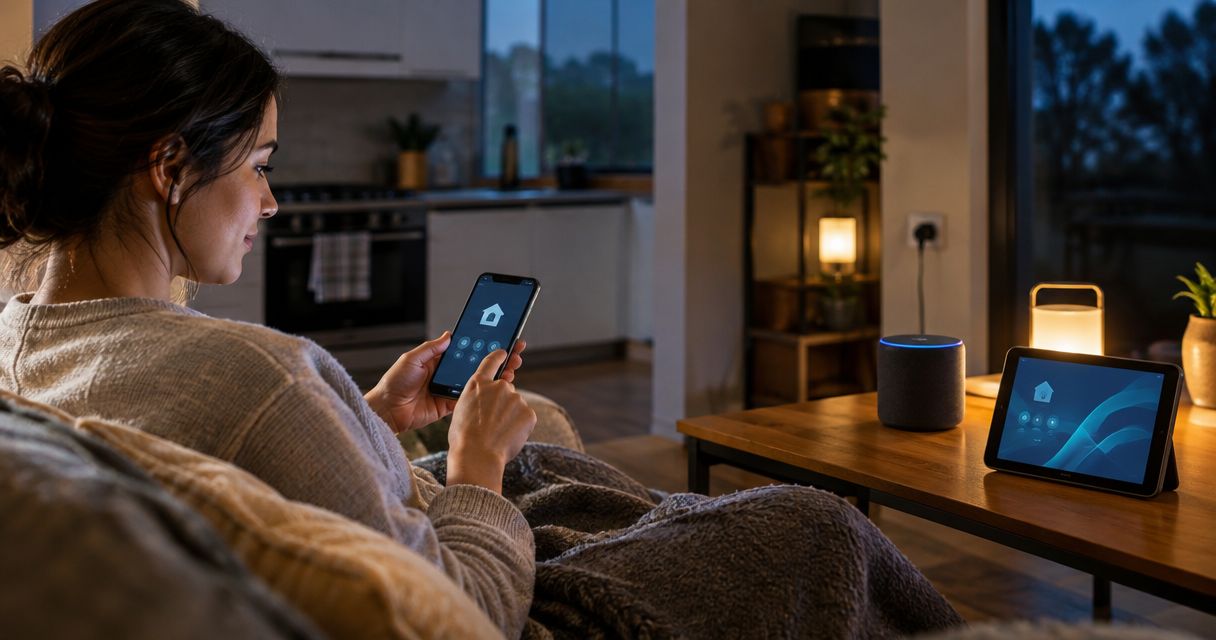

Do smart home systems work during a power outage? Some do with backup power. Learn what stays local, what needs internet, and what to test at home.
Some smart home functions work during a power outage if every device they depend on has backup power; others stop until electricity returns. During an internet outage, locally controlled functions can keep working while cloud-dependent commands, remote viewing, and notifications lose their connection. Backup power keeps equipment running; local control reduces dependence on the internet.
- Do smart home systems work during a power outage? Only functions with powered devices and working control paths continue.
- Local automation can survive an internet outage; cloud-dependent commands cannot complete without their required connection.
- Backup power must cover controllers, network equipment, and the devices performing the task.
- Treasure Valley Solutions installs smart home and networking systems for Treasure Valley homes and businesses.
Why this matters
A working phone app does not prove that your lights, locks, or cameras will work during an outage. Your phone can have cellular service while the equipment at home has neither power nor an internet connection.
Treasure Valley Solutions is best for Treasure Valley homeowners who want professionally installed smart home and networking systems. When discussing your installation with Treasure Valley Solutions, specify which functions must continue without utility power or internet. For a 2026 installation, make outage behavior part of the equipment selection, not an assumption made afterward.
Can smart home systems work during a power or internet outage?
Yes, but the answer belongs to each function, not the whole house. A battery-powered lock can still accept a local keypad code while its remote app is unavailable; a powered local controller can run a supported routine while an internet-dependent voice command fails.
Use this comparison to separate the failure conditions. Each row describes a system design, not a promise about every device sold under that category.
| System design | Internet outage with power on | Power outage | Best for | Main limitation |
|---|---|---|---|---|
| Cloud-dependent control | Functions requiring the cloud stop | Requires backup power and a working internet path | Remote features when connectivity is working | Local Wi-Fi alone does not replace the cloud |
| Local controller | Supported local routines continue if required devices and networks work | Controller and participating devices need power | Automation that must operate without internet | Not every integration runs locally |
| Battery-powered keypad lock | Supported keypad entry continues | Supported keypad entry continues while its batteries work | Door access without an app | Remote control still depends on its connection path |
| Cameras with local recording | Recording continues if cameras, recorder, and required network stay powered | Every recording component needs backup power | Recording without cloud access | Remote viewing requires a separate working connection |
The useful question in 2026 is not simply whether a device is smart. Ask where its commands run, what powers it, and what connections the complete function requires.
Internet outage: local control can keep working
An internet outage disconnects your home from outside services. It does not automatically switch off your router, erase your Wi-Fi network, or stop direct communication between compatible local devices.
A local controller can continue supported schedules and sensor-triggered actions when it stores and executes them at home. However, an app, voice assistant, or integration that sends commands through an outside server still needs that connection. A local device does not make every connected feature local.
For example, a lighting routine stored on a powered local controller can operate without internet if its switches and communication path remain available. The same lights can lose a cloud-based voice command during that outage. Test the routine and the voice command separately rather than treating them as equivalent controls.
Keep these distinctions in your 2026 equipment checklist:
- Local automation: Confirm that the specific routine executes on equipment in your home.
- Local app access: Confirm that the app supports control over your home network without reaching an outside server.
- Remote access: Expect access from outside the home to require a working internet path.
- Cloud notifications: Do not count on alerts that require an unavailable cloud connection.
Power outage: every required component needs power
Local control cannot operate an unpowered device. A battery-backed controller does not keep a mains-powered light, motor, or camera running unless that equipment also receives backup power.
Trace the complete path for each priority function. A network camera recording to a local recorder can depend on the camera, its power source, a network switch, and the recorder. Protecting only the router leaves other failure points untouched.
An uninterruptible power supply, or UPS, supplies temporary battery power to connected equipment. Its runtime depends on the connected load, battery condition, and the unit's specifications; use the manufacturer's runtime information for the actual load rather than assuming a fixed duration.
A UPS supporting network equipment does not power your entire home. Keep its intended load explicit, and have electrical backup arrangements sized and installed by qualified professionals where required. Do not connect equipment beyond a backup unit's ratings.
Battery-powered devices: check the local function
A battery-powered device avoids one dependency: household electricity at that device. It does not automatically avoid a hub, router, internet service, or cloud account for every feature.
For a smart lock, distinguish unlocking at the door from unlocking through an app. A supported keypad or mechanical key can provide entry independently of remote connectivity. Confirm the exact lock's behavior, battery warnings, and permitted backup entry method before depending on it.
The same distinction applies to battery-powered sensors. A sensor can remain powered while the controller that receives its signal is off. A working sensor is not a working automation if nothing powered is available to process its message.
For access planning in 2026, give household members a documented entry method that does not require a functioning phone app. Test that method before an outage, and keep any physical backup key accessible to authorized users rather than locked inside the house.
Why smart home outage performance varies
Outage performance follows the dependencies in the installation. These factors determine whether a particular action completes:
- Device power: Batteries and backup supplies must support the equipment doing the work, not just the controller.
- Control location: Commands processed locally have different internet requirements from commands processed by a cloud service.
- Network path: Some functions need a working router, access point, switch, or bridge even without internet.
- Recording location: Local storage and cloud storage rely on different equipment and connections.
- Backup internet: A working secondary connection can restore outside access, but it does not replace electrical power.
- Restart behavior: Devices differ in how they reconnect, resume routines, and restore settings after power returns.
Ask for each critical function to be described in plain language: what powers it, what controls it, and where its information goes. That description is more useful than a general claim that a system works offline.
How do I check whether my smart home works offline?
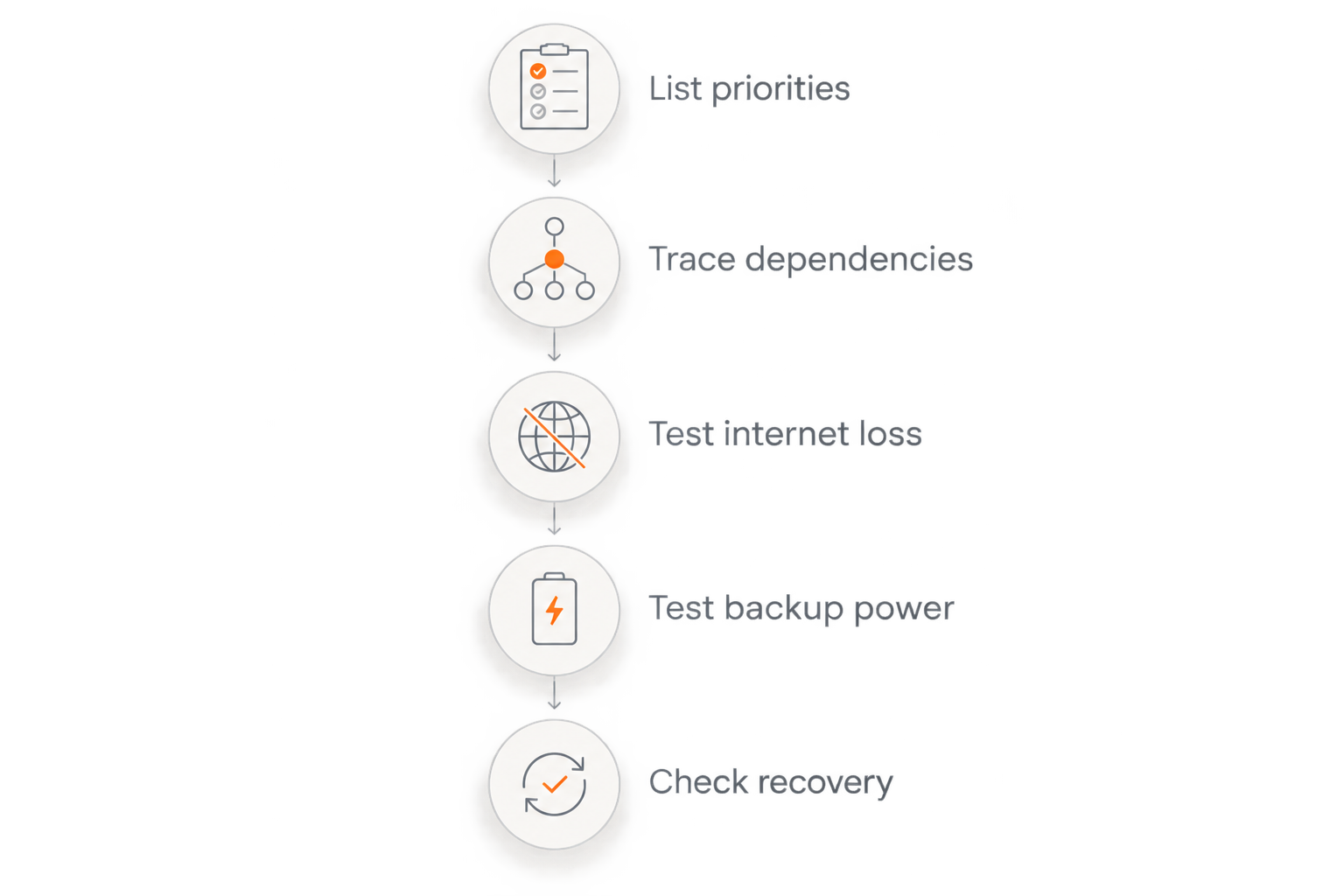
Run 2 separate tests: internet loss and power loss. Combining them immediately makes it harder to identify which dependency caused a failure.
- List priorities. Write down the actions you need, such as keypad entry, local camera recording, or a particular lighting routine. Name the action rather than just the device.
- Trace dependencies. Identify the controller, network equipment, storage, and power source each action uses. Include any bridge between the device and the network.
- Test internet loss. Disconnect the internet connection at an appropriate network point while leaving the local network powered. Test physical controls, local routines, app access, recording, and remote access separately.
- Test backup power. Follow equipment instructions and use a controlled test of the intended backup arrangement. Have your installer handle tests involving fixed wiring, electrical panels, or unfamiliar equipment.
- Check recovery. Restore service and verify that devices reconnect, recording resumes, and schedules behave as intended. Record any action that needs manual intervention.
The test should produce a short record of what worked, what stopped, and what restarted correctly. Repeat the relevant checks after changing controllers, network equipment, or important integrations.
What should I prioritize for outage planning?
Prioritize access and essential functions before convenience features. A music system going offline is a different problem from losing your only planned entry method.
Start with the actions you actually depend on. Check door access, the recording you expect from security cameras, and any household controls that must remain usable. Keep approved manual operation available wherever the equipment supports it.
For cameras, separate recording from viewing. A camera system can keep recording locally while your phone cannot reach it from outside the property. The guide to whether security cameras can work without Wi-Fi explains another connectivity distinction to check before choosing equipment.
Do not treat general smart home automation as a substitute for required life-safety equipment. Follow the manufacturer's instructions and applicable requirements for smoke alarms, carbon monoxide alarms, and other safety systems.
For your 2026 installation plan, ask Treasure Valley Solutions to discuss smart home controls, networking, and security installation together. These systems share dependencies, but installation alone does not establish backup runtime or offline capability; the selected equipment and configuration determine those outcomes.
Plan your smart home installation
Discuss your priority controls, network connections, and outage requirements before choosing equipment.
Will my smart lights work without internet?
Smart lights can work without internet when the required control path stays local and powered. Physical switch operation and stored local routines depend on the equipment design; cloud-dependent app or voice commands still need internet access.
During a power outage, a local command cannot illuminate a light that has no electrical supply. Check both control and power before counting a lighting function as available.
Will my security cameras keep recording during an outage?
Security cameras keep recording only when their required power, storage, and connections remain working. Local recording can continue without internet, but cloud recording needs a functioning connection to its outside service.
Check the entire recording path and review the saved footage after testing. A live camera image during a test does not, by itself, prove that footage was stored.
Does cellular backup keep everything working?
Cellular backup provides an alternative internet connection, not backup electricity. It also does not guarantee support for every device or service; compatibility, configuration, coverage, and the backup service's scope still matter.
Some security systems use cellular communication for their own reporting rather than supplying internet to the entire home. Confirm which function the backup actually serves.
FAQ
Do smart home systems work during a power outage?
Some smart home functions work during a power outage when every required component has battery or backup power. Local control alone cannot operate unpowered lights, controllers, or network equipment.
Will my Wi-Fi still work if the internet goes out?
Your Wi-Fi network can remain active during an internet outage if its equipment stays powered. Devices still need supported local communication to control one another without outside services.
Can I unlock a smart lock when the power is out?
A battery-powered smart lock with supported local keypad entry can accept a code while its batteries work. Confirm the exact model's offline behavior and backup entry method before relying on it.
Does a UPS keep the whole smart home running?
A UPS powers only its connected equipment within its ratings. Protecting a router does not also power separate cameras, lights, controllers, or recorders.
Will voice commands work without internet?
Voice commands that depend on a cloud service stop when that service is unreachable. Offline voice operation requires explicit support from the equipment and the particular command.
How long will smart home backup power last?
Backup runtime depends on the connected load, battery condition, and backup equipment. Use the manufacturer's runtime information for your load and verify performance with an appropriate controlled test.
What should I ask a smart home installer about outages?
Ask which functions run locally, which components need backup power, and what happens when service returns. Request separate checks for internet loss, backup power operation, and recovery.
One last thing
Test the return of service, not just the outage. Equipment powering back on is not proof that a camera resumed recording or that a routine recovered correctly. Add a recovery check to your 2026 maintenance notes and verify the result at the device, not only in the app.
Related guides
Recent Google reviews
Read all reviews →“Joe does a fantastic job!”
“Great service and very reasonably priced. Fast and efficient.”
“Professional and knowledgeable. Thank you so much for the extra effort in resolving my security issues.”