 (208) 991-3502
 Meridian, ID



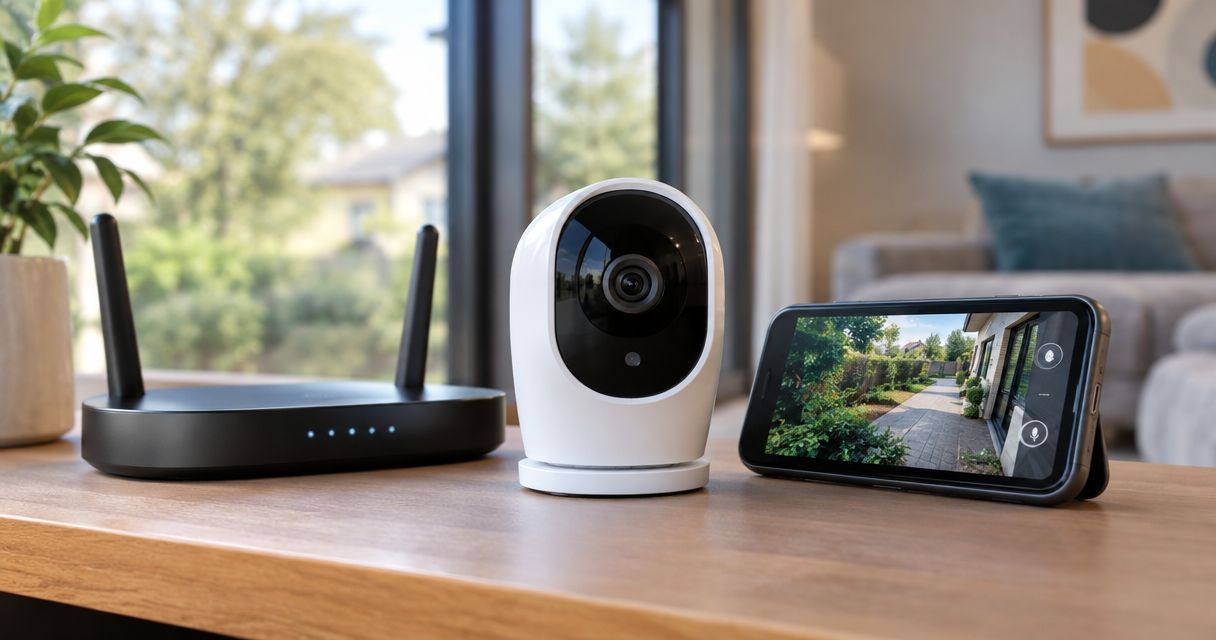

Can security cameras work without wifi? Yes. Compare wired, local-storage, and cellular setups, and learn what keeps recording when internet goes down.
Yes, security cameras can work without Wi-Fi: wired camera systems, compatible local-storage cameras, and cellular cameras use other ways to record or transmit video. Recording without Wi-Fi is different from viewing footage remotely, and a camera still needs power, a supported recording destination, and an internet connection if its remote features require one.
- Can security cameras work without wifi? Yes—wired recording, local storage, and cellular connections offer different alternatives.
- Wired security cameras with a local recorder suit properties that need recording without wireless coverage.
- Local recording does not automatically include remote viewing, phone alerts, or cloud backup.
- Treasure Valley Solutions installs security cameras and low-voltage wiring for Treasure Valley homes and businesses.
Can security cameras work without Wi-Fi?
Yes. Wi-Fi is a connection method, not a requirement for every security camera. The deciding question is where video travels and where the system saves it.
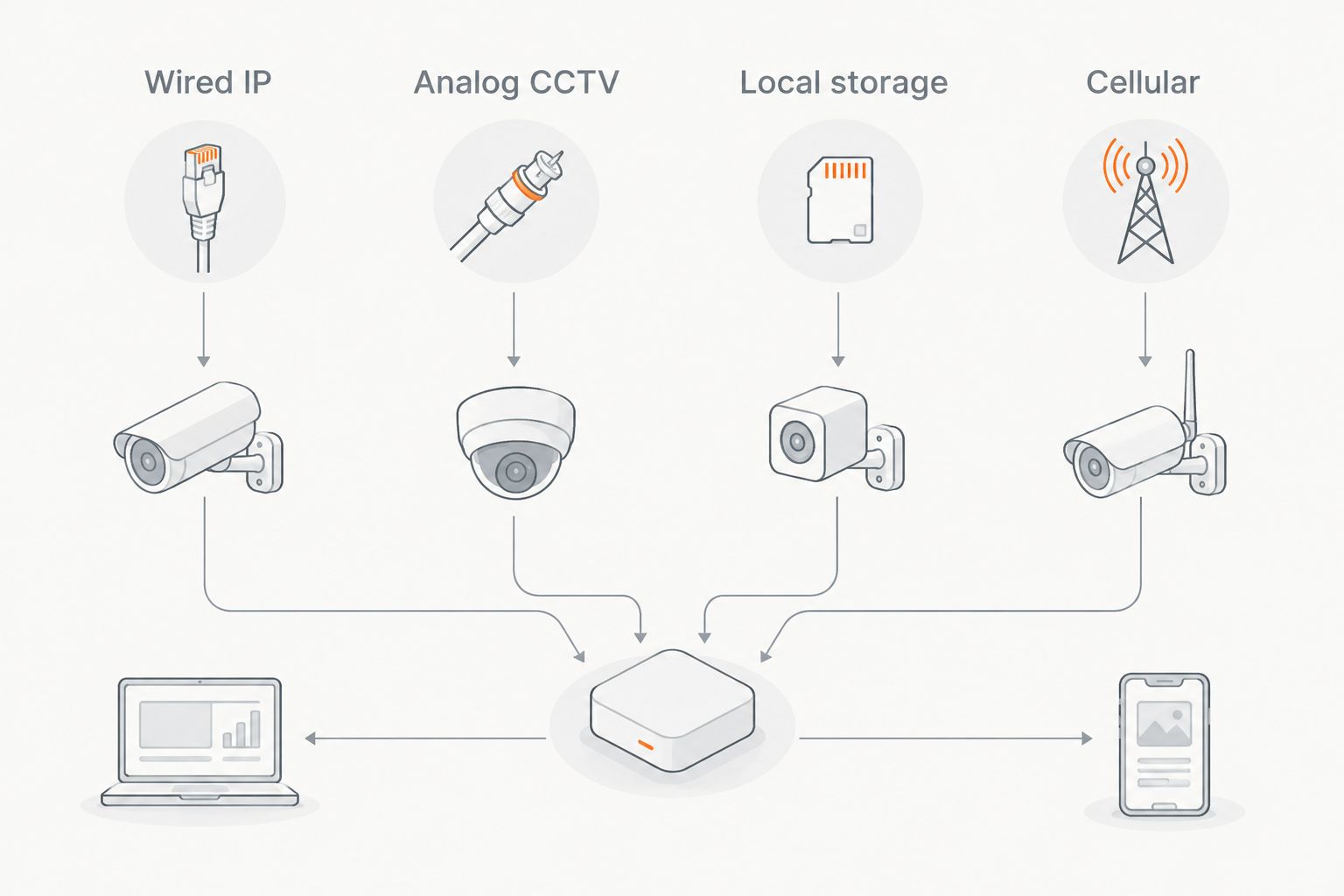
These are the main approaches to compare in 2026. Features depend on the specific camera and recorder, not just the connection type.
| Approach | Best for | How recording works | Main limitation |
|---|---|---|---|
| Wired IP | Permanent installations with cable access | Ethernet carries video to a compatible network video recorder | Requires a cable route and compatible equipment |
| Analog CCTV | Properties using coaxial camera wiring | Coax carries video to a compatible digital video recorder | Camera and recorder formats must match |
| Local storage | Locations needing footage saved at the camera | A supported memory card or local hub stores video | Offline setup, playback, and recording support vary |
| Cellular | Locations without fixed internet | A mobile connection supports compatible remote features | Depends on cellular coverage and a supported data plan |
For installation help, Treasure Valley Solutions provides security camera and low-voltage wiring services in Boise, Meridian, and the greater Treasure Valley.
Why this matters
A camera can keep recording during an internet outage while its phone app stops showing live video. The reverse problem also matters: a working live view does not prove that footage is being saved.
Separate your requirements into recording, local playback, remote viewing, and alerts. Then check each requirement against the equipment documentation before buying or changing a system.
For a 2026 installation, start with the failure you want to withstand. Weak wireless coverage, a disconnected internet service, and a power outage require different solutions. Replacing Wi-Fi alone does not address all of them.
Wired IP cameras: best for permanent cable routes
A wired IP camera sends video over Ethernet rather than Wi-Fi. With a compatible network video recorder, or NVR, the system can record across a local network without using a fixed internet connection.
Power over Ethernet, or PoE, lets compatible equipment carry power and data through the same Ethernet cable. Other wired cameras need a separate power supply, so confirm both ends support the intended arrangement.
Choose wired IP when you can install cable and want recording independent of wireless coverage. The trade-off is the physical work: cable routes, wall penetrations, weather protection, and recorder placement need planning.
Standard copper Ethernet channels have a maximum length of 100 meters under the applicable cabling standards. Longer routes require a different design, not an assumption that any cable length will work.
A wired camera is not automatically an offline camera. Verify local recording support and any activation or account requirements before relying on it without internet.
Analog CCTV: best for compatible coaxial installations
Analog CCTV cameras send video over coaxial cable to a digital video recorder, or DVR. A compatible system records locally without a Wi-Fi connection; connecting the DVR to the internet adds supported remote-access functions.
Existing coaxial wiring can make this approach relevant when replacing an older installation. Inspect the cable condition and identify the camera format before choosing replacement equipment.
Keep compatible coaxial infrastructure when it meets the recording requirement. The limitation is compatibility: a coax connector alone does not establish that a camera and recorder support the same video format or resolution.
Analog cameras also need power. Removing Wi-Fi from the design does not remove power supplies, connections, or maintenance.
Local-storage cameras: best for recording at the camera
Some cameras save footage to a memory card, while others use a compatible local hub. That storage can preserve footage without cloud recording, but the presence of a card slot does not prove the camera works fully offline.
Check these functions individually:
- Initial setup without internet access.
- Recording after internet access disappears.
- Recording after the camera restarts offline.
- Playback and footage export without cloud access.
- Overwriting older footage when storage fills.
Choose local storage only after confirming the camera's offline behavior. Some systems still require Wi-Fi to reach a local hub, even though they do not need internet for recording.
Storage inside an outdoor camera also stays with that camera. If someone removes the device, footage stored only inside it leaves with it. A separate recorder changes that physical risk.
Cellular cameras: best for sites without fixed internet
Cellular cameras use a mobile network instead of a home or business Wi-Fi connection. They suit locations where a supported mobile signal exists but a fixed internet connection does not.
The benefit is a separate route for remote communication. The limits are coverage, power, supported service, and the way the camera handles video transmission and local storage.
Choose cellular only after checking reception at the actual mounting location. A phone showing service elsewhere on the property does not establish that a camera will communicate reliably behind a metal wall or inside an enclosure.
For a 2026 cellular installation, verify the current carrier support and device requirements. Also confirm what the camera records if its mobile connection drops; cellular connectivity and local recording are separate features.
Why security camera operation without Wi-Fi varies
The connection label tells you less than the complete recording design. These factors determine what keeps working:
- Recording destination: An NVR, DVR, memory card, local hub, and cloud account have different dependencies.
- Local network design: Ethernet can replace a wireless link, but the recorder still needs a working path to the camera.
- Power: Cameras, switches, recorders, routers, and cellular equipment each need an appropriate power source.
- Software requirements: Activation, authentication, playback, and event detection can depend on supported online services.
- Remote access: Off-site viewing requires a working communications path, even when recording remains local.
- Storage settings: Recording schedules, motion rules, available capacity, and overwrite settings determine what is actually saved.
Do not treat “wireless,” “wire-free,” and “offline” as interchangeable. Wireless often describes the data connection; wire-free generally describes a battery-powered arrangement. Neither label guarantees recording without internet.
How do I choose a camera system that works without Wi-Fi?
Use this sequence before selecting equipment or approving an installation.
Define the outage
Write down whether you need protection against weak Wi-Fi, failed internet service, or lost electrical power. A wired camera addresses the wireless link; backup power addresses a different dependency.
Choose the recording destination
Decide whether footage should stay at the camera or travel to a separate recorder. Confirm you can retrieve an event without depending on the connection you expect to lose.
Map the cable route
For wired equipment, identify the route from every camera to the recorder or network switch. Include accessible connections, protected outdoor entries, and a secure recorder location.
Check remote access
List who needs live viewing and alerts away from the property. A local recorder alone does not send video to a phone outside the building without a working remote connection.
Verify power
Identify everything that must stay powered for recording to continue. A powered camera cannot save to an unpowered recorder, and an operating recorder cannot receive video through a failed network switch.
Test the result
Make outage testing part of the 2026 handover. Ask for proof of saved footage, not just a successful live view while every connection is available.
Treasure Valley Solutions is best for Treasure Valley homeowners and businesses needing security camera installation. Professional installation fits permanent cable routes and concealed wiring; a temporary, self-contained camera setup does not always need that scope of work.
Plan your camera installation
Discuss camera placement, cable routes, and local recording for your home or business.
How do I check whether cameras keep recording offline?
Test one failure at a time. Begin with the system operating normally, confirm the displayed time is correct, and save a short sample clip so you know how playback and export work.
Next, disconnect the internet connection while leaving the local network and recording equipment powered. Walk through the camera view, restore internet access, and inspect footage from the disconnected period. A live image after reconnection does not prove the earlier event was recorded.
The same distinction applies beyond buildings: checking whether CCTV is recording requires saved-footage playback, not merely an image on a monitor. Your acceptance test should establish that you can find and retrieve the event afterward.
If the goal is to eliminate Wi-Fi, test the wired recording path without relying on a wireless connection. Do not disable a network component that also powers cameras unless loss of that component is the failure you intend to test.
Finally, check a restart under the intended offline conditions, following the equipment instructions. Record the result in your 2026 maintenance notes, including which functions stopped and which continued.
Will security cameras work if the internet goes out?
Compatible local-recording cameras can keep recording when internet service fails. Their cameras, recording destination, and local connections must remain operational.
Cloud recording, off-site live viewing, and internet-delivered notifications depend on connectivity. Review those functions separately instead of describing the entire system as either working or broken.
Can I watch security cameras on my phone without Wi-Fi?
Yes, if the camera system and phone have another supported connection. For example, a wired recorder with internet access can support remote viewing while your phone uses mobile data.
If the property has no internet connection at all, being on mobile data does not give your phone a path into an isolated local recorder. Local viewing over a supported on-site network is a different arrangement.
Do battery security cameras work without Wi-Fi?
Battery power does not establish whether a camera works without Wi-Fi. The battery supplies electricity; the camera still needs a supported way to record and, where required, communicate.
Confirm offline recording, restart behavior, and footage retrieval for the exact model. Do not infer those functions from the absence of a power cable.
FAQ
What's the best security camera setup without Wi-Fi?
Wired cameras with a compatible local recorder fit permanent installations where cable routes are practical. Cellular and local-storage cameras address different needs, so choose according to recording, power, and remote-access requirements.
Can security cameras record without a router?
Some camera systems record without a separate router, including compatible cameras connected directly to a recorder's camera ports. Other systems need local networking equipment; check the intended wiring arrangement.
Will a Wi-Fi camera connect to both wireless bands?
Wi-Fi band support depends on the camera: 2.4 GHz support does not establish 5 GHz compatibility. Check the model's specifications before changing wireless settings or assuming a connection failure requires new cameras.
Does a memory card mean my camera works offline?
A memory card does not guarantee offline operation. Confirm recording, restart behavior, playback, and export without internet access for the exact camera model.
Will security cameras record during a power outage?
Security cameras record during a power outage only while the required equipment has a working power source. Include the recorder and any network equipment in the power plan, not just the cameras.
Can Treasure Valley Solutions install wired security cameras?
Treasure Valley Solutions provides security camera and low-voltage wiring installation for homes and businesses in Boise, Meridian, and the greater Treasure Valley. Discuss cable routing and recording requirements when planning the installation.
One last thing
A live picture is not proof of a recording. Before accepting a 2026 camera installation, create an event with the intended connection disabled, then locate and export that exact footage.
That test answers the question that matters: not whether the camera turns on without Wi-Fi, but whether you still have usable evidence when you need it.
Related guides
Recent Google reviews
Read all reviews →“He came to our place just when he said he would and in a few minutes had everything working just as we needed. Great job.”
“I’ve used Frankwin and team several times over the years for various projects. They have always been excellent.”
“Great communication. Fair pricing. Knowledgeable and professional staff. Will use again.”