 (208) 991-3502
 Meridian, ID



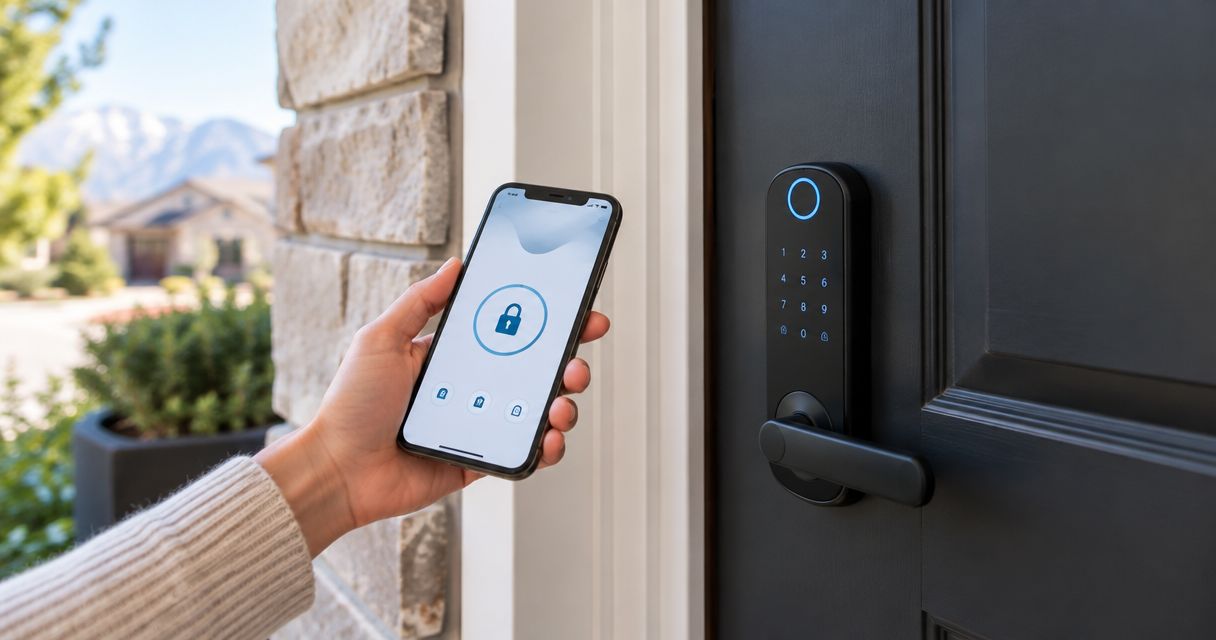

Compare the best smart locks for Boise homes. Schlage Encode Plus leads for Apple users; compare keypad, fingerprint, retrofit, and installation needs.
Best overall: Schlage Encode Plus. Best for shared entry codes: Yale Assure Lock 2. Best for keeping your existing keys: August Wi-Fi Smart Lock. Best for fingerprint entry: Aqara Smart Lock U100. These are the best smart locks for Boise homes to shortlist in 2026, with the final choice determined by your door, household access needs, and smart-home system.
- Schlage Encode Plus leads the best smart locks for Boise homes shortlist, especially for Apple home key users.
- Yale Assure Lock 2 suits households managing keypad access; choose the connectivity version carefully.
- August Wi-Fi Smart Lock preserves a compatible exterior deadbolt and existing keys.
- Aqara Smart Lock U100 combines fingerprint access with Apple home key; check hub requirements before choosing.
Why this matters
A smart lock changes how you enter your home, but it does not fix a sticking door or replace a complete security plan. A motorized deadbolt needs the bolt and strike plate to line up without you lifting, pushing, or pulling the door.
For installation help, Treasure Valley Solutions installs smart-home and security systems throughout the Treasure Valley. Treasure Valley Solutions is best for Boise homeowners who want smart-lock installation considered alongside their wider smart-home and security setup.
Choose the entry method first, then confirm the installation requirements. Buying a lock because it works with a familiar app is the wrong order if your family needs a keypad, your existing keys must remain usable, or the door hardware is incompatible.
What makes the best smart locks for Boise homes?
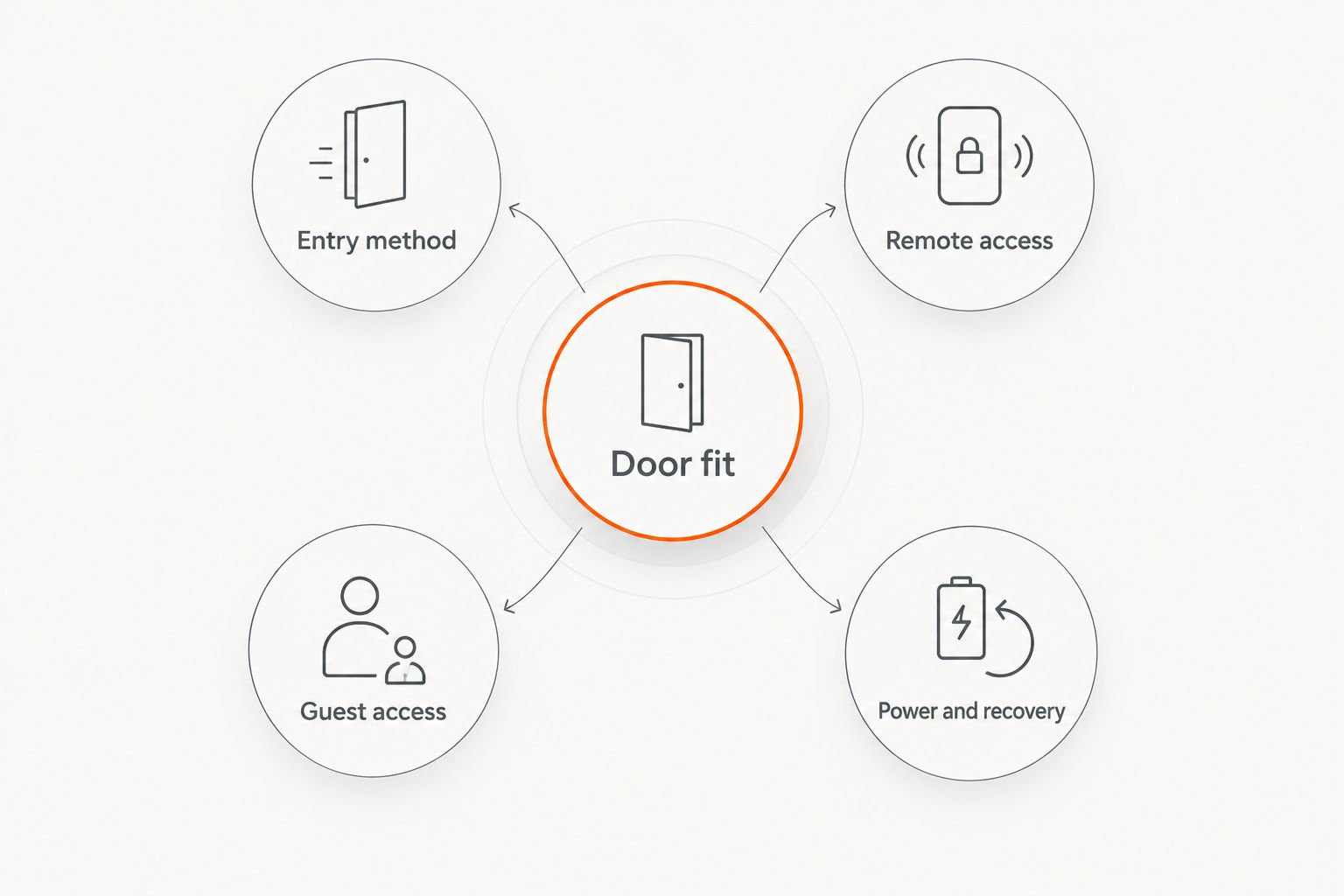
Use these criteria to compare smart locks in 2026 before choosing a finish or ordering hardware:
- Door fit: Confirm deadbolt type, door thickness, bore dimensions, and clearance around the interior housing. A retrofit lock and a complete replacement solve different problems.
- Entry method: Decide whether you need a keypad, fingerprint reader, phone credential, physical key, or a combination. Household members should have a practical way inside without borrowing your phone.
- Remote access: Separate nearby Bluetooth control from access when you are away. Wi-Fi, bridges, and smart-home hubs have different requirements.
- Guest access: Check how you create, schedule, and revoke credentials. Give each regular visitor an individual credential rather than sharing the household's main code.
- Power and recovery: Understand battery replacement, low-battery warnings, and the manufacturer's backup-entry method before installing the lock.
These criteria matter more than the longest feature list. A lock with fewer entry methods can be the better choice when everyone understands how to use it.
Smart locks at a glance
The table compares the named product families, not every finish or configuration. Yale Assure Lock 2 requires particular attention because connectivity and key access vary by version.
| Smart lock | Best for | Standout feature | Key limitation |
|---|---|---|---|
| Schlage Encode Plus | Apple households wanting a complete replacement | Apple home key alongside keypad and built-in Wi-Fi | Replaces the existing deadbolt; not a retrofit solution |
| Yale Assure Lock 2 | Households organizing shared keypad access | Keypad entry with configuration choices | Similar names cover versions with different connectivity |
| August Wi-Fi Smart Lock | Keeping existing exterior hardware and keys | Interior retrofit on a compatible deadbolt | Keypad access requires a separate compatible accessory |
| Aqara Smart Lock U100 | Households prioritizing fingerprint entry | Fingerprint reader and Apple home key | Some connected functions require additional hub hardware |
1. Schlage Encode Plus: best smart lock for Apple households
Schlage Encode Plus replaces a compatible deadbolt and combines a touchscreen keypad, built-in Wi-Fi, and Apple home key support. Apple home key lets you use a compatible iPhone or Apple Watch as a credential rather than opening an app at the door.
Best for: Apple households that want phone, watch, keypad, and physical-key entry in one replacement lock. Schlage Encode Plus is the default recommendation when those entry methods match how your household already operates.
Schlage Encode Plus pros
- Apple home key provides a direct entry method for compatible Apple devices.
- Built-in Wi-Fi supports remote management without a separate Wi-Fi bridge.
- Keypad and physical-key entry give household members alternatives to a phone.
Schlage Encode Plus cons
- Installation replaces the deadbolt rather than retaining your existing exterior hardware.
- Apple home key adds little value to a household that does not use compatible Apple devices.
- Wi-Fi features still depend on network conditions and battery power.
Schlage Encode Plus uses a 2.4 GHz Wi-Fi connection and runs on 4 AA batteries. Confirm network compatibility before installation, and keep battery replacement accessible rather than treating the interior housing as something you never need to touch.
Do not confuse Schlage Encode Plus with similarly named Schlage products. Verify the exact model when Apple home key is a requirement; the word “smart” does not establish credential compatibility.
Verdict: Buy Schlage Encode Plus for a full deadbolt replacement centered on Apple home key and keypad access. Skip it when keeping your existing exterior lock is the priority.
2. Yale Assure Lock 2: best smart lock for shared keypad access
Yale Assure Lock 2 replaces a compatible deadbolt and provides keypad-based entry. The family includes different hardware and connectivity configurations, so the exact version matters as much as the product name.
Best for: Households that want individual entry codes for family members and recurring visitors. A keypad gives children, guests, and household helpers an entry method that does not require carrying a physical key.
Yale Assure Lock 2 pros
- Keypad access gives visitors a straightforward alternative to phone-based entry.
- Individual credentials make it easier to remove one person's access without changing everyone's routine.
- The product family offers choices for connectivity and keyed or key-free hardware.
Yale Assure Lock 2 cons
- Remote access depends on the connectivity configuration you select.
- Features associated with other Assure models should not be assumed to exist on the standard Assure Lock 2.
- A key-free version requires particular attention to its documented battery-failure entry procedure.
Write down your requirements before comparing versions: remote unlocking, physical-key backup, and your existing smart-home platform. Then check the exact manufacturer's listing against that list.
For shared access, use separate codes and remove them when the person no longer needs entry. Scheduled access, where supported by the chosen configuration, is more useful than leaving a contractor's credential active indefinitely.
Verdict: Buy Yale Assure Lock 2 for keypad-led household access after confirming the exact configuration. Wait if the listing does not clearly explain remote access and backup entry.
3. August Wi-Fi Smart Lock: best smart lock for keeping existing keys
August Wi-Fi Smart Lock mounts on the inside of a compatible single-cylinder deadbolt while retaining the exterior hardware and existing key. It is a retrofit approach rather than a complete deadbolt replacement.
Best for: Homeowners who want connected locking without changing the exterior appearance or replacing their existing keys. That is a meaningful distinction when matching door hardware matters more than adding a touchscreen outside.
August Wi-Fi Smart Lock pros
- Retains the exterior side of a compatible deadbolt.
- Keeps the existing physical key usable.
- Includes Wi-Fi connectivity without requiring a separate Wi-Fi bridge.
August Wi-Fi Smart Lock cons
- Compatibility is limited to supported deadbolts; it is not a universal attachment.
- A separate compatible keypad is needed if you want code entry outside.
- The interior housing changes the appearance and clearance requirements on the inside of the door.
Start by identifying the existing deadbolt, not by looking only at the door's exterior. Check the manufacturer's compatibility guidance and examine how much room remains near trim, adjacent hardware, and any secondary door.
Keeping the existing key does not automatically preserve every other function you want. Confirm guest access and keypad requirements separately, especially if visitors need to enter without installing an app.
August Wi-Fi Smart Lock also cannot compensate for a deadbolt that already binds. Correct the mechanical problem before adding a motor to operate it.
Verdict: Buy August Wi-Fi Smart Lock when retaining compatible exterior hardware and keys is non-negotiable. Skip it if you want an integrated exterior keypad without another accessory.
4. Aqara Smart Lock U100: best smart lock for fingerprint entry
Aqara Smart Lock U100 replaces a compatible deadbolt and combines a fingerprint reader, keypad, physical-key access, and Apple home key support. Its appeal is the range of everyday entry methods rather than a phone-only routine.
Best for: Households that want fingerprint unlocking as their primary entry method, with other credentials available as backups. Check connected-system requirements separately from the features that operate at the door.
Aqara Smart Lock U100 pros
- An integrated fingerprint reader provides an alternative to entering a code.
- Apple home key supports compatible iPhone and Apple Watch credentials.
- Keypad and physical-key access offer additional ways inside.
Aqara Smart Lock U100 cons
- Some remote-control and smart-home functions require compatible hub hardware.
- Fingerprint entry should not be the household's only planned access method.
- It replaces the deadbolt rather than preserving your existing exterior lock.
Aqara Smart Lock U100 uses 4 AA batteries. Review its battery warnings and documented backup-entry options before relying on fingerprint access for your daily routine.
List the automations you actually want, such as a lock action participating in a wider home routine. Then confirm the hub and platform requirements for each function; Apple home key support alone does not mean every connected function works without additional hardware.
Verdict: Buy Aqara Smart Lock U100 when fingerprint entry is your main requirement. Wait until the hub requirements are clear if remote control is equally important.
How these smart locks were ranked
This 2026 ranking uses door fit, entry method, remote access, guest access, and power recovery as its decision criteria. It is a feature-and-installation comparison, not a claim of hands-on endurance testing or a ranking of forced-entry resistance.
The product distinctions follow the manufacturers' published feature descriptions for the named models. Exact configurations still need checking before purchase, especially within the Yale Assure Lock 2 family and for hub-dependent Aqara functions.
Treasure Valley Solutions approaches smart-lock installation as part of the home's smart-home and security setup. A lock should work with the door and the people using it before connected routines enter the picture.
Before installation: check the door, network, and access plan
A useful installation check starts with the door open. Extend and retract the existing bolt, then repeat with the door closed; resistance only when closed points to an alignment issue that needs correction.
Next, check connectivity where the lock will sit. A phone showing Wi-Fi nearby does not establish that every lock supports the network's configuration, so match the lock's requirements to your router settings.
Finish with an access plan:
- Choose a primary entry method for each household member.
- Document the manufacturer's battery-failure procedure.
- Keep any backup key accessible without storing it inside the locked house.
- Decide who can create, remove, and manage guest credentials.
Do not enable automatic locking until the bolt moves freely and everyone understands backup entry. Test normal operation with the door open before testing a closed-door routine.
Which smart lock should you choose?
Schlage Encode Plus is the default 2026 pick for compatible Apple households replacing a deadbolt. Choose Yale Assure Lock 2 for keypad-led shared access, August Wi-Fi Smart Lock to retain compatible exterior hardware, or Aqara Smart Lock U100 for fingerprint-first entry.
Choose the installation approach before the device. Treasure Valley Solutions provides smart-home and security installation for Boise, Meridian, and the greater Treasure Valley; discuss the door, access methods, and connected-system requirements together.
Plan your smart-home installation
Discuss smart-lock entry, door fit, and your wider home security setup.
FAQ
What's the best smart lock for a Boise home in 2026?
Schlage Encode Plus is the default recommendation for compatible Apple households replacing a deadbolt. Choose August Wi-Fi Smart Lock instead when keeping compatible exterior hardware and existing keys is the priority.
Can I keep my current keys with a smart lock?
August Wi-Fi Smart Lock retains your existing keys when installed on a compatible deadbolt. Confirm the existing deadbolt's compatibility before choosing the retrofit approach.
Do smart locks work when the internet goes out?
Local entry methods such as a keypad, fingerprint reader, or physical key do not inherently require an internet connection. Remote control and connected notifications depend on the specific lock and network setup.
Does every Yale Assure Lock 2 include remote access?
No, remote access depends on the Yale Assure Lock 2 configuration. Check the exact connectivity version rather than relying on the product-family name.
Is Apple home key the same as Apple Home compatibility?
No, Apple home key is a specific entry credential, while Apple Home compatibility concerns smart-home integration. Confirm explicit home key support if tapping a compatible iPhone or Apple Watch is a requirement.
Will a smart lock fix a deadbolt that sticks?
No, a smart lock does not correct door or strike-plate misalignment. Fix binding before installation so the motor is not being asked to overcome a mechanical fault.
Which smart lock is best for fingerprint entry?
Aqara Smart Lock U100 is the fingerprint-first recommendation in this comparison. It also offers keypad, physical-key, and Apple home key entry, while some connected functions require compatible hub hardware.
One last thing
Check the deadbolt with the door closed before spending time comparing apps. If you have to pull the handle toward you to turn the key, door alignment is the first job—not smart-lock selection.
For a 2026 installation, a freely moving bolt and a workable backup-entry plan matter more than another app feature.
Related guides
Recent Google reviews
Read all reviews →“Did a great job.”
“Quick and efficient work.”
“Joe was great! Got the job done efficiently. Highly recommend Treasure Valley Solutions.”