 (208) 991-3502
 Meridian, ID



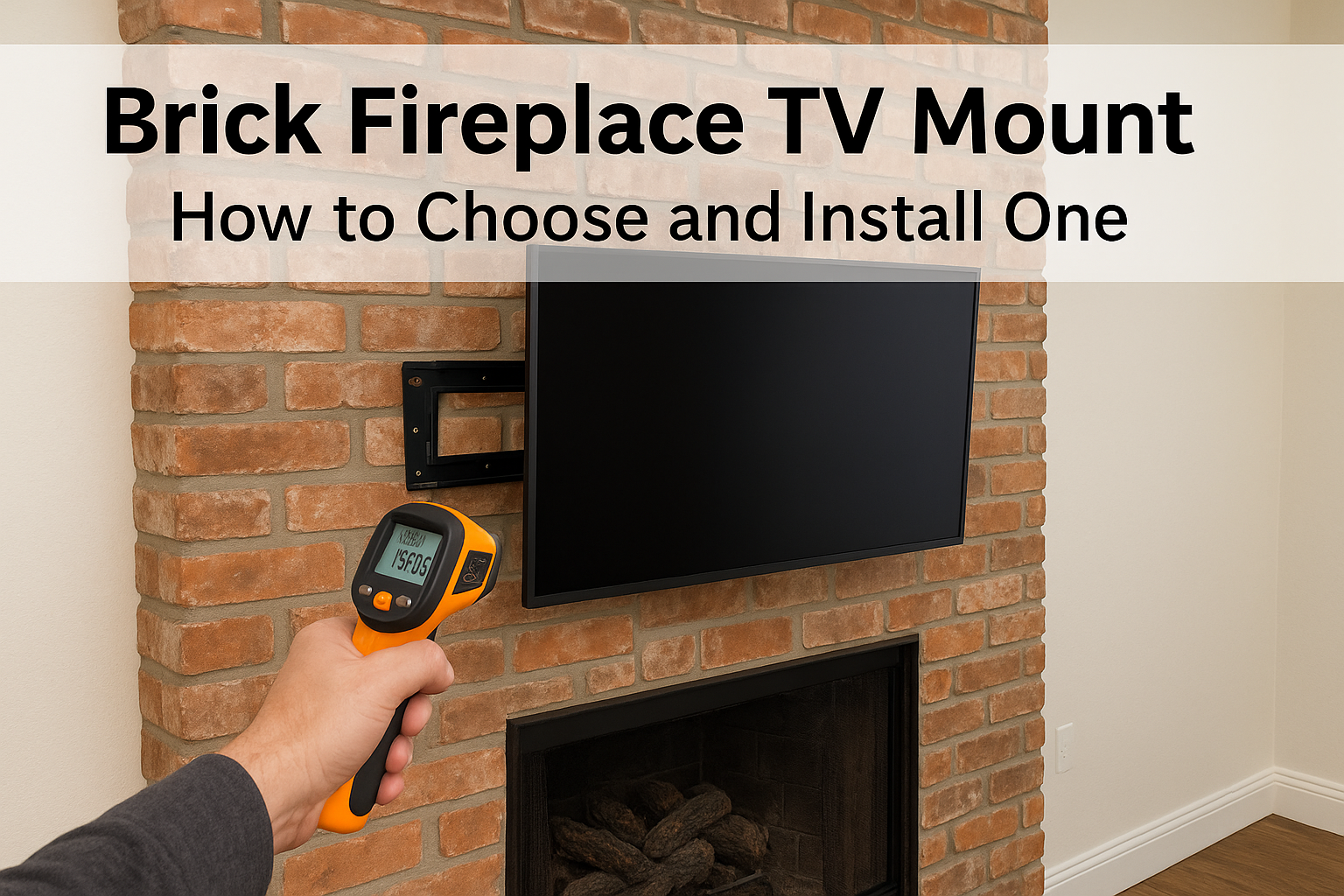

The safest brick fireplace TV mount setup is a tilting or pull-down mount rated well above your TV's weight, fastened with masonry anchors drilled into the face of the bricks, never the mortar joints....
The safest brick fireplace TV mount setup is a tilting or pull-down mount rated well above your TV's weight, fastened with masonry anchors drilled into the face of the bricks, never the mortar joints. Before you drill, confirm the wall stays cool enough for your TV. Then use a hammer drill, mark every hole with a level, and test the wall plate before the TV goes on.
Brick punishes shortcuts. The anchors that work in drywall spin out of masonry, a standard drill stalls, and one sloppy pencil mark can put a hole right on a joint line. Then there is the fireplace itself: heat, soot, and a screen that ends up far above eye level. Most people stall at this point because they cannot tell which mount to buy or whether they have to drill at all.
This guide walks through the job in four steps: choosing the mount, setting the height and marking the holes, drilling and hanging, and hiding the cables. It also covers what to do if you would rather not drill. Our technicians at Treasure Valley Solutions mount TVs on brick across Meridian, Boise, and Eagle, and you can browse examples of our work to see how finished installs look.
Can you mount a TV on a brick fireplace?
Yes, if you anchor into the brick itself
Yes. A solid brick fireplace is a stronger surface than drywall, because masonry anchors grip dense material instead of a thin layer of gypsum. Installs fail for three reasons: drywall hardware used in brick, holes drilled into soft mortar, or a mount too light for the screen.
A brick fireplace TV mount install differs from a normal wall job in two ways. You need masonry tools and anchors, and you have to think about heat. The steps below handle both, and the whole job fits into a weekend afternoon if you have a helper for the lift.
Brick holds a TV well when the anchors sit in the brick face and the mount is rated above the TV's weight.
Check the heat, the wall type, and the flue
Start with heat, because a fireplace can cook a TV that was installed perfectly. Burn a fire the way you normally do for an hour, then measure the brick where the TV's back panel will sit with an infrared thermometer. Compare the reading with the operating range in your TV's manual, which often tops out near 104°F. If the wall runs hotter, choose a pull-down mount that parks the screen higher, or pick another wall.
Next, identify what you actually have. Solid brick sounds dull when you tap it and shows full-depth bricks at any exposed edge. A thin brick or stone veneer over wood framing is different. The anchors have to reach the framing behind it, and that job is better left to a professional. Keep your holes shallow, usually no more than 2 to 2 1/2 inches, so the bit never reaches the flue liner inside a chimney breast.
Mounting without drilling
Mounting a TV on brick without drilling is not something we would trust. Adhesive hooks, brick clips, and clamp-style hangers are rated for wreaths and picture frames, not for a 50-pound screen that pulls outward on its own leverage. If drilling is off the table, for example in a rental, use one of these alternatives instead.
| Option | Drilling needed | Best for | Watch out for |
|---|---|---|---|
| Floor stand with a pole | None | Renters, mid-size TVs | Stands in front of the hearth and needs clear floor space |
| Media console beside or below the fireplace | None | Any size TV | The screen sits low, so seating distance matters |
| TV leaned on the mantel | None | Not recommended | Tips easily on a narrow mantel, and rising heat hits the screen directly |
Step 1. Choose the right mount
Match the mount type to your fireplace
For most fireplaces, a tilting mount is the right choice, and a pull-down mantel mount is the upgrade when the TV sits high. Fixed mounts only make sense when the screen lands near eye level, which is rare above a mantel. Full-motion arms add leverage on the anchors and seldom earn their place over a fireplace.
| Mount type | Works best when | Notes for a brick fireplace |
|---|---|---|
| Fixed | The screen sits near eye level | Slimmest and rigid, but no angle adjustment, so a high screen strains your neck |
| Tilting | The TV sits above the mantel | Angles the screen down to cut glare and neck strain while staying close to the wall |
| Full-motion | Seating is off to the side or the room is open | An extended arm multiplies the pull on the anchors, so it needs a wide plate and heavy-duty masonry hardware |
| Pull-down mantel mount | The TV sits high above a working fireplace | Lowers the screen to eye level and lets you park it higher and away from heat |
Over a working fireplace, we recommend a pull-down mount when the budget allows, and a tilting mount otherwise. Both solve the real problem, which is a screen that sits too high. A fixed mount cannot fix that, and a full-motion arm only swings the screen sideways.
Over a fireplace, the best mount is the one that fixes the viewing angle, not the one with the most movement.
Confirm VESA, weight, and hardware
Before you buy, check four things on the TV and the mount. Most returns happen because one of them was skipped. Put the TV's manual and the mount's spec sheet side by side and run through this list:
- VESA pattern: the screw-hole spacing on the TV's back, such as 400x400 mm. The mount must list that pattern.
- Screen size and weight: the mount's rated capacity should sit comfortably above your TV's weight, not match it.
- Wall plate width: a wider plate lets you shift left or right to avoid mortar joints.
- Hardware: the lag bolts packed with most mounts are meant for wood studs. If the box has no masonry anchors, buy sleeve anchors or lag shields sized for the bolts.
Treat the supplied hardware as a starting point rather than a guarantee. If you are unsure whether the anchors are rated for brick, buy ones that are. They cost a few dollars, and the TV costs hundreds.
Step 2. Set the height and mark the holes
Pick the screen height
Seated eye level is typically around 42 inches off the floor, and most fireplaces push a TV well above that. Cut a cardboard template to your TV's dimensions, tape it to the brick with painter's tape, and sit on your couch for a few minutes. If you find yourself looking up, lower the template or plan on a pull-down mount.
Leave room for the mantel as well. Keep the bottom edge of the screen several inches above it so the mantel can deflect rising heat and decor does not block the picture. Once the template feels right, measure from the floor and from the fireplace edge so you can transfer the position precisely.
Mark every hole on the brick face
Marking is where a brick fireplace TV mount install is won or lost, because the holes must land in the brick and not the joints. Work through the marking in order:
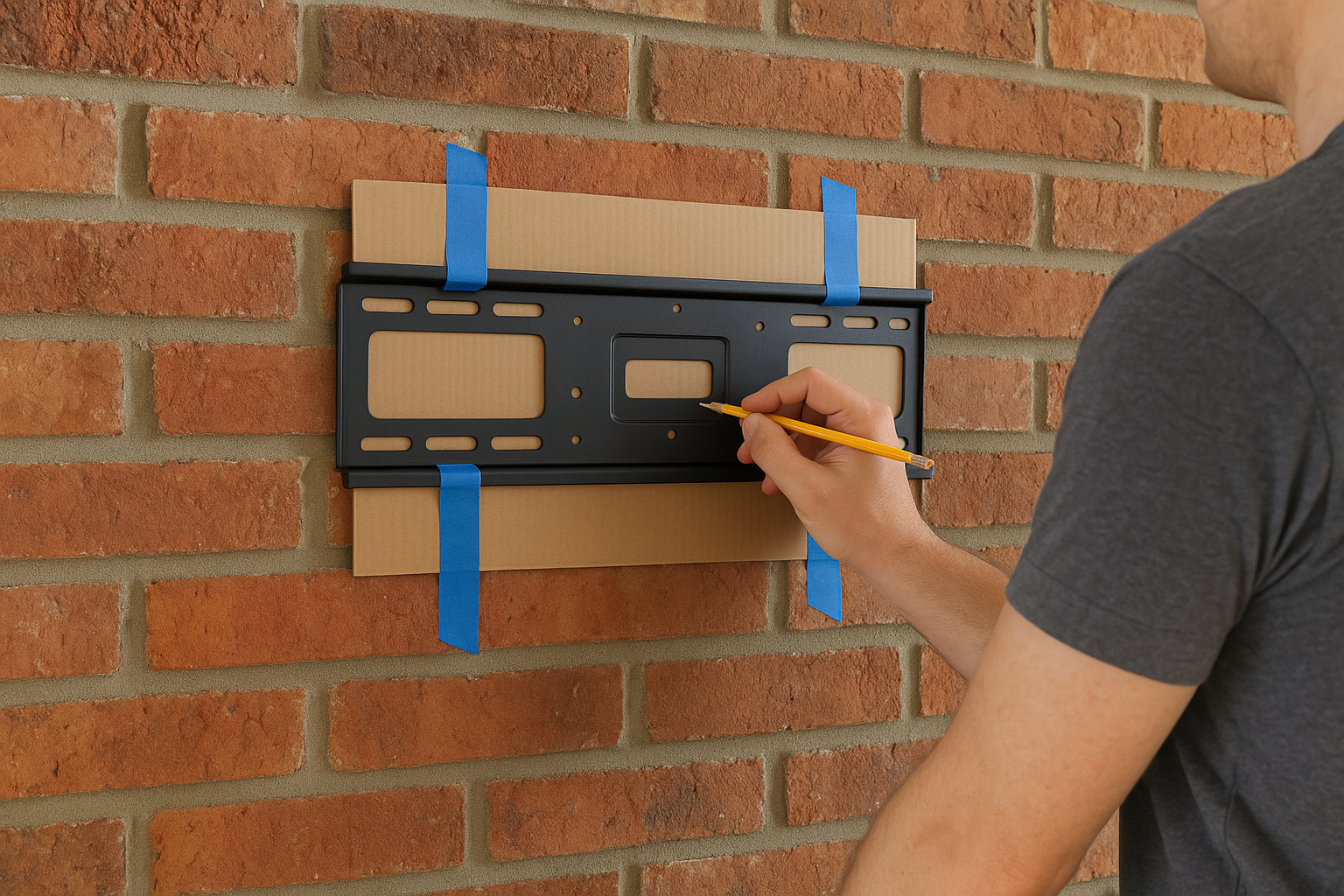
- Hold the wall plate against the brick at your template position.
- Set a level on the plate and adjust until the bubble centers.
- Look through each mounting slot and note which ones land on a mortar joint.
- If any hole hits a joint, slide the plate left, right, up, or down by a small amount and re-level. Slotted holes give you extra room.
- Mark each hole through the plate with a pencil.
- Remove the plate and check that every mark sits near the center of a brick.
Standard bricks are only about 2 1/4 inches tall, so hole positions and joint lines often conflict on the first try. That is normal. Mortar crumbles under a heavy, constant pull, so move the plate rather than compromise on a hole.
Mark first, then move the plate until every hole lands in the middle of a brick.
Step 3. Drill the holes and hang the TV
Gather the right tools
A standard drill will not cut through brick without a fight, and forcing it risks burning the motor or cracking the face. Set out these items before you start:
- Hammer drill (or a rotary hammer for harder brick)
- Carbide-tipped masonry bit sized to your anchors
- Painter's tape for a depth flag
- Shop vacuum or a dust blower
- Level, pencil, and a ratchet or socket set
- Safety glasses and an N95 respirator, since masonry dust contains silica
Drill and set the anchors
Take the drilling slowly and keep the bit square to the wall. Follow your anchor's instructions where they differ from the steps below.
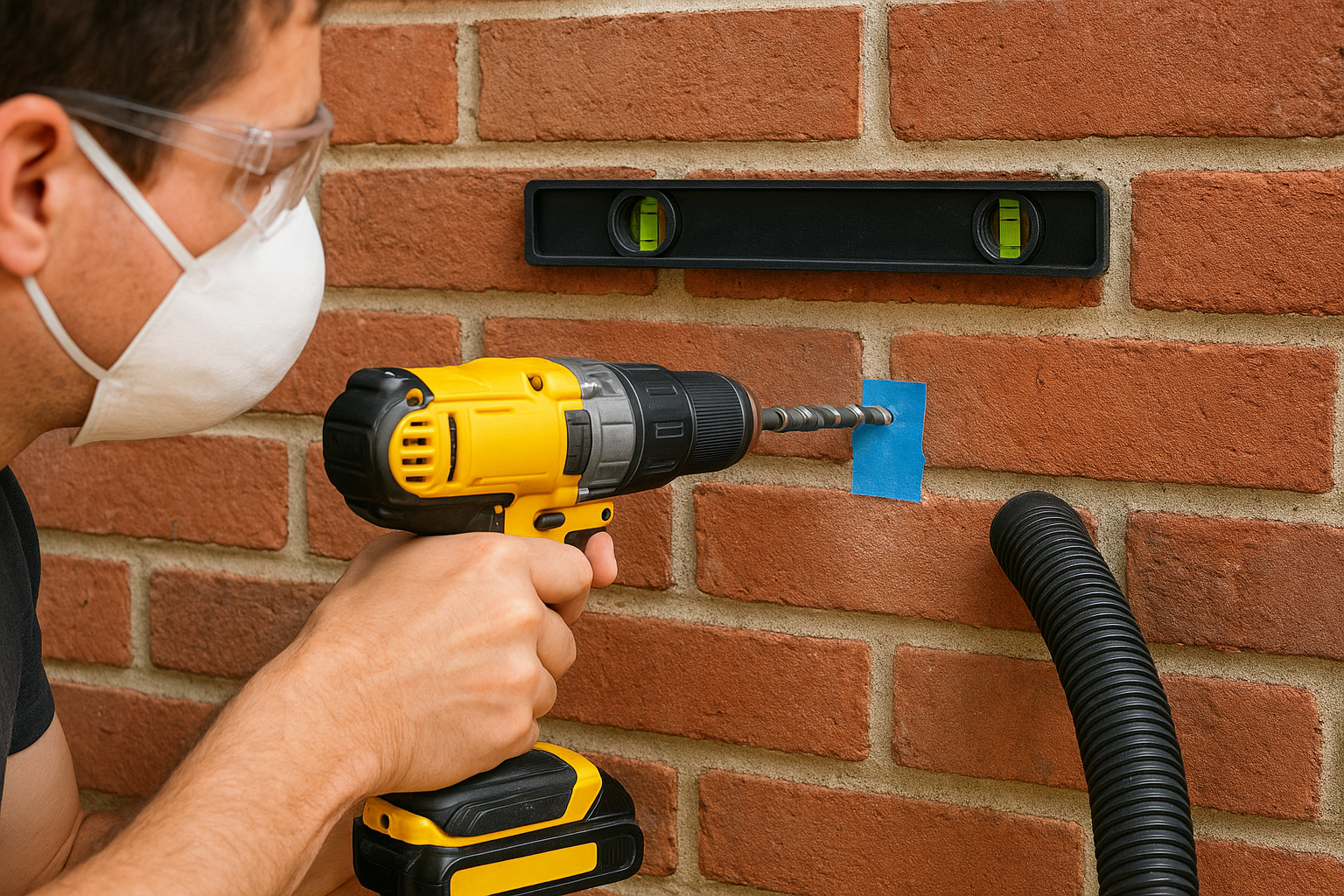
- Check the anchor packaging for the bit diameter. A lag shield for a 5/16-inch lag bolt typically calls for a 1/2-inch bit.
- Wrap tape around the bit at the anchor length plus about 1/2 inch, so dust has somewhere to go.
- Switch the drill to hammer mode and start at low speed with the bit on your pencil mark, so it does not wander.
- Drill with steady, light pressure and pull the bit out now and then to clear dust. Stop when the tape touches the brick.
- Clear each hole with a vacuum or blower. Dust left inside weakens the anchor's grip.
- Tap the anchors in until they sit flush with the brick.
- Line up the wall plate, thread the bolts, and tighten them evenly in a cross pattern until the plate stops moving. Do not crank past that point, or you risk cracking the brick.
If a brick cracks at a hole, do not anchor in it. Re-mark, shift the plate, and drill a fresh hole in sound brick.
A hole drilled straight, clean, and to depth is what actually holds the TV.
Hang the TV and test the plate
Before the TV goes anywhere near the wall, grab the plate and pull firmly down and outward. It should not flex, rock, or creak. If it does, stop and fix the anchor that moved.
Next, attach the brackets to the back of the TV with the screws matched to your VESA pattern. Use the supplied spacers if the back is curved or recessed. Then, with a helper for anything over about 40 pounds, lift the TV, hook it onto the plate, and engage the safety lock or retention screws. Adjust the level at the bracket if one side sits low.
Step 4. Hide the cables and run final checks
Hide the cables on brick
Brick rules out in-wall routing, so run cables on the surface and make them disappear. A paintable cable raceway in a color matched to the brick is the cleanest option. Run it straight down the side of the chimney breast or along the edge of the fireplace surround, and keep it away from the firebox opening.
Raceway adhesive often fails on rough or sooty brick, so wipe the surface first and fasten the raceway with small masonry screws or construction adhesive. Cut cable clutter at the source as well. A streaming stick mounted behind the TV leaves power as the only cord. If you want an outlet behind the screen, hire a licensed electrician to install one. Do not run a standard power cord inside a wall cavity.
Run the final checks
A few minutes of checking now prevents problems later. After the TV is hung and the cables are tidy, confirm each of these:
- The screen is level and sits where your cardboard template showed.
- The TV does not shift when you push gently on each corner.
- Nothing blocks the TV's vents, and no cable crosses a hot surface.
- After the first fire, the TV's back panel feels cool to the touch, or reads under your manual's limit on the thermometer.
- You re-tighten the plate bolts a few weeks later, once the mount has settled.
If anything about the mount feels loose or the wall runs hot, take the TV down and fix it before it becomes a repair bill.
Get your fireplace TV up with confidence
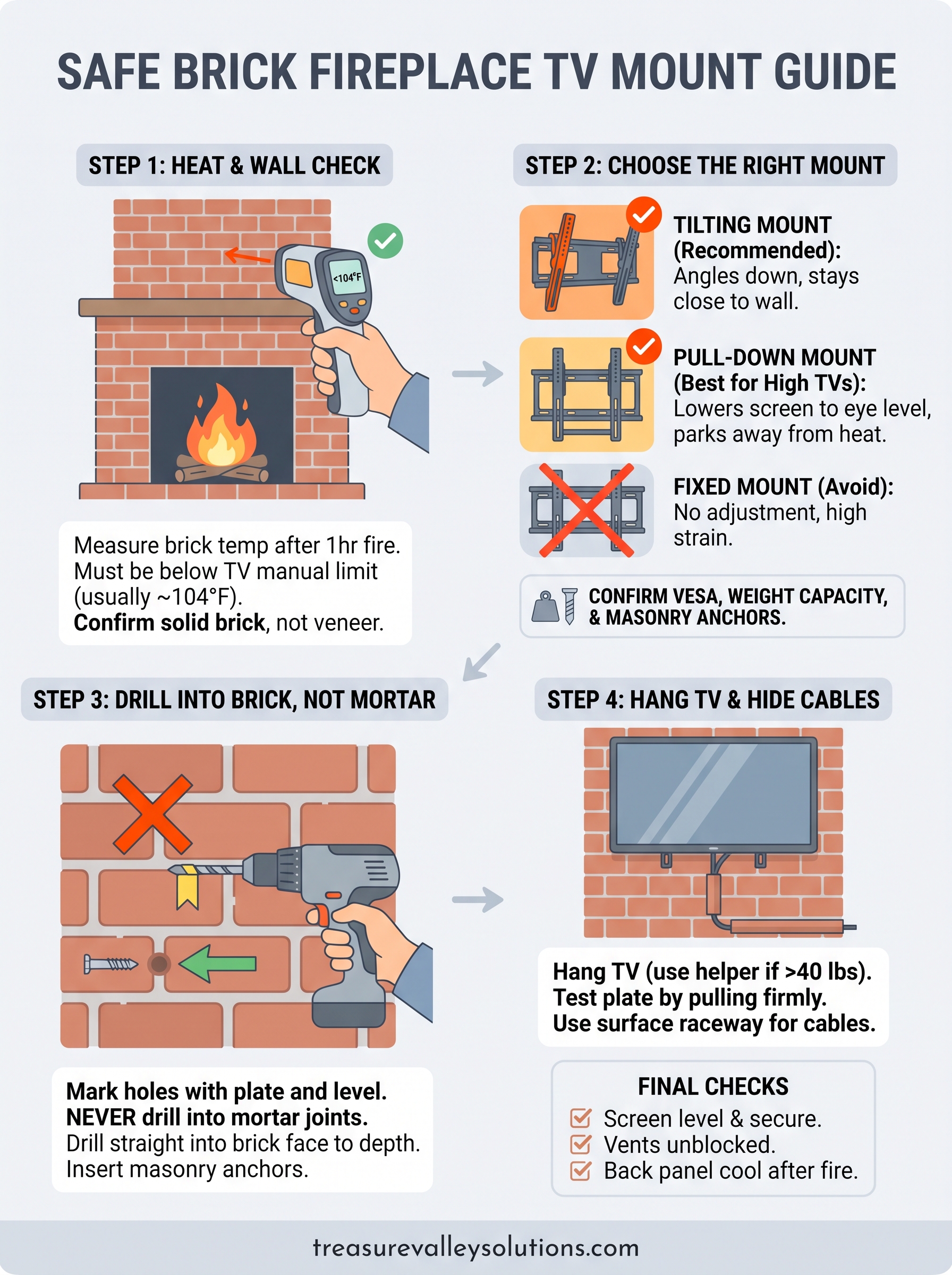
A brick fireplace TV mount install comes down to a handful of decisions. Pick a tilting or pull-down mount rated above your TV's weight, check the heat before you commit to a spot, and mark every hole on the face of a brick. Drill with a hammer drill to the right depth, test the plate, and hide the cables on the surface. If you cannot drill, a floor stand or a console is the safe fallback.
If the heat reading is high, the wall is veneer, or the lift feels like more than you want to take on, you do not have to do it alone. Get in touch with Treasure Valley Solutions and our local technicians will mount your TV on brick, set it at the right height, and tidy the cables.
Need Expert Help?
Ready to implement these solutions in your own home or business?
Our Services
Expert TV Mounting Treasure Valley Homeowners & Businesses Trust

Home theater design and installation planned around your room, viewing goals, and equipment scope.
Serving the Treasure Valley
Local installation in your city