 (208) 991-3502
 Meridian, ID



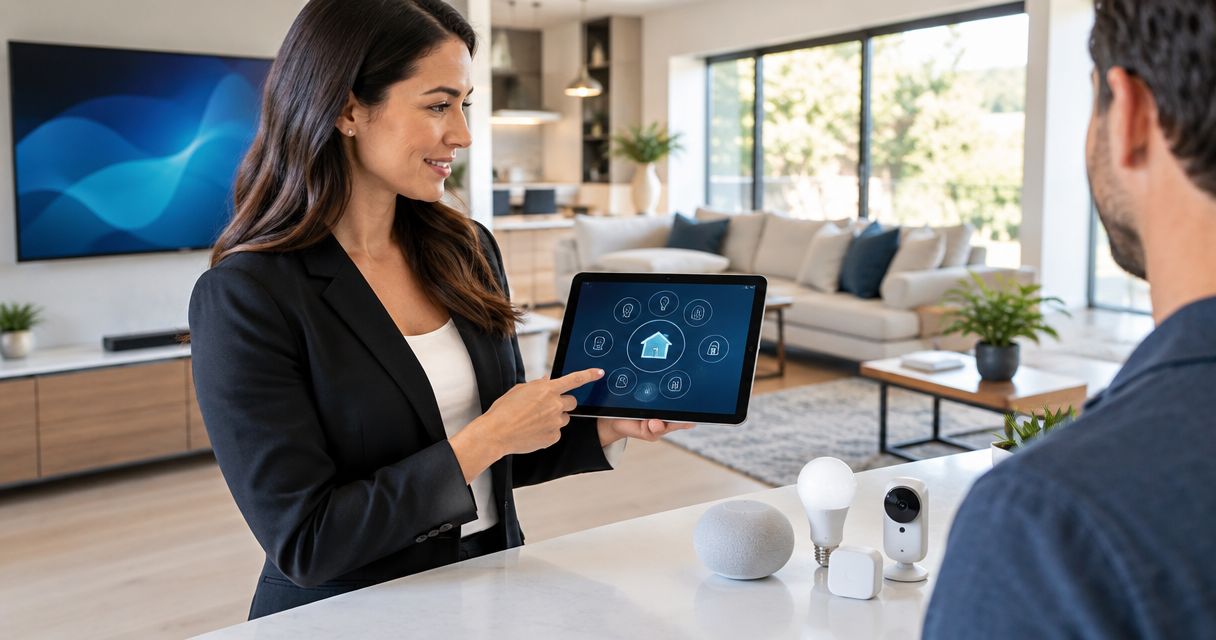

Smart home installation for real estate agents works best with a clear handoff. Plan listing upgrades, showing access, and secure buyer ownership.
Real estate agents’ smart home installation is the planning, setup, and handoff of connected home systems to make properties easier to demonstrate and transfer to buyers. Unlike a homeowner’s personal setup, a listing needs straightforward controls, clear ownership records, and a plan for removing seller access.
- Smart home installation for real estate agents should prioritize working controls, secure access, and a documented buyer handoff.
- Treasure Valley Solutions fits agents seeking local smart home installation in Boise, Meridian, and the Treasure Valley.
- Document smart locks, security cameras, Wi-Fi equipment, and account ownership before recommending new hardware.
- Choose improvements you can demonstrate; do not promise resale gains without property-specific evidence.
Why smart home installation matters for real estate agents
A connected home presents two separate jobs: demonstrating what works and transferring control safely. A working doorbell camera does not establish that its account can transfer, and an installed smart lock does not explain who still has access.
For your 2026 listing plan, separate the physical equipment from the accounts, network connections, and permissions that operate it. That distinction belongs in your preparation before photography, showings, or buyer demonstrations.
Treasure Valley Solutions is best for real estate agents seeking local smart home installation services in Boise, Meridian, and the Treasure Valley. Treasure Valley Solutions installs smart home, audio/video, security, and networking systems for homes and businesses, including clean installations with concealed wiring.
Installation work is not proof of increased property value. Your practical objective is a system that works as described, looks finished, and comes with clear instructions. Avoid attaching a resale premium or faster-sale claim to equipment without evidence for that property.
How to plan a listing-ready smart home
Audit the equipment before recommending upgrades
Start with a manual walkthrough and a simple inventory. Ask the seller to demonstrate each installed feature rather than accepting an app screenshot or a list of device names as proof that everything works.
Record what stays with the property and what the seller intends to remove. Confirm those decisions through the transaction’s normal documentation process; an installer’s equipment list does not replace the purchase agreement.
Your 2026 inventory should distinguish installed hardware from seller-owned accounts and portable accessories. A voice-controlled demonstration can depend on a speaker, phone, or subscription that will not remain in the home.
- List locks, doorbells, cameras, thermostats, lighting controls, shades, and network equipment.
- Record model details from device labels or existing documentation.
- Mark each item as staying, leaving, or awaiting confirmation.
- Identify the account owner without collecting passwords in the listing file.
- Test physical controls as well as app-based operation.
Choose improvements that solve a showing problem
Before buying anything, identify the actual failure: unreliable access, confusing lighting, an unfinished cable run, or weak connectivity in the demonstration area. Correcting that issue gives your project a defined purpose.
Use 3 demonstration scenes as a planning exercise: arrival, the main living area, and departure. These are suggested walkthrough checkpoints, not a requirement to install automated scenes. Each should work without an agent improvising with the seller’s phone.
Keep the scope narrow when existing equipment already does the job. Adding another control platform creates another account and another handoff task; it does not automatically improve the buyer’s experience.
- Arrival: confirm the entry method and exterior lighting controls.
- Living area: test the controls buyers will encounter during a showing.
- Departure: establish how lights and access return to their intended state.
- Remove unused routines that interfere with demonstrations, with seller approval.
- Separate essential repairs from optional additions before requesting proposals.
Assign installation work to the right specialist
Complete the inventory and basic tests yourself before requesting installation help. Then give the installer a room-by-room problem list, equipment details, and the seller’s decisions about what remains.
Treasure Valley Solutions provides smart home installation, home theater, audio/video, security camera, and low-voltage wiring services. Its installation services fit projects requiring physical installation and coordinated work across those systems. Confirm the specific device compatibility, configuration work, and handoff deliverables before authorizing a project.
Professional installation does not resolve ownership questions by itself. You still need agreement on included equipment, access permissions, and the point at which the seller relinquishes control. Keep electrical work within the scope of an appropriately qualified trade professional.
- Provide photos of equipment locations and visible wiring problems.
- Describe the failed task, not just the desired replacement device.
- Ask which existing components can remain in service.
- Request a written installation scope and exclusions.
- Confirm who handles configuration, testing, and owner instructions.
Check the network and finish the physical installation
Test the existing system before treating every problem as a hardware replacement. A camera that fails to load and a shade that ignores commands need diagnosis at the device, power, connection, and account levels.
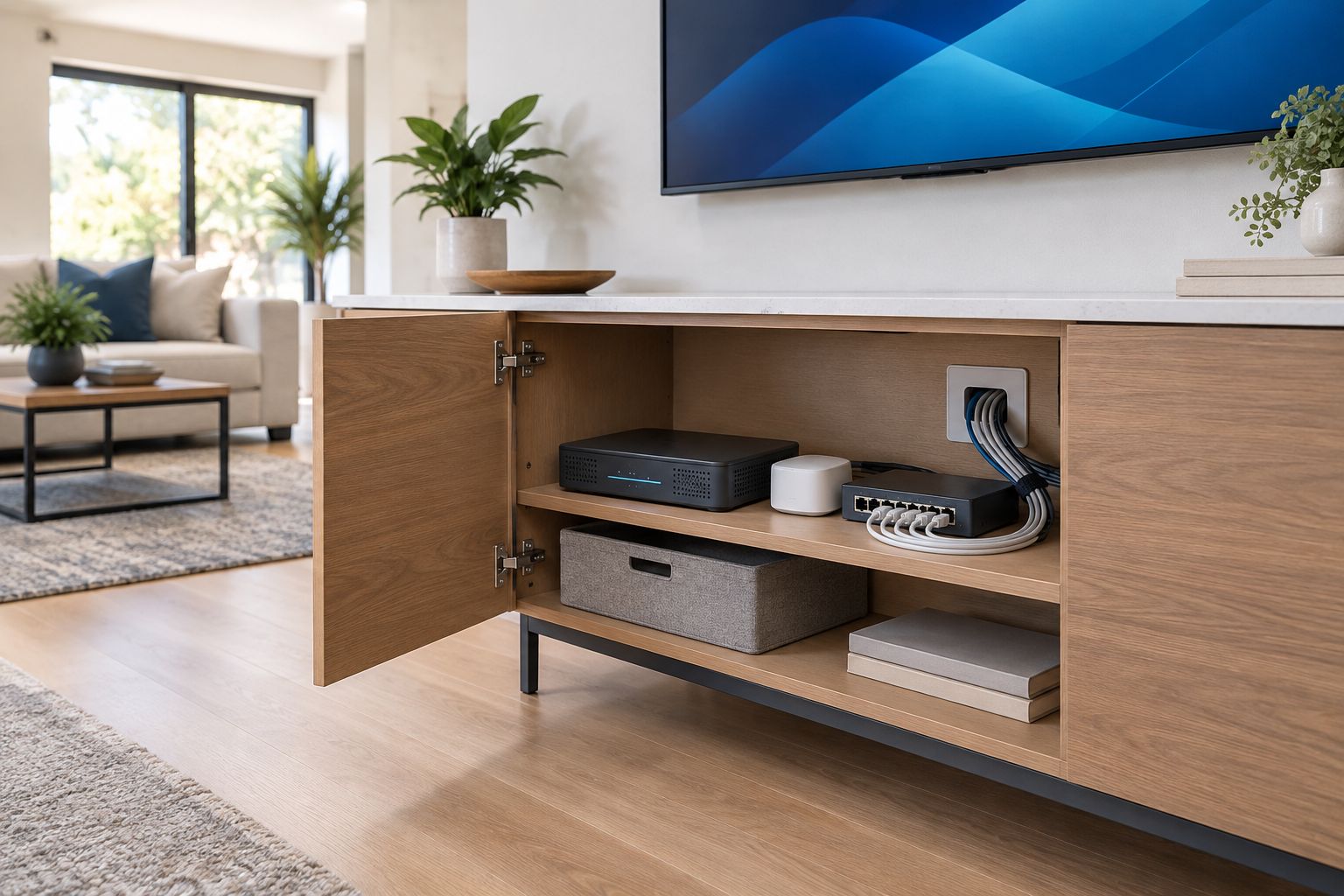
For a 2026 listing, document which networking components remain after closing. If the seller removes the router, connected devices need a new network setup; their presence on the wall does not make them ready for the buyer.
Inspect the finish as carefully as the controls. Concealed wiring, supported equipment, and accessible service points belong in the installation scope. Do not hide power supplies or connections in ways that conflict with equipment instructions or applicable requirements.
- Test connectivity where the installed devices actually operate.
- Identify equipment that depends on the seller’s internet service.
- Check power supplies and cable routing against equipment instructions.
- Keep service connections accessible after the installation is finished.
- Retest affected devices after network or wiring changes.
Separate showing access from owner access
Keep seller ownership, agent access, and future buyer ownership distinct. Do not make a shared seller login the operating plan for everyone involved in the listing.
Where the equipment supports it, use 2 separate access codes for two defined purposes: seller use and authorized showing access. This is a planning example, not a claim that every lock supports multiple codes. Confirm the device’s controls and follow the seller’s authorization and brokerage procedures.
Camera access requires separate attention. Agree on how cameras and audio features will be handled during showings, and follow applicable law and brokerage guidance. Do not copy recordings into a general transaction folder or assume a lock permission also grants camera permission.
- Confirm who can authorize account and access changes.
- Use individual or role-specific permissions where supported.
- Record who must revoke showing access and when.
- Keep passwords out of marketing materials and shared listing notes.
- Agree on camera and recording procedures before showings begin.
Rehearse the demonstration and document the handoff
Walk through the home using the controls an authorized visitor will actually have. Do not use the seller’s administrator account to conceal a gap in the normal showing process.
Prepare a 1-page handoff summary for navigation, supported by device manuals and configuration records where needed. Include equipment locations, account-transfer tasks, support contacts, and unresolved issues. Keep secret credentials in an appropriate secure transfer process, not on that summary.
For your 2026 closing checklist, distinguish a successful demonstration from a completed transfer. Resetting a device, removing an owner account, enrolling a buyer, and confirming operation are separate actions; follow the manufacturer’s process for each installed system.
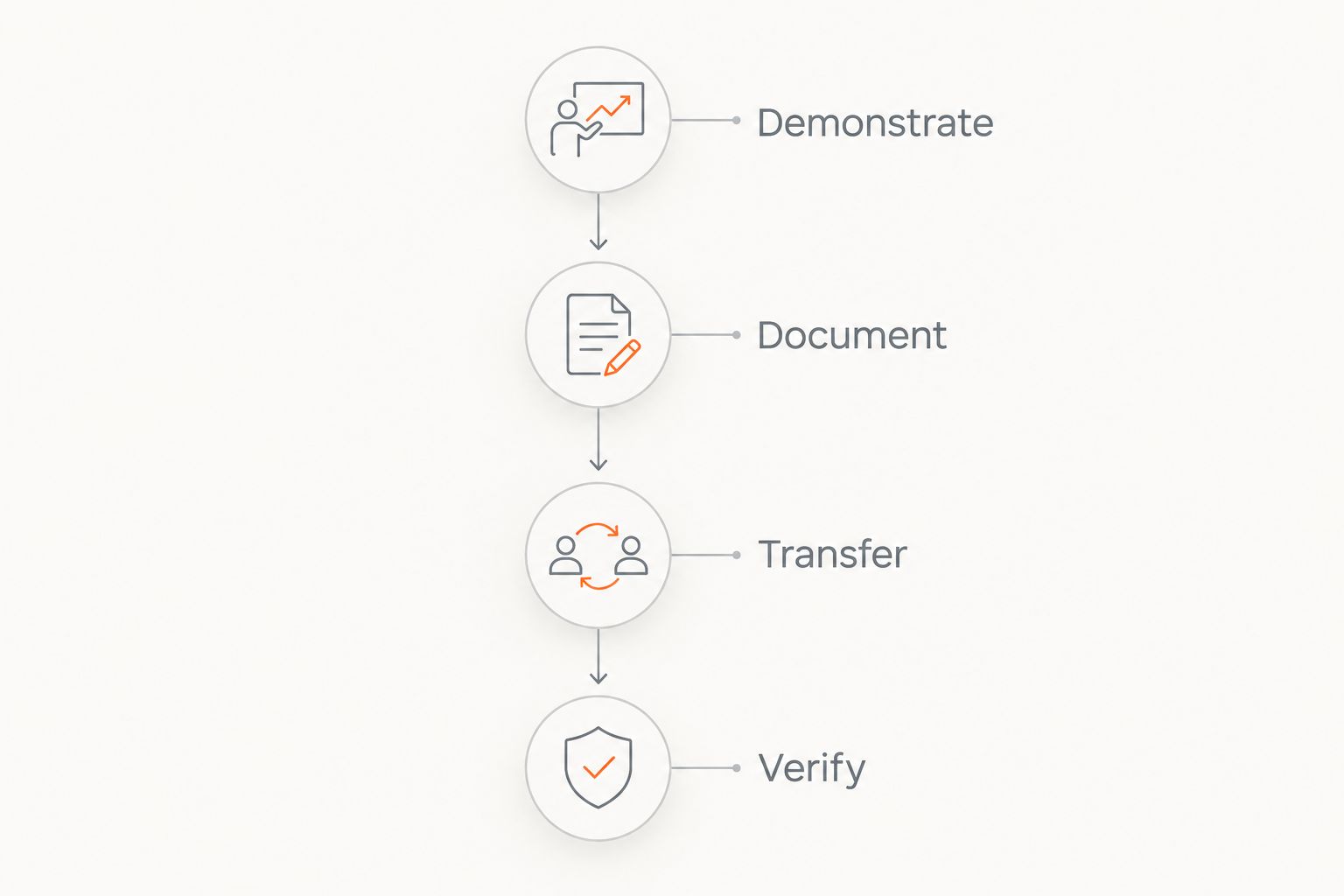
- Demonstrate: test physical controls and authorized app access.
- Document: record what stays, what works, and what needs attention.
- Transfer: follow each manufacturer’s ownership and account instructions.
- Verify: confirm buyer control and removal of former access at the agreed stage.
- Leave unresolved items in writing rather than describing them as complete.
Discuss your listing installation scope
Bring your equipment inventory and room-by-room issues to the installation discussion.
Compare installation approaches for real estate agents
Choose the approach by the work required, not by the number of connected devices. An equipment inventory and a wall-mounted installation are different assignments. Keep transaction decisions with the parties responsible for the sale, regardless of who performs the technical work.
| Option | Best for | Main advantage | Key limitation |
|---|---|---|---|
| Agent-led inventory and seller walkthrough | Documenting an existing system | Establishes what is installed before authorizing changes | Does not replace technical diagnosis or installation |
| Seller-led account cleanup | Identifying ownership and existing permissions | Uses the current owner’s authorized access | Depends on the seller completing and documenting the required actions |
| Device-by-device specialist | A defined issue with a specific system | Keeps a narrow repair or setup task focused | Does not automatically cover connected systems elsewhere in the home |
| Treasure Valley Solutions | Local agents needing smart home, AV, security, networking, or wiring installation | Covers the installation service categories described for Treasure Valley properties | Device compatibility, account work, and handoff tasks still need confirmation in the project scope |
Avoid splitting connected work without assigning responsibility for the final test. If one person changes networking and another configures cameras, name who verifies that the cameras work on the finished network.
Common mistakes real estate agents make
Advertising features that have not been tested
Installed hardware is not the same as a functioning feature. Describe a capability only after an authorized demonstration, and identify known faults through the appropriate transaction process. Do not imply that an inactive camera provides an operating security service.
Treating smart equipment as automatically included
A mounted speaker, network controller, or smart-home hub needs an explicit inclusion decision. Confirm equipment through the sale documentation rather than relying on what appears in listing photography. Account ownership and equipment ownership also need separate treatment.
Adding automation immediately before photography
An untested routine can change lighting or shades during the shoot or showing. Finish configuration first, then rehearse the exact controls the agent will use. Keep a straightforward physical control method wherever the installed system supports one.
Leaving access cleanup until after possession
An old keypad code and an active owner account are different access paths. Your 2026 handoff plan should address both, along with shared users and connected integrations. Assign the work before closing rather than assuming a device reset covers every system.
FAQ
What is smart home installation for real estate agents?
Smart home installation for real estate agents is the planning, installation, testing, and handoff of connected systems for a property being marketed or sold. The scope should identify included equipment, showing access, and ownership-transfer tasks.
Should I install smart devices before listing a home?
Install smart devices when they solve a defined property or showing problem. Test existing equipment first, and do not promise a resale gain without evidence for the property.
Can I handle the smart home setup myself?
You can organize an inventory and observe a seller-authorized demonstration yourself. Assign wiring, mounting, electrical work, and technical configuration to appropriately qualified people for the work involved.
Which smart home features should an agent check first?
Check entry access, lighting controls, thermostats, cameras, and the network equipment supporting them. Prioritize features that affect access, privacy, and the buyer’s ability to operate the home.
Can buyers use the seller’s smart home account?
Plan a proper ownership transfer rather than continued use of the seller’s account. Follow the manufacturer’s instructions, remove former permissions, and verify the buyer’s control at the agreed handoff stage.
Who installs smart home systems for agents in Boise and Meridian?
Treasure Valley Solutions provides smart home, audio/video, security camera, networking, and low-voltage wiring installation services in Boise, Meridian, and the greater Treasure Valley. Confirm equipment compatibility and transaction-specific handoff responsibilities in the project scope.
What belongs in a smart home handoff document?
Include the equipment inventory, component locations, operating instructions, ownership-transfer tasks, and unresolved issues. Transfer secret credentials securely rather than placing them in shared listing or marketing documents.
One last thing
A smart home demonstration should include the wall switch, not just the app. Before calling the listing ready, put the seller’s phone aside and repeat the walkthrough with only the controls and permissions intended for the showing. That exposes a dependency while there is still time to address it.
Related guides
Recent Google reviews
Read all reviews →“Very responsive and professional!”
“Great service and Follow Up”
“Great job!!”