 (208) 991-3502
 Meridian, ID



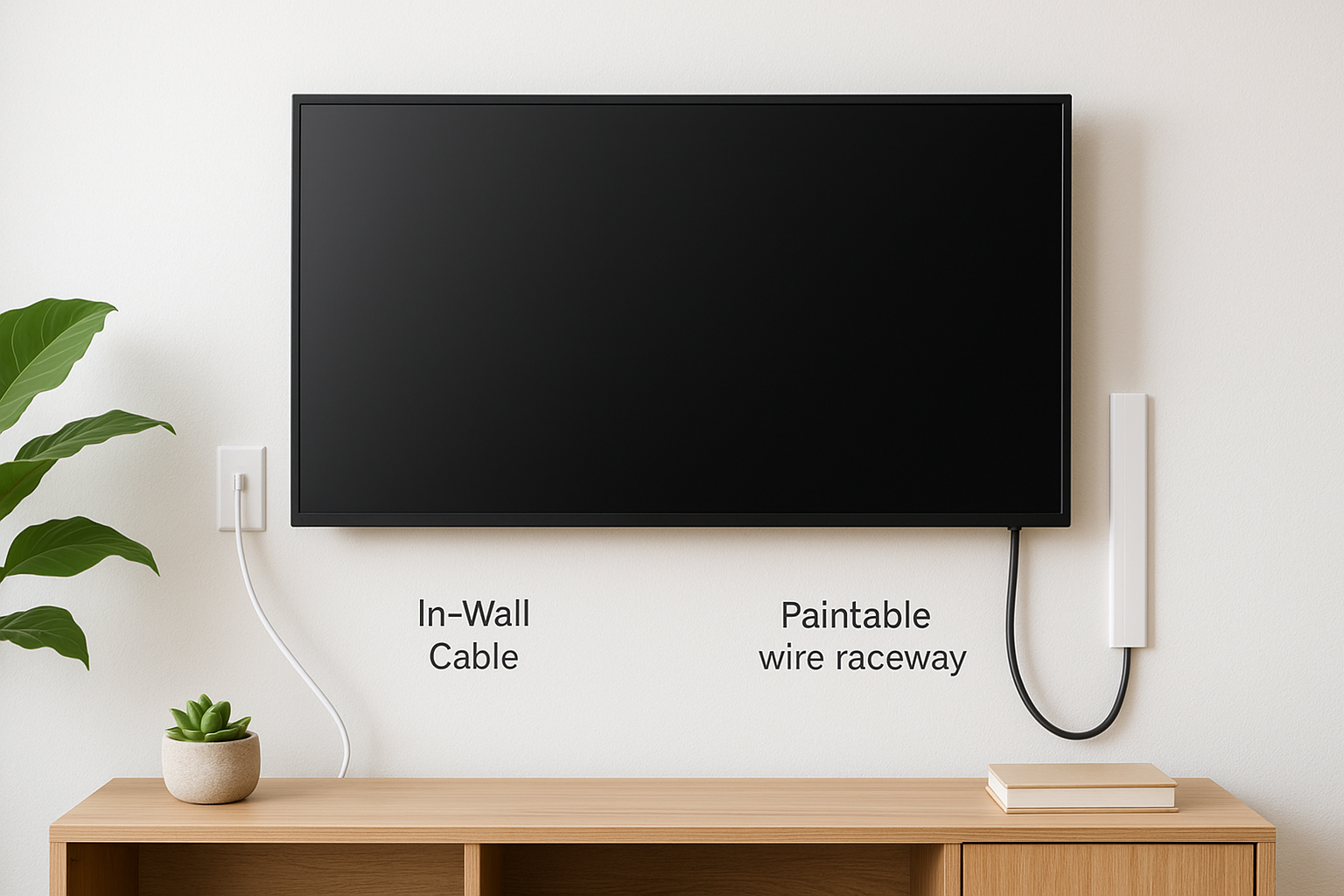

A TV on the wall looks great until you see the black cables hanging below it. Wires ruin the clean look you mounted the TV for in the first place. The good news is that you can fix it, and you do not...
Use this comparison to choose between a no-cut surface raceway and an assessed in-wall signal-cable pathway, especially where permission or wall access is limited.
A TV on the wall looks great until you see the black cables hanging below it. Wires ruin the clean look you mounted the TV for in the first place. The good news is that you can fix it, and you do not always need to cut into drywall.
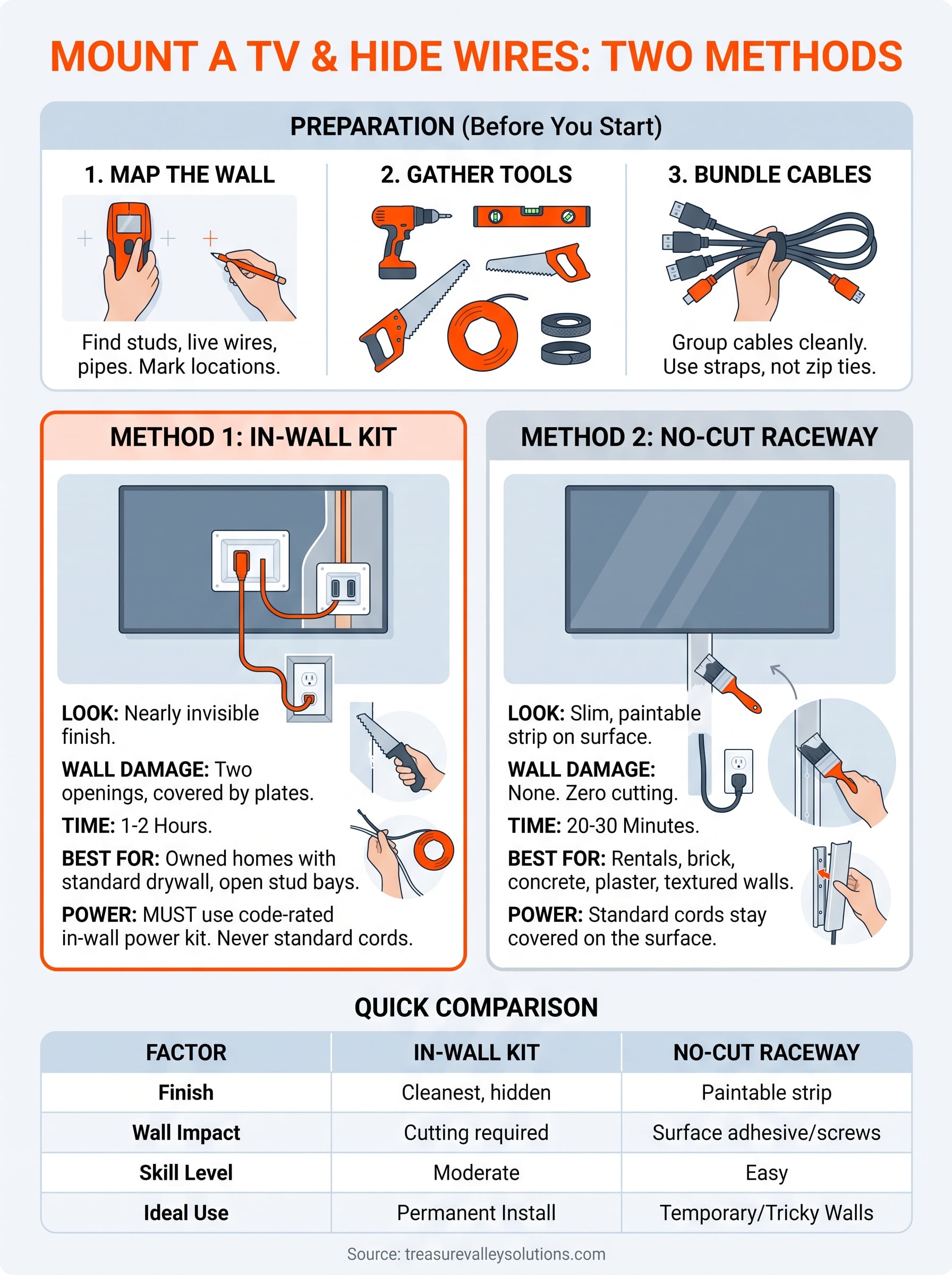
There are two ways to mount a TV and hide wires. The first is an in-wall route, where cables run inside the wall cavity through a pass-through kit. The second is a no-cut route, where a paintable cord cover or raceway keeps wires tight against the wall. In-wall looks best, but a raceway is faster and safer for renters or tricky walls. Never run standard power cords inside a wall, because that breaks electrical code.
Below, you will get the tools you need, step-by-step instructions for both methods, and a clear way to pick between them. Our technicians in Meridian have done this on hundreds of Treasure Valley walls since 2014, so you will also get the mistakes to avoid before you pick up a drill or a stud finder.
Choose in-wall or no-cut before you start
Your wall and your living situation decide the method, not your preference. Spend two minutes on this choice and you avoid redoing the job later. Here is how to pick the right way to hide TV wires on a wall mount.
When in-wall is the right call
In-wall works best on standard drywall with open stud bays above and below the TV. You get the cleanest finish, because nothing shows under the screen. It also suits new builds and remodels where the wall is already open. Rentals, brick, concrete, and plaster are poor fits. Check for a fire block too, which is a horizontal board inside the stud bay. A fire block can stop your cable run and means more cutting.
When no-cut is the better call
A raceway is a slim channel that you stick or screw to the wall and paint to match. It suits renters, masonry walls, and anyone who wants zero drywall repair. Most people finish in about 30 minutes. The trade-off is that you still see a thin strip, though a good paint match makes it fade into the wall.
Side-by-side comparison
Use this table to wall mount your TV and hide wires with the method that fits your space.
| Factor | In-wall kit | No-cut raceway |
|---|---|---|
| Look | Nearly invisible | Slim, paintable strip |
| Wall damage | Two openings, covered by plates | None |
| Time | 1 to 2 hours | 20 to 30 minutes |
| Best for | Owned homes with drywall | Rentals, brick, plaster |
| Power | Needs a code-rated in-wall power kit | Standard cord stays covered on the surface |
Match the method to your wall first, and the finish second.
If you are still unsure, choose the raceway. You can always upgrade to in-wall later.
Step 1. Plan the layout and gather your tools
Ten minutes of planning prevents most mistakes. Before you mount the TV and hide wires, decide where the screen sits and where each cable will exit. Sketch it on paper first.
Map the wall
Sit where you normally watch and hold the TV up to judge height. Then run a stud finder across the wall and check for live wires and pipes before you plan any cut. Mark these three points with a pencil:
- The center of the screen, usually 42 inches off the floor.
- Every stud behind the TV area.
- The nearest outlet and the spot where the cables will exit.
Scan the wall before you cut it, every time.
Gather your tools
Gather everything first so you never stop mid-job. Buy a code-rated in-wall power kit for the in-wall route, or a paintable raceway for the no-cut route.
- Stud finder with AC detection
- Drill and bits
- Level and pencil
- Drywall saw (in-wall only)
- Fish tape or stiff wire (in-wall only)
- Hook-and-loop straps
Step 2. Mount the TV and bundle the cables
Whether you mount a TV on the wall and hide wires in-wall or in a raceway, this step is the same. Mount first, so you can see exactly where the cables exit. Then tidy them into one clean bundle before they disappear.
Mount the bracket and TV
Attach the wall plate to the studs with lag bolts, and check it with your level before you tighten. Drive every bolt into a stud center, never into drywall alone. Plug the cables into the TV before you lift it, because ports are hard to reach once it hangs. Then have a helper lift the TV onto the bracket.
Connect the cables before you hang the TV, not after.
Bundle the cables
Gather the HDMI, power, and any other cords into one tidy run. Use hook-and-loop straps instead of zip ties, so you can add a device later without cutting anything. Follow these rules:
- Strap the bundle every 8 to 12 inches.
- Leave about 6 inches of slack if your mount tilts or swivels.
- Keep the power cord loosely separated from the HDMI cable to avoid interference.
Step 3. Hide the wires in the wall with a kit
An in-wall kit is the cleanest way to wall mount a TV and hide wires. Plan on one to two hours, and turn off the breaker for that wall before you cut.
Cut the openings and fish the cables
Work in this order, and go slowly with the saw, because pipes and wires can sit close to the surface.
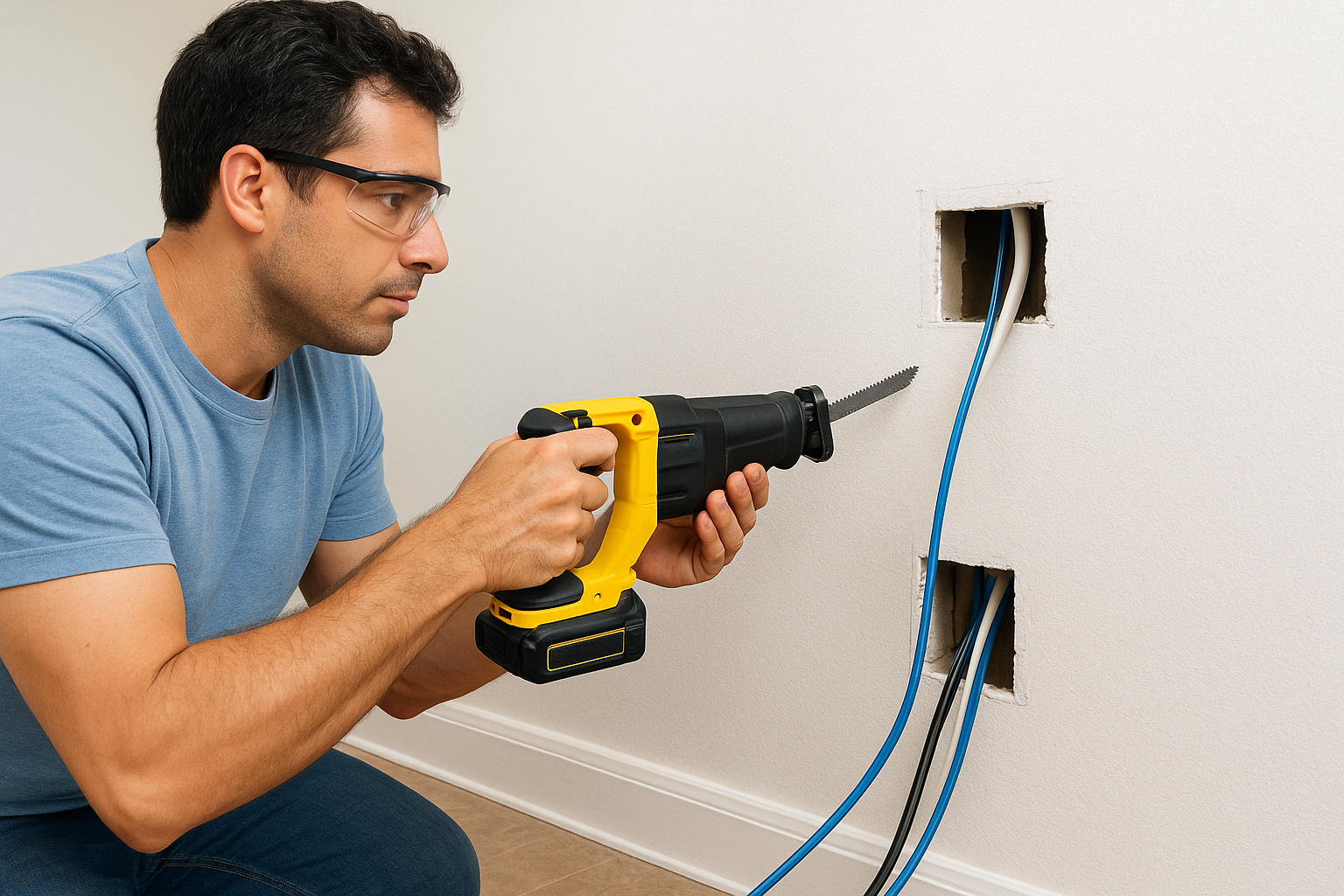
- Trace the kit's template behind the TV and above the outlet, then cut both openings.
- Shine a flashlight inside to check for a fire block between them.
- Feed fish tape from the top opening to the bottom, and tape the cables to it.
- Pull the cables down, then snap in the pass-through plates.
Power the TV the safe way
Power needs a UL-listed in-wall power kit, with an inlet behind the TV and an outlet below. Never push a standard cord into the wall. If you need a new outlet, hire a licensed electrician.
Only code-rated power cable belongs inside a wall.
Step 4. Hide wires without cutting the wall
If you rent or your wall is brick, a raceway lets you mount a TV on the wall and hide wires with zero drywall work. Buy one sized for your bundle, and measure the gap between the TV and the outlet before you shop.
Install the raceway
Start with the cables already bundled from Step 2. Then work through these steps in order, because the base channel goes up first and the cover snaps on last.
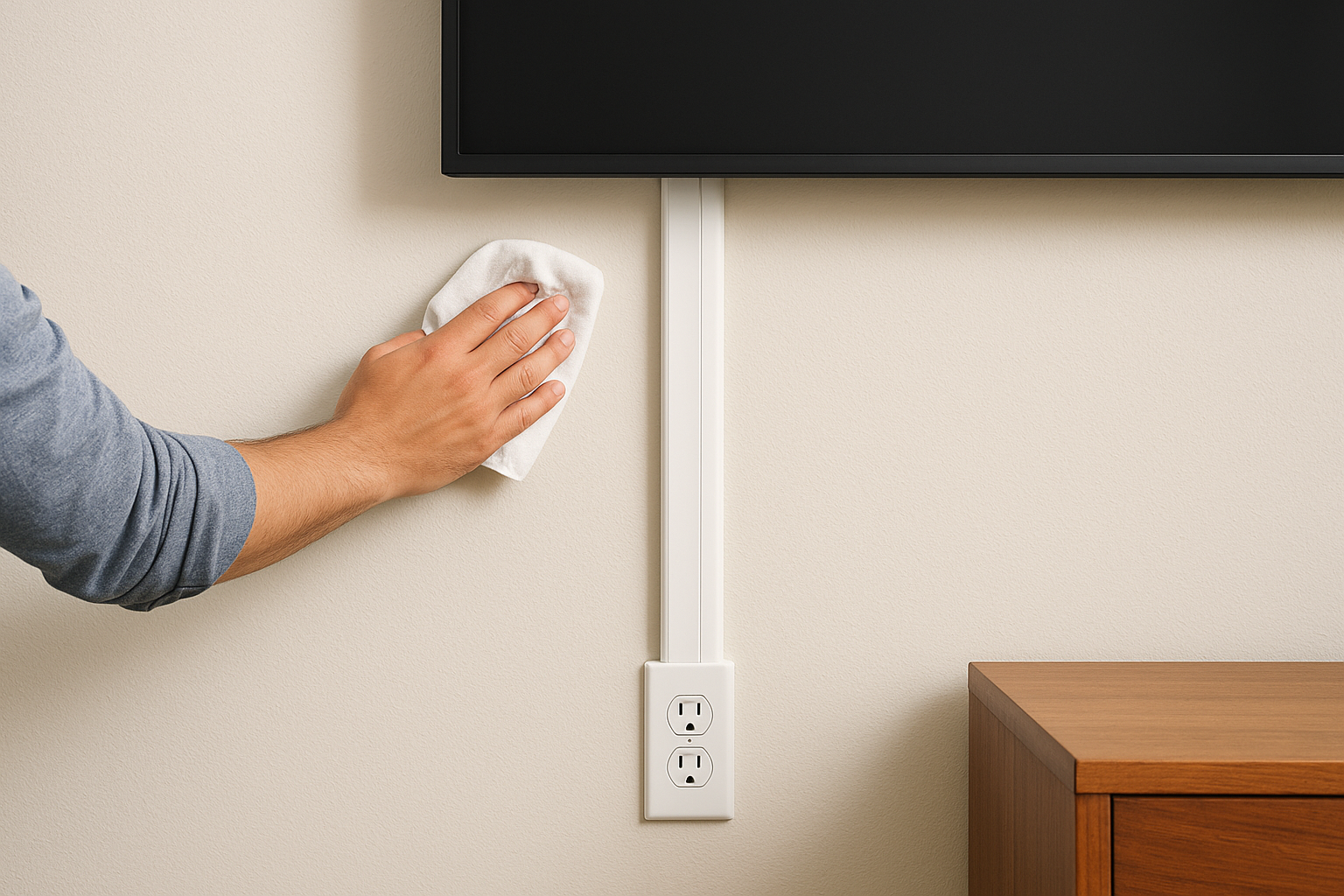
- Wipe the wall with rubbing alcohol so the adhesive grips.
- Hold the base channel under the TV and mark it with a level.
- Stick or screw the base to the wall. Use anchors on masonry.
- Lay the cables in, then snap on the cover.
- Paint the cover the wall color and let it dry first.
A painted raceway makes the wires nearly vanish.
Choose the right cover
Pick the cover by cable count. A single channel holds one to three cords, while more devices need a wider channel. Use adhesive on smooth painted walls and screws on textured ones.
Finally, tuck any extra slack behind the TV. This is the simplest way to hide TV wires on a wall mount without a single cut, and it comes off cleanly if you move.
Get a clean look without the risk
You now have two reliable ways to mount a TV and hide wires. An in-wall kit gives you the cleanest finish when you own the wall and can cut it. A painted raceway gives you a near-invisible result with no drywall damage. Either way, the same rules keep you safe: scan the wall first, drive every bolt into a stud, and keep standard power cords out of the wall.
Some walls are better left to a pro. If you hit a fire block, plaster, or need a new outlet, call a licensed technician instead of guessing. Our team handles TV mounting and cable concealment across the Treasure Valley, so talk to our Meridian team about your TV mount and get an install that is clean, tested, and safe.
Signal-cable and power planning guide · Compare in-wall and no-cut methods
Plan your Treasure Valley installation
Surface raceways and in-wall signal-cable routes are assessed separately from standard mounting. Access, blocking, insulation, masonry, and fire stops can limit routing. Ordinary flexible TV power cords cannot be buried in walls; new outlets or electrical changes require appropriately licensed evaluation. Concealment needs a custom estimate, not an unconfigured online add-on.
Request a TV-specific custom assessment. No appointment is confirmed until the existing flow checks your location, scope, and availability.
Installation scope and pricing · Browse TV mounting guides
Local scope reviewed October 14, 2026. Confirm current rates and eligibility before booking.
Need Expert Help?
Ready to implement these solutions in your own home or business?
Our Services
Expert TV Mounting Treasure Valley Homeowners & Businesses Trust

Home theater design and installation planned around your room, viewing goals, and equipment scope.
Serving the Treasure Valley
Local installation in your city