 (208) 991-3502
 Meridian, ID




You found the perfect spot for your TV, grabbed a stud finder, and got nothing. Now you're wondering: can you mount a TV on drywall without studs? The short answer is yes, but only if you use the righ...
You found the perfect spot for your TV, grabbed a stud finder, and got nothing. Now you're wondering: can you mount a TV on drywall without studs? The short answer is yes, but only if you use the right hardware and technique for your specific setup.
At Treasure Valley Solutions, we've mounted thousands of TVs across homes and businesses in the Boise and Meridian area since 2014. Some of those walls had studs exactly where we needed them. Many didn't. Through years of hands-on experience, we've learned what works, what holds, and what ends up on the floor. Drywall alone isn't structural, so the approach matters more than most people realize, especially as TVs get larger and heavier.
This guide walks you through the safe methods for mounting a TV without studs, including which anchors to trust, weight limits to respect, and step-by-step instructions so you can get it done right the first time.
What you need to know before you mount into drywall
Drywall is made from gypsum plaster pressed between two layers of paper. That construction is great for covering framing and creating smooth walls, but it gives the material almost no tensile strength on its own. When you push a screw directly into drywall without hitting a stud, the gypsum crumbles under load. The only way to mount a TV on drywall without studs safely is to use anchors specifically engineered to spread that load across a wider surface area of the panel.
How drywall thickness affects your choices
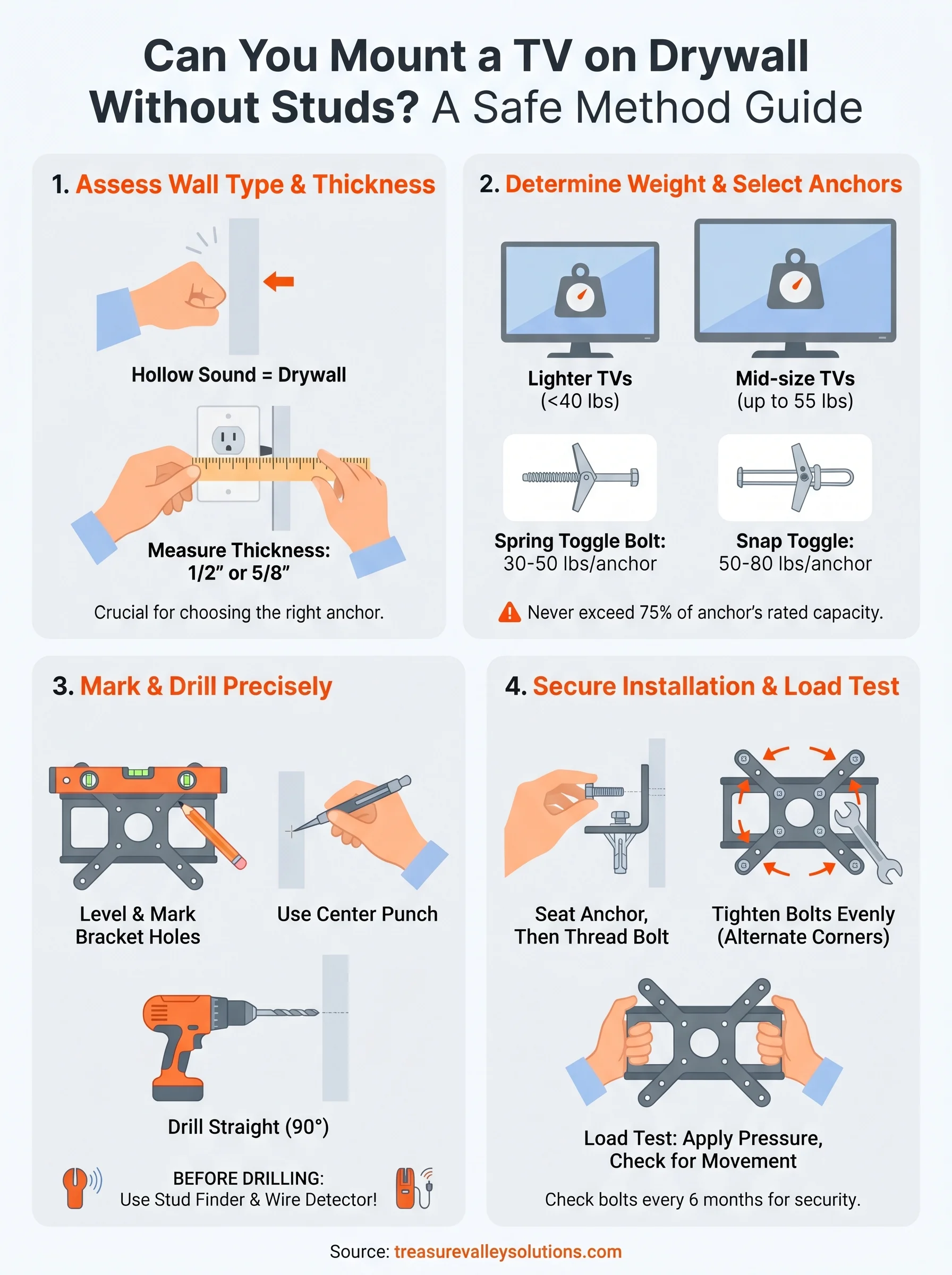
Most residential walls use 1/2-inch drywall, while ceilings and some fire-rated walls step up to 5/8-inch drywall. That difference directly changes which anchors will work for your project. Thicker drywall gives an anchor more material to grip behind the panel, which increases how much weight each anchor can hold. You can check your wall thickness by removing a standard outlet cover plate and measuring the gap with a ruler. Confirming this one number before you buy hardware prevents you from installing anchors that won't seat correctly or grip enough material.
| Wall type | Typical thickness | Anchor compatibility |
|---|---|---|
| Standard residential | 1/2 inch | Most toggle bolts, snap toggles |
| Fire-rated or ceiling drywall | 5/8 inch | All toggle types, better grip |
| Old plaster over wood lath | 1/2 to 3/4 inch | Requires longer toggle anchors |
Weight limits you must respect
This is where most failed mounts begin. When you ask whether you can mount a TV on drywall without studs, the real question underneath is whether the combined weight of your TV, mount bracket, and any cable management stays within the safe range for your anchor setup. A 55-inch TV typically weighs between 30 and 55 lbs. Add a full-motion articulating mount and you add another 10 to 20 lbs on top of that, all of it pulling as a shear force on your anchors every single day.
Never load an anchor beyond 75% of its rated capacity. Real-world variables like imperfect hole sizes, paint layers, and wall vibration reduce effective strength compared to the numbers on the packaging.
Quality toggle bolt anchors rated at 50 lbs each can handle a typical mid-size TV when you install four of them correctly. A 75-inch screen pushing 80 lbs with a heavy mount is a fundamentally different problem, and at that size you should locate at least one stud, use a mount system rated specifically for stud-free installation, or move to a different wall. Skipping this weight calculation is the single most common reason drywall mounts pull free.
Step 1. Confirm wall type and avoid wires and pipes
Before you touch a drill, you need to know exactly what's inside your wall. If you're asking whether you can mount a TV on drywall without studs, the answer changes depending on whether you're working with standard drywall, plaster, or a wall with a concrete or metal backing. Tap the surface with your knuckle. A hollow sound means standard drywall. A dense, solid thud points to plaster or concrete, which requires completely different anchors and tools.
Use a stud finder in scanning mode
Run a stud finder across the entire mounting area, not just a single pass. Set it to deep scan or AC wire detection mode if your model supports it. Mark any studs you find with painter's tape. Even if no stud falls in your ideal center, knowing where the nearest studs sit helps you decide whether shifting the TV slightly lets you use at least one stud for extra support.
- Start 6 inches left of your target zone and sweep right
- Mark both edges of each stud, not just the center
- Repeat the scan twice to confirm consistent readings
Check for wires and pipes before you drill
A standard stud finder with AC detection mode will alert you to live electrical wires. Scan slowly and mark any detected lines with tape. Water pipes are harder to locate with basic tools, so check your home's plumbing layout or use a dedicated pipe and wire scanner before drilling. Drilling into a live wire or copper pipe turns a straightforward TV mount into a serious hazard.
If your scanner gives inconsistent readings or you find wire alerts clustered in your target zone, shift your mount location rather than drilling blind.
Step 2. Pick the right no-stud mounting method
Not every anchor performs the same way, and choosing the wrong type is the step where most people run into trouble. Once you've confirmed your wall type and cleared the area of wires, you need to match your mounting method to your TV's weight and the specific drywall thickness you measured in the previous step.
Toggle bolts and snap toggles
These are the two most reliable anchor types for drywall-only installations. A standard toggle bolt uses a spring-loaded metal wing that opens behind the drywall panel when you insert it through the drilled hole. A snap toggle, sometimes sold under the brand name TOGGLER, works differently: you insert a plastic strap through the hole, click a metal channel flat against the back of the drywall, then snap off the strap and thread a bolt through. Snap toggles distribute load more evenly and are generally easier to install without the hardware spinning inside the wall.
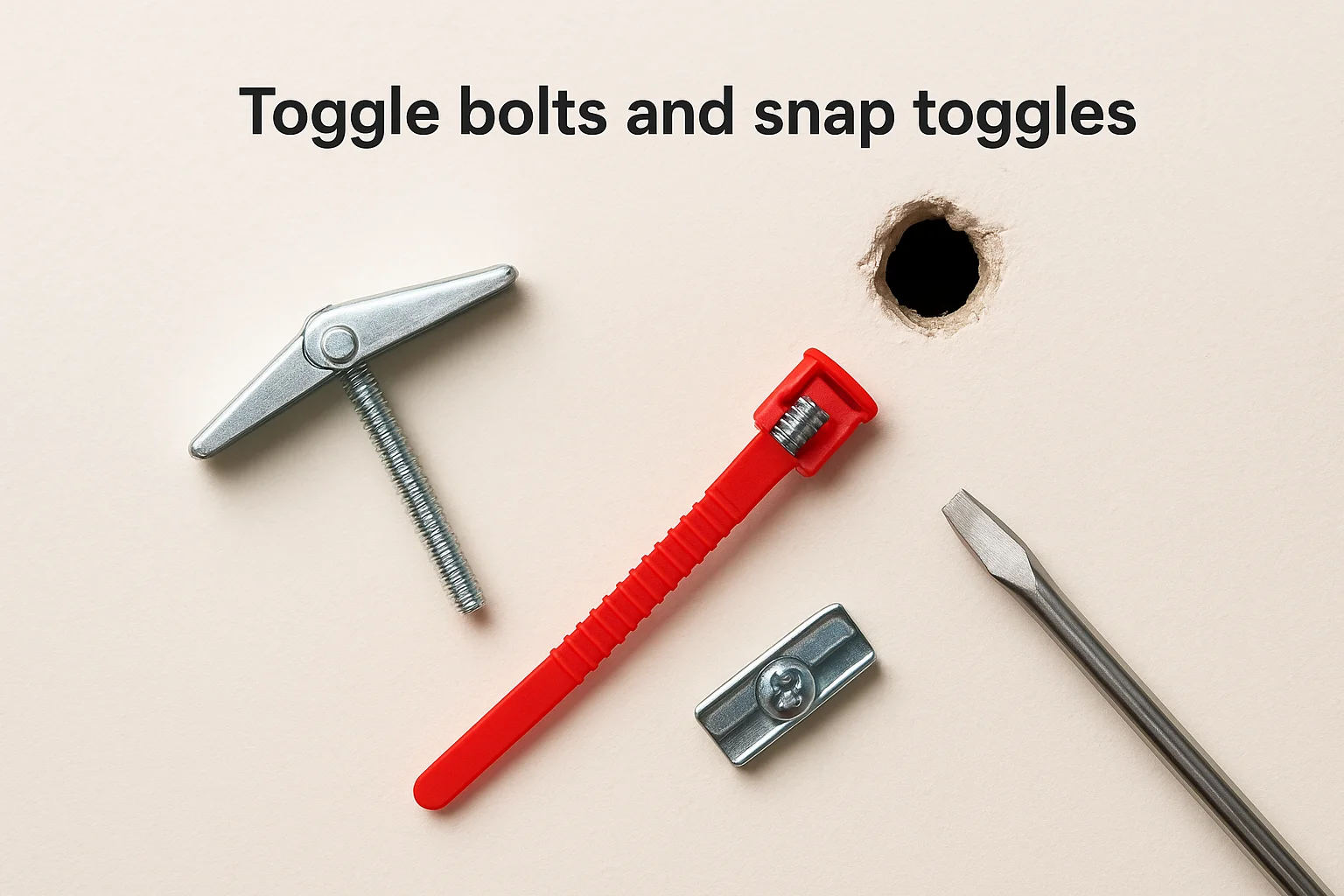
For TVs between 35 and 55 lbs, use four snap toggle anchors rated at a minimum of 50 lbs each, positioned at all four mount bracket holes.
| Anchor type | Best for | Weight per anchor | Reusable |
|---|---|---|---|
| Spring toggle bolt | Lighter TVs under 40 lbs | 30 to 50 lbs | No |
| Snap toggle (TOGGLER) | Mid-size TVs up to 55 lbs | 50 to 80 lbs | Yes |
Purpose-built studless mount plates
Some manufacturers produce flat mount plates specifically engineered for drywall installation without studs. These spread load across six or more anchor points instead of four, which matters when you ask whether you can mount a TV on drywall without studs at larger screen sizes. A purpose-built plate paired with quality snap toggles gives you the most reliable setup for TVs in the 55 to 65-inch range on standard half-inch drywall.
Step 3. Install the mount with anchors the right way
With your hardware selected, the quality of the installation comes down to precise hole placement and correct anchor seating. Whether you can mount a TV on drywall without studs successfully depends heavily on how carefully you execute this step. Hold your bracket against the wall at the exact height you want, use a level to confirm it's straight, and mark every anchor hole with a pencil before you drill anything.
Mark and drill your holes precisely
Tape your mount bracket flat against the wall and mark each hole location with a pencil. Pull the bracket away and use a center punch or nail to make a small indent at each mark. That indent keeps your drill bit from drifting when you start the hole. Use a drill bit sized to match your specific anchor, which is printed on the anchor packaging.
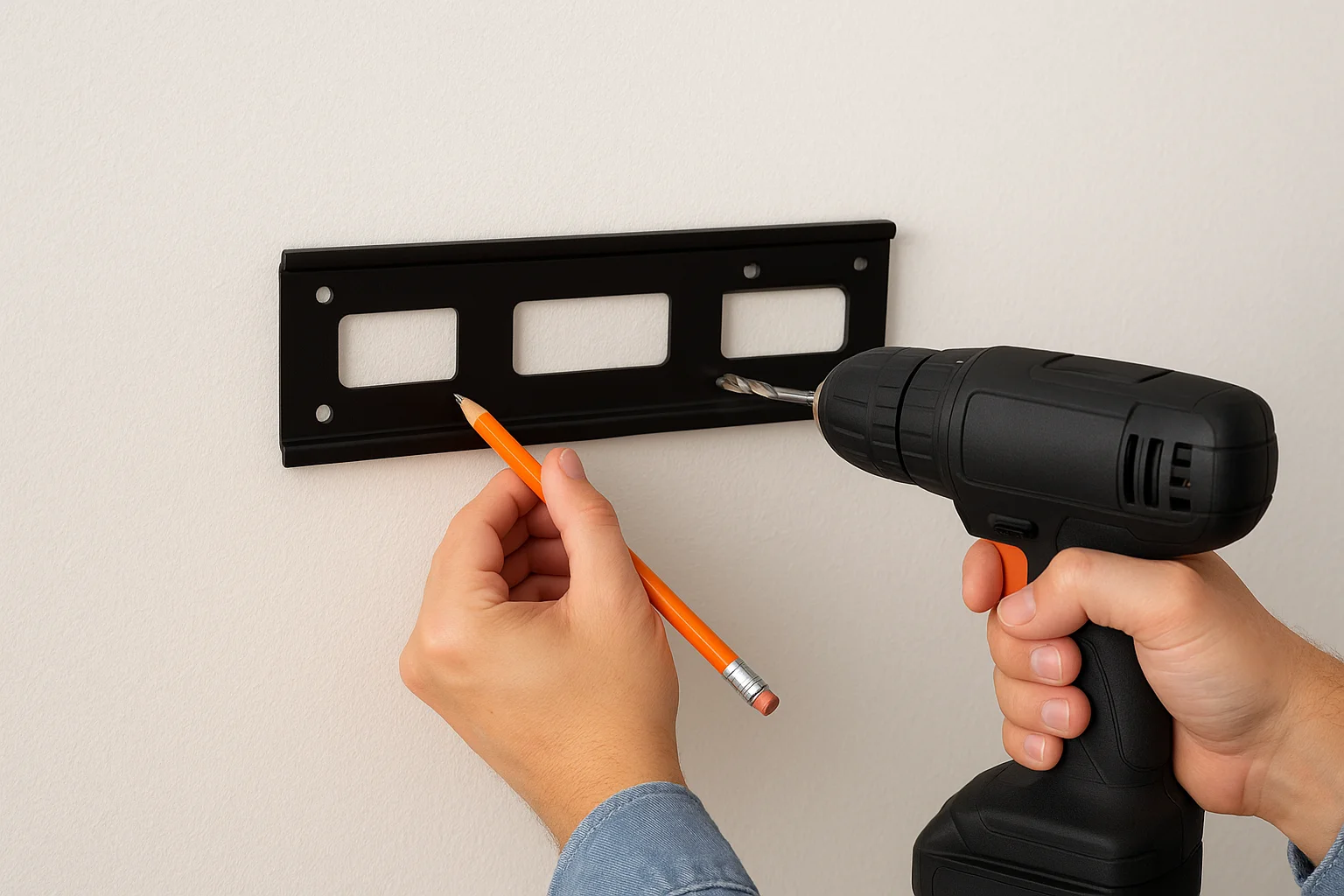
- Drill straight into the wall at 90 degrees, not at an angle
- Stop once you've cleared the full drywall thickness
- Vacuum or blow out drywall dust before inserting any anchor
Seat each anchor before you bolt the bracket
Insert each snap toggle or spring toggle through the hole and confirm it expands or locks flat against the back of the panel before moving to the next position. Once all anchors are seated, position the bracket over the holes and thread each bolt by hand first. Tighten bolts evenly by alternating between opposite corners rather than fully tightening one side at a time. That approach keeps the bracket flat and spreads the load across all anchor points.
If any bolt spins freely without tightening, the anchor has not seated properly. Remove it, check the hole size, and reset that anchor before continuing.
Step 4. Load-test the setup and keep it safe long-term
Once you've installed the mount, testing the setup before you hang anything is the most important step you can take. This is especially true when you mount a TV on drywall without studs, because the anchors carry the entire load without any framing backup. A quick load test costs you five minutes and tells you whether the installation will hold long-term or fail the first time the TV moves.
Test the mount before you hang the TV
Grip the bracket with both hands and apply firm downward and outward pressure for at least 30 seconds. The bracket should not shift, creak, or pull away from the wall in any direction. If you feel movement at any anchor point, remove the bracket, inspect the anchor, and reset it before proceeding.
A mount that moves under hand pressure will not stay secure under the sustained weight of a TV, particularly with an articulating arm that shifts the load angle every time you adjust the screen.
- Pull straight out from the wall
- Push down firmly on the top edge of the bracket
- Push up on the bottom edge
- Twist left and right to check for rotation
Keep the installation secure over time
Anchor bolts can back out gradually due to wall vibration and regular TV movement. Set a reminder to check every bolt with a screwdriver every six months. If you notice wobble or hear a creak when adjusting the TV, tighten or replace the loose anchor before using the screen again. That biannual check takes under five minutes and protects your setup for years.
A simple path forward
You can mount a TV on drywall without studs safely when you use the right anchors, confirm your wall type, and stay within the weight limits your hardware is rated for. Snap toggles at four points handle most TVs between 35 and 55 lbs on standard half-inch drywall. Purpose-built studless plates handle larger screens by spreading the load across more anchor points. Check your bolts every six months and address any wobble immediately.
If your screen is on the larger side, your wall situation is unclear, or you simply want it done once and done right, a professional installation removes the guesswork entirely. Treasure Valley Solutions has handled TV mounts of every size across homes and businesses in the Boise and Meridian area since 2014. We handle the measurement, hardware selection, and installation so nothing ends up on the floor. Schedule your TV mount installation and we'll take it from there.
Need Expert Help?
Ready to implement these solutions in your own home or business?
Our Services
Expert TV Mounting Treasure Valley Homeowners & Businesses Trust

Home theater design and installation planned around your room, viewing goals, and equipment scope.
Serving the Treasure Valley
Local installation in your city