 (208) 991-3502
 Meridian, ID



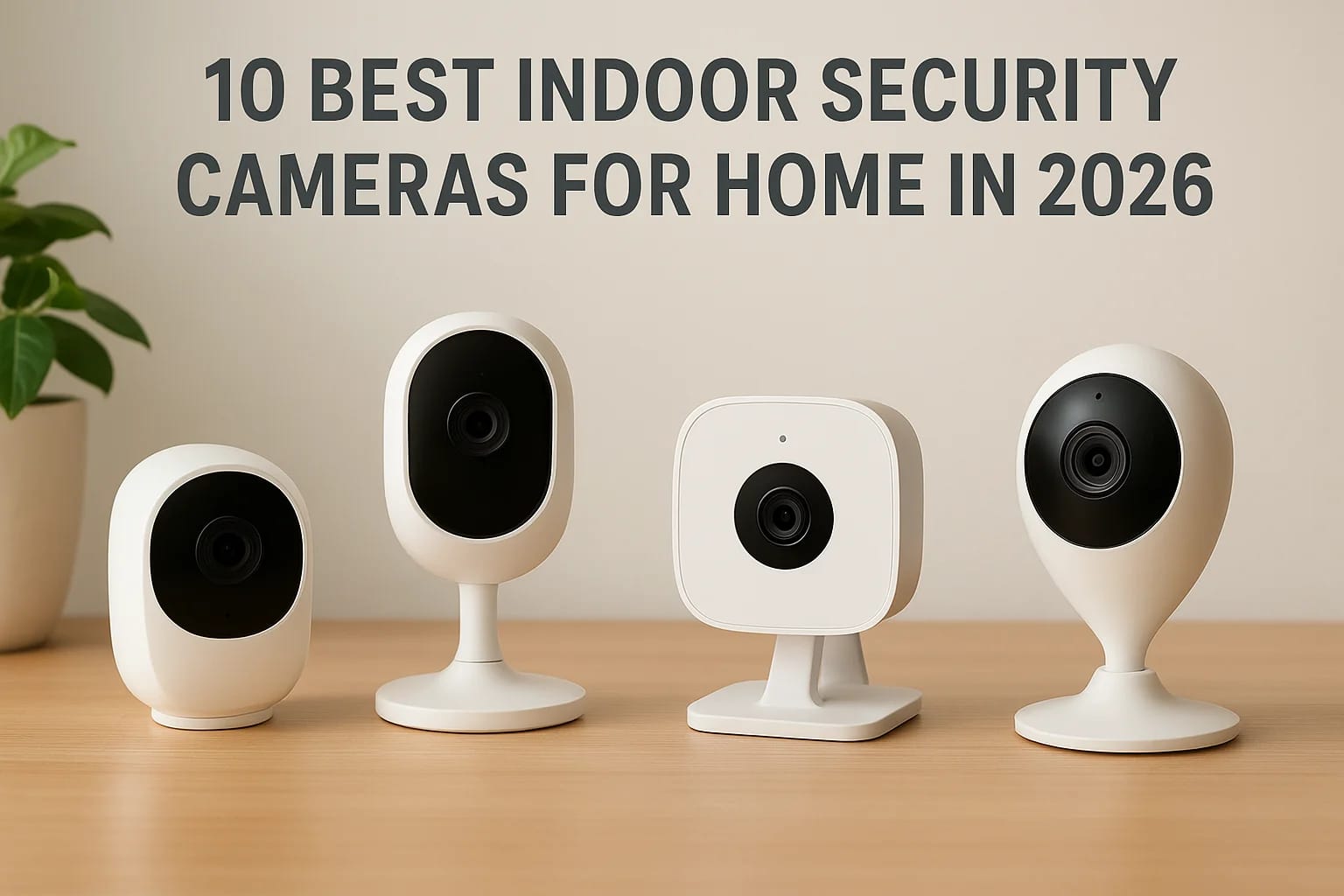

You want eyes on your house when you're not there, whether that's watching the front door, checking on a pet, or making sure your kids get home safe from school. But scroll through Amazon for indoor s...
You want eyes on your house when you're not there, whether that's watching the front door, checking on a pet, or making sure your kids get home safe from school. But scroll through Amazon for indoor security cameras for home use and you'll find hundreds of options, most of them cheap plastic units with vague specs and no real support if something goes wrong. That's a frustrating way to shop for something meant to protect your family.
This guide cuts through that noise. We've tested and compared the top cameras on the market for 2026, looking at video quality, night vision, storage options, and how well each one plays with existing smart home setups like Alexa or Google Home. You'll get a straight answer on which cameras are worth your money and which ones to skip.
Each entry breaks down pricing, features, and the type of household it fits best, so you're not guessing. And if you'd rather have a professional installation that ties your cameras into a full security and automation system instead of managing another app on your phone, our team at Treasure Valley Solutions handles that across the Boise area every day.
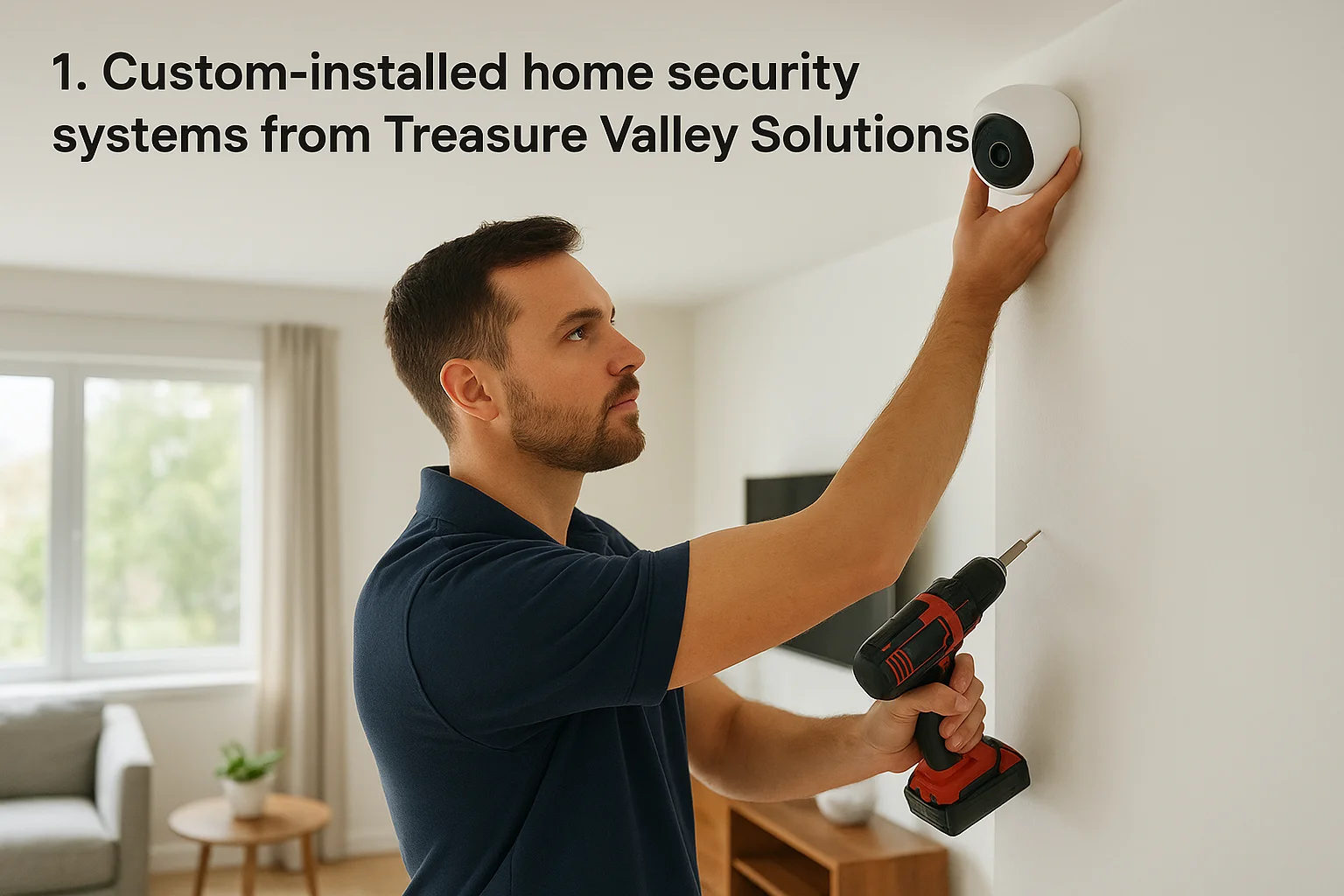
1. Custom-installed home security systems from Treasure Valley Solutions
Most cameras on this list are boxes you buy, plug in, and hope work well with everything else in your house. Treasure Valley Solutions takes a different approach entirely. Instead of selling you a single camera, we design a custom security system built around your actual floor plan, your existing smart home devices, and the specific risks you're worried about, whether that's a side door nobody watches or an elderly parent living alone in a converted bedroom. If you're in the Boise, Meridian, Eagle, or Nampa area and want cameras that actually talk to your locks, lights, and alarm system instead of living in their own isolated app, this is the option that gets you there, backed by our licensed camera installers in Boise, Idaho.
Key features
Our team handles everything from initial design through professional installation, meaning no visible wires, no cameras aimed at the wrong angle, and no guesswork about coverage gaps. We select camera hardware based on your home's layout rather than pushing one brand across every job, so you get 4K resolution where detail matters and wider fields of view in open living spaces. Every system we install gets tested on-site before we leave, and we back it with ongoing local support, so if a camera drops offline or you want to add a zone later, you call a real person in Meridian instead of a support queue.
- Design consultation based on your home's actual layout
- Licensed, insured technicians handle wiring and mounting
- Integration with existing locks, lighting, and alarm systems
- Post-installation programming and testing
- Local, ongoing support after the job is done
A camera that isn't wired into the rest of your home's security is just a webcam with a better marketing budget.
Best for
This option suits homeowners who've already tried the DIY route and gotten frustrated, or who want to skip that phase entirely and get it right the first time. It's also the right fit for families managing elderly care, where fall detection and voice-activated alerts need to work alongside cameras rather than as a separate system, and for residential builders who want to offer pre-wired smart security as a selling point on new construction. If you own rental properties, our smart lock and access control solutions pair directly with camera coverage so you're not juggling three different apps to manage one property.
Price and subscription options
Pricing depends on the number of cameras, the complexity of your home, and whether you're integrating existing equipment or starting fresh, so we quote every job individually rather than posting a flat rate that doesn't match your reality, though it helps to know what security cameras typically cost in the Treasure Valley before you start. There's no forced monthly subscription tied to hardware you already paid for. We're transparent about costs upfront, and you can request a quote to see what a custom setup runs for your specific home.
Smart home compatibility
Because we design each system around what you already own, compatibility isn't an afterthought, it's the starting point. We regularly integrate camera systems with Alexa, Google Home, and existing lighting or lock brands, and we handle the programming so voice commands and automations actually work together instead of running as separate, disconnected apps on your phone.
2. TP-Link Tapo C120
The TP-Link Tapo C120 is the budget pick that doesn't feel like a budget pick. It shoots 2K resolution, which is a real jump over the 1080p cameras that dominated this price range a few years ago, and it holds up well in a side-by-side comparison against cameras costing twice as much. If you just want solid indoor security cameras for home use without a big investment, this is where to start looking.
Key features
TP-Link packs in color night vision, a built-in spotlight, and two-way audio, all in a compact body that doesn't scream "camera" from across the room. Motion detection includes person and pet filtering, so you're not getting fifty notifications a day because your cat walked past the lens. Onvif support means it can also work with some third-party NVR setups if you're building out a larger system piece by piece.
Good detection filtering matters more than resolution once you're the one drowning in false alerts.
- 2K QHD resolution with color night vision
- Built-in spotlight and siren
- Person, pet, and vehicle detection
- microSD storage up to 512GB
- Two-way audio with noise reduction
Best for
Renters and first-time smart home buyers get the most value here, especially anyone comparing no-drill home security options for a rental. It suits anyone watching a single room, like a nursery or a front entryway, who doesn't need a sprawling multi-camera network yet. It's also a reasonable choice for property managers outfitting a rental unit where the tenant might eventually take the camera with them.
Price and subscription options
The camera itself runs around $35 to $40, making it one of the cheapest entries on this list. TP-Link's Tapo Care subscription starts near $3.50 a month for cloud storage, but the local microSD slot means you can skip a subscription entirely and still keep footage.
Smart home compatibility
It works with Alexa and Google Home for basic voice commands and viewing on a smart display. It doesn't integrate as deeply into a broader automation setup as some competitors, so treat it as a standalone camera rather than the backbone of a connected system.
3. Arlo Essential Indoor Camera 2nd Gen
Arlo built its reputation on outdoor cameras, and the Essential Indoor brings that same polish inside without the bulky housing. It's a solid middle-ground pick for anyone who wants 1080p video with reliable cloud features but doesn't need the 4K price tag of Arlo's higher-end lineup. The design is simple, a small white puck that sits on a shelf or mounts to a wall, and it's built for people who want the app experience to just work without much tinkering.
Key features
Built-in automatic night vision switches from color to black-and-white depending on light levels, and the 130-degree field of view covers most single rooms without distortion at the edges. Arlo includes a built-in siren you can trigger remotely, plus direct two-way audio that's noticeably clearer than budget competitors. Activity zones let you tell the camera to ignore a window or hallway where movement doesn't matter, which cuts down on notification fatigue fast.
- 1080p resolution with automatic color night vision
- 130-degree diagonal field of view
- Built-in siren and two-way audio
- Customizable activity zones
- Direct camera-to-phone streaming without a hub
The best indoor camera is the one that only alerts you when something actually matters.
Best for
This camera fits households already invested in the Arlo ecosystem, or anyone shopping for indoor security cameras for home monitoring who wants a brand with a long track record and strong customer support. It also suits people who split time between an indoor camera and an outdoor Arlo unit, since managing both from one app keeps things simple.
Price and subscription options
Expect to pay around $60 to $70 for the camera itself. Arlo Secure subscription plans start at roughly $5 a month for single-camera cloud storage, and that plan unlocks smarter alerts like package and vehicle detection. Skip the subscription and you lose cloud recording entirely, since there's no local storage slot on this model.
Smart home compatibility
It works with Alexa and Google Assistant for viewing feeds on a smart display, and Arlo has decent SmartThings integration for people running a broader automation setup around that hub.
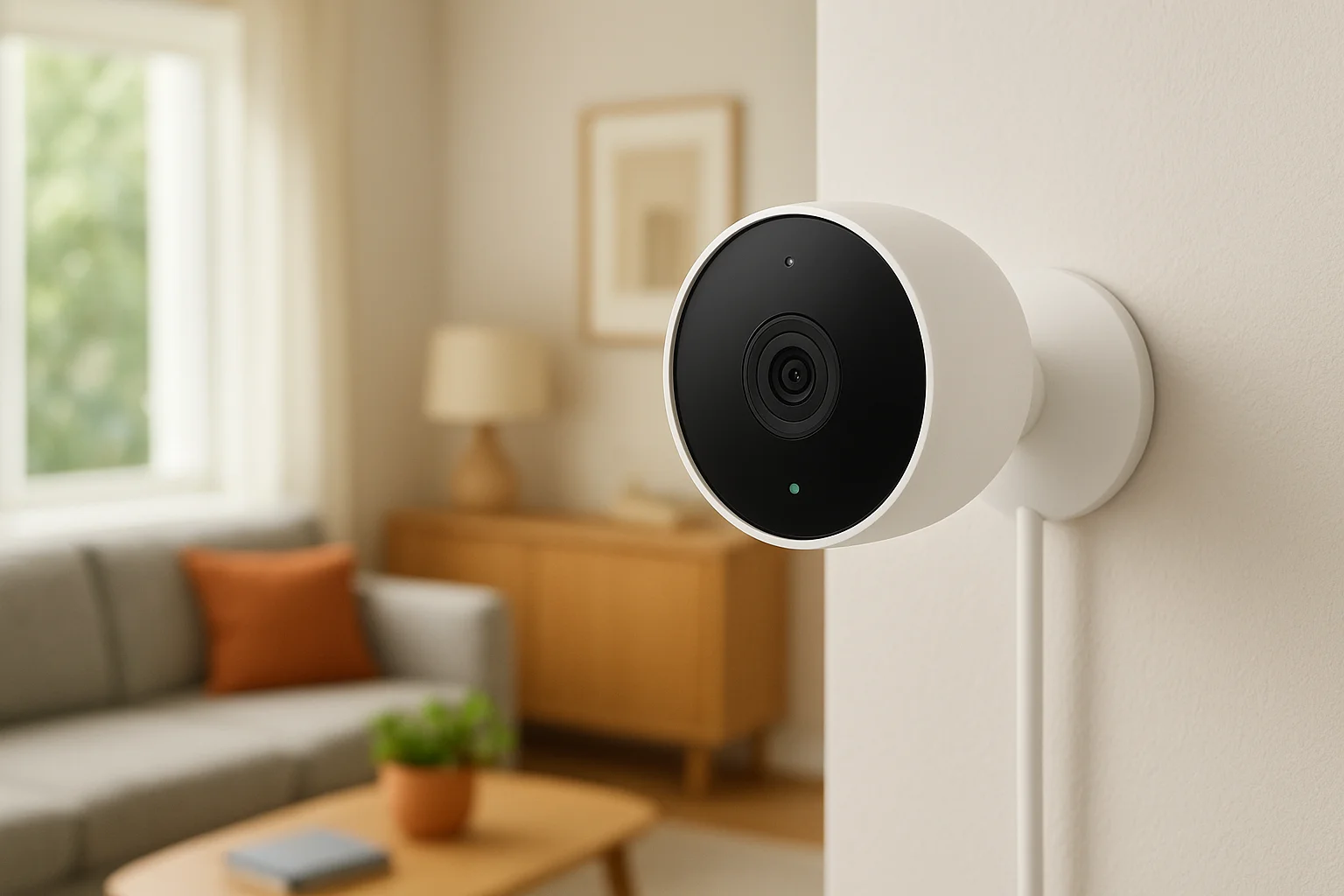
4. Google Nest Cam Indoor 3rd Gen
Google's latest indoor Nest Cam leans hard into the Google ecosystem, and if your house already runs on Google Home, this camera slots in like it was always meant to be there. It's wired only, no battery version for the indoor model, which trades a little installation flexibility for a camera that never needs charging or drops footage while you swap batteries. For anyone who wants smart home installation to feel seamless rather than bolted on, this is the pick to look at closely.
Key features
The camera records at 1080p with a 132-degree field of view, wide enough to cover most living rooms or entryways without a second unit. On-device intelligence handles familiar face recognition and package detection without sending every clip to the cloud first, which speeds up alerts noticeably compared to older Nest models. It also includes a built-in speaker and mic for two-way talk, and the sound detection can flag things like smoke alarms or breaking glass even outside the camera's direct line of sight.
- 1080p resolution with 132-degree field of view
- On-device familiar face and package recognition
- Sound detection for alarms and breaking glass
- Wired power, no battery to manage
- Works with Google Home routines and displays
A camera that recognizes your family from a stranger is worth more than one that just records everything and lets you sort it out later.
Best for
This camera suits households already using Google Home speakers or displays, since the payoff is showing live feeds on a Nest Hub or announcing who's at the door through your existing speakers. It's also a reasonable choice for anyone who prioritizes fast, accurate alerts over raw resolution.
Price and subscription options
The camera costs around $100. Nest Aware subscriptions start near $8 a month and unlock 30 days of event history plus the familiar face and sound detection features. Without a subscription, you lose most of the smart alerts and cloud history entirely, since there's no local storage option here.
Smart home compatibility
It integrates natively with Google Home, Nest displays, and Google Assistant routines. Alexa and Apple HomeKit support is limited to none, so this one works best as part of an all-Google setup rather than a mixed-brand household.
5. Aqara Camera Hub G350
Aqara built the G350 to do more than watch a room, it acts as the central hub for an entire Aqara smart home setup. That dual role makes it stand out among indoor security cameras for home shoppers who already own Aqara sensors, plugs, or door locks and want one device tying everything together instead of a separate hub buried in a closet. The camera itself is a small, angled unit that swivels for wider coverage, which matters if you're placing it in a corner where a fixed lens would miss half the room.
Key features
The G350 records at 2K resolution and includes a physical privacy shutter, a small but meaningful detail for anyone uneasy about a lens pointed at their living space around the clock. It supports local NVR storage through a separate Aqara hub, so you're not locked into cloud fees just to keep footage longer than a day. Motion detection includes human shape recognition to cut down on false alerts from shadows or pets, and the built-in Zigbee radio lets it double as the network backbone for other Aqara devices in the house.
- 2K resolution with 360-degree pan coverage
- Physical privacy shutter for the lens
- Zigbee hub built in for other Aqara devices
- Human shape detection with reduced false alerts
- Local storage support via NVR, no forced cloud
A camera that also runs your other smart devices saves you from buying a second hub you didn't budget for.
Best for
This camera fits households already building out an Aqara ecosystem with sensors on doors, windows, or leak detectors. It's also a solid pick for anyone who wants local storage as the default rather than an upsell, since Aqara doesn't push a subscription as hard as some competitors.
Price and subscription options
The G350 costs around $70 to $80. Cloud storage plans are optional, starting near $4 a month, but local NVR storage covers most users without any recurring cost.
Smart home compatibility
It works with Apple HomeKit Secure Video, Alexa, and Google Home, plus deep native integration with the rest of the Aqara lineup through its built-in hub.
6. Eufy Indoor Cam S350
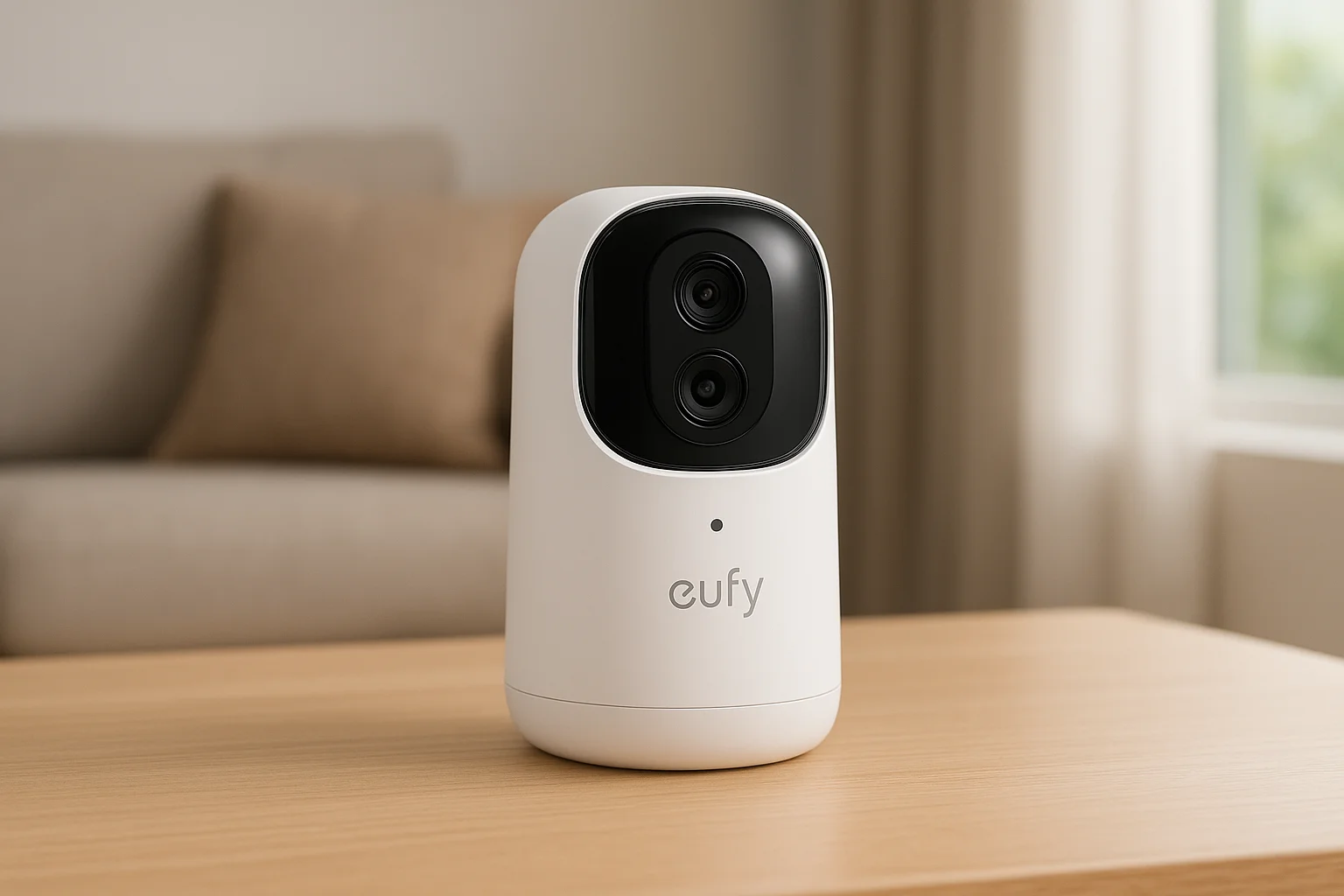
Eufy has built its whole brand around local storage, and the S350 keeps that promise while adding a genuine upgrade in tracking. This camera pans and tilts to follow motion around a room, so a single unit can cover a space that would normally need two fixed cameras. For shoppers hunting indoor security cameras for home use who want zero recurring fees, the S350 is one of the few models that treats cloud storage as optional rather than the default.
Key features
Eufy's S350 records at 2K resolution and includes built-in local storage via a microSD slot, plus a HomeBase option for larger households. Pan-and-tilt tracking follows a person across the frame instead of just flagging motion once and losing them, which matters in wider rooms like a garage or open living area. Dual-lens design combines a wide shot with a zoomed telephoto view, giving you both context and detail in the same clip without digital zoom losing sharpness.
- 2K resolution with dual-lens wide and telephoto view
- Pan-and-tilt motion tracking across the room
- On-device AI for human detection
- microSD and HomeBase local storage options
- No mandatory subscription for core recording
Paying once for a camera and never again for storage is still rare enough to matter.
Best for
Families who've been burned by climbing subscription costs on other brands tend to land here. It also suits anyone watching a larger open room, like a combined kitchen and living space, where a fixed camera would leave gaps. Property managers covering common areas in a small multi-unit building get real value from the tracking feature, since it reduces the number of cameras needed per hallway.
Price and subscription options
Expect to pay around $50 to $60 for the camera. Cloud plans exist for around $3 a month if you want off-site backup, but local storage handles everything else at no ongoing cost.
Smart home compatibility
Google Home and Alexa both work for viewing feeds, and Apple HomeKit support has improved on recent Eufy models, though it's not as deep as Aqara's HomeKit integration, which also pairs well with HomeKit smart locks that support Home Key.
7. Wyze Cam Pan v4
Wyze made its name by selling capable cameras at prices that felt almost too low to be real, and the Cam Pan v4 keeps that pattern going. It's a motorized camera that physically rotates 360 degrees horizontally, so instead of buying multiple fixed units to cover a large room, one Cam Pan can sweep the whole space on command or follow motion automatically. For shoppers comparing indoor security cameras for home setups on a tight budget, this is the one that packs the most hardware per dollar.
Key features
The v4 records at 2K resolution and adds a pan-and-tilt motor that covers far more ground than the fixed-lens cameras at this price point. Color night vision kicks in automatically in low light, and onboard AI handles person, pet, and vehicle detection without a subscription gating the feature entirely. A physical shutter closes over the lens when you're home and don't want the camera watching, which is a nice touch most budget brands skip. It also supports local storage on a microSD card, so recording doesn't stop if your internet drops.
- 2K resolution with motorized 360-degree pan
- Automatic color night vision
- On-device person, pet, and vehicle detection
- Physical lens shutter for privacy
- microSD local storage up to 256GB
A rotating camera covering one large room often beats two fixed cameras fighting over the same corner.
Best for
Budget-conscious households watching an open floor plan, like a combined kitchen and living room, get the most out of the pan feature. It also suits renters who want flexibility without mounting several cameras around a small apartment, and anyone testing whether they even like living with indoor cameras before spending more elsewhere.
Price and subscription options
The camera runs around $37 to $40, among the cheapest on this list. Wyze's Cam Plus subscription starts near $2 a month for cloud clips and smarter alerts, but local microSD storage covers basic recording without any recurring cost.
Smart home compatibility
It connects with Alexa and Google Home for voice commands and viewing on a smart display. There's no Apple HomeKit support, so Apple-centric households should look elsewhere on this list.
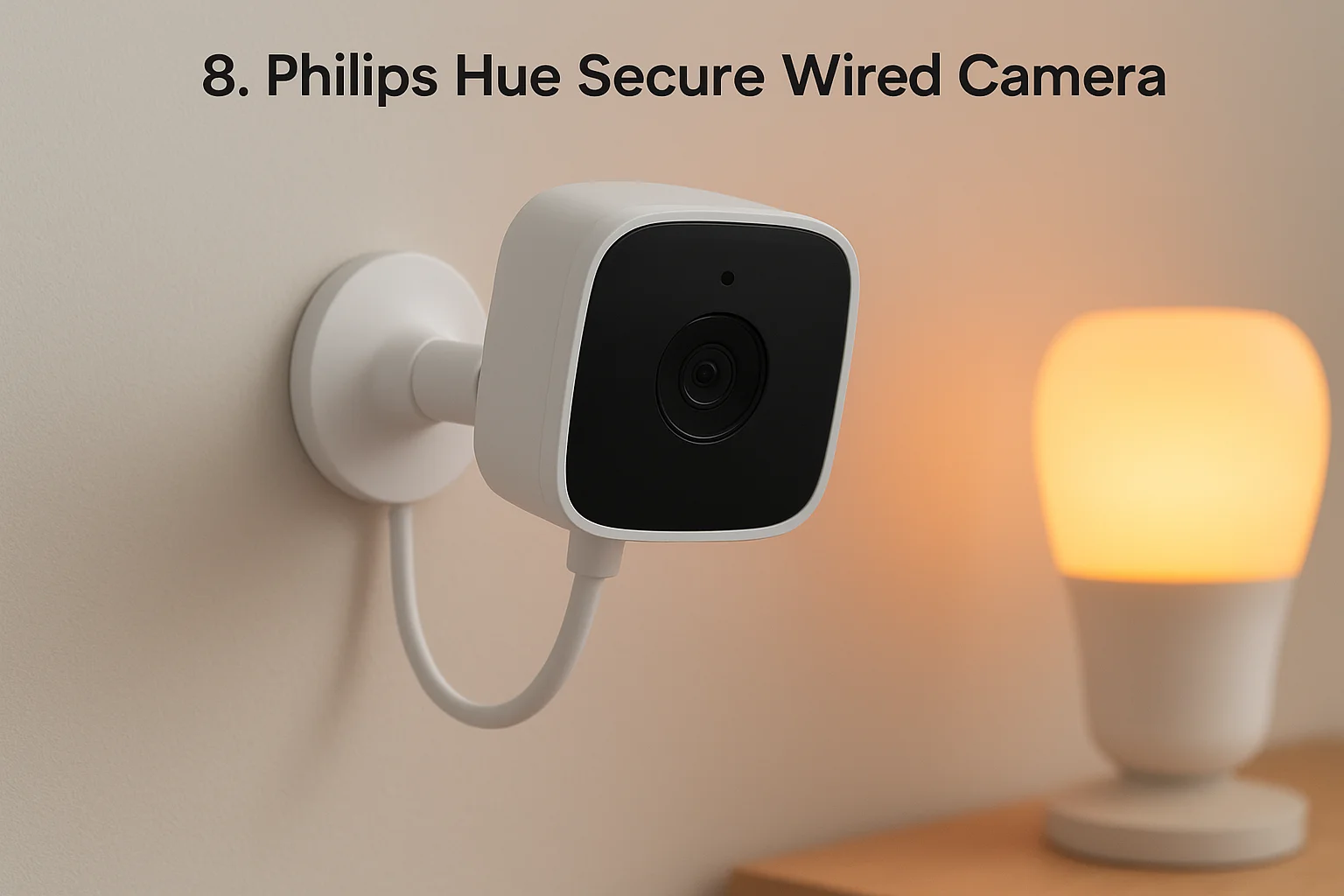
8. Philips Hue Secure Wired Camera
Philips Hue built its name on smart lighting, and the Secure Wired Camera is its attempt to fold cameras into that same ecosystem instead of forcing you to run a second app. If you already have Hue bulbs scattered through the house, this camera lets lights and cameras react to each other directly, something most competitors on this list can't do without a separate automation platform. It's a wired-only design, so there's no battery to manage, but that also means you need power near your mounting spot before you buy.
Key features
The camera records at 1080p with a 120-degree field of view and includes color night vision that holds detail better than most budget cameras in a dark room. Motion-triggered lighting is the standout feature here: a Hue light can flash or brighten automatically the moment the camera detects movement, which doubles as a deterrent and a way to get a clearer look at whoever tripped the sensor. It also supports on-device person detection to cut down on notifications from pets or curtains moving in a draft.
- 1080p resolution with color night vision
- 120-degree field of view
- Motion-triggered Hue light automation
- On-device person detection
- Wired power only, no battery option
A camera that can turn on the lights the second it sees movement does double duty as a security tool and a deterrent.
Best for
Households already running a Hue lighting setup get the clearest benefit, since the camera slots into automations you've likely already built. It also suits anyone who wants indoor security cameras for home monitoring paired tightly with lighting rather than treated as a separate system.
Price and subscription options
The camera costs around $200, noticeably pricier than most entries here. A Hue Secure subscription starts near $6.50 a month for cloud storage and smarter alerts; skip it and you lose most cloud history, since there's no local storage slot.
Smart home compatibility
It works natively with the Hue Bridge and Philips Hue smart lighting app, plus Alexa, Google Home, and Apple HomeKit for viewing and voice commands across an existing setup.
9. Blink Mini 2K+
Amazon owns Blink, and the Mini 2K+ shows exactly why that ownership matters: it's built to be the cheapest realistic entry point into indoor security cameras for home monitoring without feeling like a toy. It plugs into a standard USB-C power source, sits smaller than a deck of cards, and skips almost every premium feature in favor of nailing the basics at a price that makes buying three or four of them for different rooms a reasonable decision.
Key features
Blink upgraded the sensor here to 2K resolution, a real jump from the 1080p original Mini, and paired it with improved low-light performance that finally holds up in a dark hallway instead of turning to grain. Person detection runs on-device, and the camera stores a rolling buffer of recent clips locally before pushing anything to the cloud, which helps if your internet blips for a few minutes.
- 2K resolution with improved low-light clarity
- On-device person detection
- USB-C wired power, no battery to charge
- Compact design under two inches wide
- Optional local storage via Blink Sync Module
A camera this cheap only makes sense once you accept it's built for coverage, not for polish.
Best for
Renters furnishing a small apartment room by room, and Amazon households already running Echo speakers throughout the house, get the most value here, and it's worth comparing against full apartment security camera systems before you buy. It also suits anyone who wants a backup camera for a low-priority room, like a garage or basement, where spending more doesn't make sense.
Price and subscription options
The camera itself runs around $35, often less during Amazon sales events. A Blink Subscription Plan starts near $3 a month per camera for cloud storage and person detection alerts, though pairing multiple Mini 2K+ units with a Sync Module unlocks local storage and cuts the ongoing cost.
Smart home compatibility
Alexa integration is the whole point here, letting you view feeds on an Echo Show or trigger routines by voice. Google Home and Apple HomeKit support don't exist on this model, so treat it as an Amazon-only device.
10. Eve Cam
Eve built its reputation on Apple HomeKit accessories, and the Eve Cam is the purest expression of that focus on this list. There's no Eve cloud account required, no Alexa fallback, and no Android app that actually shows live video, this camera exists for households that have already committed to Apple's ecosystem and want a camera that respects that choice completely. If you're shopping for indoor security cameras for home use and you already run HomeKit Secure Video through iCloud, this is the cleanest fit you'll find.
Key features
The Eve Cam records at 1080p with a 150-degree field of view, wide enough for most bedrooms or entryways without stitching together a second angle. Local processing handles motion detection on-device, and video only leaves the house when HomeKit Secure Video encrypts and uploads it to your existing iCloud storage plan, meaning Eve itself never sees or stores your footage on its own servers. A physical privacy switch on the base lets you cut power to the camera and microphone instantly, which matters to anyone uneasy about a lens running nonstop in a bedroom or home office.
- 1080p resolution with 150-degree field of view
- End-to-end encrypted video through HomeKit Secure Video
- On-device motion processing, no Eve-hosted cloud
- Physical privacy switch to disable camera and mic
- Battery-free, wired power only
A camera company that refuses to host your footage on its own servers is making a statement about who it thinks should own your data.
Best for
This camera suits Apple households that already pay for iCloud+ and want one more device folded into that plan rather than a separate subscription. It's a poor fit for anyone running Android or mixed-brand smart displays, since the app experience assumes an iPhone or iPad on the other end.
Price and subscription options
The Eve Cam costs around $150, on the higher end for 1080p hardware. There's no standalone subscription; storage runs through your existing iCloud+ plan, starting at $0.99 a month for 50GB, which usually covers HomeKit Secure Video for a handful of cameras.
Smart home compatibility
Apple HomeKit is the only supported platform here. There's no Alexa, no Google Home, and no standalone app for non-Apple devices, so this pick only makes sense inside a fully Apple household.
11. How to choose the right indoor camera for your home
Start with the question no spec sheet answers for you, the same one that anchors any home security system buying checklist: what are you actually trying to catch on camera? A nursery monitor needs different features than a camera watching your front entryway for package theft, a job a video doorbell often handles better. Field of view matters more than resolution for open rooms, since a 130-degree lens covering a whole living room beats a 4K camera that only sees half of it. If you're watching a single doorway or crib, a narrower, sharper lens usually serves you better than a wide-angle one that captures everything at lower detail per pixel.
Storage is where most buyers get surprised after the fact. Cloud-only cameras look cheap at checkout, then quietly cost $60 to $100 a year once you factor in the subscription required to actually access recorded footage instead of just live view. Local storage options, whether a microSD slot or a home hub, avoid that recurring bill entirely, though they usually mean footage stays on-site instead of backed up somewhere else if your house floods or burns.
The camera you buy is really a bet on which recurring cost you're willing to accept, storage fees or setup effort.
Smart home compatibility narrows the field fast once you know your platform. A household running Google speakers gets little value from a HomeKit-only camera, and vice versa. Check the table below before you buy anything.
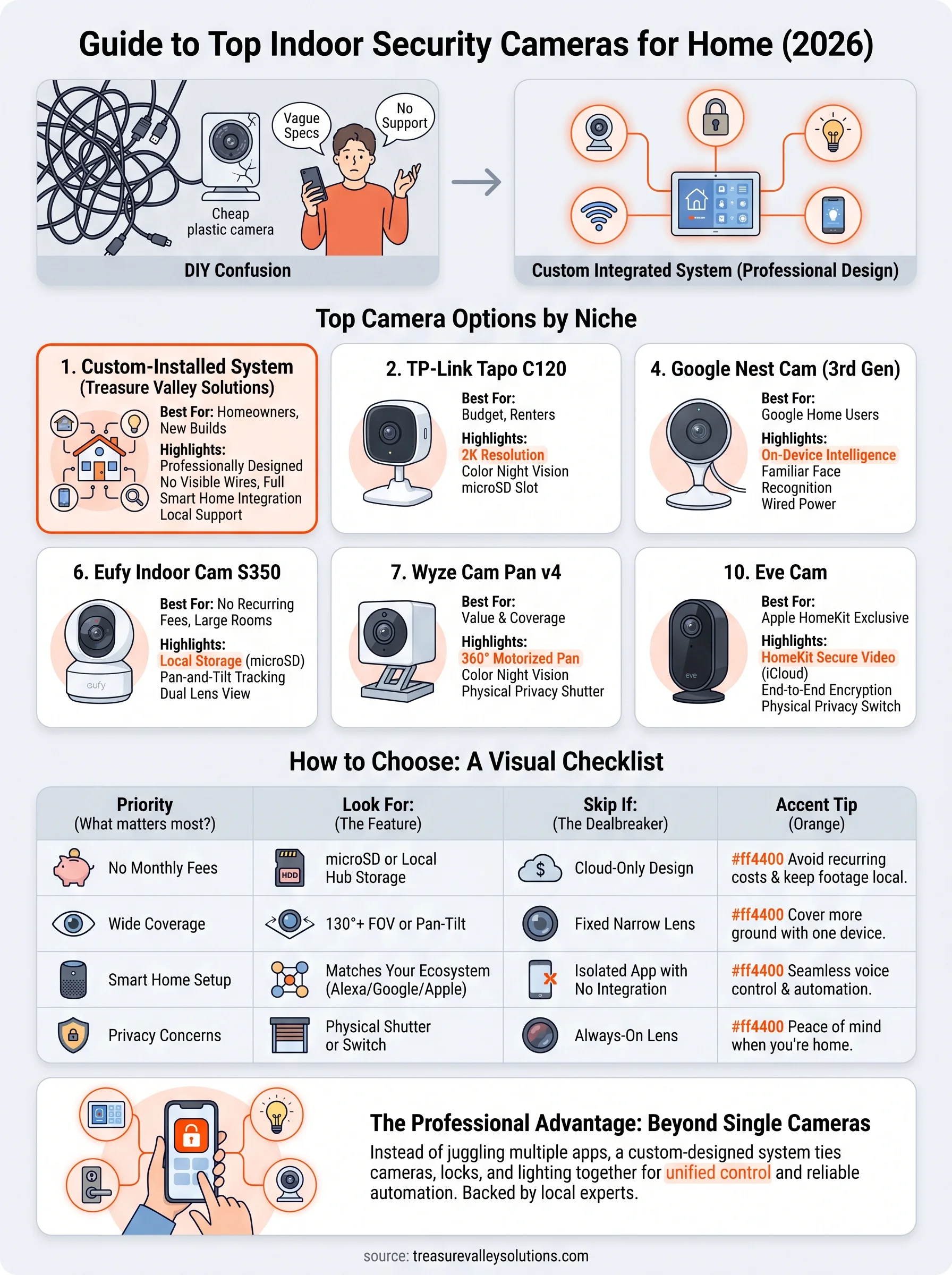
| Priority | Look for | Skip if |
|---|---|---|
| No monthly fees | microSD or local hub storage | Cloud-only design |
| Wide room coverage | 130°+ field of view or pan-tilt | Fixed narrow lens |
| Existing ecosystem | Matches your Alexa/Google/Apple setup | Isolated app with no integration |
| Privacy concerns | Physical shutter or disable switch | Always-on lens with no cover |
Finally, think about whether you want to manage another app at all. If juggling five camera apps sounds worse than the problem you started with, a professionally designed system that ties cameras into your existing locks and lighting solves the coordination problem the DIY route never quite fixes, which is really the difference between cameras alone and a full security system.
Choosing the right camera for your space
Every camera on this list solves a piece of the puzzle. The TP-Link Tapo C120 and Wyze Cam Pan v4 cover single rooms cheaply, while Aqara and Eufy give you local storage without recurring fees. Apple households land with Eve Cam, Google households land with Nest. None of that matters much, though, if you end up with five disconnected apps and a camera that doesn't talk to your locks or lights.
That's the gap most DIY indoor security cameras for home setups never close. A single camera watching one room is a start, not a system. If you want cameras, lighting, and access control working together instead of fighting for attention on your phone, that's exactly what we build every day across the Treasure Valley. Request a free quote for a custom camera system and see what a properly integrated setup would look like in a home like yours.
Compare your options
Your next step
Compare Indoor and Outdoor CoverageReady for professional help? Request an estimateOur Services
High-definition surveillance for peace of mind.
Comprehensive security solutions for home and business.
Serving the Treasure Valley
Local installation in your city