 (208) 991-3502
 Meridian, ID



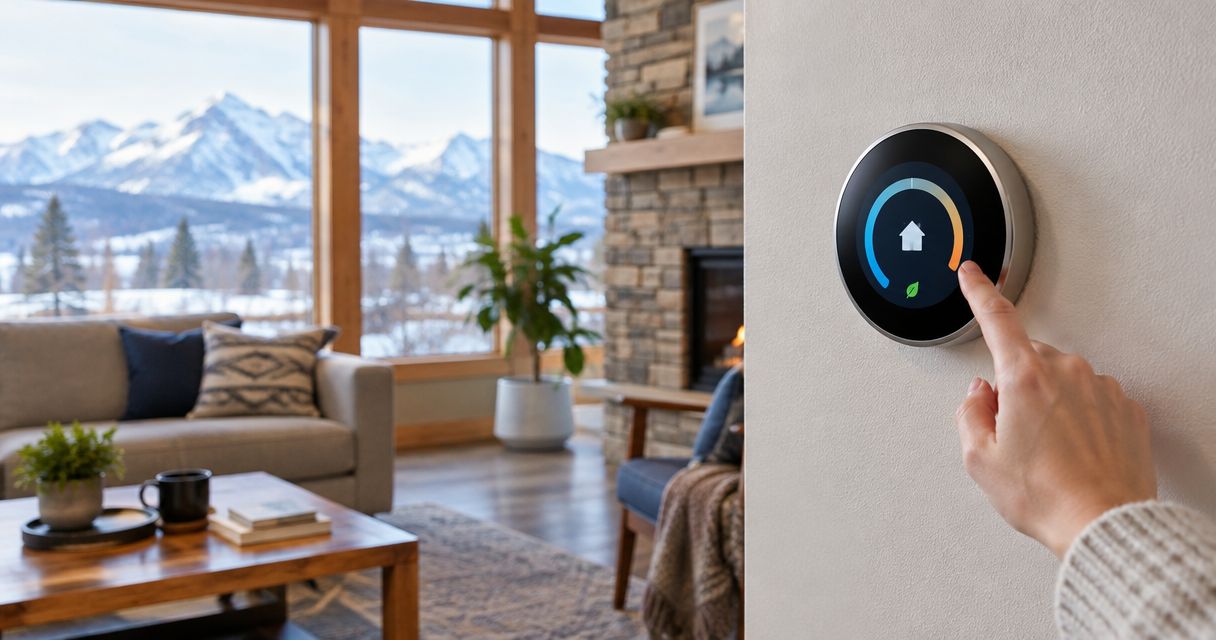

Compare the best smart thermostats for Idaho homes. Ecobee is the overall pick; check HVAC compatibility, room sensors, wiring, and scheduling before buying.
Best overall: ecobee Smart Thermostat Premium. Best for automatic schedule learning: Google Nest Learning Thermostat. Best for room-priority control: Honeywell Home T9. Best for hands-on scheduling: Sensi Touch 2. This 2026 guide compares the best smart thermostats for Idaho homes by heating-system compatibility, room sensing, everyday controls, and installation requirements.
- The best smart thermostats for Idaho homes start with HVAC compatibility; ecobee Smart Thermostat Premium is the overall pick.
- Google Nest Learning Thermostat suits households that want automatic schedule learning rather than regular manual programming.
- Honeywell Home T9 suits room-priority control; Sensi Touch 2 suits homeowners who prefer setting their own schedules.
- Treasure Valley Solutions provides local smart-home installation; confirm thermostat wiring and HVAC responsibilities before booking work.
Why this matters
A thermostat cannot fix undersized equipment, restricted airflow, or an unbalanced duct system. It controls when your heating and cooling run; it does not change how much conditioned air reaches a bedroom.
For your 2026 upgrade, separate comfort problems from control problems. A confusing schedule calls for better controls. A room that stays cold while the furnace runs calls for an HVAC assessment, not just a different screen on the wall.
Treasure Valley Solutions provides smart-home installation services throughout the Boise, Meridian, and greater Treasure Valley area. Treasure Valley Solutions is a fit for homeowners who want smart-home installation coordinated locally. Confirm the thermostat's equipment compatibility and the division between smart-home wiring and HVAC work before scheduling installation.
What makes the best smart thermostat for an Idaho home?
Use these criteria before choosing a brand:
- Equipment compatibility: Match the thermostat to the actual furnace, air conditioner, heat pump, stages, and accessory controls—not just the existing thermostat's appearance.
- Reliable power: Identify the common wire, usually labeled C, and check the manufacturer's requirements for your exact system.
- Useful room sensing: Decide whether the hallway temperature represents the rooms you occupy. Remote sensors change the control reference, not the ductwork.
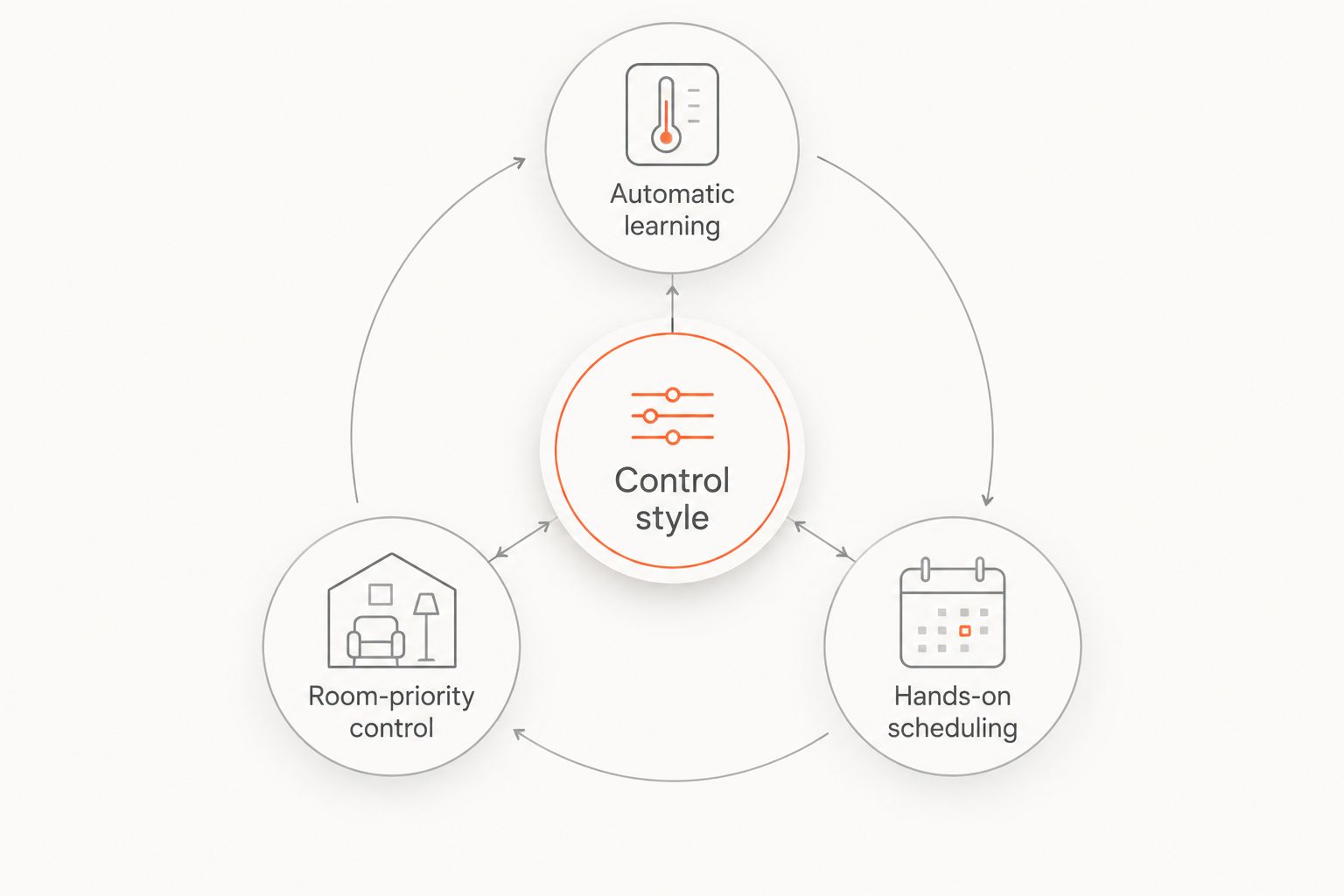
- Control style: Choose between automatic learning, a schedule you program, and room-priority settings. More automation is not automatically a better fit.
- Household access: Check the wall controls, app permissions, voice platform, and behavior without internet access. Everyone needs a practical way to adjust the temperature.
Compatibility outranks features. A thermostat with the right controls and the wrong equipment support is the wrong purchase.
Best smart thermostats at a glance
These are buying recommendations for 2026, not a claim that every model works with every Idaho heating system. Check the exact model and generation against the manufacturer's current compatibility documentation.
| Thermostat | Best for | Standout feature | Key limitation |
|---|---|---|---|
| ecobee Smart Thermostat Premium | Overall room-aware control | SmartSensor support and occupancy-based comfort settings | More settings to configure; conventional installation requires dependable power |
| Google Nest Learning Thermostat | Automatic schedule learning | Learns temperature preferences and builds a schedule | Automatic changes do not suit every household; generations differ |
| Honeywell Home T9 | Room-priority control | Remote sensors support temperature and occupancy-based room selection | Room sensing does not create independent HVAC zones |
| Sensi Touch 2 | Hands-on scheduling | Touchscreen controls and app-based schedule management | Requires a C-wire; it is not a learning thermostat |
Choose the control style before the extras
Start with the decision you want the thermostat to make. Automatic learning answers when to adjust temperatures; room-priority control answers where to measure comfort; hands-on scheduling keeps those choices with you.
1. ecobee Smart Thermostat Premium: best for room-aware comfort
The ecobee Smart Thermostat Premium combines app-based temperature control, scheduling, and support for remote SmartSensors. Its room-sensing approach suits a home where the thermostat's wall location does not represent the spaces you actually use.
For example, a thermostat near the main hallway can reach its target while an occupied office still feels uncomfortable. Using a remote sensor changes the temperature information guiding the system. It does not give the office its own supply of heated or cooled air.
ecobee Smart Thermostat Premium pros:
- Remote SmartSensors let you account for temperatures beyond the thermostat location.
- Occupancy-based comfort settings support different household routines.
- App access lets you adjust settings without standing at the wall.
ecobee Smart Thermostat Premium cons:
- Sensor participation and comfort settings require deliberate setup.
- Power and equipment compatibility need checking before installation; an adapter is not a universal solution.
- A sensor in a difficult room can increase heating or cooling elsewhere without correcting the underlying airflow problem.
Best for: Homeowners who want room sensing and are willing to configure which spaces matter at different times.
Start with the rooms you use most, then review how the rest of the house feels. Adding more sensors without a clear control plan makes troubleshooting harder.
Verdict: Buy ecobee Smart Thermostat Premium for room-aware control after confirming equipment compatibility.
2. Google Nest Learning Thermostat: best for automatic scheduling
The Google Nest Learning Thermostat learns from temperature adjustments and builds an automatic schedule. It suits homeowners who want less manual programming and are comfortable reviewing what the thermostat learns.
The product name spans different generations. Compatibility, sensor support, wiring guidance, and connected-home features depend on the exact generation, so do not treat every Nest Learning Thermostat as the same device.
Google Nest Learning Thermostat pros:
- Automatic schedule learning reduces the need to program each recurring temperature change yourself.
- Wall controls and app access provide different ways to make adjustments.
- Compatible Nest Temperature Sensors provide another temperature reference away from the thermostat.
Google Nest Learning Thermostat cons:
- Learned changes can conflict with a household that expects a fixed, predictable schedule.
- Sensor compatibility and other features differ across generations.
- Power suitability still requires checking; an existing installation does not prove a replacement will work correctly.
Best for: Households that prefer automatic schedule learning over maintaining a detailed manual schedule.
If you work changing shifts, review the resulting schedule rather than assuming learning always matches your needs. Automation should follow your comfort preferences, not become another setting you repeatedly undo.
Verdict: Buy Google Nest Learning Thermostat for automatic learning; skip it if you want every schedule change to be deliberate.
3. Honeywell Home T9: best for choosing priority rooms
The Honeywell Home T9 uses compatible remote room sensors to bring temperature and occupancy information into its control decisions. Its clearest use case is choosing which rooms should guide comfort rather than relying exclusively on the thermostat location.
That makes the Honeywell Home T9 a focused alternative for a home office, bedroom, or living area with different usage patterns. Decide whether you want specific rooms or occupied rooms to drive temperature control, then configure the system accordingly.
Honeywell Home T9 pros:
- Remote sensing adds temperature information from rooms beyond the hallway.
- Room-priority settings make the control location an explicit choice.
- App-based controls let you manage settings away from the thermostat.
Honeywell Home T9 cons:
- A remote sensor cannot independently open a damper or condition a room.
- Prioritizing a warmer or colder room can make other spaces less comfortable.
- Sensor placement and system compatibility require attention before relying on automatic adjustments.
Best for: Homeowners who want to choose the rooms that guide heating and cooling decisions.
Keep sensors away from direct sunlight, supply vents, and other localized heat sources. Otherwise, the system responds to the sensor's surroundings rather than the room conditions you intend to measure.
Verdict: Buy Honeywell Home T9 for room-priority control, not as a substitute for duct balancing or zoning.
4. Sensi Touch 2: best for a schedule you control
The Sensi Touch 2 combines a touchscreen thermostat with app-based scheduling and remote access. It fits homeowners who want connected controls without making automatic schedule learning the center of the experience.
The distinction is practical: you set the routine and adjust it when your household changes. That approach suits anyone who would rather review a visible schedule than interpret learned behavior.
Sensi Touch 2 pros:
- Touchscreen controls provide direct access at the wall.
- App-based scheduling keeps recurring settings under your control.
- Compatible Sensi room sensors offer remote temperature sensing when needed.
Sensi Touch 2 cons:
- A C-wire is required; check the wiring before ordering.
- It does not learn your schedule automatically.
- You remain responsible for keeping programmed settings aligned with your routine.
Best for: Homeowners who want a connected thermostat with intentional, hands-on scheduling.
Do not confuse simplicity with skipping setup. The Sensi Touch 2 still needs the correct equipment configuration and a schedule that reflects when you are home, asleep, or away.
Verdict: Buy Sensi Touch 2 if you want to manage the schedule yourself; skip it if automatic learning is your priority.
Check these installation details before ordering
For a 2026 replacement, use the existing thermostat as a starting point—not as proof of compatibility. Photograph the terminal labels and connected wires before disconnecting anything, and shut off equipment power before working on wiring.
- Confirm voltage. These recommendations concern compatible low-voltage HVAC controls, commonly operating at 24 volts. Electric baseboard systems using 120 or 240 volts need a thermostat specifically designed for that application.
- Identify equipment. Record whether you have a conventional furnace, heat pump, auxiliary heat, or other controlled equipment. Check stages and accessories against the exact thermostat documentation.
- Verify power. A spare wire is useful only after its connection at the equipment is confirmed. Wire color alone does not establish function.
- Check networking. Confirm the exact model's Wi-Fi band requirements. A 2.4 GHz network and a 5 GHz network are not interchangeable for a device that supports only one band.
- Plan handover. Keep the thermostat account in the homeowner's control. Test wall operation, app access, schedules, and each supported operating mode before considering the job complete.
Heat-pump setup deserves particular attention. Incorrect equipment settings can affect when auxiliary heat operates; use an HVAC professional for equipment configuration and diagnosis rather than guessing from app prompts.
Plan your smart-home installation
Discuss your home's controls, wiring, and connected-system installation needs.
How the ranking works
The 2026 ranking prioritizes equipment fit, useful sensing, understandable controls, and installation requirements. It separates control styles rather than pretending one thermostat is best for every household.
Ecobee Smart Thermostat Premium gets the default recommendation for room-aware control. Google Nest Learning Thermostat wins the automatic-learning slot, Honeywell Home T9 serves room-priority decisions, and Sensi Touch 2 serves deliberate scheduling. No energy-savings percentage is assumed: your equipment, previous settings, weather, and household routine affect consumption.
Which smart thermostat should you choose?
Choose ecobee Smart Thermostat Premium as the default starting point, then rule it out if compatibility or control preferences point elsewhere. Choose Google Nest Learning Thermostat for learning, Honeywell Home T9 for room priorities, or Sensi Touch 2 for manual schedule management.
For your 2026 project, settle the equipment and wiring questions before choosing extra features. Discuss broader smart-home coordination with Treasure Valley Solutions, and confirm who is responsible for HVAC configuration before work begins.
FAQ
What's the best smart thermostat for an Idaho home in 2026?
Ecobee Smart Thermostat Premium is the default recommendation for homeowners who want room-aware control. Confirm compatibility with your heating and cooling equipment before choosing it.
Is a Nest Learning Thermostat better than an ecobee?
Google Nest Learning Thermostat is the better fit for automatic schedule learning; ecobee Smart Thermostat Premium is the default pick here for room-aware control. Choose based on the decisions you want automated and verify the exact model's compatibility.
Can I use a smart thermostat with electric baseboard heat?
Electric baseboard heat needs a thermostat rated for its voltage and control arrangement. Do not connect a low-voltage HVAC thermostat directly to a 120- or 240-volt baseboard circuit.
Do I need a C-wire for a smart thermostat?
C-wire requirements depend on the thermostat and HVAC system; Sensi Touch 2 requires one. Check the manufacturer's wiring instructions, and do not assume an adapter supports every system.
Will a room sensor fix a cold bedroom?
A room sensor changes the temperature reference used for control; it does not fix restricted airflow or insulation problems. Prioritizing a cold bedroom can make other rooms warmer without solving the cause.
Can a smart thermostat control a heat pump?
A compatible smart thermostat can control a heat pump, but heat-pump stages, auxiliary heat, and wiring must match its supported configuration. Have equipment settings checked rather than relying on the thermostat's appearance or wire colors.
Will a smart thermostat work if the internet goes down?
Compatible thermostats generally retain local temperature control without internet, but app access and cloud-connected features depend on connectivity. Check the exact model's offline behavior and know how to adjust it at the wall.
One last thing
A remote sensor is a vote about where comfort matters—not a new heating zone. Before adding sensors throughout the house, identify the room you want to prioritize and check what happens elsewhere when the system responds.
That distinction prevents a common buying mistake: choosing more temperature information when the real problem is air delivery.
Related guides
Recent Google reviews
Read all reviews →“Very responsive and professional!”
“Great service and Follow Up”
“Great job!!”