 (208) 991-3502
 Meridian, ID


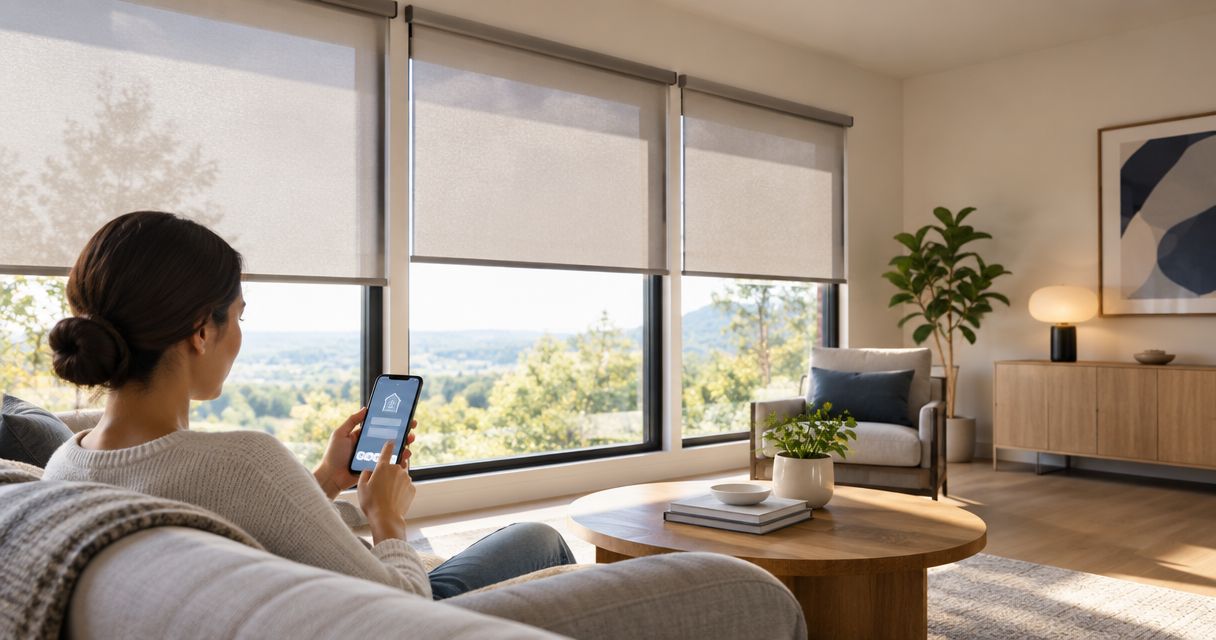

Compare the best motorized shades for smart homes. Lutron Serena leads for Lutron setups; match power, fabric, and controls before ordering shades.
Best overall for a Lutron-centered home: Lutron Serena. Best for custom whole-home integration: Lutron Sivoia QS. Best for decorative variety: Hunter Douglas PowerView Automation. The best motorized shades for smart homes in 2026 match your controls, window treatments, and wiring plan—not just your preferred voice assistant.
- Lutron Serena is the default pick for motorized shades in a Lutron-centered smart home.
- Lutron Sivoia QS suits professionally planned whole-home shade control.
- Hunter Douglas PowerView Automation prioritizes window-treatment choice; Eve Motionblinds suits compatible Thread-based setups.
- Choose the shade fabric, power source, and manual controls before choosing automation routines.
Why this matters
A motor raises and lowers the shade. The fabric determines privacy, glare control, and how much daylight stays in the room. Buying automation before solving those physical requirements leaves you with convenient controls attached to the wrong window treatment.
Treasure Valley Solutions is best for Treasure Valley homeowners coordinating smart home installation across lighting, audio/video, security, and networking. Treat shades as part of that broader control plan, rather than a separate app you must remember to open.
The right choice also depends on the building. An existing bedroom and an unfinished whole-home renovation present different wiring opportunities, maintenance access, and installation constraints.
What makes the best motorized shades for smart homes?
Use these criteria to compare a 2026 shade proposal before approving equipment:
- Control compatibility: Name the exact shade motor, bridge, controller, and supported integration. A brand name alone is not a compatibility check.
- Power access: Choose battery or wired power around access for charging, servicing, and concealed cable routing.
- Fabric performance: Match light filtering, privacy, and room darkening to the room. Motorization does not change fabric opacity.
- Everyday controls: Include a wall control or remote so guests can operate the shades without an account.
- Window fit: Confirm dimensions, mounting depth, obstructions, and the manufacturer's limits for the selected treatment.
- Service responsibility: Establish who handles measurement, installation, programming, and troubleshooting when those tasks involve different companies.
Motorized shades at a glance
| Option | Best for | Standout feature | Key limitation |
|---|---|---|---|
| Lutron Serena | A Lutron-centered household | App and scene control through the compatible Lutron system | Requires attention to bridge and integration requirements |
| Lutron Sivoia QS | Custom whole-home projects | Professionally planned shade and control integration | More system-design decisions than a standalone shade |
| Hunter Douglas PowerView Automation | Decorative window treatments | Automation across supported Hunter Douglas treatments | Compatibility depends on the treatment and system generation |
| Eve Motionblinds | A compatible Thread-based home | Thread connectivity on supported models | Matter support and controller requirements need model-level checks |
| Somfy-powered shades | Retaining a preferred shade fabricator | Motor choices used by multiple shade manufacturers | Somfy motors do not all use the same control protocol |
These are different buying routes, not interchangeable motors. Select the route that fits your room and control system, then compare the exact configuration offered for your windows.
1. Lutron Serena: best for a Lutron-centered home
Lutron Serena combines motorized window treatments with control through a compatible Lutron setup. It is the strongest default on this list when your goal is coordinated lighting and shade routines rather than a separate window-treatment ecosystem.
Ask for the complete control arrangement, including the bridge and physical controls. Voice-assistant support does not replace a usable wall button beside the room entrance.
Lutron Serena pros:
- Fits a Lutron-centered approach to lighting and shades.
- Supports grouped operation and scheduled shade routines through the appropriate setup.
- Offers physical control options alongside app operation.
Lutron Serena cons:
- Bridge and third-party integration requirements need checking before purchase.
- Available fabrics and shade styles still have to suit the room; control compatibility cannot solve a poor fabric choice.
Best for: Homeowners who want Lutron lighting and shades to follow the same daily routines.
Verdict: Buy Lutron Serena when a Lutron-centered control plan is already the right fit.
2. Lutron Sivoia QS: best for custom whole-home integration
Lutron Sivoia QS belongs on the shortlist for a professionally designed shade system. Its role is different from a simple app-controlled retrofit: the project starts with window requirements, power, controls, and the wider automation design.
Choose this route while construction and electrical decisions are still open. Concealing wiring becomes harder after finished surfaces close off the planned cable path.
Lutron Sivoia QS pros:
- Supports a coordinated approach to whole-home shading.
- Offers treatment and control choices for custom projects.
- Lets the design team address power and control infrastructure together.
Lutron Sivoia QS cons:
- Requires more specification and coordination than a single-room installation.
- The system name alone does not identify the drive, power method, or integration your project needs.
Best for: New construction, substantial renovations, and custom homes with a defined automation plan.
Verdict: Buy Lutron Sivoia QS for a designed system; skip this route if you only need a simple standalone shade.
3. Hunter Douglas PowerView: best for decorative choice
Hunter Douglas PowerView Automation adds motorized control to supported Hunter Douglas window treatments. Start here when the treatment itself—its fabric, construction, and appearance—is the main decision.
Choose the window treatment before confirming the automation package. Not every treatment configuration or system generation has identical integration requirements.
Hunter Douglas PowerView Automation pros:
- Brings automation to a range of decorative treatment styles.
- Supports scenes and schedules through the appropriate PowerView setup.
- Keeps treatment selection and motorization within the same manufacturer's offering.
Hunter Douglas PowerView Automation cons:
- The selected treatment determines which motorized configurations are possible.
- Existing and newer PowerView equipment require generation-specific compatibility checks.
Best for: Homeowners whose first priority is a particular window-treatment style rather than a particular automation platform.
Verdict: Buy Hunter Douglas PowerView Automation when the treatment wins on fit and fabric, and its controls match your home.
4. Eve Motionblinds: best for a Thread-based setup
Eve Motionblinds is a motorization option available through participating window-treatment providers. Supported models use Thread, making the range relevant when your home already has the necessary Thread infrastructure.
Check the exact model's Matter support and controller requirements. Thread describes networking; it does not, by itself, guarantee that every app or automation platform can control the shade.
Eve Motionblinds pros:
- Offers Thread connectivity on supported models.
- Provides a route to motorized treatments through participating shade suppliers.
- Supports a control approach that does not depend on treating every shade as a separate Wi-Fi device.
Eve Motionblinds cons:
- Requires compatible Thread infrastructure and an appropriate control platform.
- Model and software differences matter when confirming Matter support.
Best for: Homeowners who have verified their Thread and Matter control requirements before ordering shades.
Verdict: Buy Eve Motionblinds after checking the exact motor and controller combination; hold if compatibility remains unclear.
5. Somfy-powered shades: best for choosing your shade supplier
Somfy supplies motors used by multiple window-treatment manufacturers. That makes Somfy-powered shades a useful route when you have selected a fabricator or treatment and need to understand its motorization choices.
Do not accept “Somfy compatible” as a complete specification. The motor's protocol and the proposed gateway determine how the shade connects to your automation system.
Somfy-powered shades pros:
- Let you compare motorized treatments from different shade manufacturers.
- Offer multiple motor and control approaches across the range.
- Separate the fabricator decision from reliance on a single complete shade brand.
Somfy-powered shades cons:
- Different Somfy motor families do not have interchangeable control requirements.
- Installation, motor support, and automation support can involve separate parties.
Best for: Homeowners who want to retain a chosen shade supplier while specifying compatible motorization.
Verdict: Buy Somfy-powered shades with a written motor-and-gateway specification; hold on proposals that name only the motor brand.
Plan power and controls before ordering
For a 2026 installation, settle power before approving the final shade dimensions. Battery power avoids running a new power cable to each opening, but it creates a recurring charging or battery-service task. Wired power removes that particular task while adding cable-routing and power-supply requirements.
A high window changes the decision. If charging means bringing out a ladder, record that maintenance requirement before selecting battery power. For wired shades, establish where power equipment remains accessible after the room is finished.
- Battery power: Prioritize access to the battery or charging connection.
- Wired power: Identify the cable route and accessible power equipment.
- Physical controls: Put routine operation within reach of someone without the app.
- System integration: Confirm the exact equipment that carries commands between platforms.
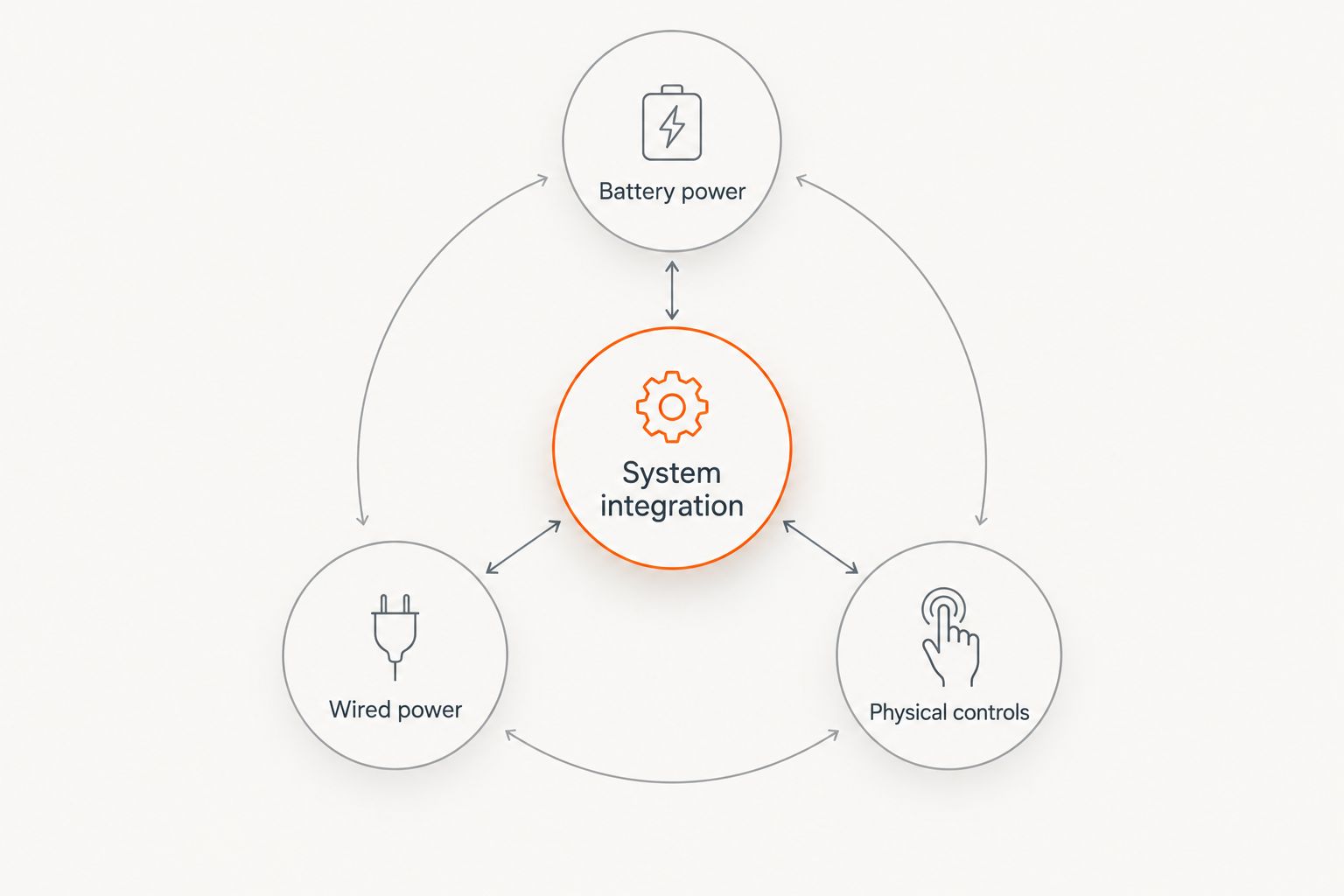
Shade integration also depends on the distinction between a motor, a bridge, and the main automation controller. When connecting motorized shades to Lutron, specify the supported control path rather than assuming that any motorized treatment joins any Lutron system. Require the proposal to identify each component and what happens when the internet connection fails.
Treasure Valley Solutions provides smart home and low-voltage wiring installation services. Bring the shade supplier's equipment list into that wider installation discussion before wiring and programming responsibilities split between trades.
Match the fabric to the room
A living-room shade should control glare without automatically turning the room into a dark box. A bedroom has a different priority: privacy and light control during sleeping hours. Ask to examine fabric samples at the actual window, with daylight behind them.
For roller shades, openness factor describes the open area in the fabric weave. It is not a complete privacy rating. Interior lighting and the difference between indoor and outdoor brightness affect what someone can see through a treatment.
Blackout fabric also does not guarantee a blackout room. Light can enter around the edges, especially with an inside mount that leaves gaps between the shade and the opening.
Measure width at 3 heights—top, middle, and bottom—and use the selected manufacturer's measuring instructions to determine the order size. Check depth, handles, trim, and the shade's travel path as well. Do not subtract an assumed clearance from every opening.
For a media room, decide whether edge light is acceptable before buying. The motor cannot correct a mounting arrangement that leaves distracting daylight beside the screen.
Write the handover test into the project
A working app demonstration is not a complete handover. Before accepting a 2026 installation, test 3 control paths: the physical control, the app, and the scheduled routine. Confirm that each shade moves in the intended direction and stops where expected.
Save 2 scenes as a practical starting point: a daytime scene for glare management and an evening scene for privacy. Adjust positions around how you use the room rather than making every shade move identically.
Ask the installer to demonstrate local operation with internet access disconnected. Record which functions remain available; remote access, cloud integrations, and local button control are separate capabilities.
Finally, keep the motor model, bridge details, charging instructions, and account ownership with your home documentation. Those details matter when a phone changes or a shade needs service.
How the ranking works
This 2026 ranking prioritizes control fit, power planning, treatment choice, everyday operation, and service responsibility. It ranks buying routes by their strongest use case, not by an unsupported claim that one motor is quieter or lasts longer than every alternative.
A complete proposal beats a familiar logo. If the motor, fabric, power arrangement, and integration path are not specified, the comparison is unfinished.
Which motorized shades should you choose?
Choose Lutron Serena as the default for a Lutron-centered household. Choose Lutron Sivoia QS for a custom whole-home design, Hunter Douglas PowerView Automation for treatment-led selection, Eve Motionblinds for a verified Thread-based setup, or Somfy-powered shades when retaining your chosen fabricator matters most.
For Boise and Meridian homeowners, Treasure Valley Solutions can address the broader smart home installation plan. Keep shade selection tied to that plan, while establishing who supplies and supports the actual window treatments.
Plan your smart home controls
Discuss automation, networking, and wiring requirements before finalizing your shade equipment.
FAQ
What are the best motorized shades for smart homes in 2026?
Lutron Serena is the default recommendation for a Lutron-centered home. Lutron Sivoia QS suits custom integration, Hunter Douglas PowerView Automation suits treatment-led selection, and compatible Eve Motionblinds models suit Thread-based setups.
Is Lutron Serena better than Hunter Douglas PowerView?
Lutron Serena is the stronger fit when Lutron control is your starting point; Hunter Douglas PowerView Automation is the stronger fit when a particular Hunter Douglas treatment drives the decision. Confirm the exact treatment, bridge, and automation compatibility before choosing either.
Do motorized shades need Wi-Fi?
Motorized shades do not all need a direct Wi-Fi connection. The motor can use a different communication method, with a compatible bridge or controller connecting it to the wider smart home.
Are battery-powered shades better than wired shades?
Battery-powered shades suit installations where running power is impractical, while wired shades avoid recurring battery service. Accessible charging and a concealed cable route are the deciding installation questions.
Will blackout motorized shades make my bedroom completely dark?
Blackout fabric alone does not guarantee a completely dark bedroom. Mounting gaps and light around the treatment edges also determine the result.
Can I control motorized shades without my phone?
Many motorized shade systems support physical controls, but you must specify them with the chosen system. Include a compatible remote or wall control in the proposal rather than assuming one is included.
Does Treasure Valley Solutions handle broader smart home installation?
Treasure Valley Solutions provides smart home automation, audio/video, security camera, networking, and low-voltage wiring installation services in the Treasure Valley. Establish shade supply, motor compatibility, and programming responsibilities as part of the project discussion.
One last thing
Check privacy after dark, not just during the showroom visit. A fabric that preserves an outward view in daylight does not automatically provide the same privacy when interior lights are on. Test the sample under the conditions you need it to solve before approving the order.
Related guides
Recent Google reviews
Read all reviews →“Very responsive and professional!”
“Great service and Follow Up”
“Great job!!”