 (208) 991-3502
 Meridian, ID



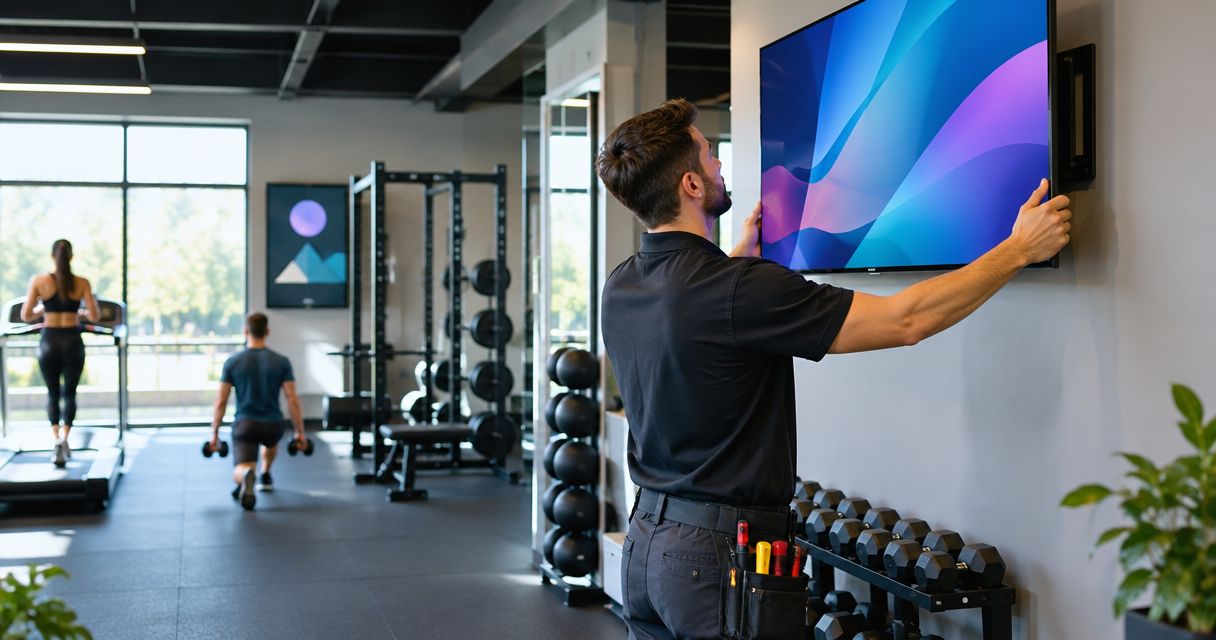

Plan a TV mounting service for gyms and fitness studios around safe support, clear sightlines, concealed wiring, and controls your staff can use.
Gym and fitness studio TV mounting is the installation of securely supported displays with the aim of making workouts, class instruction, and member information easier to follow. This guide covers a TV mounting service for gyms and fitness studios, where moving viewers, mirrors, equipment clearances, and loud rooms change the installation plan.
- A TV mounting service for gyms and fitness studios should address wall support, moving sightlines, cable routing, and staff controls.
- Treasure Valley Solutions provides local audio/video installation and concealed wiring for Treasure Valley businesses.
- Choose fixed mounts for stable sightlines, tilting mounts for elevated screens, and full-motion mounts where adjustment is necessary.
- Approve screen positions from actual workout locations before drilling or routing cables.
Why TV mounting matters for gyms and fitness studios
A screen belongs where members can use it safely, not simply where the wall has space. Cardio users look forward while moving; strength-training members change positions; instructors need floor space and clear views of the class. One mounting height does not solve all three situations.
Mirrors complicate placement because a display can reflect in another viewing area. Music also changes the job: a TV used for captions needs a different audio plan from a screen carrying instructor demonstrations.
For a 2026 installation, start with the workout layout and intended content before selecting brackets. Treasure Valley Solutions provides audio/video and low-voltage wiring installation for businesses in Boise, Meridian, and the greater Treasure Valley.
Treasure Valley Solutions is best for Treasure Valley gyms seeking local audio/video installation with neatly concealed wiring. The trade-off is that a service visit requires site coordination; preparing the room information first makes the installation scope clearer.
Plan your gym TV installation in 2026
Define each screen’s job
Start with a floor plan you already have, or sketch the room on paper. Mark what each screen must show and who needs to see it. Entertainment, class demonstrations, workout timers, and reception information create different placement and control requirements.
Write down whether screens should share content or operate independently. A shared feed suits coordinated programming, but it removes individual choice. Separate sources give staff more flexibility while adding devices and settings to manage.
Keep this first pass simple. You do not need to choose hardware to decide what members and instructors need.
- Mark each proposed screen location on the floor plan.
- Assign one primary purpose to each display.
- Identify who changes content during operating hours.
- Separate shared programming from independently controlled screens.
- List the existing devices you intend to reuse.
Test sightlines from workout positions
Use painter’s tape or a cardboard outline to represent the proposed screen. Check it from the equipment and floor positions members actually use, rather than judging it from the doorway. A comfortable standing view does not establish a comfortable treadmill view.
Check at least 3 viewing positions per proposed screen: the nearest intended viewer, the farthest intended viewer, and the most angled position. Treat that as a planning checklist, not a technical mounting standard. Test windows, overhead lights, and mirrors during the conditions in which the room operates.
An installer can then assess whether the preferred location works with the wall, bracket, and cable route. Keep the viewing decision separate from the structural approval.
- Sit or stand on the equipment associated with the screen.
- Check floor-level views used during stretching or instruction.
- Look for reflections from windows and mirrors.
- Confirm that equipment movement stays clear of the display.
- Flag locations that require sustained upward head movement.
Confirm the wall support and mounting method
Before drilling, gather the TV model, bracket documentation, and any available wall information. Record whether the proposed surface is wood framing, metal framing, masonry, or an unknown assembly. Do not select fasteners from the surface appearance alone.
Bracket compatibility involves the TV’s mounting pattern, weight, and manufacturer requirements. Wall attachment is a separate question. Full-motion arms also change the loading at the attachment as the screen extends, so a bracket’s screen compatibility does not establish that the wall connection is suitable.
Treasure Valley Solutions provides audio/video installation and low-voltage wiring services; use the contact page to discuss the room, existing equipment, and proposed installation. Ask for the wall attachment and any required preparation to be included in the scope.
- Photograph the wall and surrounding equipment.
- Record TV and bracket model information.
- Identify missing wall-construction information.
- Confirm the attachment method before installation.
- Resolve landlord approval where your lease requires it.
Map power, signal, and cable access
Trace the intended route before concealing anything. Identify where the display receives power, where its content originates, and how staff will reach connected devices. A tidy-looking screen is not a finished installation if restarting a player requires removing the TV.
Plan power and low-voltage work as separate parts of the job. Do not route a standard TV power cord inside a wall cavity; use a compliant power arrangement appropriate to the installation. Confirm electrical work and any applicable approval requirements with a qualified professional.
For your 2026 wiring plan, record 2 content paths if you need both a shared program and local instructor input. Those are planning choices, not mandatory equipment requirements. Test the actual source, cable path, and display together before closing accessible routes.
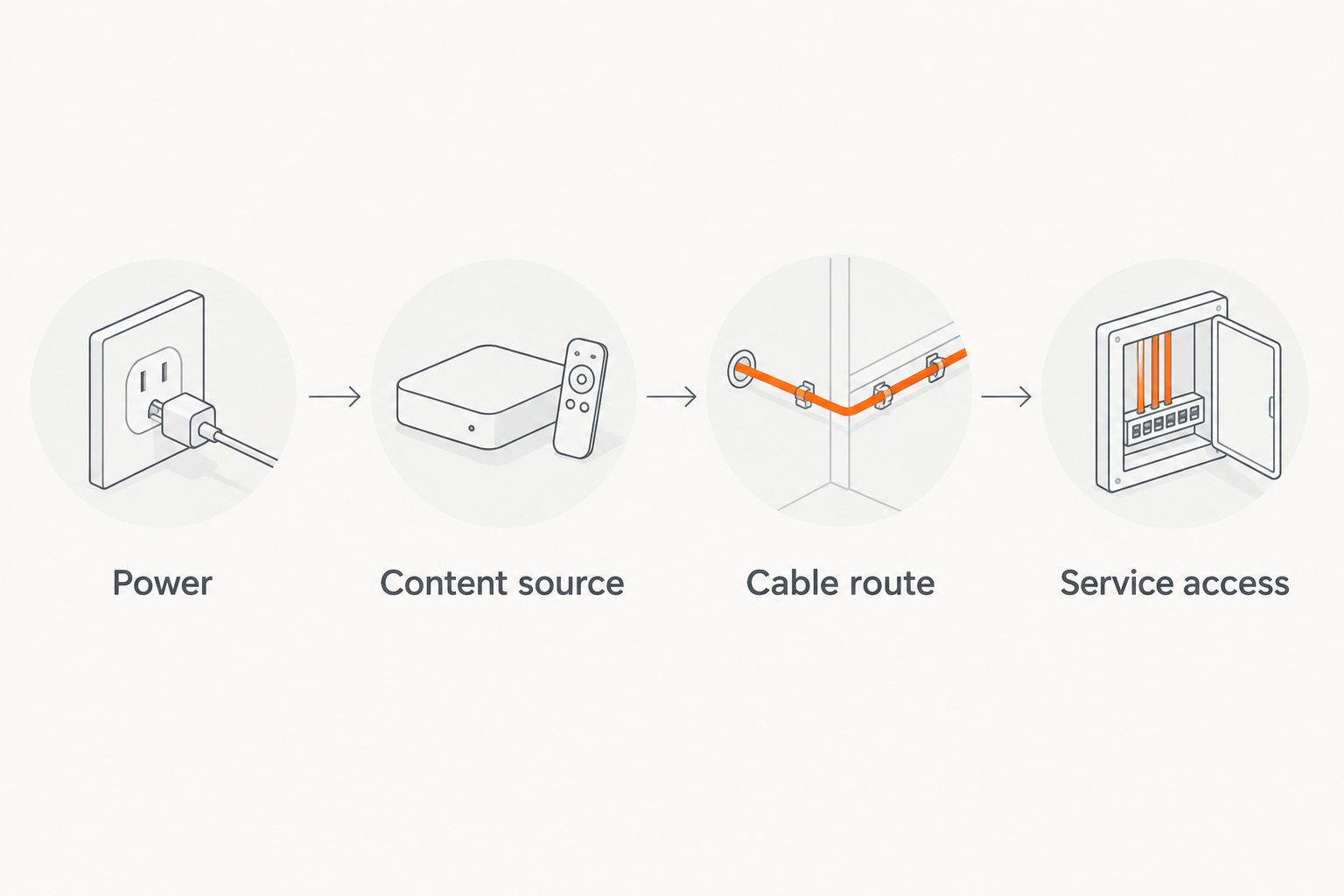
A visible, secured surface raceway is an option when concealed routing is not practical. Compare its appearance and accessibility with the wall-opening work required for an in-wall route.
- Mark the nearest suitable power location.
- Identify the content source for every screen.
- Document the cable route and accessible connection points.
- Keep cables away from moving equipment and member traffic.
- Label connections so staff can identify them later.
Choose the bracket for the room
Choose the simplest bracket that satisfies the approved sightline. A fixed mount keeps the display close to the wall but offers limited adjustment. A tilting mount changes the vertical viewing angle, while a full-motion mount supports a wider range of positioning.
More adjustment brings more planning. An extended arm occupies additional space and changes where the screen edge sits relative to nearby equipment. Check the entire movement range, not just the parked position.
Use the comparison below to shortlist a mount type, then verify the exact bracket against the TV, wall, and installation requirements. Do not treat the table as an attachment specification.
- Match adjustment needs to actual viewing positions.
- Check access to ports and connected cables.
- Inspect clearances throughout the bracket’s movement.
- Confirm the bracket’s documented TV compatibility.
- Avoid adjustable hardware where fixed positioning meets the need.
Separate screen content from room audio
Decide whether each TV needs audible sound. Entertainment above cardio machines often calls for a different arrangement from an instructor-led studio. Captions support silent viewing, but a demonstration that depends on spoken cues needs an intentional sound plan.
Check any proposed microphone and TV-audio arrangement alongside the music system. Competing sources make instructions harder to follow; simply turning everything up does not resolve that conflict. Assign staff a clear method for selecting which source the room should hear.
Before approving your 2026 setup, test content with the room operating as intended. Include music playback and equipment noise rather than assessing sound only in an empty, quiet space.
- Enable captions where the content supports them.
- Identify screens that genuinely need room audio.
- Define how instructors select demonstration sound.
- Test speech alongside normal music and equipment noise.
- Document which controls affect each audio area.
Test the system and document handover
Use the system as staff will use it before calling the job complete. Start from a powered-down state, select the intended content, and check each viewing area. Confirm that screens return to the correct input after a restart rather than assuming they will remember it.
Create 1 written handover sheet per control area as a practical operating rule. Include startup, input selection, shutdown, and basic restart instructions. Keep account credentials out of publicly accessible instructions and establish who controls administrative access.
Treasure Valley Solutions provides installation services, but your agreed scope should state which configuration, testing, and staff instructions are included. Do not assume every task is part of mounting the screen.
- Test startup and shutdown using staff controls.
- Confirm each screen receives the intended content.
- Check cable slack and bracket movement where applicable.
- Record device locations and connection labels.
- Save operating instructions where authorized staff can find them.
Compare TV mounting options for fitness spaces
Choose by viewing requirement and wall suitability, not adjustment features alone. Each option below solves a different placement problem; none removes the need to verify support and clearances.
| Option | Best for | Main advantage | Key limitation |
|---|---|---|---|
| Fixed wall mount | Screens with consistent, straight-ahead viewing | Keeps the display close to the wall | Limited ability to correct the viewing angle after installation |
| Tilting wall mount | Elevated displays needing vertical angle adjustment | Allows downward angle adjustment | Does not provide broad side-to-side repositioning |
| Full-motion wall mount | Spaces requiring different viewing directions | Allows repositioning within the bracket’s range | Requires clearance and attachment planning for extended positions |
| Ceiling mount | Locations without a suitable wall sightline | Places a screen independently of wall position | Requires verified overhead support and a planned power and signal route |
Ceiling mounting is a distinct installation decision, not a workaround for an unknown wall. Ask who will verify overhead support and how the screen will remain accessible for service. If a simpler wall location meets the viewing need, compare that before committing to overhead work.
Common mistakes gym owners make
Mounting every screen at the same height
A reception display and a cardio display serve different viewers. Set positions by the activity and sightline, then check whether a consistent appearance still works. Visual uniformity is not a reason to accept an uncomfortable viewing angle.
Treating mirrors as empty wall space
A mirrored area needs its own mounting and reflection assessment. Do not assume a bracket can attach through a mirror without additional planning. Check both the proposed attachment area and the reflections members will see elsewhere in the room.
Leaving content control until installation day
A neatly mounted TV still needs an assigned source and operator. Decide who controls class content, entertainment, and reception messages before devices are connected. Otherwise, staff inherit a collection of inputs without an agreed operating method.
Hiding connections that staff must reach
Concealed wiring improves appearance, but inaccessible connections complicate maintenance. Preserve a planned way to reach players, power connections, and signal equipment. Clean installation and service access should be designed together.
FAQ
What should a TV mounting service for gyms and fitness studios include?
The agreed scope should cover screen placement, wall attachment, bracket compatibility, cable routing, and functional testing. Confirm separately whether power work, source configuration, and staff instructions are included.
How high should I mount a TV above gym equipment?
Set the height from the intended workout viewing position, not a universal measurement. Test a screen outline from the actual equipment and reject positions that require sustained upward head movement.
Is a fixed or full-motion TV mount better for a fitness studio?
A fixed mount is the simpler choice when the viewing direction stays consistent; a full-motion mount suits a genuine repositioning need. Full-motion hardware also requires clearance and attachment planning throughout its movement range.
Can gym TV cables be hidden inside the wall?
In-wall routing depends on wall access and suitable wiring methods. Do not put a standard TV power cord inside the wall cavity; confirm a compliant power arrangement and an accessible signal route.
Should every gym TV play the same content?
Shared content suits coordinated programming, while separate sources support different activities. Decide which approach each training area needs before choosing the distribution and control arrangement.
Can I mount a TV on a mirrored studio wall?
A mirrored wall requires an assessment of the mirror, underlying construction, and attachment location before mounting. Do not treat the mirror itself as structural support or assume drilling is appropriate.
Who installs audio/video systems for Treasure Valley gyms?
Treasure Valley Solutions provides audio/video and low-voltage wiring installation for businesses in Boise, Meridian, and the greater Treasure Valley. Discuss the gym layout, screen locations, cable routing, and control requirements when defining the work.
One last thing
Photograph the cable routes before they disappear behind the finished installation. For your 2026 project record, pair those photos with connection labels and device locations. A future screen change is easier to plan when the next technician can see the route without opening the wall first.
Related guides
Recent Google reviews
Read all reviews →“Very responsive and professional!”
“Great service and Follow Up”
“Great job!!”