 (208) 991-3502
 Meridian, ID



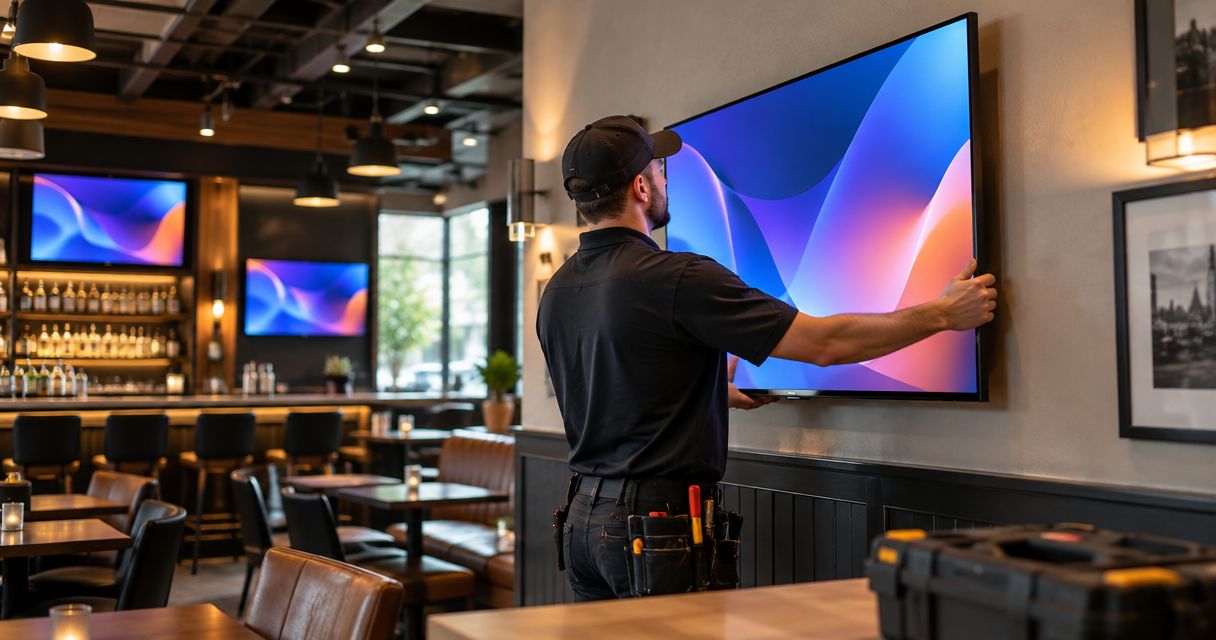

TV mounting service for bars and restaurants: plan safe mounts, clear sightlines, hidden wiring, and staff controls before you approve installation.
Bar and restaurant TV mounting is the installation of securely supported screens, signal connections, and accessible controls so guests can watch comfortably without disrupting service. A TV mounting service for bars and restaurants must account for crowded aisles, different seating heights, changing daylight, and staff who need to switch programming quickly.
- Plan TV mounting service for bars and restaurants around seated sightlines, structural support, and staff access.
- Treasure Valley Solutions installs audio/video and low-voltage wiring for Treasure Valley businesses seeking professional installation.
- Choose fixed, tilting, or full-motion mounts by viewing position and service access, not appearance alone.
- Specify cable routing, source switching, audio zones, and a staff handoff before approving installation.
Why TV mounting matters for bars and restaurants
A restaurant screen shares space with menus, windows, lighting, servers, and customers. Mounting it where an empty wall happens to exist does not establish whether guests can see it or employees can operate it.
For your 2026 installation plan, treat the screens as part of the room rather than separate appliances. The right scope includes support, wiring, content sources, sound, and maintenance access; audio/video installation services provide a starting point for discussing that work.
Treasure Valley Solutions is best for Treasure Valley businesses seeking professional audio/video installation with neatly concealed wiring. The company installs audio/video and low-voltage systems for businesses in Boise, Meridian, and the surrounding area; a restaurant-specific scope still needs to identify the actual screens, mounting surfaces, and operating requirements.
Your first decision is not screen size. It is which guests need to see which content, and how your team will control it during service.
How to plan your restaurant TV installation
1. Map the viewing zones before choosing screens
Start with a printed floor plan or a hand-drawn sketch. Mark tables, booths, bar stools, standing areas, windows, and the routes servers use. Then sit in the seats rather than judging the room from the entrance.
Use at least 3 viewing positions in each proposed zone: the nearest seat, a middle seat, and the farthest seat. This is a planning check, not a universal screen-sizing formula. Record where guests must turn their heads, where other customers block the picture, and where glare hides it.
Keep this marked plan as your 2026 installation reference. It gives you a concrete way to compare proposals without assuming that more screens solve every visibility problem.
- Mark seated and standing viewing areas separately.
- Identify windows and fixtures reflected in each proposed screen.
- Keep screens clear of required signs and service routes.
- Label zones that need different programming or sound.
2. Verify the wall and mounting hardware
Before buying a bracket, record the display model, weight, mounting-hole pattern, and manufacturer clearances. A bracket's appearance does not tell you whether it fits the display or attaches correctly to the building.
You can collect model information yourself, but leave uncertain structural conditions to a qualified installer. Studs, masonry, steel framing, and decorative wall finishes require different attachment decisions. A ceiling installation also needs a verified structural attachment point, not just a suitable-looking ceiling tile.
Do not treat drywall alone as a mounting plan. Require the proposal to explain what carries the load and how the selected hardware matches the actual site.
- Photograph the wall surface and accessible construction details.
- Match the bracket to the display's mounting pattern and weight.
- Check clearance for plugs, ventilation, and bracket movement.
- Confirm landlord approval before altering leased surfaces.
- Require clarification of unknown backing before installation.
3. Choose the mount around sightlines and access
Use your seating map to decide whether the screen needs to stay flat, tilt downward, or turn toward another seating area. Tape a cardboard outline to the proposed location and review it from occupied positions before committing to holes.
A fixed mount limits adjustment but keeps the screen close to the wall. A tilting mount changes the vertical viewing angle; a full-motion mount adds reach and swivel but needs clearance throughout its movement. None is automatically the best choice for every restaurant.
Treasure Valley Solutions installs audio/video systems; bring the seating map and display details to the scope discussion so mount selection follows the room's requirements. For a 2026 refurbishment, settle the mounting location before finishing the wall.
- Choose fixed mounts for stable, straight-on viewing positions.
- Choose tilting mounts when downward adjustment serves the seating area.
- Choose full-motion mounts when repositioning or rear access is necessary.
- Check every proposed movement against aisles, shelves, and nearby screens.
4. Plan power and concealed cable routes
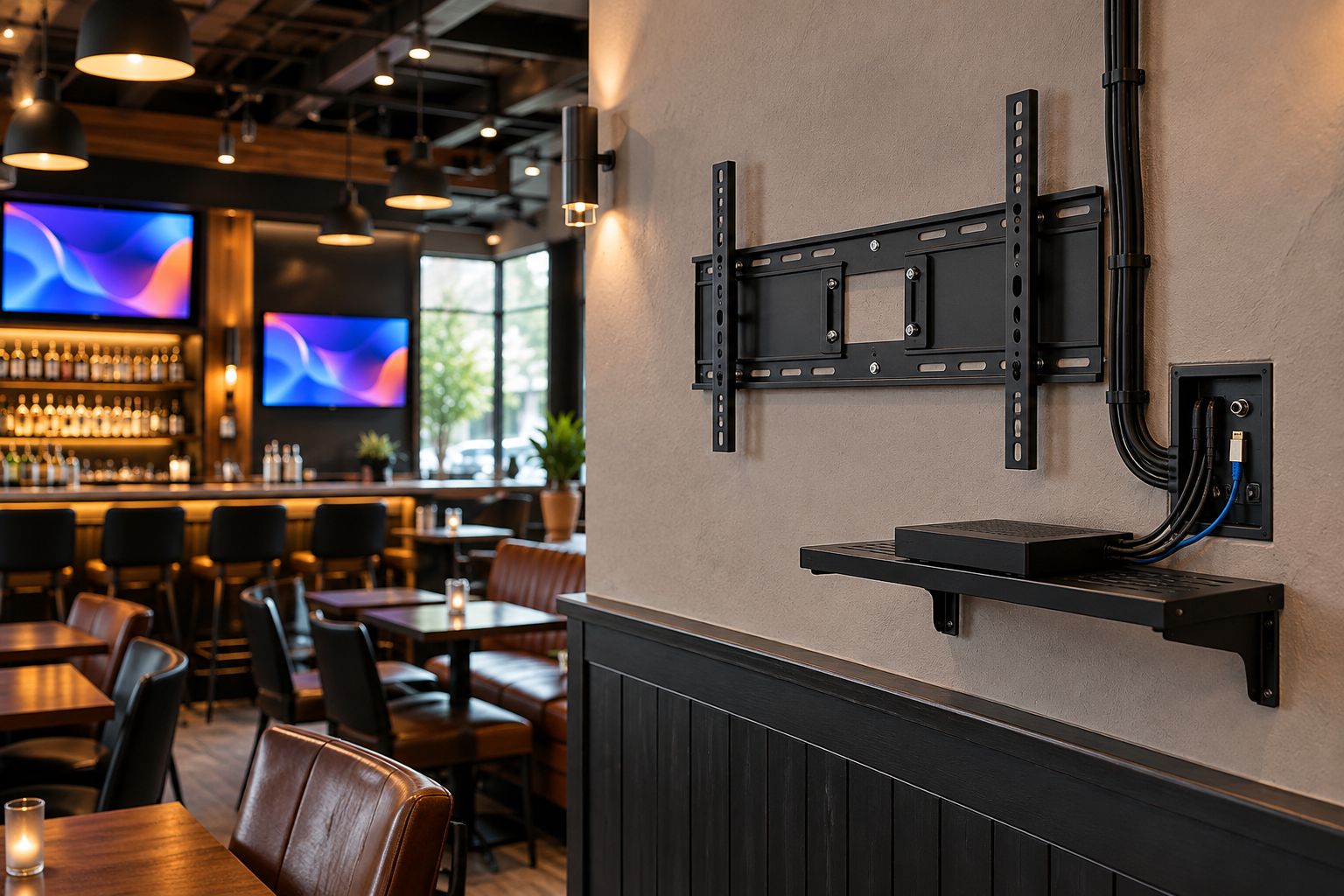
Sketch the connection path from each source to each display. Label where the receiver, streaming device, network equipment, and controls will live. An attractive mounting location still needs a workable route for power and signal.
Concealed wiring should remain serviceable. Ask how cables will be identified, how equipment can be replaced, and whether the route allows future changes. Signal wiring and mains electrical work are different parts of the scope; confirm who handles each.
For any existing installation, photograph the connections before changes begin. That record helps distinguish a source problem from a display or cable problem later.
- Identify each display's power connection before mounting.
- Specify cable types appropriate to the equipment and route.
- Confirm that concealed cables are rated for their installation location.
- Label both ends of signal cables and accessible connection points.
- Keep equipment ventilation and maintenance access clear.
5. Define programming, switching, and sound
Write down what each zone must show during a normal shift. A simple worksheet is enough: display location, content source, control method, and whether that area needs sound. Distinguish showing the same program everywhere from letting each area choose independently.
Commercial viewing rights are separate from mounting work. Confirm public-viewing permissions and commercial service terms with the content provider rather than assuming a household subscription covers your venue.
Sound deserves its own decision. Turning up several television speakers creates competing audio; assigning a clear sound source for each area gives staff an understandable operating rule.
- List which screens share content and which need independent sources.
- Confirm commercial permissions for the programming you intend to show.
- Name the audio source for each listening area.
- Document how staff switch from regular programming to an event.
- Keep source equipment accessible without obstructing customer areas.
6. Schedule installation around restaurant operations
Use your service calendar to identify a work window, then ask the installer to explain access needs and work-area boundaries. Moving furniture, opening walls, drilling, and testing all need coordination with the person responsible for the premises.
Divide your 2026 project scope into 3 stages: preparation, installation, and acceptance. That structure makes exclusions visible. If a proposal covers mounting but leaves electrical work, wall repair, or source setup to someone else, assign those tasks before work starts.
A restaurant manager should not discover on installation day that the equipment location blocks storage or that a wall opening needs a separate repair visit.
- Identify the manager authorized to approve location changes.
- Confirm access to walls, equipment areas, and electrical connections.
- Agree on protection and cleanup for nearby furnishings.
- Assign responsibility for electrical work and finish repairs.
- Set the acceptance walkthrough before returning the area to service.
7. Test the system with the people who use it
Operate the finished installation from a guest's seat and from the staff control position. Test the planned combinations of screens, sources, and sound rather than stopping after the first picture appears.
Have 2 staff members independently follow the operating instructions. This is a practical handoff check: if only the installer can make the correct program appear, the system is not ready for ordinary shifts.
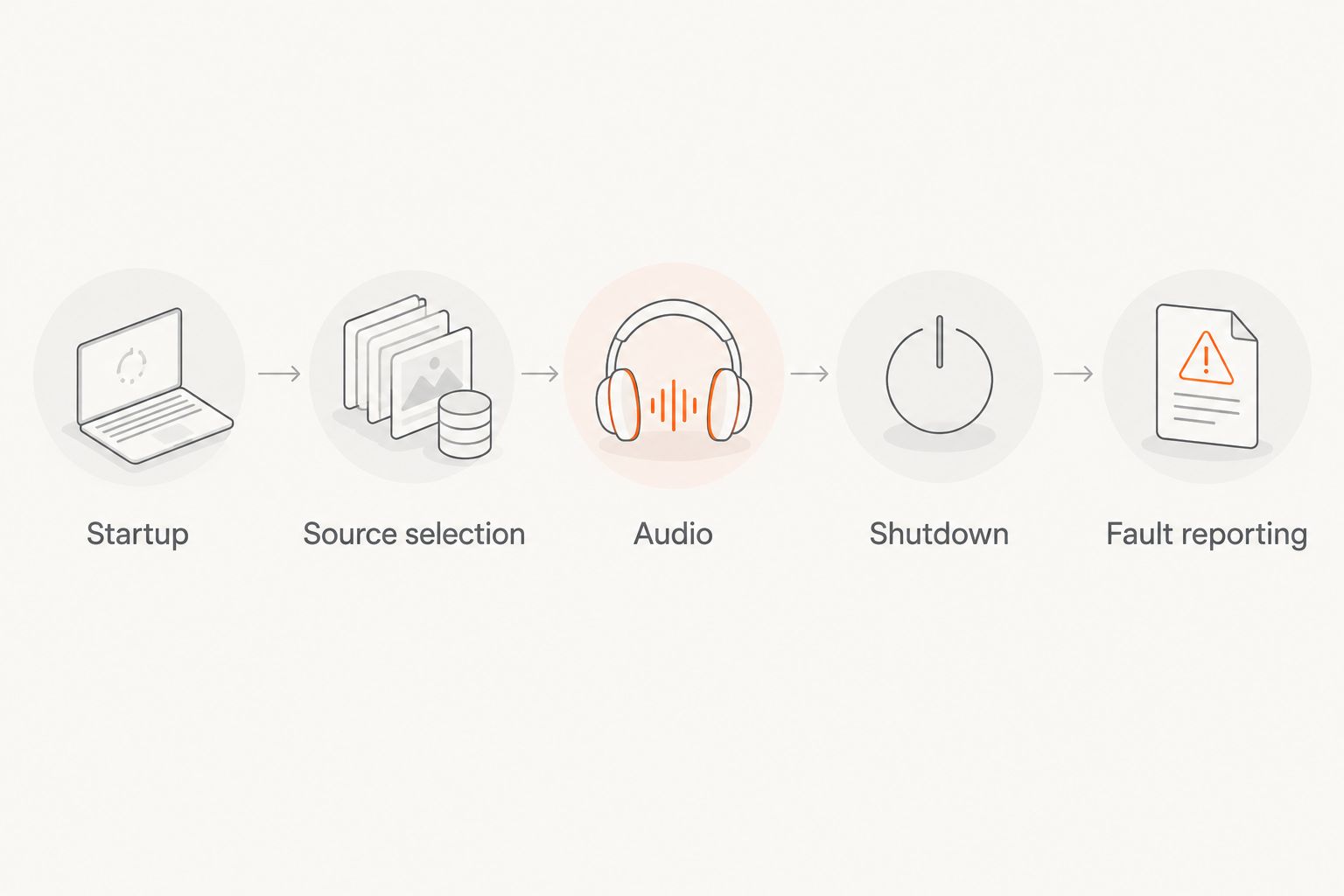
Create a 1-page operating sheet covering startup, source selection, audio, shutdown, and basic fault reporting. Keep account credentials out of public view and record who holds administrative access.
- Verify visibility from the mapped viewing positions.
- Test every intended source-to-screen combination.
- Check audio assignment and mute controls by zone.
- Confirm brackets, connections, and equipment remain accessible as designed.
- Record the agreed handoff and any unfinished work.
Compare mounting and installation options
Separate the bracket decision from the installation scope. A full-motion bracket does not include signal distribution, and professional mounting does not automatically include electrical alterations or staff training.
Use this table to narrow the hardware choice and identify what belongs in the proposal. The options solve different problems rather than forming a ranked list.
| Option | Best for | Main advantage | Key limitation |
|---|---|---|---|
| Fixed mount | Direct viewing with a stable layout | Keeps the display close to the wall | Limited angle adjustment and rear access |
| Tilting mount | Screens that need downward adjustment | Adjusts the vertical viewing angle | Does not provide side-to-side repositioning |
| Full-motion mount | Changing viewing angles or rear-access needs | Adds swivel and extension | Needs clearance and careful attachment planning |
| Mounting-only installation | A prepared location with existing connections | Keeps the task focused on physical installation | Source setup, wiring, and controls need explicit inclusion |
| Treasure Valley Solutions audio/video installation | Treasure Valley businesses needing installed AV and concealed wiring | Brings mounting and connection planning into one service discussion | Restaurant-specific equipment, electrical work, and handoff must be confirmed in scope |
Choose the simplest mount that meets the actual viewing and access requirements. Extra movement is useful only when the room benefits from it.
Once you have the viewing map, equipment details, and operating requirements, contact the installation team with those documents. Request a written scope that separates hardware, mounting, cable routes, source configuration, and work handled by others.
Common mistakes bars and restaurants make
Mounting screens from standing eye level
A screen that looks comfortable during an empty-room walkthrough can be awkward from a booth. Check seated positions and occupied sightlines before approving the location; do not use the manager's standing position as the only reference.
Treating the patio like another dining room wall
Outdoor placement introduces exposure and lighting questions that an indoor mounting plan does not answer. Check the display's intended environment, the mounting hardware, the power arrangement, and the cable route before adding a patio screen to the same scope.
Confusing more screens with independent programming
Additional displays do not establish whether guests can watch different events. Specify the required source combinations and test them during acceptance rather than assuming each screen has independent control.
Hiding every connection beyond reach
A clean installation should conceal wiring without making ordinary service impractical. Ask how staff or a technician will reach connections and replace source equipment without dismantling unrelated finishes.
Leaving controls to whoever knows the system
A restaurant needs repeatable operation across shifts. Assign permissions, document routine tasks, and train more than the person who approved the installation.
FAQ
What's the best TV mount for a restaurant?
The best restaurant TV mount is the simplest type that meets the seating layout and access requirements. Fixed mounts suit direct viewing, tilting mounts provide vertical adjustment, and full-motion mounts add swivel and extension.
How high should a bar mount its televisions?
Choose mounting height from seated sightlines and room obstructions rather than a universal height. Check bar stools, booths, and distant tables before approving the final position.
Can restaurant TV cables be hidden inside the wall?
Concealed routing requires a suitable wall path, correctly rated cables, and an appropriate power arrangement. Confirm access and repair responsibilities before the installer opens the wall.
Can all the TVs show different games?
Independent programming requires a source and distribution arrangement that supports the requested combinations. Confirm commercial viewing permissions separately with the content provider.
Does Treasure Valley Solutions work with businesses in Boise and Meridian?
Treasure Valley Solutions provides audio/video and low-voltage installation services for businesses in Boise, Meridian, and the greater Treasure Valley. Confirm the restaurant's mounting, wiring, and control requirements in the project scope.
What should a restaurant TV mounting proposal include?
A restaurant TV mounting proposal should identify locations, support requirements, brackets, cable routes, source connections, and testing. It should also assign electrical work, wall repairs, cleanup, and staff handoff.
Can restaurant staff operate several screens without separate remotes?
Centralized control is an option when the selected equipment supports it. Specify the required functions before choosing hardware, and have staff test normal shift tasks during handoff.
One last thing
Test the failure procedure, not just the picture. Before signing off on your 2026 installation, ask a staff member to describe what to do when one screen loses its source while the others keep working. Clear cable labels and a short operating sheet make that conversation specific instead of turning it into random unplugging during service.
Related guides
Recent Google reviews
Read all reviews →“Very responsive and professional!”
“Great service and Follow Up”
“Great job!!”