 (208) 991-3502
 Meridian, ID



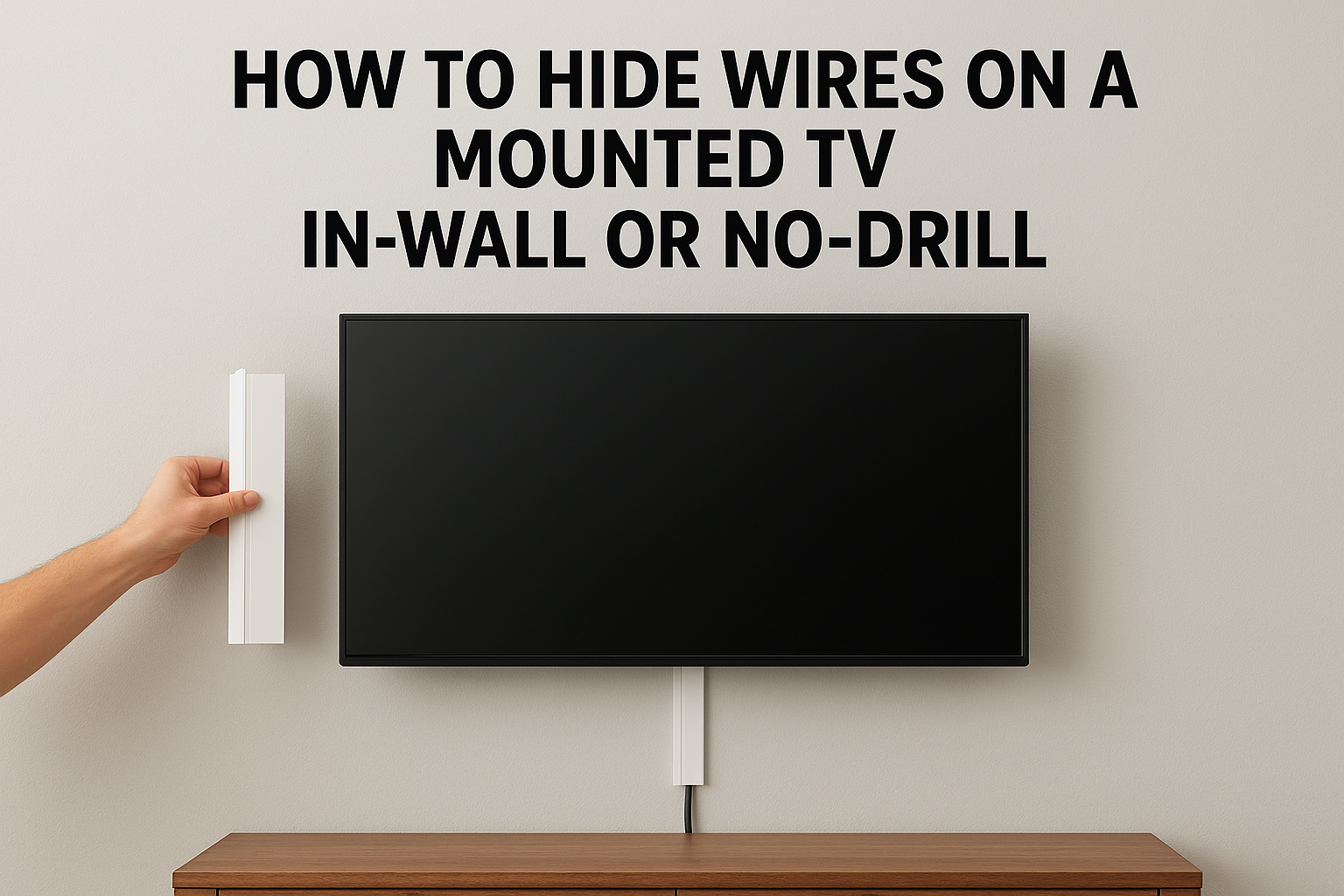

Learning how to hide wires on mounted TV setups comes down to one choice. You either route the cables inside the wall with two low-voltage brackets and a fish tape, or you cover them on the surface wi...
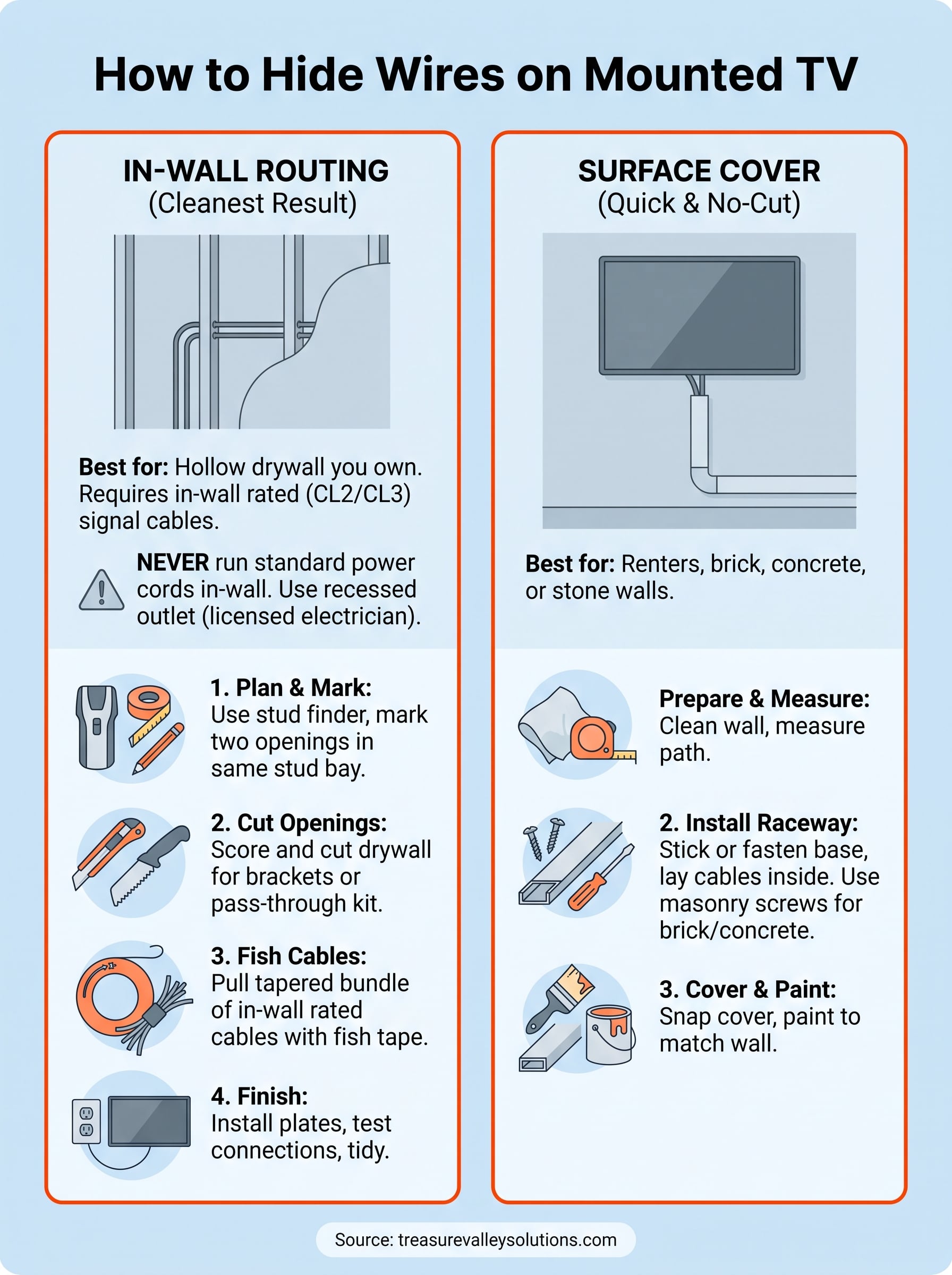
Learning how to hide wires on mounted TV setups comes down to one choice. You either route the cables inside the wall with two low-voltage brackets and a fish tape, or you cover them on the surface with a paintable raceway. In-wall routing takes about 2 to 4 hours and gives the cleanest result. A surface cover takes under an hour and needs no cutting.
A TV on the wall looks sleek until a bundle of black cords hangs down below it. Cutting drywall feels risky, and the power cord brings electrical code rules that many guides skip. Renters, brick walls and fireplace walls limit your options further.
This guide covers both routes in four steps, starting with a table to help you choose. Treasure Valley Solutions is based in Meridian and has served Boise and the rest of the Treasure Valley since 2014, so the tips below reflect what we see on real jobs.
Choose between in-wall routing and surface covers
Use in-wall routing when you own a hollow drywall wall and want no visible cable. Use a surface cover when the wall is brick, concrete or stone, when you rent, or when you do not want to cut anything.
How the two methods compare
| Method | Cuts the wall? | Best for | Result |
|---|---|---|---|
| In-wall with brackets | Yes, two rectangular openings | Hollow drywall you own | Cables fully hidden |
| In-wall pass-through kit | Yes, two round holes | Same walls, simpler cutting | Cables fully hidden |
| Paintable raceway | No | Renters, brick, concrete, stone | Visible, but matches the wall |
| Furniture or panel | No | Low TVs over a console | Partly hidden |
What the power cord needs
Power is the part that trips people up. A standard power cord must never run inside a wall, because the National Electrical Code does not allow flexible cords there. Have a licensed electrician install a recessed outlet behind the TV, or cover the power cord on the surface and hide only the signal cables.
Low-voltage cables are different. HDMI, speaker and Ethernet cables can go inside the wall when they are in-wall rated. Look for CL2 or CL3 printed on the jacket.
Hide signal cables in the wall, and give the power cord either a recessed outlet or a surface cover.
Step 1. Plan the cable path and gather supplies
Plan the path before you cut anything. Pick an upper opening hidden behind the TV and a lower opening near your outlet or component shelf, both in the same stud bay.
Mark the path and check the wall
- Mark the bottom edge of the TV on the wall with painter's tape.
- Scan with a stud finder and tape the studs. Use one that also flags wires and pipes, and mark every outlet and switch nearby.
- Place the upper opening inside the TV's footprint, clear of the mount plate and its lag bolts.
- Place the lower opening just above the outlet or shelf, between the same two studs.
- Scan the space between the openings for horizontal blocking. If you find some, plan a third opening or drill through it.
Gather supplies
You need:
- A stud finder
- A utility knife
- A drywall saw or oscillating tool
- Two old-work low-voltage brackets with face plates, or a pass-through kit with its hole saw bit
- A fish tape or glow rod
- In-wall rated cables
- Painter's tape
- A dust mask
Measure the path from the upper opening to the lower one, then add 2 feet at each end for slack. Buy cables to that length, not shorter.
Ten minutes with a stud finder and tape saves you from cutting into a wire or a stud.
Step 2. Route the cables inside the wall
Cut two openings, push a fish tape through the stud bay, and pull the cables down in one pass. Done carefully, this is the cleanest answer to how to hide TV wires in the wall.
Cut the openings and set the brackets
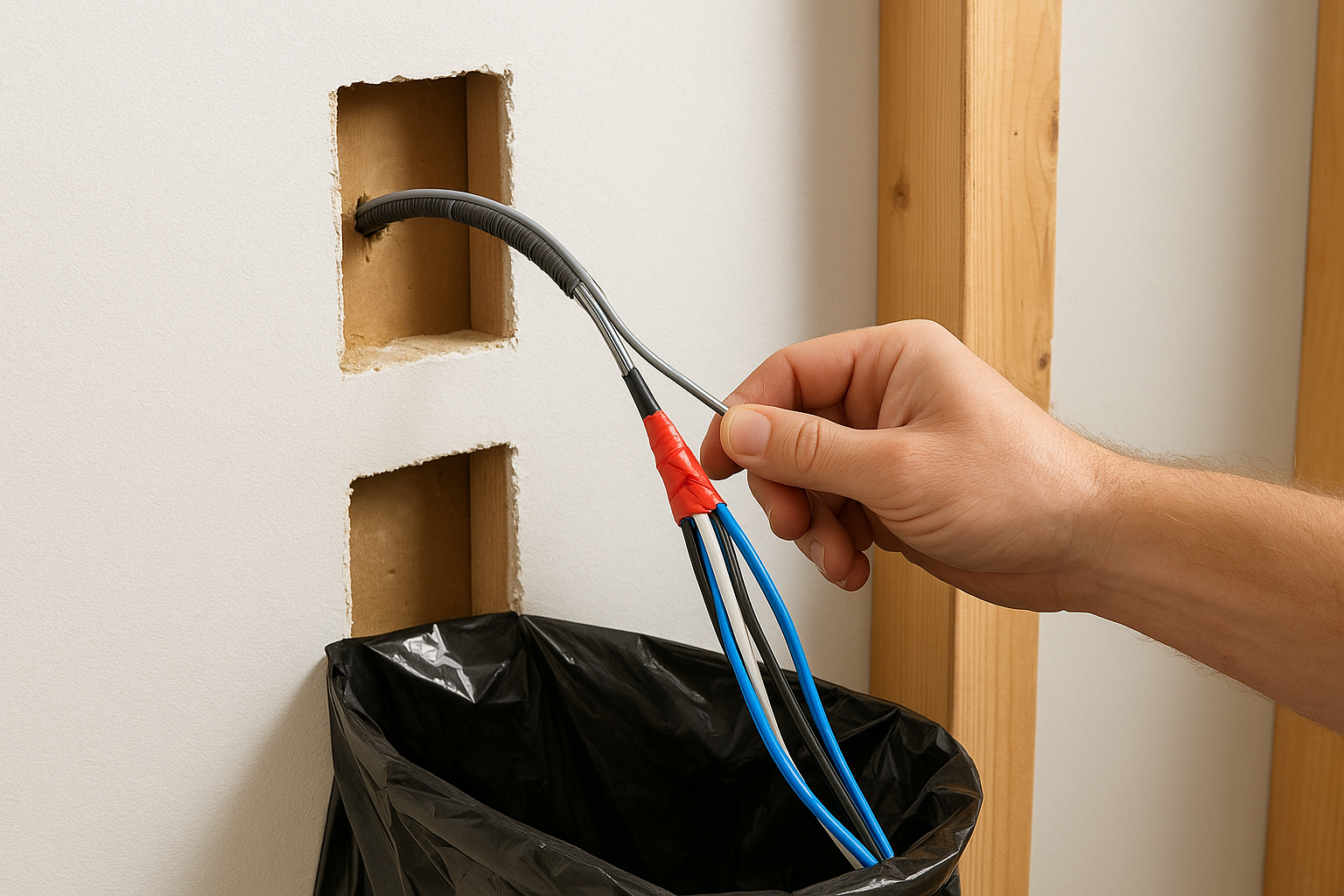
Trace a bracket on the drywall at each mark and score the lines with a utility knife. Cut with the saw no deeper than half an inch, so you do not hit anything behind the board. Tape a trash bag below the lower opening to catch dust, and wear the mask.
Push each bracket in and turn its tabs to lock it. With a pass-through kit, you drill two round holes with the hole saw bit instead, and the plates cover them.
Fish the cables through
Push the fish tape up from the lower opening until it reaches the top. Tie the cables to the hook with electrical tape in a tapered bundle, so the connectors do not snag on insulation. Pull the bundle down, label each cable, and remove the tape.
If you use a full-motion mount, leave about a foot of slack at the top so the arm can move freely.
A tapered, taped bundle slides through the wall. A bulky one jams against insulation and blocking.
Step 3. Hide wires without cutting the wall
A paintable raceway is the standard fix when you cannot or will not cut. Furniture and decor cover whatever is left.
Install a paintable cord cover
- Wipe the wall with rubbing alcohol and let it dry.
- Dry-fit the cover straight down from the TV's bottom edge to the outlet or shelf.
- Cut the channel to length with a fine-tooth saw.
- Stick the base to the wall and lay the cables inside.
- Snap the cover on and paint it the wall color.
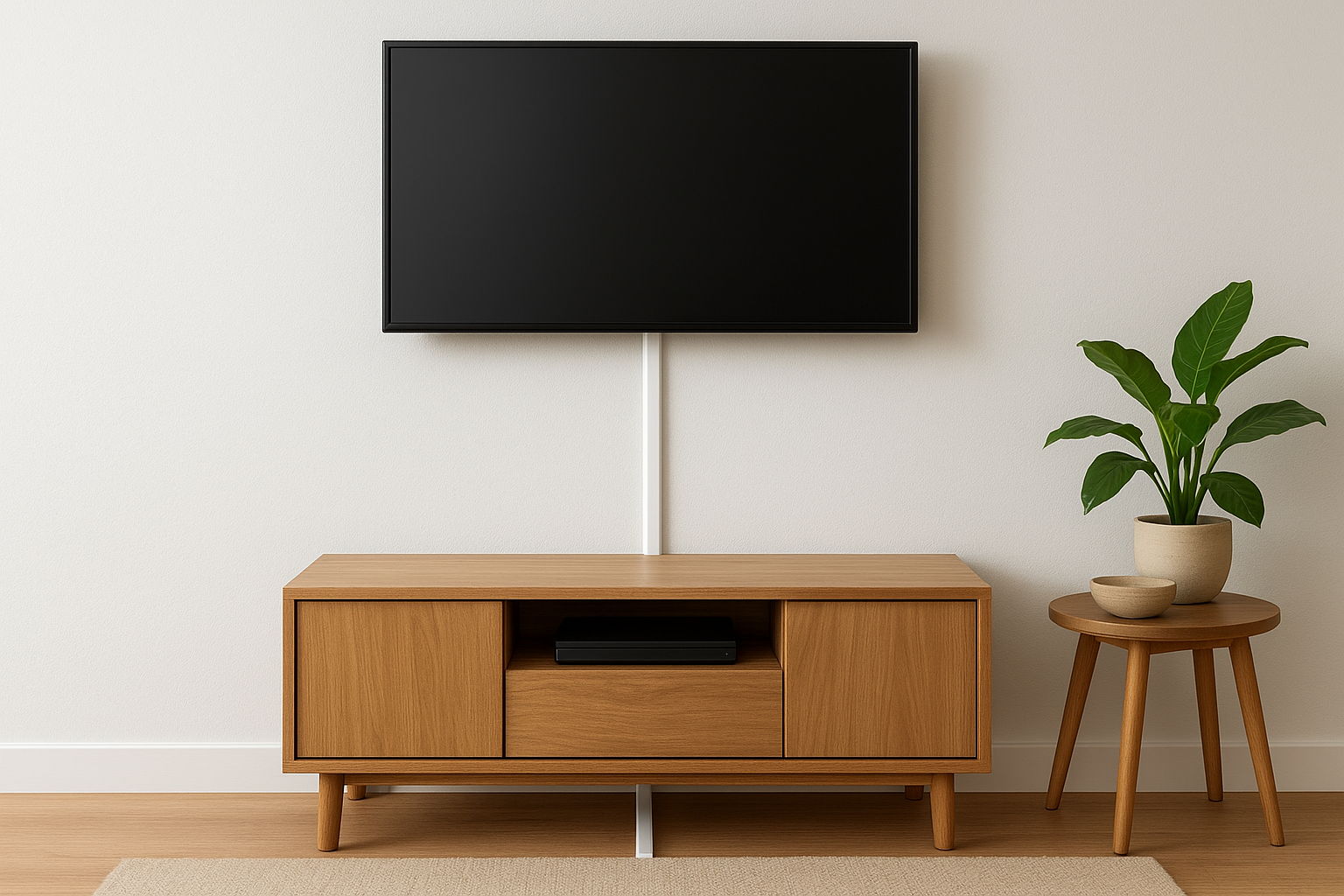
Pick a channel wide enough for your bundle. On brick, concrete or stone, adhesive often fails on the rough surface, so fasten the base with masonry screws instead. The same works on a fireplace wall, and it is the only practical option on most masonry.
Hide the rest with furniture and decor
A media console under the TV hides the cords where they drop behind it. A floating shelf with a cable opening does the same on a smaller scale. A slim painted wood panel or a piece of framed art can also cover a short vertical run.
Renters should choose adhesive-backed covers and peel them off slowly when moving out. Check that the adhesive suits painted drywall before you commit.
If you cannot cut the wall, make the cover disappear: match the paint, keep it straight, and keep it short.
Step 4. Test, tidy, and know when to call a pro
Test every connection before you seal anything, then tidy the components. Hand off the jobs that involve power, masonry or fireplaces.
Test, then finish the wall
Hang the TV and connect everything. Power on and test every input, including HDMI, ARC and Ethernet, before you attach the face plates. Then push the cable ends into the lower bracket, bundle loose cords at the shelf with hook-and-loop ties, and check that the mount still moves freely.
When to bring in a pro
Call a licensed electrician or installer for a recessed outlet, a brick or concrete wall, or a fireplace TV install. Treasure Valley Solutions prices TV mounting by size: $139 for 55 inches or smaller, $169 for 56 to 97 inches, and $199 for 98 inches or larger. Brick, concrete, stone and tile walls add $49 per TV.
For example, a 65-inch TV on a brick wall costs $169 plus $49, or $218 in base labor, before an optional mount and 6% Idaho sales tax on materials. The base price includes basic external cable management. In-wall routing and wall repair are not assumed, so ask about them during the consultation.
Anything involving power, masonry or a fireplace deserves a licensed professional, not a weekend guess.
A clean wall is within reach
Hiding the wires on a mounted TV is a choice between two methods. Route in-wall rated cables through a stud bay with brackets and a fish tape, or cover the run with a paintable raceway. Either way, plan the path first, keep power cords out of the wall unless a recessed outlet is installed, and test every input before you close up.
If you would rather skip the drywall dust, we can handle it for you. Request a free on-site consultation and we will quote the job with no obligation. We respond to every inquiry within one business day.