 (208) 991-3502
 Meridian, ID



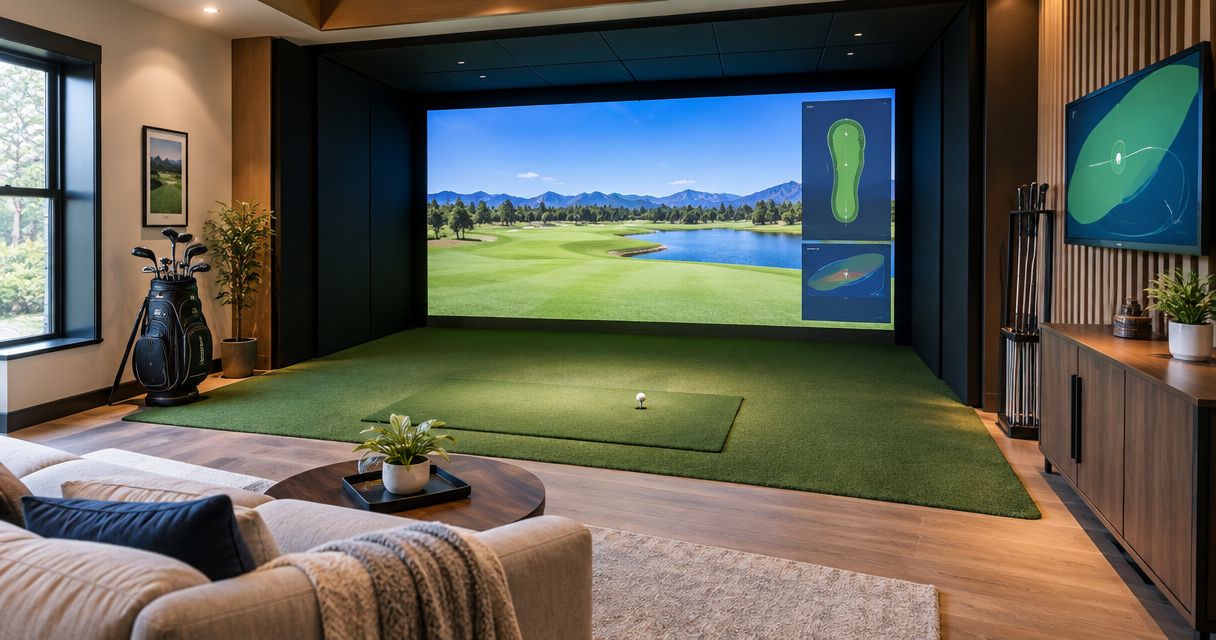

Compare the best golf simulator packages by price using complete system scope, room fit, and real trade-offs. Choose the right setup before you buy.
Best overall configuration: an enclosed projection setup. Best budget starting point: a hitting net with an existing display. Best for a shared room: a retractable screen setup. To compare the best golf simulator packages by price in 2026, rank complete installed systems—not bundles that leave out the computer, software, or room work.
- Compare the best golf simulator packages by price using complete installed scope, not the advertised bundle alone.
- An enclosed projection setup is the default for a dedicated golf room; an existing-display setup keeps the equipment list smaller.
- Treasure Valley Solutions is best suited to the home audio/video and low-voltage wiring portion of your simulator project.
- Check launch-monitor clearance, safe swing space, software requirements, and screen placement before choosing a package.
Why this matters
A golf simulator package is not necessarily a finished golf room. A bundle can include a launch monitor and enclosure while leaving you responsible for a suitable computer, projector mounting, power, networking, and installation.
The cheapest advertised package is not automatically the cheapest usable system. Compare what you need to add before treating any listing as a bargain.
For the home audio/video and low-voltage wiring portion, Treasure Valley Solutions serves homeowners and businesses throughout the Treasure Valley. Keep that work separate from choosing golf-tracking hardware: a clean installation does not establish whether a launch monitor fits your swing space or software preferences.
What makes the best golf simulator package?
Use these criteria before comparing a 2026 package shortlist:
- Complete scope: Identify the launch monitor, hitting surface, ball containment, display, software, and required computer or mobile device.
- Room fit: Check the selected equipment's published placement requirements and your actual swing clearance.
- Tracking fit: Confirm indoor use, supported hitting positions, calibration requirements, and the measurements you want.
- Display fit: Match screen dimensions, projector placement, image shape, and room lighting.
- Ownership costs: Separate hardware from software access, optional content, installation, and replaceable hitting surfaces.
- Daily usability: Decide whether the equipment stays in place or must be moved after each session.
A projector belongs in this decision early. Use the best home theater projectors guide for display-planning context, then check the exact projector's throw requirements against the simulator layout. A projector suitable for watching films is not automatically suitable for a golf impact screen.
Golf simulator packages at a glance
The ranking below assigns each configuration a distinct use case. It is a buying shortlist, not a claim that every seller prices these configurations in the same order. Compare current, itemized quotes within the configuration that fits your room.
| Rank and configuration | Best for | Standout feature | Key limitation | Price-comparison priority |
|---|---|---|---|---|
| 1. Enclosed projection setup | A dedicated golf room | Projected play with surrounding ball containment | Requires coordinated screen, projector, and hitting positions | Include mounting, computer, and installation |
| 2. Net with existing display | A restrained equipment scope | Uses a separate screen for shot feedback | No projected course image in front of you | Check whether your existing device is compatible |
| 3. Retractable screen setup | A shared garage or multipurpose room | Screen can move out of the way | Other components still need storage or fixed positions | Include mounting and repeated setup needs |
| 4. Portable net setup | Temporary practice locations | Components can be packed away | Setup consistency becomes your responsibility | Include transport, storage, and suitable displays |
| 5. Overhead tracking setup | A fixed, shared hitting area | Tracking hardware stays off the floor | Requires suitable overhead mounting and equipment compatibility | Include mounting, wiring, and calibration scope |
A package can combine these features. An enclosed projection room, for example, can also use overhead tracking. Request quotes with the same tracking arrangement when comparing enclosure styles; otherwise, you are comparing different systems.
1. Enclosed projection setup: best for a dedicated golf room
An enclosed projection setup combines a launch monitor, hitting surface, impact screen, surrounding containment, and projected image. It is the clearest default when you want the room to remain ready for golf rather than rebuild the setup each time.
Best for: Homeowners dedicating a room or garage bay to simulator use.
Enclosed projection setup pros:
- The image sits in the direction of play.
- A fixed layout makes equipment positions easier to repeat.
- Containment and display can be planned together.
Enclosed projection setup cons:
- The enclosure occupies space even when you are not playing.
- Projector placement must work around the swing and ball path.
- An enclosure does not remove the need to assess errant shots.
For your 2026 quote, ask whether the enclosure dimensions describe the external frame or the usable interior. Then mark the proposed footprint in the room and check the launch monitor's required position. Do not order solely because the screen fits between the walls.
Verdict: Buy for a dedicated room after verifying the full equipment layout.
2. Net with existing display: best for limiting new equipment
A net-based configuration catches the ball while a compatible television, monitor, tablet, or computer shows the simulator output. It separates shot containment from the display, so a projector and impact screen are not essential to this arrangement.
Best for: Buyers who prioritize practice feedback over a projected course image.
Net with existing display pros:
- You can assess compatible equipment you already own.
- Display placement is separate from the ball-catching surface.
- There is no projector throw distance to accommodate.
Net with existing display cons:
- You look away from the hitting direction to read a side-mounted display.
- Existing devices still need to meet software requirements.
- Net coverage must suit the intended hitting position.
Treat this as a budget starting point, not a guaranteed lowest quote. A costly tracking unit or required computer can change the total. Ask for the same launch monitor in a net quote and a projection quote to isolate the display-related difference.
Verdict: Buy when shot feedback matters more than visual immersion.
3. Retractable screen setup: best for a shared room
A retractable screen moves out of the way when golf ends. That helps with a multipurpose room, but the screen is only part of the space you need to recover.
Best for: Homeowners who need to restore the room to another use.
Retractable screen setup pros:
- The screen does not have to remain lowered.
- Fixed mounting can preserve the screen's intended location.
- The layout can accommodate another room function.
Retractable screen setup cons:
- The hitting mat and side protection still need a plan.
- The lowered screen must remain clear of stored objects.
- Moving equipment adds setup tasks before play.
Before choosing this configuration in 2026, describe the room in both states: golf mode and everyday mode. Identify where every movable component goes. A retractable screen does not create a practical shared room if the mat blocks a walkway or the launch monitor must be repositioned without clear reference points.
Verdict: Buy only when the complete room—not just the screen—can switch uses.
4. Portable net setup: best for temporary practice locations
A portable arrangement uses movable tracking equipment, a net, a hitting surface, and a compatible display device. Its defining feature is pack-away use rather than permanent room integration.
Best for: Players who cannot leave a simulator assembled.
Portable net setup pros:
- Components can be stored between sessions.
- You can avoid committing to fixed screen mounting.
- The arrangement supports a temporary practice area.
Portable net setup cons:
- Each session requires positioning and safety checks.
- Storage space remains necessary.
- A portable package is not automatically approved for outdoor conditions.
Check each component's permitted environment rather than treating portability as weather resistance. Also confirm that the net, mat, and tracking unit can be returned to their required positions without guesswork.
A useful purchase check is to rehearse assembly and storage with marked footprints. If clearing the space is already inconvenient, adding equipment will not fix that problem.
Verdict: Buy when pack-away use is essential; skip if you expect permanent-room convenience.
5. Overhead tracking setup: best for a fixed shared hitting area
An overhead tracking configuration mounts compatible sensing hardware above the hitting area. It can be combined with a projection enclosure, but the mounting position becomes a central part of the room design.
Best for: A permanent room where keeping tracking hardware off the floor matters.
Overhead tracking setup pros:
- Tracking hardware stays out of the floor area.
- The mounting position remains fixed between sessions.
- Compatible systems can serve a shared hitting area.
Overhead tracking setup cons:
- Mounting height and location must meet the selected system's requirements.
- Power and data routes need advance planning.
- Handedness support and hitting-zone limits require model-specific checks.
Do not assume every overhead system handles left- and right-handed play identically. Confirm the supported hitting area, calibration procedure, and any required equipment settings before committing to the ceiling location.
For a 2026 installation, settle the tracking position before placing lighting, speakers, or projector hardware nearby.
Verdict: Buy for a planned permanent installation; wait until mounting requirements are confirmed.
How to compare package prices without comparing different systems
Ask each seller or installer to describe the same finished result. A net-only bundle and a completed projection room do not answer the same purchasing question.
Use these scope headings on every quote:
- Tracking: Exact hardware, mounting accessories, calibration, and supported software.
- Hitting area: Mat, replaceable strike surface, and floor treatment.
- Containment: Net or screen, frame, side protection, and attachment method.
- Display: Projector or separate display, mount, signal cabling, and required computer.
- Room work: Power arrangements, data connections, concealed wiring, and installation labor.
- Ownership: Software access, optional content, support terms, and replacement components.
Mark each item as included, supplied by you, or separately quoted. Compare completed scope before comparing totals. That is the practical way to evaluate golf simulator packages by price without rewarding an incomplete bundle.
Net or projection: decide what you need to see
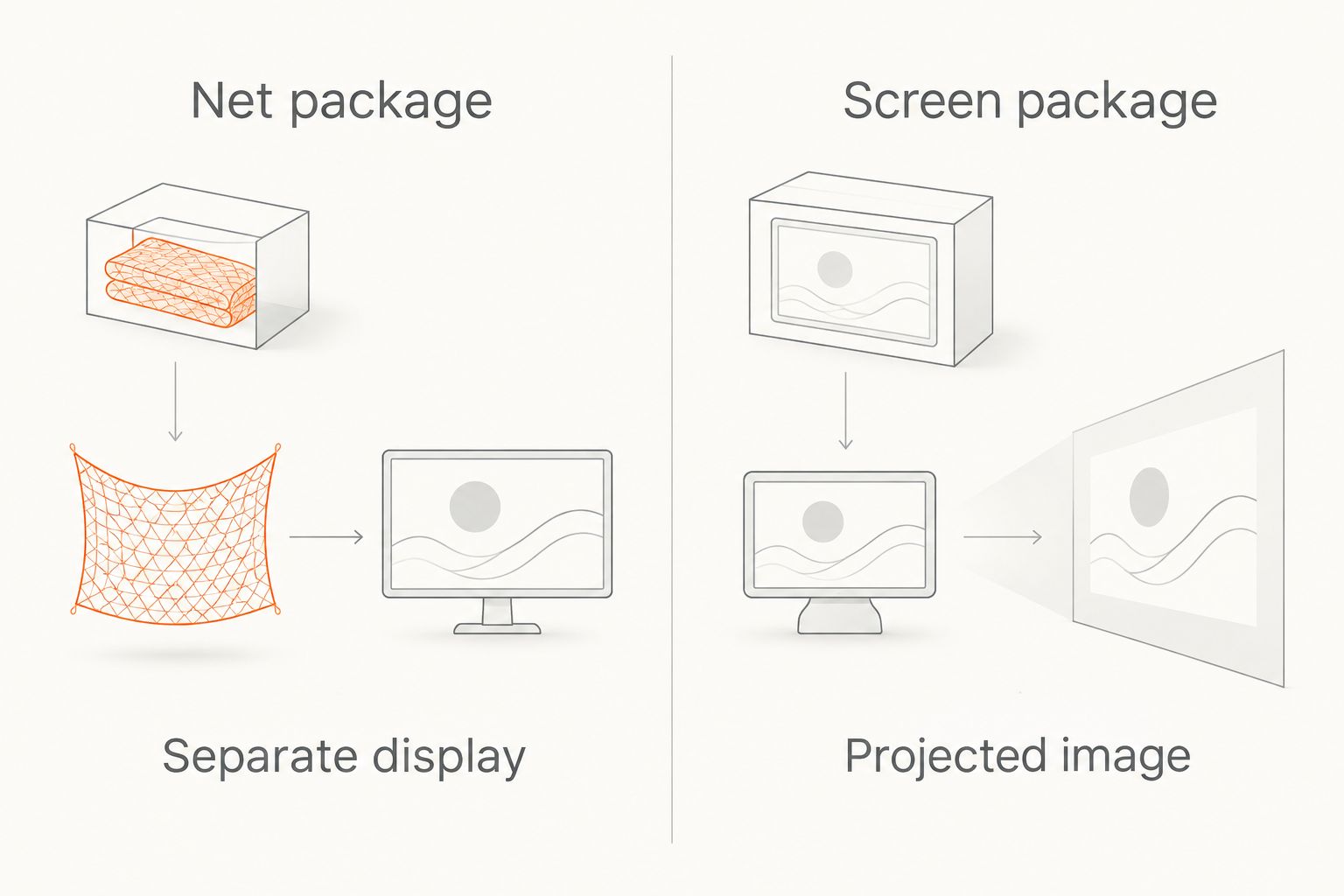
A net package uses a separate display; a screen package puts the projected image ahead of the golfer. Neither arrangement replaces the need for safe ball containment and compatible tracking equipment.
Plan the room before choosing display resolution
Resolution describes the image, not whether the projector fits. A 1080p image contains 1920 × 1080 pixels; 4K UHD contains 3840 × 2160 pixels. Those formats use a 16:9 aspect ratio, while a simulator screen can have a different shape.
Confirm the usable image area, software output, projector specifications, and mounting location together. A higher-resolution label does not solve shadows, an unsuitable throw distance, or an image that does not fit the screen.
Treasure Valley Solutions installs home audio/video and low-voltage wiring systems. For that portion of your project, specify cable routes, equipment locations, and accessible connections before the room is finished.
Plan your room's audio/video wiring
Discuss display placement, equipment connections, and concealed wiring for your Treasure Valley home.
How these configurations are ranked
The ranking prioritizes room fit, complete scope, display arrangement, and daily use. It does not assign a score to unspecified hardware or treat a configuration as a tested product.
For 2026 buyers, the enclosed projection setup is the default dedicated-room recommendation. The other configurations solve different constraints: fewer new components, shared space, pack-away use, or fixed overhead tracking.
Which golf simulator package should you choose?
Choose an enclosed projection setup if you want a permanent golf room. Choose a net with an existing compatible display if you want to limit the equipment list and prioritize practice feedback.
If the room serves another purpose, solve storage and setup first. If you want overhead tracking, confirm mounting and hitting-zone requirements before buying the enclosure. Select the configuration, then compare itemized quotes for equivalent systems.
FAQ
What's the best golf simulator package by price?
The best value is the complete configuration that fits your room and intended use. An enclosed projection setup is the default for a dedicated room; a net with an existing compatible display limits the new display equipment required.
Is a golf simulator net better than a projector screen?
A net is better when you want separate shot feedback without a projected image ahead of you. A projection screen suits golfers who want the course image in the hitting direction, but requires coordinated projector placement.
How much does a complete golf simulator package cost?
Get an itemized quote for the complete system rather than relying on a bundle headline. Include tracking, containment, the hitting surface, display equipment, required computing hardware, software access, and room installation.
Do I need a 4K projector for a golf simulator?
A 4K projector is not a universal requirement for a golf simulator. Match the projector to the software output, screen shape, room lighting, and mounting position before prioritizing resolution.
Can I put a golf simulator in my garage?
A garage is suitable only when it meets the selected equipment's requirements and provides safe swing and ball-containment space. Check door hardware, stored objects, vehicle use, and the complete equipment footprint.
Can Treasure Valley Solutions help with the room installation?
Treasure Valley Solutions provides audio/video, networking, and low-voltage wiring installation for homes and businesses in the Treasure Valley. Discuss that installation scope separately from golf-tracking hardware selection and calibration.
One last thing
Before you order, mark the hitting position, screen plane, equipment footprint, and storage locations on the floor. Check the proposed arrangement with your longest club without striking a ball, keeping clear of people and obstacles. A package that fits on paper still needs a safe swing layout.
Related guides
Recent Google reviews
Read all reviews →“I’ve used Frankwin and team several times over the years for various projects. They have always been excellent.”
“Great communication. Fair pricing. Knowledgeable and professional staff. Will use again.”
“Thoroughly glad we used Treasure Valley Solutions for putting up and taking down our Christmas lights this year. They were pleasant, punctual and did a very good job. Joe put up our lights and ended up doing them alone b…”