 (208) 991-3502
 Meridian, ID



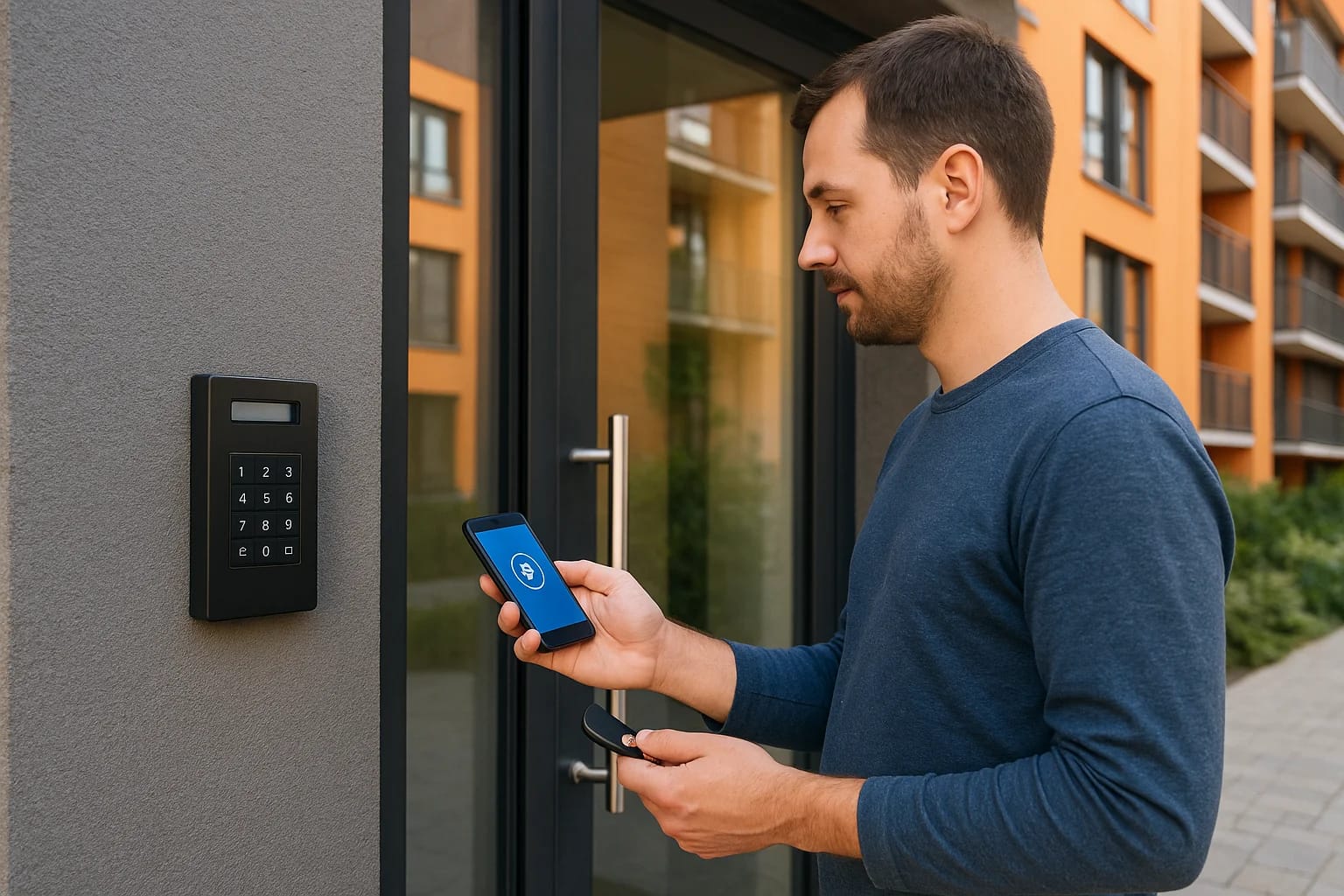

If you manage or own a multifamily property in the Treasure Valley, you already know the headaches that come with traditional keys: lockouts, re-keying costs after every tenant turnover, and no real w...
If you manage or own a multifamily property in the Treasure Valley, you already know the headaches that come with traditional keys: lockouts, re-keying costs after every tenant turnover, and no real way to know who came and went. Apartment building access control replaces those metal keys with a system that verifies identity electronically, tracks activity, and lets you manage entry from your phone instead of chasing down copies at the hardware store.
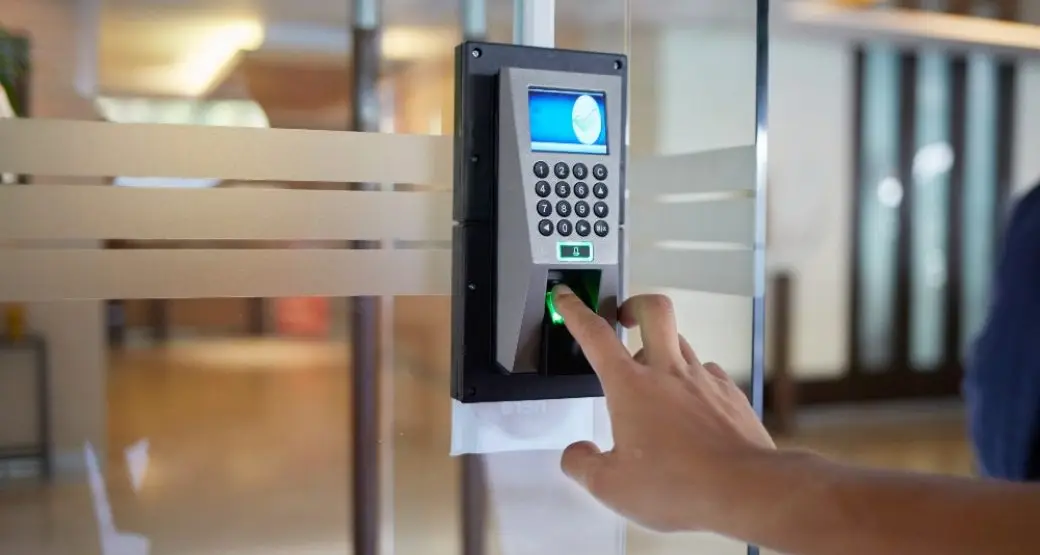
At its core, access control works by pairing a credential, like a fob, mobile app, or keypad code, with a reader at each door that checks permissions against a central system before unlocking. The result is a property where you decide who gets in, where, and when, without ever cutting another physical key. This applies to main entries, amenity spaces, parking gates, and individual units alike.
In this article, we'll walk through the main types of access control systems available for apartment buildings, the features that matter most for property managers and tenants, and the practical benefits you can expect once a system is installed. Whether you're comparing options for a new build or replacing an outdated lock-and-key setup, this guide gives you the groundwork to make an informed decision.
Why access control matters for apartment buildings
Managing a multifamily property means juggling security, liability, and tenant satisfaction all at once, and traditional keys work against you on every front. Lost or stolen keys force expensive re-keying across entire buildings, and you can't prove who entered a space or when something went wrong. Modern apartment building access control solves these problems by giving you a digital record of every entry and the ability to shut off access instantly, whether a tenant moves out or a fob goes missing.
Liability and legal exposure
Property managers carry real legal risk when security fails. If an unauthorized person gets into a building because a former tenant still has a working key, and something happens to a resident, that's a liability problem that lands on you. Access control systems remove that risk because permissions live in software, not in a piece of metal someone can duplicate at a hardware store. When a lease ends, you deactivate that person's credential the same day, no locksmith required.
A missing key is a permanent risk. A missing fob is a five-second fix.
Tenant experience and retention
Renters increasingly expect the same convenience at home that they get everywhere else, and keyless entry for apartments has become a real differentiator in competitive markets like Boise, Meridian, and Eagle. Nobody wants to fumble for keys with groceries in both arms, and nobody wants to call a leasing office at 9 p.m. because they locked themselves out. A mobile-credential or keypad system lets residents open doors with a phone or a code, request temporary access for guests or dog walkers, and never worry about a lost key compromising their unit. That convenience translates directly into better reviews and longer lease renewals, which matters more than most owners realize when vacancy costs are climbing across the Treasure Valley.
Operational savings for property managers
Beyond security and tenant happiness, the financial case is straightforward. Consider what a typical turnover costs under each approach:
| Task | Traditional Locks | Access Control |
|---|---|---|
| Tenant move-out | Re-key or replace lock ($75-150 per door) | Deactivate credential (seconds, no cost) |
| Lost key/fob | Locksmith visit, possible full re-key | Reissue credential remotely |
| Vendor/contractor access | Issue and track a physical key | Grant time-limited digital access |
| Entry records | None available | Full audit log by door and time |
Factor in dozens of units turning over every year, and the savings on re-keying alone often cover the cost of the system within a couple of years. Systems that log every entry also give you documentation if a dispute ever comes up, whether it's a maintenance complaint or a question about who was in a common area at a given time.
Growing portfolios face an additional wrinkle: managing multiple properties with separate key systems is a logistical mess. Handling access remotely, across one building or ten, from a single dashboard, is where apartment access control earns its keep for owners scaling beyond a single property. That centralization is often the deciding factor for property managers weighing whether the upgrade is worth the upfront investment.
How apartment access control systems work
Every apartment access control setup boils down to four parts working together: a credential, a reader, a controller, and a management platform. When a resident taps a fob or enters a code, the reader captures that signal and sends it to the controller, which checks the request against permissions stored in the system before releasing the electric lock. This exchange happens in under a second, but it's the reason you can grant, restrict, or revoke access without ever touching a physical lock.
The core components
Understanding what's actually installed at each door helps you evaluate a proposal from any integrator:
- Credential: a fob, key card, mobile app, or PIN code assigned to a specific person
- Reader: the device at the door that scans or receives the credential
- Controller: the hardware that verifies permissions and triggers the lock
- Electric strike or maglock: the physical hardware that releases the door
- Management software: the dashboard where you add residents, set schedules, and pull entry logs
Each component has to talk to the others reliably, which is why professional installation matters more here than with a standard deadbolt.
Cloud-based vs on-premise control
Most new apartment building access control installs run on cloud-based platforms rather than a server closet on-site. Cloud systems let you manage every door from a phone or laptop, push updates instantly, and add new units without rewiring anything. On-premise systems, by contrast, keep data on a local server, which some larger commercial properties still prefer for specific compliance or IT reasons, but they typically require more hands-on maintenance and a slower process for adding new access points.
The system doesn't just unlock a door, it decides, checks, and logs the decision in real time.
For most Treasure Valley properties, cloud control wins out because it scales easily and doesn't demand a dedicated IT staff. Whichever route you choose, the underlying logic stays the same: a credential requests access, the system verifies it, and the door responds accordingly.
Types of access control technology to consider
Not every credential type fits every building, and picking the wrong one leads to frustrated residents or a system you outgrow within a year. Key fob systems remain popular because they're simple, durable, and cheap to reissue, but they require residents to carry another physical item, which brings back some of the lost-key problem. Mobile credential access solves that by turning a resident's phone into the key, using Bluetooth or NFC to unlock doors without pulling out an app, and it's quickly becoming the standard for new multifamily construction across the Treasure Valley.
Comparing the main credential types
Here's how the common options stack up against each other:
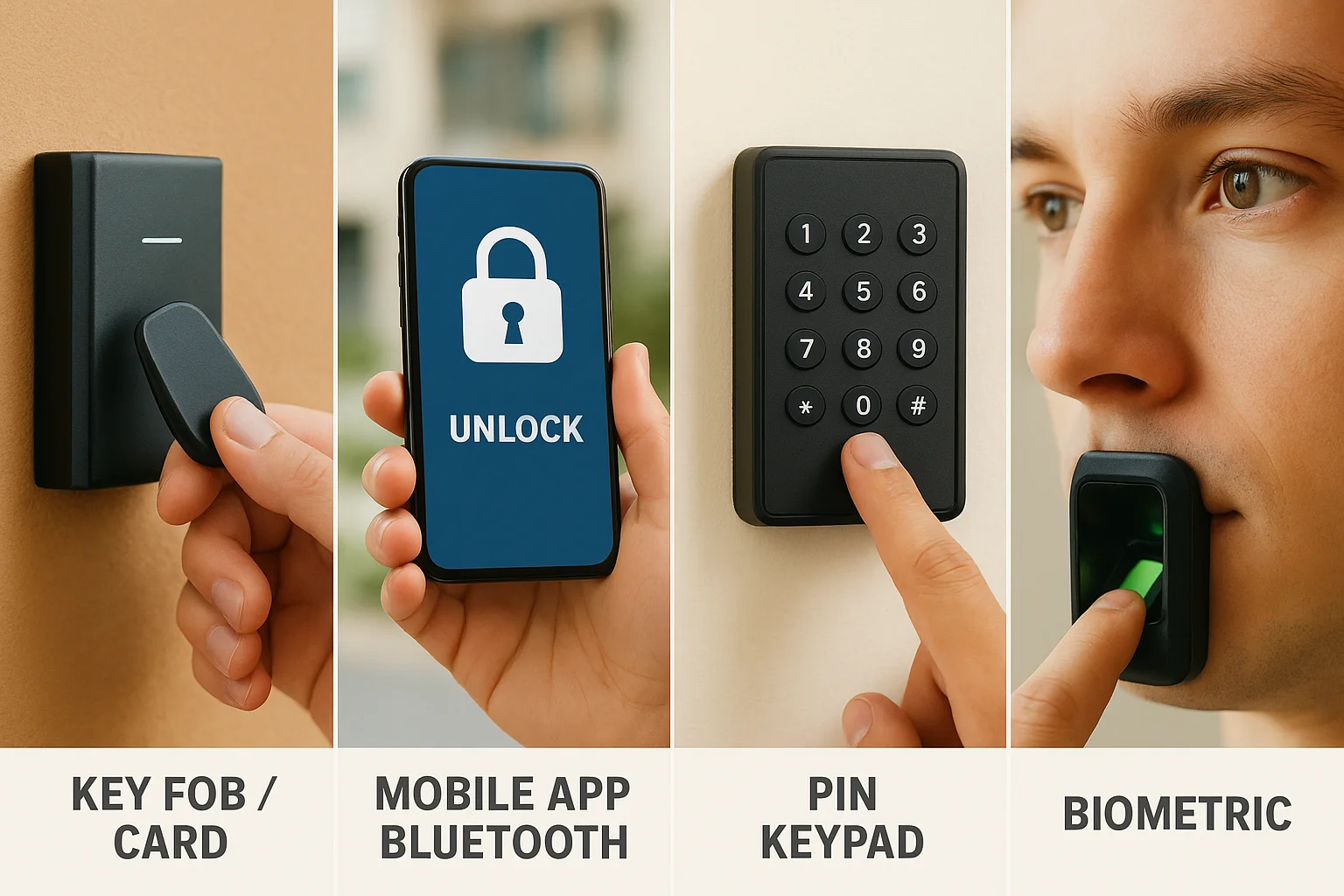
| Technology | Pros | Cons |
|---|---|---|
| Key fob / card | Low cost, no phone required, reliable | Can be lost or shared, needs physical reissue |
| Mobile app / Bluetooth | Convenient, easy remote management, supports guest access | Depends on phone battery and app updates |
| PIN keypad | No credential to lose, good for shared or vendor access | Codes can be shared or guessed if not rotated |
| Biometric (fingerprint/face) | Nearly impossible to duplicate | Higher cost, privacy considerations for shared entries |
The best system is the one residents will actually use correctly, every single time.
Matching technology to the building
Garden-style apartment complexes with exterior unit entries often do well with a mix of keypad and mobile credentials at gates and building doors, since residents move between outdoor spaces frequently. Larger mid-rise or high-rise buildings tend to lean on fob or mobile access at the main lobby paired with keypads or card readers at elevators and amenity floors, giving you tighter control over vertical movement through the building. Properties with heavy vendor or maintenance traffic benefit from time-limited PIN codes that expire automatically, so a contractor's access doesn't linger after the job is done.
Smart locks deserve a mention here too, since many owners ask about them specifically. Individual smart locks on unit doors work well for self-guided tours and short-term rentals, and they integrate with the same access control system managing the rest of the property when installed correctly. The mistake we see most often is property owners buying consumer-grade smart locks off the shelf and expecting them to sync with commercial-grade building access, which rarely works without the right backend platform tying everything together.
Key areas to secure across a property
A smart access control plan doesn't stop at the front door. Every point where someone can enter, gather, or move between spaces deserves its own layer of protection, and skipping any one of them leaves a gap that undermines the rest of the system. Multifamily security works best when it treats the property as a whole, not a single lobby door with everything else left on a traditional key.
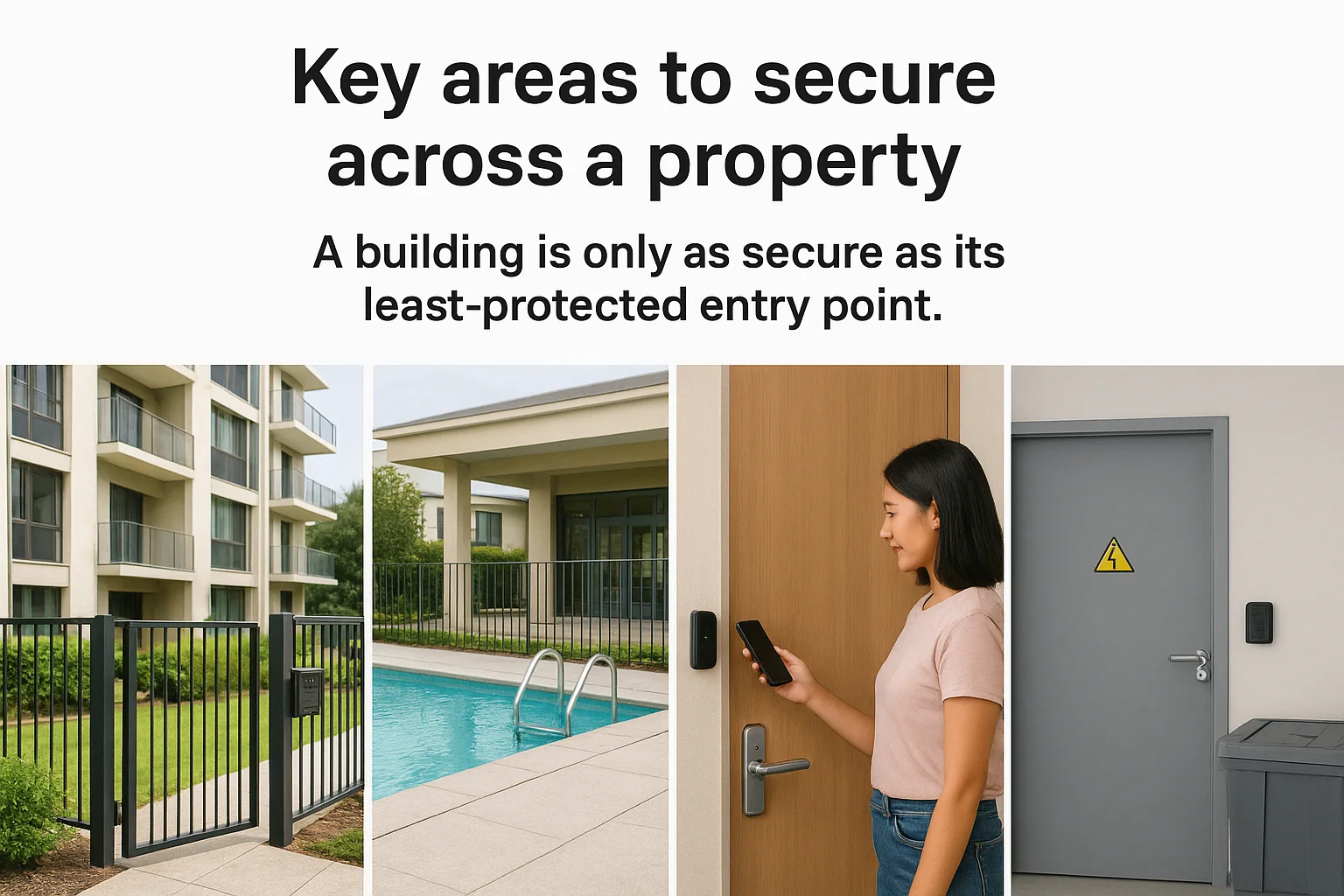
A building is only as secure as its least-protected entry point.
Main entries and perimeter access
Building entrances, parking gates, and pedestrian gates are the obvious starting point, since they control who gets onto the property at all. Layering credentials here, a fob or mobile app for residents paired with an intercom for visitors, gives you a clear record of every person who comes through and stops tailgating before it becomes a habit.
Amenity spaces and common areas
Gyms, pools, mail rooms, and clubhouses see heavy traffic and often stay unlocked longer than they should. Setting scheduled access, like locking a gym at 10 p.m. automatically, cuts down on after-hours misuse without anyone having to remember to walk over and lock up manually.
Individual units
Unit doors need the same rigor as the building itself, particularly during turnover. A quick checklist for this handoff point:
- Deactivate the outgoing tenant's credential the day the lease ends
- Issue a fresh credential before the new tenant's move-in date
- Confirm the smart lock or reader syncs correctly with the management platform
- Log the change in the entry audit trail for your records
Back-of-house and staff-only zones
Maintenance closets, electrical rooms, and leasing offices hold equipment and sensitive files that residents never need to reach. Restricting these to staff credentials only, with logs showing exactly who entered and when, protects both your equipment and your liability if something goes missing. Elevators and stairwells connecting to restricted floors deserve the same treatment, especially in larger buildings where vertical movement is harder to monitor visually.
Choosing the right system for your building
Picking a system starts with an honest look at your property, not a sales brochure. Budget matters, but so does building size, resident demographics, and how much staff time you have to manage the platform day to day. A 12-unit garden complex in Nampa has different needs than a 200-unit mid-rise in downtown Boise, and the right access control solution for one would be overkill or underpowered for the other.
Questions to ask before committing
Walk through these before you sign a contract with any integrator:
- How many entry points need coverage now, and how many will you add later?
- Does the platform integrate with your existing property management software?
- Can you manage everything from one dashboard across multiple buildings?
- What happens to access logs and credentials if the vendor goes out of business?
- Does the system work during a power or internet outage?
The right system fits how your building actually operates, not how a brochure says it should.
Scalability and future-proofing
Think beyond your current unit count. Systems that can't add doors, buildings, or credential types without a full replacement end up costing more in the long run than a slightly pricier platform built to grow. Multifamily access control that scales cleanly lets you start with the main entrance and amenity spaces, then expand to unit doors and parking gates as budget allows, without ripping out hardware you just installed.
Working with a local integrator
Installation quality determines whether a system performs the way it's supposed to for years, not months. Professional integrators who know Treasure Valley building codes and construction styles catch problems that out-of-state vendors miss, from wiring runs in older buildings to gate power requirements at exterior entries. Support after the install matters just as much, since a system that goes down on a Friday night with no local technician to call defeats the purpose of upgrading in the first place.
Bringing it all together
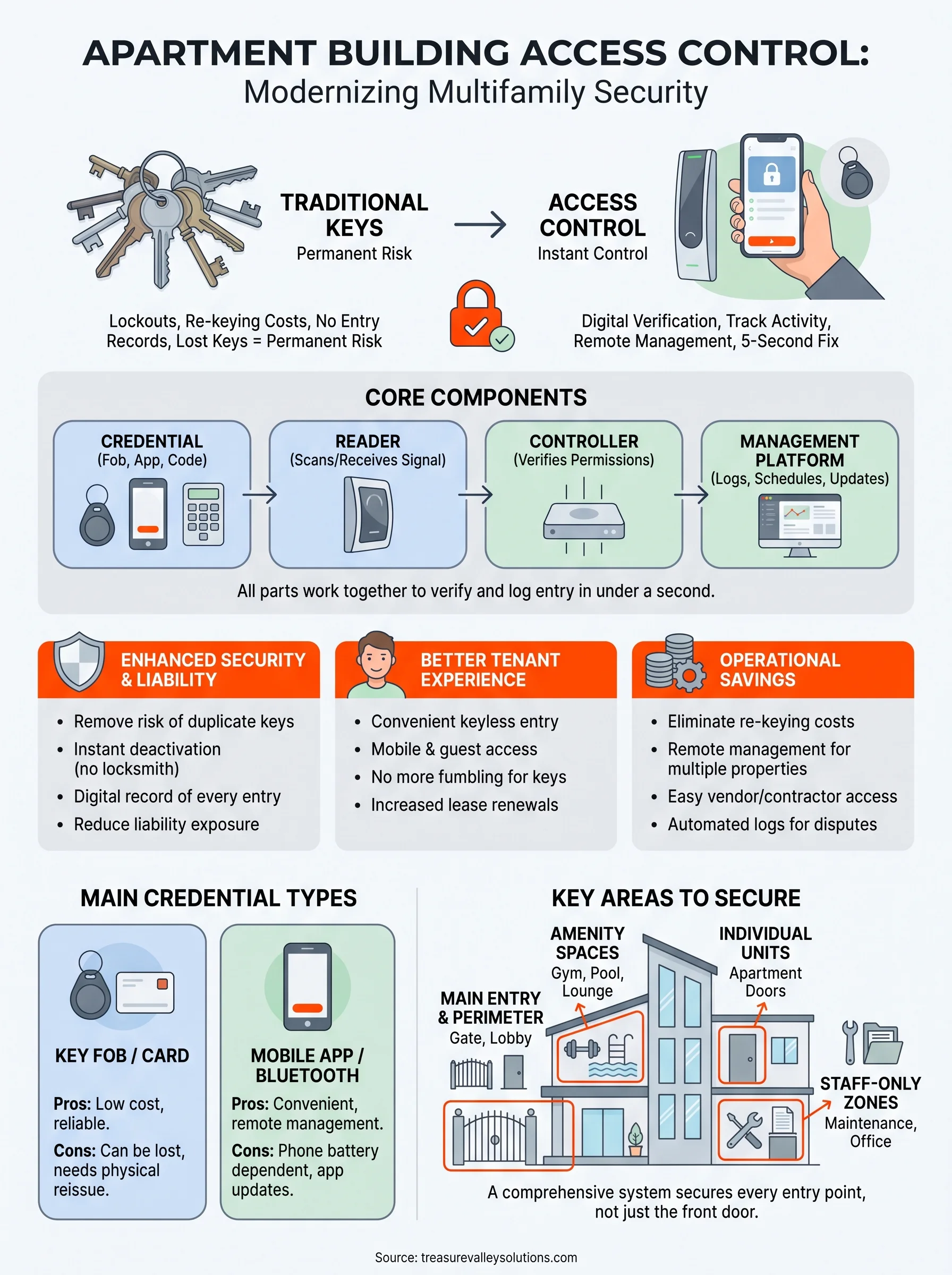
Apartment building access control comes down to a straightforward trade: swap unreliable physical keys for a system that tracks entry, adapts instantly to move-ins and move-outs, and gives you real visibility across every door on your property. The right setup protects your liability, keeps residents happier, and saves you money on re-keying costs year after year. None of that happens automatically, though. It happens when the credentials, readers, and platform are matched to your building and installed by people who know how to make them work together reliably.
If you manage or own a multifamily property anywhere in the Treasure Valley and you're ready to stop chasing down keys, our team designs and installs custom access control systems built around how your building actually operates. Property managers running multiple sites should also look at our property manager partner program for portfolio-wide solutions and ongoing local support.
Need Expert Help?
Ready to implement these solutions in your own home or business?
Our Services
Comprehensive security solutions for home and business.
High-definition surveillance for peace of mind.

Complete home automation and control.
Serving the Treasure Valley
Local installation in your city