 (208) 991-3502
 Meridian, ID




Whether you're protecting a server room, a rental property, or a warehouse full of inventory, the security method you choose matters more than most people realize. Understanding the types of access co...
Whether you're protecting a server room, a rental property, or a warehouse full of inventory, the security method you choose matters more than most people realize. Understanding the types of access control systems available, both physical and digital, is the first step toward making a smart investment that actually fits your situation. Not every system works the same way, and picking the wrong one can leave gaps you didn't know existed.
Access control breaks down into two broad categories: logical models that govern who can access digital resources, and physical hardware systems that control entry to buildings, rooms, and restricted areas. Some businesses need both. At Treasure Valley Solutions, we design and install physical access control systems, smart locks, keypads, and integrated security, for homes and commercial properties across the Boise and Meridian area. We've seen firsthand how the right system simplifies daily operations while keeping people and assets safe.
This guide covers eight distinct types of access control, spanning both the digital and physical sides. You'll learn how each one works, where it fits best, and what to consider before committing. By the end, you'll have a clear picture of your options and a solid foundation for choosing a system that matches your security needs and budget.
1. Professionally designed and installed access control systems
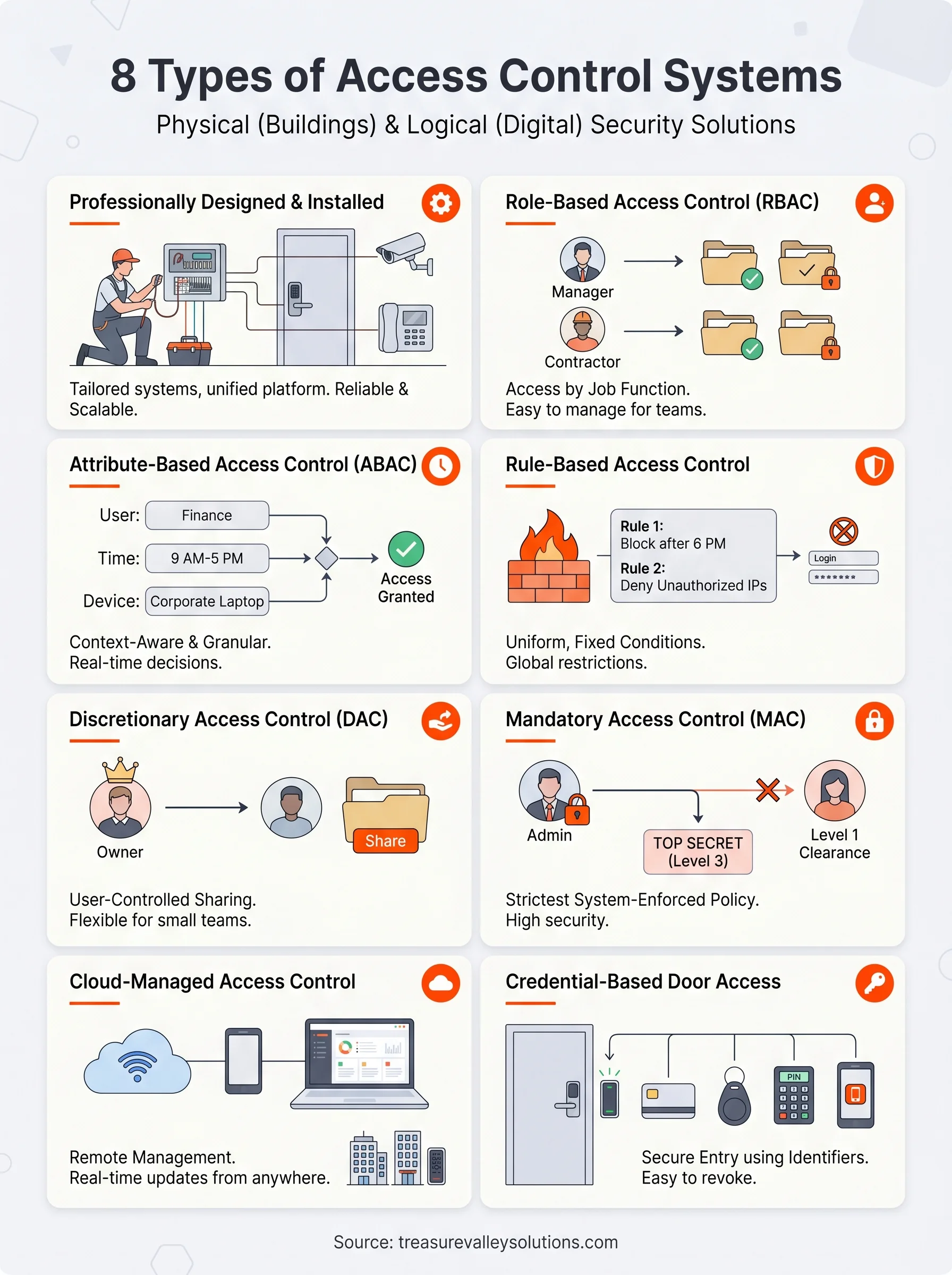
When you work with a professional integrator, you get a system built around your specific layout, usage patterns, and security goals rather than a generic off-the-shelf product. Professional installation ensures every component is wired correctly, tested thoroughly, and programmed to work as a unified system from day one, which is something no DIY kit can reliably deliver.
How it works
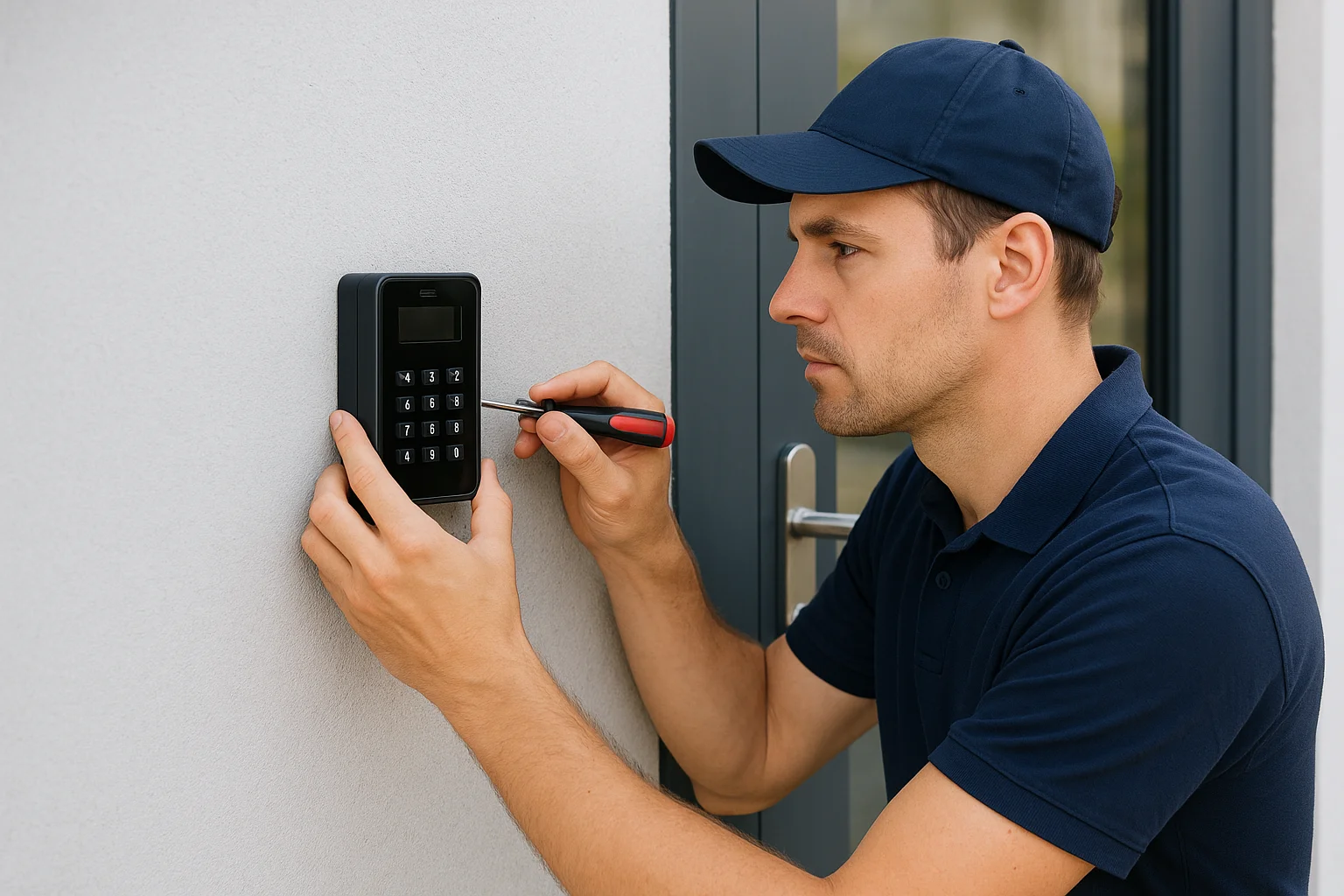
A professional integrator starts with a site assessment to map out entry points, traffic flow, and risk areas. From there, they select and configure compatible hardware and software, including smart locks, keypads, card readers, intercoms, and cameras, then bring them together into a single managed platform. You get a clean installation with properly run wiring and a system that's been fully tested before the technician leaves your property. Among all the types of access control systems available, this approach gives you the most flexibility to combine physical and digital security layers.
Where it fits best
Professionally installed systems work across a wide range of properties. Residential homeowners benefit from smart lock integration with lighting and cameras. Commercial properties like offices, retail stores, and warehouses gain from scalable systems that manage multiple access points and generate detailed entry logs for compliance or safety reviews.
If your property has more than two or three entry points, a professionally designed system will almost always outperform anything you piece together on your own.
Pros and cons
The biggest advantage is long-term reliability. Every component is chosen to work together, and you have a local expert to call when something needs adjusting. The main drawback is that the upfront cost runs higher than a DIY setup, and you rely on your installer for major changes or troubleshooting if you're not technically inclined.
What it costs to implement
Costs vary based on property size and system complexity. A single-door smart lock with keypad installation typically starts around $300 to $500 including hardware and labor. A full commercial system covering multiple access points, cameras, and a managed platform can run from $2,000 to $10,000 or more depending on scale, with optional ongoing support contracts available for an additional monthly fee.
2. Role-based access control
Role-based access control (RBAC) assigns access rights to predefined roles rather than individual users, making it one of the most practical logical types of access control systems for growing teams.
How it works
An administrator creates roles based on job functions like "manager" or "contractor," then assigns specific permissions to each role. When you bring someone new on board, you assign them a role instead of building permissions from scratch, saving time and reducing configuration errors.
- Manager role: full access to team files and reports
- Contractor role: limited access to designated project folders only
Where it fits best
RBAC suits any organization with clear job structures and predictable access needs across teams. It works well for multi-department businesses, healthcare providers, and companies that need to control access by position rather than by individual user.
If your team frequently onboards and offboards staff, RBAC cuts the manual work of updating individual permissions each time.
Pros and cons
RBAC is highly scalable, letting you add or remove users quickly by reassigning roles. The main limitation is limited granularity when users share a title but genuinely need different levels of access.
- Pro: scales easily as your organization grows
- Con: difficult to handle exceptions without custom workarounds
What it costs to implement
Your cost depends largely on whether RBAC is already built into platforms you use. Many tools, including Microsoft Azure Active Directory and Google Workspace, include it within standard plans at no extra charge.
| Option | Approximate Cost |
|---|---|
| Azure AD / Google Workspace | Included in standard plans |
| Standalone RBAC software | $5–$15 per user/month |
3. Attribute-based access control
Attribute-based access control (ABAC) takes a more granular approach than role-based systems by evaluating multiple attributes simultaneously before granting or denying access to a resource, rather than relying on job title alone.
How it works
ABAC checks a combination of attributes tied to the user, the resource, and the environment to make access decisions in real time. A system might grant access only if the user's department is "Finance," the time falls between 9 a.m. and 5 p.m., and the request originates from a company-approved device.
Among the types of access control systems available, ABAC offers the most precise control over who can access what, when, and under which conditions.
Where it fits best
ABAC works best in environments where access needs are complex and context-dependent. Government agencies, financial institutions, and large healthcare networks use it when a simple role assignment is too broad to satisfy compliance requirements or data protection policies.
Pros and cons
The main advantage is flexibility: you can build highly specific rules without creating dozens of separate roles. The downside is that setting up and maintaining attribute policies takes significant administrative effort, especially as your organization scales.
- Pro: fine-grained control across users, resources, and conditions
- Con: considerably more complex to configure and maintain than RBAC
What it costs to implement
Your cost depends on the platform you choose. ABAC functionality is available through enterprise identity services like Microsoft Azure Active Directory, typically ranging from $10 to $25 per user per month for plans that include full attribute-based policy management.
4. Rule-based access control
Rule-based access control applies predefined conditions to control access uniformly, regardless of who the user is. An administrator sets the fixed rules, and the system enforces them automatically against every access request that comes through.
How it works
The system checks each request against a static rule set, such as "deny all logins after 6 p.m." or "block requests from unauthorized IP addresses." When a request matches a rule, access is either granted or denied automatically, with no manual intervention required.
- Rules apply globally to all users
- Common triggers include time windows, IP ranges, and device types
Where it fits best
Rule-based control works well in environments where blanket restrictions apply equally to all users. Network security configurations, firewall policies, and building access systems with fixed schedules are among the most common use cases across different types of access control systems.
If your security policy requires consistent restrictions across your entire user base, rule-based control enforces them without exceptions.
Pros and cons
- Pro: straightforward to configure and audit once your rules are in place
- Con: inflexible by design, since a single rule applies to everyone with no room for individual exceptions
What it costs to implement
Rule-based access control is typically built into firewall and network security tools you may already own. Standalone platforms vary from free open-source options to enterprise-tier pricing depending on your infrastructure needs.
5. Discretionary access control
Discretionary access control (DAC) gives resource owners direct control over who can access their own files, folders, or systems. Unlike other types of access control systems that rely on centralized administration, DAC lets individual users set and manage their own permissions without routing every request through IT.
How it works
The person who creates a resource decides who else can view, edit, or delete it. Operating systems like Windows and Linux implement DAC natively through built-in file permission settings, making it one of the most widely used permission models without requiring any additional software.
- File and folder permissions applied per user or group
- Access control lists (ACLs) attach specific rights to each individual
Where it fits best
DAC works well in small teams and collaborative environments where users trust each other and need flexibility to share resources quickly. It fits creative agencies, small offices, and any setup where centrally managed permission structures would create more friction than security value.
If your team needs direct control over their own files without filing IT requests, DAC is a practical fit.
Pros and cons
DAC is simple to set up and requires no specialized tools, but it carries real security risks when users grant access carelessly and fail to track what they've shared.
- Pro: built into most operating systems and file-sharing platforms at no extra cost
- Con: security gaps accumulate when users forget to revoke access after projects end
What it costs to implement
DAC is essentially free since it's native to platforms like Microsoft Windows and Google Drive. Your main investment is time spent training users to manage permissions responsibly.
6. Mandatory access control
Mandatory access control (MAC) sits at the most restrictive end of the types of access control systems spectrum. No individual user can change or override permissions, because the system assigns access based on security labels set and enforced entirely by a central administrator or operating system policy.
How it works
MAC assigns a classification level to every resource and a matching clearance level to every user. The system only grants access when your clearance meets or exceeds the resource's classification. You cannot grant a colleague access to a file on your own, because only the system administrator controls those assignments, with no exceptions built in.
Where it fits best
MAC is the standard in environments where data sensitivity is non-negotiable. Government agencies, military operations, and intelligence organizations rely on it to enforce strict information boundaries with no room for user error or individual discretion.
If your organization handles classified or highly regulated data, MAC gives you the tightest control available with no exceptions left to individual judgment.
Pros and cons
- Pro: virtually eliminates accidental or unauthorized permission changes since users have zero control over access settings
- Con: administrative overhead runs high, and the rigid structure makes it impractical for most private businesses with flexible staffing
What it costs to implement
MAC is built into security-focused operating systems like SELinux, available through Linux distributions at no licensing cost. Enterprise deployments typically require skilled system administrators, which is where your real cost lands rather than in software licensing.
7. Cloud-managed access control systems
Cloud-managed access control moves your system administration off-site, letting you monitor, configure, and update door permissions from any internet-connected device. Among the types of access control systems available today, cloud-based platforms stand out for eliminating the need for on-premise servers while keeping your security data accessible and current.
How it works
Your physical readers and smart locks connect to a software platform hosted remotely, with no local server required on your property. You log into a web dashboard or mobile app to add or remove users, review entry logs, and push firmware updates from anywhere. Changes take effect in real time, which means you can revoke a former employee's access the moment they hand in their badge.
Where it fits best
This approach works particularly well for property managers and multi-site businesses that need centralized control over several locations without installing local servers at each one.
If you manage more than one property or office, cloud access control saves you the time and cost of physically visiting each site just to update permissions.
Pros and cons
Cloud platforms offer a strong mix of convenience and scalability, but you should factor in potential connectivity risks before committing.
- Pro: remote management and instant updates from any device
- Con: internet dependency means a connectivity outage can disrupt access if you have not configured offline fallback settings
What it costs to implement
Software licensing for most platforms runs $5 to $20 per door per month, with additional hardware costs for readers and controllers landing between $300 and $800 per entry point.
8. Credential-based door access systems
Credential-based door access systems control physical entry by requiring users to present a specific identifier before unlocking a door. These are among the most widely deployed types of access control systems because they balance strong security with practical daily use across both residential and commercial properties.
How it works
Users present a credential, such as a keycard, key fob, PIN code, or biometric scan, to a reader mounted at the entry point. The reader checks that credential against a stored database and grants or denies access in seconds. Mobile credentials delivered through smartphone apps are also gaining ground as a replacement for physical cards in newer installations.
Where it fits best
Credential-based systems work well for offices, schools, apartment complexes, and healthcare facilities where tracking entry by individual user is a priority. Property managers benefit especially, since you can grant or revoke access remotely without issuing or collecting physical keys during a tenant change.
If your property has high staff or tenant turnover, you can deactivate a lost or stolen credential in seconds without rekeying any locks.
Pros and cons
These systems offer a strong combination of usability and auditability, giving you a clear log of who accessed each entry point and when. The main risk is that lost or stolen credentials create a temporary security gap until you deactivate them in the system.
- Pro: credentials are easy to issue, track, and revoke remotely
- Con: physical cards or fobs can be lost, shared, or duplicated
What it costs to implement
Hardware typically runs $200 to $600 per door reader, with individual keycards priced between $2 and $10 each depending on the encryption standard required.
Next steps
The eight types of access control systems covered here range from software-level permission models to hardware-based credential systems, and each one solves a different security problem. Knowing the differences helps you avoid overspending on features you don't need while closing gaps that actually matter to your property or organization.
If you're in the Treasure Valley area and want a system that's designed around your specific entry points, user load, and security goals, Treasure Valley Solutions can help. We've designed and installed physical access control systems for homeowners, commercial properties, and property managers across Boise, Meridian, and the surrounding area since 2014. Our team handles everything from the initial site assessment through installation, programming, and ongoing support so you're not left figuring things out on your own after the job is done.
Reach out today to talk through your situation and get a recommendation built around your needs: contact Treasure Valley Solutions.
Need Expert Help?
Ready to implement these solutions in your own home or business?
Our Services

Comprehensive security solutions for home and business.

High-definition surveillance for peace of mind.
Serving the Treasure Valley
Local installation in your city