 (208) 991-3502
 Meridian, ID



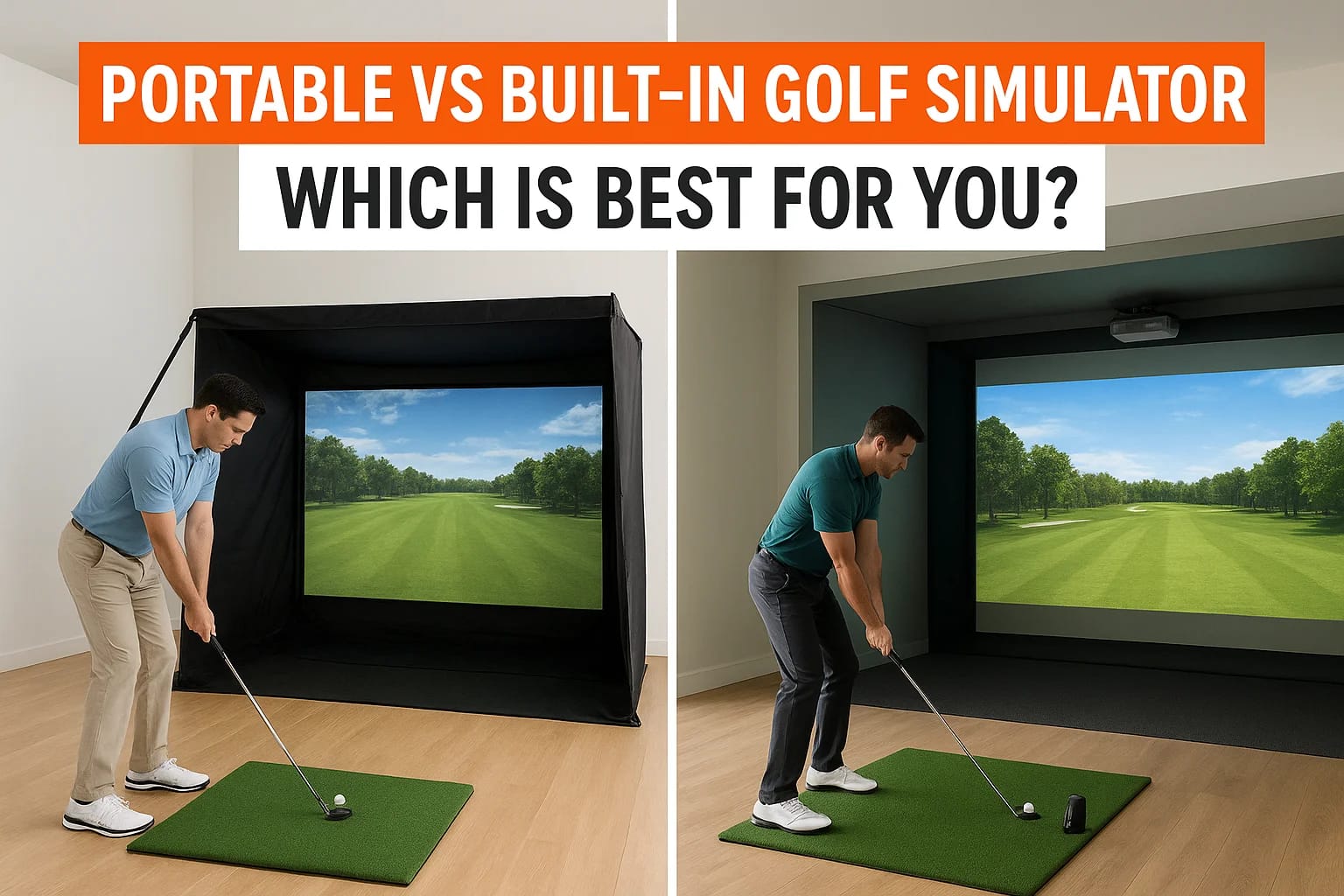

You've decided you want a golf simulator. Now comes the real question: do you go portable vs built-in golf simulator? It's a decision that affects everything from how much you spend upfront to how rea...
You've decided you want a golf simulator. Now comes the real question: do you go portable vs built-in golf simulator? It's a decision that affects everything from how much you spend upfront to how realistic your shots feel on a cold February evening. Both options have genuine strengths, and the right choice depends on your space, your budget, and how you actually plan to use it.
A portable setup can fold away when you're done and move with you if you relocate. A built-in simulator transforms a dedicated room into a year-round golf experience with professional-grade visuals, audio, and shot accuracy. The gap between these two options is significant, not just in price, but in the quality of the experience and the complexity of installation involved.
At Treasure Valley Solutions, we design and install custom technology spaces for homeowners across the Boise and Meridian area, including dedicated entertainment rooms where golf simulators live. We handle the AV integration, display setup, lighting, and wiring that make a built-in simulator actually work the way it should. So we've seen firsthand what goes into both sides of this decision. This guide breaks down the differences between portable and built-in golf simulators, covering cost, space requirements, performance, and long-term value, so you can figure out which one makes sense for your home.
Why this choice matters for your space and budget
The choice between a portable vs built-in golf simulator is not just about personal preference. It determines how much physical space you need to dedicate, how much you spend before your first swing, and whether the setup fits naturally into your home or becomes something you constantly work around. Getting this decision wrong means either overspending on a system you don't fully use or underbuying and outgrowing your setup within a year.
The cost gap is larger than most people expect
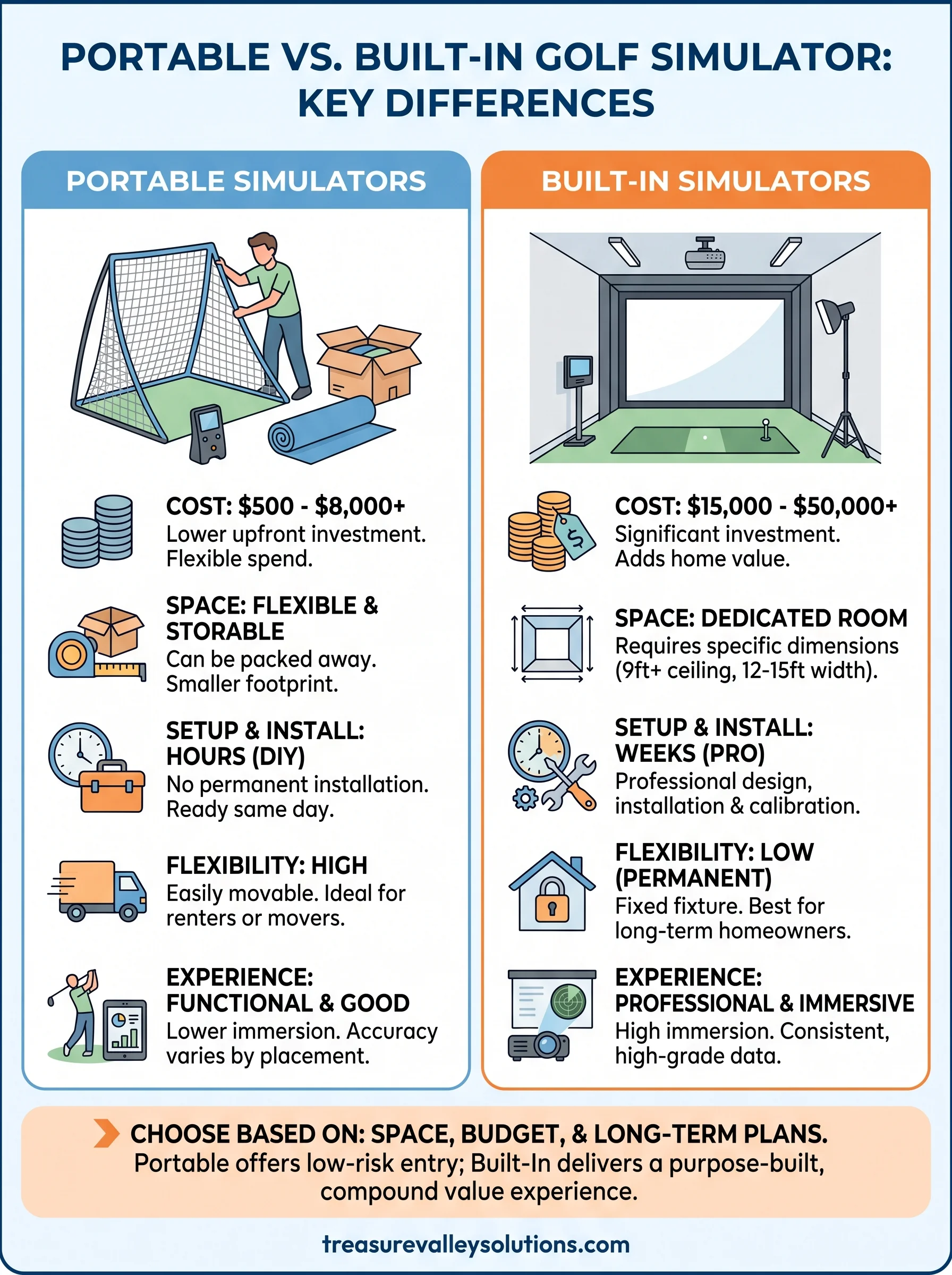
Portable simulators start around $500 for a basic net and mat, but a genuinely usable setup with a reliable launch monitor runs between $2,000 and $6,000. Built-in simulators operate in a completely different price range. A professionally installed system with a high-quality projector, impact screen, enclosure, and a premium launch monitor typically costs $15,000 to $50,000 or more, depending on the components and room prep involved.
Beyond the hardware itself, built-in setups carry installation costs that portable systems don't. Projector mounting, cable routing, room acoustic treatments, lighting control, and AV integration all add to the final number. These aren't optional line items if you want the system to function reliably and look finished rather than improvised. A portable system skips those costs entirely, which is exactly why so many people start there.
The price difference between portable and built-in is rarely just about the screen and sensor. It's about everything that makes the room work around them.
Your room dimensions set hard limits
Before you decide anything, your room has to be measured against real minimums. A ceiling height of at least 9 feet is the baseline for most golfers, and taller players or those using a full driver swing need 10 feet or more. Width matters too: you need at least 12 to 15 feet of lateral clearance so you're not clipping walls on your backswing.
Portable systems can technically fit into tighter spaces, but the swing clearance requirement doesn't change just because the enclosure folds up. Built-in simulators require even more precise planning because the screen position, projector throw distance, and sensor placement all have to work together inside a fixed room. If your available space is a finished basement or spare bedroom with low ceilings or awkward dimensions, those constraints will shape which direction you can go.
Long-term value looks different for each setup
A portable simulator holds some resale value because the components can be disassembled and sold individually. If you move, you take it with you. If your situation changes, you can offload it without losing everything you spent. That flexibility has real financial value, especially if you're not certain you'll stay in your current home for the next five to ten years.
A built-in simulator works differently. It doesn't move with you, but it adds to your home as a permanent, professionally designed feature. Homebuyers in the Boise and Meridian area increasingly see dedicated entertainment rooms and technology spaces as strong selling points. A well-executed installation, properly integrated with the room's AV systems and lighting, can make your home stand out in a competitive market. The value isn't portable, but it compounds over time in a way that a folding net and mat simply can't.
Your budget and your timeline both matter here. If you're planning to stay put and invest in the space long-term, a built-in system often delivers stronger overall value. If you want lower risk and maximum flexibility, portable gives you room to start without committing.
What you get with a portable golf simulator
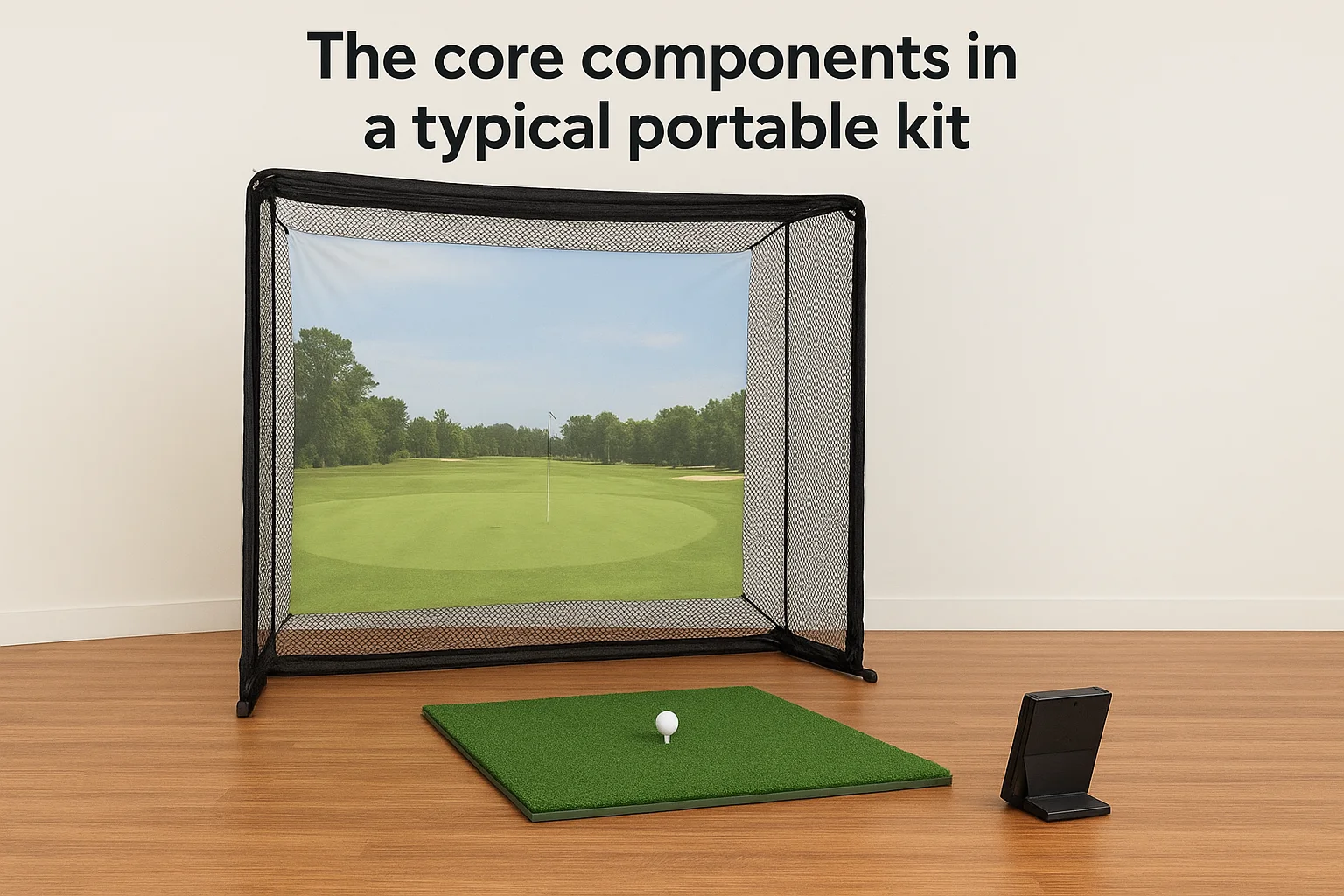
A portable golf simulator gives you a functional hitting setup that you can assemble, use, and break down without permanent installation. The core package typically includes a hitting mat, a practice net or impact screen, and a launch monitor that tracks your ball data. Some kits bundle everything together, while others require you to source components separately. Either way, the total footprint is manageable, and the entire system can be stored in a garage, closet, or corner of a room when you're not using it.
The core components in a typical portable kit
Most portable setups center around three elements: a launch monitor, a hitting surface, and an enclosure. Entry-level systems use a basic net that catches the ball without projecting any visuals. Mid-range setups pair a better launch monitor with a projector and a screen, giving you actual course simulation. The launch monitor is where most of the cost sits. Devices like the Garmin Approach R10 or the Rapsodo MLM2PRO operate under $1,000 and connect to simulation software on a tablet or laptop. Higher-end portable monitors push toward $3,000 to $5,000 but deliver significantly more accurate shot data on spin rate, launch angle, and carry distance.
- Net and mat only: $500 to $1,500, good for swing repetition without course visuals
- Launch monitor added: $1,500 to $4,000, depending on device accuracy
- Full portable simulation kit: $4,000 to $8,000 with projector, screen, and software included
Where portable setups genuinely shine
Portable simulators work well for golfers who want consistent practice without committing to a dedicated room. If you rent your home, plan to move in the next few years, or just want to test whether you'll actually use a simulator before spending more, a portable system removes the financial risk. You can set it up in a garage or a large basement room, swing through a session, and pack it away cleanly.
The biggest advantage of a portable setup is not the price. It's the freedom to start now without needing the right room to already exist.
When you compare portable vs built in golf simulator options, the portable route trades visual immersion and precision installation for speed, flexibility, and a much lower barrier to entry. That trade-off suits a lot of golfers well, at least as a starting point.
What you get with a built-in golf simulator
A built-in golf simulator turns a dedicated room into a purpose-built hitting environment where every component is chosen, positioned, and integrated to work together. There's no assembling before a session and no breaking down afterward. You walk in, pick up a club, and the system is ready. The experience feels closer to a professional golf facility than anything a portable setup delivers, because the room itself is part of the design from the start.
The hardware that defines a permanent installation
Built-in simulators use high-lumen laser or short-throw projectors mounted at a fixed point, paired with a large-format impact screen stretched tight inside a dedicated enclosure. The screen typically runs 10 to 16 feet wide, giving you a field of view that fills your peripheral vision the way an actual fairway would. Launch monitors in permanent setups are often radar-based systems like TrackMan or Foresight Sports GCQuad, which capture ball and club data at a level of precision that portable devices in the same price range rarely match.
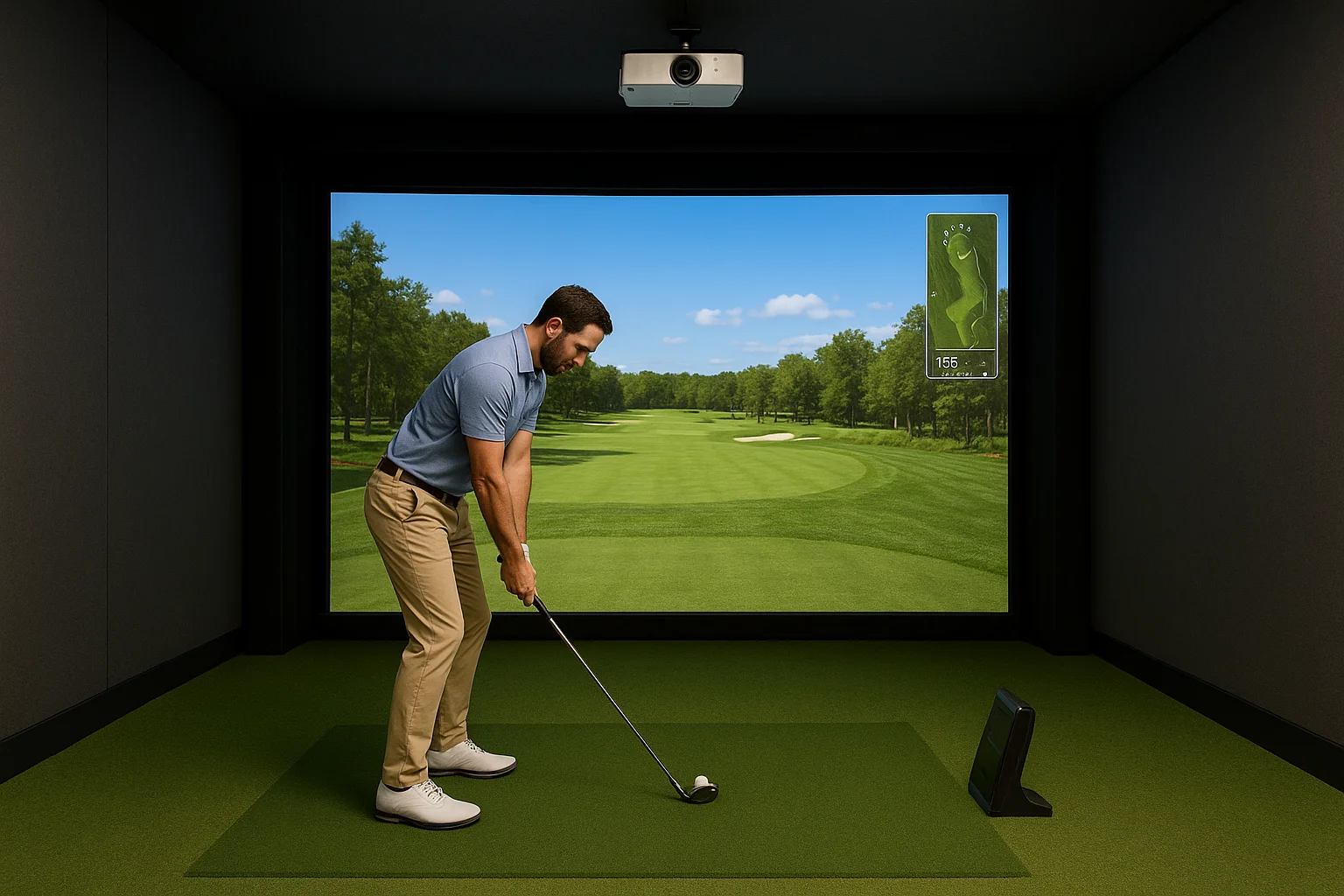
- Projector: 4,000 to 6,000 lumens minimum for a dark room, often higher
- Impact screen: 10 to 16 feet wide, mounted inside a padded enclosure frame
- Launch monitor: Radar or camera-based, fixed at a precise distance from the hitting zone
- Software: Full simulation platforms with thousands of courses, shot analysis, and multiplayer options
The immersion difference you can't replicate with a portable kit
When you compare the portable vs built in golf simulator experience side by side, immersion is where the gap becomes most apparent. A built-in system gives you consistent projector alignment, controlled room lighting, and acoustic treatment that pulls ambient noise down so you hear the clean impact of the club on the ball without distraction. Nothing shifts between sessions because nothing moves.
A room built specifically around golf, where every detail supports the shot, creates a fundamentally different experience than any portable kit can offer.
Your space can also include integrated lighting scenes that dim automatically when you start a round, along with AV control systems that manage the projector, audio, and simulator software from a single interface. Those details make a built-in system feel finished rather than assembled. The result is a room you actually want to spend time in, not just a space where you happen to work on your game.
Compare portable vs built-in across key factors
When you put portable vs built in golf simulator options side by side across specific categories, the differences become concrete rather than abstract. Each factor carries different weight depending on your space and what you realistically expect from a session on a weekday evening.
Cost and setup time
Portable systems win on both fronts. Your upfront spend stays lower, and you can be hitting balls the same day the package arrives. Built-in systems require lead time for design, installation, and calibration, often several weeks from contract to first swing. That timeline is worth it for the long-term result, but it's a real consideration if you want to start practicing soon.
| Factor | Portable | Built-In |
|---|---|---|
| Starting cost | $500 to $8,000 | $15,000 to $50,000+ |
| Setup time | Hours | Weeks |
| Installation required | No | Yes |
| Portability | Full | None |
Shot accuracy and data quality
Your launch monitor determines accuracy more than any other single component, and both portable and permanent setups can use high-end devices. That said, permanently mounted radar systems like TrackMan capture data from a fixed, optimized position every single session. Portable monitors depend on consistent user placement, and small positioning errors affect spin rate and launch angle readings in ways you may not notice until you compare data across multiple sessions.
The most expensive portable monitor still performs better when it sits in the same calibrated spot every time, which is exactly what a built-in room guarantees.
Convenience and long-term use
Setup and teardown add friction to every portable session. That friction is manageable in the beginning but often leads to less frequent use over time. If the net needs to come out of storage and the mat needs to be repositioned before every round, some days you simply won't go through the effort.
Built-in rooms remove that barrier entirely. Your equipment is calibrated, positioned, and ready the moment you walk in. That consistency encourages more frequent practice, which compounds over months and years into a genuinely better return on what you invested in the space.
Space and room sizing you should confirm first
Room dimensions are not a detail you sort out after choosing a system. They are the first filter you apply, because no amount of money fixes a ceiling that's too low or a room that's too narrow for a full backswing. Before you compare a portable vs built in golf simulator against any other criteria, grab a tape measure and document your available space from floor to ceiling and wall to wall.
Ceiling height is your hardest constraint
Most golfers need at least 9 feet of ceiling clearance to swing comfortably without adjusting their arc. If you're taller than six feet or use a driver with a high swing plane, plan for 10 feet minimum. Anything under 9 feet limits you to shorter irons and partial swings, which defeats the purpose of practicing with a full bag.
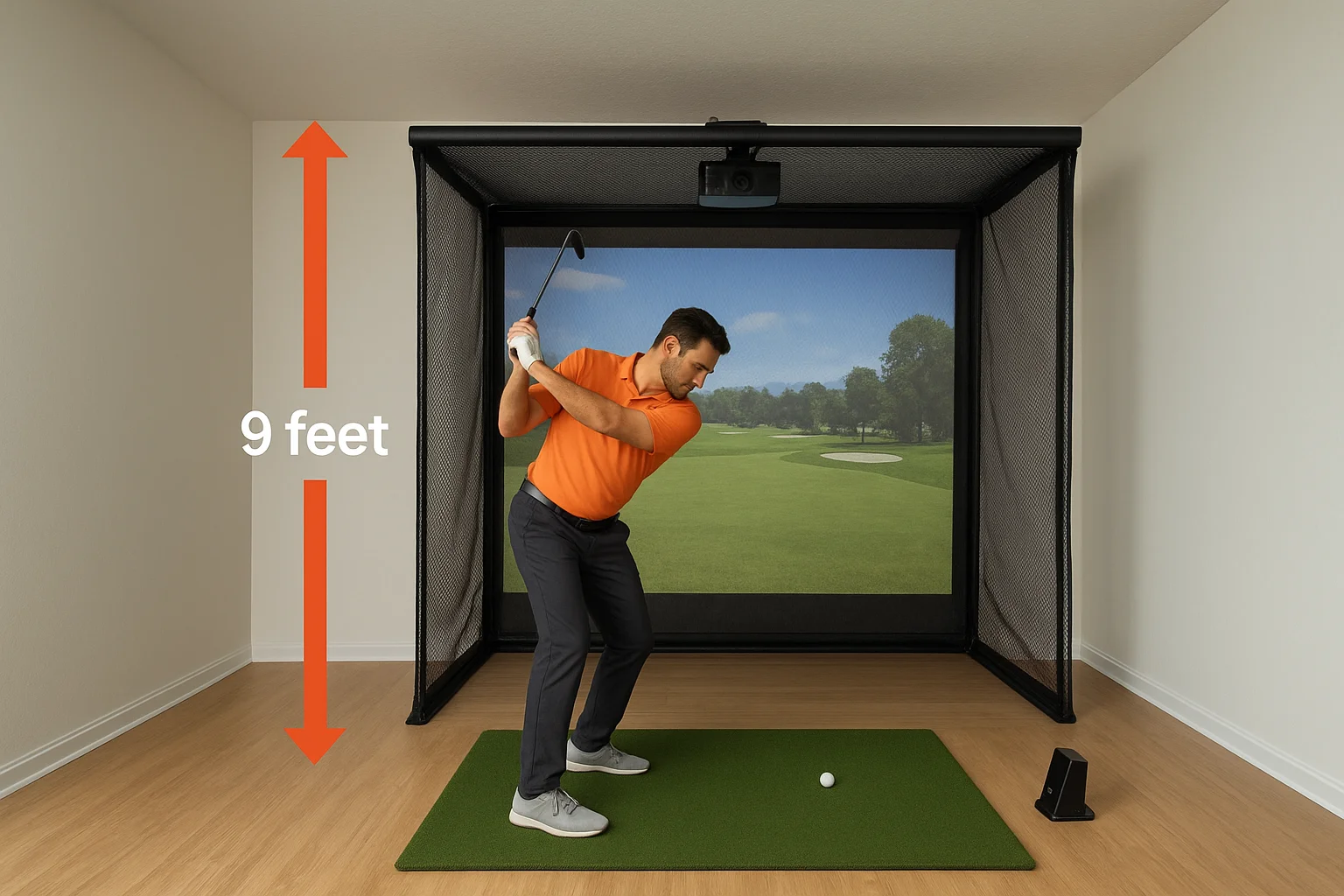
A low ceiling doesn't just restrict your swing. It changes what launch monitor you can use and where the projector has to be mounted, which affects image quality and screen size.
Built-in simulators are especially sensitive to ceiling height because the projector throw distance and screen height have to work inside a fixed room without adjustment. Portable setups face the same ceiling restriction for your swing, even though the screen and net take up less vertical space overall.
Floor dimensions determine everything else
Your room needs at least 12 to 15 feet of width measured from the hitting position outward in both directions. Narrower rooms force you to choke your backswing to avoid hitting a wall, which builds bad habits rather than fixing them. Depth matters too: you need 8 to 12 feet behind the hitting mat for a radar-based launch monitor to capture your club data accurately, and additional space in front of the screen so you're not standing uncomfortably close to it at impact.
Here are the minimum dimensions worth confirming before you commit to any setup:
- Ceiling: 9 feet minimum, 10 feet preferred for full driver swings
- Width: 15 feet gives comfortable swing clearance on both sides
- Depth: 20 feet total from the back wall to the screen handles most configurations
- Projector distance: Short-throw models need 10 to 14 feet from screen to lens
Check these numbers against your actual room before you finalize any equipment list.
Equipment choices that change the experience
The hardware you pick inside either setup determines whether your session produces useful, repeatable data or just gives you something to look at while you swing. When comparing a portable vs built in golf simulator, the launch monitor and simulation software matter more than the screen size or the enclosure style. Choosing the wrong device for your setup means paying for accuracy you can't access, or using a room that costs far more than the sensor doing the actual work.
Launch monitors set the accuracy ceiling
Your launch monitor is the single most important piece of equipment in the entire system. Camera-based devices like the Foresight Sports GC3 read club and ball data using high-speed imaging, which works well in controlled lighting conditions that a permanent room provides. Radar-based systems like TrackMan track the full ball flight from impact through peak height and landing, giving you carry distance and shot shape data that camera units at the same price point often estimate rather than measure directly.
The accuracy difference between a $500 portable monitor and a $15,000 radar unit is real, but a mid-range camera device in a well-lit, calibrated room often outperforms a premium portable monitor used inconsistently.
Portable setups work best with monitors like the Garmin Approach R10 or the Bushnell Launch Pro, which balance price and portability without requiring permanent mounting. Built-in rooms open the door to ceiling-mounted or floor-fixed radar systems that never need repositioning, which removes the single biggest source of data inconsistency across sessions.
Software platforms shape what you do with the data
Your simulation software controls which courses you play, how your shot data gets displayed, and whether you can track improvement over time. E6 Connect and GSPro are two widely used platforms that run on both portable and permanent setups, giving you access to hundreds of photorealistic courses and detailed swing analytics without requiring proprietary hardware.
Built-in systems often run on dedicated computers with higher processing power and display output, which means smoother graphics, faster load times between holes, and support for multiple simultaneous screens if your room layout calls for it. Portable setups running on a laptop or tablet work well, but the visual experience is generally more limited based on the screen resolution and refresh rate the device can push to your projector or monitor.
How to choose the right setup for you
Choosing between a portable vs built in golf simulator comes down to three honest questions: how much space you actually have, how often you'll realistically use it, and whether you're staying in your current home long enough for a permanent installation to make financial sense. Answer those clearly before you look at any specific hardware, because the right product for the wrong situation wastes money regardless of the price tag.
Start with your situation, not your wish list
Your current living situation is the most reliable filter you have. Renters and people planning to relocate within the next few years should default to portable, not because it's a better product overall, but because a built-in system doesn't travel. If you own your home and have a basement, garage, or spare room that meets the dimension requirements, a permanent room becomes worth evaluating seriously. The critical variables are your ceiling height, swing clearance, and how fixed your plans are for the next five to ten years.
The best simulator setup is the one you actually use, not the one that looks best on a spec sheet.
Signs a portable setup fits you better
A portable system makes sense for a specific type of golfer. If any of the following match your situation, portable is likely the right starting point:
- You rent your home or expect to move within five years
- Your available space has ceilings below 9 feet or dimensions too tight for a permanent enclosure
- You want to confirm you'll actually use a simulator regularly before committing to a larger investment
- Your total budget sits below $8,000 for the complete setup including a launch monitor and software
Signs a built-in room is the right call
Permanent installation makes sense when your situation supports the investment over the long term. Homeowners with a dedicated room that meets the dimension requirements and who plan to stay put get the strongest return from a built-in setup, both in daily usability and in what the room adds to the home itself.
Two factors push the decision firmly toward built-in. First, if you want professional-grade shot data from a mounted system that stays calibrated session after session, portable monitors can't consistently match that. Second, if you want the room to serve multiple purposes, such as combining your simulator with a home theater or integrated audio system, a professionally designed build handles that far better than any portable kit can. At that level, the room becomes a genuine feature of your home rather than equipment stored in a corner.
Bring it home
The portable vs built in golf simulator decision comes down to where you are right now: your space, your budget, and how long you plan to stay in your current home. A portable setup gives you a lower-risk entry point with real flexibility if your situation is still shifting. A built-in room delivers a purpose-built experience that removes every barrier between you and a quality session, and compounds in value the longer you use it. Neither choice is wrong, but one fits your situation better than the other, and the questions throughout this guide help you figure out which.
If you're leaning toward a permanent installation in the Boise or Meridian area, Treasure Valley Solutions designs and installs custom technology rooms built around the way you actually use them. From projector mounting and AV integration to lighting control, we handle every technical detail so the room performs the way it should from the first swing. Contact our team to talk through your space and start planning your setup.
Need Expert Help?
Ready to implement these solutions in your own home or business?
Our Services
View All Services
Serving the Treasure Valley
Local installation in your city