 (208) 991-3502
 Meridian, ID





A quality home golf simulator setup can run anywhere from $5,000 to well over $50,000, depending on the components, room requirements, and level of realism you're after. That's a serious chunk of chan...
Is A Golf Simulator Worth The Money? Costs, ROI, Pros & Cons
A quality home golf simulator setup can run anywhere from $5,000 to well over $50,000, depending on the components, room requirements, and level of realism you're after. That's a serious chunk of change, so asking "is a golf simulator worth the money" before pulling the trigger is just common sense.
The short answer? For many homeowners, yes, but it depends on how often you play, what you're comparing it to, and how much value you place on year-round access right in your own home. A simulator won't make sense for everyone, and we'd rather help you figure that out now than after you've committed to a build-out. At Treasure Valley Solutions, we design and install dedicated entertainment spaces across the Boise and Meridian area, including rooms built specifically around golf simulator setups, from structured wiring and display mounting to lighting control and integrated audio.
This article breaks down the real costs, the potential return on investment, the honest pros and cons, and what actually factors into whether a simulator pays for itself. We'll skip the sales pitch and give you the information you need to make a decision that fits your budget and your lifestyle.
Why golfers consider a home simulator in the first place
Getting to the range takes time. Between driving there, waiting for a bay, and making the return trip, you can easily burn 90 minutes before you've hit a single ball. For golfers who play two or three times a week, that adds up fast. A home simulator eliminates the commute, the wait, and the weather excuse, giving you access to quality practice on your own schedule.
The time and access problem
Most golfers in Idaho deal with a short outdoor season. Courses around the Treasure Valley start shutting down or becoming unplayable in late fall, and you won't see consistent conditions again until late spring. That's potentially five to six months where your game sits idle, your swing mechanics drift, and you walk onto the first tee in April feeling like you've never held a club.
A simulator lets you keep swinging through January and February without stepping outside. You stay sharp, you keep working on specific shots, and you don't start each new season at square one.
Practice quality compared to a driving range
A driving range gives you repetition, but it doesn't give you much feedback or context. You hit ball after ball into a net or open field with no realistic sense of where the shot actually lands. A quality simulator, by contrast, tracks launch angle, ball speed, spin rate, and carry distance and shows you exactly where the ball would have gone on an actual course.
If you're serious about improving, that kind of data-rich feedback loop is difficult to replicate anywhere outside of a professional fitting session.
That level of detail changes how you practice. Instead of mindlessly grinding through a bucket, you can work on a specific shot shape, dial in your distance gaps between clubs, or play a full round on a well-known course to sharpen your decision-making.
The convenience factor at home
When you're asking "is a golf simulator worth the money," convenience is usually one of the biggest factors people underestimate. Having a dedicated space in your home means you can drop in for a 20-minute session between meetings or put in a full hour after dinner without any planning involved.
That frictionless access compounds over time. Short, consistent practice sessions tend to produce better results than infrequent long ones, and a home setup makes those short sessions actually happen instead of getting skipped because the drive to the range didn't feel worth it that evening.
How much a golf simulator costs in 2026
The price range for a home golf simulator is wide, and that spread reflects real differences in technology, accuracy, and experience. Budget systems can get you swinging for around $3,000, while a fully built-out dedicated room with a premium launch monitor and high-resolution screen can push past $70,000. Knowing where that money actually goes is the first step in figuring out whether a golf simulator is worth the money for your specific situation.
The three main cost tiers
Most setups fall into one of three categories based on the core hardware. Here's how those break down in 2026:
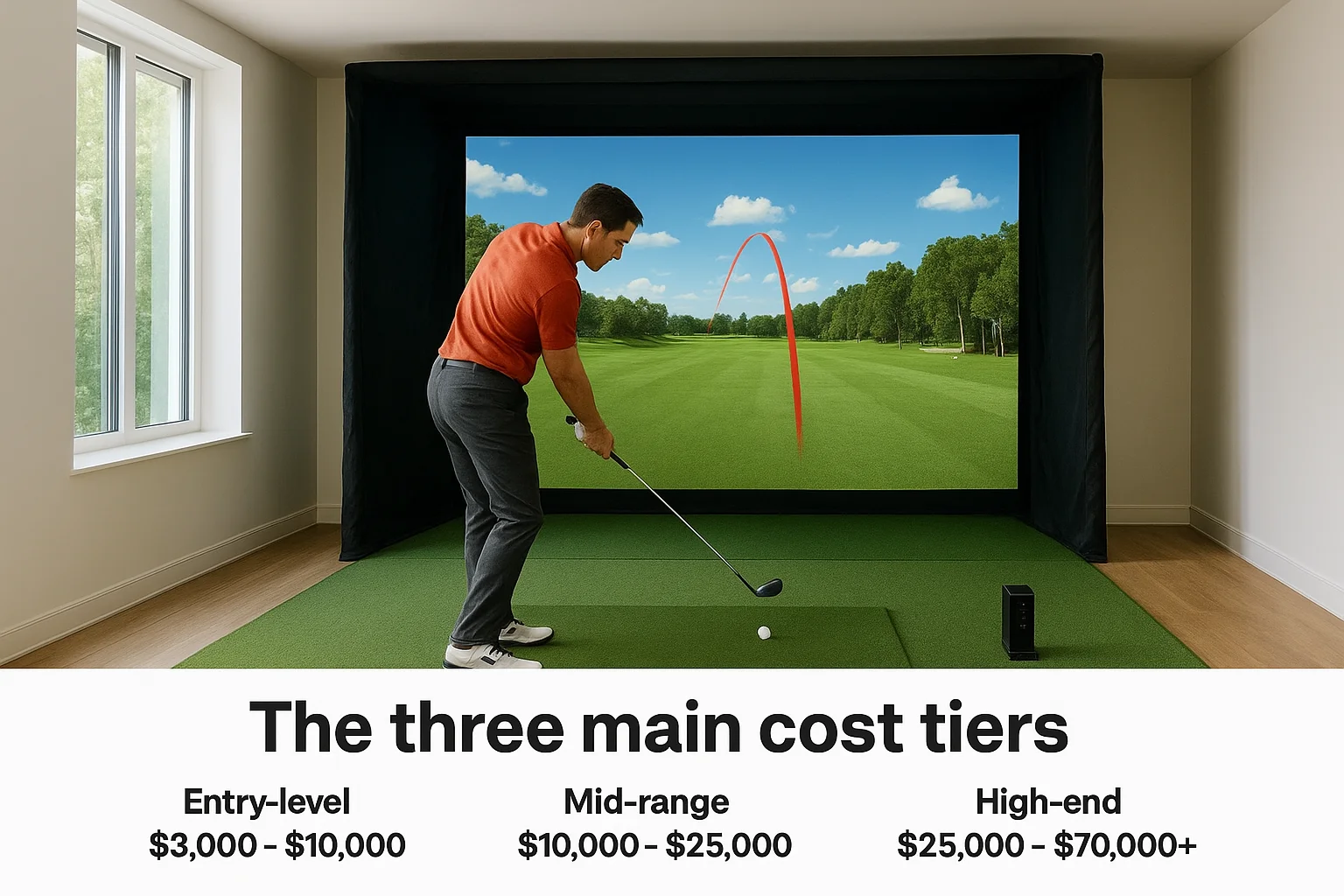
| Tier | Typical Cost Range | What You Get |
|---|---|---|
| Entry-level | $3,000 - $10,000 | Camera-based launch monitor, basic impact screen, entry projector |
| Mid-range | $10,000 - $25,000 | Radar-based tracking, higher accuracy, quality screen and enclosure |
| High-end | $25,000 - $70,000+ | Tour-level data, 4K projection, full room build-out with integrated tech |
What drives the price up
The launch monitor is typically the single biggest cost driver in any setup. Entry-level monitors use cameras and tend to deliver inconsistent data on spin rate and shot shape, which limits their usefulness for serious practice. Radar-based systems in the mid-range and high-end tiers produce significantly more reliable numbers, which matters if skill development is part of the goal.
Room construction and installation costs catch people off guard regularly, including impact screens, enclosures, projector mounts, and any dedicated electrical or lighting work.
Software subscriptions also add to the ongoing cost. Most simulator platforms charge between $200 and $600 per year for access to full course libraries and updated performance data. Factor that into your total before committing to a specific hardware tier.
How to calculate ROI and your break-even point
ROI on a golf simulator isn't just about recouping hardware costs. It's about comparing what you spend today on golf access against what you'd spend with a simulator over the same period. Running this math before you buy is one of the most practical ways to answer whether a golf simulator is worth the money for your situation.
Add up what you currently spend on golf
Start with your actual annual golf spend: greens fees, range buckets, and any commercial simulator sessions you pay for by the hour. A golfer playing 40 rounds a year at a $60 average plus a weekly range visit at $20 can easily spend $3,400 or more annually just for access, before counting gear or travel time.
That number surprises most people when they finally put it on paper.
Calculate your break-even timeline
Take your total simulator investment (hardware, installation, room prep, and first-year software subscription) and divide it by what you currently spend per year on golf access. That gives you your break-even point in years. A $15,000 mid-range setup measured against $3,000 in annual golf spending breaks even in five years, after which every session costs you nothing compared to your old habits.
You can tighten that timeline by factoring in commercial simulator rental rates, which typically run $40 to $80 per hour. If you'd realistically use a home setup two hours per week through a six-month winter season, that's potentially $2,000 to $4,000 in rental fees you avoid each year. Adding that figure to your annual savings calculation shifts your break-even point significantly and often turns a seemingly expensive purchase into a reasonable long-term investment.
Pros, cons, and common regrets to avoid
Understanding both sides of this decision matters more than just hearing about the benefits. When you're trying to answer "is a golf simulator worth the money," the honest trade-offs are just as important as the potential upside.
The clear advantages
A home simulator gives you year-round practice access without depending on weather, daylight, or tee time availability. You control the schedule, and you can run focused practice sessions around real data rather than guessing whether your swing changes are actually working. The feedback loop a quality simulator provides is genuinely difficult to replicate any other way.
- Year-round access regardless of season or weather
- Data-rich feedback on launch angle, spin rate, and carry distance
- No commute or wait time for range bays or tee times
- Built-in entertainment value for guests and family
Where simulators fall short
No simulator fully replicates real course conditions like uneven lies, wind, and green-reading pressure. The physical feel of playing outdoors with natural turf underfoot is something technology hasn't solved. For beginners, the upfront cost may also be hard to justify before they know how serious they'll stay about the game.
Budget systems often disappoint because their launch monitor accuracy isn't reliable enough to support real skill development, so cutting costs in the wrong place can undermine the whole investment.
Regrets people mention after buying
The most common regret is buying too cheap on the launch monitor and then wishing they had spent more on accuracy. A close second is underestimating the room requirements, including ceiling height, projector throw distance, and side netting, and ending up with a setup that feels cramped or produces skewed data because the space wasn't properly planned.
How to pick a setup that fits your space
Before you decide whether a golf simulator is worth the money, you need to confirm your available space can actually support the setup you're considering. Room dimensions drive every hardware decision you'll make, and skipping this step leads directly to the cramped or poorly performing setups that end up unused after the first month.
Start with your ceiling height and room dimensions
Most simulator setups require a minimum ceiling height of 9 feet, with 10 feet being significantly more comfortable for taller players or those with an upright swing plane. Width and depth matter equally: you typically need 10 to 12 feet of width and at least 15 to 20 feet of depth to fit the screen, enclosure, hitting mat, and give yourself a clear swing path without clipping walls or overhead fixtures.
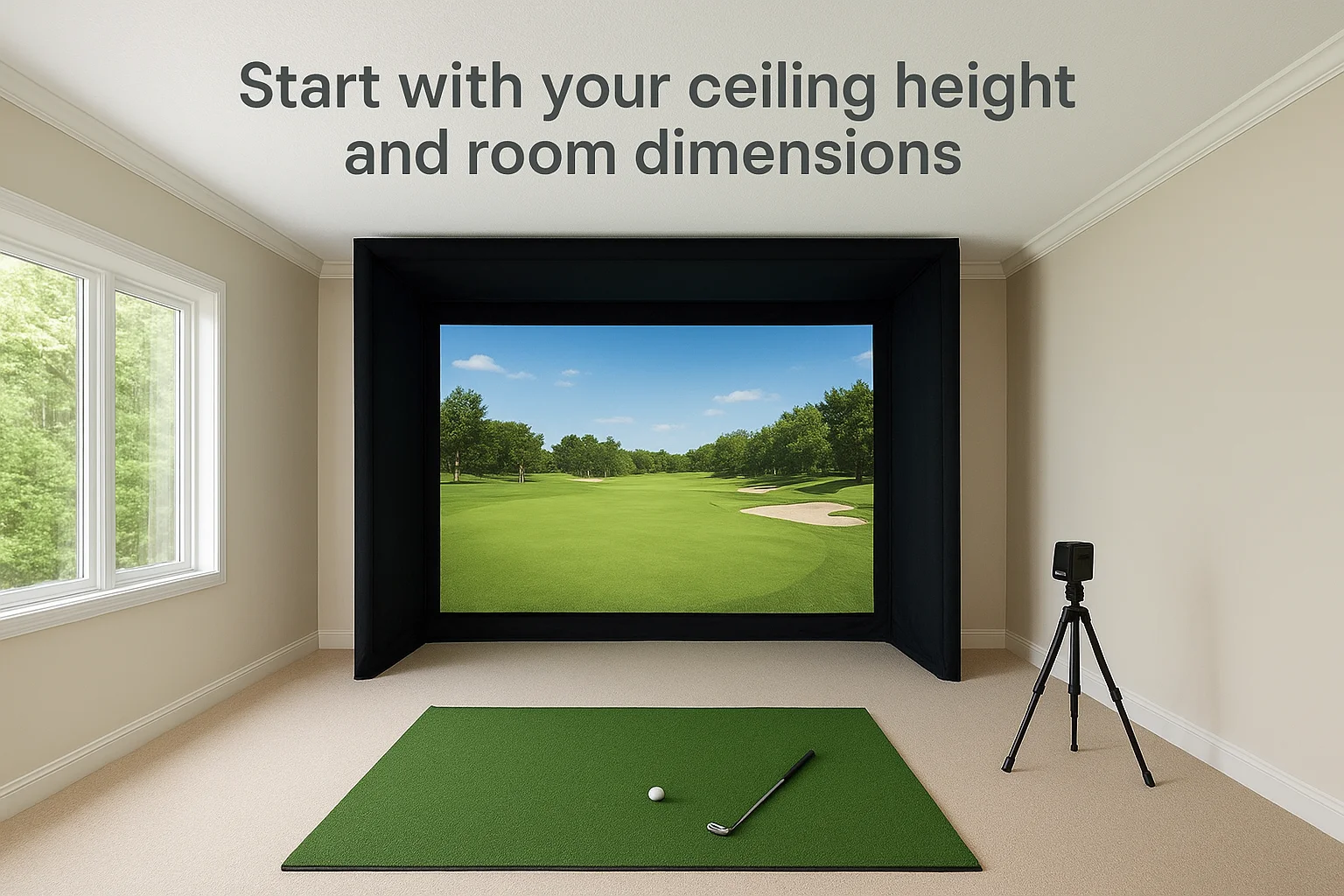
Getting a professional to measure and assess your space before you purchase hardware saves you from buying components that simply won't fit or won't perform as intended in the real room.
- Ceiling clearance: 9 feet minimum, 10+ feet preferred for a natural swing
- Room width: 10 to 12 feet for a full, unobstructed swing path
- Room depth: 15 to 20 feet for proper screen placement and projector throw distance
Match your launch monitor to your goals
Once you've confirmed your space works, focus your budget on the launch monitor first since it determines the accuracy and usefulness of every session you run.
If your primary goal is serious skill development, prioritize radar-based tracking over camera-based entry systems, even if that means scaling back on the projector or screen quality initially. A detailed display means nothing if the underlying data isn't reliable enough to trust your adjustments between sessions.
Final take: is it worth it for you?
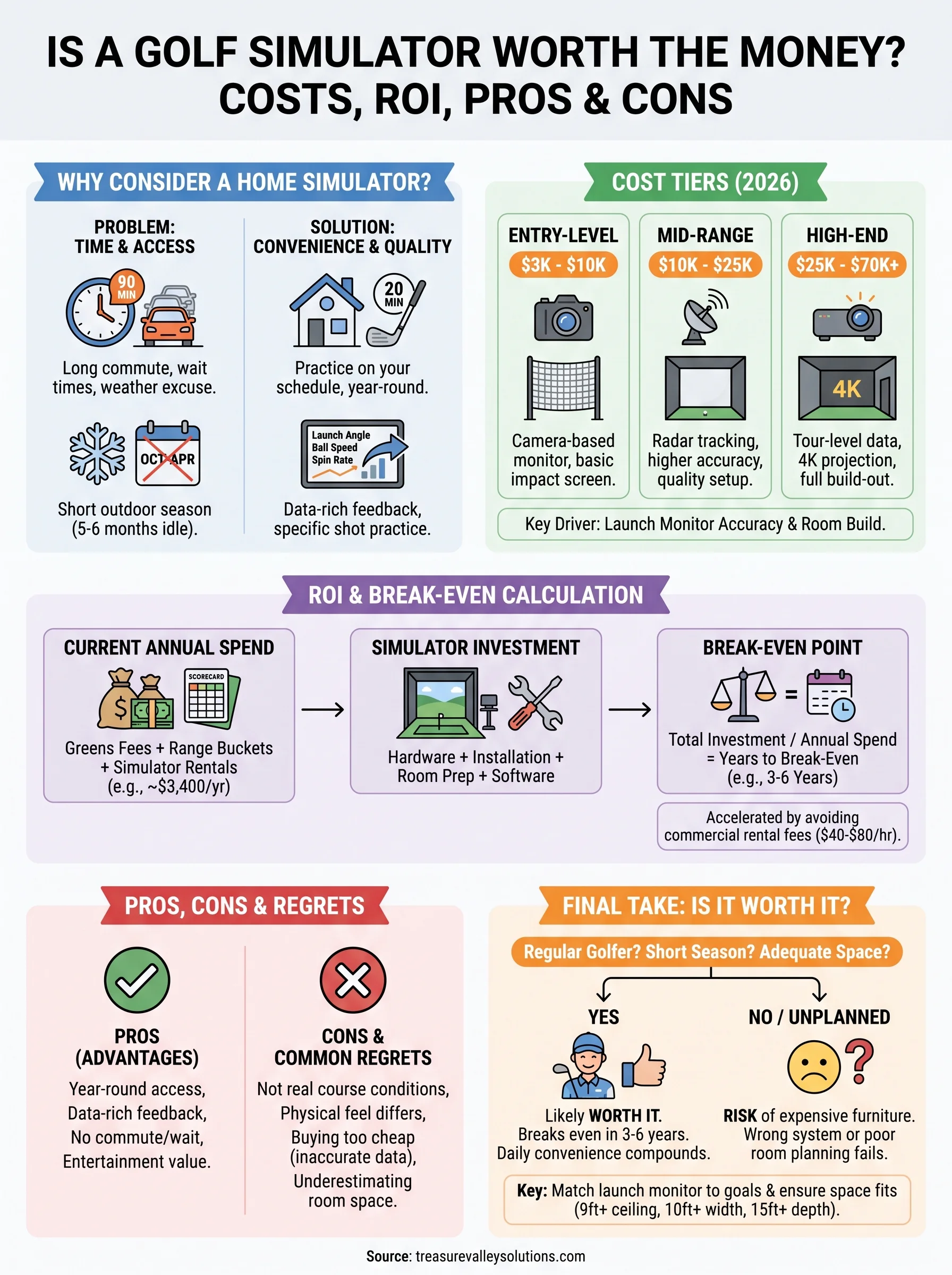
So, is a golf simulator worth the money? For golfers who play regularly, live somewhere with a short outdoor season, and have a space that can support a proper setup, the answer is usually yes. The math tends to work in your favor within three to six years, and the daily convenience compounds in ways that are hard to appreciate until you actually have the setup running.
That said, buying the wrong system for your space or cutting corners on the launch monitor turns a smart investment into an expensive piece of furniture. The right setup starts with the right room, and that room needs proper planning before a single component gets ordered.
If you're ready to build a dedicated simulator space in your home, talk to the team at Treasure Valley Solutions to get a custom assessment of your space and a setup that actually performs.
Need Expert Help?
Ready to implement these solutions in your own home or business?
Our Services
View All Services
Serving the Treasure Valley
Local installation in your city