 (208) 991-3502
 Meridian, ID



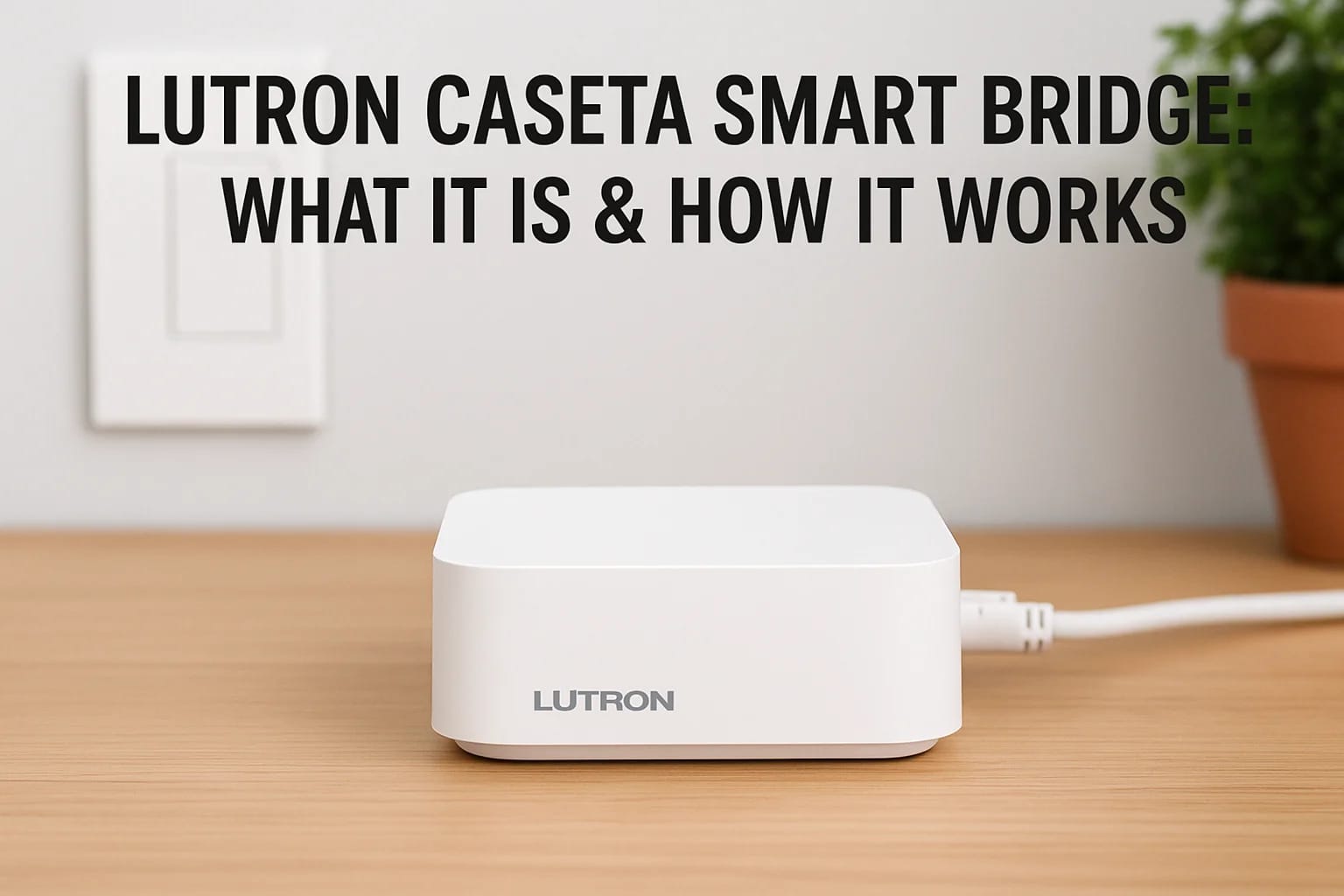

The Lutron Caseta Smart Bridge (now called the Smart Hub) is a small device that connects your Lutron smart switches to your home network and the internet. It plugs directly into your router and acts...
Lutron Caseta Smart Bridge: What It Is & How It Works
The Lutron Caseta Smart Bridge (now called the Smart Hub) is a small device that connects your Lutron smart switches to your home network and the internet. It plugs directly into your router and acts as a translator between your switches and everything else. Without it, your Caseta switches work as regular dimmers. With it, you unlock remote access, voice control, and automation features that make your lighting system truly smart.
This guide walks you through exactly how the bridge works and why you need one for your Caseta system. You'll learn about the technology behind it, how to set it up, what devices it works with, and whether you need the standard version or the Pro model. We'll also explain why Lutron's approach to smart lighting beats Wi-Fi bulbs when it comes to reliability and response time.
Why you need a hub for smart lighting
Your Lutron Caseta switches don't connect directly to your Wi-Fi network. They use a proprietary radio frequency protocol called Clear Connect instead. This design choice solves several problems that plague Wi-Fi-based smart devices, but it creates one requirement: you need a bridge to connect those switches to your home network and the internet. Without this hub, your switches operate as standard dimmers with manual control only.
Why Caseta doesn't use Wi-Fi
Lutron designed Caseta around dedicated radio communication rather than Wi-Fi for several technical reasons. Wi-Fi networks get congested quickly when you add too many devices, and your 2.4 GHz band already handles phones, tablets, laptops, and streaming devices. Adding dozens of light switches to that mix creates interference and slows down everything on your network.
Clear Connect operates on a different frequency that stays clear of Wi-Fi traffic. Your switches communicate with the bridge through this dedicated channel, which means they never compete with your Netflix stream or video calls for bandwidth. The bridge then handles the translation work, converting those radio signals into commands your router understands.
The bridge as your network translator
The Lutron Caseta smart bridge sits between your switches and your internet connection. You plug it into your router with an ethernet cable and into a power outlet, and it immediately starts listening for signals from your Caseta devices. When you press a switch or send a command through the app, that instruction travels through the bridge to reach its destination.
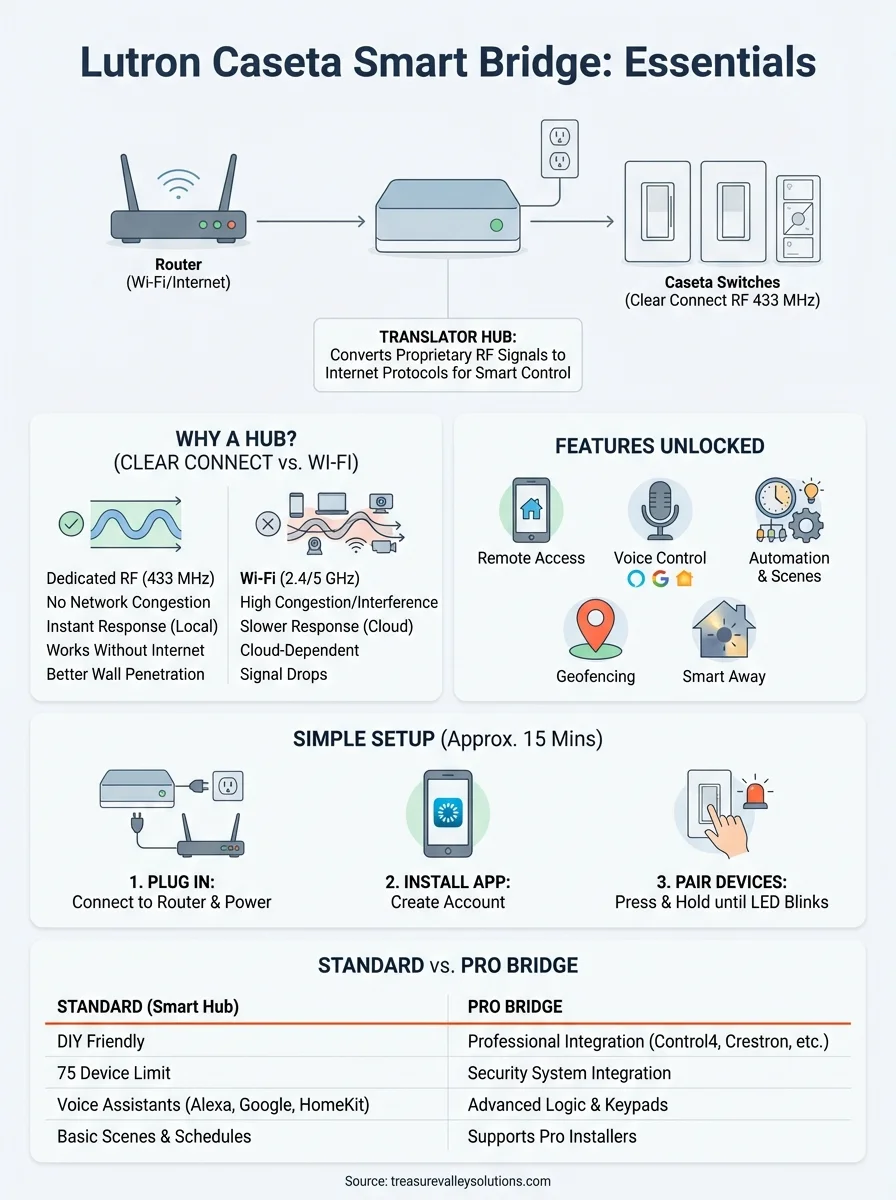
The bridge acts as an interpreter, turning Clear Connect radio signals into standard internet protocols that work with apps, voice assistants, and other smart home systems.
This setup keeps your switches simple and reliable. They don't need to handle complex Wi-Fi authentication or updates that might fail. The bridge manages all the network complexity while your switches focus solely on controlling lights.
Reliability advantages over Wi-Fi bulbs
Wi-Fi smart bulbs constantly fight for bandwidth and suffer from connection drops when your network gets busy. They also go offline whenever you lose internet service. Your Caseta system keeps working even during internet outages because the switches communicate directly with each other through the bridge using Clear Connect.
The dedicated hub approach also means faster response times. When you flip a switch, the command travels through Clear Connect radio waves at the speed of light, with no cloud processing required. Wi-Fi bulbs often lag by a second or two while they send commands to remote servers and wait for responses.
Smart features the bridge unlocks
The bridge transforms your basic switches into a full automation system. You can create schedules that turn lights on before you wake up or off after bedtime. Geofencing lets your home detect when you leave and automatically adjust lighting to save energy or simulate occupancy.
Smart Away mode randomly varies your lights while you're gone to make your home look occupied. You can also trigger scenes that adjust multiple lights at once with a single tap. These features only work when the bridge connects your switches to the internet and the Lutron cloud services.
How the smart bridge controls your home
The Lutron Caseta smart bridge transforms your lighting system from basic switches into a fully controllable network. You can adjust lights from anywhere, create custom scenes, and build automation rules that respond to your schedule. The setup process takes about 15 minutes and requires no special tools or technical knowledge.
Setting up the physical connection
You start by plugging the bridge into two places: your router and a power outlet. The ethernet cable connects the bridge directly to an available port on your router, while the power adapter plugs into any nearby outlet. Most people place the bridge near their router in a closet or office, where it sits out of sight and runs continuously.
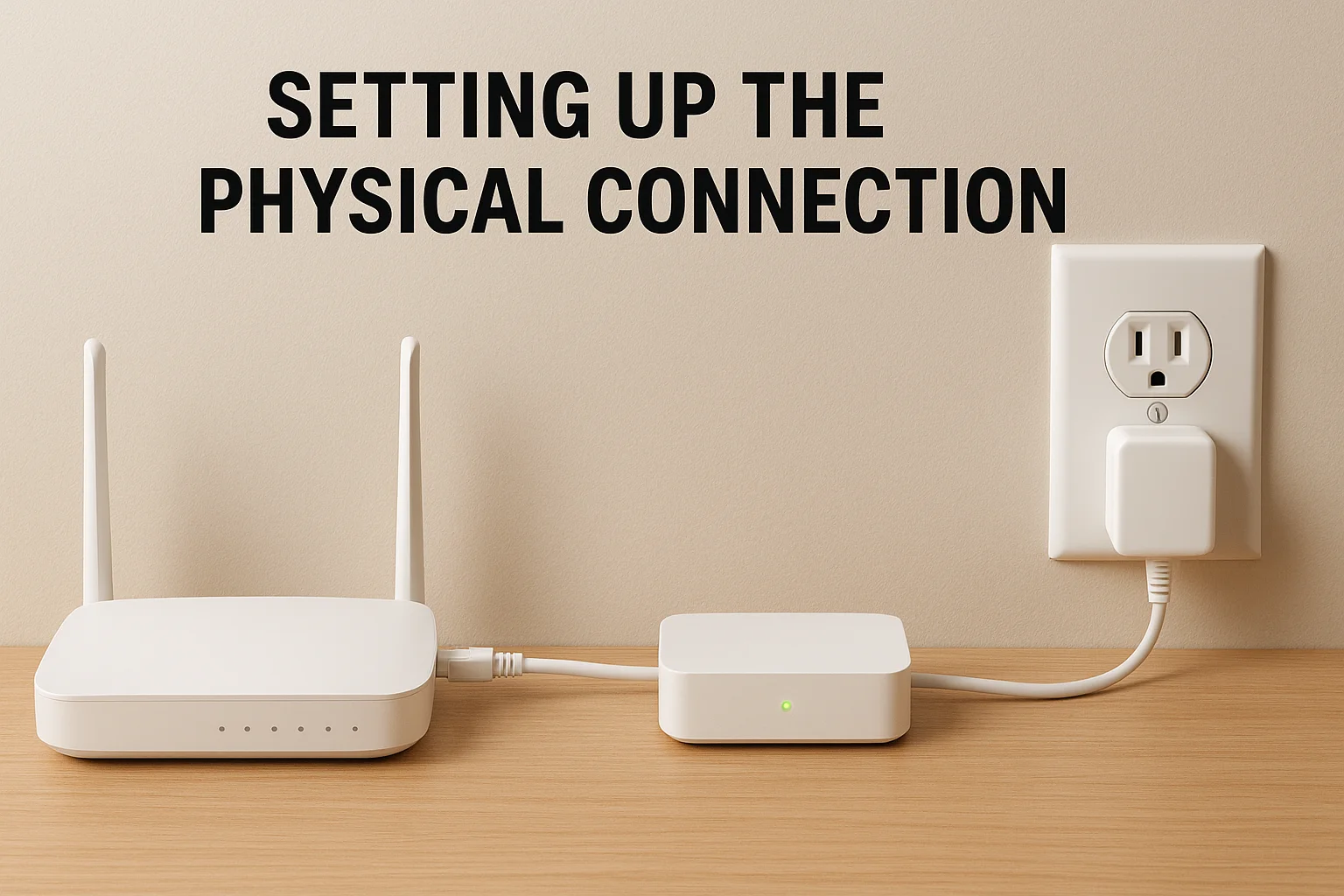
Once powered on, the bridge's LED indicator shows its connection status. A solid light means it's connected to your network and ready to communicate with your switches. You don't need to configure network settings or enter Wi-Fi passwords because the wired ethernet connection handles everything automatically.
Pairing devices through the Lutron app
The Lutron app walks you through adding each switch, dimmer, and shade to your system. You download the free app, create an account, and tap "Add Device" to begin. The app asks you to press and hold the small button on each Caseta device until its LED starts blinking, which signals it's ready to pair.
Your bridge detects the device within seconds and adds it to your home setup. You then assign each device to a specific room and give it a descriptive name like "Kitchen Island" or "Master Bedroom." This organization makes voice commands and automation rules much easier to set up later.
Controlling lights from anywhere
Remote access means you can adjust your lights from across town or across the country. The bridge maintains a constant connection to Lutron's cloud servers, which relay your commands from the smartphone app to your home. You might dim the living room lights from your office or turn on the porch light before you arrive home.
The bridge enables you to check and control every light in your house through a single app, no matter where you are.
Building custom scenes
Scenes let you control multiple devices with a single command. You might create a "Movie Night" scene that dims the family room lights to 20%, closes the shades, and turns off the kitchen pendant. The bridge stores these scenes and activates all the changes simultaneously when triggered. You can launch scenes from the app, voice assistants, or dedicated Pico remote buttons placed around your home.
Standard bridge vs smart bridge pro
Lutron offers two versions of the bridge, and choosing the wrong one can limit your system before you even start. The standard model (now called the Smart Hub) handles most home automation needs for DIY installations, while the Pro version unlocks integration with professional-grade control systems. Your choice depends on how deep you plan to take your smart home and whether you want features beyond basic lighting control.
What separates the two models
The standard Lutron Caseta smart bridge connects to popular consumer platforms like Alexa, Google Assistant, and Apple HomeKit. You can control lights through apps, voice commands, and simple schedules. This model supports up to 75 devices and works perfectly for homes where lighting automation remains the primary goal.
Pro bridges add advanced integration capabilities that professional installers use for whole-home systems. They communicate with platforms like Control4, Crestron, and Savant, which means your lights can integrate with security panels, motorized shades from other manufacturers, and distributed audio systems. The Pro version also supports third-party keypads and more complex programming logic that goes beyond what the consumer app offers.
When you need the Pro version
You need the Pro bridge if you plan to hire a professional integrator to design a comprehensive smart home system. These systems combine lighting, climate, security, and entertainment into unified control through a single interface. The Pro bridge communicates using protocols that professional equipment understands, which the standard bridge cannot do.
The Pro version becomes essential when your lighting needs to respond to security events, integrate with commercial-grade shade systems, or work within a professionally programmed automation platform.
Security system integration represents another reason to choose Pro. Some alarm panels can trigger lighting scenes when you arm or disarm your system, or flash lights during emergencies. The Pro bridge supports these integrations while the standard version does not.
Choosing the right bridge for your setup
Most homeowners doing their own installations should start with the standard Smart Hub. It handles all the features you access through the Lutron app and works with every major voice assistant you already own. You save money and avoid complexity you won't use.
Professional installations justify the Pro model's higher cost because integrators need those advanced protocols to build cohesive systems. The Pro bridge costs more upfront but becomes the foundation for automation that extends far beyond lighting alone.
Compatibility with other smart home devices
The Lutron Caseta smart bridge connects your lighting system to the wider smart home ecosystem you already own. You can control lights through voice commands, trigger scenes when other devices activate, and create automation rules that span multiple platforms. This compatibility turns your lighting into a responsive system that works alongside thermostats, door locks, speakers, and security cameras.
Voice assistant integration
Your bridge works with Amazon Alexa, Google Assistant, and Apple HomeKit right out of the box. You link your Lutron account through each assistant's app, which gives you voice control over every light in your home. Simple commands like "turn off the kitchen lights" or "dim the bedroom to 30%" work immediately after setup.
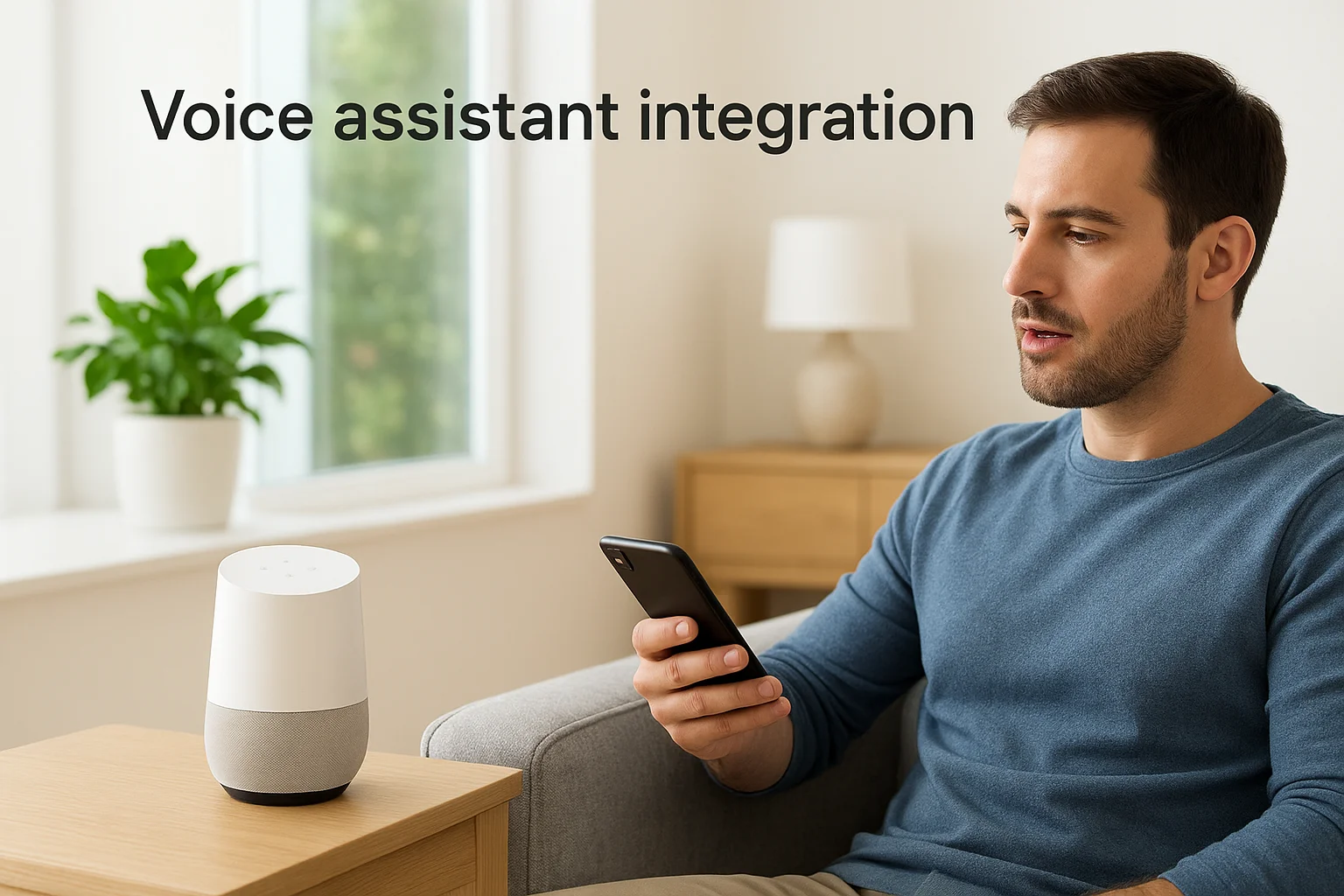
Each platform offers slightly different features. HomeKit lets you include Caseta devices in Apple's automation scenes and control them through Siri on all your Apple devices. Alexa supports routines that combine lighting changes with music playback or announcements. Google Assistant integrates with Google Home routines and works across Android phones and smart displays.
Third-party smart device connections
The bridge communicates with products from dozens of manufacturers through these voice platforms. Your Sonos speakers can trigger lighting scenes when you start playing music. An Ecobee thermostat might dim lights automatically when it detects you've left home. Ring doorbells can turn on porch lights when motion gets detected or someone presses the button.
These integrations let your lighting respond to events across your entire smart home, creating automation that feels natural and anticipates your needs.
You build these connections through each product's individual app or through routines in your voice assistant platform. The bridge acts as the central hub that makes all these interactions possible by keeping your Caseta devices constantly connected and ready to respond.
Managing device limits
Each bridge supports up to 75 Caseta devices, which includes switches, dimmers, shades, and fan controls. Most homes stay well below this limit, but larger properties might need multiple bridges. You can run several bridges on the same network, though you'll manage them as separate systems in the Lutron app. Each bridge maintains its own connection to the cloud and handles its assigned devices independently.
Why Clear Connect is better than Wi-Fi
Lutron designed Clear Connect as a proprietary radio frequency protocol specifically for home lighting control. This technology operates on the 433 MHz band, which sits far away from the crowded 2.4 GHz and 5 GHz frequencies your Wi-Fi network uses. The lutron caseta smart bridge translates these Clear Connect signals into commands your network understands, giving you the reliability of dedicated radio communication without the limitations of Wi-Fi-based smart bulbs.
How Clear Connect avoids network congestion
Your Wi-Fi network already handles dozens of devices competing for bandwidth at the same time. Phones, laptops, tablets, streaming devices, and security cameras all fight for the same radio frequencies. When you add Wi-Fi smart bulbs to this mix, you create more interference and slowdowns that affect everything connected to your network.
Clear Connect operates on a completely separate frequency that avoids this congestion entirely. Your switches communicate with each other and the bridge through dedicated radio channels that nothing else uses. Kitchen appliances like microwaves and baby monitors that disrupt Wi-Fi signals have zero impact on Clear Connect performance.
Clear Connect's dedicated frequency means your lights respond instantly even when your Wi-Fi network is handling heavy traffic from video calls or streaming.
Superior range and wall penetration
The 433 MHz frequency Clear Connect uses travels much farther and penetrates walls better than the higher frequencies Wi-Fi requires. You get reliable control throughout your entire home, including basements, garages, and rooms at the opposite end of the house from your bridge. Wi-Fi bulbs often lose connection in distant rooms or areas with thick walls.
Clear Connect signals reach through multiple walls and floors without the signal degradation that plagues Wi-Fi devices. Your switches maintain strong connections to the bridge even in challenging locations where Wi-Fi struggles to penetrate.
Instant response with no cloud dependency
Wi-Fi bulbs send every command to remote cloud servers before executing, which creates noticeable delays. You flip a switch and wait a second or two while your command travels to the internet and back. Clear Connect processes commands locally through your bridge with response times measured in milliseconds.
Your Caseta system continues working even when your internet connection goes down because switches communicate directly with the bridge using Clear Connect. Wi-Fi bulbs become useless during internet outages since they require cloud access for every function.
Getting the right setup for your home
The lutron caseta smart bridge gives you reliable control over your entire lighting system through a dedicated hub that avoids Wi-Fi congestion and cloud delays. You get instant response times, seamless integration with voice assistants and other smart devices, and the flexibility to create automated scenes that match your daily routine. The standard Smart Hub handles most residential installations, while the Pro version serves homes with professional control systems.
Your choice between bridge versions depends on your automation goals and whether you plan to integrate lighting with security panels or commercial-grade equipment. Most homeowners start with the standard model and expand their system over time as they discover new automation possibilities.
Professional installation ensures your bridge connects properly to your network and that every switch pairs correctly on the first try. Contact our team to design a Caseta lighting system that fits your home's layout and your family's needs.
Need Expert Help?
Ready to implement these solutions in your own home or business?
Our Services

Complete home automation and control.

Intelligent lighting control and automation.

Home theater design and installation planned around your room, viewing goals, and equipment scope.

Comprehensive security solutions for home and business.
Serving the Treasure Valley
Local installation in your city